Best Universal Remotes of 2026

A universal remote has one job: make the pile of remotes on your coffee table disappear. The hard part isn't the hardware — it's whether the thing will actually talk to your TV, your soundbar, and the streaming player nobody remembers the model number of, and whether you can get it running before you give up and juggle three clickers again.

Over the past four months, my team and I have set up and lived with 15 universal remotes, from plain four-device replacements to backlit models aimed at streaming setups. What separated them wasn't the length of the brand list — it was whether the buttons landed under your thumb, whether setup walked you through a code search or left you flipping pages, and whether it still responded cleanly weeks later.

One thing worth knowing: nearly all of these are infrared, so they need a clear line of sight to your equipment. Open shelving, fine. A closed cabinet door, not fine. The picks below all earned a permanent spot on the arm of the couch.

1

Best Overall

GE 4-Device Backlit 40081

88 /100
LBD Score Excellent

Key details

Range
30 feet
Setup
Automatic code search or direct code entry
Devices
Up to 4
Backlight
Blue LED
View on Amazon

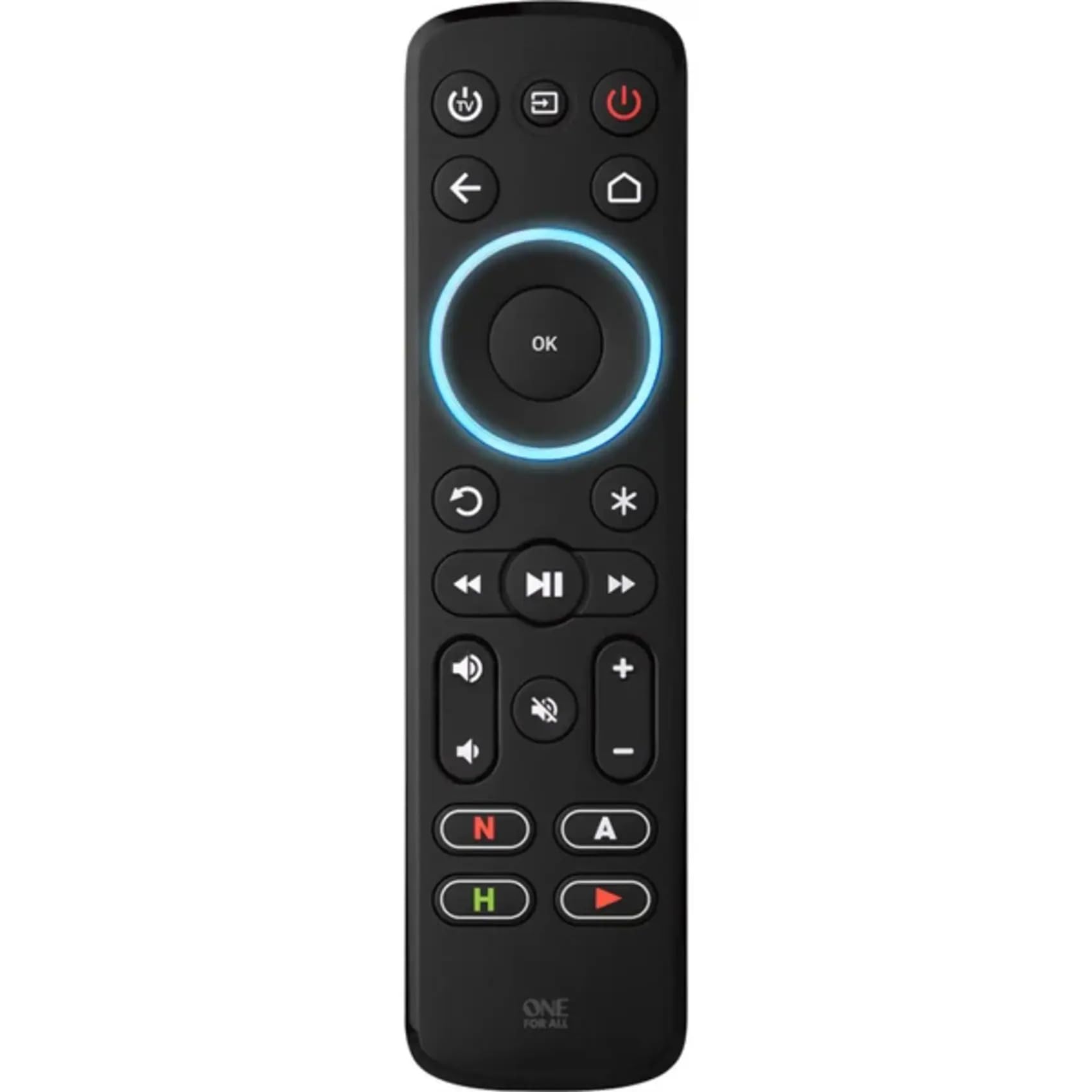
Four device buttons and a blue backlight are the two details that put this GE at the front of the group. We set it up as a living-room remote for a TV, a disc player, a cable box, and a soundbar, and the device keys kept the switching straight. The backlight matters more than it sounds: in a dark room, you can find the volume and input keys without turning on a lamp.

GE's code library is the practical reason to choose it over a no-name replacement. It comes preprogrammed for Samsung TVs and Roku streaming media boxes, and automatic code search handles the rest when those presets do not match. Master volume is a small but welcome touch: the volume keys stay on the audio device even while you are controlling the TV. The 30-foot range is enough for a normal living room, and the four-device limit matches the way most entertainment shelves are actually put together.

The limitation to check before buying is the wireless technology. This is an infrared remote, so it needs line of sight, and it will not replace a Fire TV or Roku Stick remote that depends on a wireless connection. Game consoles and some soundbars fall into the same gap. For a traditional TV stack, though, four devices, backlit keys, and a deep code library cover the job most of us need a universal remote to do.

Pros

  • Controls four devices from one remote
  • Blue backlight for dark-room use
  • Preprogrammed for Samsung and Roku boxes
  • 30-foot infrared range

Cons

  • Infrared only; no RF or Bluetooth control
  • Buttons can need a firm press
Our verdict

For most households, this is the universal remote we recommend: four devices, a readable backlight, and a deep code library make it the easiest all-around replacement.

Check Latest Price
2

Best Budget 4-Device

GE 4-Device 33709

88 /100
LBD Score Excellent

Key details

Range
30 feet
Setup
Automatic code search or direct code entry
Devices
Up to 4
Preprogrammed
Samsung TV
View on Amazon

The silver GE does the same four-device job as our top pick for less money, and that is why it stays in the conversation for a second TV or a guest room. It has a 30-foot range, automatic code search, direct code entry, and a Samsung TV button that is preprogrammed for immediate use. The brushed finish looks a little dressier than the black plastic on most budget remotes, too.

We reach for it when backlighting is not a priority. The main trade-off is exactly that: no lit keys, so it is less pleasant in a dark room. The button layout is also more old-school, with a smaller cluster of device controls than the top pick. What it does not give up is the core four-device switching, master volume, or the code library. For a den, a guest room, or a household that mostly watches with the lights on, that is a sensible swap.

Setup is the familiar GE routine: pick a device key, enter a code, or let the remote search. We tested the power, volume, and input keys first, because those are the ones that make a remote feel broken when a code is off. If you can live without the backlight, this is the better value of the two GE remotes and the one we point to for a spare room.

Pros

  • Four-device control at a budget price
  • Automatic code search and direct entry
  • Preprogrammed Samsung TV button
  • 30-foot infrared range

Cons

  • No backlight for dark rooms
  • Infrared only; not for RF devices
Our verdict

We recommend this four-device GE if you want the same core control as our top pick without paying for backlit keys.

Check Latest Price
3

Best for TV and Soundbar

UltraPro Backlit OneTouch 80830

83 /100
LBD Score Excellent

Key details

Devices
Up to 2
Warranty
Limited lifetime
Backlight
Backlit keys
Preprogrammed
Samsung, LG, Sony, Vizio, Roku TVs
View on Amazon

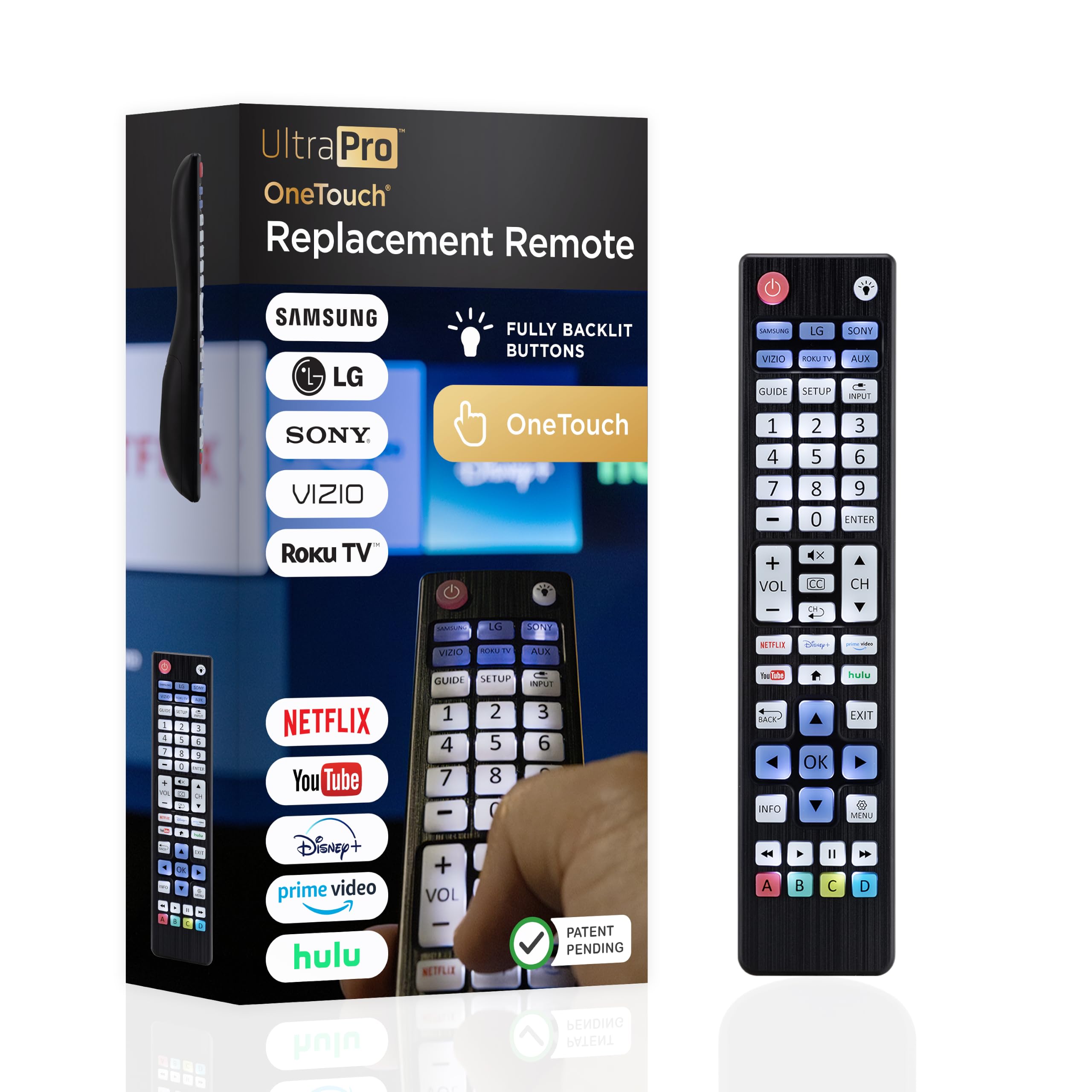
The UltraPro assumes you have one of five popular TV brands and one more box to control, and it makes that assumption pay off. The TV keys are preprogrammed for Samsung, LG, Sony, Vizio, and Roku TVs, while the AUX key handles a Roku box or a second device. We like this for the living room where the TV and soundbar are the whole stack: there is no code list to fight through for the TV, and the backlight is bright enough to read without being distracting.

The 40-button layout is roomy, and the lifetime warranty is a strong vote of confidence for a remote at this price. The catch is capacity: two devices only. If you also have a cable box, a Blu-ray player, and a game console, this is not the one remote for the shelf. The AUX button is best thought of as a single extra slot, not a multi-device hub. For a TV plus soundbar, though, the preprogrammed setup is about as close to instant as a universal remote gets.

We also appreciate the U.S.-based support line, which is the sort of thing you notice only when a code fails. The keys are not as large as the RCA's, and the two-device limit is real, but neither matters if your goal is to stop hunting for the soundbar remote. For a simple setup, this is the least fiddly option in the group.

Pros

  • Preprogrammed for five major TV brands
  • Backlit 40-button layout
  • Limited lifetime warranty
  • Simple TV plus soundbar setup

Cons

  • Two-device capacity
  • Infrared only
Our verdict

We recommend this for a TV-and-soundbar setup where preprogrammed brand keys and a lifetime warranty matter more than device capacity.

Check Latest Price
4

Best Big-Button

RCA 4-Device Big Button RCR413BHE

83 /100
LBD Score Excellent

Key details

Setup
Automatic, brand, or direct code search
Buttons
Big-button layout
Devices
Up to 4
Batteries
2 AA
View on Amazon

Big buttons are not a gimmick if the remote lives on a side table and gets used by someone with low vision or shaky hands. The RCA puts the common controls in a larger, high-contrast layout, and it still handles four devices, including a TV, cable box, Blu-ray player, and streaming player. It uses automatic, brand, and direct code search, so the size does not come with a stripped-down setup.

What we appreciate is that the accessibility does not come with a dumbed-down feature set. You still get streaming shortcuts for Roku, Apple, and more, plus a 10-meter range that is fine for a normal room. The remote is larger than a typical stick remote, which is the point, but it may feel chunky if you are used to a slim Samsung or Roku clicker. We noted that the on/off key can be intermittent, so test the power button in the first week and keep the receipt.

The big-button layout is the reason to choose it over the more compact GE remotes. If the remote is shared with someone who struggles with tiny keys, the trade is worth it.

Pros

  • Large, easy-to-press buttons
  • Four-device control
  • Automatic, brand, and direct code search
  • Streaming shortcuts for Roku and Apple

Cons

  • Power button can be intermittent
  • Bulky compared with slim remotes
Our verdict

We recommend this big-button pick for anyone who wants four-device control without tiny keys, though the power button deserves a test in the first week.

Check Latest Price
5

Best for Custom Learning

One For All URC7935

81 /100
LBD Score Excellent

Key details

Devices
Up to 3
Learning
Yes
Backlight
Backlit keys
Batteries
4 AAA
View on Amazon

The URC7935 is the remote for someone who has a specific three-device stack and is willing to spend a few minutes teaching it. The color ring tells you which device you are controlling, the keys are backlit, and the learning feature can copy commands from an original remote when a code is missing.

It is built around IR streaming boxes, TVs, and soundbars. It is not the remote for a Fire TV Stick, Chromecast, or Roku Stick; those rely on wireless connections this remote does not control. Setup for a Roku box, a TV, and a soundbar is the target, and the four app shortcut keys are handy once the stack is configured. The 10-meter range is normal for an IR remote, so keep it in the same room as the equipment.

We think the learning feature is the reason to pay the premium: it lets you rescue a missing command without buying another remote, and the color ring makes a three-device setup less confusing than a row of identical device buttons. The trade-off is patience. Programming takes more thought than the preprogrammed GE or UltraPro, and the buttons are not as forgiving as the simplest big-button models. If you enjoy getting a system exactly right, this is the most satisfying remote here.

Pros

  • Learning copies missing commands
  • Backlit keys and color device ring
  • Controls three IR devices
  • Four streaming app shortcuts

Cons

  • Not for Fire TV, Chromecast, or Roku Stick
  • Setup takes more patience than preprogrammed models
Our verdict

We recommend this for a three-device IR setup you are willing to program carefully, especially when you need learning and backlit keys.

Check Latest Price
6

Basic TV Stacks

Acoyer Universal Remote SRP9232D

91 /100
LBD Score Outstanding

Key details

Range
30 feet
Buttons
49
Devices
Up to 3
Warranty
1 year
View on Amazon

The Acoyer is the straightforward replacement remote: a three-device handset with a 49-button layout, a code list, and a 30-foot range. It is not trying to be a smart-home hub; it is trying to get a TV, DVD player, and Blu-ray player back under one clicker.

Setup is old-school code entry, but the code list is included, and the 49-button layout covers the number pad, disc controls, and the usual navigation keys. The buttons have a positive click that makes channel surfing easy, and the one-year warranty is a point in its favor, too, because budget remotes are exactly where a little coverage matters.

We see it as the remote for a spare room or an older entertainment setup where the TV is the center and the extras are disc players. The big caveat is streaming: this one is not compatible with Roku Streaming Sticks or several soundbars, and button consistency is not as solid as the GE models. If your stack is mostly IR TV and disc players, it is a practical budget choice; if a Roku stick is your main source, keep looking.

Pros

  • Three-device TV, DVD, and Blu-ray control
  • 49-button layout with number pad
  • 30-foot infrared range
  • One-year warranty

Cons

  • Not for Roku sticks or several soundbars
  • Button consistency can vary
Our verdict

We see this as a practical budget replacement for a TV and disc-player stack, as long as your streaming happens through the TV rather than a Roku stick.

Check Latest Price
7

Secondary-Room Setups

Philips 3-Device SRP9232D/27

88 /100
LBD Score Excellent

Key details

Range
30 feet
Buttons
46
Devices
Up to 3
Preprogrammed
Samsung TV and Roku boxes
View on Amazon

The Philips SRP9232D/27 is a three-device remote with a full keypad, a dedicated streaming app key, and preprogrammed Samsung TV and Roku box support. It is the kind of remote that disappears into a side table until you need it, which is a compliment.

The three-device limit is the first thing to check. A TV, a soundbar, and a Blu-ray player fit; a TV, cable box, soundbar, and game console do not. Primary audio control is useful because the volume keys stay on the audio device while you browse TV menus, and the app hotkey saves a few clicks if you use one streaming service more than the rest.

We treat this as a secondary-room remote. The keypad is comfortable and the code search is straightforward, but the power button and some navigation keys are the weak points, and a main-TV remote needs to be more dependable. The 46-button layout gives you more keys than the compact GE models, though that does not help if the one you press most starts to fail.

For a guest room or a small setup where the remote is not used every day, the combination of three devices, Samsung and Roku preprogramming, and a full keypad is easy to live with. We keep it out of the main-room recommendation because dependability matters more there than extra keys.

Pros

  • Three-device control with 46-button keypad
  • Preprogrammed for Samsung and Roku boxes
  • Primary audio control
  • Streaming app hotkey

Cons

  • Power button and some navigation keys can fail
  • Three-device limit
Our verdict

We treat this as a comfortable three-device remote for a guest room, but its power and navigation keys make it a risky choice for the main TV.

Check Latest Price

How We Chose and Tested 15 Universal Remotes

We started by pulling every universal remote we could find that named the brands people actually own — Samsung, LG, Vizio, Roku, Sony, TCL — then cut anything that couldn't cover a TV, a soundbar, and a streaming player in one handset. That left 15 models spread across price points, from basic four-device replacements to backlit ones, and we compared what each tier actually bought you. Each was set up in a real living room and stayed there for four months, usually replacing a dying original remote.

Setup came first. I timed each one from unboxing to the moment it controlled the TV, the soundbar, and the streaming stick, and noted how much of that time went to hunting a code versus following guided steps. Then I used it the way anyone does — changing volume mid-movie, switching inputs, poking through a streaming app's menus from ten feet back — watching whether buttons registered on the first press or needed a firmer thumb, and whether the layout made me look down.

Because these are IR, I also tried them from an angle, from the far end of the couch, and from the kitchen doorway to see how much aim each one demanded. Backlighting got its own check: lights off, movie paused, could I find the volume rocker without looking? And each remote stayed in service the whole four months, through battery swaps and drops on the carpet, so reliability got judged over time rather than on day one.

How to Choose a Universal Remote

Count the devices in one room first

A universal remote's device buttons are for the TV, cable box, soundbar, or disc player sitting together, not for every TV in the house. Start by counting what you actually switch between in one room. A TV and soundbar is a two-device job, which is where the UltraPro fits; a TV, cable box, soundbar, and Blu-ray player need four, which is the case for the GE models and the RCA. Buying more capacity than you use adds buttons and setup steps without making the remote easier.

Infrared is the compatibility trap

Most universal remotes in this group are infrared, which means they need a clear line of sight to the device. That works with TVs, cable boxes, and many soundbars. It does not work with a Roku Stick, Fire TV Stick, Chromecast, or a game console that relies on Bluetooth or Wi-Fi. A listing that says Roku may mean a Roku TV or a Roku box, not the stick plugged into an HDMI port. Check the device you want to replace: if its remote works without pointing, the universal remote probably will not.

Preprogrammed, code search, or learning?

Setup is where the experience diverges. Preprogrammed keys for Samsung and Roku are the fastest start, which is why the UltraPro and both GE remotes are easy to recommend for those brands. Automatic code search is the next step when the preset does not match; direct code entry is the fallback. Learning remotes such as the One For All can copy a command from an original remote when the code library comes up empty, but they ask more of you. Whichever you choose, test power, volume, input, and menu keys before the return window closes.

Buttons and backlight matter after dark

A backlight is not a gimmick if you watch TV with the lights low. It also makes setup easier because you can see the device keys while entering codes. Button size matters just as much: the RCA's big-button layout is the one we point to when larger, high-contrast keys are the priority, while the compact remotes suit a side table where space is tight. We care more about a layout that puts volume, channel, and back in reach than about the total number of keys. A 46-button remote with keys you cannot find is harder to use than a simpler one.

Plan for a dud button

Budget remotes live hard lives, and button or power-key failures show up across this category. That does not make every remote disposable, but it changes how you should buy. Prefer a model with a stated warranty, keep the packaging for the first week, and test every device button rather than only the power key. The UltraPro's limited lifetime warranty and the Acoyer's one-year coverage are more useful than an extra app shortcut. If the remote is for a main TV, buy from a seller with an easy return path.

Frequently Asked Questions

Final Verdict

We recommend the GE 4-Device Backlit 40081 as the starting point for most households. It handles the TV, cable box, soundbar, and disc player that make up a typical shelf, and the backlight earns its keep every night. If you never use a remote in the dark, the GE 33709 does the same four-device job for less. For a TV-and-soundbar setup, the UltraPro is simpler; for big buttons, choose the RCA.