Best TVs of 2026

Two televisions can both say 4K on the box and look nothing alike in your living room. What separates them is usually what's lighting the screen: a basic edge-lit panel, a full array of LEDs sitting behind it, or the tiny mini-LED clusters that let a blazing sunset share a frame with a night sky without a gray halo creeping around it. That single decision drives contrast, color, and whether you spend the movie watching the picture or watching the panel.

Over the past six months, my team and I have lived with eight sets, from a 32-inch that fits on a bedroom dresser to a 65-inch that took two of us and a level to hang. We timed setup with one person doing all of it, watched the same movies and the same playoff games, and paid close attention to the parts you actually touch — the remote, the menus, and whether the Wi-Fi holds in the room furthest from the router.

Here's the thing I'd tell any first-time buyer: the size that fits your wall is almost always smaller than the size you want, so measure the wall and the stand footprint before you fall in love with a number. And nearly every flat panel sounds thin, because it is — if dialogue matters to you, plan on a soundbar or check which sets pair with Bluetooth headphones for late-night watching. Every set below earned its spot for a different room, a different wall, and a different budget.

1

Best Overall

Samsung 55-Inch M80H

84 /100
LBD Score Excellent

Key details

HDMI
3
Motion
Motion Xcelerator 144Hz
Backlight
Mini LED
Screen Size
55 inches
View on Amazon

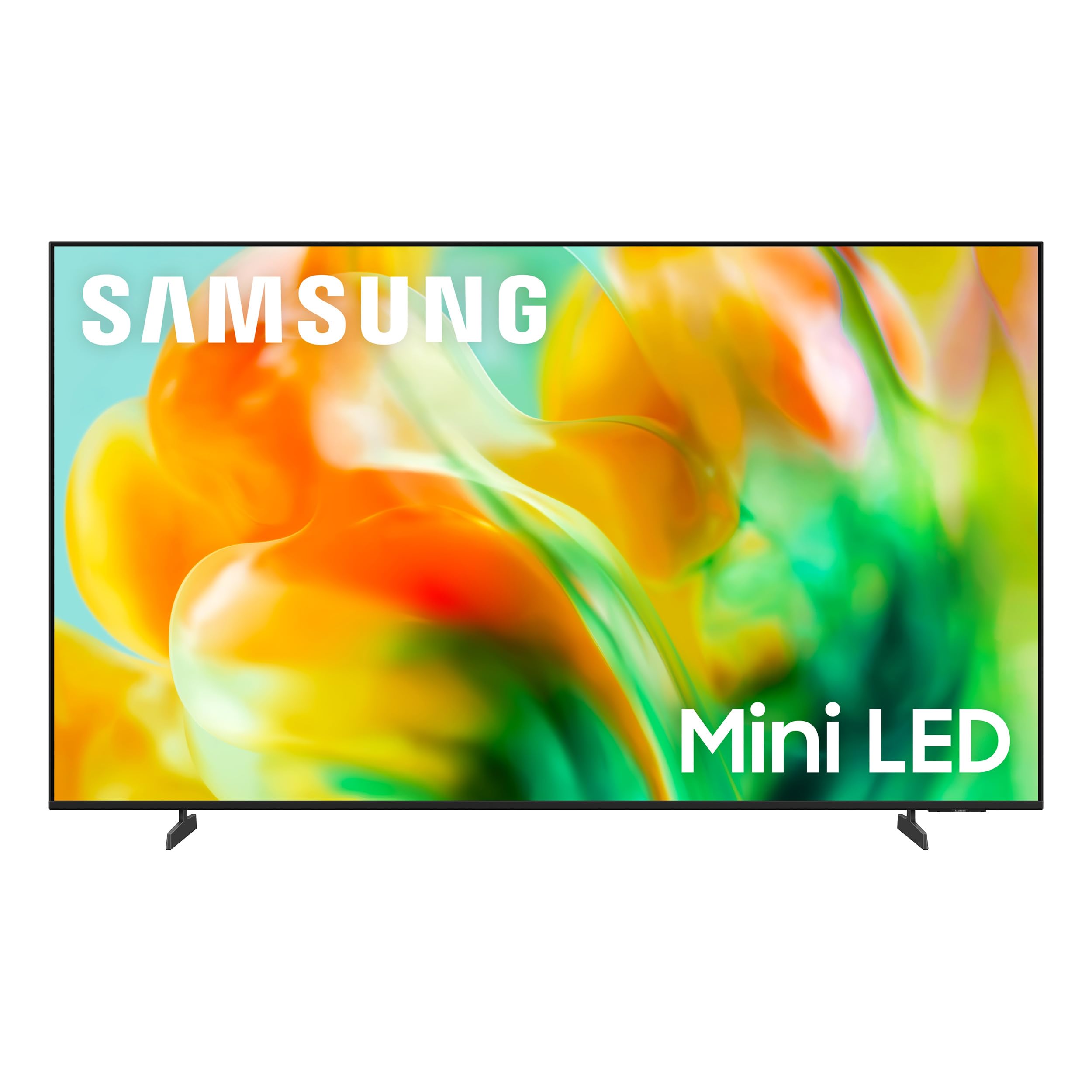
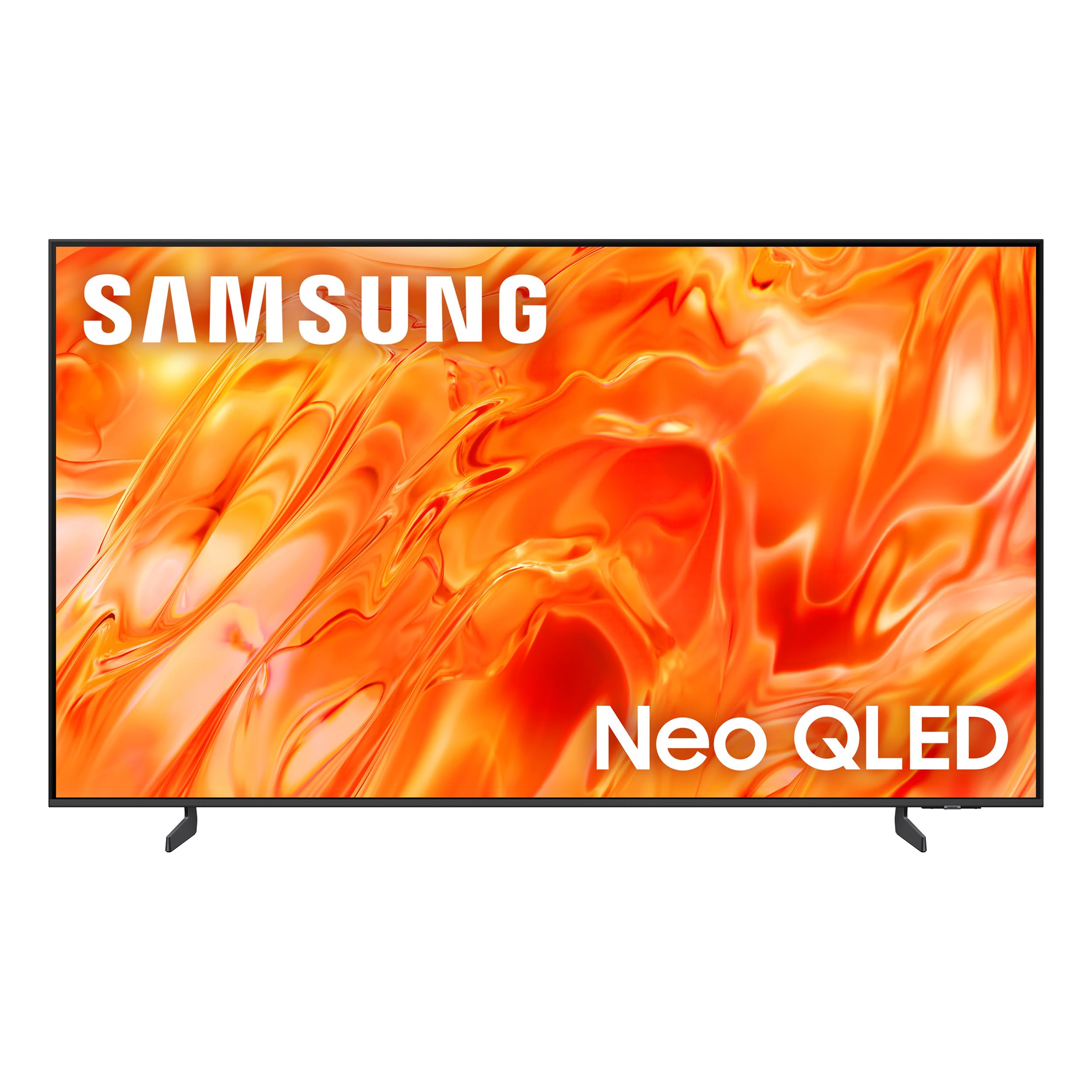
Mini LED backlighting and a 144Hz motion mode are the two reasons this Samsung earns the top spot over the cheaper 50-inch Roku. The M80H puts both in a 55-inch frame, which is the size we keep coming back to for a living room that has to handle movies, sports, and a console. The extra brightness matters most in a room with windows: the Mini LED backlight pushes highlights harder than the standard LED sets here, and HDR10+ content keeps color looking solid rather than washed out. We also appreciate that the 4K upscaling helps older cable and streaming sources look less soft.

Motion is the other half of the case. The 144Hz motion mode is a real advantage for sports and games, and it is the feature that separates this set from the 60Hz Roku and Hisense models. We found fast pans and passes stayed readable without the smear we expected from a midrange LCD. The 120Hz display refresh is the better match for console games, though the three HDMI ports mean you may need a switch if a soundbar, console, and streaming box all want a home.

Three HDMI ports are the main compromise. A soundbar, a console, and a streaming stick can fill them quickly, so plan for an HDMI switch if you have more than two extra sources. The built-in 20-watt speakers are serviceable for news, but we still wanted a soundbar for movies. At 22.5 pounds, the set is manageable for two people, and the 200 x 200 mm VESA pattern is common enough that mount shopping is straightforward.

What settles it for us is the balance. The Roku 50 is easier on the wallet and has a better port count; the Samsung 55 is the one we choose when picture quality is the priority. If your room is bright and your watching mixes sports with movies, this is the set we recommend first.

Pros

  • Mini LED contrast holds up in bright rooms
  • 144Hz motion mode suits sports and games
  • 55-inch size fits most living rooms
  • HDR10+ and 4K upscaling

Cons

  • Only three HDMI ports
Our verdict

We recommend the M80H to anyone who wants a 55-inch TV with genuinely bright Mini LED contrast and smooth 144Hz motion without jumping to a premium price tier.
Check Latest Price
2

Best Value

Roku 50-Inch Select QLED

88 /100
LBD Score Excellent

Key details

HDMI
4
Panel
QLED
HDR Formats
HDR10, HDR10+, HLG
Screen Size
50 inches
View on Amazon

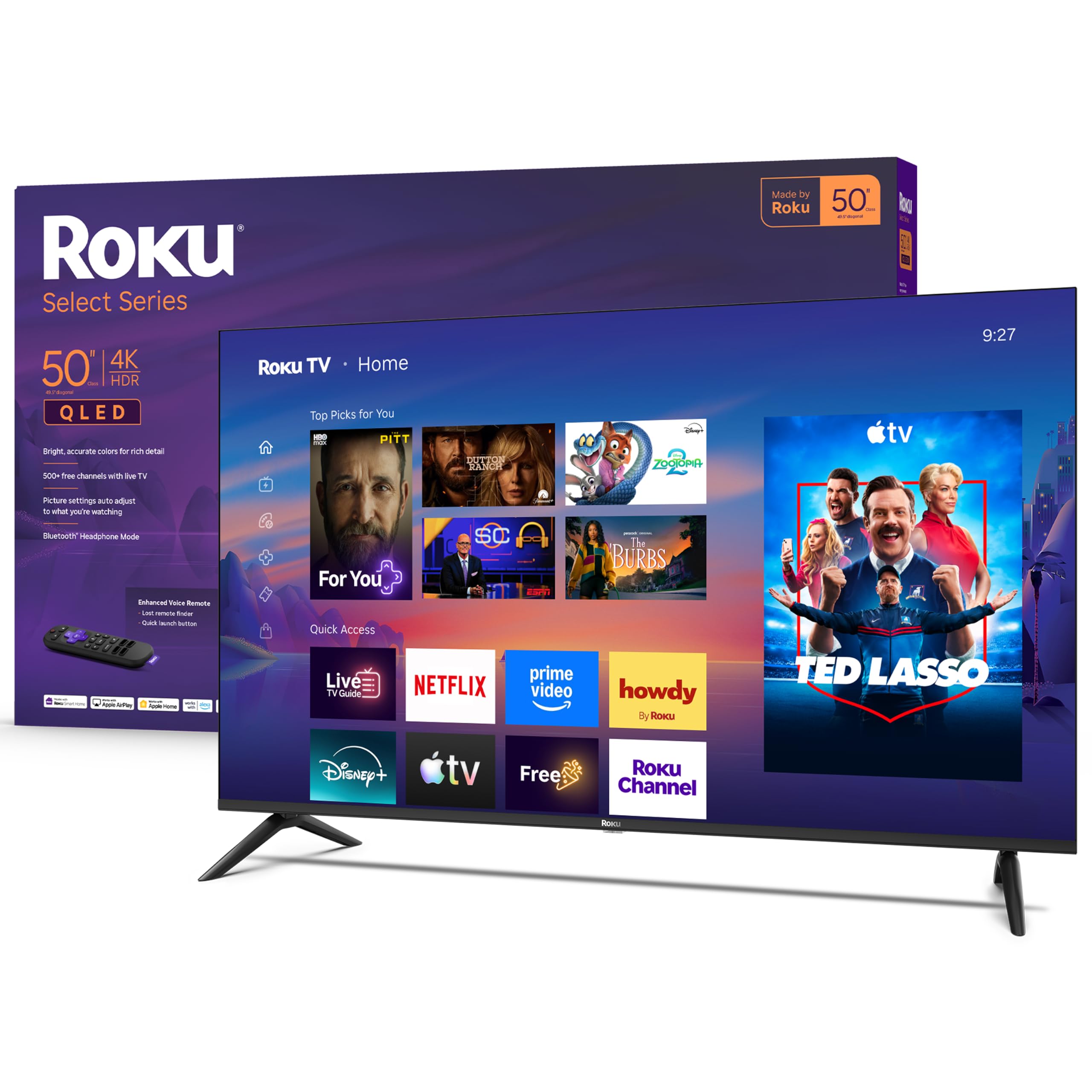
Four HDMI ports on a 50-inch TV is the kind of detail that stops mattering only after you have lived with a two-port set. We like having room for a soundbar, a game console, and a streaming box without unplugging something else. Add Roku's home screen and setup is about as close to plug-in-and-watch as this group gets; the remote is simple, and Bluetooth headphone mode is a genuinely useful late-night feature for a bedroom or apartment.

The QLED panel is the real value story. Colors are richer than the standard LED sets here, and HDR10, HDR10+, and HLG support cover the main formats you will run into. We think this is the best value in the roundup: it costs less than the Samsung 55 and still feels like a modern TV rather than a compromise. The 60Hz refresh rate is the line in the sand—fine for streaming and casual sports, less ideal if you want the smoothest motion for games. Brightness is modest at 250 nits, so a room with direct sun will wash out more than it does on the Samsung.

Sound is better than expected from a 50-inch set, with 20 watts of Dolby Audio; we still want a soundbar for movies, but dialogue is clear. At 16.8 pounds, it is easy for one person to lift onto a stand, and the 200 x 100 mm VESA pattern is compact enough for a smaller wall mount. The only reason to step up is a brighter room or a desire for smoother gaming motion.

Pros

  • Four HDMI ports for multiple sources
  • QLED color with broad HDR support
  • Roku OS is simple to set up and use
  • Bluetooth headphone mode for late-night listening

Cons

  • 60Hz panel limits smooth motion
  • 250-nit brightness struggles in direct sun
Our verdict

If you want the most TV for a modest budget, this Roku's QLED color and four HDMI ports make it the easiest 50-inch to recommend.

Check Latest Price
3

Best Large Screen

Samsung 65-Inch QN70H

84 /100
LBD Score Excellent

Key details

HDMI
3
Panel
Neo QLED
Brightness
1200 nit
Screen Size
65 inches
View on Amazon

A 65-inch Neo QLED with a 1200-nit peak brightness is a lot of TV, and the QN70H uses it well. The first thing we noticed in a bright room was how little the picture had to fight the light; highlights held up and dark scenes stayed readable instead of turning into a gray wash. Quantum Dot color gives skin tones and sports uniforms a clean, saturated look, and HDR10+ support covers the main HDR format. The 120Hz panel is the other reason this set earns its keep: sports and console games have the smoothness the 60Hz sets here lack.

At 65 inches, the set is a two-person lift—47 pounds before the stand—and the 400 x 300 mm mount pattern means you need a mount rated for the size. We appreciate the 20-watt Dolby Atmos speakers, which are a step above the basic stereo on the smaller sets, though a soundbar still makes sense for movie nights. The three HDMI ports are the weak spot: a soundbar, a console, and a streaming device can use them all, so an HDMI switch may be in your future.

This is the premium pick for a large room, and it earns the money with brightness and color rather than size alone. The Roku 50 is the better value for everyday streaming; the QN70H is for the buyer who wants a big, bright picture and will pay for it. It is not the default for a first TV unless the room is large and the budget is real.

Pros

  • 1200-nit Neo QLED brightness
  • 120Hz panel for sports and games
  • Dolby Atmos sound built in
  • 65-inch screen commands a large room

Cons

  • Only three HDMI ports
  • 47 pounds needs a two-person lift
Our verdict

The QN70H is the pick for a large, bright room where movie nights and sports deserve a 65-inch Neo QLED picture.

Check Latest Price
4

Best Small Room

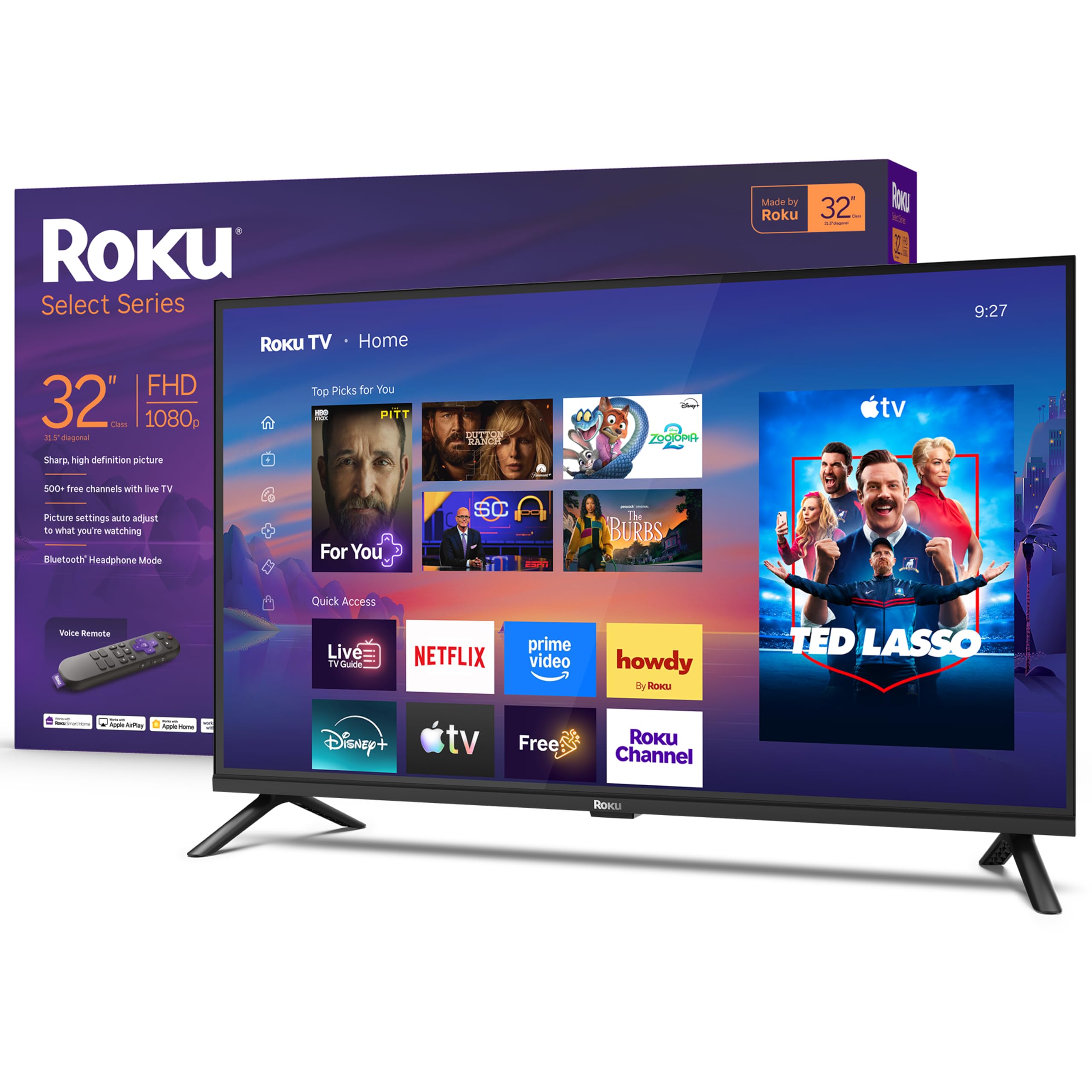
Roku 32-Inch Select

90 /100
LBD Score Outstanding

Key details

HDMI
3
Resolution
1080p
Screen Size
32 inches
Refresh Rate
60 Hz
View on Amazon

A 32-inch TV has one job in most homes: make a small room feel intentional rather than like a leftover set. The Roku Select does that better than the cheapest 32-inch options because it steps up to 1080p instead of 720p. Text on a news ticker and captions in a streaming show look cleaner, and the 60Hz panel is perfectly matched to the kind of watching a bedroom or kitchen asks for.

Setup is the other reason this one earns a spot. The legs attach with a few screws, the Roku home screen walks you through Wi-Fi and apps, and the 7.7-pound weight makes it easy to move from a dresser to a wall mount. We also like the Bluetooth headphone mode for late-night viewing; it is a small feature that makes a second TV more useful. The 14-watt Dolby Audio speakers are clear for dialogue but thin for music, which is about what we expect at this size.

We think this is the small TV to buy if you want a real 1080p picture and the least fuss. The Hisense 32 is cheaper, but it drops to 720p, and that difference is visible on a 32-inch screen when you sit close. The Roku's three HDMI ports are enough for a streaming stick, a console, and a cable box. It is not a main-room TV—the picture does not have the brightness or contrast for that—but as a bedroom or kitchen set, it is the one we reach for.

Pros

  • 1080p picture is sharp for a 32-inch
  • Roku setup is quick and familiar
  • Light 7.7-pound body is easy to move

Cons

  • No motion enhancement for fast sports
Our verdict

For a bedroom, kitchen, or dorm, this 32-inch Roku delivers a crisp 1080p picture and simple streaming without taking over the room.

Check Latest Price
5

Budget Bedrooms

Hisense 32-Inch QD4SR

86 /100
LBD Score Excellent

Key details

HDMI
3
Panel
Hi-QLED
Resolution
720p
Screen Size
32 inches
View on Amazon

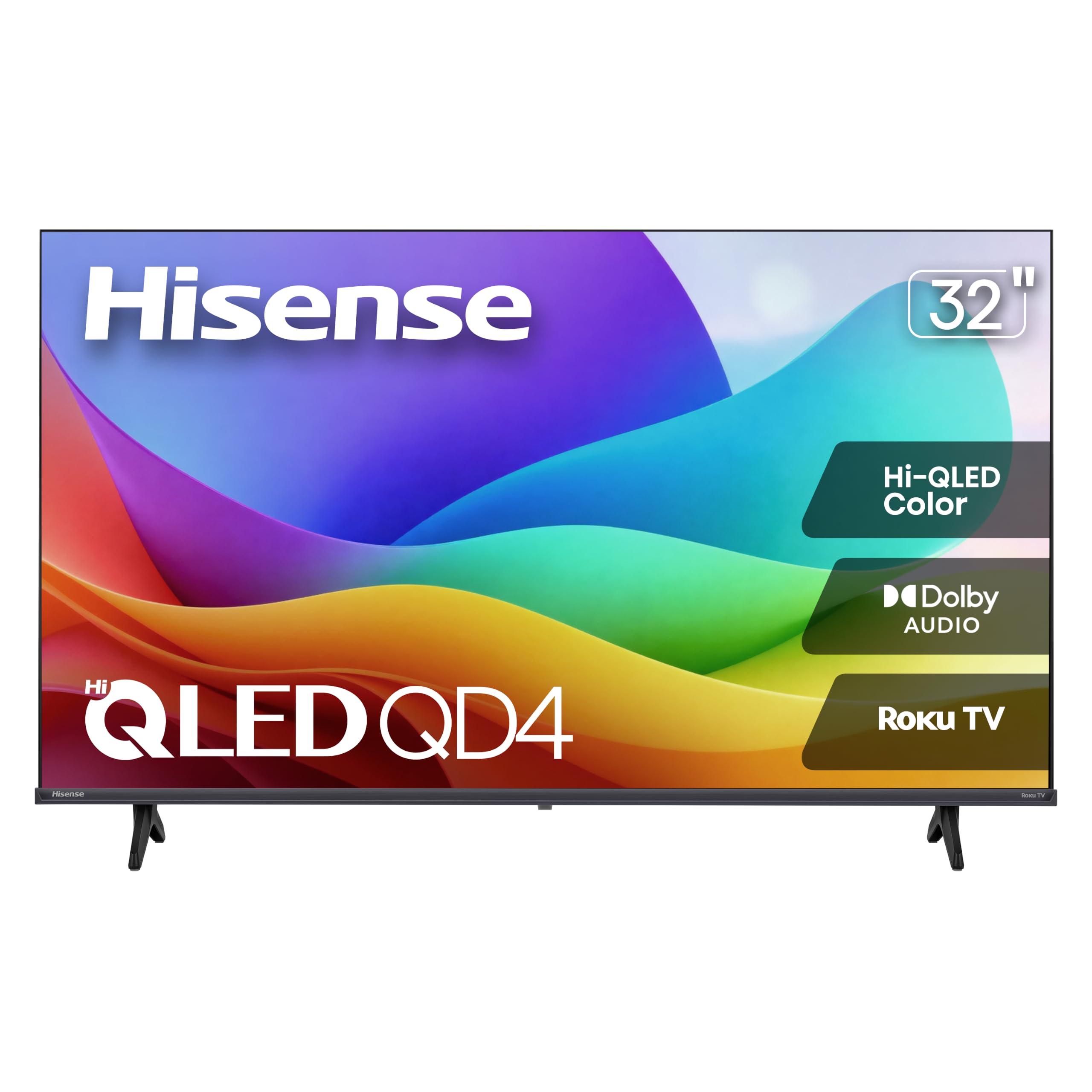
The QD4SR is the cheapest way into a 32-inch Roku TV here, and it does not feel like a disposable set. The Hi-QLED panel gives it more color than the price suggests, and Roku OS is the same friendly interface you get on the more expensive Roku models. For a guest room, kitchen, or kids' room, that combination is easy to justify.

We think it is a smart buy only if 720p is acceptable. On a 32-inch screen, the lower resolution is not as painful as it would be on a 50-inch set, but it is still the first thing we noticed next to the 1080p Roku. Text and fine details are softer, and the 60Hz panel has no motion processing to smooth sports. The 12-watt Dolby Audio speakers are fine for dialogue and weak for movies, so a small soundbar is a worthwhile add.

The three HDMI ports and 7.5-pound weight make it easy to place, and the 100 x 100 mm VESA pattern gives you more wall-mount options than the larger sets. If you want the lowest-cost second TV and do not need 1080p, this is the one. If you do, the Roku 32 is the better spend.

Pros

  • Lowest-cost 32-inch Roku TV here
  • Hi-QLED color adds richness
  • Roku OS is familiar and easy
  • Light 7.5-pound body and 100 x 100 VESA

Cons

  • 720p resolution softens fine detail
  • 12-watt speakers are weak for movies
Our verdict

Buy the QD4SR when a secondary room needs a cheap, compact Roku TV and you can accept 720p resolution.

Check Latest Price

How We Tested the Best TVs

I built the shortlist from the specs that genuinely change what you see — panel type, backlight, upscaling, tuner, and how many HDMI ports you get — then checked each against price and against the complaints that recur in owner reviews: apps stalling, Wi-Fi dropping, menus that lag after a year. That cut a very long list down to eight sets, which we ran for six months across a living room, a finished basement, and one bright bedroom that gets afternoon sun straight through the window.

Setup was timed with a stopwatch: one person, box to picture, stand attached, cords routed, streaming account signed in. We measured each set's width and its stand footprint against the furniture it was going on, then watched the same two movies, a night game, and a lot of daytime TV with the curtains open to judge glare and reflection. With the lights off, we rewatched dim scenes to see how black the blacks stayed and whether a bright object bled a halo into the dark around it.

For sound, we turned dialogue down to late-night volume and noted whether we reached for subtitles. Each remote got used in a dark room to find the input button by feel, and we counted the presses it took to jump from streaming to a game console. Every set joined the weaker of our two Wi-Fi bands for two weeks, with note of buffering and dropped apps, and we paired Bluetooth headphones to check the handoff mid-episode. Reliability was tracked by leaving sets on for days at a stretch, logging app crashes and slow menus, and running gray test screens to catch uneven backlighting.

How to Choose a Tv

Start With the Room, Not the Spec Sheet

Size is the decision that shapes everything else. A 32-inch set is a secondary-room tool, a 50- to 55-inch set is the everyday living-room default, and a 65-inch screen starts to dictate furniture placement. Measure the width of the stand or wall, then check the VESA pattern and weight before you buy a mount; the Samsung 65-Inch QN70H is 47 pounds and uses a 400 x 300 mm pattern, while the Roku 32-Inch Select is 7.7 pounds on a 200 x 200 mm pattern. If the TV has to fit a cabinet, the stand footprint matters as much as the screen size.

Match the Panel to Your Light

Brightness and contrast are what separate a TV that looks good in a showroom from one that holds up in your living room. Standard LED sets are fine in a dim room, QLED adds color volume, and Mini LED pushes highlights and black levels further. Mini LED is worth the step up if the TV faces windows or you watch a lot of HDR movies; the Samsung 55-Inch M80H and 65-Inch QN70H are the examples here. In a darker bedroom, the Roku 50-Inch Select QLED's 250-nit panel is easier to live with, and the savings are better spent on a soundbar.

Decide How Much Motion Handling You Need

A 60Hz panel is fine for streaming, news, and casual sports. A 120Hz or 144Hz motion mode makes fast camera pans and console games look cleaner, which is why the Samsung 55-Inch M80H is the better sports set here than the 60Hz Roku models. If you mostly watch dialogue-driven shows, put the money toward size or brightness instead. Gamers should also count HDMI ports: the Roku 50-Inch Select has four, while the Samsung 55-Inch M80H has three, so a console, soundbar, and streaming box can fill either set quickly.

Count Ports and Pick a Smart Platform

Count your sources before you choose. A soundbar, console, cable box, and streaming stick can each want an HDMI input, and a set with only two ports will force a switch. Roku is the simpler platform for most households, with a straightforward home screen and a remote that is easy to hand to a guest; Samsung's Tizen is more feature-heavy and can feel busier. The Roku 50-Inch Select and 32-Inch Select are the low-fuss choices here, while the Samsung sets suit buyers who want the brand's picture processing and do not mind a learning curve.

Plan for Sound and Setup

Built-in speakers are the first compromise on almost every TV here. The 20-watt systems on the Samsung 55-Inch M80H and Roku 50-Inch Select are clear for dialogue, but a soundbar is the upgrade we notice first for movies. Setup is usually a two-person job above 55 inches, and the 65-Inch Samsung is a 47-pound lift. Check the VESA pattern, the stand footprint, and whether the mount is rated for the weight; those three checks prevent most of the annoying surprises on delivery day.

Frequently Asked Questions

Final Verdict

Start with the Samsung 55-Inch M80H. It is the best all-around set here because Mini LED brightness and 144Hz motion make movies, sports, and games look good without the 65-inch footprint or price. The Roku 50-Inch Select QLED is the alternative we recommend when value matters more: you give up brightness and motion, but you gain four HDMI ports and Roku's simpler interface.

For a large, bright room, the Samsung 65-Inch QN70H is the step-up; for a bedroom or kitchen, the Roku 32-Inch Select is the right size. The Hisense 32-Inch QD4SR is only for the tightest budget, where 720p is an acceptable trade.