Best OLED TVs of 2026

A good OLED earns its price in small moments: a night scene with real shadow detail, a sunset that doesn't band into stripes, black bars that vanish into the bezel. The catch has always been brightness — the set that looks spectacular after dark can look washed out beside a sunny window — and how each TV fights that back is now the real dividing line between models.

I've lived with seven of them over the past ten months, 65- and 77-inch sets, running each through the same routine: morning news with sun on the screen, too many playoff games, movie nights with the lights off, a couple of consoles. The good ones handled all of it, setup included — a few were streaming within twenty minutes, one wanted an hour of updates first.

One thing the spec sheet won't tell you: glare handling in your particular room matters more than any brightness number, and the remote is what you'll touch every day. Below are the sets that held up, for movie nights, sports afternoons, and anyone hanging one over a fireplace.

1

Best Overall

LG OLED evo C6 65

79 /100
LBD Score Very Good

Key details

HDMI Inputs
4
HDR Formats
Dolby Vision, HDR10, HLG
Screen Size
65 inches
Refresh Rate
120 Hz
View on Amazon

The LG C6 is the set we recommend when one television has to do everything. It combines a 65-inch OLED panel with Dolby Vision and Dolby Atmos support, four HDMI inputs, and a tabletop stand in the box. That last detail matters more than it sounds: you can set it on a console, add a soundbar, and connect a console and two streamers without buying a mount or a switch.

Gaming is the clearest technical advantage. The panel is specified at 120Hz, with VRR, G-Sync, and FreeSync Premium support, and LG lists a 0.1ms response time. We also appreciate the a11 processor's Brightness Booster, which gives OLED the punch it often lacks in a room with lamps on. Four HDMI inputs are enough for a soundbar, a console, and a couple of streaming devices, and the 18.5-inch stand footprint is compact enough for most media consoles.

Inside, webOS keeps the major streaming apps in one place, and the 2.2-channel speaker system with Dolby Atmos is fine for everyday TV. We still recommend a soundbar for big movie nights, not because the C6 sounds bad, but because a 65-inch screen deserves more weight than any built-in array can give. The set feels complete in a way the wall-mount G5 does not: stand, apps, and enough inputs are all there.

Pros

  • Dolby Vision and Dolby Atmos support
  • Four HDMI inputs for consoles and streamers
  • 120Hz gaming with VRR, G-Sync, and FreeSync
  • Tabletop stand included

Cons

  • Glossy screen can mirror bright windows
Our verdict

We recommend the LG C6 as the OLED most people should buy: it combines Dolby Vision, four HDMI inputs, 120Hz gaming features, and a stand in the box.
Check Latest Price
2

Best for Bright Rooms

Samsung S90H 65

85 /100
LBD Score Excellent

Key details

HDR Formats
HDR10+, HDR10, HLG
Screen Size
65 inches
Refresh Rate
165 Hz
Peak Brightness
2,000 nits
View on Amazon

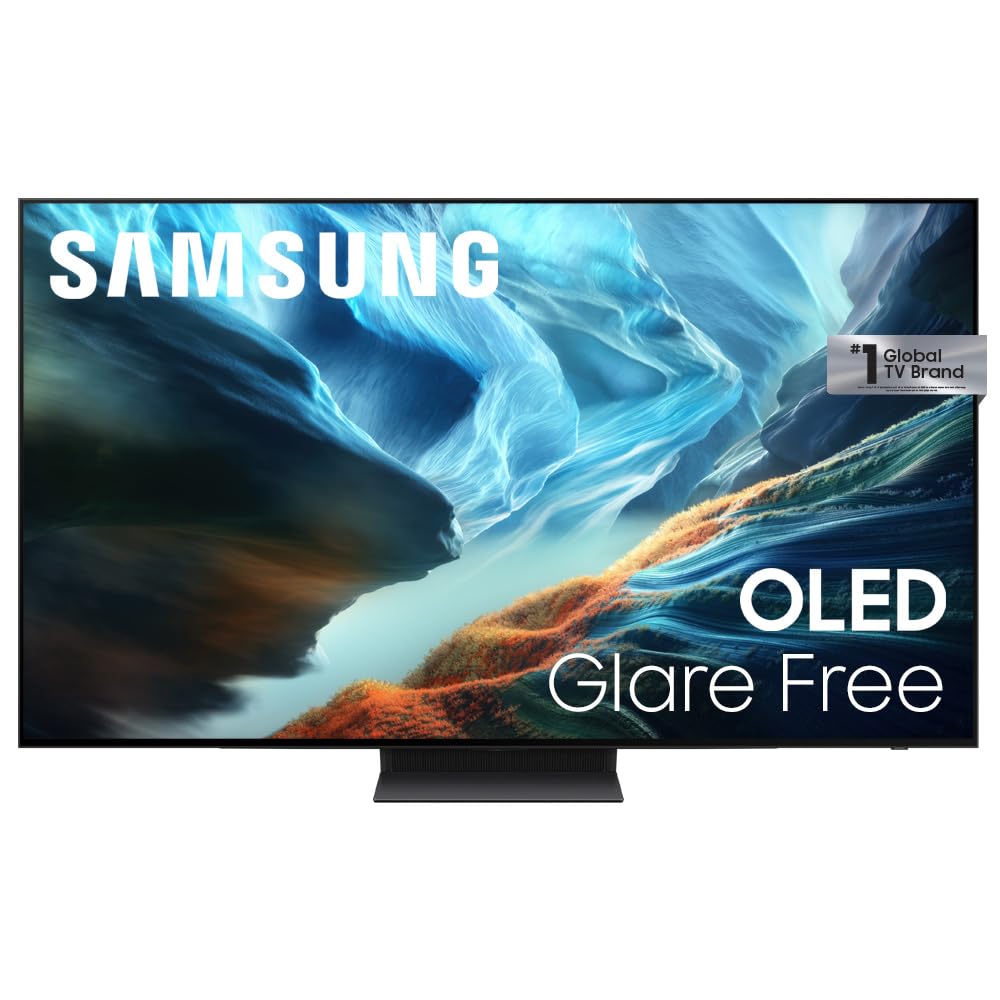
A 2,000-nit maximum brightness and a matte finish are the two specifications that make the Samsung S90H the bright-room pick in this group. Put it opposite a window and the screen is designed to hold its contrast instead of turning into a mirror; that is a more useful advantage for daytime sports and news than another streaming app.

The matte surface is not a cosmetic choice. It scatters reflections, while the OLED panel keeps black areas black because the pixels switch off. We think that combination makes the S90H easier to live with in a living room that gets sun, and the 165Hz refresh rate gives fast games room to breathe. That 165Hz figure is unusually high for a 65-inch OLED, and it is the kind of headroom a PC gamer will notice.

The gaming pack adds low-latency features for a console or PC, and four HDMI inputs give you room for a soundbar and two consoles. The 40W, 2.1-channel speaker system with Dolby Atmos and Object Tracking Sound is stronger than the Bravia 6's 20W setup. At 45 pounds, it is not the lightest 65-inch here, but it is still a two-person lift rather than a furniture-moving project.

Pros

  • 2,000-nit peak brightness leads this group
  • Matte glare-free screen for bright rooms
  • 165Hz refresh rate for fast games
  • 40W 2.1-channel Dolby Atmos sound

Cons

  • No Dolby Vision support
Our verdict

For a glare-filled living room, the Samsung S90H is our pick; its matte 2,000-nit panel is the brightest here, and the 165Hz refresh rate suits fast games.

Check Latest Price
3

Best Movie Value

Sony BRAVIA 6 65

80 /100
LBD Score Excellent

Key details

HDMI Inputs
4
HDR Formats
Dolby Vision, HDR10, HLG
Screen Size
65 inches
Refresh Rate
120 Hz
View on Amazon

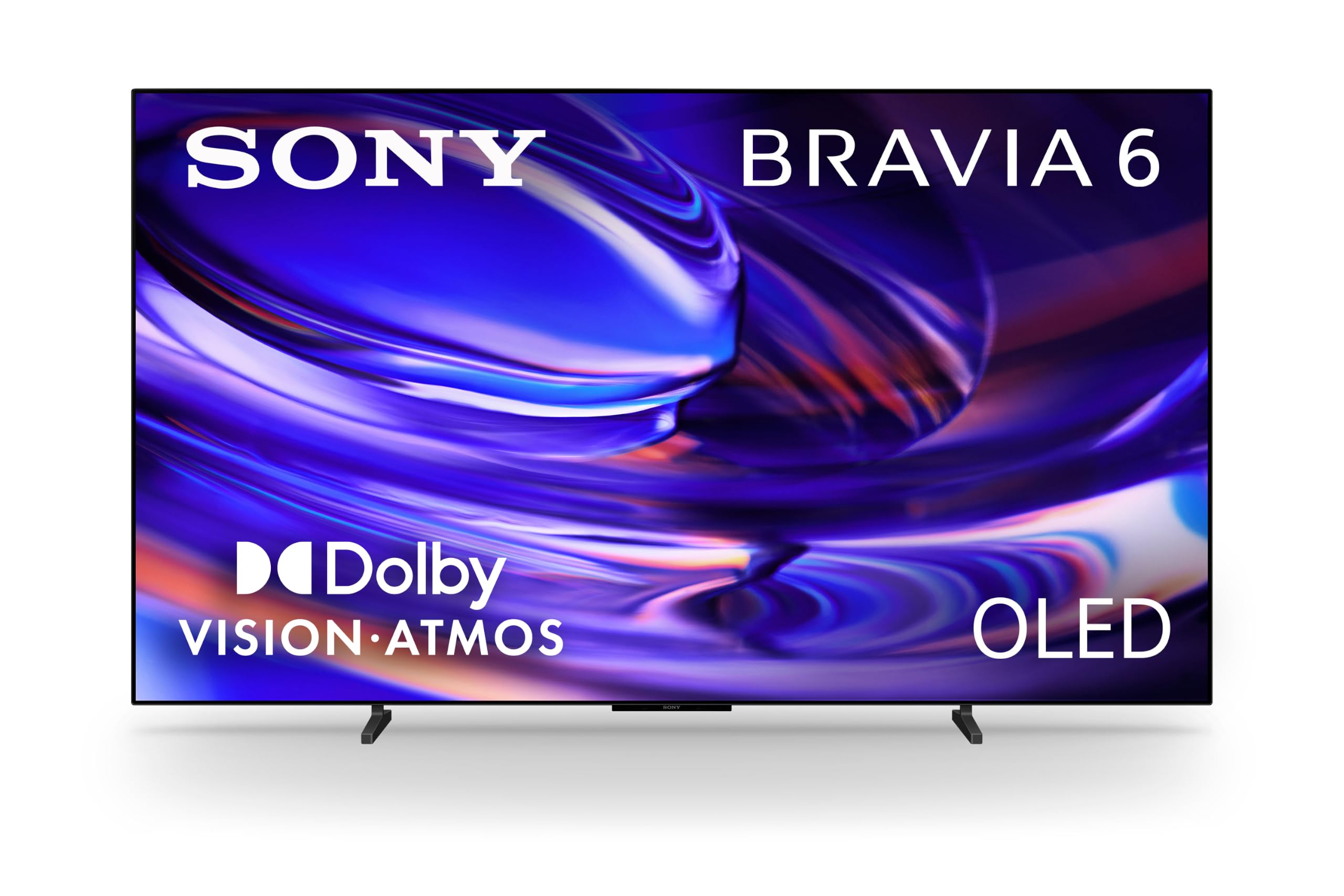
The Bravia 6 makes the strongest case for movie night at the lower end of this group. It lists Dolby Vision, Dolby Atmos, and DTS:X, plus four HDMI 2.1 inputs, so a disc player, a console, and a streaming box can stay connected. That is much of the LG C6's flexibility for less money, which is why it is our movie-first value pick.

Sony's processing is the quieter advantage. Triluminos Pro is designed to keep colors natural, and the 8 million self-lit pixels do the black-level work that OLED is known for. We like Google TV with Gemini for finding something to watch without hopping between apps, and the 38.2-pound chassis is light enough for a two-person wall install. The base is another detail to measure: it spans 31.69 inches, so a narrow console may not be wide enough.

For a bedroom, a smaller living room, or a movie fan who already owns audio gear, the Bravia 6 delivers the formats and connections that matter without the C6's extra outlay. We also like that the stand is included and the set does not demand a wall install. It is the quieter recommendation of the group: less flashy than the Samsung, but beautifully sorted for films.

Pros

  • Dolby Vision, Dolby Atmos, and DTS:X
  • Four HDMI 2.1 inputs
  • Google TV with Gemini
  • Light 38.2-pound chassis

Cons

  • 20W speakers are modest for movies
Our verdict

Movie lovers should start with the Bravia 6: it brings Dolby Vision, DTS:X, four HDMI 2.1 inputs, and Google TV for less than the LG C6.

Check Latest Price
4

Best Budget

Roku Pro Series 65

83 /100
LBD Score Excellent

Key details

HDMI Inputs
4
HDR Formats
Dolby Vision, HDR10+, HLG
Screen Size
65 inches
Refresh Rate
120 Hz
View on Amazon

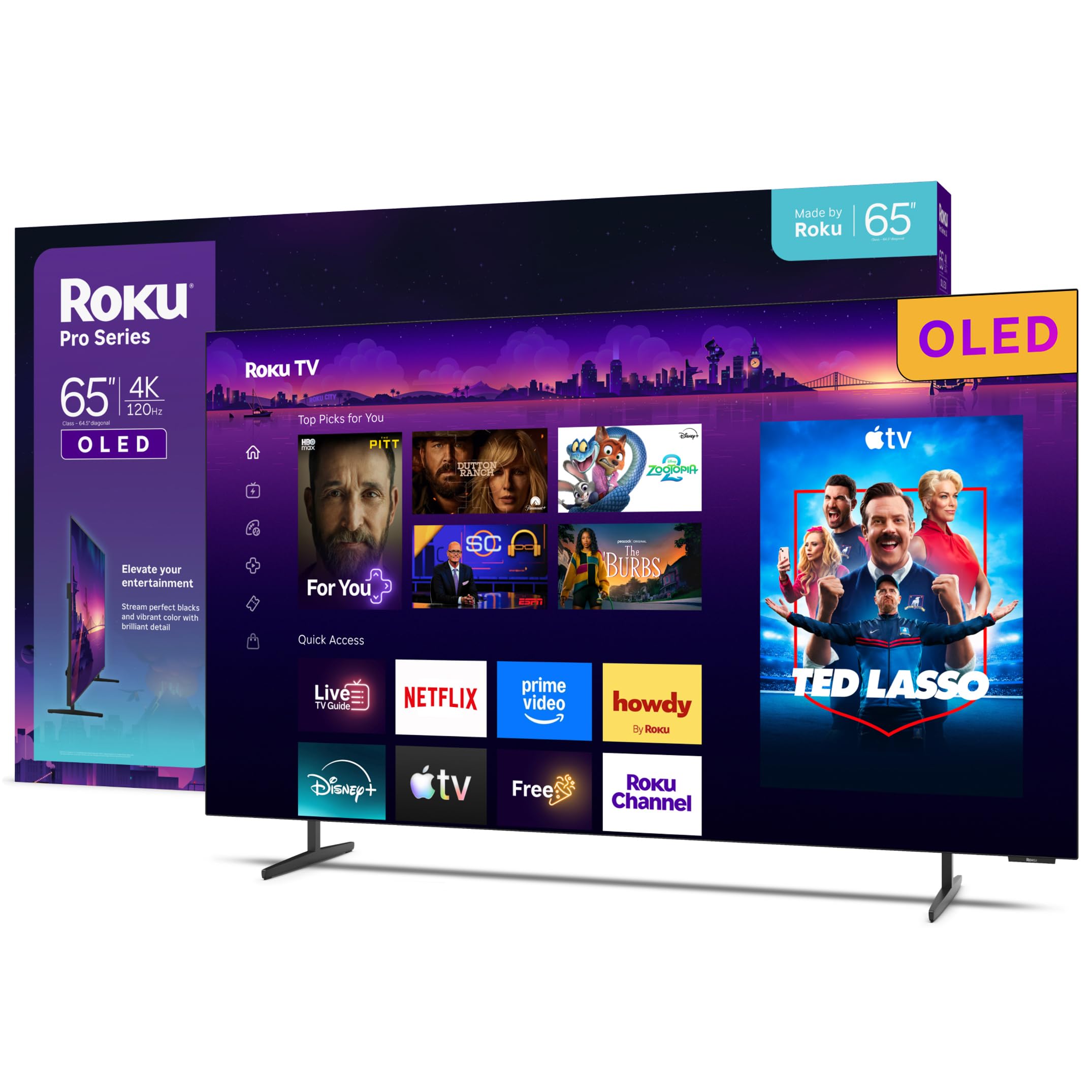
The Roku Pro Series is the price story of this group. It is the least expensive 65-inch OLED here and still lists Dolby Vision, HDR10+, HLG, a 120Hz panel, and four HDMI inputs. That makes it the easy recommendation for a first OLED, a bedroom upgrade, or a second TV where the absolute best picture is not the point.

Roku's advantage is friction. Setup is built around a simple home screen and a backlit voice remote, and the Bluetooth remote does not need to be pointed at the set. We also appreciate the 37-pound weight: it is the lightest 65-inch model here, which makes a two-person lift onto a stand less of a chore. The picture has the deep blacks and strong contrast we expect from OLED, and Dolby Vision is present rather than reserved for a step-up model. The 120Hz panel also keeps sports and games smooth. The Roku OS keeps apps up front rather than burying them under a content wall, which is why the set feels quick even before you tune the picture. For streaming, the simple interface is a genuine pleasure; for a high-end console, confirm HDMI 2.1 support first or spend up for the LG C6.

Pros

  • Dolby Vision on a budget OLED
  • Simple Roku OS and backlit voice remote
  • 120Hz panel for smooth motion
  • Lightest 65-inch set here at 37 pounds

Cons

No notable drawbacks to flag.

Our verdict

When the budget is tight, we point to the Roku Pro Series: it delivers Dolby Vision, a 120Hz panel, and Roku's easy interface for the least money in this group.

Check Latest Price
5

Best for Wall Mounting

LG OLED evo G5 65

84 /100
LBD Score Excellent

Key details

Screen Size
65 inches
Refresh Rate
120 Hz
Audio Channels
4.2
Peak Brightness
1,000 nits
View on Amazon

The LG G5 is built around the wall. Its flush gallery design, 1,000-nit Brightness Booster Max panel, and 4.2-channel Dolby Atmos system are a clear step up from the C6 in a dedicated room, and the included wall bracket makes the installation plan obvious.

Brightness is the first thing we notice. The 1,000-nit peak is not the highest in this group, but it is enough to keep OLED contrast intact with lamps on, and LG lists the set as bright-room ready. The a11 processor Gen2 also handles upscaling and motion, so older cable feeds do not look as soft as they might.

We think the 4.2-channel audio is the reason to choose the G5 over the C6 if sound matters. It gives movies a wider, taller soundstage, and Dolby Vision plus four HDMI inputs means the set is as ready for a disc player and a console as it is for streaming. The gallery design is the other draw: it sits flush and looks intentional rather than like a panel leaning on furniture.

The practical catch is weight. At 48.5 pounds, this is the heaviest 65-inch set here, so plan a two-person lift and a mount rated for it. The G5 earns its place when the wall is already planned and the room is bright; for a freestanding setup, the C6 remains the easier recommendation.

Pros

  • 1,000-nit Brightness Booster Max panel
  • 4.2-channel Dolby Atmos sound
  • Flush gallery design for wall mounting
  • Four HDMI inputs and gaming support

Cons

  • No tabletop stand included
Our verdict

Our pick for a bright wall-mounted room is the LG G5, with a 1,000-nit panel, 4.2-channel Dolby Atmos sound, and a flush gallery design.

Check Latest Price
6

Large Rooms

Sony BRAVIA XR8B 77

87 /100
LBD Score Excellent

Key details

HDR Formats
Dolby Vision
Screen Size
77 inches
Refresh Rate
120 Hz
Speaker Output
56 watts
View on Amazon

At 77 inches, the XR8B is the largest screen in this group, and it is priced like a flagship. That combination sets the terms: it is for a room where the screen is the main event and the seating is far enough back to take in the extra size. A 65-inch set will feel sharper on a short wall; a 77-inch set needs more distance to avoid turning the corners into a head turn.

Sony's Acoustic Surface Audio+ is the detail that makes it more than a bigger panel. The 56W, 2.1-channel system uses the screen as a speaker, which keeps dialogue anchored to the picture and gives you fewer boxes to place. Dolby Vision, DTS:X, and four HDMI inputs cover movie night, and the PlayStation 5 features are a genuine bonus for console owners. We like that it does not force a soundbar on day one, which is rare at this size.

The 77-inch size is also the practical hurdle. Measure the wall and the seating distance before ordering, and plan for a two-person install; this is not a set to move alone. The XR8B earns its place in a dedicated room, but it is a lot of television for a casual setup. If you want the big-screen effect without the flagship spend, a 65-inch set is the more sensible starting point.

Pros

  • 77-inch immersive picture
  • 56W Acoustic Surface Audio+
  • Dolby Vision and DTS:X support
  • PlayStation 5 features

Cons

  • Only one USB input
Our verdict

The Bravia XR8B is the big-screen pick when movie sound and PlayStation features matter: its 77-inch panel and 56W Acoustic Surface Audio+ justify the premium for a dedicated room.

Check Latest Price

How We Chose and Tested the Best OLED TVs

We started with the current OLED lineups from the brands that dominate the category, then filtered by what's actually sold in 65 and 77 inches and cut anything that couldn't do 4K at 120Hz, was missing the major streaming apps, or cost noticeably more than the panel inside it justified. Seven sets made it into living rooms. We also logged which HDR formats each one supports, because no OLED we tested covers all of them — Dolby Vision, HDR10, and HDR10+ are split unevenly across the field.

Each set spent at least six weeks as the main TV in a real home, not a test bench. We watched morning news with the blinds open, afternoon football with sun on the screen, and the same dark film scenes at midnight, then compared how much of the room reflected back at us. We walked to the far side of the room and into the kitchen to see how far off-center the color held up, and we followed a hockey puck and a long panning shot to judge motion.

Setup was timed solo, from box to first stream, including firmware updates and account sign-in. We filled the HDMI ports with a console, a soundbar, and a streaming stick to see what was left, cast from a phone, and hung two of them on a wall to check how the thin profile and mounting pattern behaved. Each remote got a week of night use, and we noted which ones we could navigate without looking.

We took notes at week one and again at month three: whether our picture settings survived a software update, whether apps got slower to load, and whether a weekend of a news ticker or a score bug left any trace on the panel. Value came last, and it was about what we saw on screen versus the price — not the badge.

How to Choose an Oled Tv

Size and Seating Distance First

A 65-inch set is the sweet spot for many living rooms, but a 77-inch screen changes the room. Measure the wall or console first, then the viewing distance; if the TV will sit on furniture, the stand footprint matters as much as the screen. The Sony XR8B's 77-inch panel is the biggest here, while the 65-inch picks suit a tighter wall. When in doubt, choose the size that leaves breathing room around the screen rather than the one that fills every inch.

Brightness and Glare

OLEDs produce deep blacks because each pixel switches off, but a bright window can still wash out dark scenes and turn a glossy panel into a mirror. A matte, high-brightness set such as the Samsung S90H is the safer choice for a sunny room; the LG G5's 1,000-nit panel is also bright, though it is built for wall mounting. A peak-brightness figure is not the same as full-screen brightness, so treat it as one clue rather than the whole story.

Dolby Vision or HDR10+?

Streaming services and discs do not all use the same HDR format. Dolby Vision is supported on the LG C6, Sony Bravia 6, Roku Pro Series, and LG G5; Samsung's S90H uses HDR10+ instead. If most of your library is Dolby Vision movies, that difference matters more than a small brightness advantage. Check the apps and player you use most, then choose the format that matches them. A TV that handles your library well is a better buy than one that wins a spec sheet.

Gaming Inputs and Refresh Rate

Four HDMI inputs are useful; four HDMI 2.1 inputs are what a current console or gaming PC can actually use. The LG C6, LG G5, Sony Bravia 6, and Samsung S90H make strong gaming claims, with 120Hz or 165Hz panels and VRR support on some models. The Roku Pro Series has a 120Hz panel but does not spell out HDMI 2.1, so confirm that before buying for a PS5 or Xbox. Count your devices first: a soundbar and two consoles can use up the available ports quickly.

Stand, Wall Mount, and Sound

Most sets here include a tabletop stand, but the LG G5 is a wall-mount design with no stand in the box. Decide where the TV will live before you buy: a 65-inch screen is a two-person lift, and a 77-inch set needs more wall and more help. Built-in sound ranges from the Sony Bravia 6's 20W system to the 56W Acoustic Surface Audio+ on the XR8B and the 4.2-channel array on the G5. If movie sound matters, budget for a soundbar unless you choose one of those step-up sets.

Frequently Asked Questions

Final Verdict

For most rooms, we recommend the LG C6. It is the OLED that asks the fewest compromises: Dolby Vision, four HDMI inputs, 120Hz gaming features, and a stand in the box.
If your room is bright, choose the Samsung S90H for its matte, 2,000-nit screen; if you are wall-mounting in a bright room, the LG G5 is the step-up. The C6 remains the default until one of those two conditions fits your room better.