Best Under Desk Cable Trays of 2026

The underside of a desk is where clutter goes to hide — until you roll your chair back, catch a heel on a loose cord, and something expensive goes over the edge. A cable tray is the unglamorous fix: a shallow rack or basket that mounts beneath the desktop and holds the power strip, the adapter bricks, and the coil of slack you keep meaning to deal with. Cables stop pooling where your feet go, the vacuum stops eating them, and unplugging a laptop stops requiring a flashlight and both hands.

Over the past four months, my team and I mounted 14 trays under desks in home offices and one very busy shared workspace. What separated the good ones wasn't length — it was depth and grip. A shallow tray will technically hold a power strip and then sag under the weight of the adapter brick, and a clamp that barely clears the desktop edge will slide the first time you lean on it.

The picks below are the ones that stayed tight, held a full load, and made tidying up a ten-minute job instead of an afternoon.

1

Best Overall

Mzmaxy 25-Inch Cable Tray

94 /100
LBD Score Outstanding

Key details

Mounting
No-drill clamp
Tray Length
25 in
Load Capacity
15 lb
Desk Thickness
0.4 to 2 in
View on Amazon

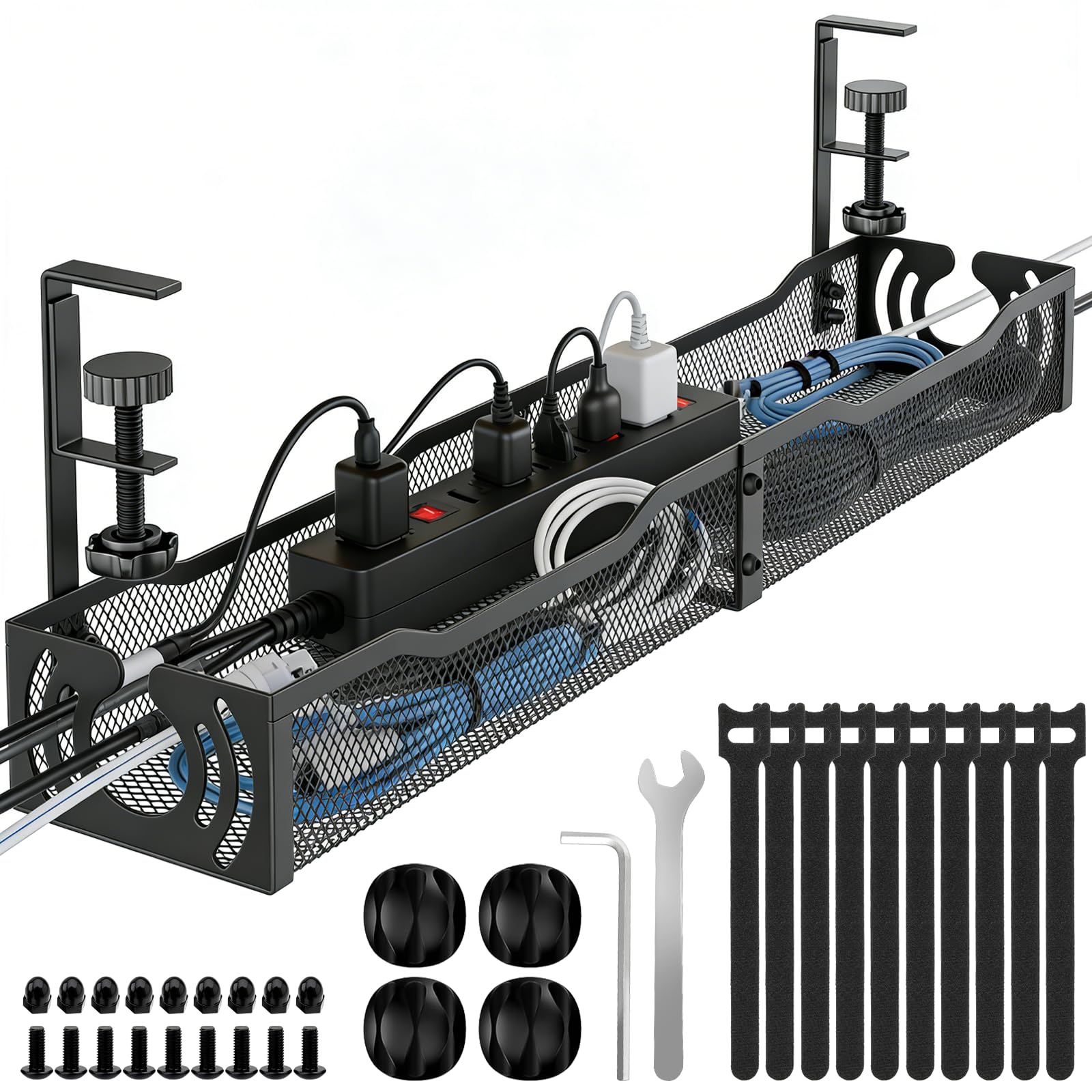
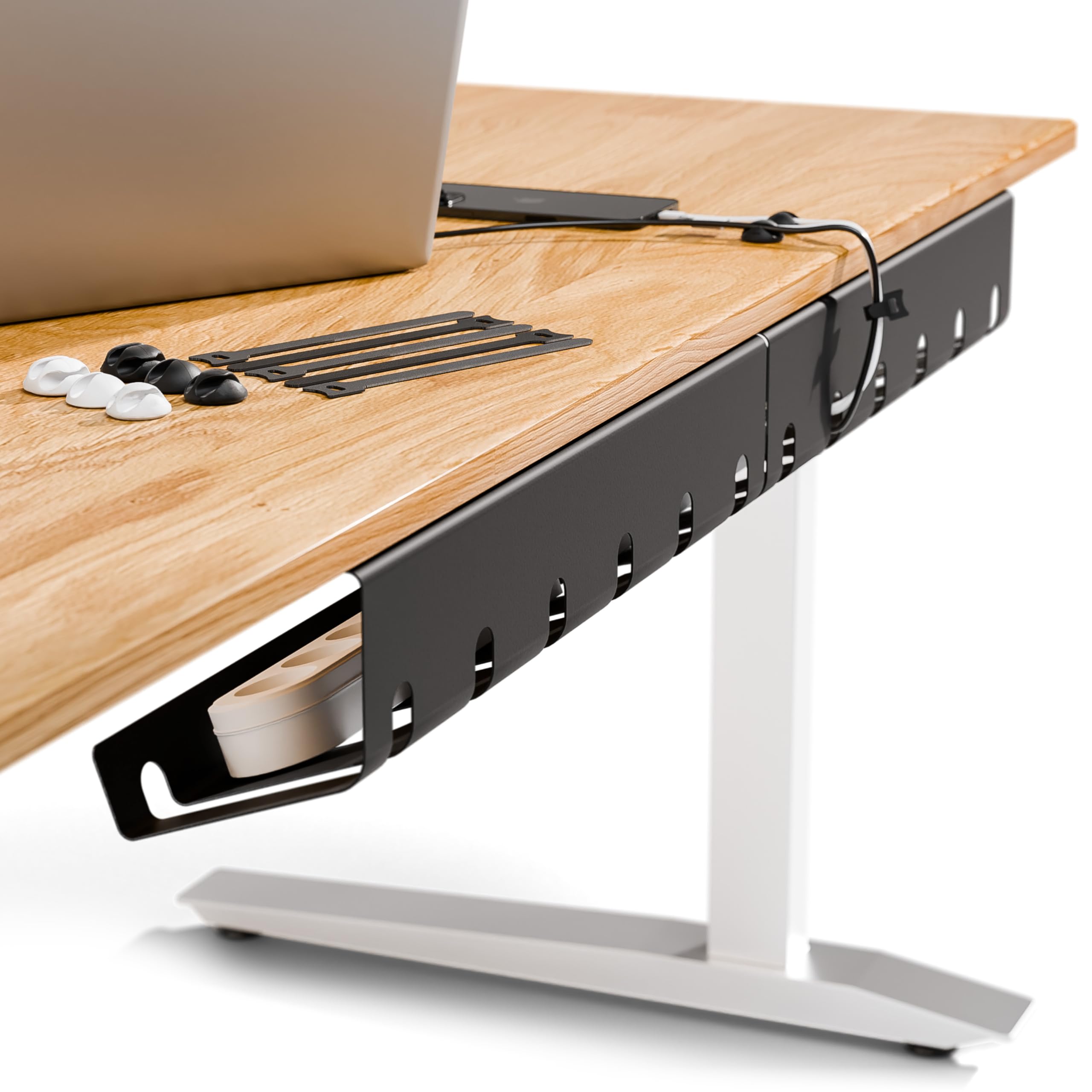
Twenty-five inches is the number that makes the Mzmaxy our default. That length gives the metal basket enough room for a surge protector, a couple of power bricks, and the slack cable that otherwise hangs into your legs, while the no-drill clamp keeps the install reversible. In our setup, the open mesh made it easy to see what was inside without unclamping the tray.

The clamp fits desks from 0.4 to 2 inches thick, and the rubber pads are a small detail we appreciate on a wood desktop. The trade-off is that a clamp needs a clean edge: a deep lip, a support rail, or a thick apron can stop it seating. Check the underside before you order, especially on a standing desk with a crossbar.

The 15-pound rating is enough for a normal strip and adapters, and the mesh basket holds its shape when you push a brick into place. We also like the two side openings for routing cables out of the tray; they keep the bundle from spilling over the rim. The open design also lets a little air through, which matters when a power brick gets warm.

For most desks, the size is the point: you can fit the strip and the bricks in one place instead of stacking two small trays end to end. The open mesh is the easiest of the group to check when a plug works loose.

Pros

  • 25-inch basket fits a power strip and adapters
  • No-drill clamp fits 0.4-to-2-inch desks
  • Open mesh keeps cables visible and ventilated
  • 15-pound load rating suits a normal setup

Cons

  • Long basket may overhang a small desk
Our verdict

We recommend the Mzmaxy as the default under-desk tray: its 25-inch clamp-on basket holds a power strip and bulky adapters without drilling, and it suits most home-office desks.
Check Latest Price
2

Best for Large Setups

Univivi 36-Inch Cable Tray

92 /100
LBD Score Outstanding

Key details

Material
600D Oxford fabric
Mounting
Clamp or screw
Tray Size
36 x 5.5 x 5.5 in
Cable Ties
Built-in
View on Amazon

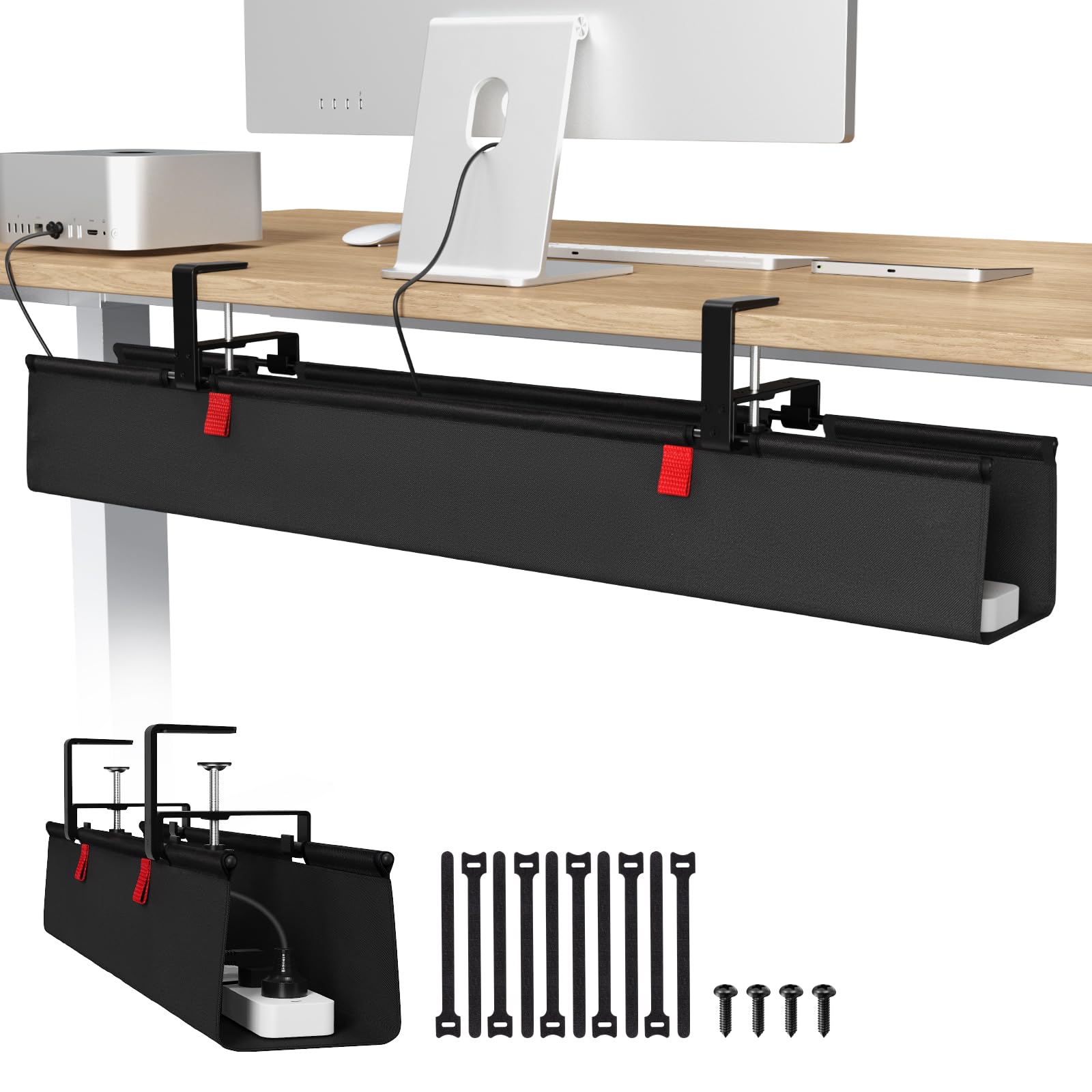
The Univivi is the tray we reach for when the under-desk mess is genuinely large. Its fabric basket runs 36 inches long and 5.5 inches deep, enough for a long surge protector and several power bricks, and it can be clamped or screwed to the desk. In our setup, the extra length let us keep the strip at one end and the bricks at the other, which made the whole bundle easier to trace.

The 600D Oxford fabric has a flame-retardant treatment and a bottom support panel, so the tray does not sag like a simple hammock. We like that it unfolds: you can open the basket, drop in a new adapter, and close it again without unthreading every cable. Built-in ties hold the contents in place once it is shut, and the fabric is softer on cables than a metal edge.

That size is the reason to choose it, not a universal upgrade. On a small desk, the 36-inch span is more tray than you need, and the fabric body is softer and bulkier than a metal basket. The clamp-or-screw mounting is the more useful part: clamp it for a quick install, or screw it in when the desk edge is awkward.

We came back to the unfold design most often, because cable management is usually a job you revisit. Opening the basket to add one adapter saves you from unthreading a bundle that already works.

Pros

  • 36-inch fabric tray swallows long power strips
  • Clamp or screw mounting suits more desks
  • Unfolds for easy cable access

Cons

  • Premium price compared with metal trays
  • Fabric is less wipe-clean than metal
Our verdict

Buy the Univivi if your under-desk pile includes a long surge protector or multiple power bricks; the 36-inch fabric tray swallows the bulk, and its clamp-or-screw mounting gives you options.

Check Latest Price
3

Best Screw-In

PAMO 2-Pack Cable Tray

94 /100
LBD Score Outstanding

Key details

Pack
2 trays
Material
1 mm steel
Mounting
Screw-in
Tray Size
17.32 x 3.94 in
View on Amazon

Screw-in trays are not the crowd-pleaser, but the PAMO pair solves the desk a clamp cannot grip. You get two 17.3-inch steel baskets, and the flat-head screws go into the underside of the desk rather than gripping the edge. That makes the pair useful for a desk with a deep lip or a frame rail that leaves a clamp nowhere to land.

The 1 mm steel body feels substantial, and the beveled front is designed to keep cables reachable. We like the slots and the included ties because they let you bundle a cable run and still pull a plug when you need to. The two trays give you a choice: split power strips and bricks across both, or use one under each of two desks.

What settles it for us is the permanent, tucked-away install. This is the tray for someone who knows where the desk is staying and wants the basket screwed down rather than clamped. The 3.9-inch width is the measurement to check: a wide surge protector may not drop in as easily as it does in a 5.5-inch fabric tray.

For power bricks, a standard strip, and the usual monitor cables, it is a tidy, sturdy pair. You can leave one tray for the power side and one for the data side, which makes a failed cable easier to trace.

Pros

  • Two steel trays cover two desks
  • 1 mm steel feels sturdy for heavy bricks
  • Beveled access keeps cables reachable
  • Screw-in mounting works where clamps cannot

Cons

  • Requires drilling into the desk top
Our verdict

For desks a clamp cannot grip, the PAMO two-pack is the one we point to: screw both steel trays in and split power strips and bricks across a pair of desks or one deep setup.

Check Latest Price
4

Best Compact

Litwaro 13.4-Inch Cable Tray

94 /100
LBD Score Outstanding

Key details

Material
Carbon steel
Mounting
No-drill clamp
Tray Size
13.4 x 4.72 in
Load Capacity
15 lb
View on Amazon

The Litwaro is the compact tray in this group: 13.4 inches long, 4.72 inches wide, and rated for 15 pounds. It clamps to the desk edge with side clips, uses rubber pads to protect the finish, and adds two side holes for routing cables out of the basket.

For a small desk or a single power strip, that size is an advantage. We like that it leaves legroom alone and goes on without tools; the carbon steel body feels appropriate for the load, and the open top makes it easy to drop in a charger. It is the tray we reach for when the desk is tight and the cable problem is simple, and it does not ask you to clear the whole underside before it goes on.

The compact basket suits a laptop, a lamp, and one strip; it is not trying to be the tray for a whole workstation. That focus is why it stays out of the way, and why we prefer it to a long tray on a compact desk. If your cable problem is a single strip and a charger, the small footprint is a feature rather than a compromise.

We also appreciated the clamp's rubber pads on a painted desktop; they leave less to worry about when you reposition the tray. The side holes are the detail that makes it feel considered rather than basic.

Pros

  • Compact 13.4-inch footprint for small desks
  • No-drill clamp with protective rubber pads
  • 15-pound rating gives useful headroom
  • Side holes route cables neatly

Cons

  • Tight fit for wide power strips
Our verdict

The Litwaro is our pick for a small desk and a single power strip: it clamps on without drilling, holds 15 pounds, and takes up little room under the desk.

Check Latest Price
5

Best White

Xpatee 15.7-Inch Cable Tray

93 /100
LBD Score Outstanding

Key details

Assembly
None required
Material
Metal
Mounting
C-clamp
Tray Size
15.7 x 6.1 in
View on Amazon

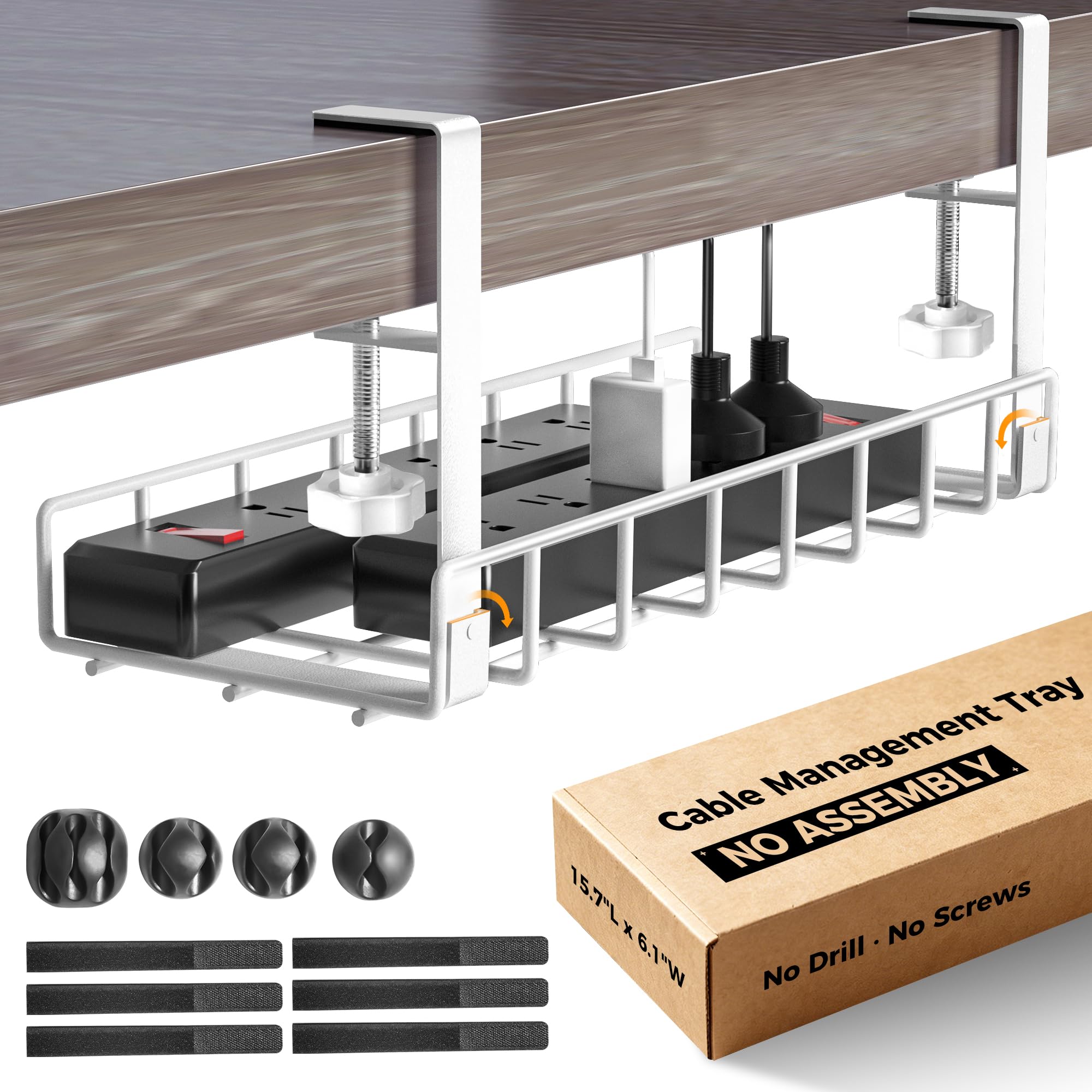
The Xpatee is the white tray that arrives ready to clamp: no assembly, no screws, just a C-clamp with anti-scratch pads. We like that for a quick desk refresh, because the install is one less thing to plan around. It is also the pick that disappears on a white desktop instead of showing up as a black box under the keyboard.

The basket is 15.7 inches long and 6.1 inches wide, so it has a different shape from the long 25-inch trays. That shape suits a surge protector and a charger box, and the open top lets you drop cables in without threading them through a closed frame. The kit includes cable clips and ties, which is useful if you are starting from a loose pile.

We noticed the width most in use: a wide strip sits flatter in this tray than in the narrow 3-inch metal racks, and the white finish keeps the underside of a pale desk from looking heavy. The no-assembly design is the real convenience, though; there is nothing to tighten or lose before the tray goes on.

The clean finish makes the underside look deliberate rather than improvised, which is not something we expected from a tray this simple. It is the detail that makes the white version worth choosing over a black tray on a pale desk.

Pros

  • Arrives assembled for immediate clamping
  • White finish blends with light desks
  • 6.1-inch width fits a surge protector
  • Anti-scratch pads protect the desktop

Cons

  • Shorter than 25-inch trays for long strips
Our verdict

We like the Xpatee for white desks and quick installs: it arrives assembled, clamps on with no drilling, and its wide basket hides a strip and charger box.

Check Latest Price
6

Open-Basket Access

LOVJOYSE 25.3-Inch Cable Tray

91 /100
LBD Score Outstanding

Key details

Mounting
No-drill clamp
Tray Size
25.3 x 4.72 in
Load Capacity
15 lb
Desk Thickness
Up to 2 in
View on Amazon

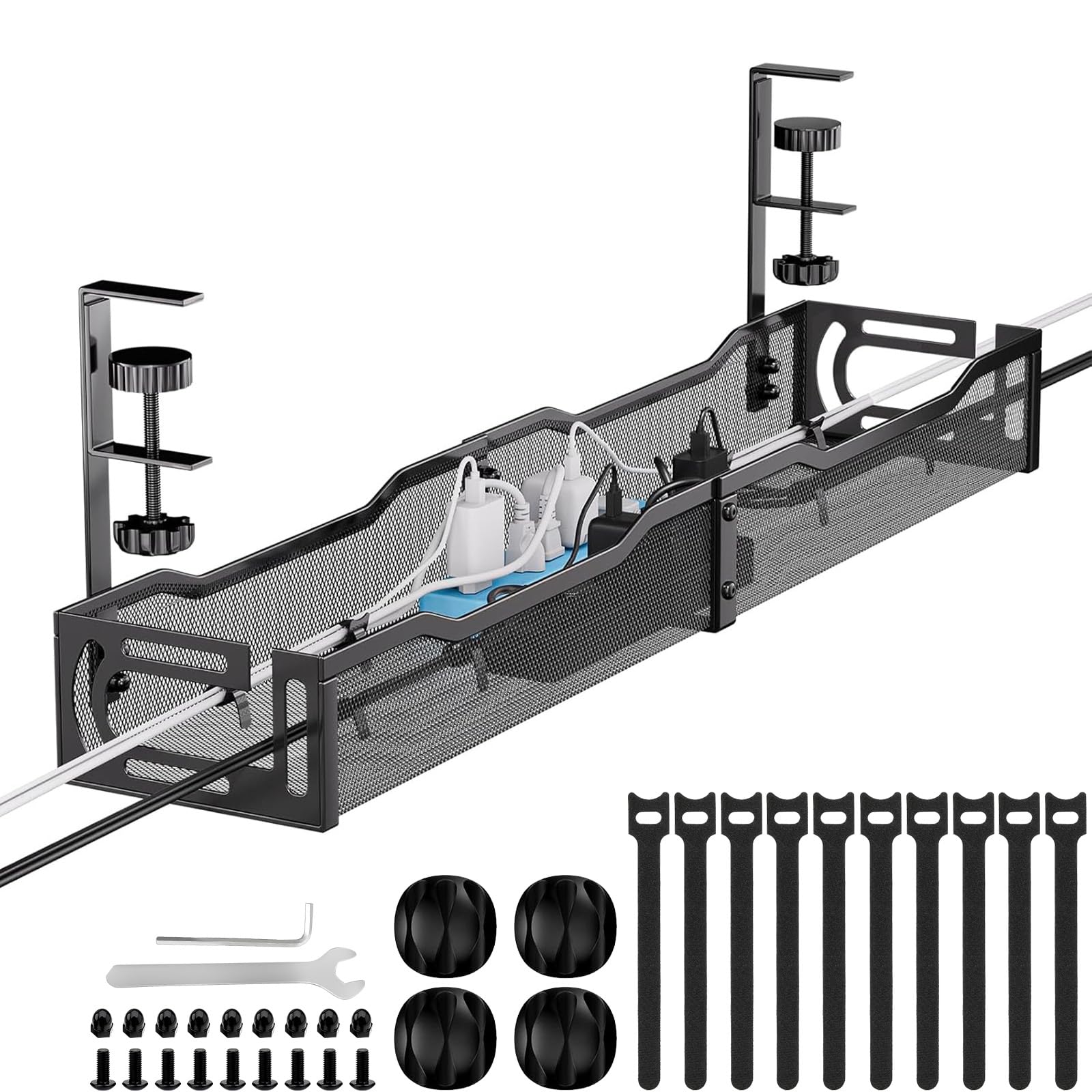
The LOVJOYSE is a 25.3-inch clamp-on basket with an open mesh body and a 15-pound rating, and on paper it sits very close to our top pick. It clamps to desks up to 2 inches thick, has two large access holes, and uses the same no-drill approach that makes these trays easy to move.

The open mesh is the part we appreciate most. You can see where the power strip is, reach a plug without unloading the basket, and route a cable through the side opening instead of over the rim. The metal body has enough stiffness for a strip and a few bricks, and the basket does not need to be unclamped to add a cable.

We rank it just behind the Mzmaxy because the two do the same job in almost the same way. The LOVJOYSE is 0.3 inch longer, which is not a meaningful difference on a desk, and it has the same 15-pound ceiling. The choice comes down to availability and the slightly longer basket, not a different design.

A reusable tie through the mesh is enough to keep a loose charger from sliding into the strip, which is the kind of small fix we end up making on any tray. The open basket makes that easy without unclamping anything.

Pros

  • 25.3-inch basket holds a power strip
  • 15-pound load rating
  • Open mesh allows easy cable routing
  • Clamp fits desks up to 2 inches

Cons

  • Three-month warranty is short
Our verdict

The LOVJOYSE is a capable 25-inch clamp tray with an open mesh basket; choose it if you want generous access and a slightly longer span.

Check Latest Price
7

Narrow Cable Runs

VIVO 16.5-Inch Cable Tray

91 /100
LBD Score Outstanding

Key details

Mounting
Screw-in
Tray Size
16.5 x 3 in
Load Capacity
11 lb
Screw Spacing
11 in
View on Amazon

The VIVO is the narrow one: a 16.5-inch steel tray just 3 inches wide, with screw holes 11 inches apart and an 11-pound rating. It is a low-profile rack for cables and a slim strip, not a deep basket for a full workstation.

The narrow shape is what we noticed in place. It tucks along the back rail and leaves more legroom than the 5.5-inch-deep fabric trays, and the partially closed design keeps cords from spilling over the side. The bottom holes let cables drop through at an angle, which is useful when the desk has a crossbar behind it.

The screw-in mount is the stable part: once the tray is fixed, it stays where you put it, and the steel body resists flexing under a bundle of AV cables. That makes it a permanent fitting rather than something you move from desk to desk. The 11-pound rating is modest, but it is enough for the AV bundle this tray is designed to hold.

We prefer the VIVO for a cable-only run or a slim strip, where the 3-inch width is a benefit rather than a limit. It cannot swallow a wide surge protector the way the 25-inch baskets can, but a bundle of AV cables disappears into it.

Pros

  • Low-profile 3-inch width saves legroom
  • 11-pound steel tray handles AV cables
  • Screw-in mount stays put
  • Bottom holes allow angled cable routing

Cons

  • Requires drilling into the desk
Our verdict

The VIVO is the low-profile screw-in option: its 3-inch steel tray holds 11 pounds and stays out of the way under a shallow desk.

Check Latest Price

How We Tested Under Desk Cable Trays

We started by gathering every under-desk tray that could be mounted without drilling, then narrowed the field by depth, material, and whether the clamp would open wide enough for a thick desktop. That left 14 trays, which we mounted in three home offices and one shared workspace and left in place for four months.

Installation was timed with a stopwatch, one person working alone. We noted how long each tray took from box to loaded, whether the clamp cleared a desktop edge cleanly and left marks behind, and how often we still had to go find a screwdriver. Trays under a sit-stand desk were raised and lowered several times a day; the ones in the shared office got kicked, leaned on, and bumped by four different people.

Then we loaded them the way real desks are loaded: a power strip, a laptop brick, a monitor cable, and two phone chargers. We checked for sag at the one-week and one-month marks, rolled a desk chair into the front edge, ran a vacuum underneath, and looked at each tray from a seated position to judge how much of it you actually see. We also tried adding one more cable to a full tray to see how quickly it could be done. Every tray was judged against what came in the box, since mounting hardware and cable ties change what you are really getting for the money.

How to Choose an Under-Desk Cable Tray

Pick the Mounting Method First

Clamp trays are the easiest to live with because they go on and come off without holes. The catch is the desk edge: a clamp needs a clean lip, and a lip, support rail, or thick apron can stop it seating. Check the stated desk-thickness range before ordering—0.4 to 2 inches covers several trays here, but not every desk. Screw-in trays trade that flexibility for a permanent hold and are the better answer when a clamp cannot reach. We treat adhesive trays as a light-duty option, not the right home for a surge protector.

Size the Basket Around Your Power Strip

Length gets the attention, but interior width and depth decide whether your surge protector actually drops in. A 13- to 17-inch tray suits one strip and a couple of adapters; 25 inches gives you room for the strip plus monitor bricks and slack; 36 inches is for a full workstation with multiple strips. Measure the strip's width, not just its length. The Mzmaxy's 25-inch basket is our reference for a normal desk, while the Univivi's 36-inch fabric tray is the one for a genuinely large pile. If your strip is wide, check the tray's width before you fall for a long tray.

Choose Metal or Fabric for Access and Upkeep

Metal mesh is the default for a reason: it holds its shape, wipes clean, and lets you see whether a plug has worked loose. The open sides also make it easy to drop cables in without unplugging everything. Fabric trays earn their place when the load is bulky, because they can unfold and swallow odd-shaped adapters; the Univivi's built-in ties and bottom support are useful here. We prefer metal for a power strip and fabric for a big, messy bundle. Either way, check that the openings line up with where your cables actually run.

Check Clearance, Load, and Cable Access

A tray that fits the desk can still be a nuisance if it eats legroom or blocks a drawer. Look at the tray's depth and where your knees go, then check the load rating: the trays here range from 11 to 15 pounds, and a power strip plus bricks adds up. Keep the strip's switch reachable and leave a little slack at the cable exits so a moving standing desk does not pull on a plug. We prefer one larger tray to cramming two small ones into the same space.

Frequently Asked Questions

Final Verdict

Start with the Mzmaxy if you want one tray to handle a typical home-office strip, monitor bricks, and slack cable. Its 25-inch basket, 15-pound rating, and no-drill clamp make it the easiest default to live with.

If your desk edge cannot take a clamp, the PAMO two-pack is the better buy: two screw-in steel trays let you split the load or kit out a second desk. For a long surge protector or a full workstation, the Univivi's 36-inch fabric tray is the one to choose.