Best Desk Cable Management Kits of 2026

A desk can look completely pulled together from the chair and still be a nest of tangled cords the second you crouch down to plug in a charger. Most of us tidy the top and shove the mess toward the wall. A good cable management kit makes the underside of the desk as deliberate as the top: cords bundled, routed, and anchored so nothing drops onto your feet or pops loose when you nudge the keyboard.

I've reorganized my own desk more times than I care to admit, and the failures are rarely dramatic — a clip that slides off a dusty desktop overnight, a sleeve too narrow to swallow a monitor cable, a kit that turns out to be mostly zip ties. Over the past four months, my team and I tested 16 kits, and the ones worth keeping mixed sleeves, clips, straps, and ties instead of padding a piece count. That number on the box is the most misleading spec in this category; what matters is whether the parts fit the cords you actually own. The picks below run from a two-cable laptop setup to a full under-desk reroute.

1

Best Overall

Topavatop 313-Piece Cable Management Kit

92 /100
LBD Score Outstanding

Key details

Color
White
Pieces
313
Cable Sleeves
4 (20 in each)
Mounting Bases
20
View on Amazon

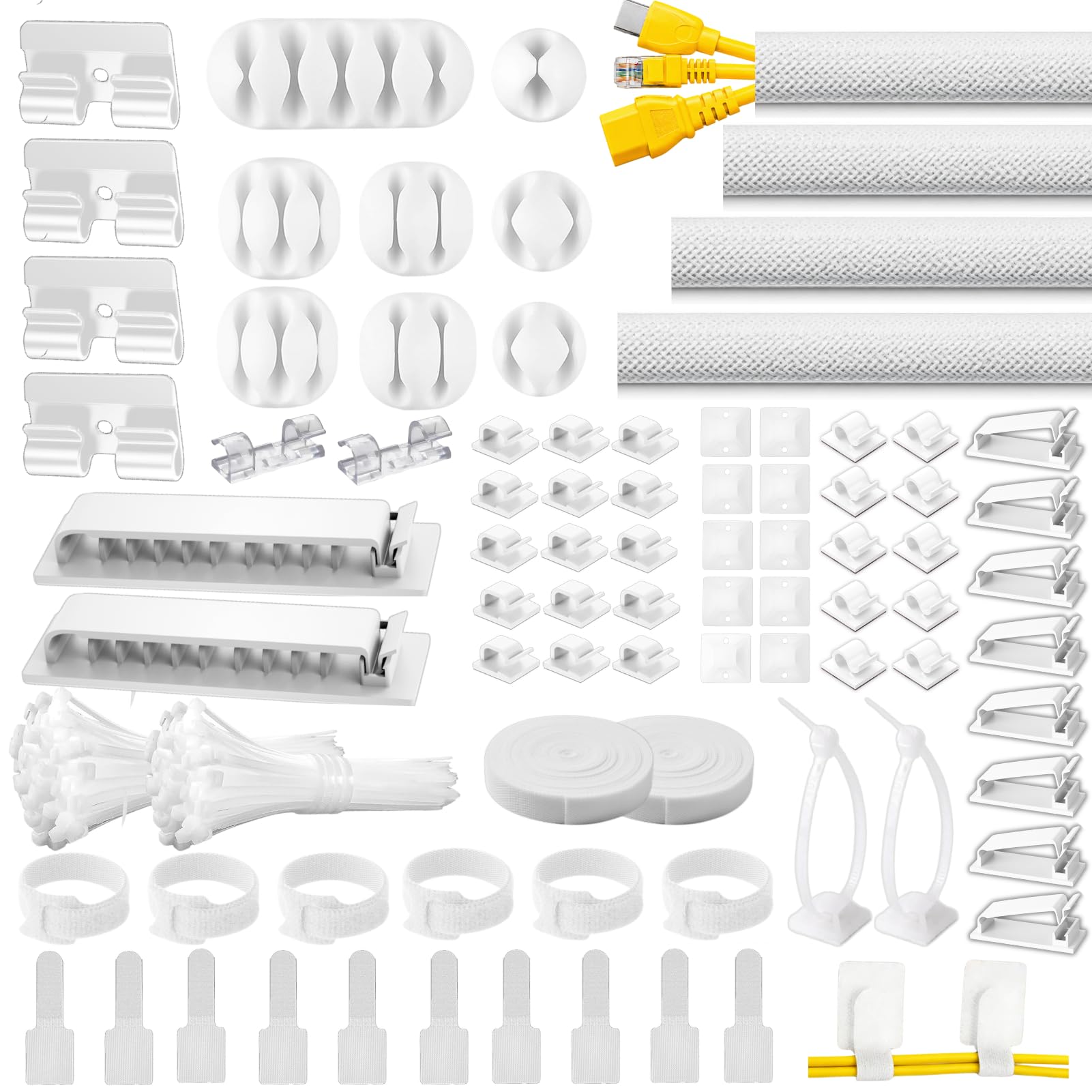
Two things in this box do most of the work: 20 mounting bases and 200 zip ties sturdy enough to hold a real bundle. Most of the sleeve-and-clip kits here trust a foam pad to carry everything; the bases give you a way to anchor a run under a desk or down a wall and stop wondering whether it will still be there next month.

That is why we give it the top spot for a full desk rather than one tidy corner. Sixty-seven adhesive clips across 11 shapes handle the short hops, a charger here and a monitor lead there, and the four 20-inch split sleeves gather the rest into one line from the desktop to the floor. Of everything here, it is the most complete start-to-finish kit for a workstation.

The sleeves are the easy part. They are split down their length, so you push cables in and the sleeve closes around them, with no drilling and nothing to thread. The 20 single straps and two rolls of reusable strap matter more than their piece count suggests, since they are what you reach for when a cable has to move while the zip ties stay on the permanent runs.

The white finish is the detail to settle before you order. Against a white or light wood desktop the pieces disappear into the surface, which is exactly the point; on a black desk they read as pale strips along the back edge. If your desk is dark, that single fact may send you to another kit on this list.

Pros

  • 20 mounting bases anchor a run without tape
  • 67 clips in 11 shapes cover every cable size
  • Four split sleeves bundle a desk-to-floor run
  • Heavier zip ties than most kits here

Cons

No notable drawbacks to flag.

Our verdict

Our default for a full desk: 20 mounting bases and heavier zip ties, the pieces most kits skip, in a white that disappears against a light desktop.

Check Latest Price
2

Best Value

NOROCME 192-Piece Cable Management Kit

93 /100
LBD Score Outstanding

Key details

Color
Black
Clip Styles
3
Cable Sleeves
4 (20 in each)
Fastening Ties
100
View on Amazon

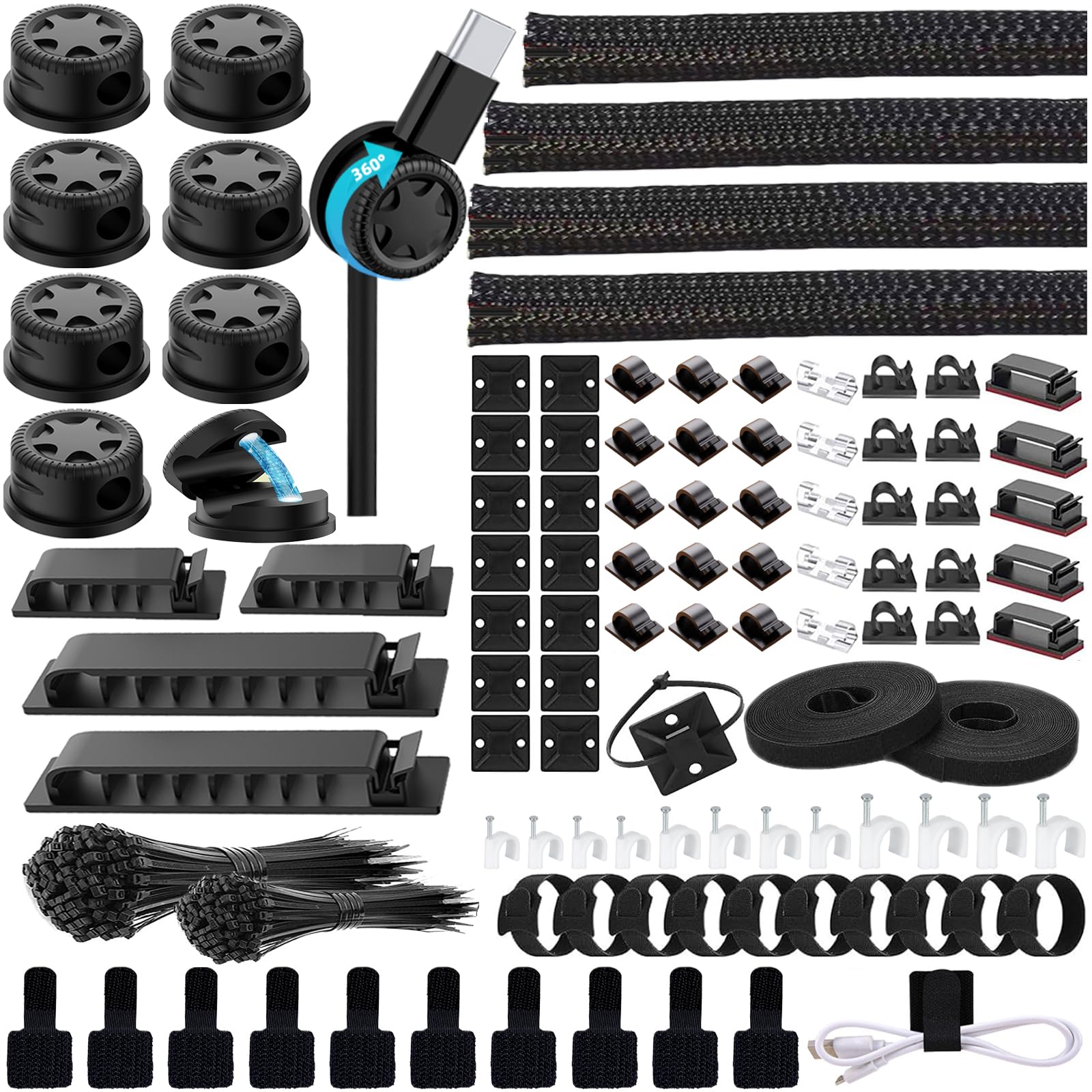
Open this one and the first impression is volume: four 20-inch split sleeves, three styles of black adhesive clip, 100 fastening ties, 10 reusable ties, and two rolls of adhesive-backed strap. It reads less like one tidy-up and more like a small drawer of hardware you keep coming back to.

Some of the details are more thought through than that sprawl suggests. Each reusable tie has an eye hole in the tail, so you can screw one down as an anchor instead of hunting for a clip, and the sleeves are pre-split, which turns bundling a monitor lead and two USB cables into a couple of minutes of work.

For a first desk cleanup we still think this is the easiest place to start. The breadth means an odd problem, a cord that keeps sliding off the back edge or a TV lead that will not sit still, gets solved from the same box without a second order, and enough is left over to make a start on the television corner. Nothing in it is specialized enough to be useless on the second job.

Pros

  • Three clip styles plus four sleeves in one box
  • Tie tails have an eye hole for screw-down anchors
  • Reusable ties and two rolls of strap included
  • Enough ties for a desk and a TV corner

Cons

  • Adhesive pads struggle on dusty or textured surfaces
Our verdict

The deepest box of hardware here for the money, with three clip styles, four sleeves, and enough ties to finish a desk and start the TV corner behind it.

Check Latest Price
3

Most Clip Options

DRIVUU 311-Piece Cable Management Kit

91 /100
LBD Score Outstanding

Key details

Pieces
311
Clip Styles
6
Cable Sleeves
4 (20 in each)
Fastening Ties
200
View on Amazon

Six clip styles is the reason this kit stays in the roundup. Most kits hand you one shape of adhesive clip and expect a USB-C charging cable and a monitor power lead to share it; here the 65 clips spread across shapes sized for different cable gauges, so the thin ones actually stay where you put them.

The rest of the box is familiar but generous: four 20-inch PET sleeves that wrap around a bundle and close on themselves, 20 reusable ties, two rolls of adhesive strap, and 200 fastening ties for the runs that will never move again.

Volume cuts both ways. With 311 pieces, one order covers a desk and leaves a bag of ties for the cable drawer, which is the kind of surplus that saves a second purchase three months later. If you are starting with one tidy workstation, that surplus is the point rather than a bonus.

Pros

  • Six clip styles suit thin and thick cables
  • Sleeves self-wrap, so loading takes minutes
  • 200 fastening ties plus 20 reusable ties

Cons

  • Bundles stay visible; there is no channel to hide them
Our verdict

Our pick for a desk that mixes thin charging cables with power cords: six clip styles and 65 clips, so every cable gets a holder that fits it.

Check Latest Price
4

Best Budget

ZIIYAN 163-Piece Cable Management Kit

89 /100
LBD Score Excellent

Key details

Color
Black
Pieces
163
Cable Sleeves
3 (19.7 in each)
Reusable Straps
20 plus 2 rolls
View on Amazon

This is the smallest kit here and it sits at the budget end of the group, so the trade is honest: three sleeves instead of four, eight soft anti-slip holders instead of a drawer of hard clips, and five zip-tie mounts. For a single desk with a monitor, a keyboard, and a laptop charger, that is enough, and we think it is the smartest first purchase for anyone testing whether cable management becomes a habit.

The eight soft holders are the nicest thing in the box. They grip a cable without crimping it the way a rigid plastic clip can, which matters for a braided charging cable or a headphone lead you handle every day. The kit also includes hook-and-loop ties and 100 fastening ties, so the small jobs are covered even if a longer run eventually needs a second kit.

Pros

  • Soft anti-slip holders grip without crimping cables
  • Lowest outlay here for a complete small kit
  • Includes hook-and-loop ties and 100 fastening ties

Cons

  • Fewer sleeves, clips, and mounts than the larger kits
Our verdict

The budget pick: smaller than the rest, complete enough for one desk, with soft anti-slip holders that grip a cable without crimping it.

Check Latest Price
5

Best Under-Desk Raceway

YECAYE J-Channel Cable Management 6-Pack

93 /100
LBD Score Outstanding

Key details

Capacity
Up to 10 cables each
Channels
6
Installation
Self-adhesive
Channel Length
15.7 in
View on Amazon

The opening on these channels faces outward rather than down. That sounds like a small manufacturing decision and it is not: cables push in from the side, so adding a monitor lead or pulling out a dead charging cable does not mean peeling the channel off the desk and starting over.

That is the detail that puts it ahead of the closed raceways here for under-desk work. Six channels, each 15.7 inches long, run along the back edge of a desk or down a leg, and the tape comes pre-applied, so the whole job is peel, press, and load. We like that the design assumes you will change your mind about a cable, which is the honest assumption.

Six channels add up to a little under eight feet of coverage, roughly a back edge plus one leg on a standard desk. Each one is rated for up to 10 cables, which is generous for a monitor, a dock, and a laptop charger at once; a power brick is the piece that will want its own channel.

Pros

  • Open-front channels accept cables from the side
  • About eight feet of coverage across six channels
  • Tape is pre-applied, so no drilling

Cons

  • Each channel is 15.7 inches, so long runs need several
Our verdict

Six open-front channels you can load from the side, the cleanest way here to hide a bundle and still add a cable next month.

Check Latest Price
6

Best for Standing Desks

VIVO Clamp-On Vertebrae Cable Kit

88 /100
LBD Score Excellent

Key details

Warranty
3 years
Run Length
4 ft
Installation
Padded C-clamp
Cable Entries
4-way
View on Amazon

There is no adhesive anywhere in this one, and for some desks that settles it. A padded C-clamp grips the back edge of the desktop, a 5-inch steel base plate keeps the stack steady, and the vertebrae blocks snap together into a four-foot run from the work surface down to the floor.

The four-way channel entry is the part we appreciate most. Cables slip in from any side at any block, so you can add a lead without unclipping the run, and because the blocks interlock, the strip follows the desk rather than fighting it.

For a height-adjustable desk this solves the actual problem: the clamp travels with the desktop, so the run rises and falls with it instead of stretching a taped bundle. It is also the answer for an oiled, textured, or antique surface where tape gives up, and the three-year warranty is the longest coverage in this group.

Pros

  • Clamps on with no adhesive at all
  • Four-way entries let you add cables anytime
  • Travels with a height-adjustable desktop
  • Three-year warranty, the longest here

Cons

  • One 4-foot run, at the highest price here
Our verdict

For a standing desk or a finish that rejects tape, this clamp-on run solves it: no adhesive, four-way entries, and a padded C-clamp.

Check Latest Price
7

Heavy Cable Bundles

EVEO Under-Desk Cable Management (6 Units)

91 /100
LBD Score Outstanding

Key details

Capacity
10 power cords
Channels
6
Installation
Self-adhesive
Total Length
8 ft
View on Amazon

Six channels, eight feet of total run, and a stated capacity of 10 power cords or 16 network cables: this is the kit for the desk with a real bundle behind it, the kind with a dock, two monitors, and a tower.

The channels are 2.5 inches wide, and that is what buys the capacity, wide enough for a monitor cable and an adapter to share a run without being forced. The lids do not lock, so you lift one, drop cables in, and it settles back into place.

Each piece comes with tape already applied, so a back edge and one leg of a desk go quickly and six pieces cover the run without trimming.

We put it behind the slimmer open-front channels for a typical desk, but for a genuinely heavy bundle it is the better tool, and the width is the whole reason. On a one-monitor, one-laptop setup the extra capacity is wasted and all you will notice is the bulk.

Pros

  • Wide channels rated for 10 power cords
  • Lids lift without unlatching
  • Six channels span a back edge and a leg

Cons

  • Adhesive can fail on dusty or finished surfaces
Our verdict

The pick for a heavy bundle: wide channels rated for ten power cords, though the extra bulk is wasted on a simple setup.

Check Latest Price
8

Cables You Unplug

ELII 328-Piece Magnetic Cable Kit

85 /100
LBD Score Excellent

Key details

Pieces
328
Cable Sleeves
4 (20 in each)
Fastening Ties
200
Magnetic Holders
8, 360-degree swivel
View on Amazon

Eight of the pieces in this kit are magnetic holders on 360-degree swivel bases. Nothing else here has that, and it changes one specific daily annoyance: a cable you unplug and plug back in all day can be pulled out at any angle and dropped back into its slot one-handed.

The rest is a complete kit, with four 20-inch split sleeves, clips in ten shapes, 200 fastening ties, 25 mounts, and two rolls of reusable strap, so the magnets ride on top of a normal desk setup rather than replacing it.

Each magnetic holder takes one cable through a 0.3-inch slot, which suits charging cables and headphone leads rather than a monitor power cord. Where they earn their keep is the front edge of a desk, where a phone cable gets picked up and put down twenty times a day.

The case for it is narrower than the top pick's, and we rank it that way: the sleeves, clips, and ties are competent, but the magnets are what the extra money buys. If two or three cables on your desk get handled constantly, that is a fair trade; if everything stays plugged in, put the difference into clips.

Pros

  • Eight magnetic holders swivel 360 degrees
  • Full sleeve, clip, tie, and mount kit behind the magnets
  • One-handed cable drops at the desk edge

Cons

  • Only eight of the pieces are magnetic holders
Our verdict

Worth it for the cables you unplug all day: eight magnetic holders swivel 360 degrees, so a cord comes out one-handed and drops back in.

Check Latest Price

How We Tested Cable Management Kits

We built the shortlist by rounding up every kit we could find from brands with a real track record, then cutting the ones that were mostly a bag of zip ties with a sleeve tossed in. What survived was judged on what was actually in the box — split sleeves, adhesive clips, mounting bases, reusable straps — and on whether the pieces were sized for the cords people own, not just how high the piece count climbed. That left 16 kits, which we installed and lived with for four months.

Each kit went under a real desk in someone's home: a home office workstation, a standing desk that goes up and down a dozen times a day, and a TV console holding a game system and a soundbar. We wiped every surface with a dry cloth and, on half the mounts, a rubbing-alcohol wipe, then stuck clips to painted drywall, laminate, glass, and metal legs to see which adhesive held and which let go within a week. We timed installs solo, without reading the instructions on the first pass.

Once mounted, we hung real bundles — a monitor cable, a laptop charger, a power strip cord — pulled them sideways the way a foot or a vacuum does, and checked back at the one-month mark for clips that had drifted, yellowed, or left sticky residue. The standing desk went up and down at least 30 times with cords attached. At the end we counted how much of each kit we'd actually used, since a 300-piece box that leaves 250 pieces in the drawer isn't the better value.

How to Choose a Desk Cable Management Kit

Count the Parts That Matter, Not the Pieces

Most of the bulk in these kits is zip ties. Two hundred of them are genuinely useful, but a tie does not hold a cable against a surface and does not bundle anything. What determines whether a kit finishes a desk is the count of sleeves for bundling, clips for routing, and mounting bases for anchoring. Our top pick, the Topavatop 313, wins on that mix rather than on volume: four sleeves, 67 clips in 11 shapes, and 20 bases that take the load off a single adhesive pad.

Adhesive Decides More Than Any Spec Sheet

Nearly every clip and channel here hangs on foam tape, and foam tape is only as good as the surface beneath it. Wipe the underside of the desk with isopropyl alcohol, let it dry completely, press each pad firmly for a few seconds, and give it an hour before you load cables into it.

On an oiled, waxed, or textured desktop, expect pads to let go and plan around it: a clamp-on design such as the VIVO needs no adhesive at all, and a channel with pre-applied tape holds well on smooth laminate where a small clip pad would peel.

Match the Holder to the Cable

A narrow clip holds a charging cable; force a monitor power lead into it and you get a pinched cord and a clip hanging off the desk. Buy a kit with several clip sizes, or use channels with real depth for the thick runs. Route power and data separately so one failed pad does not drop the whole bundle, and give a power brick its own channel rather than burying it.

Sleeves for the Permanent Run, Straps for the Rest

Split sleeves gather several cables into one line, and because they close around the bundle you can add a cable later without undoing the run. Zip ties are permanent by design, so use them only where nothing will change. The reusable hook-and-loop straps included in most kits here are the right choice for the cable that moves: a headphone lead, a controller, a laptop charger that leaves the house. Keep a handful in a drawer.

Route It Before You Stick It

Run the bundle down one leg rather than across the open underside of the desk, where knees and chair casters live. Leave a service loop at each end so a monitor can slide without tugging on a connector. On a height-adjustable desk, mount everything to the desktop and not to the frame, because the desktop is the part that moves. Measure the desktop-to-floor drop before ordering; if it is much more than four feet, you need more channel than a single kit supplies.

Frequently Asked Questions

Final Verdict

The Topavatop 313 is what most desks actually need: four sleeves for the main run, 67 clips for the small stuff, and 20 mounting bases so the whole thing does not depend on one foam pad holding. It is the kit we point people to when they want the job finished in one order.

Choose the YECAYE six-pack instead if your cables run along the back edge and hiding the bundle matters more than routing it, or the VIVO clamp if your desk changes height and tape has already failed you.