Best Portable Laser Engravers of 2026

For years, anything I wanted engraved meant a trip to a trophy shop and a five-day wait, or a blank stare and a forty-dollar minimum for eleven letters on a cutting board. Now there's a laser the size of a toaster on my workbench, and that cutting board takes four minutes. That's the pitch for a portable laser engraver: a permanent mark on wood, leather, acrylic, glass, or metal without a workshop, an exhaust hood, or a design degree.

My team and I have spent the past eight months running nine of these machines through real projects — gifts, small-batch inventory, plenty of test grids — and the gap between them comes down to what the box doesn't advertise. Wattage gets all the attention, but a tight, stable beam on a frame that doesn't wobble matters more. So does software: a great engraver that drops its Bluetooth connection mid-job is a paperweight.

Assembly time, footprint, and how a machine behaves on the twentieth identical keychain separated the keepers from the rest. The picks below run from pocket-sized units for paper and leather to desktop models built for small-batch work.

1

Best Overall

xTool F2

86 /100
LBD Score Excellent

Key details

Camera
50MP
Weight
10 lb
Max Speed
6,000 mm/s
Laser Setup
5W IR and 15W diode
View on Amazon

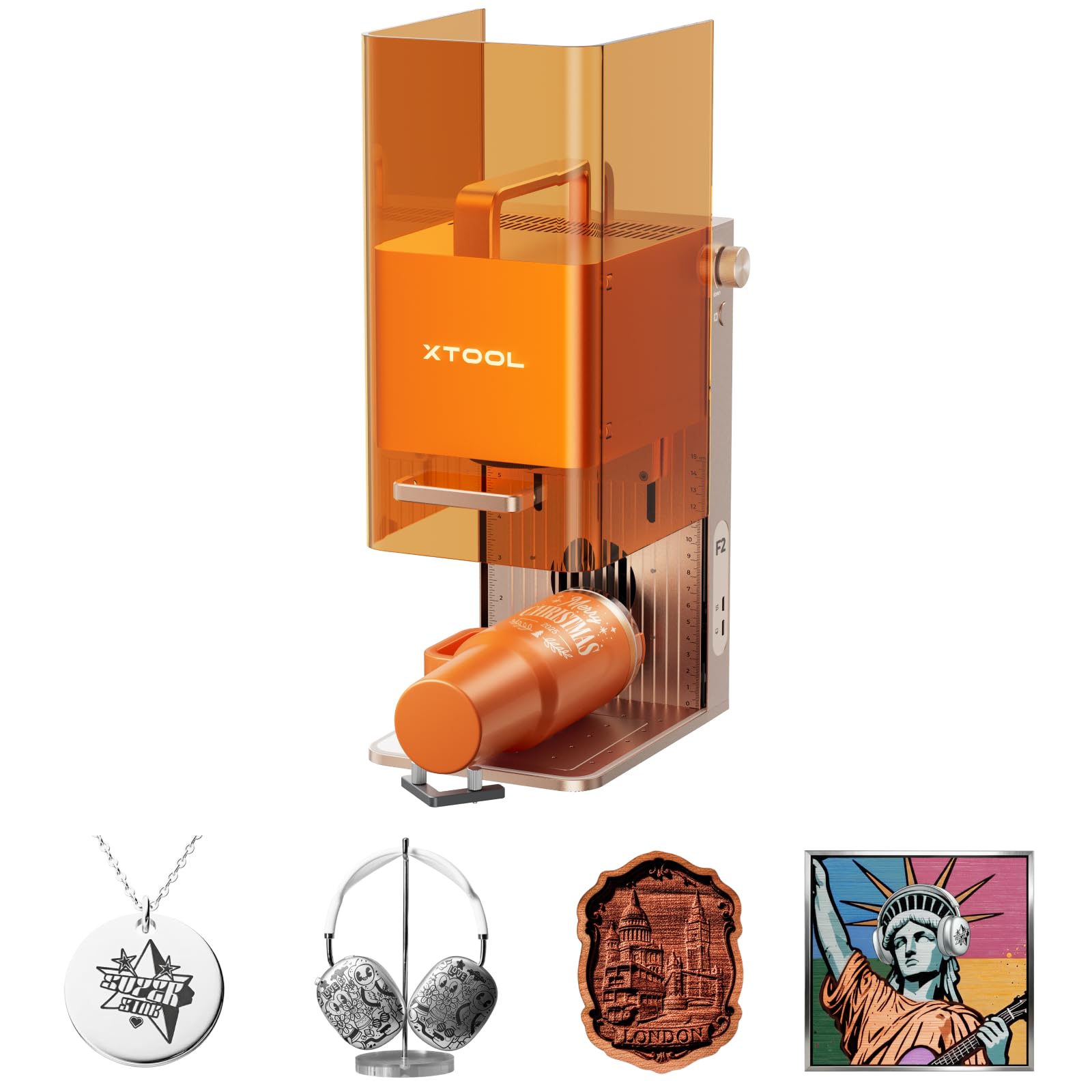
The F2 is the one in this group that feels like a small production cell rather than a hobby box. Its head carries both a 5W infrared laser and a 15W diode, so the same machine can mark coated metal and cut or engrave wood, leather, and the usual craft stock. The 50MP camera is the part we appreciate most: lining up a design on a small blank is where portable engravers usually waste time, and the live preview turns that into a visual check instead of a ruler-and-guess routine. At 10 pounds and roughly 7 by 9 inches, it can live on a shelf and come out for a job, though it is a bench machine rather than a backpack one.

Where it earns its keep is paid small-batch work. The 6,000 mm/s top speed and the enclosed body make it feel less like a prototype and more like something you can run in a store or a clean workshop; the built-in fan and optional purifier address the smoke that open-frame machines leave in the room. We also like that it arrives assembled and the software presets shorten the gap between unboxing and a first saleable piece. The trade-off is that the F2 is the most expensive machine here, and you are paying for the dual source and camera as much as for raw watts.

The metal story has a limit. Bronze coins are the specific miss to flag: the machine is not a universal embosser for every metal the marketing implies. Alignment is the other thing to watch. With the slide extension attached, keeping images and text true is the point to test before committing a long job or a batch, because that is where accuracy is most likely to drift. For small blanks and ordinary metal marking, it is the most capable package here; for large tiled work, prove the extension on scrap first.

The 10-pound body is portable in the sense that one person can move it between a cabinet and a counter, not in the sense that it goes in a tote. That is the right trade for a machine that has to cover metal, wood, and small production runs without giving up an enclosure.

Pros

  • Dual 5W IR and 15W diode cover more materials
  • 50MP camera speeds placement on small blanks
  • 6,000 mm/s top speed with enclosed body
  • 10 lb package moves between bench and counter

Cons

  • Bronze and some metals fall outside the engraving claim
  • Slide-extension alignment needs testing before a batch
Our verdict

The F2 is our pick when a portable engraver has to earn money: dual lasers and a camera make it the most complete small-batch machine here, and the enclosure makes it easier to live with.

Check Latest Price
2

Best for Tumblers and Curved Objects

LaserPecker LP2

82 /100
LBD Score Excellent

Key details

Weight
10.3 lb
Max Speed
1,417 in/min
Dimensions
5.91 x 5.91 x 8.66 in
Rotary Roller
Included
View on Amazon

A tumbler is the test that separates the LP2 from the flatbed machines here. The LP2 comes with an electric roller, and its cylinder mode turns a curved cup or pen blank while the laser works, so you are not trying to hold a round object steady under a fixed head. The handle and small body make it a genuine hand-held tool, and the included stand lets you set it up vertically or at an angle for objects that will not lie flat.

The 1,417 in/min top speed is quick for a portable engraver, and the 10.25-pound package is light enough to carry to a craft fair without a cart. It engraves coated metal, brushed stainless steel, wood, leather, paper, and cardboard, and it can cut thin wood or paper within 0.2 inch. What it will not do is engrave pure or shiny metal, so it is not the machine for bare steel tags or jewelry blanks that have not been coated.

We like the LP2 most as a personalization tool, not as a production cutter. The roller is the reason to choose it: tumblers, pencils, and other cylinders are awkward on every flatbed here, and the LP2 handles them without a separate rotary accessory. The weak point is the wireless connection. Bluetooth pairing and staying connected is the least dependable part of the workflow, so treat a cable or a PC connection as the backup for anything longer than a quick test. The app is simple, but simple is not the same as robust when a job is running.

For small gifts and market stock, the combination of roller, handle, and compact body is hard to match in this set. For flat signs or repeated batches of the same coaster, a desktop machine with a real bed and a wired workflow will be less fussy.

Pros

  • Roller handles tumblers and cylinders
  • Handheld body and stand suit odd angles
  • Fast 1,417 in/min top speed
  • Engraves coated metal and common crafts

Cons

  • Bluetooth connection is the weak link
  • Pure and shiny metals are off the table
Our verdict

Buy the LP2 if you personalize tumblers, pens, and curved gifts; its roller and handheld body do jobs the flatbed portables here cannot, as long as you can live with a fussy wireless link.

Check Latest Price
3

Best Beginner Standalone Machine

AlgoLaser Pixi 10W

77 /100
LBD Score Very Good

Key details

Weight
8.53 lb
Safety Door
Auto-pause
Touchscreen
3.5 in
Laser Output
10W
View on Amazon

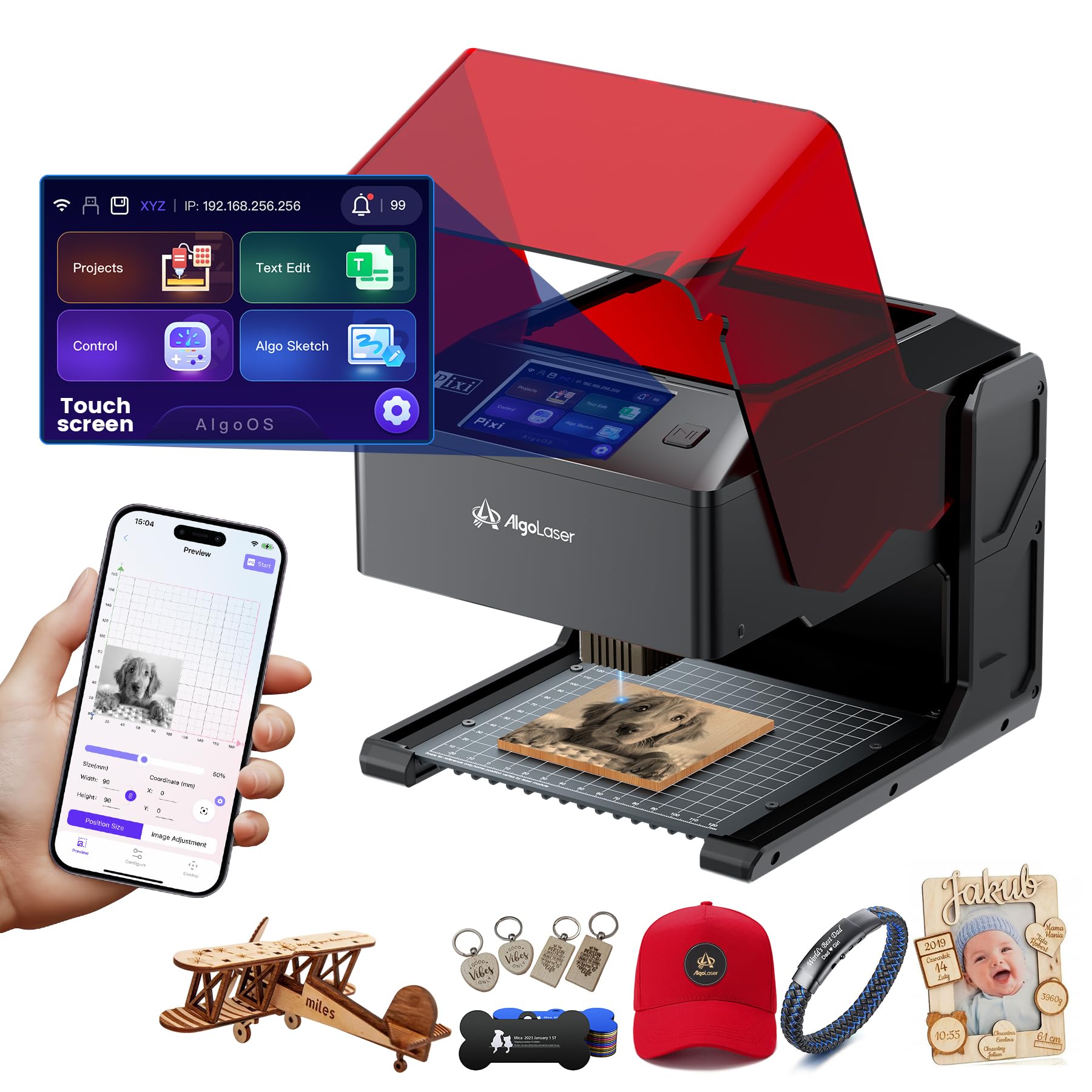
The Pixi is the machine we hand to someone who wants to engrave a first gift without learning a laser program. Its 3.5-inch touchscreen runs AlgoOS on the machine, so you can import a design, position it, and start without a laptop. The AlgoSketch feature captures hand-drawn art, and the built-in safety door pauses the job when it opens. That combination is why it is our beginner pick: the workflow is visible on the device, not buried in a settings menu.

The 10W diode is enough for wood, leather, glass, and coated metal, and the 8.53-pound body is easy to move from a closet to a table. We like the touchscreen more than we expected; it makes the machine feel self-contained, and it is the one here that does not assume you already own a computer you want to dedicate to the laser. The auto-pause door is a real convenience in a house with curious hands, provided you still vent the fumes and keep the machine on a stable surface.

The caution is reliability. When the Pixi runs, it is straightforward and precise enough for small details, but a stopped unit is the failure mode that matters most; test the first several jobs thoroughly and use the return window rather than nursing a bad unit. The work area is also compact, so coasters, keychains, and phone cases fit better than signs. It is a beginner machine in the good sense, but not a machine for a production queue.

Pros

  • Runs without a computer
  • 3.5-inch touchscreen is easy to follow
  • Auto-pause safety door
  • 10W output and 8.5 lb body

Cons

  • Long-term reliability is the open question
  • Small work area limits larger signs
Our verdict

The Pixi is our beginner pick because it engraves from its own touchscreen, with a safety door that pauses the job; just test it hard while the return window is open.

Check Latest Price
4

Best Midrange Work Area

ACMER S2

83 /100
LBD Score Excellent

Key details

Weight
7.83 lb
Max Speed
10,000 mm/min
Work Area
300 x 300 mm
Laser Output
7W
View on Amazon

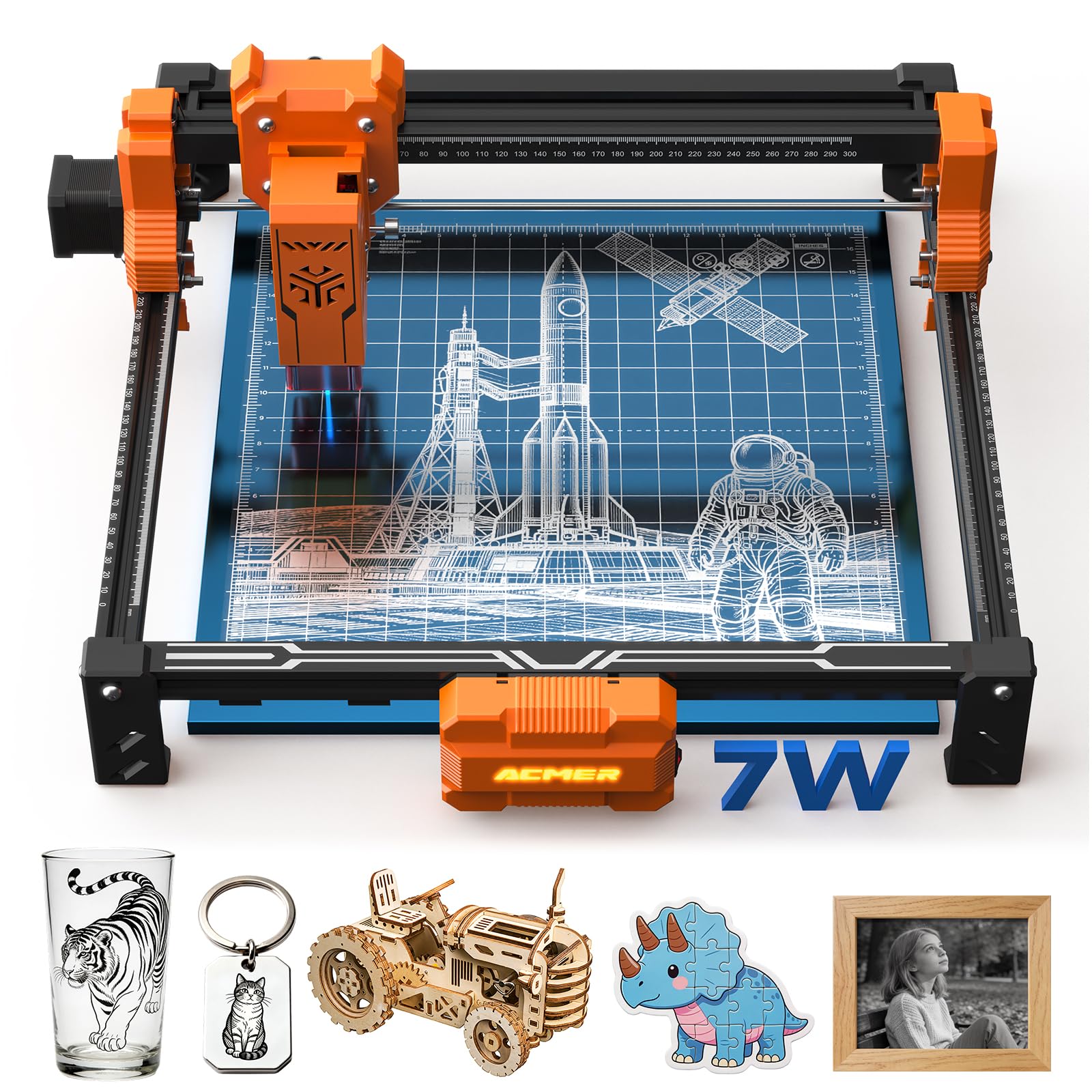
A 300 x 300 mm bed is the reason to step up to the S2. That is enough to lay out a set of coasters, a small sign, or several leather patches without repositioning, and it still fits on a desk. The 7W diode and 0.08 mm spot are aimed at clean detail rather than brute cutting, so the S2 makes more sense for engraved lettering and fine patterns than for thick stock.

We see the S2 as the midrange detail machine in this group. Its 0.01 mm repeat positioning and 10,000 mm/min speed put it above the cheapest desktop lasers on the specs that matter for repeat work, and the anti-UV shield, goggles, and motion-detection auto-pause make it easier to live with than a bare open frame. The free Acmerstudio software and AI design tools lower the entry cost, though you are still working on a computer rather than from a touchscreen.

The shield is a guard, not a full enclosure. Plan for ventilation and eye protection, especially if the machine sits in a shared room, and do not expect the 7W source to cut thick hardwood or bare metal. Coated metal, wood, leather, and acrylic are the sensible targets. The 7.83-pound body is light enough to move, but the 300 mm bed means you will want a permanent spot once it is set up.

Pros

  • 300 x 300 mm work area
  • 0.08 mm spot for fine detail
  • Safety shield and motion auto-pause
  • Free Acmerstudio software

Cons

  • No full enclosure
  • 7W diode limits thick cuts and bare metal
Our verdict

The S2 is the midrange pick for detailed plaques and small batches: a 300 mm bed and fine spot, without the weight of an enclosed cabinet.

Check Latest Price
5

Best Pocket-Sized Travel Engraver

LaserPecker LP1 Plus

80 /100
LBD Score Excellent

Key details

Power
Power-bank capable
Weight
2.4 lb
Lens Distance
200 mm
Metal Engraving
Not supported
View on Amazon

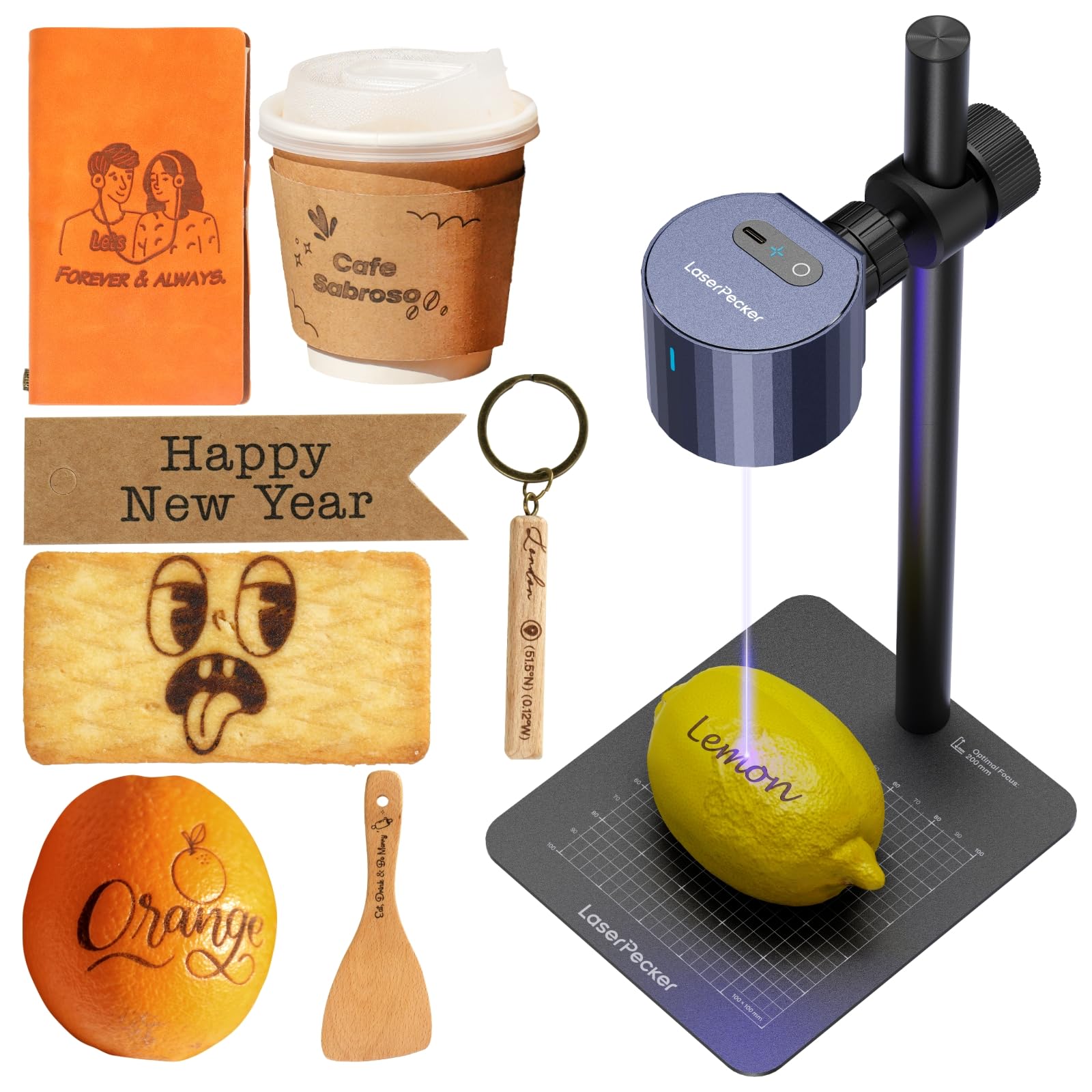
At 2.4 pounds, the LP1 Plus is the one that actually goes in a backpack. It is a pocket-sized head on an adjustable stand, not a desktop box, and LaserPecker expects you to set the lens 200 mm from the material with the included ruler. That manual distance is the price of the tiny body: you gain portability and the ability to aim at odd angles, but you give up the camera-assisted placement of the larger machines.

The rotating head lets you engrave at more than one angle, which is useful for objects that will not sit flat, and the app is simple enough to import a photo or doodle and start. It handles wood, leather, acrylic, and similar non-metal craft materials; metal engraving is explicitly not supported, so it is not the tool for dog tags or jewelry in bare steel. The 2-minute start claim is plausible for a simple design on a prepared blank, and running from a power bank makes it the most travel-friendly machine here.

We like the LP1 Plus for small, detailed work where the object is awkward: the inside of sunglasses, a curved handle, a small wooden blank. The fine lines are the strength, and the stand is more useful than a fixed frame when the target is not flat. The limitation is that every setup depends on getting that 200 mm distance right by hand. Small jobs are forgiving; repeated production is not.

Reliability is the other question. The machine is at its best when it is running short personalization jobs, not long unattended batches. For a traveler who wants to make a few gifts or samples on site, that is a reasonable trade; for a shop that needs the same placement every time, a flatbed with a camera is the easier answer.

Pros

  • 2.4 lb body fits in a backpack
  • Runs from a power bank
  • Rotating head reaches odd angles
  • Fine-line detail on small objects

Cons

  • Manual 200 mm focus setup
  • No metal engraving
Our verdict

The LP1 Plus is the travel engraver we take when the project is small and the power source is a battery; it fits in a bag and handles awkward, curved objects.

Check Latest Price
6

Best Budget

Artilume 7W

76 /100
LBD Score Very Good

Key details

Weight
2.99 lb
Max Speed
10,000 mm/min
Work Area
200 x 150 mm
Laser Output
7W
View on Amazon

The Artilume's frame folds, and the machine measures 14.53 x 14.17 x 5.79 inches and weighs 2.99 pounds, which makes it the easiest machine here to put away. That folding frame is not a gimmick: it lets the laser live on a shelf and come out for a project, which matters in a small apartment or a shared craft table. The 7W diode and 200 x 150 mm bed are sized for coasters, leather patches, gift tags, and other small pieces rather than full-size signs.

The 0.01 mm accuracy claim and 10,000 mm/min top speed are in the same territory as the other compact diodes. It engraves wood, leather, kraft paper, bamboo, dark acrylic, and coated metal; bare metal needs pre-treatment, so do not buy it for raw steel. The 7W source can cut thin basswood in multiple passes, which is enough for layered crafts but not for production cutting.

Setup is straightforward, and the machine is mostly assembled, so the first job comes quickly. We like the folded footprint for storage, but the open build means safety glasses and ventilation belong in the routine; this is not a machine to run in a sealed bedroom. The 200 x 150 mm bed also fills up fast once you move beyond single small gifts.

For a budget first laser, the Artilume makes a convincing case: it has a real 7W source, a folding body, and a work area that suits the projects most people start with. We choose it over a lower-power tiny engraver for the extra cutting headroom, as long as the small bed and open-frame safety routine fit the room. It is the one here that disappears between projects, and that is a real advantage in a small home.

Pros

  • Folds to a compact 2.99 lb package
  • 7W diode cuts thin basswood
  • 200 x 150 mm bed for small crafts
  • Mostly assembled and quick to set up

Cons

  • Open frame needs eye protection and ventilation
  • Bare metal requires pre-treatment
Our verdict

The Artilume is the budget pick for crafters who want a real 7W laser and can live with a 200 x 150 mm bed; it folds away between projects.

Check Latest Price
7

Compact Enclosed Work

ACMER K1

76 /100
LBD Score Very Good

Key details

Weight
6.89 lb
Work Area
150 x 150 mm
Laser Output
12W
Safety Class
Class 1 enclosed
View on Amazon

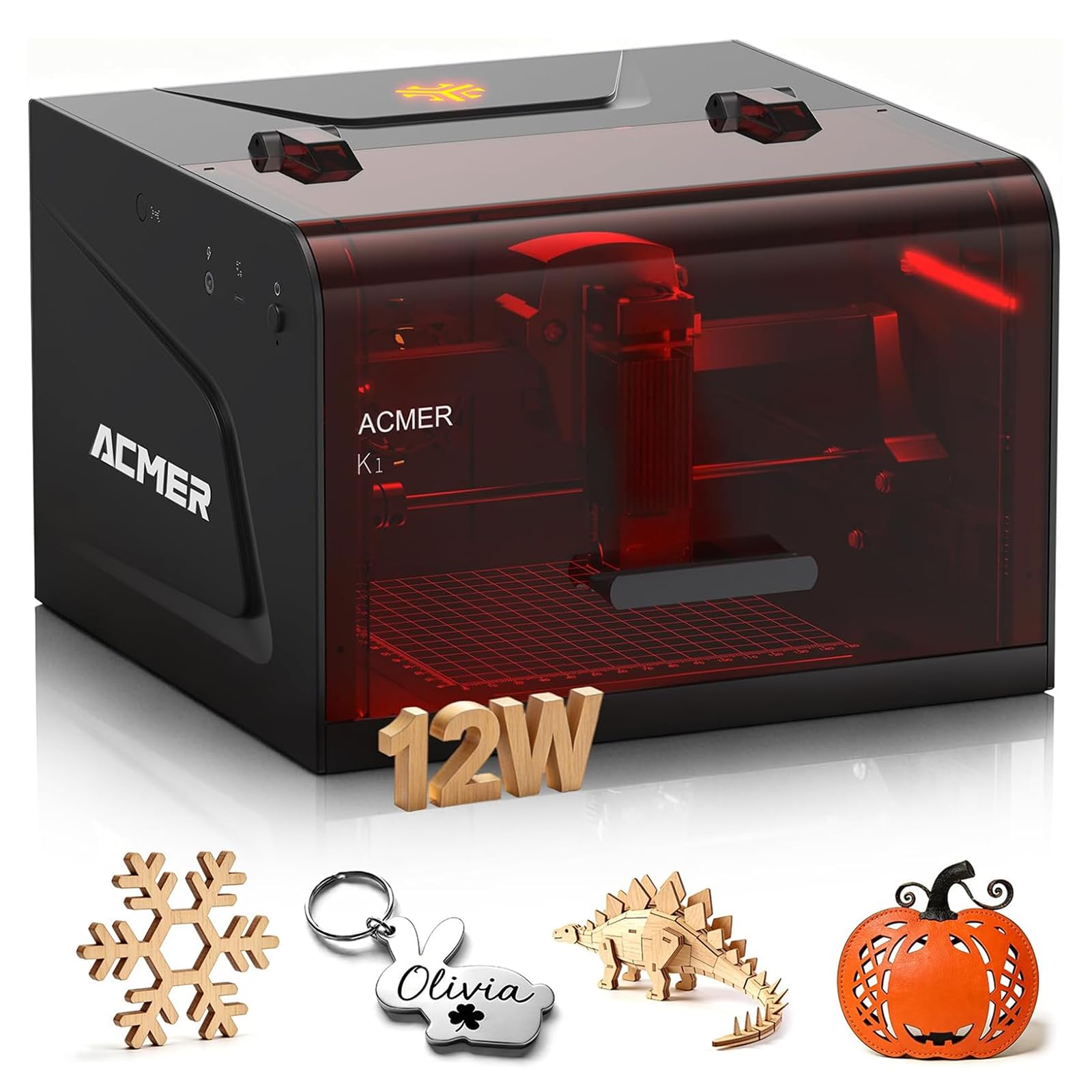
The K1 puts a 12W diode laser inside a Class 1 enclosure small enough for a desk. That is the combination that matters: the 150 x 150 mm work area is modest, but the enclosed body and built-in exhaust fan make it easier to keep in a home workshop than an open frame. The 0.08 x 0.08 mm spot and 0.01 mm repeat positioning are aimed at crisp small work, not large signage.

We see the K1 as a small-batch box for keychains, coasters, pen blanks, and other pieces that fit inside 150 mm. The 12W source cuts thin wood and acrylic with fewer passes than the lower-power machines here, and the free Acmerstudio software handles AI-assisted design on Windows or macOS. The enclosure is the feature we value most; it contains the bright spot and gives the machine a place in a room where an open laser would be a harder sell.

The trade-off is size. A 150 mm bed rules out most signs, and the workholding is simpler than on a larger machine, so you will be repositioning for anything bigger than a coaster. The K1 also expects a computer, so it is not the touchscreen-first experience of the Pixi. Those are reasonable compromises for a buyer whose projects are small and repeated.

Pros

  • Class 1 enclosed body
  • 12W laser for small cuts
  • Built-in exhaust fan
  • Fine 0.08 mm spot

Cons

  • 150 x 150 mm bed limits project size
  • Requires a computer
Our verdict

The K1 is the compact enclosed pick for small, repeated jobs; its Class 1 body and 12W laser suit a home desk, as long as 150 mm of work area covers your designs.

Check Latest Price
8

Large Flat Blanks

Creality 10W

81 /100
LBD Score Excellent

Key details

Weight
7.05 lb
Work Area
17 x 16 in
Laser Output
10W
Machine Power
72W
View on Amazon

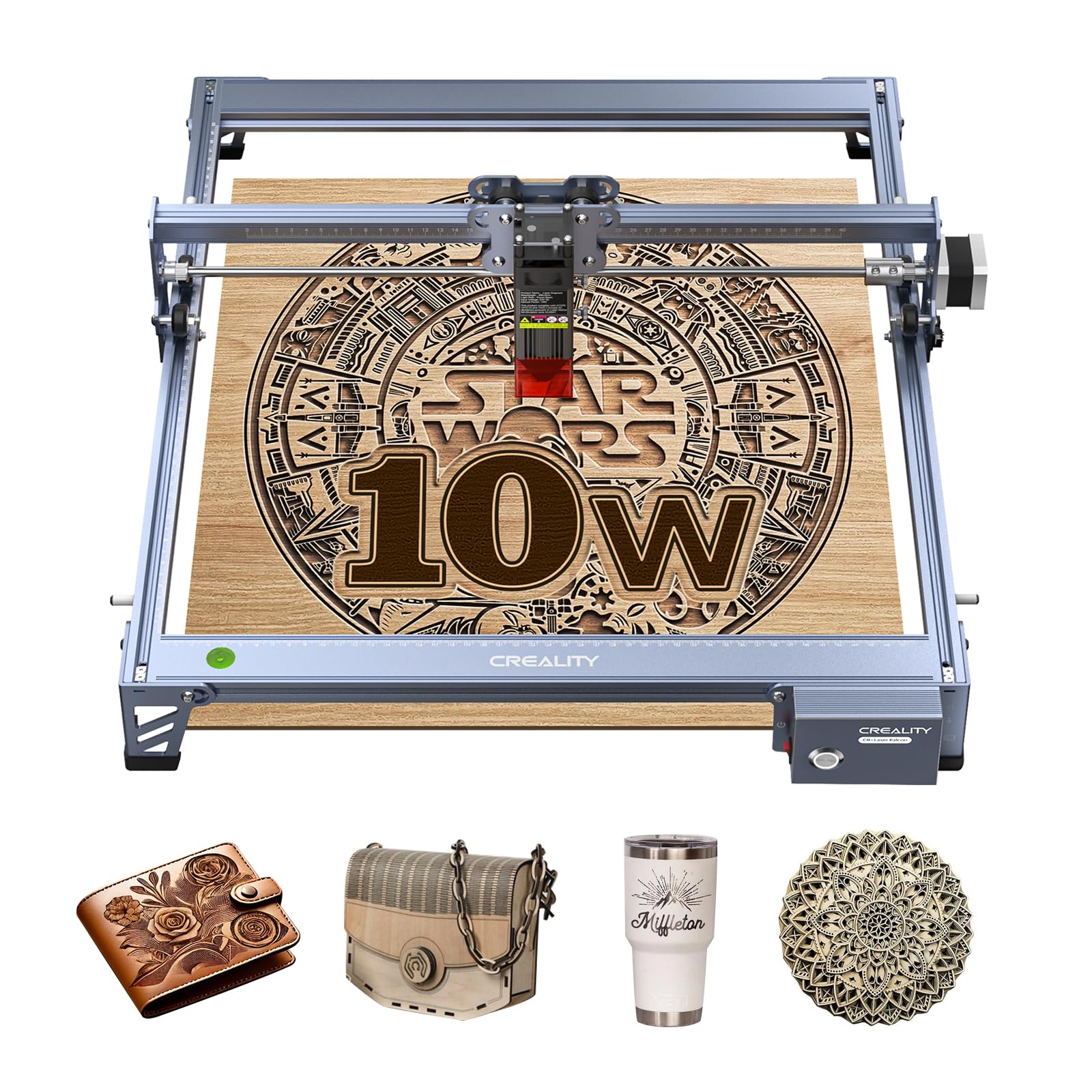
The Creality's 17 x 16 inch bed is the largest flat work area in this group, and that changes what you can make. Signs, layered wall art, and big plywood blanks fit without tiling, and the 10W output can cut 5 mm basswood or 3 mm black acrylic in one pass. At 7.05 pounds, it is still light enough for one person to move, though the frame takes up a real bench.

This is an open-frame kit for a maker who is comfortable with software. It works with LightBurn and LaserGRBL, has an aluminum alloy frame and belt tensioning, and uses an anti-UV filter on the laser module. The 72W machine power is not the same as 10W of optical output, but it explains why the machine can move quickly through thin stock. The trade is that you are buying a platform, not a finished appliance: assembly and focus are part of the ownership experience.

The 10W diode has limits. Thick hardwood takes multiple passes, and this is not a machine for production-speed cutting. The open frame also means eye protection and ventilation are non-negotiable, especially in a room with other people. Those are the costs of the large bed and low price.

We like the Creality for the buyer who wants the most flat working area at a budget price and is willing to learn the software. It rewards a tinkerer: the frame is rigid, the cutting performance on thin ply is the point, and the big bed saves repositioning. It is not the machine to hand a beginner who wants a touchscreen and a closed door, but for a garage shop with a laptop and a LightBurn habit, it earns its space.

Pros

  • 17 x 16 inch work area
  • 10W output cuts thin ply in one pass
  • Works with LightBurn and LaserGRBL
  • 7.05 lb aluminum frame

Cons

  • Open frame needs eye protection and ventilation
  • Thick stock takes multiple passes
Our verdict

The Creality is the open-frame bargain for makers with a big bench and a LightBurn habit; its 17 x 16-inch bed handles signs that the compact machines cannot.

Check Latest Price

How We Tested Portable Laser Engravers

We built the shortlist from manufacturer specs and craft-forum threads, then cut anything that didn't make sense to actually live with — an awkward work area, a laser type that couldn't touch metal, no way to run it untethered, or a price that hid the enclosure and air assist behind a second purchase. Nine machines made it in, spanning pocket-sized, handheld, and compact desktop formats.

Each one was unboxed, assembled, and fired up by someone who had never touched that model, with only the manual to go on, and we logged the minutes and the confusing steps. From there, eight months of real use: engraving test grids on wood, leather, acrylic, glass, and coated metal, cutting thin plywood on the models that claim it, and running the same file twenty times to see whether the last pass looked like the first.

Most of the work happened where these machines actually live — a kitchen table, a garage bench, a friend's craft-fair prep the week before a show. We sent files from a laptop and from a phone over Bluetooth, noting dropped connections, app crashes, and how many taps it took to get from a finished design to a burning laser. We timed jobs, watched where the smoke went, and checked fine text and photo engraving up close under good light.

Size got judged by whether a unit could be carried one-handed in a tote bag and whether it stayed put while running. Reliability got judged by what failed first — a belt, a focus, a connection. Value came down to what a machine could do straight out of the box versus what it cost to make it useful, since a cheap engraver that needs a mandatory enclosure isn't cheap.

How to Choose a Portable Laser Engraver

Decide what portable means for you

A handheld engraver and a compact desktop are different products with the same label. If the machine needs to go to a market or into a bag, start with the LP1 Plus at 2.4 pounds or the LP2 with its handle and roller. If it only moves between a shelf and a counter, the 10-pound F2 is still manageable. A 30-pound enclosed cabinet is a bench machine no matter what the listing calls it, so check weight and outside dimensions before you plan the space.

Match the laser source to the material

Diode lasers handle wood, leather, paper, acrylic, and coated metal; they usually mark bare metal only with a pre-treatment or not at all. If bare metal is central, an infrared or fiber source changes the job. The F2 pairs a 5W IR laser with a 15W diode, while the LP2 and most budget machines are diode-only and explicitly limited on pure or shiny metal. Buy for the material you will use most, not the one on the sample photo.

Size the work area to the project

Measure the largest blank you expect to engrave, then add a little room for placement. A 150 mm bed suits coasters, keychains, and pen blanks; 200 x 150 mm adds small signs and leather patches; 300 x 300 mm is a comfortable craft size; the Creality's 17 x 16 inch bed is the one here for larger wall pieces and plywood. A bigger bed is not automatically better if it turns a portable machine into a permanent bench hog.

Treat the enclosure and ventilation as part of the purchase

An enclosed Class 1 machine with an interlocked door is easier to live with in a home, especially around children or pets. The K1 and F2 are the enclosed picks here; the Pixi uses an auto-pause safety door rather than a full cabinet. Open-frame machines can still work well, but they demand safety glasses and real ventilation. If the laser will sit in a spare bedroom, plan for smoke and odor before you buy, not after the first project.

Choose the workflow you will actually use

Touchscreen machines such as the Pixi shorten the path from idea to first engraving; phone-driven handhelds are even more immediate. Computer-driven machines give you more control through LightBurn, LaserGRBL, or Acmerstudio, and the Creality in particular rewards a maker who already knows those tools. If you do not want to learn software, pay for the standalone workflow. If you want repeatable placement and camera preview, pay for the desktop machine with the better alignment tools.

Frequently Asked Questions

Final Verdict

For most buyers who need one compact machine to cover several materials, the xTool F2 is the pick. It is the only one here with an IR source, a 15W diode, a camera, and a fully enclosed body in a 10-pound package, so it handles coated metal, wood, and small-batch work without turning the room into a laser bay.

If your work is tumblers and curved gifts, the LaserPecker LP2's roller is the better tool. If you want the gentlest first machine, the Pixi's touchscreen is easier to live with. The F2 is the one we start with for a small shop.