Best Laser Engravers for Tumblers of 2026

Tumblers are round, and that's the whole problem. Lay one flat under a laser and the focus drifts the moment the surface curves away, so a design you centered perfectly comes out sharp in the middle and scorched at the edges. A rotary chuck turns the cup like a lathe while the head works, and that's the difference between a blank that becomes a gift and one that becomes scrap.

My team and I spent eight months running six machines through the same stack of 20-ounce stainless, powder-coated, and anodized cups. Almost all of them will mark a tumbler eventually; the ones worth your money get the first one right without an hour of test burns and still hold alignment a hundred jobs later.

Wattage is the number everyone compares and the one that matters least on coated stainless. Focus control, a rotary that clamps the cup dead straight, and a framing camera you actually trust will do more for your engraving than another ten watts. The picks below are the ones I'd hand to a beginner and still keep for myself.

1

Best Overall

xTool S1 40W Rotary Bundle

87 /100
LBD Score Excellent

Key details

Rotary
Included
Safety
Class 1 enclosed
Work Area
23.93 x 15.16 in
Laser Power
40W
View on Amazon

A rotary bundle and a fully enclosed Class 1 cabinet separate the xTool S1 40W from the flatbed machines here. The rotary turns a cylindrical blank into a repeatable setup; the cabinet filters laser light and closes the work area off from kids and pets. The 40W laser gives you headroom for wood and acrylic, and the 23.93 x 15.16-inch bed leaves room for jigs and multiple blanks.

We like the S1 because it removes the two most common tumbler bottlenecks: holding the cup steady and keeping the laser contained. Auto-focus and xTool Creative Space make the first project feel manageable, and the 600 mm/s speed is quick enough for small batches. The rotary bundle is not an afterthought; it is the reason this one earns the top spot for cylindrical work.

The rotary bundle is the part we kept coming back to. A tumbler is not a flat blank, and the chuck and supports turn a curved surface into a repeatable setup; the enclosure means you are not building a curtain around the machine every time you use it. That is the difference between a laser you use for one cup and a laser you build a workflow around.

Pros

  • Rotary bundle handles cylindrical tumblers
  • Class 1 enclosed cabinet filters laser light
  • 40W output cuts wood and acrylic
  • Auto-focus and XCS simplify setup

Cons

  • Heavy 86.8-pound cabinet needs a permanent bench
  • Premium cost relative to flatbed-only picks
Our verdict

If tumblers are a real part of your workload, the S1's rotary bundle and enclosed cabinet make it the most complete machine here.
Check Latest Price
2

Best Value Rotary Bundle

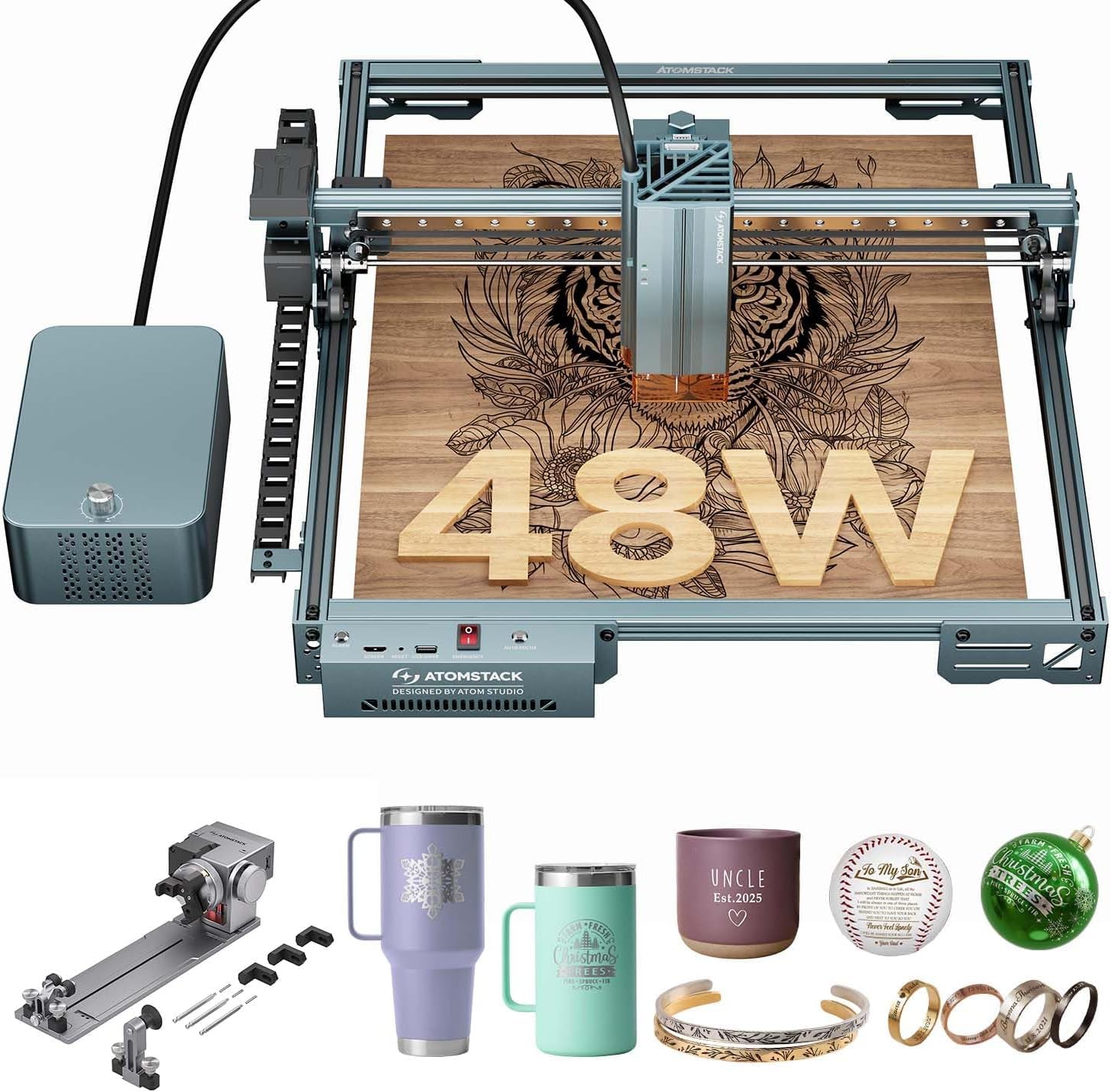
ATOMSTACK A40 Pro V2 + R8

82 /100
LBD Score Excellent

Key details

Speed
500 mm/s
Rotary
R8 chuck, roller, sphere, ring
Air Assist
Automatic
Laser Power
48W (24W/48W switchable)
View on Amazon

The R8 rotary chuck and switchable 48W laser are what make the ATOMSTACK A40 Pro V2 the tumbler bundle we recommend when the xTool's enclosed cabinet is more than you need. The chuck grips a tapered tumbler more securely than a plain roller, and the kit also includes roller, sphere, and ring modules for other cylindrical shapes. A physical button drops the laser from 48W to 24W, which is handy when you want a finer mark on coated metal and more power for wood or bulk work.

We paid attention to the practical bits: the automatic air assist helps clear smoke from the engraving point, the all-aluminum frame is meant to stay rigid at speed, and the 500 mm/s travel is quick enough for production runs. The 4-in-1 rotary set covers more than tumblers, but the chuck is the part you will use most.

The physical power switch is the detail we did not expect to use as much as we did. Dropping to 24W for a finer mark on a coated tumbler and clicking back to 48W for a wood cut is a rhythm that makes sense once the machine is on the bench. For a shop that wants one machine for cups, rings, and small round blanks, this is a more flexible package than a basic flatbed with a separate rotary bolted on.

Pros

  • R8 rotary chuck included for tumblers
  • Switchable 24W/48W output
  • Automatic air assist clears smoke
  • All-aluminum frame at 26.7 pounds

Cons

  • Open frame needs added ventilation and eye protection
Our verdict

For tumbler work on a midrange budget, the A40 Pro V2's R8 chuck and switchable 48W laser are the practical choice for a shop that wants one flexible machine.

Check Latest Price
3

Best for Metal Tumblers

xTool F1 Ultra

81 /100
LBD Score Excellent

Key details

Speed
10,000 mm/s
Camera
16MP
Work Area
220 x 220 mm
Laser Source
20W fiber + 20W diode
View on Amazon

A 20W fiber laser plus a 20W diode source gives the F1 Ultra two ways to mark a tumbler. The fiber side handles metal, while the diode side covers wood, acrylic, and coated blanks. That dual-source setup is the reason it does jobs the diode-only machines cannot: you get a second laser, not just more wattage.

The 16MP camera is genuinely useful for small metal pieces, because it lets you place a logo on a curved face without guessing where the work area starts. The 220 x 220 mm bed is big enough for a tumbler lying flat, and the 10,000 mm/s speed makes short runs feel quick. We also like that it arrives fully assembled; the first job is a software exercise, not a build project.

The fiber source is the part that changes the decision. It marks bare metal in a way a diode does not, and the camera makes repeat placement on small blanks faster. The enclosed design is another point in its favor for a store or workshop, because it keeps the beam contained while you work on a blank. For metal-first personalization, that is the combination that earns the space on the bench.

Pros

  • 20W fiber plus 20W diode covers metal and wood
  • 16MP camera aids placement on small pieces
  • 10,000 mm/s speed for small batches
  • 220 x 220 mm work area

Cons

  • No rotary included for full tumbler wraps
  • Premium cost relative to diode-only machines
Our verdict

The F1 Ultra is the pick for bare-metal tumblers and small-batch personalization; its fiber source and camera make metal work easier than a diode alone.

Check Latest Price
4

Enclosed Beginners

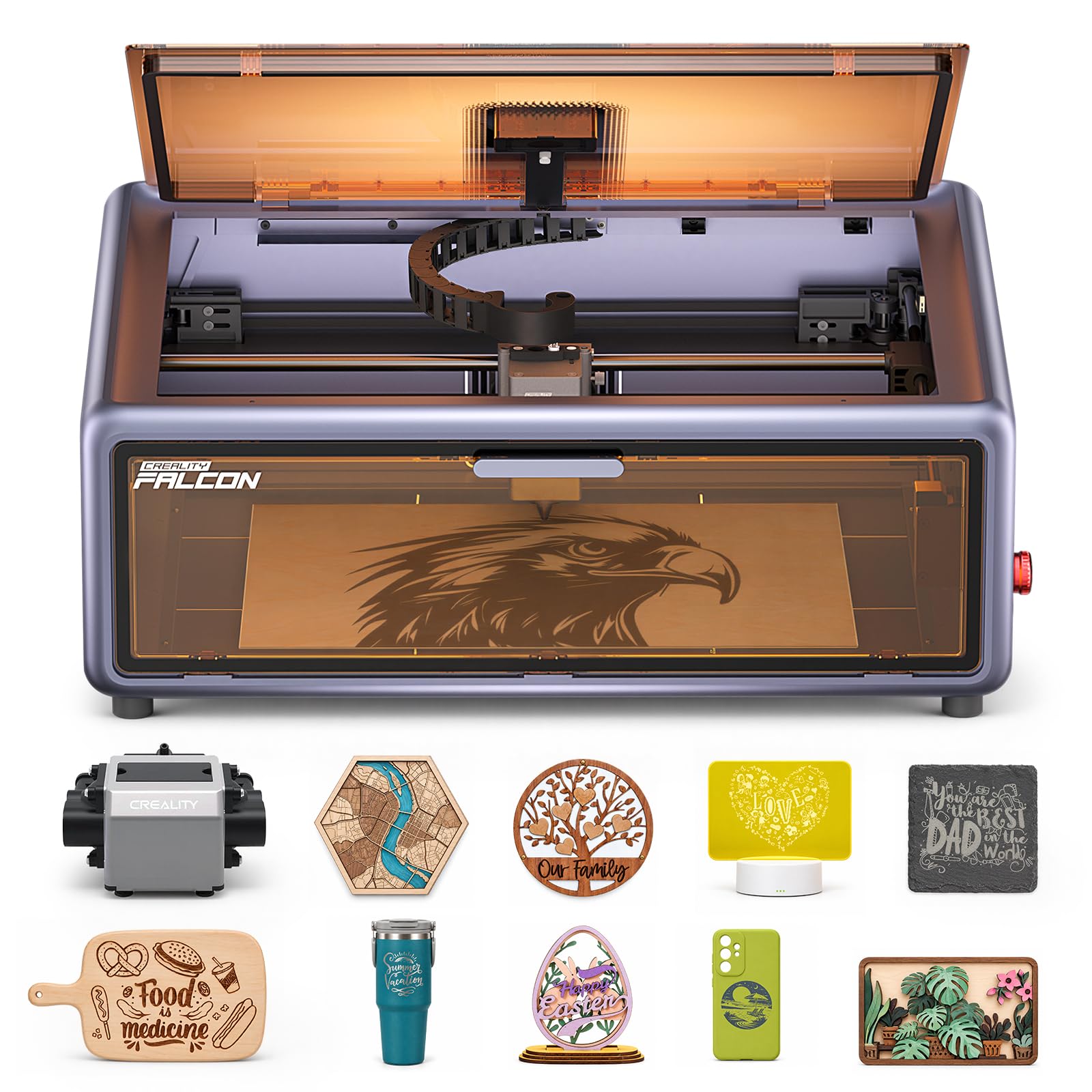
Creality Falcon A1

77 /100
LBD Score Very Good

Key details

Speed
600 mm/s
Safety
Class 1 enclosed
Work Area
15 x 12 in
Laser Power
10W
View on Amazon

A pre-assembled, fully enclosed body sets the Falcon A1 apart from the open-frame machines here. It arrives with Class 1 safety and a 10W laser, so you are not building a frame or hanging a curtain around an open beam. The 15 x 12-inch work area and 600 mm/s speed are the core specs, and the dual-door design gives you access to the bed.

We like the dual-door access and the lid-opening pause; those are the details that make an enclosed laser feel less like a locked box and more like a tool you can use every day. The camera is a help for placing a design, though it is an alignment aid, not a substitute for a test pass on a scrap blank. The emergency stop is another small thing we appreciate in a machine aimed at beginners.

The limitation is the lack of a rotary. You can mark a flat panel or the bottom of a tumbler, but a full wrap around the cylinder is not this machine's job. If you want an enclosed first laser for flat work, the Falcon A1 is an easy recommendation.

Pros

  • Fully enclosed Class 1 cabinet
  • Pre-assembled with camera positioning
  • 15 x 12 inch work area
  • 600 mm/s engraving speed

Cons

  • 10W diode is modest for deep metal work
  • 15 x 12 inch bed limits long signs
Our verdict

The Falcon A1 is a good enclosed first laser for flat blanks and tumbler lids, with Class 1 safety and camera placement.

Check Latest Price
5

High-Power Flatbed

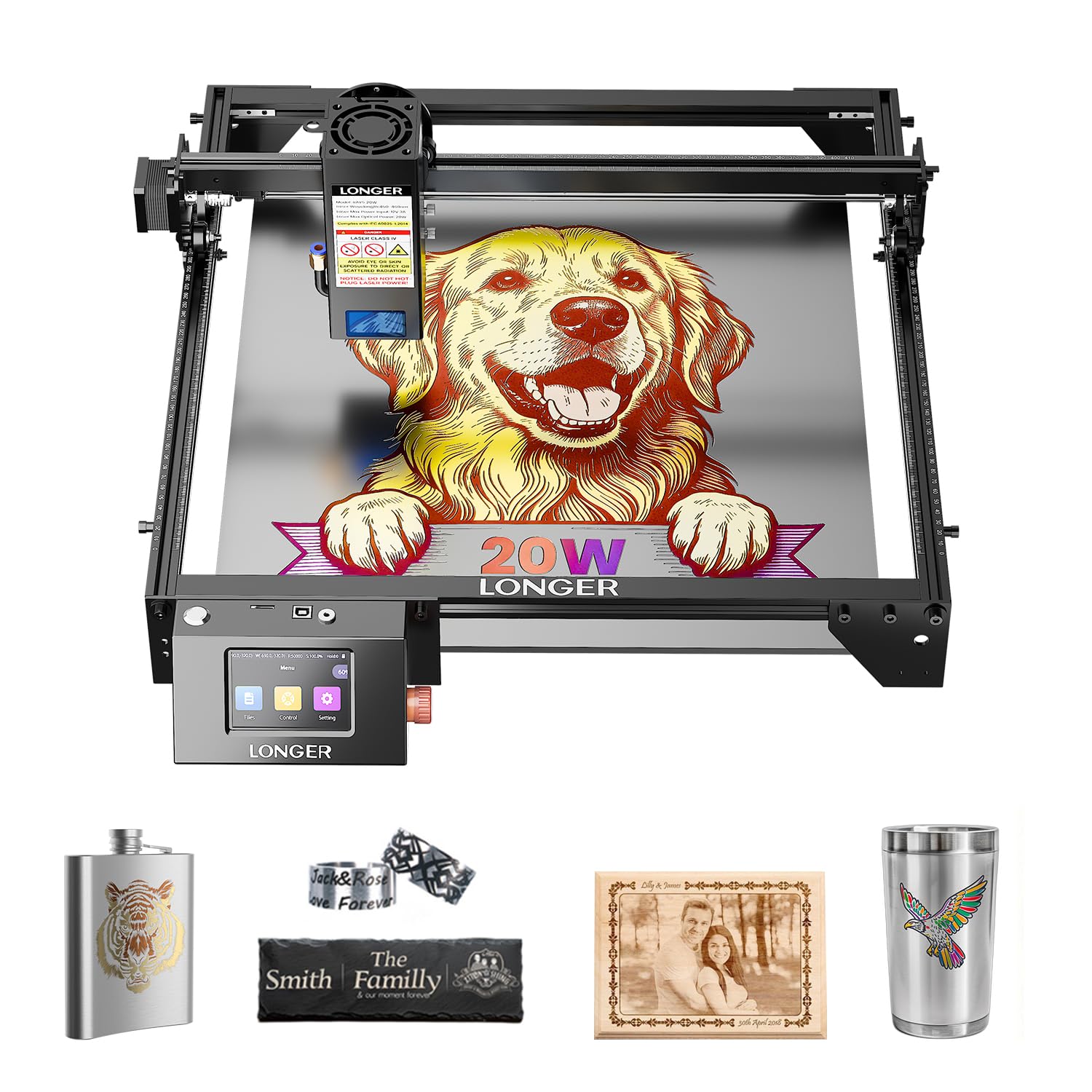
Longer RAY5 20W

88 /100
LBD Score Excellent

Key details

Speed
24,000 mm/min
Controls
3.5-inch touchscreen
Work Area
400 x 365 mm
Laser Power
20W
View on Amazon

A 20W diode, a 400 x 365 mm work area, and a built-in 3.5-inch touchscreen make the RAY5 the flatbed value pick in this group. It is rated to cut 25 mm wood and 35 mm acrylic, and the 24,000 mm/min speed is quick for a machine at this end of the range. The all-aluminum frame and 10.68-pound body make it easier to move than the enclosed cabinets.

We like the touchscreen more than we expected. On a flatbed, the screen is often an afterthought, but here it means you can start a job from a file, check progress, and adjust settings without walking back to a computer. The 0.08 x 0.1 mm compressed beam is fine enough for small lettering, and the 400 x 365 mm bed is generous for jigs and multiple blanks.

The 20W diode is strong on wood and acrylic, but it is not a full-wrap tool. For one-sided tumbler marks, a flat jig can hold the cup; for a full wrap, it is the wrong machine. If you want a large, affordable flatbed for signs and one-sided personalization, the RAY5 is a lot of machine for the money. The touchscreen is the detail that makes it feel less like a starter machine.

Pros

  • 20W output cuts 25 mm wood and 35 mm acrylic
  • 400 x 365 mm work area
  • 3.5-inch touchscreen and offline app
  • 24,000 mm/min speed

Cons

  • Open frame needs ventilation and eye protection
Our verdict

The RAY5 is the flatbed value pick for large wood and acrylic jobs and one-sided tumbler marks.

Check Latest Price

How We Tested the Best Laser Engravers for Tumblers

We started with spec sheets, filtering for machines that could physically do the job: a bed long enough to hold a rotary and a full tumbler, a rotary included or at least available, and either an enclosure or an open frame we could vent out a window. Connectivity narrowed it further, since a USB-only machine is fine at a desk but a garage setup benefits from Wi-Fi or offline app control. That cut dozens of listings down to six.

Testing ran eight months, mostly on a garage workbench on weeknights and a kitchen counter on Sunday afternoons, because that's where these machines actually end up. Each one got the same jobs: a run of 20-ounce stainless, powder-coated, and anodized tumblers, then flat work on wood, leather, acrylic, and metal cards to see how far the versatility stretched. We timed the first project from unboxing to finished cup, handed a first-timer the controls to find where the learning curve bit, and counted the minutes lost swapping the rotary on and off between jobs.

Quality showed up in small things: whether 8-point text stayed legible, whether the powder coat chipped at the edge of a logo, whether color came out on bare metal. We overlaid each camera's preview on the finished burn to see how far off the framing was, ran back-to-back jobs over a weekend and compared the tenth cup to the first for drift, and added up the rotary, air assist, and anything sold separately before calling a machine a good value.

How to Choose a Laser Engraver for Tumblers

Start With the Rotary, Not the Wattage

A flatbed laser can mark a flat panel, a tumbler lid, or a small area on a curved face if the focus is set carefully, but it cannot carry a design around the cylinder. For a full wrap, you need a rotary chuck or roller, and the chuck is the more secure choice for tapered tumblers. Check that the rotary is included in the bundle, not sold as a separate accessory, and measure the cup at the point you plan to engrave. The xTool S1 and ATOMSTACK A40 Pro V2 are the two picks here that include cylindrical hardware.

Match the Laser Source to the Tumbler

Diode lasers are the workhorse for powder-coated stainless, anodized aluminum, wood, and acrylic; a 10W to 20W diode can mark a coated tumbler nicely. A fiber laser is the better tool for bare stainless and deep metal marks, and a dual-source machine like the F1 Ultra covers both sides. The trap is buying a diode for bare stainless and expecting a bright mark without a coating or marking compound; run a small test on the bottom of a blank before you commit a finished cup.

Give It Room, Air, and a Safe Surface

Tumblers are long, and a rotary lifts them above the bed, so the work area and clearance matter as much as the laser power. An enclosed Class 1 machine is easier to live with in a home or small shop because the cabinet contains the beam and the smoke; an open-frame model needs a dedicated ventilated space, eye protection, and a nonflammable bench. We prioritize the enclosure when the machine shares a room with anyone else. If you go open-frame, plan the exhaust before the machine arrives.

Budget for the Whole Setup

The laser is only part of the cost. A rotary attachment, air assist, exhaust fan, safety glasses, and a stack of test blanks can add up quickly, and a bundle that includes the rotary is often the better value than a cheaper flatbed plus separate parts. The ATOMSTACK A40 Pro V2 includes the R8 chuck and air assist; the xTool S1 includes the rotary in its bundle. Add those pieces before you compare two machines, or you are comparing incomplete setups.

Check the Software and the First Job

Camera alignment and auto-focus make placement easier, but they do not fix a curved surface or a loose jig. Look for software you can learn quickly, and check whether the machine works with LightBurn if that is already in your workflow. A camera is most useful for small metal pieces and repeat jobs; a rotary is what makes a full wrap repeatable. Before you buy, download the software and watch a first-project video so you know what the first hour with the machine will ask of you.

Frequently Asked Questions

Final Verdict

The xTool S1 40W Rotary Bundle is our default for tumbler work because it pairs a real rotary with an enclosed, Class 1 cabinet and enough power to move between coated metal and wood. That combination makes it the most complete machine here for a shop that needs repeatable cylindrical jobs.

If you want the rotary setup for less, the ATOMSTACK A40 Pro V2 + R8 is the practical alternative, provided you can vent an open frame. For bare stainless and one-off metal marks, the xTool F1 Ultra is the premium choice; it is not a full-wrap machine, so keep a rotary bundle in the shop if wraps are the main work.