Best Portable Document Scanners of 2026

Every paperless office starts the same way: with a drawer that still has paper in it. One receipt is nothing, but forty pages turn a flatbed into a punishment — lift the lid, press, wait, repeat. A portable scanner pulls each page through a slot and past the sensor in a single pass, and duplex models take both sides at once, so a stack becomes a folder of files before you've squared up the next sheet.

We've spent six months with 12 of these, feeding them crumpled gas receipts and double-sided lease agreements, and the specs that decide a winner are rarely the ones printed largest on the box. Resolution is the least interesting number; 300 dpi is legible for anything you'd keep. What separated the good from the frustrating was a misfeed at page nine, a driver that wouldn't talk to my laptop, or software that made me rename files by hand.

Two things shape the rest of the shopping: whether it scans both sides in one pass, and how it connects — USB or Wi-Fi, which decides whether it rides in a laptop bag or parks on a desk. The picks below split along those lines.

1

Best Overall

Doxie Pro DX400

90 /100
LBD Score Outstanding

Key details

Weight
3 lb
Connection
USB
Sheet Capacity
20 sheets
Duplex Scanning
Automatic, single pass
View on Amazon

Portable scanners usually lose people at the software: a driver to hunt down, a reboot, an app that sees the scanner only on the second try. The Doxie Pro was scanning within minutes of coming out of the box — install the app, connect the USB cable, drop a page in the feeder. In a category where the driver is the usual failure point, that alone puts it in front.

The reason we keep reaching for it is the paper path. A 20-sheet feeder takes a two-sided document and captures both sides in a single pass, so a fifteen-page contract goes in as a stack and comes out as one searchable PDF instead of thirty separate feeds. Text recognition, auto cropping and blank-page removal do the tidying afterward, which means less time in a PDF editor fixing what the scanner got wrong.

Scan quality holds up at 600 dpi — text is crisp and receipts do not come out gray — and the app sends files where you tell it to: Dropbox, OneNote, Evernote, iCloud or a plain folder. Nothing about the routine is fiddly. Pages come out square, the feeder takes a stack without a fight, and the machine sits on a desk like a keyboard rather than like office equipment.

What settled it for us is that nothing else here combines two-sided scanning, a real feeder and software that behaves; most portable scanners manage one of those three. That combination is the whole job for anyone whose paper accumulates on a desk, a kitchen table or a hotel room table.

Pros

  • Duplex scanning in a single pass
  • 20-sheet feeder for real stacks
  • Software setup that works the first time
  • Clean 600 dpi output

Cons

  • Needs its power adapter, not just USB
  • Three pounds beside the one-pound travel picks
Our verdict

Our default pick: two-sided scanning, a 20-sheet feeder and software that works the first time. Best for a home desk, a small office or a hotel room with an outlet.

Check Latest Price
2

Best for Travel

Brother DS-640

88 /100
LBD Score Excellent

Key details

Weight
1 lb
Connection
Micro USB 3.0
Scan Speed
Up to 16 ppm
Sheet Capacity
1 sheet
View on Amazon

Just under a foot long and about a pound, powered by the micro USB 3.0 cable that also carries the data — the DS-640 is the scanner we hand people who work out of a bag. There is no battery to charge and no power brick to lose, and that single-cable setup is what makes it packable rather than merely small.

Speed is the other half of it. Sixteen pages a minute in color or black and white is quick for a single-sheet feed, and the image processing is the quietly useful kind: background removal, bleed-through prevention and text enhancement clean up a thin receipt or a signed form without anyone opening a settings panel. Business cards, laminated IDs and plain paper all feed through the same slot, and Linux plus TWAIN and WIA support are listed for anyone scanning into a document management system rather than an app.

The one thing to check is your operating system. Driver support is where this scanner gets prickly — plenty of machines recognize it immediately, and some Windows 11 and MacBook setups do not — so look up your exact OS version on Brother's support page before you order. Do that, and you have a pound of hardware worth carrying next to the laptop.

Pros

  • Bus-powered from a single USB cable
  • 16 ppm in color or black and white
  • About a pound and under a foot long
  • Image cleanup for receipts and IDs

Cons

  • One page at a time, no feeder
Our verdict

The one that goes in the bag: a pound, one USB cable, 16 pages a minute and no outlet needed. Check Brother's driver list for your exact OS first.

Check Latest Price
3

Best Cordless

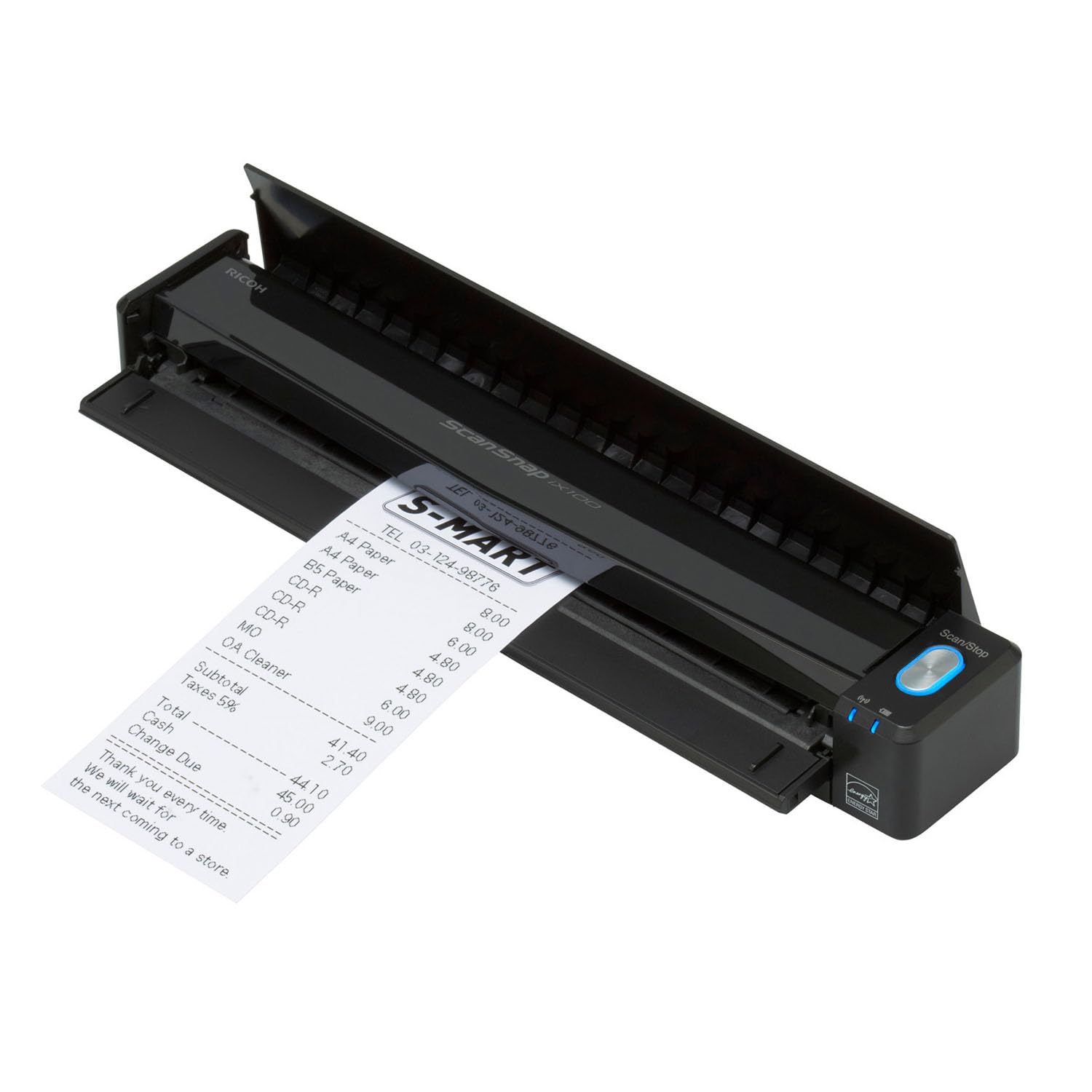
ScanSnap iX100

83 /100
LBD Score Excellent

Key details

Weight
14.1 oz
Battery
Up to 260 documents
Connection
USB and Wi-Fi
Resolution
600 dpi
View on Amazon

A scanner with no cable at all is a different tool. The iX100 runs on a battery rated for up to 260 documents and sends scans over Wi-Fi to a phone, tablet or cloud folder, so a receipt handed over at a counter never needs a laptop in the loop.

It is simplex, so a two-sided page is two passes — feed it, flip it, feed it again. In exchange you get continuous feeding without a button press, automatic de-skew and color cleanup, and ScanSnap Cloud, which reads the document type, names the file and sends it where it belongs. It takes plastic cards too, and two small items at once if you are clearing out a wallet.

Wireless is the part to set expectations on. Connecting is the fussiest thing about this scanner, and it is happiest going straight to a phone or the cloud rather than negotiating with a laptop over the network. Treat it as a phone-and-cloud scanner with a USB fallback and it does what it promises — for 14 ounces of machine that files your receipts for you, we can live with that.

Pros

  • Battery rated for up to 260 documents
  • Wi-Fi scanning to phone or cloud
  • Automatic de-skew and color cleanup
  • 14 ounces with no cable

Cons

  • Simplex only; two passes per sheet
  • No TWAIN or WIA driver support
Our verdict

For cordless work: a battery rated for 260 documents, Wi-Fi to your phone and cloud filing in a 14-ounce body. Wireless setup is the fussy part.

Check Latest Price
4

Best Budget

Plustek S410 Plus

82 /100
LBD Score Excellent

Key details

Weight
14.5 oz
Connection
USB bus-powered
Resolution
600 dpi
Sheet Capacity
1 sheet
View on Amazon

The S410 Plus is the least expensive route to a full-page sheet-fed scanner in this group, and nothing about it feels like the cheap option. It is under a pound, draws its power from the USB cable, scans at 600 dpi, and ships with OCR software that outputs searchable PDF, Word or Excel. Letter and legal pages, business cards and plastic IDs all go through the same slot.

Button-free is the detail we appreciate most. There is nothing to press and no screen to navigate: feed a sheet and the software picks it up, processes the image and saves it. That sounds trivial until you are working through a folder of receipts, where every button press is a chance to lose your place.

Windows 11 support is stated outright, which not every scanner here does, and the warranty runs two years — the longest in this group. The quirk to know about is receipts printed on dark or colored stock, which can come out with a black halo around the edges; a background-removal setting usually clears it. For a second scanner that lives in a bag, that is a short list of compromises.

Pros

  • Least expensive full-page scanner here
  • Under a pound and USB bus-powered
  • Button-free feeding with OCR software
  • Two-year warranty

Cons

  • Windows-only software support listed
Our verdict

The budget pick that does not feel like one: 600 dpi, USB power, button-free feeding and stated Windows 11 support for the least money here.

Check Latest Price
5

Best for Fast Duplex Batches

Epson WorkForce ES-C220

80 /100
LBD Score Excellent

Key details

Duplex
Single pass
Weight
3.9 lb
Scan Speed
30 ppm / 60 ipm
Sheet Capacity
20 pages
View on Amazon

Thirty pages a minute with both sides captured in one pass, out of a 20-sheet feeder in a body about a foot wide — the ES-C220 is the closest thing here to a desktop workhorse that still moves between rooms. It is compact for a duplex feeder, and setup is a download and a USB cable.

Speed matters less as a number than as a change in how you work. A 20-page double-sided report becomes one load and one wait instead of forty separate sheet feeds, and the image processing handles the cleanup: automatic cropping, blank-page deletion, background removal, skew correction and staple protection for the corner you missed. The flexible paper path takes cards and passports as well as letter paper.

This is the pick for a home office that scans in bursts — a dozen pages one week, nothing the next — and wants double-sided done without thinking about it. It is also the one we point at anyone whose paper arrives in stacks rather than singles, because the feeder is the difference between scanning a folder and giving up on it.

Pros

  • 30 ppm duplex in a single pass
  • 20-sheet feeder for real stacks
  • Handles cards and passports
  • Compact for a duplex feeder

Cons

  • 3.9 pounds, so it stays near a desk
  • Needs a computer and a USB connection
Our verdict

The fast one: 30 pages a minute, both sides in a single pass and a 20-sheet feeder in a case you can move between rooms. A desk scanner, not a bag scanner.

Check Latest Price
6

Small Desks

ScanSnap iX1300

83 /100
LBD Score Excellent

Key details

Weight
4.4 lb
Connection
USB and Wi-Fi
Scan Speed
Up to 30 ppm duplex
Sheet Capacity
20 sheets
View on Amazon

The iX1300 is designed to stay out. Its space-saving shape sits at the back of a desk and stays out of the way even while it is working, which matters more than it sounds in a category where the scanner usually ends up in a drawer because it is in the way.

The engine underneath is the same idea as the Epson: 30 ppm duplex, a 20-sheet automatic feeder plus a manual feed for thick items and cards, and 600 dpi output. It adds USB or Wi-Fi, mobile apps, and stated support for current macOS, iOS, iPadOS and Android versions, so it fits a household running a Mac, a phone and a Chromebook.

It is the most expensive scanner here, and the money goes on the desk-friendly design and the software rather than more speed than the Epson offers. That is a fair trade if the scanner is going to live in view; if it is headed for a drawer or a bag, spend it elsewhere.

ScanSnap Home is the reason to choose it over a cheaper duplex unit: scanning, organizing and sharing in one window, a quick menu that drags a scan straight into another app, and none of the driver archaeology. A machine that does not need to be put away, running software that does not need explaining — that is what the extra buys.

Pros

  • 30 ppm duplex with a 20-sheet feeder
  • Space-saving design for a shared desk
  • USB, Wi-Fi and mobile apps
  • ScanSnap Home software

Cons

  • 4.4 pounds keeps it on the desk
  • Wi-Fi pairing can be inconsistent
Our verdict

The stay-put scanner: 30 ppm duplex, Wi-Fi and a footprint that gives your desk back. Buy it for a home office, not a backpack.

Check Latest Price
7

Value Duplex

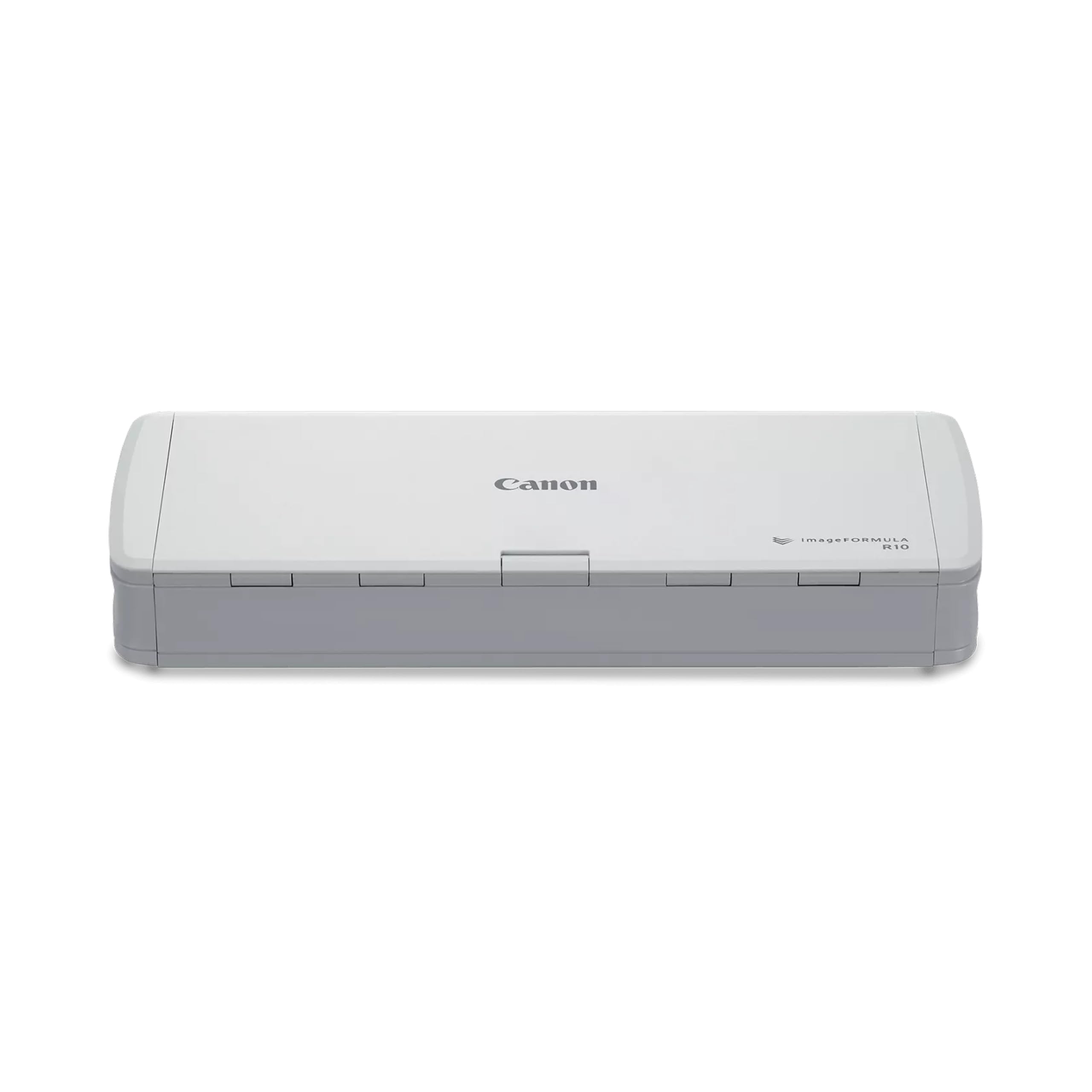
Canon imageFORMULA R10

81 /100
LBD Score Excellent

Key details

Duplex
Both sides in one pass
Weight
2.2 lb
Scan Speed
Up to 12 ppm
Sheet Capacity
20 sheets
View on Amazon

Two sides in one pass, a 20-sheet feeder and a body that fits in a drawer — the R10 is the duplex scanner for someone who does not want a duplex machine taking over the desk.

It earns its place on that combination. Two-sided scanning is rare in a body under a kilogram, and for invoices, lease pages and school forms, one pass instead of two is the feature that decides whether the scanner gets used at all. Output at 600 dpi is clean, and the paper path takes receipts, business cards and embossed cards as well as plain paper.

The feeder is the part to learn. Load a full stack and it can pull two sheets at once or pull one through without capturing it; feed five or six pages at a time, squared up and fanned, and it behaves. That is a habit rather than a dealbreaker, but it is the difference between loading a tray and walking away, and standing there watching every sheet.

Compatibility is the gate, and it is why this sits in also-consider rather than higher up. The versions that cause trouble are the current ones — Windows 11 and recent Macs — so check Canon's driver against your exact OS before ordering, and on a Mac run the cable straight into the machine rather than through a hub. Past that gate it scans two-sided pages cleanly, saves as searchable PDF or JPEG, and takes up less room than the paperwork it replaces.

Pros

  • Duplex scanning in one pass
  • 20-sheet feeder in a compact body
  • Drawer-sized at under a kilogram
  • Simple scanning software

Cons

  • USB to a computer only; no battery or Wi-Fi
Our verdict

A compact duplex scanner with a 20-sheet feeder for less than the other two-sided machines here, as long as you feed it in short stacks and your OS is on Canon's list.

Check Latest Price

What Six Months With 12 Portable Scanners Taught Us

We started with every portable sheet-fed scanner a normal person might actually buy, then cut anything that only worked with one operating system, needed a proprietary cable, or required a subscription to run its own software. That left 12 units, which we ran for six months on both Macs and Windows laptops.

Most of the testing happened where paper piles up: the kitchen table on a Sunday night with a shoebox of receipts, the home-office desk under a two-inch stack of contracts and insurance forms, and a hotel nightstand on a work trip. For each unit we timed how long a 25-page double-sided stack took from first page to finished PDF, then counted jams, skewed pages, and double feeds, with thin receipt paper, cardstock, and one badly folded invoice in every run.

Setup was timed separately: sealed box to first usable PDF on a Mac and on a Windows laptop, without the manual, noting whether that took a driver download, a Wi-Fi handshake, or just a cable. Once the file existed, we searched inside it for a word we knew was on page three to see whether the OCR held up, and checked whether we had to rename or re-sort anything by hand.

Portability got judged with the cables attached: each one went into a tote bag beside a laptop, then into a carry-on, and we noted whether it needed a wall outlet to run at all. We also sent the same 50-page stack through each model twice to see whether output held up on the second pass, and asked what the extra money actually bought — a bigger feeder, more pages per minute, or a nicer finish.

How to Choose a Portable Document Scanner

Start With Where It Will Live

Portable scanners come in two weights and the difference is not cosmetic. Around a pound — the Brother DS-640 and Plustek S410 Plus — a scanner goes into a laptop bag and gets forgotten until you need it. Three to four pounds — the Doxie Pro, Epson ES-C220 and ScanSnap iX1300 — is a desk machine you can move between rooms but will not carry to a client site.

Power decides as much as weight. USB bus power means no outlet, an internal battery means no cable either, and an AC adapter ties you to a wall. Compact in a listing usually means it fits a shelf, not an overhead bin, so compare weight and power before anything else.

Single Sheet or Automatic Feeder

A single-sheet scanner takes one page at a time: perfect for receipts, ID cards and the occasional signed form, and it is what keeps the light models light. A 20-sheet automatic feeder changes the job — load a stack, walk away, come back to one PDF.

Duplex is the other half of that. A scanner that captures both sides in one pass halves the work on contracts and tax paperwork, while a simplex unit means feeding every page twice. Count what you would actually scan in one sitting: under ten pages, single-sheet is fine, and over ten, the feeder earns its weight.

Check the Driver Before You Check the Scanner

Operating-system support is where this category goes wrong, and it goes wrong on the newest systems rather than the oldest — Windows 11 and recent macOS versions are the ones that turn up unrecognized. Look up your exact version on the maker's support page before you order, and note whether your workflow needs TWAIN or WIA, because the ScanSnap models use their own software and drivers instead.

Connection matters too: a scanner that works through a direct USB port can still fail behind an unpowered hub. Five minutes on the support page is worth more than any spec on the box.

Resolution, Media and Light Duty

Three hundred dpi is plenty for typed documents; 600 dpi is worth having for receipts, fine print and the occasional photo, and it is what most of these scanners offer. Media handling separates them more than resolution does — receipts and embossed cards need a flexible paper path, and only some models list passports or thick stock.

These are light-duty machines. A sheet-fed scanner is for a folder, not a filing cabinet, so if you are digitizing years of paper, work through it in twenty-page batches on a feeder rather than expecting one of these to run all afternoon.

Frequently Asked Questions

Final Verdict

The Doxie Pro is the scanner we point most people to: two-sided scans, a 20-sheet feeder and software that works the first time, in a body that sits on a desk without taking it over.

If your scanning happens in cars, at clients' tables and in hotel rooms where an outlet is not guaranteed, the Brother DS-640 is the better buy — a pound, one cable, sixteen pages a minute. If the budget is the constraint, the Plustek S410 Plus gets a full page scanned for the least money here.