Best Document Scanners of 2026

The scanner built into my old all-in-one printer handled exactly one page at a time, front side only. I spent an entire Sunday evening last spring flipping receipts and bank statements by hand, listening to the carriage groan, and wondering who had time for this. A dedicated document scanner ends that particular form of tedium: you square up a stack, drop it in the feeder, and walk away with searchable PDFs on the other side.

Over the past six months our team has run a dozen of these machines through real paperwork — tax packets, school forms, years of receipts, the occasional passport. What separates a good one from a frustrating one is rarely the resolution number on the box. It's whether the feeder grabs a curled page cleanly, whether double-sided scanning happens in a single pass, and whether the software makes saving a file feel like work.

Compact models earn their place if you travel or work from a kitchen table; desktop units with big feeders win if you're clearing a filing cabinet. Here's what held up, and what didn't.

1

Best Overall

Epson WorkForce ES-400 II

89 /100
LBD Score Excellent

Key details

Sensor
CCD
Connection
USB
ADF Capacity
50 sheets
Duplex Scanning
Single pass
View on Amazon

Two-sided paperwork is where a document scanner earns its keep, and the ES-400 II settles it in one pass: load a stack of double-sided forms and both faces come out scanned, with no flipping and no second run. The 50-sheet feeder takes an afternoon's filing in a single load. Of everything here, this is the one we point most people toward, because it does the ordinary job — the drawer of statements, the folder of contracts — without asking you to learn anything first.

Feed it a mixed pile — statements, a folded invoice, a card, a thin receipt — and it keeps the pages moving. That's the whole trick with a feeder: the scans come out straight, the text is crisp, and you don't have to stand over it re-feeding pages that went in crooked. Epson's ScanSmart software handles preview, email and cloud destinations, writes searchable PDFs with OCR, and converts scans to Word or Excel. The bundled TWAIN driver is the quiet bonus: if you file into a document management system, that's what makes the scanner part of the workflow instead of a separate errand.

There's no wireless, and we don't miss it. The cable goes in once, the machine is simply there, and nothing needs re-pairing on a Sunday night when you finally have an hour for the receipts bag. If you want to scan to a phone or push files to the cloud with no computer running, the wireless models below do that better. For the shoebox in the closet and the invoices on the desk, this is the one that gets the work done.

Pros

  • Both sides scanned in a single pass
  • 50-sheet feeder takes a full stack
  • TWAIN driver for document management systems
  • Searchable PDFs plus Word and Excel output

Cons

  • No wireless or standalone scanning
Our verdict

For most people turning a drawer of paper into files, we recommend this one: it scans both sides of a stack in a single pass and asks for nothing beyond a USB cable.

Check Latest Price
2

Best for Big Stacks

ScanSnap iX2500

84 /100
LBD Score Excellent

Key details

Weight
7.7 lb
Connection
USB-C and Wi-Fi 6
Scan Speed
45 ppm duplex
ADF Capacity
100 sheets
View on Amazon

ScanSnap puts a large touchscreen on the scanner itself, and that changes the rhythm of the job: named profiles sit on the screen, so the stack of receipts and the stack of invoices each get a button with their own settings, and the scan goes where you pointed it — a computer, a phone, a cloud folder — without a software window to click through first.

Speed is the headline and it holds up: 45 pages per minute with both sides captured in one pass, into a 100-sheet hopper that swallows a filing drawer rather than a folder. What we care about more is the paper handling. A brake roller feeds one sheet at a time, a multi-feed sensor stops the run when two pages travel together, and skew detection catches the page that went in crooked — those are the failures that force a whole batch to be rescanned, and this is the machine here built to catch them mid-stack. A small office working through paper every week will feel the difference; a household scanning a few times a month will not.

Wireless is the part to plan around. Wi-Fi 6 with no computer in the loop is genuinely pleasant when the link holds, and when it doesn't the USB-C port is the dependable route — treat the cable as the main road and the radio as the shortcut. ScanSnap Home does the tidying afterwards: automatic naming, blank-page removal, color cleanup, and everything filed into a library you can search rather than a folder of mystery PDFs.

Pros

  • Touchscreen profiles skip the software window
  • 45 ppm duplex with a 100-sheet feeder
  • Multi-feed and skew detection mid-batch
  • USB-C and Wi-Fi 6 connections

Cons

  • The most expensive desktop scanner here
Our verdict

This is the scanner we name when the paper arrives by the drawer: 45 pages per minute, a 100-sheet hopper, and profiles on a touchscreen that keep your hands off the software.

Check Latest Price
3

Best Computer-Free Scanning

Epson WorkForce ES-580W

87 /100
LBD Score Excellent

Key details

Scan Speed
35 ppm
Touchscreen
4.3 inches
ADF Capacity
100 sheets
Standalone Scanning
Email, cloud, USB
View on Amazon

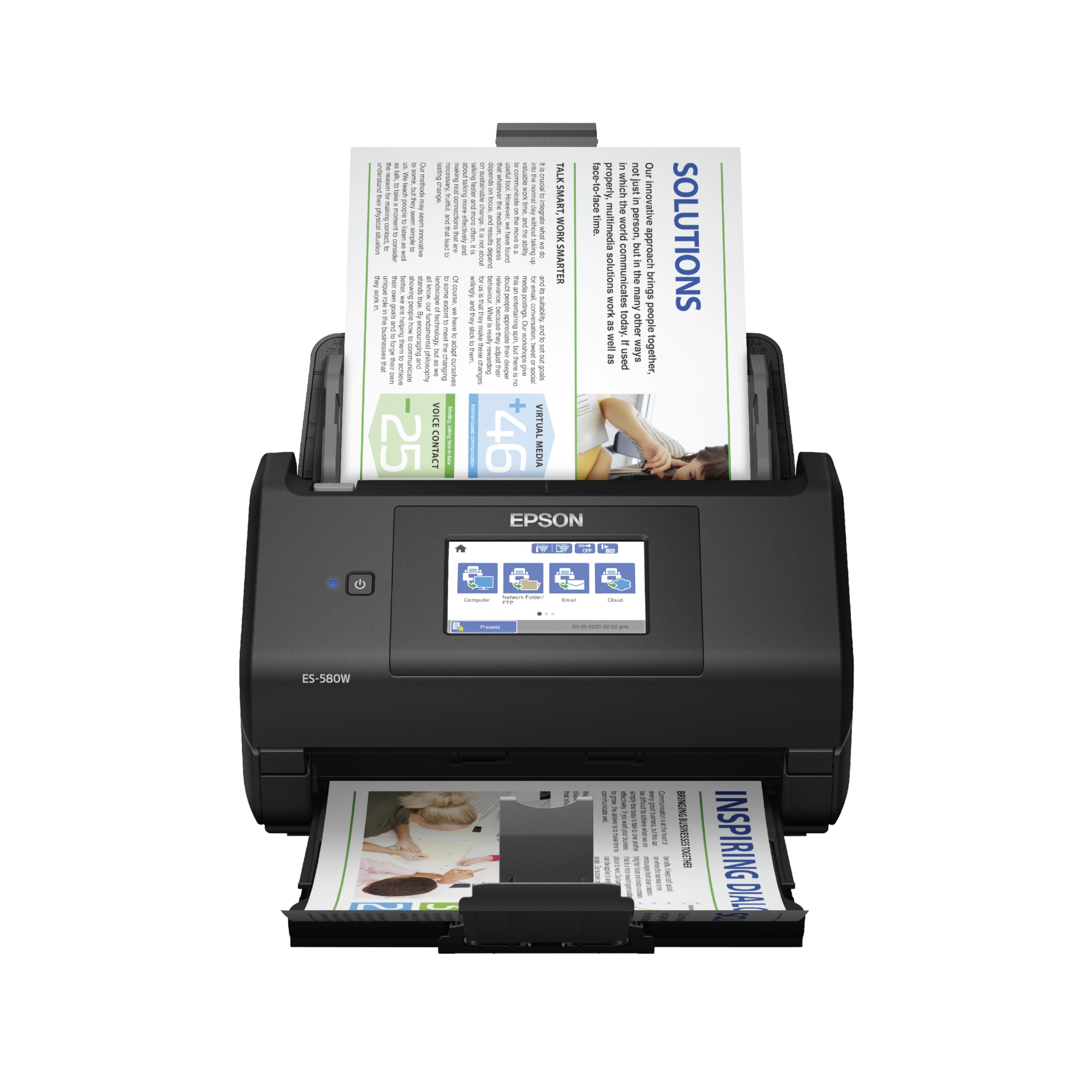
This is the scanner for the person who doesn't want a computer in the room. The 4.3-inch touchscreen runs the whole job: load the 100-sheet feeder, pick a destination on the panel — email, Dropbox, Google Drive, OneDrive, a USB stick — and walk away while it works. We think that's worth real money if your scanning happens at a kitchen counter, a front desk, or anywhere the laptop isn't.

It isn't the fastest desktop here, at 35 pages per minute with both sides in one pass, and it doesn't need to be. What it offers is the shortest distance between a stack of paper and a filed document: no software to install before the first scan, no machine to wake up, no window to negotiate. Load the feeder, tap the screen, and the file lands in the cloud account you already use.

It's also a fixture rather than a gadget: about 11.6 inches square and 8.2 pounds, so give it a permanent corner with clear space at the front for pages to land. If your scanning always happens at a desk with a laptop already open, the ES-400 II does the same work with fewer parts to configure. The ES-580W earns its price when nobody wants to open that laptop at all.

Pros

  • Scans to email, cloud or USB without a computer
  • 100-sheet feeder and 35 ppm duplex
  • Large 4.3-inch touchscreen with destinations

Cons

  • Wireless connection can be unreliable
Our verdict

If your scanning happens where no computer lives, this is the one we buy: a 4.3-inch touchscreen sends scans to email, cloud or a USB stick on its own.

Check Latest Price
4

Best Value Desktop

Canon imageFORMULA R40II

80 /100
LBD Score Excellent

Key details

Weight
7.1 lb
Connection
USB-C
Scan Speed
45 ppm duplex
ADF Capacity
60 sheets
View on Amazon

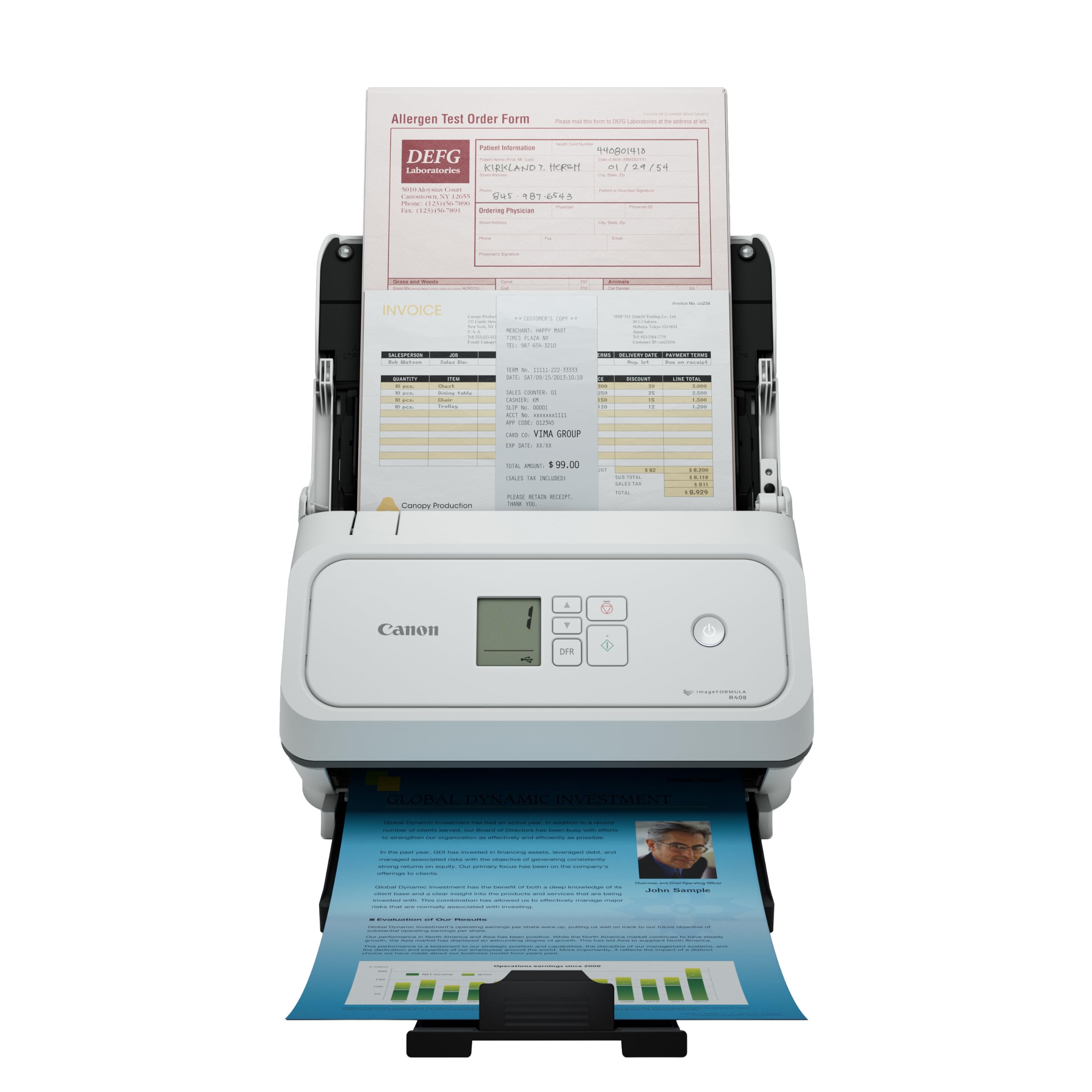
Think of the R40II as the value version of our top pick: 45 pages per minute with both sides captured in a single pass, a 60-sheet feeder, one USB-C cable, and a price below either Epson desktop. It's the cheapest way here to get 45 pages per minute, which is exactly the combination that deserves a closer look.

It handles the awkward media too — receipts, business cards, contracts, long pages, thick and thin paper — and the one-touch operation means a preset scan is a single button press on the body. Canon builds it around its own CaptureOnTouch software, though, and TWAIN and ISIS drivers aren't supported. If you file into a document management system that expects a TWAIN driver, this isn't your scanner; the ES-400 II includes one for a little more money.

Setup is the part we appreciate most: one USB-C cable, CaptureOnTouch installs, and the machine is scanning. There's very little to configure, which we count as a feature rather than a shortcoming, because this is a scanner you can hand to someone who has never used one and then leave alone. For a small business pushing invoices and forms through it daily, that mix of speed, feeder size and simplicity is the sensible middle of this list.

Pros

  • 45 ppm duplex at the lowest price here
  • 60-sheet feeder handles mixed media
  • Single USB-C cable setup
  • One-touch presets on the scanner

Cons

  • Monochrome LCD instead of a touchscreen
Our verdict

The value pick: 45 pages per minute duplex and a 60-sheet feeder for the least money that buys that speed, provided you don't need a TWAIN driver.

Check Latest Price
5

Best Portable

Brother DS-640

88 /100
LBD Score Excellent

Key details

Feeder
Single sheet
Weight
1 lb
Connection
Micro USB 3.0
Scan Speed
16 ppm
View on Amazon

The DS-640 is the least expensive scanner here, and it earns its place by disappearing into a bag: about a pound, powered by the same micro-USB cable that carries the data, with no outlet, no battery, and no setup ritual to speak of. It is the one we reach for when the job is a page or two away from home.

16 pages per minute is slow next to a desktop that does 45, and a 60-page contract is a chore. That isn't the job. A signed form, an ID card, a receipt for expenses, a page of notes from a meeting — those arrive a sheet at a time anyway, and this scans one before you've found a network to join. The images are clean and legible, the software rotates and cleans up the background, and it takes embossed cards and receipts that the feeder machines choke on.

The thing to check before you order is drivers. Confirm your exact Windows or macOS version on Brother's support pages, because a USB-only scanner that isn't recognized is a paperweight, and of everything here this is the model where that check matters most. Do it first, and you're buying a scanner that goes wherever the paperwork is.

Pros

  • One pound, fits in a laptop bag
  • Powered over USB, no outlet needed
  • Quick single-page scans at 16 ppm
  • Takes embossed cards and receipts

Cons

  • One page at a time, no feeder
Our verdict

A pound of USB-powered scanner that earns its place in a laptop bag for contracts, IDs and receipts, as long as you check the drivers for your computer first.

Check Latest Price
6

Tight Desk Spaces

ScanSnap iX1300

83 /100
LBD Score Excellent

Key details

Feeders
ADF and manual slot
Connection
USB and Wi-Fi
Scan Speed
30 ppm duplex
Computer-free Scanning
Supported
View on Amazon

For a desk that's really a corner of the kitchen counter, the iX1300 is built around the right question: how little space can this take up while it's working? ScanSnap's space-saving design is meant to keep it out of your way even mid-scan, and it's the one here that doesn't ask for a permanent clear run of desk the way a wide desktop unit does.

It does more than the size suggests: 30 pages per minute with both sides in one pass, a feeder plus a manual slot for the thick items and plastic cards that won't bend, and both USB and Wi-Fi so it can scan to a computer, a phone, or a Chromebook through the mobile app. Automatic de-skew, color optimization and blank page removal run on every scan, and one touch starts the job.

30 pages per minute is roughly two-thirds the pace of the big desktops, which matters if you're clearing a filing cabinet and barely registers on a couple of dozen pages. We appreciate that the manual slot isn't an afterthought: cards, receipts and folded sheets are what a home scanner actually sees, and feeding them one at a time through a slot beats fighting them through a hopper. It's the pick for a small space and modest volume, not for a business with a backlog.

Pros

  • Space-saving design stays out of the way
  • 30 ppm duplex scanning
  • Manual slot for thick items and cards
  • USB and Wi-Fi, works without a computer

Cons

  • Manual slot takes one item at a time
  • Slower than the desktop batch machines
Our verdict

The compact choice for a desk that has no room for a scanner, with 30 ppm duplex and a manual slot for the cards and thick paper a home actually handles.

Check Latest Price
7

Reception Desks

Canon imageFORMULA DR-C225 II

79 /100
LBD Score Very Good

Key details

Design
Upright, top feed and eject
Warranty
3 years
Scan Speed
25 ppm
ADF Capacity
30 sheets
View on Amazon

Where most scanners here want a wide, shallow strip of desk, the DR-C225 II stands up: pages feed in at the top and come back out the top, in a body about a foot wide and under nine inches tall. Canon builds the cable management into the frame, so the whole thing occupies a narrow column of space that a flat desktop unit couldn't.

The spec sheet reads modest — 25 pages per minute, a 30-sheet feeder — and it is the slow end of this group. What it does well is the fiddly material: receipts, photos, business cards, plastic and embossed cards, thick and thin paper, all through one feeder with one-touch presets. Output is 600 dpi, the TWAIN driver is included for document management systems, and scans can go straight to Dropbox, Google Drive, OneDrive, Box or QuickBooks.

The detail that changes the calculation is the warranty: three years with advanced exchange, against a single year on nearly everything else we recommend here. For a scanner parked at a reception desk and used by whoever walks past, that isn't a footnote. It's the difference between a tool and a liability.

So it's the pick for a small office with a narrow desk and steady but modest volume: a clinic's front desk, a law office scanning correspondence, a shop keeping supplier paperwork. If you're clearing years of files in a weekend, the faster machines above will save you hours. If the scanner mostly has to be there, small and covered, this is the one that fits.

Pros

  • Upright body fits a narrow desk space
  • Three-year warranty with advanced exchange
  • TWAIN driver and direct cloud scanning
  • Handles receipts, cards and photos

Cons

  • 25 ppm is the slow end of the group
  • 30-sheet feeder needs frequent reloads
Our verdict

For a narrow desk at a reception or front counter, this upright scanner earns its space, and its three-year advanced-exchange warranty is the longest here.

Check Latest Price

How We Tested the Best Document Scanners

We started with roughly 30 models from the major scanner manufacturers, then filtered for the things that decide whether you'll actually use the machine: a document feeder, two-sided scanning in one pass, and software that works on both Windows and Mac without a paid subscription. Price mattered too — we cut anything well beyond what a home office or small business would spend. That narrowed the field to 12 units, which we lived with for six months.

Two units sat full-time beside a laptop on a home desk. One spent a month on a kitchen counter processing receipts and recipe cards. The compact ones went into a backpack for trips and a few days at a coworking space. We scanned the same 30-page single-sided stack on every machine and timed it, then ran a duplex batch and checked the output page by page for skew, streaks, and missing backs.

Setup was timed from the moment the box opened to the first saved PDF, including driver installation and any account the software insisted on. We read a scanned contract in each app to see whether the text came out selectable and how many errors the OCR introduced, and we noted whether scans could go straight to a folder, an email, or a cloud service. Wireless models were tested by scanning from a phone two rooms away, with dropouts logged.

Across six months we watched for jams, feeder rollers that began slipping on the tenth ream, and apps that broke after a system update. The portable models got weighed and carried; the desktop units got judged on how much desk they ate. We also tracked what each one demanded beyond the purchase — extra cables, subscriptions, paid upgrades.

How to Choose a Document Scanner

Start With the Feeder and the Duplex

A document scanner is really its automatic document feeder, and the number that matters is how many sheets it holds before you stop and reload. A 30-sheet hopper is fine for correspondence; the 100-sheet feeders on the Epson ES-580W and ScanSnap iX2500 are what let you load a drawer's worth and walk away. Just as important is single-pass duplex — both sides captured in one trip through the machine — which every desktop pick here does.

The trap is the portable. A single-sheet model like the Brother DS-640 can't take a stack at all, so a 200-page archive becomes an evening of hand-feeding. Portables are excellent for a contract signed at a client's office and miserable for a filing cabinet, and no specification on the box makes that distinction for you.

Decide Whether a Computer Has to Be in the Room

The cheapest way to scan is a USB cable from scanner to laptop, and it remains the most reliable. Wireless buys you placement and phone scanning; computer-free scanning is a separate feature that needs a screen and destinations built into the machine, as on the ES-580W, the iX2500 and the iX1300.

The trap: Wi-Fi alone doesn't mean computer-free. Look for a model that lists email, cloud or USB-stick destinations on its own panel, not just an app that needs a host machine awake somewhere in the house.

Work Out How Much Speed You're Actually Buying

Pages per minute is quoted for one side, and duplex scanning doubles the paper you get through, which is why a 25 ppm duplex machine clears a stack faster than the number suggests. This group runs from 16 ppm on the portable to 45 ppm on the batch desktops.

For a handful of pages a week, speed is irrelevant and feeder capacity is the thing that saves you time. For a filing cabinet, both matter together: reloading a small hopper costs more minutes than the per-page difference ever will.

Check Drivers Against Your Computer Before You Buy

Compatibility is where document scanners disappoint: the hardware is fine and the driver doesn't support the macOS or Windows release you're running. Before ordering, find the exact model on the manufacturer's support site and look for your operating system version, not just the brand name.

If you file into a records or document management system, confirm TWAIN or ISIS support too. Some machines are built around their own software only — perfectly good for scanning to a folder, useless for feeding a records system that expects a driver.

Match the Footprint to Your Desk

Desktop feeders are roughly a foot wide and six to seven inches deep, and some want clear space behind for pages to exit. If that's the whole desk, an upright model that feeds and ejects at the top uses a narrow column instead, and a compact unit designed to stay out of the way is easier to live with than one you clear a runway for.

Portables give up the feeder for about a pound of weight. That's the trade, and it's worth making only if most of your scanning happens away from home.

Frequently Asked Questions

Final Verdict

The Epson WorkForce ES-400 II is the scanner we recommend to almost anyone digitizing paper at home or in a small office: both sides of a stack in one pass, a 50-sheet feeder, a TWAIN driver for the records system, and a USB cable that never asks anything of you. It isn't the fastest or the flashiest here, and it doesn't need to be.

Choose differently for a reason. Scanning away from a computer makes the ES-580W the better buy, and a heavy weekly paper load justifies the ScanSnap iX2500. If the paperwork travels with you, the Brother DS-640 earns its place in the bag at a pound.