Best Barcode Scanners of 2026

A barcode scanner fails at the worst possible moment: the label is creased, the customer is waiting, and the thing beeps at you like it's doing you a favor. I've stood on both sides of that counter, and the fix is almost always the same—something that decodes fast, connects to the register you already own, and holds a charge through a full shift. Everything else is decoration.

Shop owners ask me the same three questions: will it work with my tablet, will it read a beat-up label, will the battery last to closing. We spent the past six months with 12 scanners—handheld and hands-free, wired and wireless—at a checkout counter, a stockroom bench, a warehouse aisle, and a Saturday market stall where everything ran off a phone.

The mistake first-timers make is paying for the wrong capability. Scan only clean UPCs on retail packaging and a basic 1D reader serves you for years; if your labels come off a thermal printer and get taped to cartons, you want 2D imaging. The picks below held up under both.

1

Best Overall

ScanAvenger SA9000

85 /100
LBD Score Excellent

Key details

Stand
Charging stand that holds and charges
Weight
1.1 lb
Scanning
1D and 2D, including QR and PDF417
Connectivity
Bluetooth, 2.4G wireless, USB wired
View on Amazon

The stand does more than hold the scanner. It charges through contacts and passes the scan through wirelessly, so the SA9000 can sit in it as a presentation scanner at the till, then come out of it when something needs scanning at the back of a shelf. One device covers both jobs, which is not true of any other pick here.

That flexibility is why it's our top pick. It reads 1D and 2D, including QR, PDF417, Aztec, and Data Matrix, and it connects three ways: Bluetooth for a phone or tablet, a 2.4G dongle for a PC, and a cable for the machine that won't cooperate. We were also impressed by the smaller decisions — an auto-sensing mode for a queue, a manual trigger for a single item, and a vibration motor so you feel a confirmed read in a room too loud to hear the beep.

Scanning has a limit worth knowing: flat labels on paper or a carton read instantly, while curved or reflective ones can take a second pass, which is exactly when the stand helps, because both hands are free to square the code up. The other boundary is software. It types into whatever app has focus, which covers spreadsheets, web forms, and most classic POS software, but it doesn't integrate with Square, Shopify, or ShopKeep. If you run one of those, this isn't your scanner.

The detail we came to appreciate most is domestic: the stand gives the scanner somewhere to live. It doesn't end up under a pile of invoices or knocked onto the floor at the end of a shift, and every pause at the counter is a top-up, so it's never the thing that dies mid-queue.

Pros

  • Reads 1D and 2D, including QR and PDF417
  • Charging stand doubles as a hands-free mount
  • Switches between Bluetooth, 2.4G, and cable
  • Vibration confirms scans in noisy rooms

Cons

  • Not supported in Square or Shopify setups
  • Heaviest handheld in this group at 1.1 pounds
Our verdict

We recommend it as the default because it reads 1D and 2D, switches connections without fuss, and its stand gives a single register hands-free scanning.

Check Latest Price
2

Best Value

NETUM NT-1228BC

89 /100
LBD Score Excellent

Key details

Weight
10.4 oz
Battery
2,600 mAh
Scanning
1D and stacked codes
Connectivity
Bluetooth, 2.4G wireless, USB wired
View on Amazon

A 2,600 mAh battery rated for 200,000 scans — about a month of warehouse work between charges — is the number that reframes this scanner. Charging stops being part of the daily routine: you plug it in on a quiet afternoon and forget it, instead of hunting for a cable every evening.

Around that battery sit three connections and three scanning modes. Bluetooth handles a phone or tablet, the 2.4G dongle handles a laptop, and a plain USB cable covers the day the radio misbehaves. We found the Bluetooth pairing the most useful of the three during a stock take, because the phone stays in a pocket while the scanner works the shelves. Programming is deeper than the price suggests, too: prefixes, suffixes, and keystroke combinations, all set by scanning configuration codes.

For high-volume 1D scanning it's the best value in this group — fast, forgiving of worn and tightly packed codes, and it types straight into Excel or a web form with no driver to install. What it can't do is 2D: no QR, no phone-screen codes, so a shop running digital coupons should look at the ScanAvenger instead. It also sits outside the Square ecosystem, which rules it out for some counters entirely.

Keep the setup card. It's the only route back into the mode and suffix settings a year from now without hunting down the PDF manual, and it's the page most people throw away with the box.

Pros

  • About a month of scanning per charge
  • Bluetooth, 2.4G, and wired in one unit
  • Programmable prefixes, suffixes, and keystrokes
  • Reads worn and tightly packed 1D codes

Cons

  • 1D only, with no QR or 2D codes
  • Not compatible with Square POS
Our verdict

Buy it if you scan printed barcodes all day and want a battery you charge monthly; it's the best value here for high-volume 1D work.

Check Latest Price
3

Best Premium

Zebra DS2278-SR

84 /100
LBD Score Excellent

Key details

Weight
16 oz
Scanning
1D and 2D imager
Scan Range
0.5 to 14.5 in.
Connectivity
Bluetooth with charging cradle
View on Amazon

This is the most expensive scanner in the group by a wide margin, and the honest answer is that most single-register shops don't need it. What the money buys is a complete kit: the imager, a cradle that charges it and holds it for hands-free work, a battery, and a seven-foot shielded cable, all pre-configured so it scans out of the box.

The real reason to pay is control. Beeper, LED, and symbology settings are managed from a phone, tablet, or PC rather than a laminated sheet of configuration barcodes, so five scanners in five lanes can be kept identical without walking to each one. For a store with staff turnover and multiple tills, that's a genuine saving. For one person behind one counter, it's a lot of machinery for a job the NETUM does.

Two features do the work here. Wi-Fi Friendly Mode keeps the Bluetooth link off the channels your store's access points are using, which is the kind of problem you only notice when a busy Saturday turns into missed scans. And the 0.5-to-14.5-inch range means a case label at the back of a shelf gets read from a step away instead of at arm's length.

The catch is weight and setup. At 16 ounces it's a solid lump for a full shift, and anything beyond the defaults sends you into the manual or the app — fine for a manager who sets it once, less so for a temp on their first morning.

Pros

  • Wi-Fi Friendly Mode avoids wireless interference
  • Cradle charges and holds for hands-free work
  • Settings managed from phone, tablet, or PC
  • Pre-configured for immediate use

Cons

  • Advanced settings require the app or manual
  • 16 ounces is heavy for a full shift
Our verdict

Worth the premium only if you're managing several scanners and need app-level control; a one-register shop can spend far less and scan just as fast.

Check Latest Price
4

Best Portable

Eyoyo EY-009L Mini

86 /100
LBD Score Excellent

Key details

Size
3 x 1.5 x 0.4 in.
Scanning
Printed 1D barcodes only
Connectivity
Bluetooth, 2.4G wireless, USB wired
View on Amazon

Three inches long and about as wide as a marker, this is the scanner you can keep in a jacket pocket. That's the entire case for it, and it's a good one: it's the pick here for a bookseller working through a house, a market trader, or a rep who needs to check stock without carrying a bag.

It's a 1D scanner, which means printed barcodes — book spines, retail labels, shelf tags. Within that brief it's quick and it pairs to a phone or tablet over Bluetooth as readily as it plugs into a laptop, which makes it the handiest option here for cataloging. If QR codes or phone screens are part of your day, this isn't the one; the NetumScan A5 handles those for about the same money and stays on a counter.

Two things to know before you buy. Bluetooth is the weak link: the pairing can drop and need re-establishing, particularly with phones, so where reliability matters more than freedom, the dongle or the cable is the safer mode. And the low-battery alert is persistent — it announces itself with repeated beeping rather than a discreet light, which you'll notice in a quiet room.

One behavior we liked: it shuts itself off when idle, so a scanner that spends most of its life in a bag isn't flat when you finally pull it out.

Pros

  • Small enough for a pocket or bag
  • Bluetooth, 2.4G, and wired modes
  • Fast on standard printed barcodes
  • Shuts off when idle to save charge

Cons

  • Printed 1D codes only, no QR
  • Bluetooth pairing can drop and need re-pairing
Our verdict

Our pick for anyone who scans on the move — it lives in a pocket, pairs to a phone, and reads printed 1D codes quickly.

Check Latest Price
5

Best Hands-Free Counter Scanner

NetumScan A5

87 /100
LBD Score Excellent

Key details

Scanning
1D, 2D, and QR, including screens
Warranty
2 years
Connectivity
USB wired
Scanning Mode
Hands-free auto-sensing
View on Amazon

There's no trigger on this one, and that's the point. You set it on the counter, pass a code in front of the window, and it reads — no picking up, no aiming, no trigger finger by the end of a shift.

It's an omnidirectional 2D scanner on a non-slip, anti-shock base, and it reads codes on labels, paper, and phone or computer displays. The induction sensor picks up a code the moment it's presented, which is the difference between a queue that moves and a cashier juggling a scanner and a bag at the same time. The 180-degree field of view means the code doesn't have to be perfectly square to the glass.

For a fixed counter it's the best of these. It's faster in practice than a handheld you have to pick up for every item, it reads QR and phone screens without a second device, and it removes the most common failure in a small shop, which is the scanner wandering off. It also carries the longest warranty here at two years, which counts for something in a category where longevity is the usual complaint.

The trade-off is that the USB cable ties it to one spot, so it's a counter tool rather than a stockroom tool — pair it with a cheap handheld if you need both. And if a configuration barcode in the manual doesn't take, the factory reset code reliably brings it back to defaults.

Pros

  • Hands-free omnidirectional scanning
  • Reads 1D, 2D, and screen codes
  • Two-year warranty, the longest here

Cons

  • Corded, so it stays at one station
Our verdict

Put it on a fixed counter and it pays for itself: pass a code, keep both hands, and let the queue move.

Check Latest Price
6

Best Budget 2D Scanner

Eyoyo EY-H2

85 /100
LBD Score Excellent

Key details

Scanning
1D and 2D, including phone screens
Drop Rating
5 ft/1.5 m
Connectivity
USB wired
View on Amazon

The cheapest way here to add QR and phone-screen scanning to a register is this wired Eyoyo, and for a small shop that needs 2D occasionally rather than constantly, it's enough.

It's plug-and-play over USB, with no battery to charge and no pairing to manage, which suits a till already crowded with cables. It reads mobile coupons, digital wallet codes, and loyalty cards off a screen as well as ordinary labels, and the ABS body is rated for repeated drops from five feet. For a convenience store or a clinic front desk, that's most of what a scanner needs to do.

Where it gives ground is consistency. 2D codes on a screen can take a second presentation, and the 30-degree field of view means the code has to sit fairly square to the window rather than off to one side. For a handful of coupon scans a day that's a shrug; for a lane that scans nothing but QR codes, it's the wrong tool and the extra money for the ScanAvenger buys steadier reading.

One quiet advantage of the design: with no battery inside, there's nothing to wear out and nothing to remember to charge. As a spare-till scanner that sits untouched for a fortnight, that matters more than any spec on the page.

Pros

  • Reads QR and 2D codes off phone screens
  • No battery and no pairing to manage
  • Rated for repeated five-foot drops

Cons

  • Occasional misreads on 2D codes
  • Wired only, no wireless option
Our verdict

The least expensive route to QR and screen scanning at a register, as long as the codes are presented square and steady.

Check Latest Price
7

Shared Front Desks

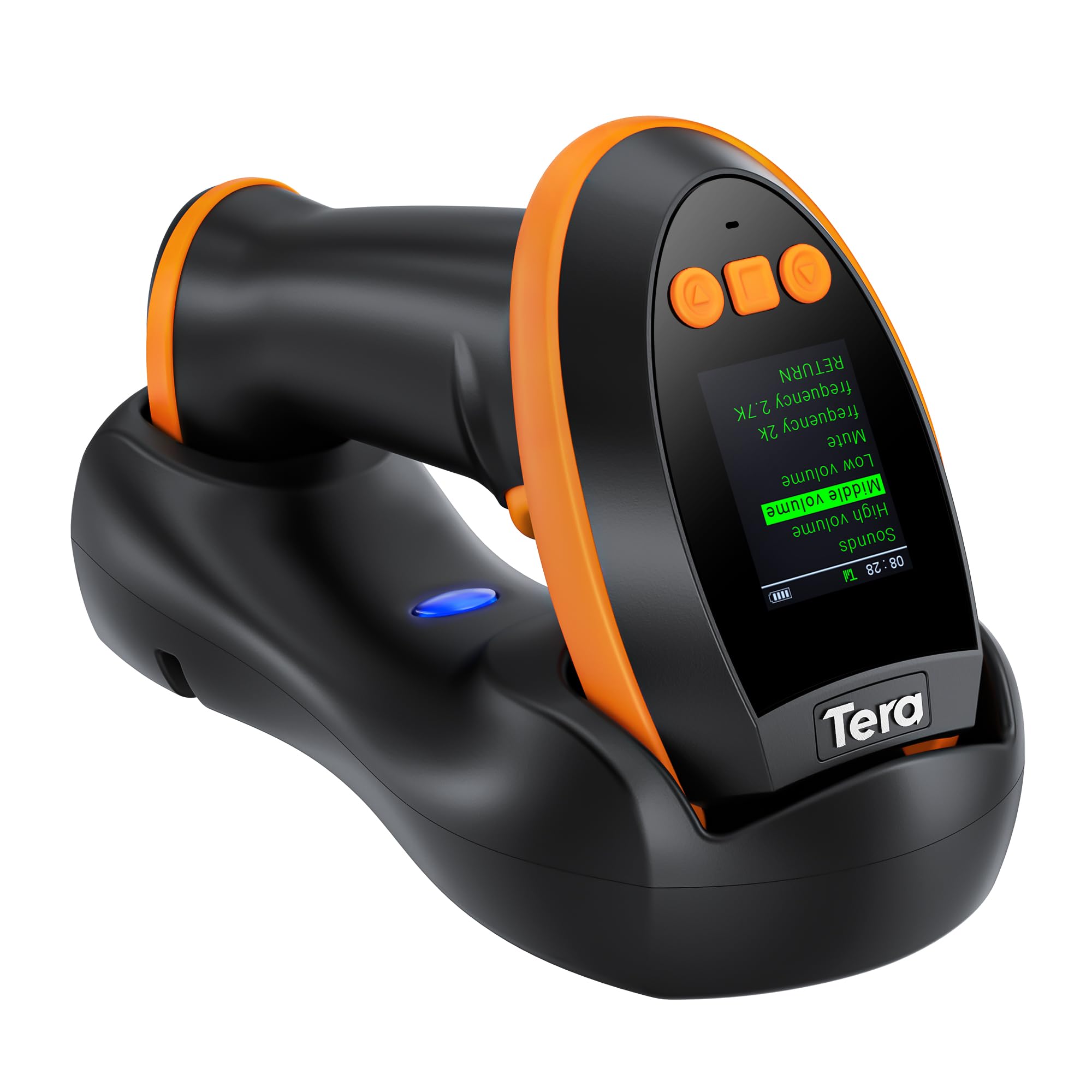
Tera HW0009

83 /100
LBD Score Excellent

Key details

Extras
Screen keypad and charging cradle
Battery
2,500 mAh
Scanning
1D and 2D, including PDF417
Connectivity
Bluetooth, 2.4G wireless, USB wired
View on Amazon

Most scanners are configured by scanning barcodes out of a manual. This one has a screen and a keypad on the back, so the language, the volume, and the working mode can all be changed while you're standing in an aisle with no computer in sight. If you've ever hunted for a laminated setup sheet, you'll understand why we like that.

It's a 2D imager, so it covers QR, Data Matrix, and PDF417 — including the PDF417 on a driver's license, which makes it the pick here for age checks and ID capture at a counter. There's a charging cradle to drop it into, a 2,500 mAh battery behind it, and the usual three connections: Bluetooth, 2.4G, and cable.

The screen costs you bulk. It stands 7.4 inches tall and weighs 14.7 ounces, so it's noticeably bigger in the hand than the plain handhelds, and after a long shift you'll feel the difference. Longevity is the other question mark: some units stop working within a couple of months, so keep the packaging and use it hard while the return window is open.

That makes it a specialist rather than a default. Where it earns its place is a shared front desk — a gym, a clinic, a hire counter — where three people use one scanner and none of them wants to learn a manual just to turn the beeper down.

Pros

  • Onboard screen and keypad for settings
  • Reads 2D, including PDF417 on IDs
  • Charging cradle and 2,500 mAh battery
  • Bluetooth, 2.4G, and wired connections

Cons

  • Some units stop working within a couple of months
  • Bulky at 7.4 inches and 14.7 ounces
Our verdict

Choose it for a shared front desk where settings get changed without a manual — and check the return window while you're at it.

Check Latest Price
8

Books and Stocktaking

NetumScan L3

87 /100
LBD Score Excellent

Key details

Scanning
1D CCD, paper and screen
Scan Modes
Trigger, auto-induction, continuous
Drop Rating
2 m
Connectivity
USB wired
View on Amazon

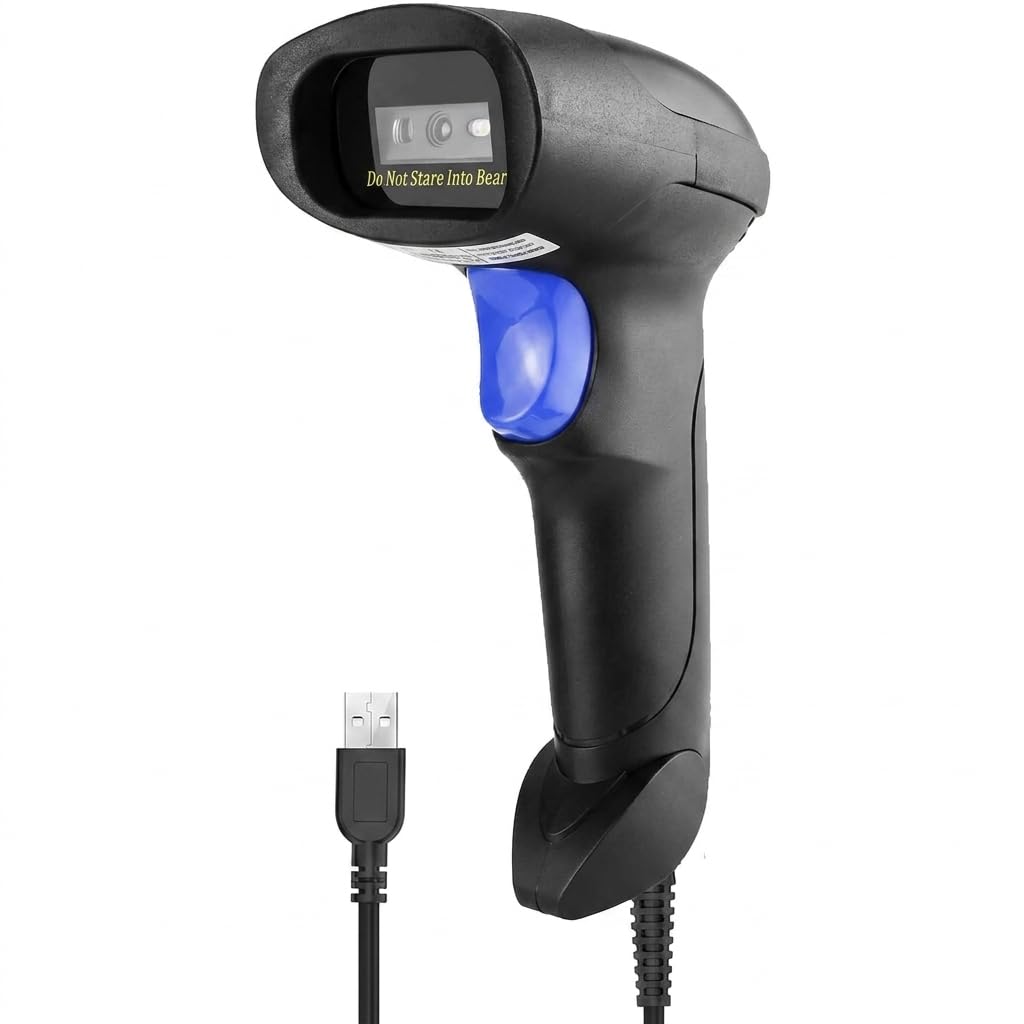
The least expensive scanner here does one job: it reads printed 1D barcodes and types them into whatever is on screen. For a first scanner, a spare at a second till, or a one-off cataloging project, that's often all the job needs.

It's a CCD reader, so it can pull 1D codes off a screen as well as paper, and it offers three modes: trigger, auto-induction, and continuous. The build is rated for repeated drops from two meters, which is more than you'd expect at this end of the range, and setup is a USB plug rather than a driver install.

The limits are the honest kind. There's no 2D, so QR codes and phone-based loyalty codes are out. It's corded, so it lives where the computer lives. And there's nothing here to configure beyond the setup barcodes in the manual, which is either a relief or a constraint depending on what you're feeding.

For a library, a stockroom spreadsheet, or a market stall that just wants to stop typing numbers, it's the easiest recommendation here — and the continuous mode is the sleeper feature: set it once, sweep along a shelf, and watch the rows fill in without touching the trigger.

Pros

  • Reads 1D codes from paper and screens
  • Trigger, auto-sense, and continuous modes
  • Nothing to charge or pair
  • Lowest-priced pick in this group

Cons

  • 1D only, with no QR or 2D
  • Corded with no wireless option
Our verdict

If you only need printed 1D codes, this is the simplest and least expensive scanner here, and it needs nothing but a USB port.

Check Latest Price

How We Tested the Best Barcode Scanners

We started by gathering every scanner a small business would realistically buy: handheld and hands-free desktop units, 1D-only readers and 2D imagers, wired models and cordless ones, from plastic budget options up to the units a warehouse issues to a whole shift. We sorted them by price tier first, since a budget reader and a warehouse workhorse shouldn't be judged on the same curve, then filtered by what spec sheets and owner reviews kept circling: whether it reads a worn thermal label, whether it pairs with the phone or POS already on the counter, and whether the battery survives a full day.

Twelve made the cut, and we ran them for six months in the places they actually live—a receiving bench in a stockroom, a checkout counter, warehouse aisles, and a Saturday market stall where the whole point was running off a phone with no cable in sight. The three-in-one models got used all three ways: Bluetooth into a tablet, a wireless dongle into a laptop, cable into a POS.

Every scanner started on the same deliberately difficult sheet of labels: crisp laser prints, a faded thermal receipt, one crumpled and one half-covered in packing tape, codes curved around cans and a box corner. I scanned each from across the counter and from a few inches away, marking whether it took a second pull of the trigger. For speed, I timed each unit through the same 30-item cart, and I noted how long pairing took and whether anyone actually needed the manual. For connectivity, I paired them to a Windows laptop, a Mac, an Android tablet, and an iPhone, then walked behind shelving to find where the signal gave out and whether it reconnected on its own.

Battery testing was the boring part: full charge, a fixed number of scans a day, a note of how many days it lasted, then a week in a drawer to see what it lost sitting idle. I dropped each one off the counter onto concrete, tossed a few into a tote with keys and hand tools, and rolled a chair over the wired models' cables. The gap between the good scanners and the cheap ones showed up around the tenth scan of a shift, not the first.

How to Choose a Barcode Scanner

Start With the Codes, Not the Features

A laser or CCD reader picks up the black-and-white bars of a 1D code; a 2D imager takes a picture, which is how it reads QR, Data Matrix, PDF417 on shipping labels and driver's licenses, and codes displayed on a phone. If your day is packaged goods and shelf tags, a 1D unit is cheaper and perfectly quick. If loyalty cards, digital coupons, or ID checks are part of the job, pay for 2D.

The trap is assuming 2D automatically means phone screens. Check that mobile or screen scanning is listed before you buy, and remember a 1D model will never read one.

Match the Connection to Your Counter

A cable is the most dependable connection you can buy and the least flexible: no charging, no pairing, no receiver to lose, but the scanner stays within arm's reach of one computer. A 2.4G dongle gives you wireless for very little and behaves like a cable once paired, at ranges that assume a clear line of sight rather than a wall.

Bluetooth is the one to choose if you're pairing to a phone or tablet and walking the aisles. The three-in-one models here switch among all of it, which is the upgrade worth paying a little extra for if you're not sure how your setup will change.

Check Software Compatibility Before Anything Else

Nearly every scanner on this page is a keyboard wedge: it types the code into whatever field has focus, which is why it works with Excel, a web form, or a classic POS with no driver at all. App-level integration is a different promise. Square, Shopify, and ShopKeep setups need the software to recognize the scanner.

Two picks here, the ScanAvenger and the NETUM, sit outside those ecosystems. If you run one of those platforms, confirm support before you buy, or buy somewhere you can test it inside the return window.

Decide How Much Hands-Free Scanning You Need

At a busy counter, the real cost of a scanner is the second it takes to pick up. A desktop omnidirectional unit or a handheld left sitting in a charging stand removes that second and keeps both hands free for bagging. An auto-sensing mode does the same job on a handheld: a code entering the window triggers the read, no pull required.

If you walk the aisles instead of standing at a till, a trigger and a small body matter far more than any stand. Buy for the way you spend most of the day, then add the other capability later.

Plan for Power, and Buy Where Returns Are Easy

Capacities here run up to 2,600 mAh, and the practical difference is charging weekly versus charging monthly. A cradle or a stand with charging contacts turns topping up into something that happens between customers; a bare cable turns it into a chore at closing time. A battery-level indicator is a small feature that saves a mid-count failure.

Longevity is the weak spot across this category, so favor a seller with a straightforward return, use the scanner hard in the first weeks, and register the warranty. One year is typical here; the NetumScan A5 carries two.

Frequently Asked Questions

Final Verdict

The ScanAvenger SA9000 is the scanner we point most buyers to. It reads 1D and 2D, it moves between Bluetooth, a 2.4G dongle, and a cable without a fuss, and its stand turns it into a hands-free scanner at the counter — the upgrade most single-register shops never get around to buying separately.

If your day is printed UPCs and nothing else, the NETUM NT-1228BC does that for less, with a battery that runs for weeks between charges. And if items come to a fixed counter rather than the other way around, the NetumScan A5 reads them without anyone picking anything up.