Best Multifunction Laser Printers of 2026

A printer should be the most boring appliance in your house, and the good ones are. The bad ones eat an evening: I've babysat a setup screen while a machine refused to join a network, and I've watched a starter cartridge that called itself full quit after forty pages of school forms. What you actually want is a machine that prints when you ask, scans the receipt you need for reimbursement, and tells you honestly when the toner is running low.

We put nine multifunction lasers through six months of real work — compact monochrome units on a spare-room desk, color machines in a shared office — and the differences that mattered were rarely the ones printed on the box. The purchase price is the smallest part of the math. What you're really comparing is cost per page, how much toner actually ships in the box, and whether the paper path still behaves in year three.

The picks below reflect that. Some are cheap to run and dull as a toaster; a couple will print color brochures all afternoon at a per-page cost worth thinking through first. All of them are machines I'd set up for a friend without bracing for a phone call.

1

Best Overall

Brother DCP-L2640DW

84 /100
LBD Score Excellent

Key details

Duplex
Automatic
Print Speed
36 ppm
ADF Capacity
50 sheets
Paper Capacity
250 sheets
View on Amazon

The DCP-L2640DW leads with two numbers that matter more than any marketing label: 36 pages per minute and a 250-sheet main tray. We think that combination makes it the best overall choice here for a home office or small team with a steady diet of black-and-white documents. The 50-sheet auto document feeder and automatic two-sided printing are the practical extras that turn a stack of pages into a finished job, and the flatbed is there for bound documents and IDs. For the money, it covers the core without charging for color hardware you may never use.

Setup over Ethernet was simple, and we like having that wired option because Wi-Fi is the one place this Brother asks for patience. The dual-band radio works, but the connection can drop or need the password entered on the front panel. We kept the main desk on Ethernet and used wireless for phones and laptops. Toner changes are straightforward, and the 250-sheet tray cuts down on refills compared with the 150-sheet models here.

Output is crisp and quick, and the scanner handles everyday contracts and receipts without fuss. This is not the machine for color presentations, and it is not the smallest option here, so a tiny desk should look at the HP M234sdw. But if most of your pages are text and you regularly copy more than a few sheets at a time, the ADF is the feature that earns the space. For bound documents and ID cards, the flatbed is still there when the feeder cannot help.

Pros

  • 36 ppm and a 250-sheet tray
  • 50-sheet ADF plus auto duplex
  • Ethernet and dual-band Wi-Fi

Cons

  • Durability record is mixed
Our verdict

For a home office or small team that prints mostly black-and-white documents, the Brother DCP-L2640DW is the multifunction laser we recommend first.

Check Latest Price
2

Best Color All-In-One

Canon imageCLASS MF753Cdw II

80 /100
LBD Score Excellent

Key details

Warranty
3 years
Functions
Print, scan, copy, fax
Print Speed
35 ppm color and black
Paper Capacity
250 sheets
View on Amazon

Adding color to a laser office usually means a bigger box and a slower black-and-white page. The MF753Cdw II avoids the last part: it prints both color and mono at 35 pages per minute, so the documents you print most often do not feel like a compromise. It also brings an auto document feeder, automatic two-sided printing, fax, and a three-year warranty. The two paper trays and 250-sheet capacity give you a place for letterhead and plain paper without swapping a stack every time.

We recommend it for an office that regularly prints color client documents, presentation handouts, or color-coded reports but does not want a second mono printer beside it. The color output looks good on graphics and charts, and the first page arrives quickly enough for a shared desk. The caveats are weight and setup: at 50 pounds, this is a two-person lift, and the network setup is not always as automatic as the control panel suggests. Neither is a deal-breaker if the machine stays in one place and you can use Ethernet.

The MF753Cdw II earns its place when color is part of the job, not a once-a-month exception. If you mostly print black-and-white with the occasional color page, the Brother DCP-L2640DW is the smarter spend. The two trays also let you keep letterhead and plain paper loaded at the same time, which is a small convenience that adds up in a busy office.

Pros

  • 35 ppm in color and mono
  • Print, scan, copy, and fax
  • Three-year warranty
  • Auto duplex and ADF

Cons

  • Color toner costs add up
Our verdict

The Canon imageCLASS MF753Cdw II is our pick for an office that needs color, fax, and a three-year warranty in one machine.

Check Latest Price
3

Best for Reliability

HP LaserJet Pro 3101sdw

88 /100
LBD Score Excellent

Key details

Duplex
Automatic
Print Speed
35 ppm
ADF Capacity
50 sheets
Paper Capacity
250 sheets
View on Amazon

The 3101sdw is the printer in this group we trust to be ready when the next job arrives. Its 4.5-star rating is built on a positive reliability record and easy setup, and in a monochrome office printer that matters more than a long list of extras. You get 35 pages per minute, a 250-sheet tray, a 50-sheet auto document feeder, and automatic two-sided printing. The 23.1-pound body is manageable for one person, and Ethernet is there when you want the most stable connection.

The catch is scanning. The ADF feeds pages for copying and scanning, but it does not duplex-scan, so a two-sided stack becomes a manual turn or a return to the flatbed. We also found the Wi-Fi connection less settled than the wired one, so keep Ethernet in the setup if the router is nearby. The 250-sheet tray and 35-ppm engine are the parts that make it feel like a workhorse rather than a compact compromise.

Print quality is crisp, and the 250-sheet tray keeps a busy week from turning into a paper-refill routine. The control panel is straightforward, and the machine stays compact enough for a home-office desk. A 250-sheet output tray matches the input, so a long print run stays contained. If you need color, this is not the one.

Pros

  • Strong reliability record
  • 35 ppm and 250-sheet tray
  • Easy setup and Ethernet
  • Automatic duplex printing

Cons

  • Costs more than the Brother value pick
Our verdict

We trust the HP LaserJet Pro 3101sdw as the monochrome upgrade for buyers who want a strong reliability record and easy setup.

Check Latest Price
4

Best High-Volume Color

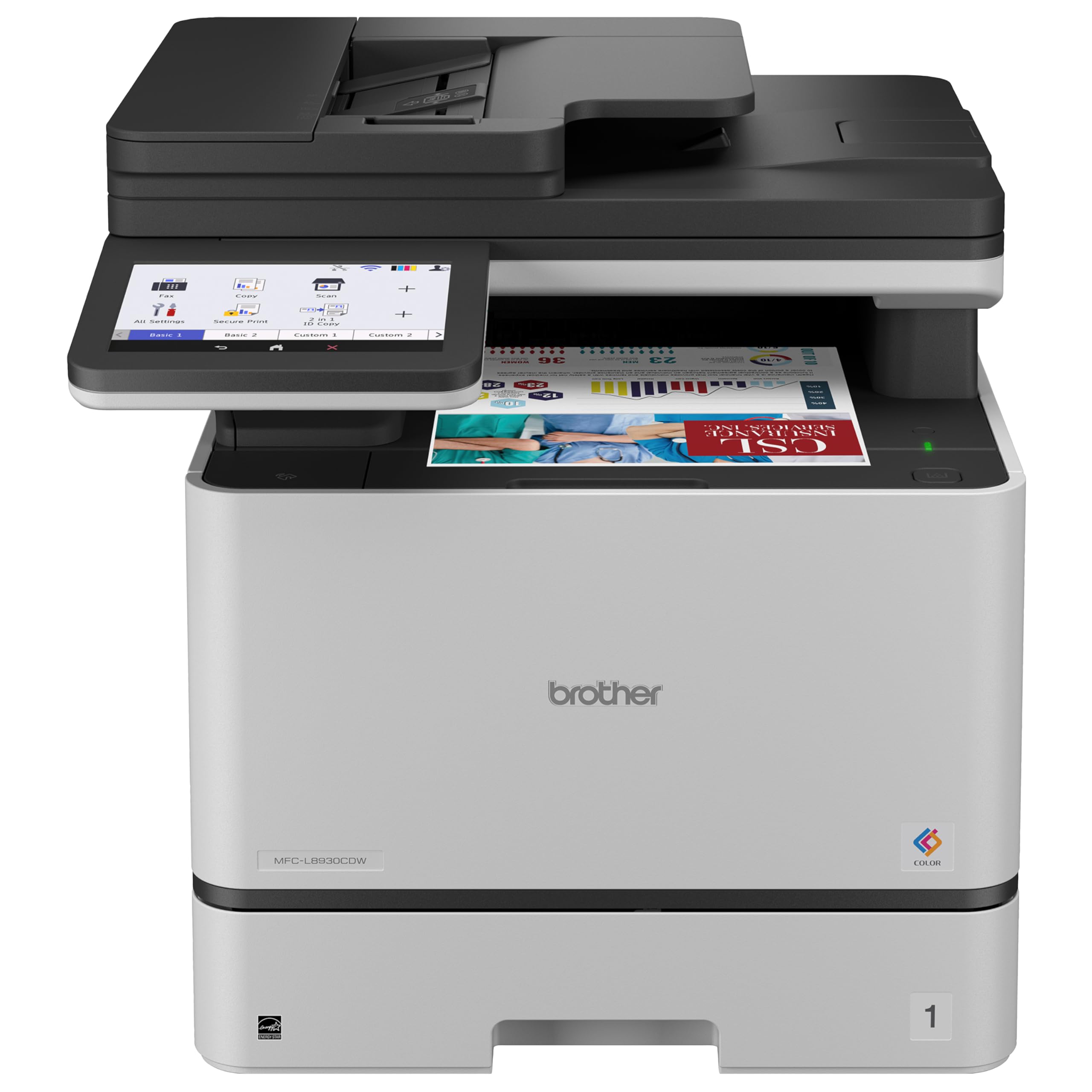
Brother MFC-L8930CDW

85 /100
LBD Score Excellent

Key details

Weight
71.2 lb
Print Speed
33 ppm
ADF Capacity
80 sheets
Duplex Scan Speed
Up to 104 ipm
View on Amazon

At 71.2 pounds, the MFC-L8930CDW is not a printer you tuck beside a laptop. It is a department machine: a 7-inch color touchscreen, an 80-page auto document feeder, and two-sided scanning rated up to 104 images per minute. The point is not just fast printing. It is the ability to take a stack of two-sided contracts, scan both sides in one pass, and send the file where it needs to go without babysitting the feeder.

The print engine runs at 33 pages per minute in color and black, and the included toner is generous: 3,000 pages of black and 1,800 pages of color. For a workgroup that prints brochures, packets, and client-facing color documents, that matters more than a lower upfront price with tiny starter cartridges. The 7-inch screen is also genuinely useful for scanning to email or cloud destinations, not just a decorative panel.

We recommend it for a small business or workgroup that needs color, fax, and heavy scanning in one machine and has a sturdy floor or credenza to hold it. The footprint and weight are the real barriers; this is not a home-desk printer, and moving it is a two-person job. Network connectivity is the other thing to check, because the wireless experience is not as consistent as the wired one. If you can put it on Ethernet, those concerns shrink.

For a home office, the Canon MF753Cdw II is the more sensible color choice: it is 50 pounds, prints at 35 pages per minute, and still handles fax and copying. The Brother earns its extra space when scanning volume and toner capacity are the priorities. The 80-page feeder is the detail that separates it from the lighter color machines here; you can load a whole project and walk away.

Pros

  • 33 ppm in color and mono
  • 104-ipm duplex scanning
  • 80-page auto document feeder
  • 7-inch color touchscreen

Cons

  • Premium price for a workgroup machine
Our verdict

The Brother MFC-L8930CDW earns our recommendation for a workgroup that needs high-volume color printing, fax, and fast two-sided scanning.

Check Latest Price
5

Best Wired Budget

Canon imageCLASS MF3010 VP

84 /100
LBD Score Excellent

Key details

Print Speed
19 ppm
Toner Yield
Up to 2,300 pages in box
Connectivity
USB only
Paper Capacity
150 sheets
View on Amazon

The MF3010 VP is the printer for the desk that already has a cable and does not want an app, a network, or a subscription. It is USB-only, with a 150-sheet tray, which sounds modest until you notice the 2,300 pages of toner included in the box. That is the practical appeal: a simple mono laser that prints, scans, and copies without asking you to manage a wireless connection. The 16.8-pound body is easy to lift, but the 20-inch footprint is wider than the weight suggests, so measure the desk before you commit.

We recommend it as a budget wired machine for a reception desk, classroom, or home office where the computer sits close by. The flatbed scanner handles ID cards and single sheets, and Canon's ID-card copy mode is handy for paperwork. The limits are real: no wireless, and print quality can come out lighter than you expect on some documents, so check the density setting before you blame the toner. The 150-sheet tray is enough for light duty, and text and forms look clean; graphics are not its strength.

Pros

  • 2,300 pages of toner in the box
  • Simple USB-only setup
  • ID-card copy mode
  • Lowest upfront cost here

Cons

  • No ADF for multi-page scans
  • Slow 19-ppm engine
Our verdict

The Canon imageCLASS MF3010 VP is the wired budget printer we point to when Wi-Fi is unnecessary.

Check Latest Price
6

Small Desks with ADF

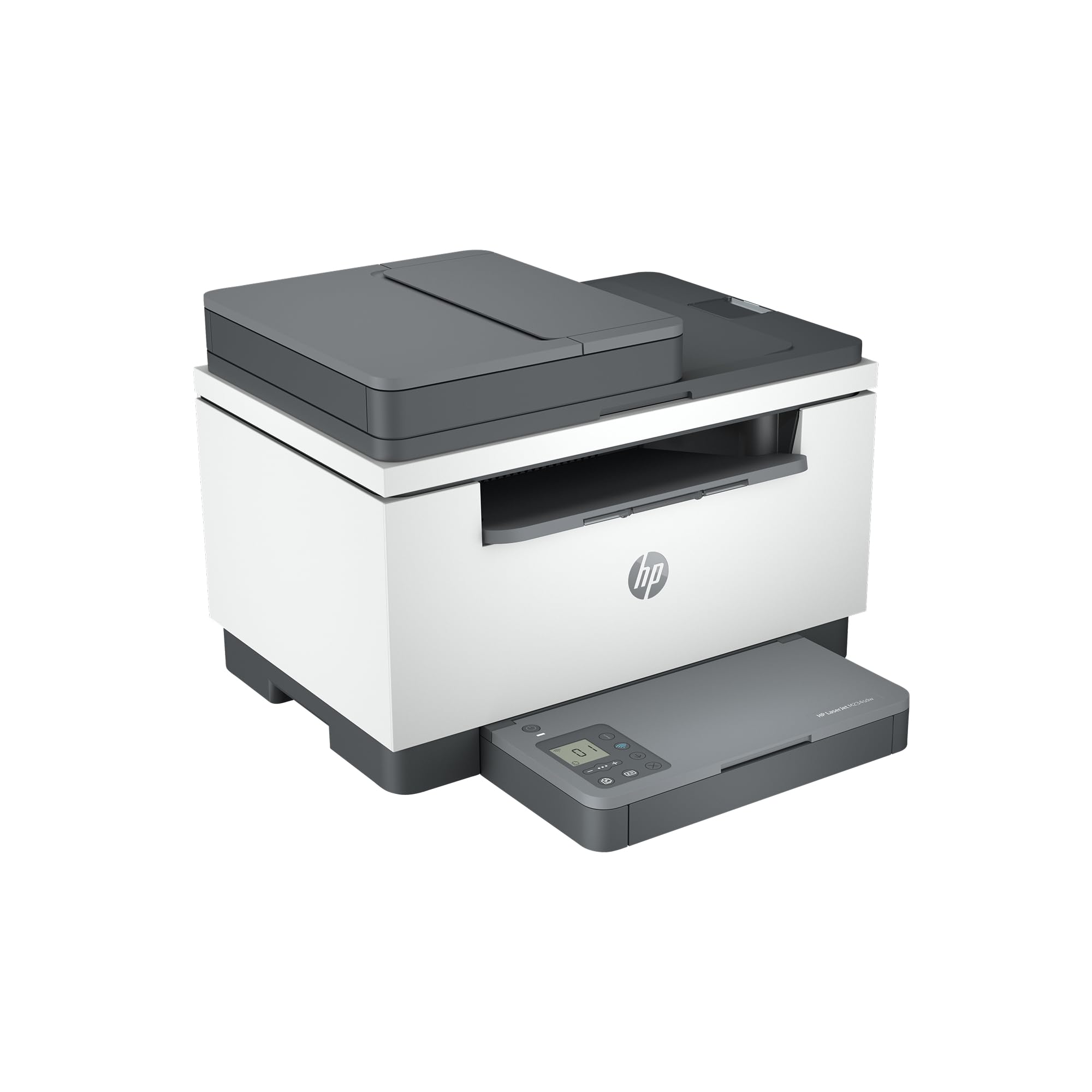
HP LaserJet MFP M234sdw

83 /100
LBD Score Excellent

Key details

Duplex
Automatic
Weight
19 lb
Print Speed
30 ppm
Paper Capacity
150 sheets
View on Amazon

At 19 pounds, the M234sdw is the one we can move from a desk to a shelf without thinking about it. It is not just light; it is compact enough for a small home office, and it still fits a 30-page-per-minute mono engine, automatic two-sided printing, and an auto document feeder. The 150-sheet tray is the trade-off: you will refill it more often than the 250-sheet machines here.

The print quality is crisp for text and forms, and the HP app makes phone printing straightforward. The self-reset Wi-Fi feature is meant to help when the connection stumbles, but the wireless is the weak spot: some connections are solid, others need a restart or a trip to the control panel. We had the best luck keeping it on a stable network and using the app for phone jobs. The 19-pound body also means it can sit on a shelf, but the output tray and paper path still need clearance.

We recommend it for a small desk that needs print, copy, and scan with an ADF but does not have room for a 25-pound machine. It is not the most expandable option here, but it is the easiest to live with on a narrow shelf. If you print mostly single-sided pages and can use a cable, it is a tidy little workhorse. One person can carry it up a flight of stairs, which is not true of the color machines here.

Pros

  • 19-pound compact body
  • 30 ppm with auto duplex
  • Auto document feeder
  • Crisp text output

Cons

  • Starter toner is only about 700 pages
Our verdict

For a small desk that needs print, copy, scan, and an ADF, the HP LaserJet MFP M234sdw is our compact pick.

Check Latest Price

How We Tested Multifunction Laser Printers

We built the shortlist by reading spec sheets and thousands of buyer reviews for the multifunction lasers sold by the biggest names in the category, then filtering for what people actually use: automatic two-sided printing, a flatbed scanner with an automatic document feeder, Wi-Fi and Ethernet alongside USB, and a published toner yield high enough to make the math work. Nine machines made the cut, and we lived with them for six months — on a spare-room desk, on a kitchen counter, and in a shared office where four people sent jobs to the same queue.

Setup came first, because that's where printers lose people. We unboxed each one, timed the run from cardboard to first printed page, and installed it three ways: over USB, over Wi-Fi from a laptop, and from a phone through the maker's app. Then we moved the router to the far end of the house and cycled it off and on to see which machines found the network by themselves and which needed a manual address. Speed we measured with a stopwatch rather than trusting the spec sheet: a single page, a 30-page duplex PDF, and a mixed job of envelopes, labels, and cardstock to see what jammed and how loudly.

For print quality we looked at small type, gray shading, and photographs, noting banding, smudging, and curl. Copying and scanning got their own run — an ID card, a signed contract, a crumpled receipt — checking whether text came back sharp and whether the scan-to-email file was readable without zooming. Toner life we tracked in pages, logging each cartridge from install to the low-toner warning and dividing by what the box promised. Durability meant a simulated busy week of 200 pages back to back, then a look at whether the tray, hinges, and output bin still felt tight. Value we judged last, on cost per page rather than sticker price.

How to Choose a Multifunction Laser Printer

Decide on color before anything else

A monochrome laser is smaller, cheaper to buy, and cheaper to run, and most home offices print far more black-and-white pages than color ones. We recommend starting with a mono model if color is limited to the occasional school project or recipe. If you regularly print client packets, charts, or color-coded reports, pay for color up front; adding a second printer later takes more space and more toner. Color lasers are also heavier, so check the weight before you plan the desk.

Match paper capacity and speed to your week

A 150-sheet tray is fine for a few pages a day, but it turns into a chore in a busy office. We look for a 250-sheet tray and a 50-sheet auto document feeder on any machine that will handle multi-page contracts, invoices, or school packets. Print speed matters less than the first-page time and the feeder, but 30 to 36 pages per minute keeps a shared desk moving. If you print in bursts, a larger tray and automatic two-sided printing save more time than a higher page-per-minute rating.

Treat scanning as half the job

The scanner is where cheap multifunction printers cut corners. A flatbed is essential for books, IDs, and fragile paper; an auto document feeder is what makes multi-page copying practical. Check whether the feeder scans both sides in one pass, because a duplex printer does not automatically duplex-scan. The HP LaserJet Pro 3101sdw, for example, prints on both sides but does not duplex-scan, while the Brother MFC-L8930CDW is built for two-sided scanning at high volume. If you scan a few pages a week, a flatbed-only machine can be enough.

Plan the network and the footprint

Wireless is convenient, but it is the most common source of frustration in this category. We prefer Ethernet for a printer that stays in one place, especially if more than one person uses it; Wi-Fi is best for phones, laptops, and rooms without a cable. Check for dual-band Wi-Fi if the printer shares a crowded network. Then measure the spot: a 50-pound color laser needs a sturdy surface, and a 71-pound workgroup model needs a credenza or floor stand, not a flimsy shelf. Leave room for the paper tray and output.

Budget for toner, not just the printer

The purchase price is only the first cost. Look at the toner yield included in the box and the yield of the replacement cartridge you will actually buy. A machine that includes 2,300 pages of toner, like the Canon imageCLASS MF3010 VP, can be a better budget choice than a cheaper printer with a 700-page starter. High-volume offices should compare high-yield cartridges and the cost per page, not just the cartridge price. Color toner adds another layer, so match the machine to the color volume you really have.

Frequently Asked Questions

Final Verdict

For most home offices and small teams, the Brother DCP-L2640DW is the multifunction laser we recommend first. It prints at 36 pages per minute, holds 250 sheets, and includes a 50-sheet ADF and automatic duplex printing at a midrange price. If reliability is worth more to you than the savings, the HP LaserJet Pro 3101sdw is the upgrade; if color is part of the job, the Canon imageCLASS MF753Cdw II is the better fit. The wired-only Canon MF3010 VP remains the budget exception when Wi-Fi is unnecessary.