Best Laser Printers of 2026

Nobody dreads the printer. They dread the toner cartridge that costs nearly as much as the machine did. A laser printer fixes the part of printing that actually annoys people — no clogged ink nozzles after a month of sitting idle, no smeared pages, no babysitting a half-finished job — as long as you pick one that won't ambush you at the first cartridge change.

I've nursed inkjets through dried-out print heads and watched cheap lasers outlive them all. Over the past eight months, my team and I put 10 laser printers through the work a home office actually generates: school forms, shipping labels, tax packets, and one ill-advised 60-page color document. Two specs kept separating the good ones from the frustrating ones — automatic two-sided printing, which cuts both your paper bill and your filing pile in half, and wireless setup, which is either a five-minute job or your entire afternoon depending on the machine.

Every pick here earned its place on print quality and speed; the real differences show up in color output, footprint, and what you'll pay per page. Start with what you print most.

1

Best Overall

Brother MFC-L2820DW

85 /100
LBD Score Excellent

Key details

Duplex
Automatic
Scanner
50-sheet ADF
Print Speed
34 ppm
Paper Capacity
250 sheets
View on Amazon

The MFC-L2820DW is the one we recommend for most home offices because it turns the weekly document pile into a routine instead of a project. It prints at up to 34 ppm, duplexes automatically, and scans through a 50-sheet auto document feeder, so a stack of pages does not have to be fed one at a time. We like the 2.7-inch touchscreen more than we expected; copying, scanning, and changing paper settings all happen at the machine without opening an app. At 22.5 pounds, it is still a one-person setup, and the 250-sheet tray means fewer refills than the compact 150-sheet models here.

The all-in-one part is what makes it the default: print, copy, scan, and fax in one box, with a 250-sheet output tray that keeps long jobs from spilling onto the desk. Black text is crisp, and automatic duplex is the setting we leave on for longer documents. The machine is not color, and it does not pretend to be. For a home office that prints weekly and occasionally scans or copies, that focus is the point.

Wireless is the one place to plan a fallback. The connection can act up on a crowded network, and the Ethernet port solves it without moving the printer. Plug in a cable and keep working; that wired option is a large part of why we trust this one as a daily machine.

Pros

  • Fast 34 ppm mono output
  • Automatic duplex and 50-sheet ADF
  • Print, copy, scan, and fax in one machine
  • Ethernet plus dual-band Wi-Fi

Cons

No notable drawbacks to flag.

Our verdict

We recommend the MFC-L2820DW for most home offices because it prints, scans, copies, and faxes quickly, duplexes automatically, and gives you Ethernet when Wi-Fi misbehaves.

Check Latest Price
2

Best Budget

Brother HL-L2405W

81 /100
LBD Score Excellent

Key details

Duplex
Manual
Dimensions
14.2 x 14 x 7.2 inches
Print Speed
30 ppm
Paper Capacity
250 sheets
View on Amazon

Manual two-sided printing is the first thing to understand about the HL-L2405W: it is the corner Brother cut to keep this mono laser small and inexpensive. The rest of the package is sensible. It prints at up to 30 ppm, holds 250 sheets, and fits in a 14.2 by 14 by 7.2-inch footprint that works on a shelf or a small desk. The 15.1-pound body is easy to move, and the output bin holds 100 sheets, enough for a normal job.

We found the manual duplex acceptable for the occasional two-sided form and annoying for a long report. That is the honest trade-off, and it is why this stays a budget pick rather than our top pick. We also like that it uses the TN830 toner family, which makes supplies easier to find, and that the 250-sheet tray is not downsized just because the printer is compact.

Wireless setup is less predictable than the printing. If the connection drops, USB is the steady fallback, and the printer keeps working as a local device. That is a small annoyance next to the money saved on the hardware, and it does not change the fact that the print engine is the reason to buy this one.

Pros

  • 30 ppm mono printing
  • 250-sheet paper tray
  • Compact 15.1-pound body
  • Budget-friendly mono printing

Cons

  • No scanning or copying
Our verdict

We recommend the HL-L2405W for a small space and a tight budget, where its 30 ppm engine and 250-sheet tray cover everyday black-and-white printing.

Check Latest Price
3

Best for Tight Spaces

HP LaserJet M207dw

80 /100
LBD Score Excellent

Key details

Duplex
Automatic
First Page
7 seconds
Print Speed
28 ppm
Paper Capacity
150 sheets
View on Amazon

The M207dw is the laser printer we reach for when the footprint has to be small. At 12.4 pounds and roughly a foot wide, it takes up less desk space than a stack of notebooks, and the 150-sheet tray is the first clue that it is built for lighter duty. We like it for a small apartment office, a checkout counter, or a garage desk where the printer disappears when it is not needed. Automatic duplex is the feature that makes it feel more expensive than it is: two-sided documents come out without you handling the stack.

HP lists a seven-second first page and 28 ppm, which is the right kind of speed for one form at a time. The catch is capacity. A 150-sheet tray means refilling more often, and there is no second tray for letterhead or labels. The included dust cover is a small but welcome detail in a workshop or garage, where a printer can sit unused for a week and collect debris.

Output is crisp black text, and the duplex setting is easy to leave on. We did not miss color for forms, invoices, or shipping labels. The M207dw earns its place by doing the narrow job well and staying out of the way when it is done.

Pros

  • Small 12.4-pound footprint
  • Automatic duplex printing
  • 28 ppm with 7-second first page
  • Dust cover included

Cons

  • Print-only design
Our verdict

We like the M207dw for tight spaces: it is small, prints fast, and duplexes automatically, making it a strong light-duty laser for a desk with no room to spare.

Check Latest Price
4

Best Color All-In-One

Canon Color imageCLASS MF753Cdw II

80 /100
LBD Score Excellent

Key details

Duplex
Automatic
Warranty
3 years
Print Speed
35 ppm
Paper Capacity
250 sheets
View on Amazon

The Color imageCLASS MF753Cdw II is a color all-in-one that expects to stay put. It is built for a sturdy desk or a small-office counter, not a shelf you share with books, and its footprint leaves little room for a low cabinet above. We think that permanence buys a genuinely useful machine: 35 ppm in color and mono, automatic duplex, an auto document feeder, fax, and a 250-sheet tray.

The color output is the reason to choose it. Text is sharp, color documents look professional, and the ADF handles multi-page scan and copy jobs without feeding one page at a time. We also appreciate the three-year limited warranty, which is unusually long in this group. The control panel and software have more options than a home user needs, and wireless setup can take patience; Ethernet is the calmer choice if the printer stays in one place.

This is a small-office machine more than a home printer. It earns its space when color proposals, newsletters, or client packets are part of the weekly work. If you only need color pages and already have a scanner, the LBP646Cdw is the lighter, print-only alternative.

Pros

  • 35 ppm color and mono
  • Auto duplex, ADF, and fax
  • 3-year limited warranty
  • 250-sheet paper tray

Cons

No notable drawbacks to flag.

Our verdict

We recommend the MF753Cdw II when color is nonnegotiable and you need a full all-in-one with an ADF, fax, and a long warranty.

Check Latest Price
5

Best Color Print-Only

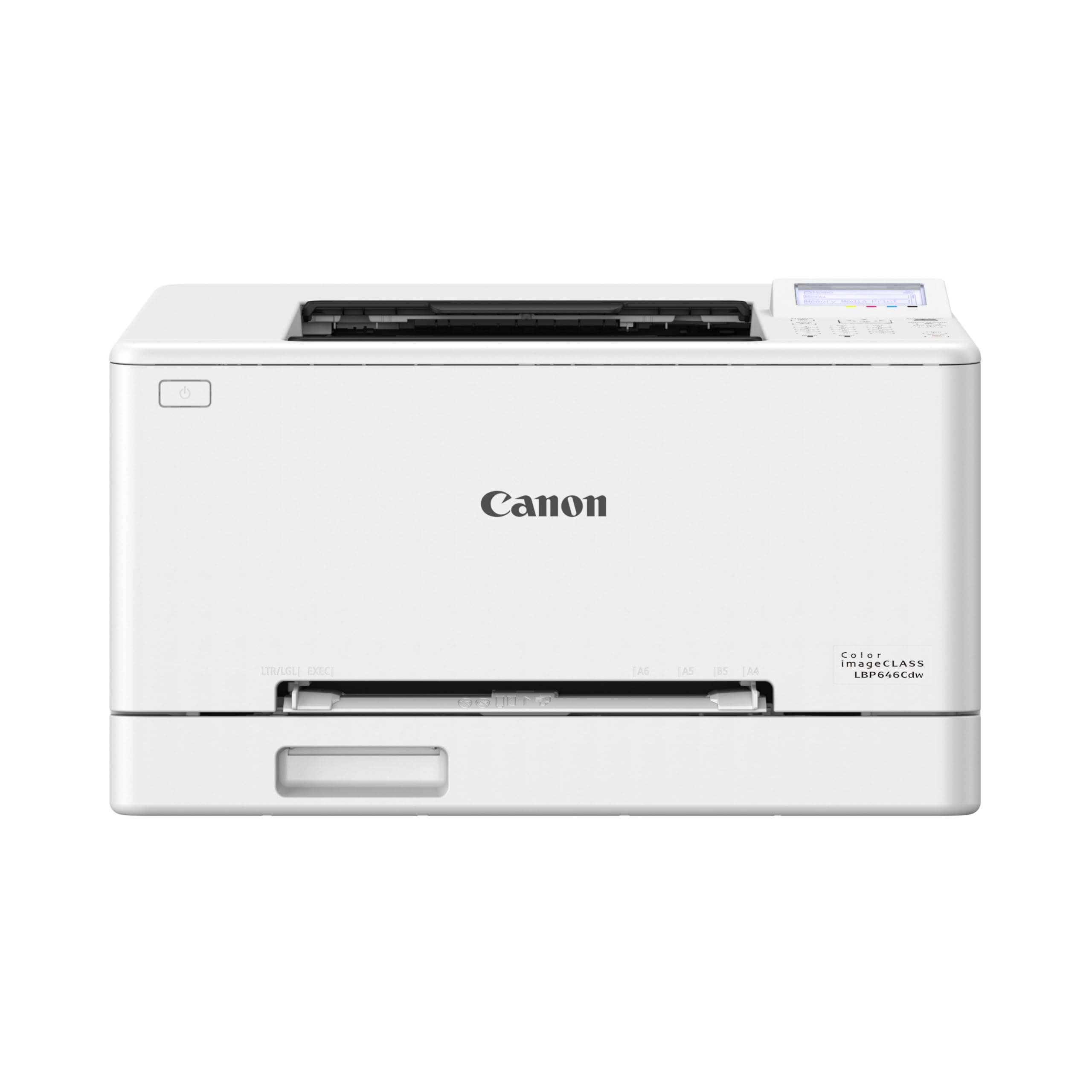
Canon Color imageCLASS LBP646Cdw

80 /100
LBD Score Excellent

Key details

Duplex
Automatic
First Page
10.3 seconds
Print Speed
26 ppm
Paper Capacity
250 sheets
View on Amazon

The LBP646Cdw is the printer we reach for when the job is color and the scanner is already handled elsewhere. It puts 26 ppm of color and mono output on the desk, duplexes automatically, and keeps a 250-sheet tray plus a single-sheet manual feed for envelopes and labels.

That manual feed turned out to be the detail we used most: shipping labels and odd-size paper go through without emptying the letter tray. The 5-inch LCD is also easier to navigate than the tiny displays on compact mono lasers. Color quality is the main event. Labels, school projects, and simple graphics come out bright and clean on plain paper, and black text stays crisp enough for invoices.

The focused design is the appeal: the money goes into color printing and duplexing rather than features another machine in the house already covers. For labels and short color runs, that focus feels deliberate rather than stripped down. If you need an all-in-one, the MF753Cdw II is the better fit. If you already scan with your phone and mostly need color pages, this is the right trade.

Pros

  • Color and mono printing at 26 ppm
  • Automatic duplex printing
  • Manual feed for envelopes and labels
  • 5-inch LCD screen

Cons

  • No scanning or copying
  • Wireless setup can be fussy with Apple devices
Our verdict

We recommend the LBP646Cdw for bright color documents and labels, with automatic duplex and a manual feed that keeps envelope jobs out of the main tray.

Check Latest Price
6

Small Teams

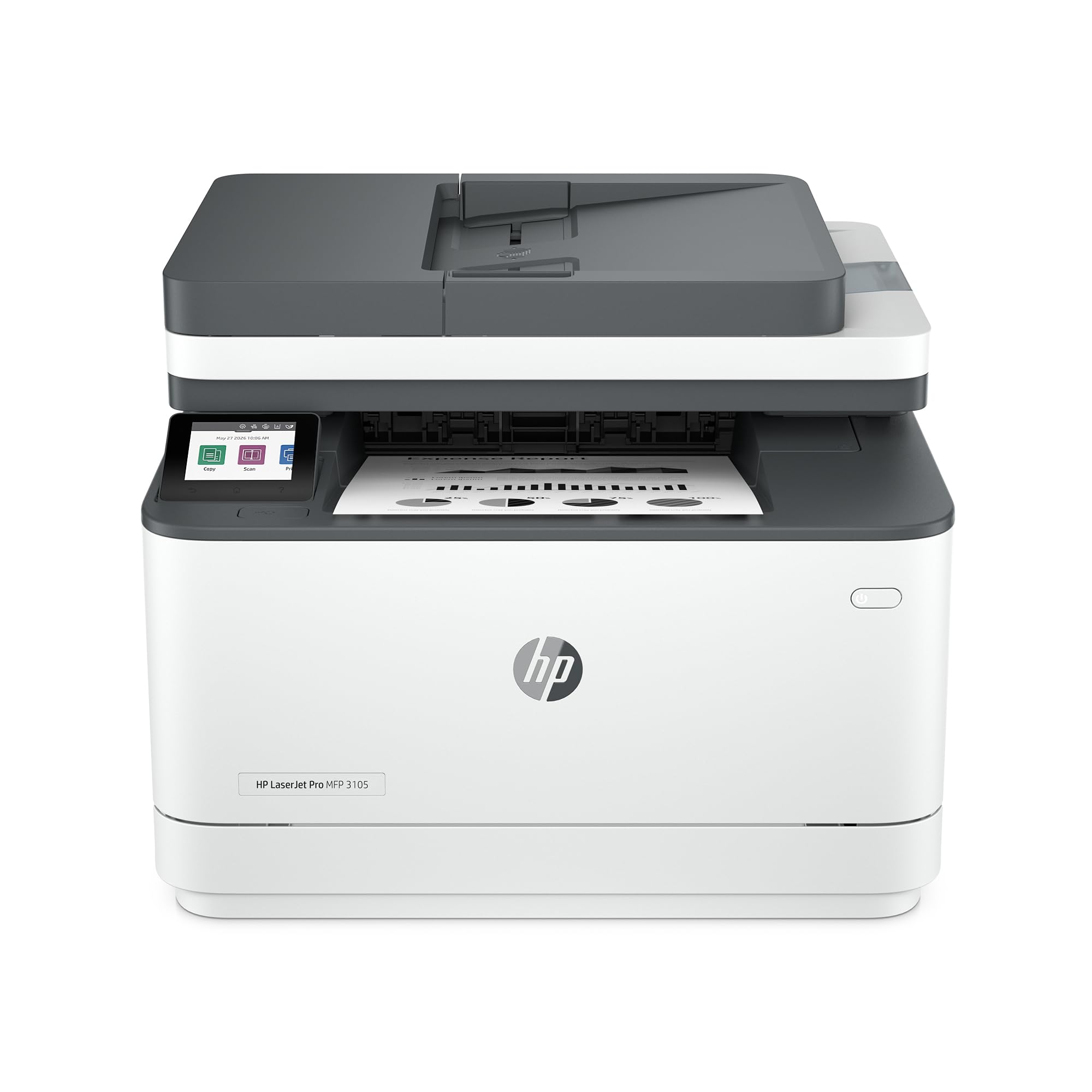
HP LaserJet Pro 3105sdw

81 /100
LBD Score Excellent

Key details

Duplex
Automatic
First Page
4.6 seconds
Print Speed
33 ppm
Paper Capacity
250 sheets
View on Amazon

The 3105sdw reads like a small-team workhorse: 33 ppm, automatic duplex, a 250-sheet tray, and an auto document feeder for scan and copy jobs. It also adds scan-to-email, which is the feature a small office uses more than fax. We like the fast 4.6-second first page for one-off forms and the fact that the control panel is built for walk-up use rather than a phone app.

The machine is 23.1 pounds, light enough for two people to move but heavy enough to stay put on a side table. The 250-sheet tray is the right size for a team that prints in bursts, and automatic duplex keeps longer documents from turning into a paper pile. We also appreciate the wired Ethernet option when the wireless network is busy.

Where it gives up ground to the Brother MFC-L2820DW is completeness: the feature set stops short of a full office suite, and the menu system is less familiar than Brother's. For a small team that scans to email and prints a few hundred pages a month, those are manageable trade-offs. For a home office that wants one machine to do everything, the Brother is the safer default.

Pros

  • 33 ppm mono printing
  • Automatic duplex, ADF, and scan-to-email
  • 4.6-second first page
  • 250-sheet paper tray

Cons

  • No fax
Our verdict

We see the 3105sdw as a capable small-team all-in-one for scan-to-email and duplex printing, but the Brother MFC-L2820DW is the more complete home-office default.

Check Latest Price

How We Put 10 Laser Printers to the Test

We built a shortlist of roughly 30 machines from the major printer brands, then filtered hard on the things that change daily life: whether a model prints two-sided automatically, whether it connects over Wi-Fi or only by USB, whether it's monochrome or color, and how much toner costs per page. That left 10 printers, running from small monochrome units to color all-in-ones. We bought each one at retail, so nothing arrived pre-configured or pre-loaded with a demo page.

Each printer was set up by one person, alone, with a stopwatch running — from slicing the tape on the box to holding a printed page. We recorded the first page out, then ran a 30-page mixed document of text, tables, and grayscale images to clock sustained speed. We also redid the entire wireless setup after a router reboot to see which printers reconnected on their own and which had to be coaxed back onto the network by hand.

Print quality got judged the way you'd actually look at it: 8-point type, a packing label, a one-page color flyer, and a phone snapshot. We noted banding, smudging, and whether color graphics held up or washed out. We measured each machine's footprint on a standard desk with a tape measure, sent every duplex job through twice to check the second side lined up, and left three units switched off for three weeks to confirm they'd print cleanly without the priming ritual an inkjet needs. Then we did the cost-per-page math using the listed toner yields, because the cheapest printer is rarely the cheapest to own.

How to Choose a Laser Printer

Choose Monochrome or Color First

A monochrome laser is the simpler buy for text documents, forms, and shipping labels: one toner cartridge, crisp black output, and a lower entry point. Color changes the math because the printer carries four toner cartridges, and the replacement set can cost as much as the machine over time. If color is occasional, a print-only color model such as the Canon Color imageCLASS LBP646Cdw keeps the hardware focused; if you also scan and copy in color, the Canon Color imageCLASS MF753Cdw II is the more complete machine. Choose color only when the output itself earns the extra supplies.

Match Speed and Paper Capacity to the Job

Print speed matters less for a single page than for a stack, but the first-page time is what you notice on a one-off form. A 28 to 35 ppm engine is plenty for most home offices; the bigger difference is paper capacity. A 150-sheet tray, as on the HP LaserJet M207dw, means refilling more often, while 250 sheets handles a typical week of home-office printing. Automatic duplex is worth having if you print long documents; manual duplex, as on the Brother HL-L2405W, saves money but asks you to flip the stack.

Treat Wireless as a Convenience, Not a Guarantee

Wi-Fi is the feature most likely to turn a good printer into a frustration, and the fix is usually a cable. Look for Ethernet on any machine that stays in one place; the Brother MFC-L2820DW and HP LaserJet Pro 3105sdw both give you a wired option when the wireless connection acts up. Dual-band Wi-Fi helps in a crowded home network, but placement matters more than the label. Put the printer within reasonable range of the router, and set it up near the router first if the signal is weak.

Budget for Toner, Not Just the Printer

The purchase price is only the first cost. Check the yield of the starter cartridge and the price of the replacement set before you commit, especially on color models. A mono printer with a high-yield toner option can run for a long time between replacements; a color all-in-one uses four cartridges and can be expensive to feed if you print full-color pages often. The Brother MFC-L2820DW takes the TN830 family, and the Canon color models use separate CMYK cartridges, so one color running low does not force a full set. Print in black-and-white draft mode when color is not needed.

Measure the Footprint Before You Fall for the Features

Laser printers are heavier and deeper than their product photos suggest. A compact mono model like the HP LaserJet M207dw weighs 12.4 pounds and fits on a shelf; a color all-in-one like the Canon MF753Cdw II weighs 50 pounds and needs a sturdy surface with clearance for the paper tray and output. Measure the depth of the shelf, the height of the space above it, and the swing of the front door. If the printer will sit on a desk you also use, a smaller tray and a lower profile are worth more than an extra feature.

Frequently Asked Questions

Final Verdict

The Brother MFC-L2820DW is the laser printer we recommend for most home offices because it covers the whole weekly paper pile: fast mono printing, automatic duplex, scanning, copying, and fax, with a touchscreen that makes walk-up jobs simple. If the budget is tighter and you only print black-and-white documents, the Brother HL-L2405W is the focused choice. If color is the requirement, the Canon Color imageCLASS MF753Cdw II is the color all-in-one we recommend; the LBP646Cdw is the print-only alternative for homes that already scan elsewhere.