Best Laser Printers for Small Business of 2026

Nothing derails a Monday morning faster than a printer that won't connect or jams on the first invoice. A laser printer for a small business should be the opposite: quick to wake, crisp on text, and quiet enough to sit near a phone call. The right one disappears until you need a contract, a shipping label, or a stack of client packets—then it just works.

Ten laser printers spent six months in a small office, a coworking desk, and a retail back office. We unboxed each one, connected it to Wi-Fi and Ethernet, and ran the jobs a small business prints: double-sided contracts, scanned receipts, copied IDs, and long text documents. We timed setup, first-page-out speed, noise level, and toner life, and we weighed all-in-one units against print-only workhorses. The biggest surprise? The cheapest printer is rarely the cheapest to own—toner yield and reliability matter more than the sticker price. The picks below are sorted by those differences, so you can skip to the one that fits your desk and workload.

1

Best Overall

Brother MFC-L2820DW

85 /100
LBD Score Excellent

Key details

Duplex
Automatic printing
Print Speed
34 ppm
Connectivity
Ethernet, dual-band Wi-Fi, USB
Paper Capacity
250 sheets
View on Amazon

Print, copy, scan, fax: those are the four jobs a small office actually hands a machine, and the MFC-L2820DW is built for all of them. It is a black-and-white laser with a 50-sheet document feeder on top, automatic two-sided printing, a 250-sheet tray, a 2.7-inch touchscreen, and a choice of Ethernet, dual-band Wi-Fi or USB.

That completeness is why it sits at the top of this group rather than any single headline number. Everything you need is already in the box and already switched on: the duplexing is automatic, the feeder swallows a whole contract instead of a page at a time, and the wired port means you set it up on the office network once instead of coaxing it back onto Wi-Fi every Monday. It costs more than the HP LaserJet Pro 3105sdw, and the trade is two-sided scanning for a fax line and a touchscreen, which is a swap most small offices come out ahead on.

The 34-page-per-minute rating is the kind of figure you forget until a 40-page proposal lands at quarter to five. An 8.5-second first page and automatic duplex keep a long job a coffee break rather than a collating session at the output tray. Toner is the asterisk: the TN830 family comes in standard and high-yield versions, and the standard cartridge's real mileage tends to fall short of its advertised count in a busy office. Plan on the TN830XL from the first replacement and the cost per page settles down.

Wireless is the other soft spot, so put this on Ethernet if there is a jack within reach and dropped connections stop being something you think about. At 22.5 pounds it is also light enough for one person to lift onto a shelf, which is not a sentence the color Canon on this list invites.

Pros

  • Print, copy, scan and fax in one machine
  • Automatic duplex with a 50-sheet document feeder
  • Ethernet plus dual-band Wi-Fi and USB

Cons

  • Standard-yield toner runs short in a busy office
  • Wi-Fi is the least dependable part of it
Our verdict

We made this our top pick because it covers print, copy, scan and fax, duplexes automatically and has Ethernet, which is one machine for the whole week's work in a small office.
Check Latest Price
2

Best for Two-Sided Scanning

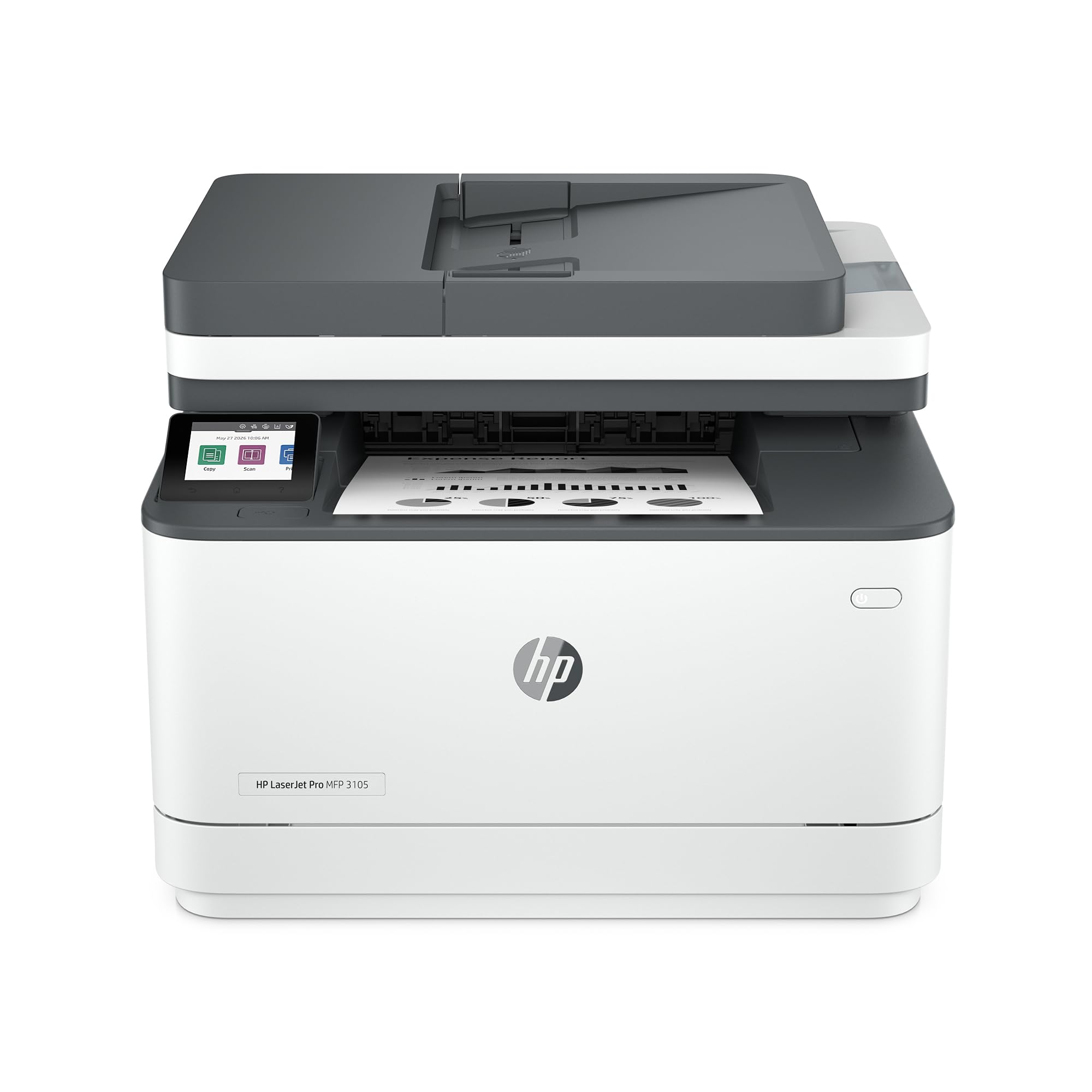
HP LaserJet Pro 3105sdw

81 /100
LBD Score Excellent

Key details

Print Speed
33 ppm
Connectivity
Ethernet, Wi-Fi, USB
Paper Capacity
250 sheets
Two-sided Scanning
Yes
View on Amazon

Two-sided scanning is the reason to stop on this one. The 3105sdw pulls a stack through the feeder, captures both sides in a single pass and prints the same way, and it does that for less money than our top pick, which does not list two-sided scanning anywhere.

Speed runs a close second. Thirty-three pages per minute and a first page in 4.6 seconds make it feel quicker than its place in this group suggests, and the 250-sheet tray is enough that a normal week passes without a refill. HP also bundles its scan-to-email assistant, which writes the subject line and file name and drafts a short summary of whatever you just scanned. That sounds like a novelty until you are sending a dozen signed contracts out on a Friday afternoon, at which point it becomes the feature you notice.

The catch is the cartridge in the box. HP rates the introductory toner at about 1,000 pages, which in an office is a few weeks rather than a few months, so order the replacement with the printer rather than after the low-toner light comes on. At 23.1 pounds and 12.3 inches tall it also slides onto a shelf above a desk, which is where a lot of one-person offices end up putting the machine.

Pros

  • Two-sided printing and two-sided scanning
  • 33 ppm with a 4.6-second first page
  • Ethernet, Wi-Fi, AirPrint and Mopria out of the box

Cons

  • Starter toner is rated for about 1,000 pages
  • A single 250-sheet tray, so long jobs need refilling
Our verdict

We send contract-heavy offices here: the 3105sdw scans and prints both sides of a page and gets the first one out in under five seconds.

Check Latest Price
3

Best Color

Canon Color imageCLASS MF753Cdw II

80 /100
LBD Score Excellent

Key details

Duplex
Automatic printing
Warranty
3 years
Print Speed
35 ppm color and mono
Paper Capacity
250-sheet cassette plus multipurpose tray
View on Amazon

Fifty pounds is the first thing to know. The MF753Cdw II is 18.2 inches deep and 17 inches tall, so it wants a table of its own rather than a shelf, and once it is planted there it is not moving for a while.

What you get for the weight is the only genuinely color machine in this group. It prints and copies at 35 pages per minute in color or black, duplexes automatically, and pairs a flatbed with an automatic document feeder for scan, copy and fax. Output is the part that holds up in daily use: color pages come out clean, and the engine keeps pace with its rating instead of sagging into a crawl on dense pages.

Toner is where the money goes, and the starter set tells you what to expect: 1,100 pages of color against 2,100 in black. Four cartridges, replaced on four different schedules, is the real ownership cost of color laser printing, so set a reminder when you unpack it rather than discovering it at the worst moment.

The three-year manufacturer warranty is the quiet advantage. Brother and HP cover their machines for a year; Canon covers this one for three, which on a printer that stays powered on all day is worth more than a tenth of a second off the first page.

Pros

  • 35 ppm in color and in black
  • Print, scan, copy and fax with an ADF
  • Three-year manufacturer warranty

Cons

  • Wireless setup and connections can be stubborn
Our verdict

For client-facing color work this is the one we choose: 35 pages per minute in color, a document feeder and a three-year warranty on a machine built for daily volume.

Check Latest Price
4

Best for High Volume

Brother HL-6210DW

82 /100
LBD Score Excellent

Key details

Print Speed
50 ppm
Toner Yield
Up to 18,000 pages
Connectivity
Gigabit Ethernet, dual-band Wi-Fi, USB
Paper Capacity
520 sheets, expandable to 1,660
View on Amazon

Fifty pages a minute and a 520-sheet drawer. The HL-6210DW is specified like the machine at the back of a print shop, and it is priced like a serious small-office tool rather than a desk accessory.

Volume is the entire point. The main tray holds 520 sheets and Brother's optional trays take that to 1,660, with a 100-sheet multipurpose feed for letterhead, labels or a stack of envelopes. The super high-yield TN920UXXL is rated for up to 18,000 pages, the box includes a 3,000-page cartridge and a drum rated for 45,000, and Gigabit Ethernet means it belongs on the office switch rather than on Wi-Fi.

For an office whose output is invoices, statements, pick lists or shipping labels, this is the machine that stops printing from becoming a queue. It is print-only, with no scanner, copier or fax, and that is the honest trade for this speed at this price. If anyone in the building ever needs to scan, buy the all-in-one instead; a print-only box plus a separate scanner is worse than either on its own.

Two practical notes. It is 29.8 pounds with a 15.3-inch depth, so give it a proper stand. And the running cost shifts over time from toner to parts: the drum is rated for 45,000 pages, which means it outlasts two or three high-yield cartridges and then comes due in one bill.

Pros

  • 50 ppm with automatic duplex
  • 520-sheet tray expandable to 1,660
  • High-yield toner rated to 18,000 pages

Cons

  • Print only, with no scanning, copying or fax
Our verdict

We recommend it for offices that print by the thousand and never scan: 50 pages per minute, a 520-sheet tray and toner rated to 18,000 pages.

Check Latest Price
5

Best Budget

HP LaserJet M207dw

80 /100
LBD Score Excellent

Key details

Duplex
Automatic printing
Weight
12.4 lb
Print Speed
28 ppm
Paper Capacity
150 sheets
View on Amazon

The M207dw is the least expensive printer in this group, and it still duplexes on its own. That combination is the whole pitch: a small black-and-white laser that prints both sides of a page without asking you to stand over it and flip the stack.

Twelve and a half pounds and roughly a foot in each direction means it fits where a printer usually cannot go, which for a small business is often the difference between having a printer and not. Twenty-eight pages per minute and a seven-second first page are quick enough that the machine never becomes the reason a job is late, and 600 x 600 dpi output is crisp on text and invoices, which is what a printer at this end of the group is for.

Two things to accept going in. The tray holds 150 sheets, so a 500-sheet ream goes in thirds and a heavy day ends with a refill. And the media list is plain paper first, so card stock, labels and envelopes are not what this one is for.

Ethernet is on board, and running a cable to something this small is not much of a project; do that and the network question is settled for good.

Pros

  • Least expensive printer in this group
  • Automatic two-sided printing
  • 12.4 pounds and about a foot deep

Cons

  • A 150-sheet tray means frequent refills
  • 600 x 600 output is text-first
Our verdict

We keep this one for the desk that prints a few dozen pages a day: it is the least expensive machine here, it duplexes automatically, and it disappears into a small space.

Check Latest Price
6

Paper-Heavy Offices

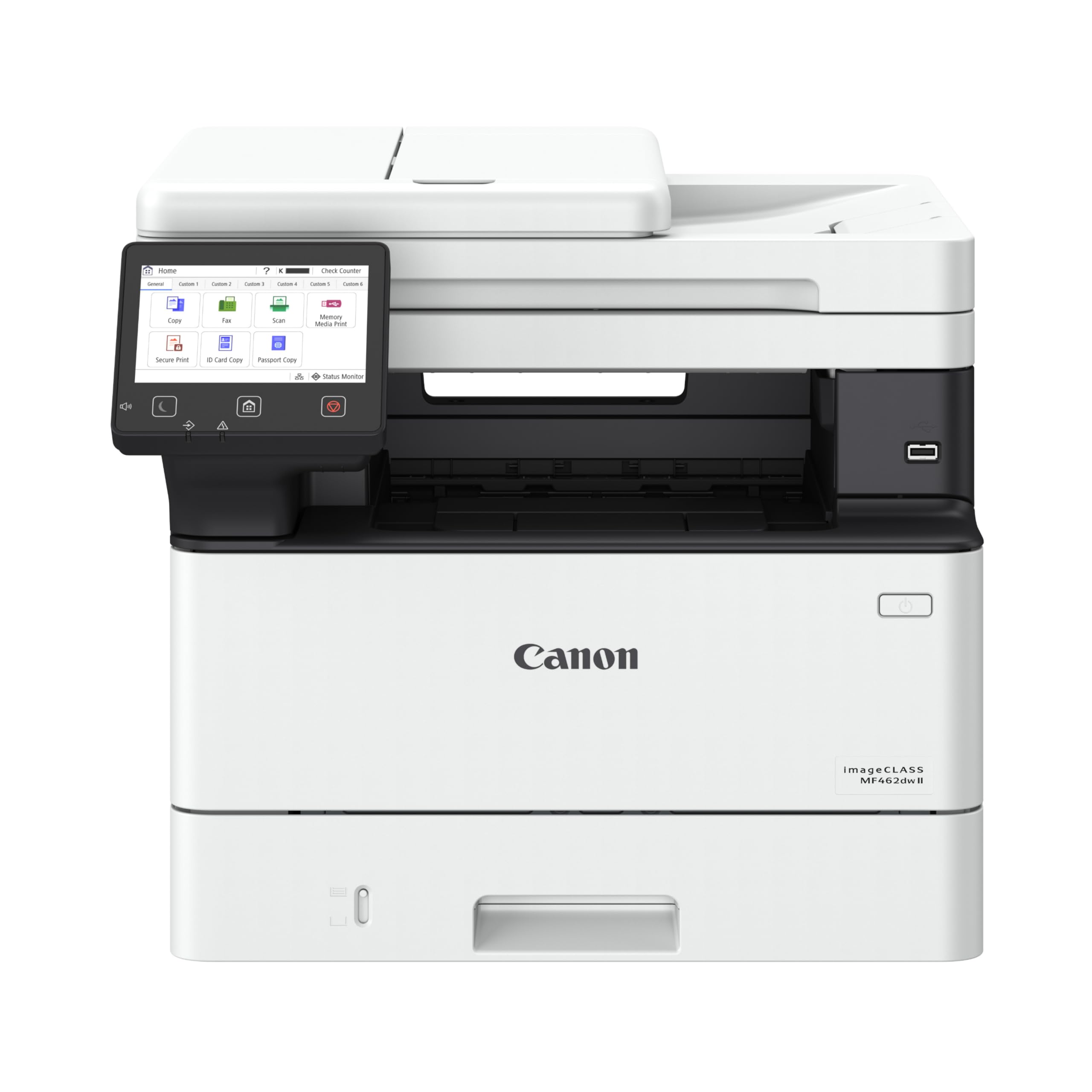
Canon imageCLASS MF462dw II

81 /100
LBD Score Excellent

Key details

Warranty
3 years
Print Speed
37 ppm
Starter Toner
3,000 pages
Paper Capacity
Up to 800 sheets
View on Amazon

A three-year manufacturer warranty and a paper path that reaches 800 sheets are not the features that sell a printer, but they are the two that decide how an office feels about the machine in year two.

The rest of the package is solid. Thirty-seven pages per minute, a first page in 4.9 seconds, a 5-inch color touchscreen with Canon's app library, fax, automatic duplex printing, and a 3,000-page black cartridge in the box instead of a starter stub. Ethernet, Wi-Fi and USB are all present.

Paper is the differentiator. The standard cassette and the multipurpose tray carry up to 800 sheets, more than three times what our top pick holds, and that is a real difference in an office where staff print in bursts and nobody wants to be the one who refills the drawer mid-run. Weight is the counterpart: at 44 pounds it is a two-person lift and it wants a table, not a shelf.

Between this and the Brother MFC-L2820DW, the decision is paper and warranty against price and a lighter body, and for a two-person office the Brother is still the easier machine to live with.

Pros

  • Paper capacity up to 800 sheets
  • 37 ppm with a 4.9-second first page
  • Three-year manufacturer warranty
  • 3,000-page toner in the box

Cons

  • Wi-Fi can drop, so plan on a cable
  • 44 pounds needs a dedicated table
Our verdict

We point paper-heavy offices here: 37 pages per minute, up to 800 sheets of capacity and a three-year warranty that outlasts the coverage on most of this list.

Check Latest Price

How We Tested Laser Printers for Small Business

We started by researching the market and narrowing the field to 10 printers that fit a small business: a mix of monochrome and color models, all-in-one units with scanners and document feeders, and print-only workhorses. We filtered by price, footprint, and features that appeared across multiple listings—duplex printing, wireless and Ethernet connectivity, mobile printing, and automatic document feeders. Each printer was then set up from scratch in one of three real work settings: a two-person home office, a shared coworking desk, and a retail back office where invoices and shipping labels get printed all day. We ran this routine for six months.

Setup was the first test. We timed how long it took from opening the box to printing the first page, noting whether the instructions were clear, whether the companion app helped or added steps, and how easily each machine joined both a Wi-Fi and a wired network. Once connected, we ran a 20-page text document to measure first-page-out time and pages per minute, then followed with double-sided contracts, scanned receipts, copied IDs, and a stack of invoices through the document feeder. We logged every jam, misfeed, and error message.

Print quality came next. We inspected small text, bold headlines, and grayscale images for sharpness and smudging, and we checked whether duplex pages lined up correctly. We measured noise with a decibel meter at arm's length during a 50-page run, because a printer that roars can dominate a quiet office. Finally, we tracked toner life by printing until the low-toner warning appeared, and we noted how easy it was to replace the cartridge. We also kept an eye on build quality—tray sturdiness, hinge smoothness, and how well each machine held up after months of daily use—and whether the running costs felt fair for the volume we printed. The models that rose to the top combined fast, clean prints with a setup that didn't require a support call.

How to Choose a Small-Business Laser Printer

Decide what the machine has to do besides print

Monochrome laser printing is cheap, fast and identical across brands; the moment anyone needs a signed page back, you are buying a scanner too. If copying and scanning are in scope, look as closely at the feeder as at the print engine. An automatic document feeder turns a 20-page scan into one job, and two-sided scanning turns it into one pass instead of two.

Our top pick and both Canon models have a feeder. The print-only Brothers and the HP M207dw do not, which is fine until the day someone hands you a contract to return.

Price the toner, not the printer

Purchase price is the smallest part of what a busy printer costs. Several machines here ship with a short starter cartridge: the HP 3105sdw's introductory toner is rated for about 1,000 pages, while the Canon MF462dw II arrives with a 3,000-page black cartridge. Divide your monthly page count into those numbers before you compare anything else.

Then buy the high-yield version of whichever cartridge your machine takes. Brother's TN920UXXL is rated to 18,000 pages; the standard cartridge in the same slot will not get close.

Run a cable if there is a jack within reach

Every printer here offers Wi-Fi and most offer Ethernet, and the cable is the more reliable half of that pair. A wired connection removes pairing, band steering and dropped-job problems in a single move, and a small office usually has a free port on the router or switch.

Dual-band matters when you do go wireless: a 5 GHz connection is quieter in an office where phones, laptops and a doorbell all sit on 2.4 GHz. Keep wireless for phones and tablets, where AirPrint and Mopria handle it well.

Leave room for the paper and the machine

Capacity is measured in sheets and in inches. A 150-sheet tray means refilling mid-job; a 520-sheet drawer plus a 100-sheet multipurpose feed means you do not. Depth matters just as much, because a laser needs clearance behind and in front for the tray to slide.

The compact HP M207dw is 11 inches deep and 12.4 pounds, while the Canon MF753Cdw II is 18.2 inches deep and 50 pounds. The shelf that takes one will not take the other, so measure the surface and the tray swing before ordering.

Color is a different purchase

Color lasers cost more up front, weigh more and run four cartridges instead of one, so the running cost becomes a decision in its own right. Buy color when brochures, proofs or client-facing proposals go out regularly; when color is occasional, a mono laser plus a local print shop is usually the cheaper arrangement.

The Canon MF753Cdw II is the color machine in this group: 35 pages per minute in color or black, a document feeder, and 50 pounds of printer to place.

Frequently Asked Questions

Final Verdict

For most small businesses the Brother MFC-L2820DW is the machine to buy: print, copy, scan and fax, automatic duplex, a 50-sheet feeder and an Ethernet jack, in a 22.5-pound body one person can lift onto a shelf. We would rather spend the difference on the high-yield toner than on features nobody uses.

One changed requirement moves the answer. If both sides of a page need scanning, the HP LaserJet Pro 3105sdw does it for less. If the office prints by the thousand and never scans, the Brother HL-6210DW at 50 pages per minute is the right tool. If color is the point, it is the Canon MF753Cdw II.