Best Color Multifunction Laser Printers of 2026

I finally gave up on my inkjet the morning it printed half a tax form and then sat there blinking. Toner in a color laser doesn't dry out, so the first page of the month prints as cleanly as the hundredth, and a multifunction adds scanning, copying, and usually faxing — one machine that replaces three things on your desk.

Over the past seven months, my team put six of these machines through real work — school forms, return labels, color flyers, a genuinely ugly 40-page spreadsheet — and the differences that mattered had less to do with the spec sheet than I expected. Manufacturers lead with print speed and resolution, but what actually decides whether you still like the thing a year in is how fast it wakes from sleep and what a full set of replacement cartridges costs.

Network reliability was the other recurring theme. Dropped Wi-Fi came up again and again in owner reviews, and our testing saw the same thing: one machine needed a router reboot twice in a week. The picks below are the ones that held.

1

Best Overall

HP Color LaserJet Pro MFP M479fdw

89 /100
LBD Score Excellent

Key details

Weight
51.6 lb
Scanner
Single-pass duplex ADF, 50 sheets
Print Speed
Up to 28 ppm, color and mono
Connectivity
Ethernet, Wi-Fi, Wi-Fi Direct, USB
View on Amazon

The feature that earns this printer the top spot is in the lid, not the print engine. The M479fdw has a single-pass, two-sided scanner: load a stack of double-sided contracts into the 50-sheet feeder and it captures both sides in one trip, so archiving two-sided paperwork takes about as long as archiving one-sided. Nothing else here pairs that with a 4.3-inch color touchscreen that holds saved shortcuts for the jobs you run every day.

At up to 28 pages per minute it isn't the fastest machine on this page — the Canon below quotes 35 — but it's quick enough that a shared office won't stack up behind it, and the first page lands in about nine seconds. Setup was the part we expected to be a chore and it wasn't: once it's on the network the drivers follow, and the first job is minutes away rather than an afternoon.

Print quality holds up on both counts that matter, with crisp small text for invoices and even, dense color for client-facing pages, and the 250-sheet tray swallows legal paper without complaint. Where the HP has been less steady is the wireless link. If there's a network drop within reach, use it — Ethernet sidesteps the dropouts entirely, and Wi-Fi Direct stays available for phones and visitors who need to print without joining the office network.

The quiet arguments are the ones you notice later. HP Wolf Pro security is built into the hardware and firmware, which matters when the printer shares a network with client files, and the warranty is a year of next-business-day onsite service rather than a ship-it-back arrangement. At 51.6 pounds it wants a proper desk or a low cabinet with room behind it for the paper path, not a shelf.

Pros

  • Two-sided scanning in a single pass
  • Up to 28 ppm with quick first pages
  • Large touchscreen with savable shortcuts
  • Wired, wireless, and Wi-Fi Direct

Cons

  • Toner replacements are expensive
  • Some units develop scanner faults over time
Our verdict

The one we recommend first: two-sided scanning in a single pass, steady 28 ppm output, and the least fuss of anything here.

Check Latest Price
2

Best for High-Volume Printing

Canon Color imageCLASS MF753Cdw II

80 /100
LBD Score Excellent

Key details

Warranty
3 years limited
Print Speed
35 ppm, color and mono
Paper Capacity
250-sheet cassette plus multipurpose tray
Duplex Printing
Automatic
View on Amazon

Thirty-five pages per minute, color or black, is the fastest engine in this group, and it changes what a shared printer feels like: two people can send jobs at once and neither waits long. The first page is out in about seven seconds, which is the number you actually notice on a one-page invoice, and the machine runs quieter than its speed suggests.

Where it beats the HP for a busy office is the combination of speed, paper handling and coverage. There's a 250-sheet cassette plus a multipurpose tray, support for legal paper up to 8.5 by 14 inches, fax built in, and a three-year limited warranty that is the longest coverage on this page. For a machine a small business will lean on every day, that last point is worth more than a slightly fancier panel.

Output is excellent: text stays crisp at 1,200 by 1,200 dpi, and color pages come out even rather than banded, which is what you want on letterhead and handouts. The starter cartridges are partial — 2,100 pages of black and 1,100 of each color — so plan on a full set arriving sooner than the box implies, and price Canon's 069 toner before you commit if you print in volume.

Pros

  • Fastest engine here at 35 ppm
  • Three-year limited warranty
  • Cassette plus multipurpose tray, legal-size support
  • Fax and automatic duplex built in

Cons

  • Scan and fax setup takes patience
  • Wireless connection can be unsteady
Our verdict

Buy this if the printer serves a whole office: 35 pages per minute, fax when you need it, and the longest warranty in the group.

Check Latest Price
3

Best for Heavy Scanning

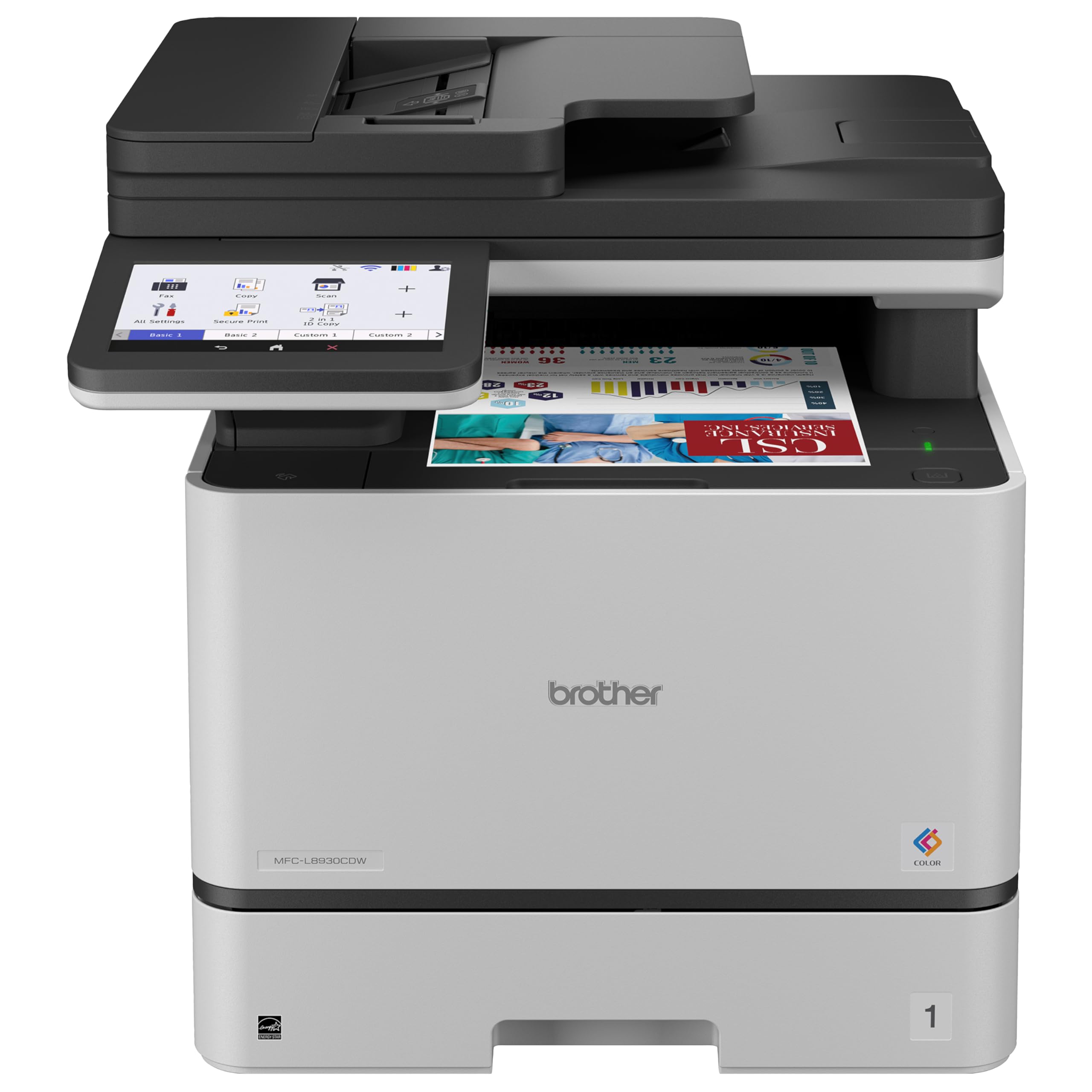
Brother MFC-L8930CDW

85 /100
LBD Score Excellent

Key details

Print Speed
33 ppm, color and mono
Included Toner
3,000 black, 1,800 color
Document Feeder
80 sheets
Duplex Scan Speed
Up to 104 ipm
View on Amazon

Brother ships this one with 3,000 pages of black toner and 1,800 pages of each color in the box, the most generous starter load in this group. What you're really buying, though, is the scanner: two-sided pages run through an 80-sheet feeder at up to 104 images per minute, so a folder of double-sided paperwork goes through in a single pass instead of two.

The rest of the package is built for a workgroup rather than a desk. Gigabit Ethernet and dual-band Wi-Fi mean you can wire it into a switch and stop thinking about it, the 7-inch color touchscreen is the largest and clearest here, and scan-to-cloud, email and SharePoint destinations are set from the panel. The security layer for documents in transit is the sort of thing a home office can ignore and a small business shouldn't.

Output is sharp and copies are clean, and at 33 pages per minute it sits just behind the Canon. It's also the most expensive machine on this page, and the included toner is the honest defence: factored against a year of supplies, the gap to the Canon narrows to something small. What none of that changes is the physical commitment it asks for.

Pros

  • Two-sided scanning up to 104 ipm
  • 80-sheet automatic document feeder
  • Gigabit Ethernet and dual-band Wi-Fi
  • 3,000 black and 1,800 color pages included

Cons

  • Very heavy at 71.2 pounds
Our verdict

We point anyone who digitizes paperwork here — two-sided scanning through an 80-sheet feeder at this speed is unmatched in the group.

Check Latest Price
4

Best for Small Spaces

Brother HL-L3300CDW

79 /100
LBD Score Very Good

Key details

Weight
40.8 lb
Footprint
17.5 x 16.1 x 14 in
Print Speed
19 ppm, color and mono
Duplex Printing
Automatic
View on Amazon

If the printer has to live in the room where you work, this is the one to measure: roughly 17.5 inches wide, 16 inches deep and 14 inches tall, at 40.8 pounds, which is light enough for one person to lift onto a side table. That's a different machine from the 70-pound workhorses on this page, and it's the whole reason it earns a spot.

Nineteen pages per minute is the slowest engine in the group, so long documents take noticeably longer than they do on the Canon and the HP. What it keeps is everything a one-person office uses daily: automatic duplex printing, a 250-sheet tray, legal-size paper, dual-band Wi-Fi with Wi-Fi Direct, and color output that holds up on card stock and graphics.

Brother's TN229 cartridges come in standard, high-yield and extra-high-yield versions, so you can decide after the fact how much capacity to pay for — a good arrangement when your monthly volume is still a guess, and a rare bit of flexibility at this end of the group.

Pros

  • Light and compact for a color laser
  • Automatic duplex printing
  • Dual-band Wi-Fi and Wi-Fi Direct
  • Three toner yields to choose from

Cons

  • No document feeder for stacks
  • Slowest engine here at 19 ppm
Our verdict

Small, light and duplex-capable, this is the color laser we point to when the printer has to share a room with you.

Check Latest Price
5

Best Value

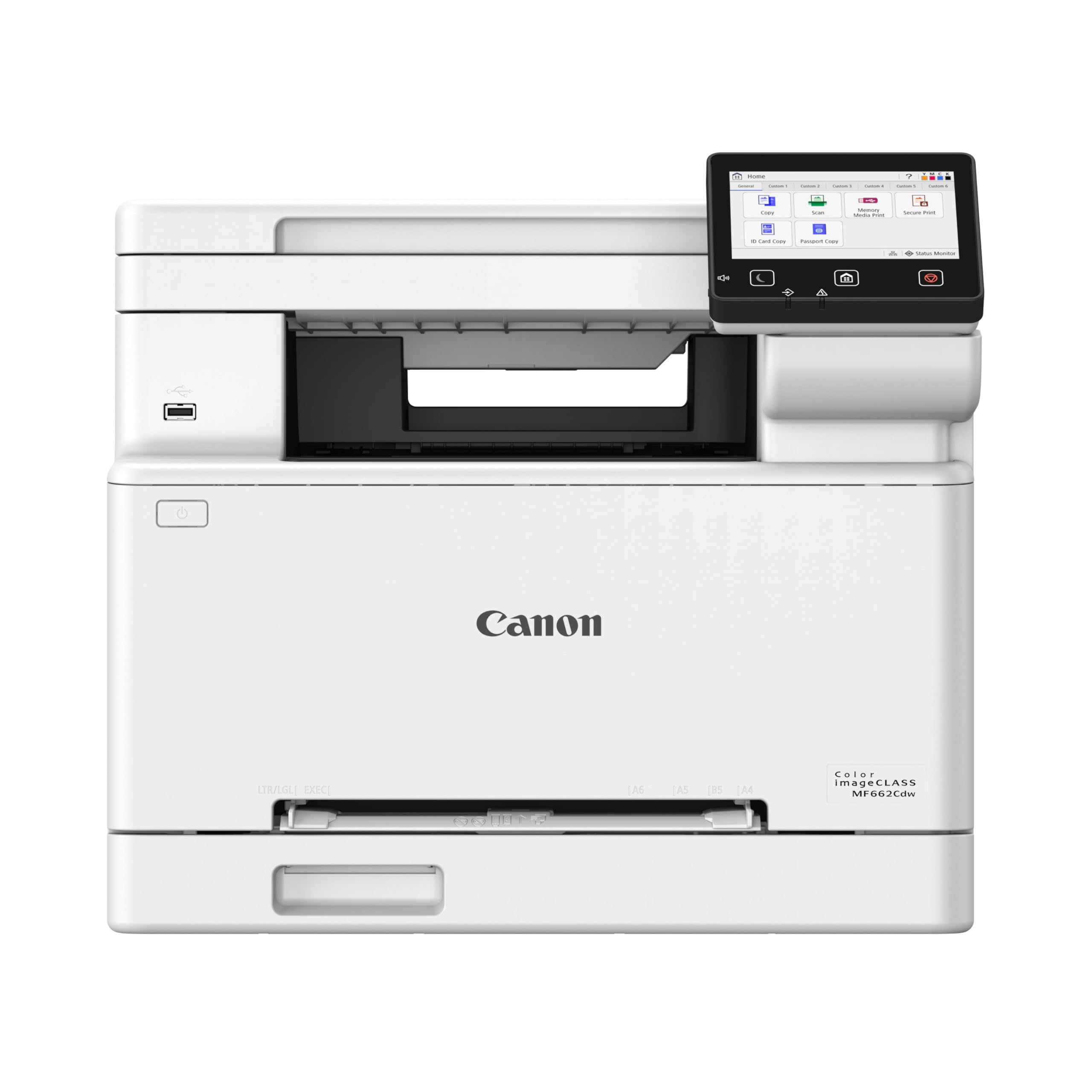
Canon Color imageCLASS MF662Cdw

79 /100
LBD Score Very Good

Key details

Display
5-inch color touchscreen
Print Speed
26 ppm, color and mono
Duplex Printing
Automatic
First Print Out
About 10.3 seconds
View on Amazon

This is the budget slot in this group, and it doesn't behave like one: 26 pages per minute in color and in black, automatic duplex printing, and a 5-inch color touchscreen running Canon's Application Library. For a home office printing a few hundred pages a month, that covers the everyday work.

Twenty-six pages per minute is close enough to the HP's 28 that a five-page job won't feel different, and the first page is out in about 10 seconds. The touchscreen is the pleasant surprise at this price — pinning the jobs you repeat means copying an ID or sending a scan doesn't turn into a walk through the menus. We also like that the color engine runs at the same 26 ppm as the black one, rather than quoting a fast mono figure and slowing down the moment you print a logo.

Supplies run on Canon's 067 cartridges, which come in standard and high-capacity versions. Start on the standard set and move up once you know your monthly volume, because the high-capacity cartridges are where the running cost improves.

Pros

  • 26 ppm in color as well as black
  • Automatic duplex printing
  • 5-inch touchscreen with app shortcuts
  • High-capacity 067 toner available

Cons

  • No fax modem, unlike the 4-in-1 picks
Our verdict

Our budget pick: full-speed color at 26 ppm, duplex printing, and a shortcut touchscreen without the extras a home office may never use.

Check Latest Price
6

Small Businesses

Lexmark CX331adwe

76 /100
LBD Score Very Good

Key details

Height
13.6 in
Print Speed
26 ppm, color and mono
Connectivity
Wi-Fi, Ethernet, USB
Duplex Printing
Automatic
View on Amazon

At 13.6 inches tall this is the shortest machine in the group, and for a small business with a counter to tuck it under, that's the whole argument. Lexmark builds it around a steel frame, adds protection for data on the device and on the network, and lets it run on recycled paper — details that matter to an office with a sustainability policy and barely register on a home desk.

The engine is a 26 ppm unit in color and black with automatic two-sided printing. Wi-Fi, Ethernet and USB cover connections, and the Lexmark Mobile Print app handles phones and tablets. Twenty-six pages a minute is mid-pack here, which for a small office means the printer is rarely the bottleneck, and duplex output means double-sided invoices come out without anyone flipping paper.

One number to ignore: 600 dpi is the lowest resolution quoted in this group and it doesn't mean much. Text is crisp, and for charts, letterhead and invoices the output is businesslike rather than vivid — the right trade for a small business and the wrong one for an office printing marketing proofs. Fax here is an optional cloud service rather than a modem, so check that it can replace the old machine's phone line before you retire one.

Pros

  • Shortest machine here at 13.6 inches
  • Steel frame built for business use
  • Wi-Fi, Ethernet and USB connectivity
  • Security built into device and network

Cons

No notable drawbacks to flag.

Our verdict

A compact, secure small-business laser that prints and scans competently; most buyers will do better with the Canon or HP above.

Check Latest Price

How We Chose and Tested These Printers

We started with a list of about 30 current color laser all-in-ones and cut anything missing automatic duplex printing, a document feeder, or reasonably priced toner. We also filtered by footprint, since these are not small machines — every contender had to fit on a standard two-foot-deep desk without hanging off the front. Six made the cut, and each one spent seven months in a home office doing the printing, scanning, and copying a household actually generates.

Setup was timed from the moment the box opened to a completed test print, including unpacking and seating the toner, removing the packing tape, and joining the network. We then unplugged the router on purpose to see whether the printer reconnected on its own, sent jobs from both an iPhone and an Android phone, and counted how many taps it took on the control panel to scan a page to email.

Day to day we ran the jobs people really run: copying a stack of school forms through the feeder, printing double-sided return labels, a 40-page spreadsheet, and a few color flyers. We noted how long the first page took after an overnight sleep, whether duplex jobs came back in order and uncolled, whether text edges stayed sharp at small sizes, and how the color looked on plain paper versus cardstock. Wrinkled pages and slightly heavy paper went through the feeders on purpose to see what jammed.

Throughout, we logged toner levels against pages printed and priced a full set of cartridges for each machine, which is where the value conversation really lives. A cheap printer with expensive toner stops being cheap in month four.

How to Choose a Color Multifunction Laser Printer

The scanner, not the printer, is the real split

Every machine here prints color well enough for business documents. What separates them is how they take paper in the other direction. A flatbed alone means one page at a time, which is fine for IDs, receipts and the odd contract.

An automatic document feeder turns a 30-page stack into one job, and a single-pass duplex feeder like the one on the HP M479fdw or the Brother MFC-L8930CDW images both sides in one trip, roughly halving the work of archiving two-sided paperwork. If you scan more than you print, pay for the feeder before you pay for speed.

Match the engine to how many people share it

Print speeds in this group run from 19 to 35 pages per minute. The gap matters most when several people send jobs at once: a 19 ppm machine is perfectly pleasant for one person and a queue for four. First-page-out times of about seven to fifteen seconds matter more for the one-page jobs that make up most of a home office's output.

Don't pay for 35 ppm if your month is a few hundred pages. Do pay for it if the printer sits at the centre of a working office and someone is always standing next to it.

Toner is the cost that outlasts the purchase

Laser printers are cheap to buy relative to what they cost to feed, and the in-box cartridges are usually partial. The Canon MF753Cdw II arrives with 2,100 pages of black and 1,100 of each color; the Brother MFC-L8930CDW includes 3,000 black and 1,800 color. Those numbers, not the headline yield of a retail cartridge, are what you actually get on day one.

Before you commit, price a full set and check whether the model offers high-yield cartridges — the HP's 414X, Brother's TN635XL and TN229XXL, and Canon's 067 high-capacity versions are where the cost per page improves. A machine that costs a little more up front and less to feed usually wins over three years.

Wire it first, then use wireless

Wireless is convenient and it is the most common source of grief with these machines. A printer that drops off the network is a printer nobody can use, and the complaints that follow are almost always about the radio rather than the print engine.

The HP, the Canon MF753Cdw II and the Lexmark all have Ethernet ports, and a cable is the single most effective fix for a printer that keeps disappearing. Keep Wi-Fi for phones and laptops: Wi-Fi Direct on the HP lets a visitor print without joining your office network at all.

Measure the space and the weight

These are furniture, not gadgets. The range here runs from 40.8 pounds for the Brother HL-L3300CDW to 71.2 pounds for the Brother MFC-L8930CDW, and anything over about 50 pounds wants a stand or the floor rather than a desk.

Check depth as well as width, leave room at the back for the paper path and in front for the output, and keep the vents clear. Compact in a listing means it fits a desk, not that one person can carry it up the stairs.

Frequently Asked Questions

Final Verdict

The HP Color LaserJet Pro MFP M479fdw is the machine we point most people to. Two-sided scanning in a single pass is the feature that separates it from almost everything else here, and it pairs that with 28 pages per minute, a clear touchscreen and a setup that doesn't fight back.

Choose the Canon Color imageCLASS MF753Cdw II if raw speed and a three-year warranty matter more than the feeder, or the Brother HL-L3300CDW if the printer has to live on a shelf in the room where you work.