Best Mini-ITX Cases of 2026

A mini-ITX build begins with a beautiful idea and usually ends with a tape measure. The case is where small gets expensive: graphics card length, cooler height, power supply size, and whether a box roughly the size of a shoebox can move enough air to keep any of that quiet. The right case doesn't erase those limits — it makes them predictable, so you find out about the conflict while you're still shopping instead of at 11 p.m. with the side panel off.

I've built in small cases that went together in an afternoon and in ones that ate three evenings and a skinned knuckle. Over the past eight months, my team and I have built, rebuilt, and lived with 12 mini-ITX cases, from mesh-front cubes to wood-accented towers to bundles that show up with the radiator and power supply already fitted. A spec sheet will tell you the maximum graphics card length. It won't tell you that card will land right on top of the cable cutout, or that a mesh side panel buys you more quiet than one more fan.

Nearly every case here asks you to surrender something — drive bays, a second radiator, the ability to reach the motherboard screws without pulling the power supply first. Below are the ones where the trade is worth it.

1

Best Overall

Cooler Master NR200

94 /100
LBD Score Outstanding

Key details

Volume
18.25 L
Power Supply
SFX / SFX-L
Max GPU Length
330 mm
Radiator Support
240 / 280 mm
View on Amazon

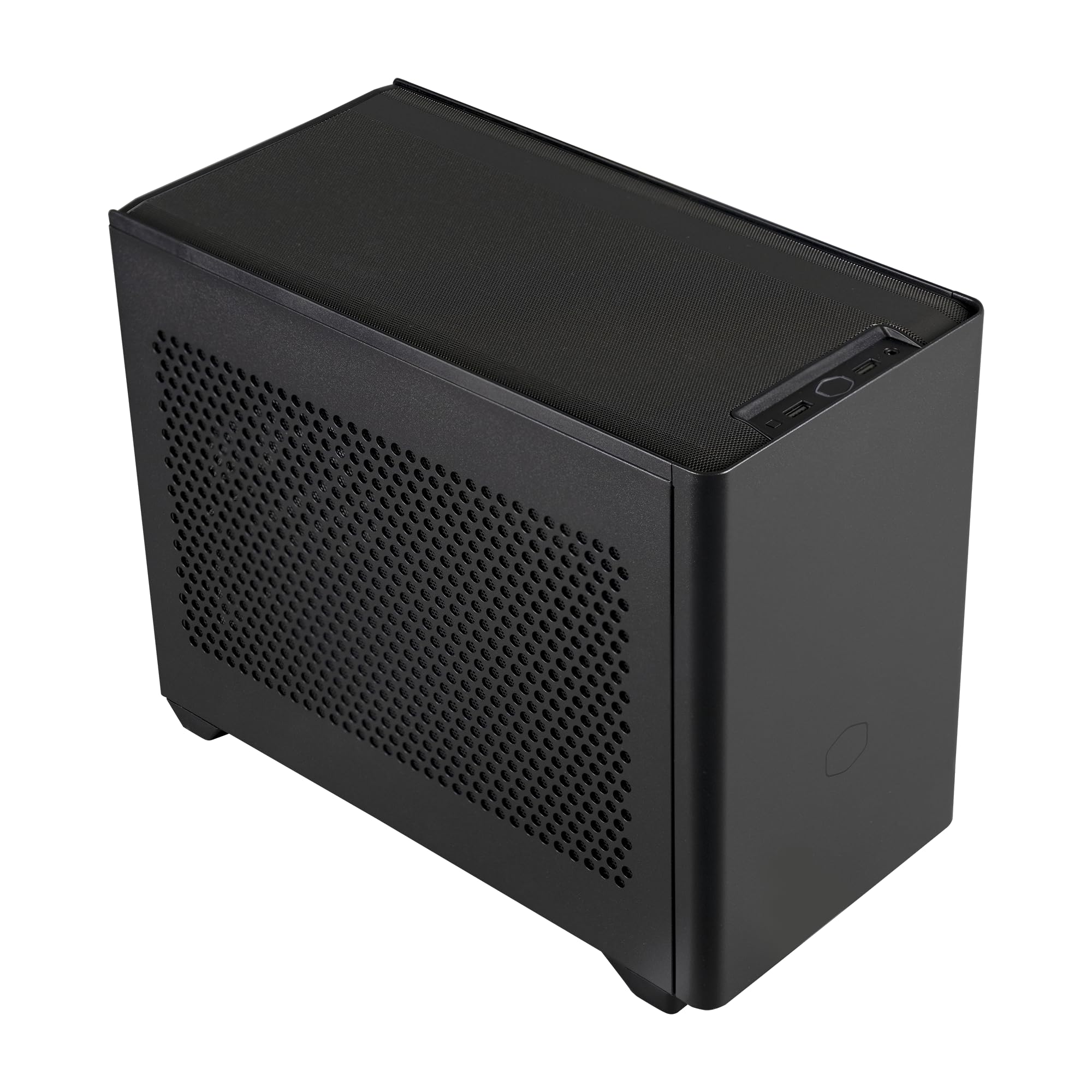
Two numbers decide whether a small case is worth building in: the length of the graphics card it clears and the size of the radiator it swallows. The NR200 clears 330mm and holds a 280mm radiator on a side bracket that lifts out of the case, and it does both without a riser cable. It isn't the smallest case here — at 18.25 liters it's the roomiest — but the space buys clearance rather than decoration, and that's why it's the one we recommend first.

Because the card sits straight in the top slot, there's no ribbon cable to seat and no PCIe generation to get wrong. A triple-slot card fits. Every panel comes off with two thumbs and no screwdriver, and what we noticed most is the frame: it's steel, and it feels like steel, which is not something every budget small-form-factor case can claim. Building in it is closer to a shrunken mid-tower than to the puzzle boxes further down this list.

Cooling is the other half of the argument. The side bracket comes out, so a radiator or a set of fans goes on flat on the bench and slides back in as one piece. It takes a tall air cooler as well, which is the quieter path, and the mesh panels sit on the sides that actually move air. Check the cooler-height figure against your shortlist before ordering — it's the one number here that varies between sellers' listings.

What it never does is feel cramped in the way that makes people give up on small builds. The parts go in one at a time, in an order that makes sense, and nothing has to be threaded through a gap first. That is what the extra liters buy, and after a few builds in this category we stopped caring about the volume.

Pros

  • 330mm graphics card with no riser cable
  • Removable side bracket for 240mm and 280mm radiators
  • Every panel comes off without tools
  • Steel frame feels sturdier than the price suggests

Cons

  • SFX-only power supply, so a spare ATX unit won't fit
Our verdict

Our pick for most builds: it clears a 330mm card and a 280mm radiator without a riser, and the panels come off like a case twice its size. Check that your power supply is SFX.

Check Latest Price
2

Best Design

Fractal Design Terra

92 /100
LBD Score Outstanding

Key details

Volume
10.4 L
Front Panel
Solid walnut
Max GPU Length
322 mm
Internal Adjustment
30 mm sliding spine
View on Amazon

The front is a slab of FSC-certified solid walnut, the panels are anodized aluminum, and the front panel itself is 8mm thick. The Terra is the one case here you can put in a living room without hiding it, and at 10.4 liters it takes a graphics card up to 322mm — the part that makes the wood more than a finish.

What makes it work is the spine. The central wall slides through 30mm of travel instead of clicking into fixed stops, and that travel is shared: push it toward the card and you gain cooler height, push it the other way and you gain card width. It's the most honest expression of what a small case is — a set of trades you set by hand — and it's the first thing we adjust when a build won't close up. A slim card and a tall low-profile cooler sit happily together; a 3.5-slot card and a big air cooler don't, and patience doesn't change it.

Fractal includes a PCIe 4.0 riser, which matters because a Gen 4 card on a Gen 3 ribbon is a needless compromise, and the front I/O carries USB-C at 20Gbps alongside an aluminum power button. Buy it for how it looks and how deliberately it's put together; it rewards careful part selection more than anything else in this roundup.

Pros

  • Solid walnut front and anodized aluminum panels
  • 322mm graphics card inside 10.4 liters
  • Sliding spine tunes cooler height against card width
  • PCIe 4.0 riser and 20Gbps USB-C included

Cons

  • The most expensive case-only option here
  • Cooler height and card width share one 30mm of travel
Our verdict

We recommend it to anyone whose PC sits where people see it — 10.4 liters, a walnut front, and room for a 322mm card make it the best-looking case here that still takes a real graphics card.

Check Latest Price
3

Best Console-Style

Fractal Design Ridge

88 /100
LBD Score Excellent

Key details

Weight
12.1 lb
Included Fans
2 × 140 mm PWM
Max GPU Length
335 mm
Riser Included
PCIe 4.0
View on Amazon

Most small cases are boxes. The Ridge is a slab. It stands upright beside a television or lies flat like a console, and it turns up with two 140mm Aspect PWM fans and a PCIe 4.0 riser already inside, which is closer to finished than anything else here.

It clears a 335mm graphics card, the longest figure in this group, and every panel comes off. That matters more on a slim case than a wide one: you get at the far side of the build without dismantling what you just fitted. The two included fans do the heavy lifting for airflow, and having them in the box saves both a purchase and a decision.

What it asks in return is planning. The cable runs behind the motherboard are short enough that you want them laid out before the board goes in, and the parts that suit a case this thin are the mid-range ones — a flagship card and a flagship processor in the same slim body leave those two fans working for a living. For a living-room machine running a sensible card, none of that bites, and it disappears into the furniture the way a tower never will.

Pros

  • 335mm graphics card, the longest clearance here
  • Two 140mm fans and a Gen 4 riser included
  • Stands upright or lies flat like a console
  • All panels removable for access

Cons

  • No clearance for a tower air cooler
Our verdict

This is the one we point at for a shelf under the TV: it lies flat or stands up, takes a 335mm card, and arrives with two 140mm fans and a Gen 4 riser already installed.

Check Latest Price
4

Best for an ATX Power Supply

SilverStone SG13B

90 /100
LBD Score Outstanding

Key details

Volume
11.5 L
Power Supply
Standard ATX
Liquid Cooling
120 / 140 mm AIO
Max GPU Length
10.5 in
View on Amazon

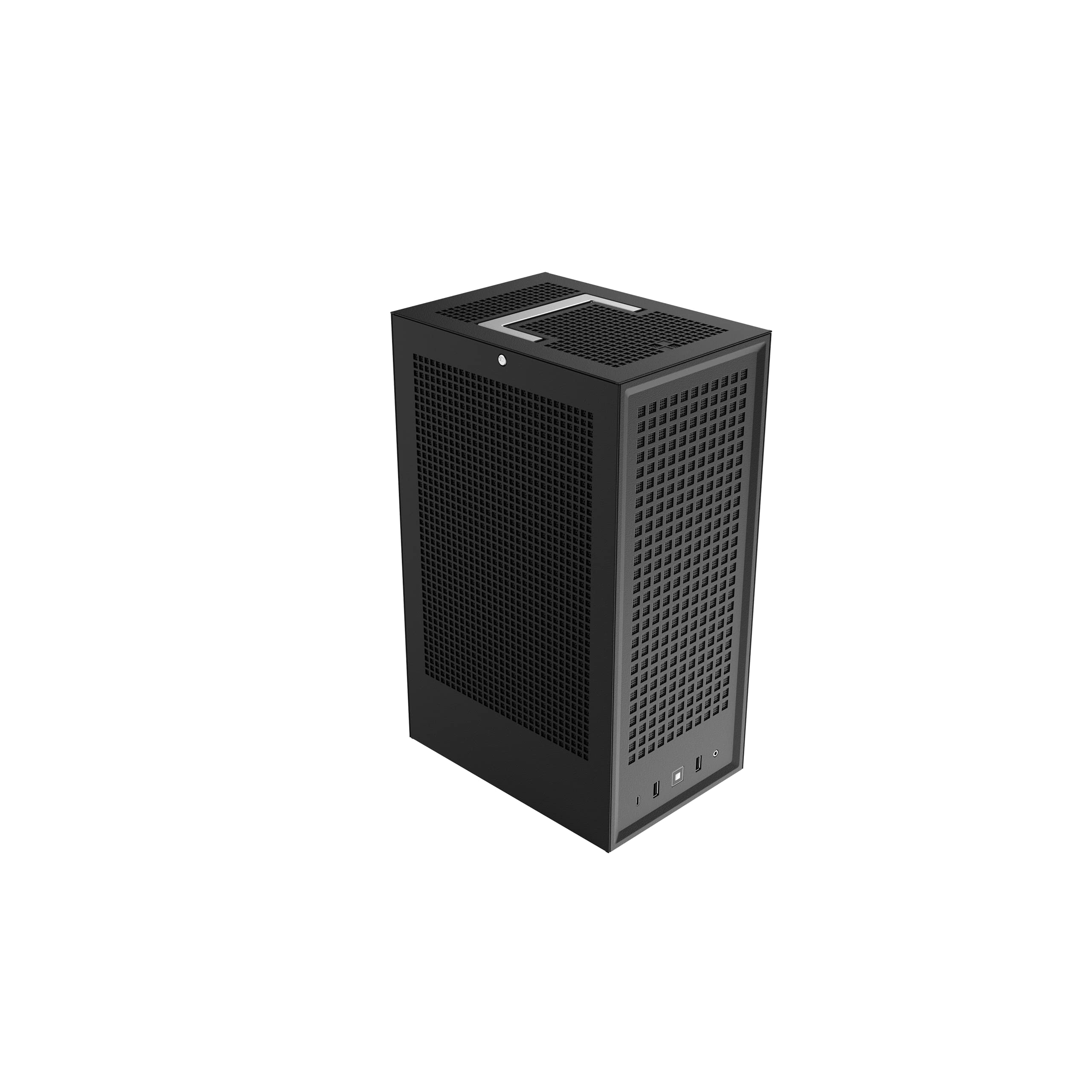
If a full-size ATX power supply is sitting in the tower you're replacing, almost nothing in this roundup will take it. The SG13B will. It's 11.5 liters, 8.47 inches wide, with a mesh front and room for a standard ATX unit, and that single compatibility decides more builds than any feature on a spec sheet.

The front takes a 120mm or 140mm all-in-one, and the mesh panel does its best work with a fan behind it. Mini-DTX boards fit as well as Mini-ITX, which buys you a second memory slot on some boards. What it asks in exchange is height: a full-size supply eats into cooler clearance, and dropping to an SFX unit buys that height back. That's the honest shape of this case — it rewards what you already own rather than what it looks like.

It is a shoebox, and it looks like one: sturdy, plain, and better suited to a shelf than a desktop. We keep recommending it anyway, because the number of people with a working ATX supply and no intention of buying another is enormous, and this is the case that meets them where they are.

Pros

  • Fits a standard ATX power supply
  • 11.5-liter footprint with a mesh front
  • Takes a 120mm or 140mm all-in-one cooler
  • Mini-DTX boards fit alongside Mini-ITX

Cons

  • Graphics cards capped at 10.5 inches
  • One 3.5-inch drive bay only
Our verdict

Buy it if a full-size ATX power supply is already on your shelf — nothing else here takes one, and 11.5 liters of mesh-front shoebox is a lot of case for the outlay.

Check Latest Price
5

Best Budget Air Cooling

JONSBO C6-ITX

87 /100
LBD Score Excellent

Key details

Motherboard
Mini-ITX / Mini-DTX
Power Supply
ATX up to 140 mm
Max CPU Cooler
170 mm
Max GPU Length
255 mm
View on Amazon

A 170mm tower cooler in a Mini-ITX case is unusual, and 170mm is more clearance than the NR200 gives you. The C6-ITX also swallows an ATX power supply up to 140mm, and that pair of allowances is what lets a normal, cheap, quiet build happen in a small box instead of a low-profile compromise.

It's the least expensive case here and it doesn't feel like it: mesh on all four sides, a top panel that comes off without a screwdriver, and a carry handle on a Velcro strap that we assumed was a gimmick until we started moving a finished build between desk and floor. Four expansion slots is generous at this price, and the matte black finish reads as plain in a good way — nothing about it advertises itself.

Where it stops is a build with a long graphics card, and the single 3.5-inch mount is the other thing to know before you order. Cables need planning before the board goes in, because there's no channel waiting to hide them afterwards. None of that is a surprise in a case this size and this cheap, and it's the one we suggest when the cooler and the power supply already exist on the shelf.

Pros

  • 170mm cooler clearance, the most in this group
  • Takes ATX power supplies up to 140mm
  • Mesh on all sides with a tool-free top panel
  • Adjustable carry handle on a Velcro strap

Cons

  • Graphics cards stop at 255mm
  • Only one 3.5-inch drive mount
Our verdict

Our budget recommendation: 170mm of cooler clearance and an ATX power supply allowance make a quiet, ordinary build possible in a small box, and the handle earns its place.

Check Latest Price
6

Best Bundle

Cooler Master NR200P MAX V2

94 /100
LBD Score Outstanding

Key details

Volume
18.25 L
Included PSU
850W SFX Gold
Max GPU Length
357.6 mm
Included Cooling
280 mm AIO
View on Amazon

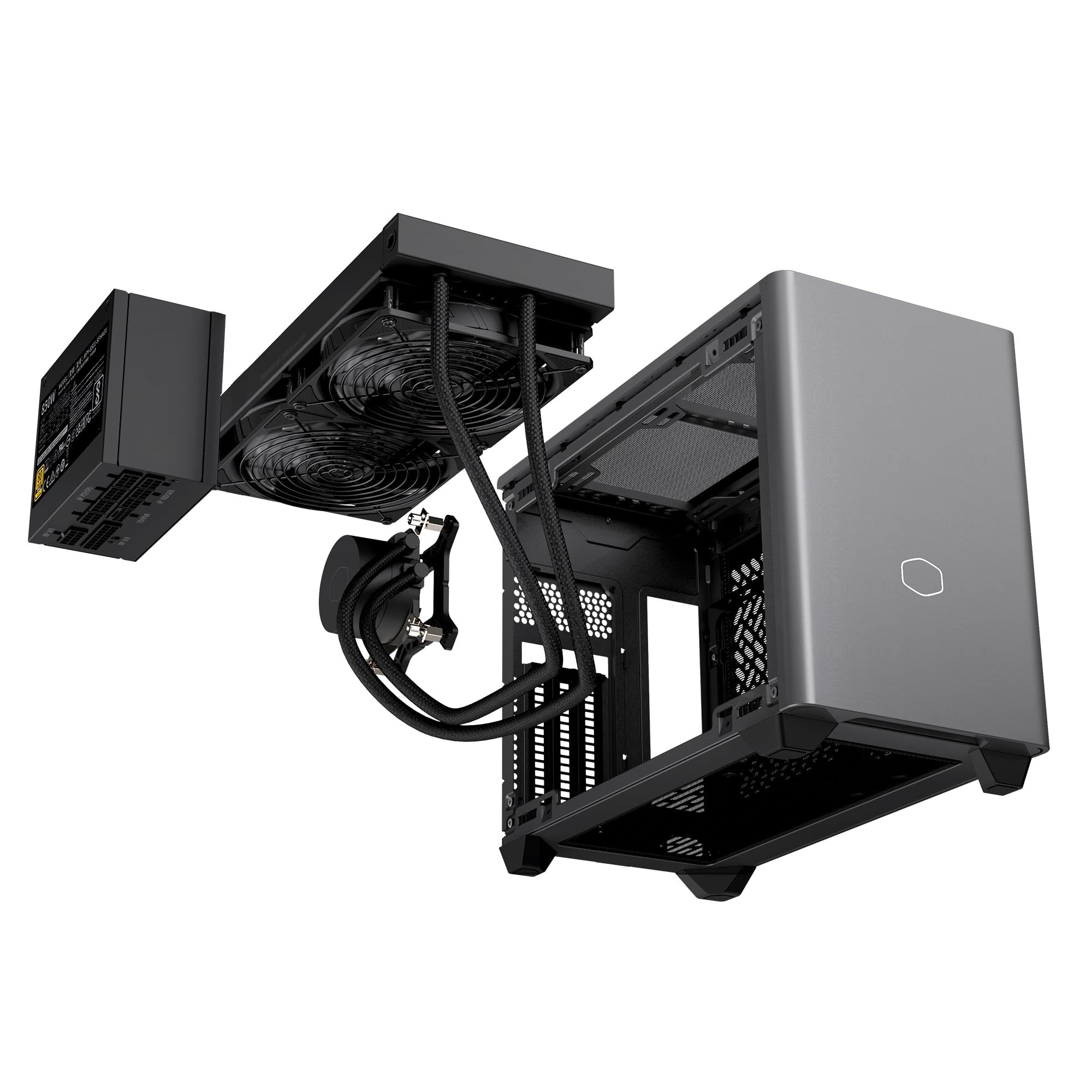
Buying a small case usually means three separate decisions: which SFX power supply, which all-in-one cooler, and whether the cables will reach. The NR200P MAX V2 arrives with all three answered — an 850W SFX Gold ATX 3.1 unit, a 280mm ML280 cooler mounted at the top, and a PCIe 4.0 riser — inside the same 18.25 liters as the standard NR200.

The graphics card mounts vertically on the included riser, up to 357.6mm, and the power connector is a 90-degree 12V-2x6. That last detail is the one that matters in practice: a straight connector pressed against a side panel is how small builds get abandoned halfway. Cooler Master also fits short custom-length cables, so the run from the supply to the board doesn't loop around the inside of the case.

Assembly is therefore mostly a matter of the board, the CPU, and the card, which is why we like this for a first small build more than for a second one. The parts are chosen and the tolerances are known, and that is exactly the part of small-form-factor building that catches people out. There's also storage room: five internal bays is more than most cases this size offer.

Buy it when the alternative is three separate purchases and an evening spent checking clearances against a spec sheet; skip it if the choosing is the part you enjoy. Nothing here needs a second opinion from a forum thread, and everything that usually goes wrong in a compact build has been decided for you.

Pros

  • 850W SFX Gold supply and 280mm AIO included
  • 357.6mm graphics card on a vertical mount
  • 90-degree 12V-2x6 connector eases cable routing
  • Short custom-length cables pre-fitted

Cons

  • Bundle price is far above every other case here
  • You pay again for a supply and cooler you may own
Our verdict

Worth it when three separate purchases and a weekend of clearance-checking sound worse than one box: the AIO, the 850W supply, and the riser all arrive matched to the chassis.

Check Latest Price
7

Best for Water Cooling

SSUPD Meshroom D

87 /100
LBD Score Excellent

Key details

Volume
14.93 L
GPU Slots
3.5 slot
Power Supply
SFX / SFX-L / ATX
Radiator Support
Dual radiator
View on Amazon

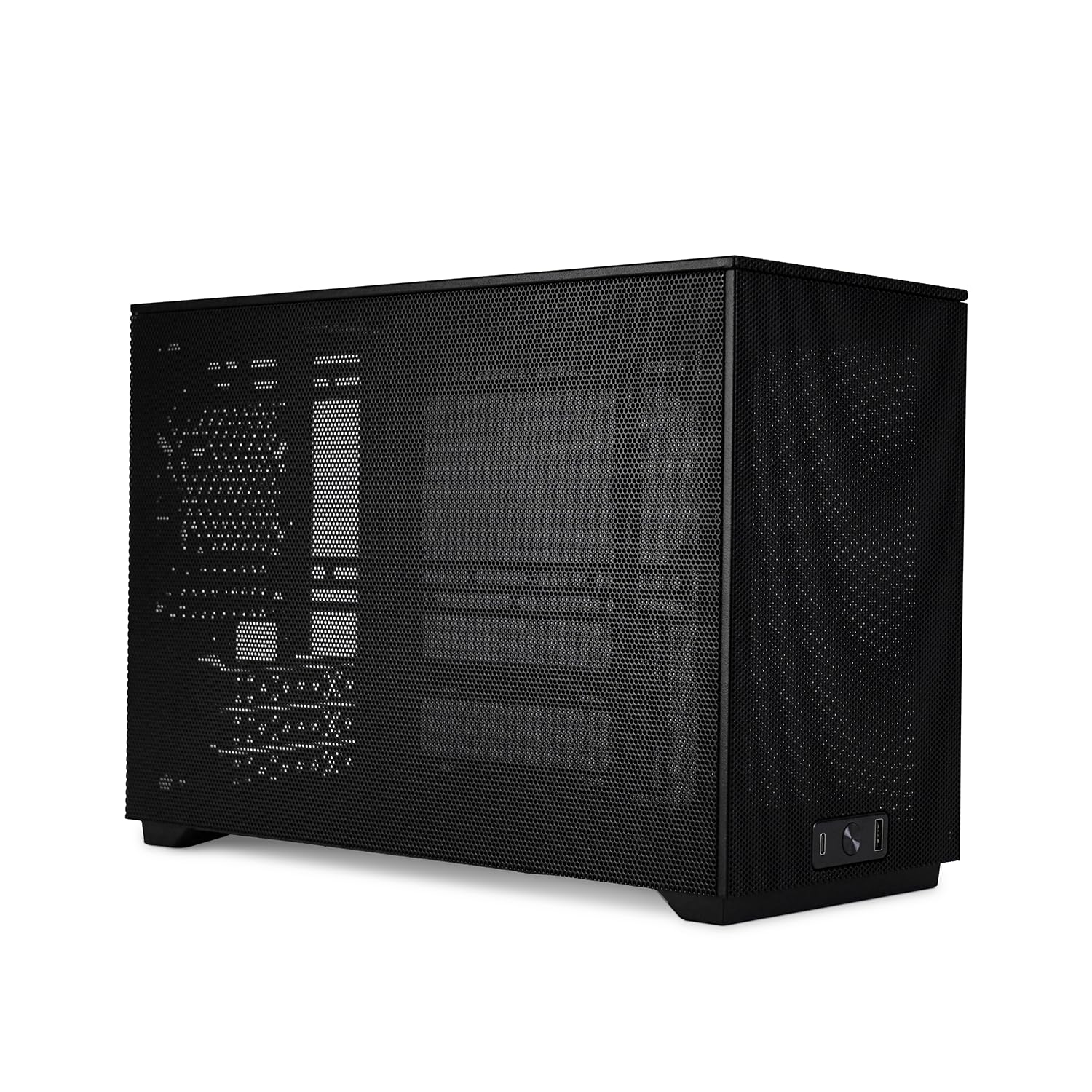
The mesh on the Meshroom D is 1.5mm aperture, on every side, and that is the whole design idea: a case that is mostly holes moves air without needing clever ducting. It's 14.93 liters and it holds up to three 140mm fans, a 3.5-slot graphics card, and dual radiators for a custom loop.

It's also one of the few cases here that takes an ATX power supply alongside an SFX or SFX-L unit, which makes it a genuine option for a transplant rather than a new build. The trade is arithmetic rather than a defect: a big card, a big supply, and a two-radiator loop all want the same interior, and any two of those is a happier fit than all three. Plan the loop around the parts you already own.

Panels clip on rather than screw down, and the base is a magnetic filter rather than a lifting point, so you carry it by the frame. Those are small things until you're moving a finished build up a flight of stairs. What keeps bringing us back is what you get for midrange money: this is custom-loop hardware at a price the display cases can't match.

Pros

  • 1.5mm mesh on every side
  • ATX, SFX, and SFX-L power supplies all fit
  • 3.5-slot graphics card and dual radiators
  • Holds up to three 140mm fans

Cons

  • Side panels clip rather than screw, and can work loose
Our verdict

We like it for a first custom loop: 14.93 liters of 1.5mm mesh with room for dual radiators, a 3.5-slot card, and the ATX supply you already own.

Check Latest Price
8

Small and Portable

KXRORS S300

86 /100
LBD Score Excellent

Key details

Volume
8.1 L
Max CPU Cooler
60 mm
Max GPU Length
305 mm
Riser Included
PCIe 3.0
View on Amazon

The S300 ships with a PCIe 3.0 riser, and it's stated plainly: set the slot to Gen 3 in the motherboard BIOS or the machine will not boot. That is the kind of sentence people skip, and it is the first thing to check when a new build powers on with no display. The case itself is 8.1 liters, brushed aluminum, with a leather handle on top and mesh on three sides.

Sixty millimeters is the cooler height, which is low-profile territory and caps your processor choice more than the case's size does. What it gives back is a 305mm graphics card in 8.1 liters, a front USB-C port, and a machine you can lift with three fingers through the handle. We reach for this one when the build has to travel.

Two internal drive bays, an SFX or SFX-L supply between 100 and 130mm, and a 60-day warranty round it out — that coverage is the shortest in this roundup and worth knowing before you commit. Assembly rewards patience over strength: panels come off, the frame is rigid, and the order you fit things in decides how pleasant the afternoon is. For the footprint, nothing else here comes close.

Pros

  • 8.1 liters with a leather carry handle
  • 305mm graphics card in a tiny footprint
  • Three-sided mesh and front USB-C
  • Brushed aluminum body

Cons

  • 60mm cooler height caps which CPUs make sense
  • 60-day warranty is the shortest here
Our verdict

The smallest case here worth building in, provided you plan around 60mm of cooler height and set the BIOS to Gen 3 before you panic about a blank screen.

Check Latest Price
9

Showing off Parts

JONSBO TK-0

87 /100
LBD Score Excellent

Key details

Glass
270° dual-curved
Power Supply
SFX up to 160 mm
Max CPU Cooler
137 mm
Max GPU Length
230 mm
View on Amazon

Most glass cases show you the cables. The TK-0 separates the power supply and the wiring into a chamber behind the display side, so the 270-degree curved glass shows the board, the cooler, and the card instead of a nest of leads. The walnut veneer and aluminum shell finish the thought: this is the case here that looks like furniture on purpose rather than by accident.

It's 137mm of cooler height and 230mm of graphics card, and that card limit is the number to check before anything else. A 160mm SFX supply goes behind the divider alongside one 3.5-inch drive and one 2.5-inch SSD on the same bracket, and there's room for a 120mm or 140mm fan top and bottom plus two 90mm at the rear.

Building in it is easier than the glass suggests, because the back chamber gives you somewhere to put the cables — usually the part of a small build that goes wrong. It isn't the case for a long card and it isn't the case for the smallest budget. It's the one to buy when the machine sits on a desk and gets looked at, and when you'd rather hide the working parts than show them.

Pros

  • 270-degree curved glass over a separated chamber
  • Power supply and wiring hidden behind the display side
  • Walnut veneer and aluminum shell
  • 3.5-inch drive and 2.5-inch SSD on one bracket

Cons

  • Graphics cards stop at 230mm
Our verdict

Pick it when the desk is the display: a separated chamber keeps the cables out of the glass, and this is the only case here that treats a power supply as something to hide.

Check Latest Price
10

Small Footprint

HYTE Revolt 3

85 /100
LBD Score Excellent

Key details

Front I/O
USB-C + 2 × USB-A
Drive Bays
2 × 2.5 in
Max CPU Cooler
140 mm
Max GPU Length
335 mm
View on Amazon

Every panel on the Revolt 3 comes off, on all four sides, which is unusual on a tower this tall and the reason a vertical case doesn't have to be a fight. It stands on a 9.96 by 7 inch footprint, so it tucks beside a monitor or behind one, and there's a carrying handle on top.

The allowances are generous for the size: a 335mm graphics card up to 58mm thick, a 140mm CPU cooler, and front I/O with USB-C 3.2 Gen 2, two USB-A ports, and a headset jack. The three-year warranty is the longest case coverage in this roundup, which says something about how confident HYTE is in the panels and the frame.

Two things to know. The motherboard's I/O faces downward, so every cable leaves at the bottom and the case wants clearance underneath it — worth checking before it goes on a shelf. What we appreciate most is that access: on a tall, narrow chassis, removable panels are the difference between building a machine and negotiating with one.

Pros

  • All four side panels come off
  • 335mm graphics card and a 140mm cooler
  • USB-C 3.2 Gen 2 plus two USB-A up front
  • Three-year case warranty

Cons

  • Two 2.5-inch drives and no 3.5-inch bay
  • Heavy enough that the handle moves rooms, not commutes
Our verdict

A vertical tower that is genuinely easy to work in, thanks to panels that come off on all four sides — just plan on 2.5-inch drives and a permanent spot on the floor.

Check Latest Price

How We Tested Mini-ITX Cases

We started with spec sheets, not samples: every candidate had to clear a full-length triple-fan graphics card and, where it claimed support, a 240mm or 280mm radiator. From there we filtered by price, by whether the current-generation hardware people actually buy would fit, and by what was in stock. That left 12 cases, which we built in over eight months.

Each case got at least two builds. We timed every one from bare chassis to first POST with a stopwatch and counted how many panels and screws came off along the way, whether the power supply bracket was reachable with the motherboard already seated, and whether any tool-free latch stayed seated after a third teardown. Fit got measured two ways: against the manufacturer's stated clearance, and against the hardware itself. If a card wedged against the front panel or blocked a cable cutout, we noted it. Since so many of these now ship with a PCIe riser for a vertical GPU mount, we also checked whether the included cable ran at Gen 4 speeds and whether replacing it was even possible.

For thermals we ran a 30-minute sustained load in a warm room and logged CPU and GPU temperatures, then took decibel readings from a meter's distance while the fans ramped. Cable management we judged with our hands, not our eyes: we routed a full set of braided cables, closed the panel, and noted whether it bulged or bowed. Dust collection on the mesh got checked after weeks of daily use on a desk, and every case was carried by its handle or under an arm to another room to see what rattled loose.

Build quality and appearance were the easiest things to spot and the hardest to fake. We ran a thumb along panel seams, pushed on side panels to feel for flex, and wiped fingerprints off mesh and glass to see what smudged. Finally, we weighed what came in the box against the price — included fans, riser, power supply, radiator — because a case that bundles the expensive parts is often the better value than the cheaper one you have to finish yourself.

How to Choose a Mini-Itx Case

Measure the Card, the Cooler, and the Power Supply

In this category the parts list picks the case, not the other way round. Graphics card length is the headline number, and the picks here run from 230mm to 357.6mm, but thickness matters just as much: a 3.5-slot card is a different problem from a two-slot card of the same length. Cooler height is the second number, and the spread is enormous, from 60mm in the KXRORS S300 to 170mm in the JONSBO C6-ITX. The third is the power supply. SFX is the small standard, and only a handful of cases here take a full ATX unit at all.

Write all three down before you shop, then cross off every case that misses by even a few millimeters. There is no adjusting a panel gap on a case this size, and no adapter that buys back length.

Volume Buys Clearance, Not Performance

Liters tell you how much room is left for hands and cables, which is why the biggest case here is also the easiest to build in. The NR200 gives you 18.25 liters and a side bracket that lifts out; the Fractal Terra does much the same job in 10.4 by sliding its central wall; the KXRORS S300 wraps 8.1 liters around a 60mm cooler. None of them runs hotter or cooler because of that number.

If this is your first small build, take the larger case. You'll finish in an evening instead of a weekend, and the difference in desk footprint is smaller than the difference in swearing.

Decide Air or Liquid Before You Choose

Air cooling is simpler, quieter at idle, and has nothing to leak. A radiator moves more heat out of a small box and frees the space over the motherboard. Clearance decides which you can have: the C6-ITX's 170mm is tower-cooler territory, while the S300's 60mm means low-profile or nothing.

On the liquid side, the NR200 and the SSUPD Meshroom D take 240mm and 280mm radiators, the SilverStone SG13B fits a single 120mm or 140mm, and the NR200P MAX arrives with a 280mm already mounted. Choose the cooling first, then the case that clears it.

Panels, Placement, and Daily Life

Mesh on every side is the pragmatic choice for a machine that works hard, and it's what the Meshroom D and the C6-ITX are built around. Curved glass and walnut turn the PC into furniture, at some cost in airflow and a bigger cost in money.

Placement matters as much as material. A case under a television wants front-facing ports and a low profile; one on a desk wants to be picked up without unplugging anything. Check which way the motherboard's I/O points, too, because the HYTE Revolt 3 sends every cable out of the bottom and needs clearance underneath.

Frequently Asked Questions

Final Verdict

The Cooler Master NR200 is the case we recommend to most people. It takes a 330mm graphics card with no riser, holds a 280mm radiator on a bracket that lifts out, and comes apart far more easily than 18.25 liters suggests. The one thing to confirm before ordering is an SFX power supply.

Spend more when the machine has to look like something. The Fractal Terra is our pick for a desk and the Fractal Ridge for a shelf under a television. If a full-size ATX supply is already in your parts bin, the SilverStone SG13B is the only sensible place to start.