Best Micro ATX Cases of 2026

A micro ATX case is a compromise, and the good ones hide it. You get a box that sits on the desk instead of under it and still swallows a full-length graphics card and a 240mm radiator, but only if someone who has actually built a PC laid out the interior. Shrink the box and you're the one paying for it.

I've moved my own build into a small case twice, once well and once badly, and the difference was cable management and panel access, not the spec sheet. We've spent the past six months building complete systems in 11 micro ATX cases, from plain steel boxes to walnut-fronted showpieces, and the ones that photographed best were rarely the ones I wanted to open again.

Fit is the part spec lists underplay: a case can promise a big radiator and still foul the motherboard's heatsink once the fan is mounted. Looks, build quality, and value all count, but the picks below are the ones that came through an actual build.

1

Best Overall

ASUS Prime AP201

90 /100
LBD Score Outstanding

Key details

Volume
33L
GPU Clearance
338mm
PSU Clearance
ATX up to 180mm
Radiator Support
360mm
View on Amazon

A 33L case with mesh on most sides sounds like a contradiction: big enough for real hardware, open enough to stay cool. The AP201 is that compromise, and it starts with the quasi-filter mesh panels—more than 57,000 punched holes that let you see the build and keep air moving. The front-mounted PSU and 32mm cable gap are the less obvious details that make the layout work.

We recommend the AP201 as the default Micro-ATX case for most people. It takes a 360mm radiator, a 338mm graphics card, and an ATX power supply up to 180mm without making you choose one at the expense of the others. The tool-free side panels clip off in seconds, and the 32mm gap behind the motherboard gives cables somewhere to go. For a first mATX build, that forgiveness matters more than a flashy front panel.

Where it gives ground is at the extremes. A 33L case is not the smallest option here, so it takes more desk or shelf space than the A3-mATX or Z20. The mesh also means you see every component, which is great if you like the look and less great if you do not.

The front I/O is generous, with four USB 3.0 ports and a USB 2.0 port, and the two-year warranty is longer than most in this group. We also like that the side panels resist accidental dislodging—useful when the case lives under a desk and gets bumped. It is the practical choice, not the smallest one.

Pros

  • Mesh panels support strong airflow
  • Fits 360mm radiators and long GPUs
  • Tool-free panels and 32mm cable gap
  • Four USB 3.0 ports

Cons

  • Ships with only one fan
  • Mesh panels need regular dusting
Our verdict

We recommend the AP201 as the default Micro-ATX case for most builds: it pairs 360mm cooling and a 338mm GPU limit with genuinely easy access.

Check Latest Price
2

Best Compact High-Performance

Lian Li A3-mATX

93 /100
LBD Score Outstanding

Key details

Volume
26.3L
GPU Clearance
415mm
Included Fans
None
Radiator Support
360mm
View on Amazon

The A3-mATX is the case that makes 26.3L feel bigger than it is. Lian Li fits a 415mm graphics card, a 360mm radiator, and up to ten 120mm fans into that volume, with mesh side and top panels and a walnut front that looks more like furniture than a computer. It is a deliberate compact build, not a scaled-down mid-tower. The steel mesh is stiff, and the walnut panel gives the front a warm finish that is rare in this price class.

That density has a cost. The rear cable channel is shallow. We found the panels easy to remove and the layout logical, but routing a fat 24-pin and a bundle of fan cables behind the motherboard takes patience. A semi-modular or modular PSU makes the job cleaner. The top panel also comes off for radiator access, which helps when you are fitting a 360mm unit.

We recommend the A3 for experienced builders who want the smallest case here that still takes a 360mm radiator and a massive GPU. If you want a first build with fewer puzzles, the AP201 is the easier place to start. The wood front is the detail that keeps this one on a desk instead of hidden under it.

Pros

  • Fits 415mm GPUs in 26.3L
  • Supports 360mm radiators
  • Walnut front looks at home on a desk

Cons

  • No fans included
Our verdict

For a compact build that still swallows a 360mm radiator and a 415mm GPU, the A3-mATX is the one we reach for—provided you are comfortable planning cables.

Check Latest Price
3

Best Portable

Jonsbo Z20

91 /100
LBD Score Outstanding

Key details

Volume
20L
Case Feature
Detachable carrying handle
GPU Clearance
363mm
Radiator Support
240mm
View on Amazon

The handle is the first thing you notice on the Z20, and it is not a gimmick. This is a 20L steel box with 2mm bent panels, a detachable carrying handle, and room for a 363mm graphics card and an ATX power supply. We think it is the best portable Micro-ATX case in this group.

The metalwork is the reason. The Z20 feels denser and more rigid than the glass-and-plastic cases here, and the handle is sturdy enough to move a completed build without the case flexing. The side panels are thick enough that the case does not ring when you tap it, and the square vent pattern keeps the industrial look consistent. The adjustable PSU mount is a smart touch because it frees space for a longer GPU, but you need to check the clearance chart before ordering.

That makes the Z20 a specialist rather than the default. It is the case we recommend for a LAN rig, a living-room build, or anyone who moves a PC between rooms. The 20L layout asks you to plan around the handle, the PSU mount, and the GPU length; the payoff is a compact metal case that feels built to be carried. The front I/O is minimal, with one USB 3.0 port, so a rear hub is worth planning for.

Pros

  • Detachable handle makes moving easy
  • 2mm steel feels substantial
  • Fits 363mm GPUs in 20L

Cons

  • 240mm radiator limit
  • Cable routing takes planning
Our verdict

The Z20 is the Micro-ATX case we carry to a LAN or tuck under a TV: 20L, a real handle, and room for a 363mm GPU.

Check Latest Price
4

Best Big-GPU Showcase

Lian Li Vector V100 Mini

91 /100
LBD Score Outstanding

Key details

Dimensions
436 × 221.5 × 443.9mm
GPU Clearance
415mm
Included Fans
4 ARGB PWM
Radiator Support
360mm
View on Amazon

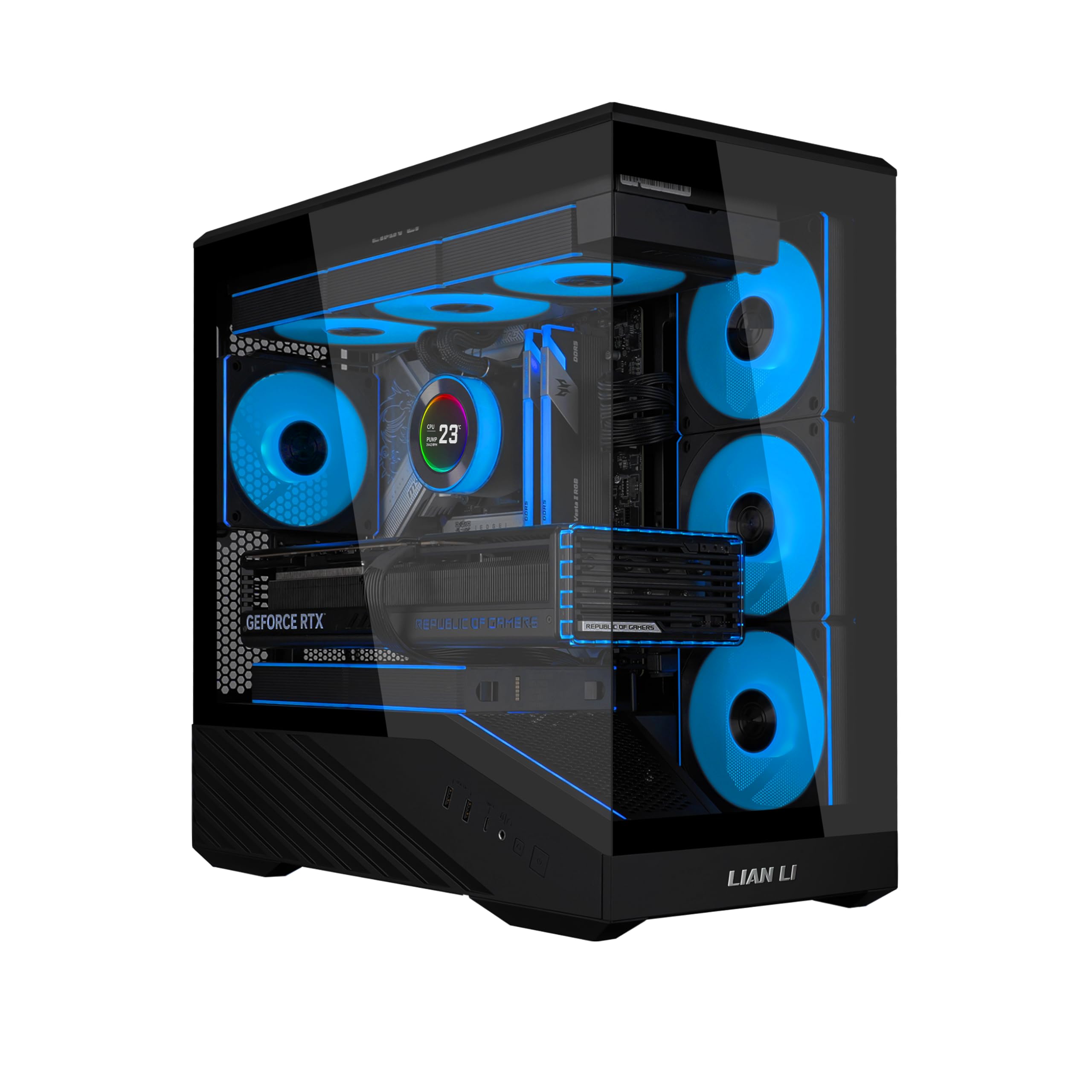
Four ARGB PWM fans, a 415mm GPU limit, and a 360mm radiator mount make a strong feature list for the money. The Vector V100 Mini puts all three in a panoramic glass case with a 270-degree view and an integrated ARGB strip, and it does it without asking you to hunt for fans on day one. The front and side glass meet at an angle, so the view changes as you move around the desk.

The hardware support is the reason to consider it. A 415mm GPU and a 360mm AIO are rare in a budget case, and the four PWM fans give you a real cooling foundation. The top 360mm mount leaves the GPU area clear, which matters with a card this long. The 4mm glass and integrated ARGB strip make the build look more expensive than it is.

We also like that the four included fans are PWM, so you can set a curve instead of living with a fixed roar. The case supports up to nine fans, and the adjustable GPU anti-sag bracket is a useful extra for a heavy card. The glass panels come off without tools and the build goes together logically.

We recommend the V100 Mini for a budget showpiece around a long graphics card. It is the case we choose when the look matters as much as the spec sheet. If you want a true compact build, the A3-mATX is the better fit.

Pros

  • Four ARGB PWM fans included
  • Fits 415mm GPUs and 360mm AIO
  • Panoramic glass with ARGB strip
  • Strong value for a showpiece

Cons

  • Large footprint for a Micro-ATX case
Our verdict

If you want a panoramic glass build around a long GPU without spending much, the V100 Mini is the strongest value here—just clear the desk space first.

Check Latest Price
5

Best Wood-Front Budget

Okinos Cypress 3 Wood

89 /100
LBD Score Excellent

Key details

Front I/O
USB-C 10Gbps
CPU Cooler
164mm
GPU Clearance
320mm
Included Fans
4 x 120mm
View on Amazon

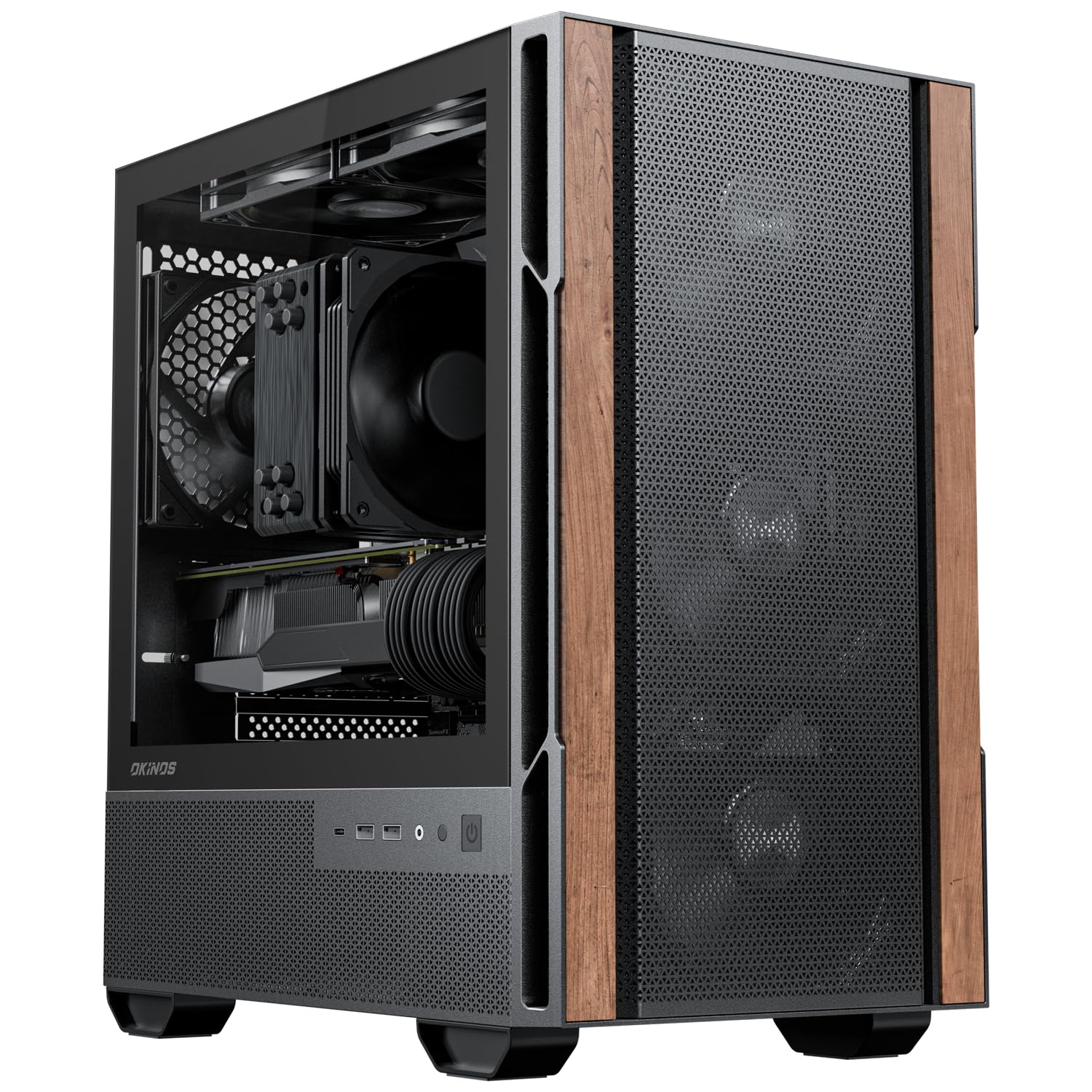
The Cypress 3 Wood is the budget case that does not look like one. Walnut panels on the front, a tempered-glass side, and four pre-installed 120mm fans give it a warmer look than the usual black mesh box. The wood is real walnut, not a vinyl wrap, and it matches the black frame instead of fighting it. The front I/O includes a USB-C 3.2 Gen 2 port, which is a genuine upgrade over the USB 3.0-only ports on several cases here.

We recommend it for a wood-accent build where the case is part of the room. It fits a 320mm GPU with the front fan moved, a 164mm CPU cooler, and an ATX power supply up to 150mm deep. The listed 320mm GPU limit assumes the front fan moves; with the fan in its rear position, the limit drops to 285mm. That PSU limit is the one to check before ordering: a longer modular unit will crowd the basement and make cable routing harder.

The cable management is workable but not generous; a semi-modular PSU and a little patience go a long way. The four fans are already installed, so the build is usable on day one. The Type-C port is the detail that makes it feel newer than its price suggests.

Pros

  • Walnut front stands out
  • Four 120mm fans included
  • 10Gbps USB-C front port

Cons

  • Non-PWM fans limit speed control
Our verdict

The Cypress 3 Wood is our pick for a warm-looking budget build: walnut, four fans, and a 10Gbps USB-C port for about the same money as plain black boxes.

Check Latest Price
6

Best Dual-Glass Budget

Thermaltake View 170 TG

87 /100
LBD Score Excellent

Key details

Panel Design
Dual tempered glass
GPU Clearance
340mm
Included Fans
3 ARGB
Radiator Support
280mm
View on Amazon

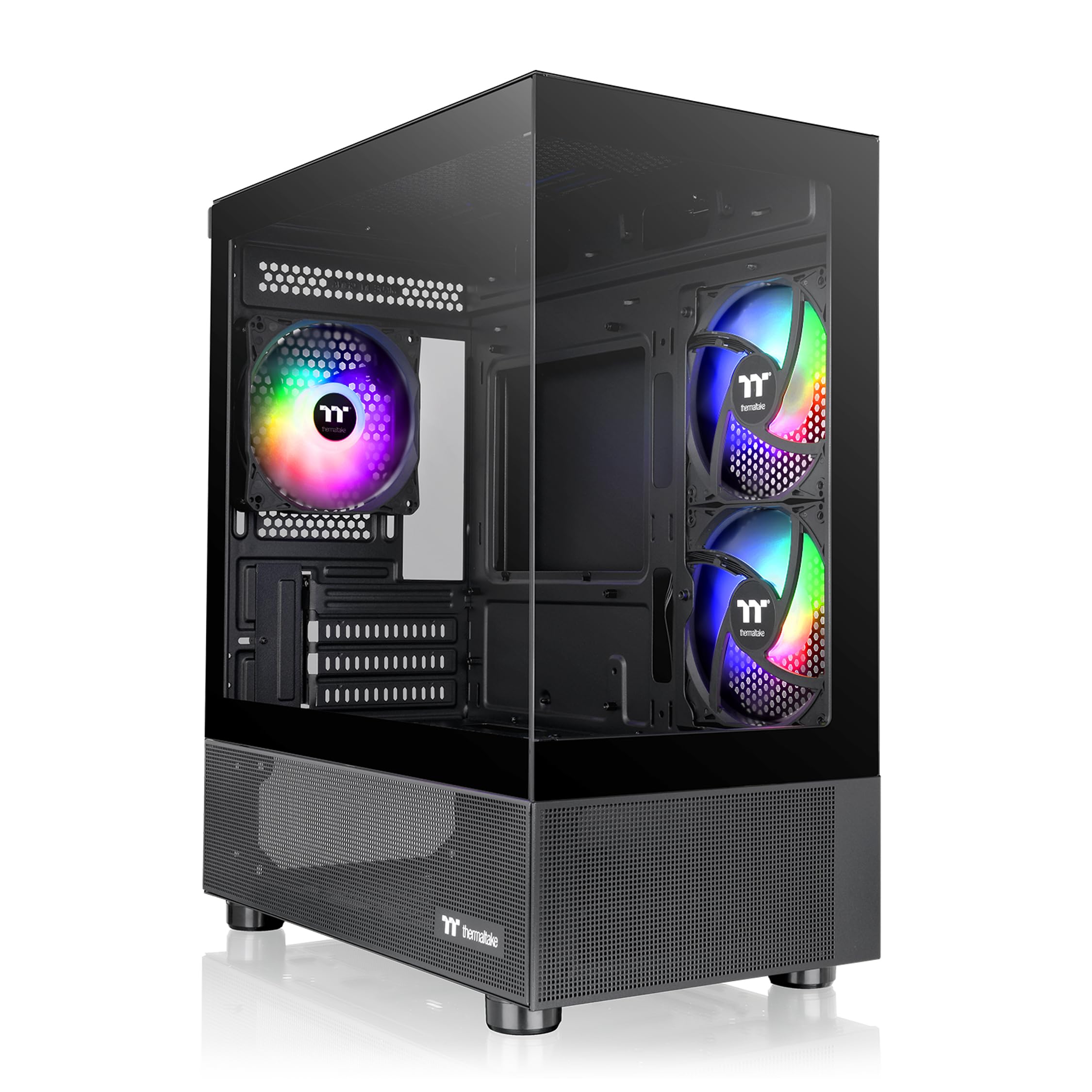
The View 170 is a glass box first and a computer case second. Front and side tempered-glass panels meet in a pillarless corner, and three 120mm ARGB fans are already mounted. The powdercoated metal frame keeps the black finish consistent around the glass. At a budget price, it is the closest thing here to a conventional showpiece case.

The hardware support is reasonable for the size: a 340mm graphics card, a 280mm radiator at the top, and four expansion slots. The 280mm ceiling is enough for a 240mm or 280mm AIO, but not the 360mm units that the AP201 and A3-mATX accept. That is the main limit for a high-power CPU. The top-mounted radiator mount keeps the GPU area clear, which helps with a long card.

We recommend the View 170 for a budget dual-glass build where the look leads. The glass panels come off for assembly, and the internal layout is easy to work around. A full Micro-ATX board sits close to the side intake fans, so check the board width if you want unimpeded airflow.

The three-year warranty is the longest in this group, and the included ARGB fans save you an immediate purchase. It rewards a tidy builder with a lot of visual impact for the money, and the pillarless corner is the detail that makes the glass look deliberate.

Pros

  • Dual tempered-glass panels
  • Three ARGB fans included
  • 3-year warranty

Cons

  • Cable clearance is tight
  • Build quality feels average in places
Our verdict

For a budget dual-glass build with included ARGB fans, the View 170 delivers the look; just expect to work for clean cable routing.

Check Latest Price
7

Best for Back-Connect Builds

Jonsbo D32 Pro

92 /100
LBD Score Outstanding

Key details

Volume
24L
GPU Clearance
365mm
Radiator Support
240mm
Motherboard Support
Back-connect/BTF
View on Amazon

The D32 Pro is one of the few compact Micro-ATX cases built for back-connect motherboards. At 24L it supports a 365mm GPU, a 163mm air cooler, and an ATX or SFX power supply, with an A/B motherboard mode and an adjustable cable cover. We think it is the best choice here for a BTF or back-connect build.

The layout is the reason. The removable PCIe bracket opens the rear so a long graphics card can slide in, and the adjustable cover hides the motherboard cables that would otherwise cross the glass. The six internal bays give it more storage room than most compact cases here. The case is not trying to be the smallest box; it is trying to make a compact build look clean from the glass side.

Build quality is a notch above the budget glass cases, and the two-year warranty is welcome. Cable space is tight without the cover, so plan the route before you start. The adjustable motherboard cover is the detail that makes a back-connect build look intentional rather than unfinished.

Pros

  • Supports back-connect/BTF boards
  • Fits 365mm GPUs in 24L
  • Adjustable cable cover
  • 2-year warranty

Cons

  • 240mm radiator limit
Our verdict

If you are building around a back-connect motherboard, the D32 Pro is the compact case we recommend: 24L, 365mm GPU room, and a cleaner glass view.

Check Latest Price
8

Tiny Budget Builds

Zalman Cubix

86 /100
LBD Score Excellent

Key details

Volume
17.1L
CPU Cooler
137mm
GPU Clearance
260mm
Included Fans
1 x 80mm
View on Amazon

The Cubix is the smallest case here at 17.1L, and it is built from 0.8T steel rather than the thin sheet metal you might expect in a budget case. It supports a standard ATX power supply, a graphics card up to 260mm, and a CPU cooler up to 137mm, with an 80mm fan and a perforated front panel.

The layout is basic but sensible. The power supply mounts at the bottom, the front panel gives the 80mm fan a clear path, and the case fits in a shelf or a tight desk alcove where the larger picks will not. We found the steel panels sturdy for the size, and the front I/O covers the basics with one USB 3.0 and one USB 2.0 port.

The limitations show up when you build. The 137mm cooler limit rules out most big air coolers, and a modular power supply makes the best use of the small interior. This case suits a basic office PC or a light gaming build rather than a high-power rig.

We recommend the Cubix for a tight budget and a tighter desk. It is not the case for a high-power GPU or a showpiece build, but it is one of the few options here that fits a Micro-ATX board and an ATX PSU in a genuinely small footprint. The perforated front does more for airflow than the spec sheet suggests.

Pros

  • 17.1L steel body
  • Fits standard ATX PSUs
  • Supports 260mm GPUs

Cons

  • Single 80mm fan
  • Tight cable routing
Our verdict

The Cubix is the case we recommend when the budget is tight and the desk is smaller still: 17.1L, ATX PSU support, and a 260mm GPU limit.

Check Latest Price

What Building in 11 Micro ATX Cases Taught Us

We started by pulling every micro ATX case we could find that cleared a 330mm graphics card and a 240mm radiator, then cut the list to 11 on price, footprint, and whether the board could take the back-connect motherboards people are actually buying. Anything that only fit a low-profile cooler was out.

Over the six months, each one got a full build on a desk in our office using the same mATX board, a long triple-fan graphics card, an ATX power supply, and first a tower cooler, then a 240mm AIO swapped in. I ran the front-panel cables and the 24-pin by hand, then tried to close the side panel without pushing, which is where small cases give themselves away. Two of us built each case separately to see whether the layout was obvious or only made sense by the third attempt.

Finish and build quality got the same treatment: tempered glass collected fingerprints, mesh fronts pulled in dust while sitting under a desk, and panels that flexed when I lifted the case off the bench lost points. We carried each one up and down a flight of stairs, used the handles where there were handles, and slid each finished build onto a desk beside a monitor to see how the finish read in ordinary light.

Value came down to what was already in the box. Cases that shipped with four PWM fans scored higher than cheaper ones that needed another purchase to match, and cable management was the tiebreaker: if the 24-pin bowed the side panel or a front-panel lead couldn't reach its header, it didn't matter how good the case looked.

How to Choose a Micro-Atx Case

Start With the Space You Actually Have

Micro-ATX cases range from the 17.1L Zalman Cubix to the much larger Lian Li Vector V100 Mini, and that spread matters more than the label. A small case can sit in a shelf or a tight desk alcove, while a big-glass model needs a deep desk. Measure the footprint and the height before you fall for a glass front.

Volume is not the only number. Check the depth for a long GPU and the height for a tall air cooler, then leave a little room for cables and airflow. A case that barely fits the space can still be the wrong choice if you cannot open the side panel.

Check Clearances Before You Fall for the Look

GPU length is the first clearance to verify, because a card that does not fit cannot be rescued by cable management. The Lian Li A3-mATX takes a 415mm card, while the Zalman Cubix stops at 260mm; most builds land somewhere between. Measure the card from the bracket to the far end, not just the PCB.

Then check the CPU cooler height and the PSU depth. The Okinos Cypress 3 Wood accepts a 164mm air cooler but only a 150mm-deep ATX PSU, and the ASUS Prime AP201 takes a 180mm PSU. A long modular unit can crowd the basement even when the case advertises ATX support.

Match Cooling to the Hardware You Plan to Run

A 240mm radiator is enough for many six-core and eight-core gaming builds, and it is the ceiling in the Jonsbo Z20 and D32 Pro. If you are planning a 360mm AIO or a high-power GPU, the AP201 and A3-mATX are the picks here with that support. Air cooling is simpler: look for a mesh front or side panel and enough fan mounts to feed the GPU.

Included fans are a convenience, not a guarantee. The Vector V100 Mini ships with four PWM ARGB fans, the Cypress 3 Wood ships with four non-PWM fans, and the A3-mATX ships with none. Budget for fans and a controller if you want quiet, adjustable airflow.

Plan Cable Management Before the Build

Cable management is where compact cases separate. The ASUS Prime AP201 gives you a 32mm gap behind the motherboard, while the A3-mATX has a shallow rear channel and rewards a modular PSU. If you are using a back-connect or BTF motherboard, the Jonsbo D32 Pro has an adjustable cover and an A/B layout built around that style.

Look for a recessed channel, tie-down points, and a removable PSU shroud. A case with generous cable space is easier to live with than one that looks cleaner on the spec sheet. If the board and case both support back-connect, take advantage of it; otherwise, plan the route before you install the motherboard.

Decide How Much Showpiece You Want

Glass, wood, and mesh all change the character of a build. The Thermaltake View 170 TG and Lian Li Vector V100 Mini lean into panoramic glass and ARGB, the Okinos Cypress 3 Wood and A3-mATX use wood to soften a desk setup, and the AP201 puts airflow first with mesh on most sides. None is better in the abstract; they suit different rooms.

Check the front I/O too. A USB-C port is useful if your board has a header for it, and the Cypress 3 Wood's 10Gbps USB-C is faster than the USB 3.0 ports on several picks. The case is the part you see every day, so pick a finish you still like after the novelty wears off.

Frequently Asked Questions

Final Verdict

The ASUS Prime AP201 is the Micro-ATX case we recommend first. It has the most balanced mix here of airflow, 360mm cooling, GPU room, and build access, and it does not force you into a glass showpiece or a puzzle-box layout. For most builders, that makes it the safest place to start.

If your priority is a genuinely compact high-performance build, choose the Lian Li A3-mATX; if you move the PC, the Jonsbo Z20 and its handle are worth the premium; and if you are building around a back-connect board, the Jonsbo D32 Pro is the cleaner fit. The right case is the one that matches the space and the hardware you already have.