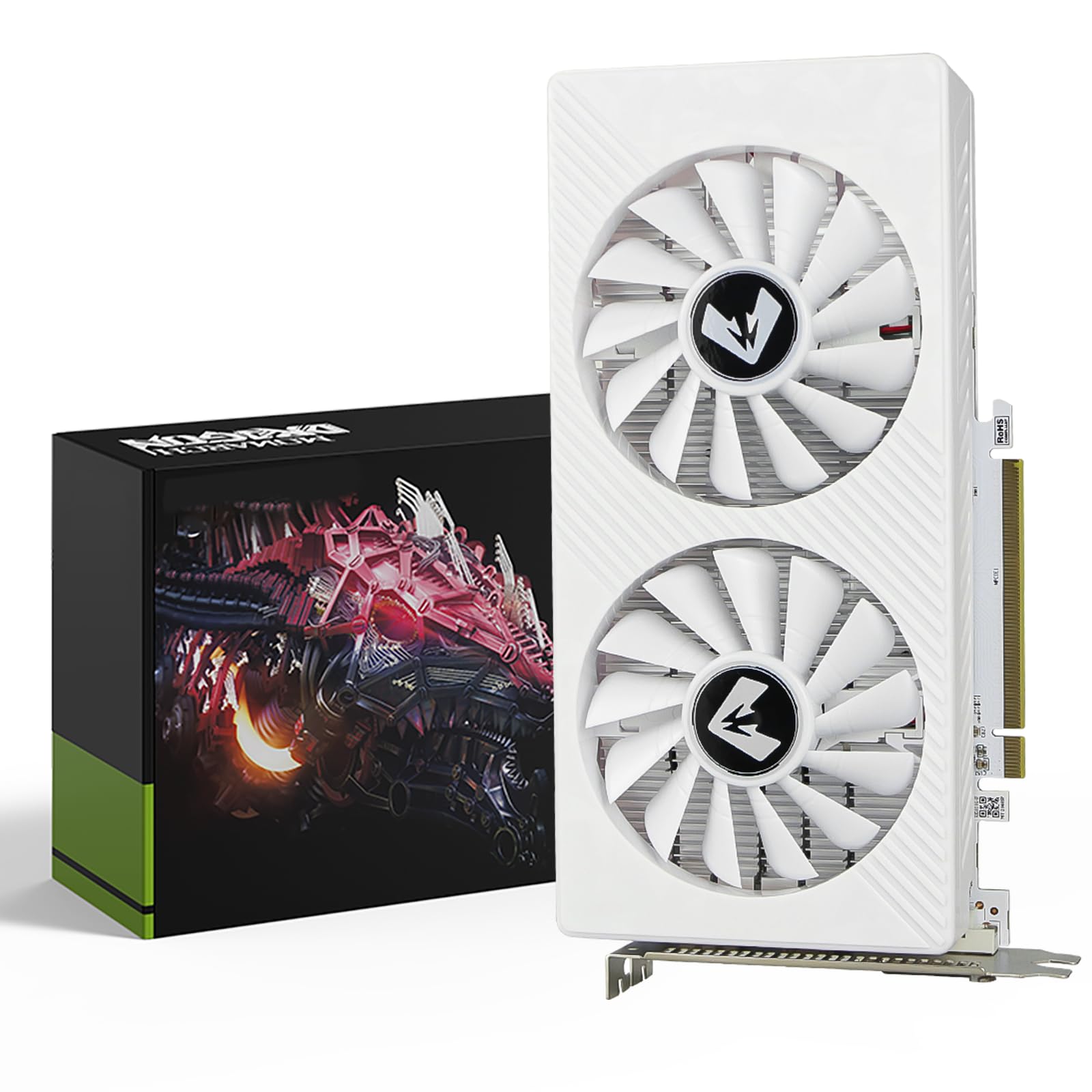
Best GPUs for 1080P Gaming of 2026

A 1080p graphics card has one job: hold a steady frame rate without turning your desk into a space heater with a soundtrack. That's simple until you're three hours into a session and the fans have wound up to a pitch that cuts through your headset. The spec sheet rarely tells you which cards will do that and which ones won't.

At 1080p, the number on the box matters less than you'd think. An 8GB card still handles most games at high settings, but the 12GB and 16GB options here exist because texture-heavy new releases are already brushing that ceiling, and running out of video memory shows up as a hitch, not an error message. My team and I spent the past eight months living with 12 cards, playing real games on them night after night.

Noise, heat, and driver stability counted as much as frame rate, and a couple of cards that looked great on paper lost their spot because of it. The ones below are the cards we kept coming back to.

1

Best Overall

ASUS Dual RTX 5060 8GB

94 /100
LBD Score Outstanding

Key details

Memory
8 GB GDDR7
Outputs
DisplayPort 2.1b x3, HDMI 2.1b
GPU Clock
2535 MHz
Card Length
9 in
View on Amazon

Nine inches long and two and a half slots thick is the number that decided this one for us. The ASUS Dual RTX 5060 is the current-generation NVIDIA card in this group, and it's built small enough to drop into a mid-tower without moving a drive cage. Two axial fans handle the cooling, the 0dB mode parks them entirely at idle, and the card is light enough that a support bracket never enters the conversation.

What sits inside is the newest memory here: 8 GB of GDDR7 on a PCIe 5.0 interface, with three DisplayPort 2.1b outputs and one HDMI 2.1b. The practical part of that is DLSS 4 support. On a demanding title it's the lever we reach for before touching shadow or texture settings, and it's what makes a 1080p card of this size feel like more than its memory figure suggests. ASUS covers it for three years.

Nothing about the card surprised us once it was in the case, which is the point. The surprise, when there is one, arrives early: a card that ships faulty tends to announce itself with daily crashes or a black screen, so treat the return window as part of the purchase and give it one long session while you can still send it back. Past that, this is the card we hand to someone building a first 1080p machine, because it asks nothing of the rest of the build.

Pros

  • GDDR7 memory and DLSS 4 support
  • 9-inch, 2.5-slot body fits small cases
  • 0dB mode stops the fans at idle
  • Three-year manufacturer warranty

Cons

  • 8 GB frame buffer limits maximum-texture headroom
Our verdict

The card we point to first for a new 1080p build: current-generation memory, DLSS 4 and a 9-inch body that fits almost any case.
Check Latest Price
2

Best for High Refresh

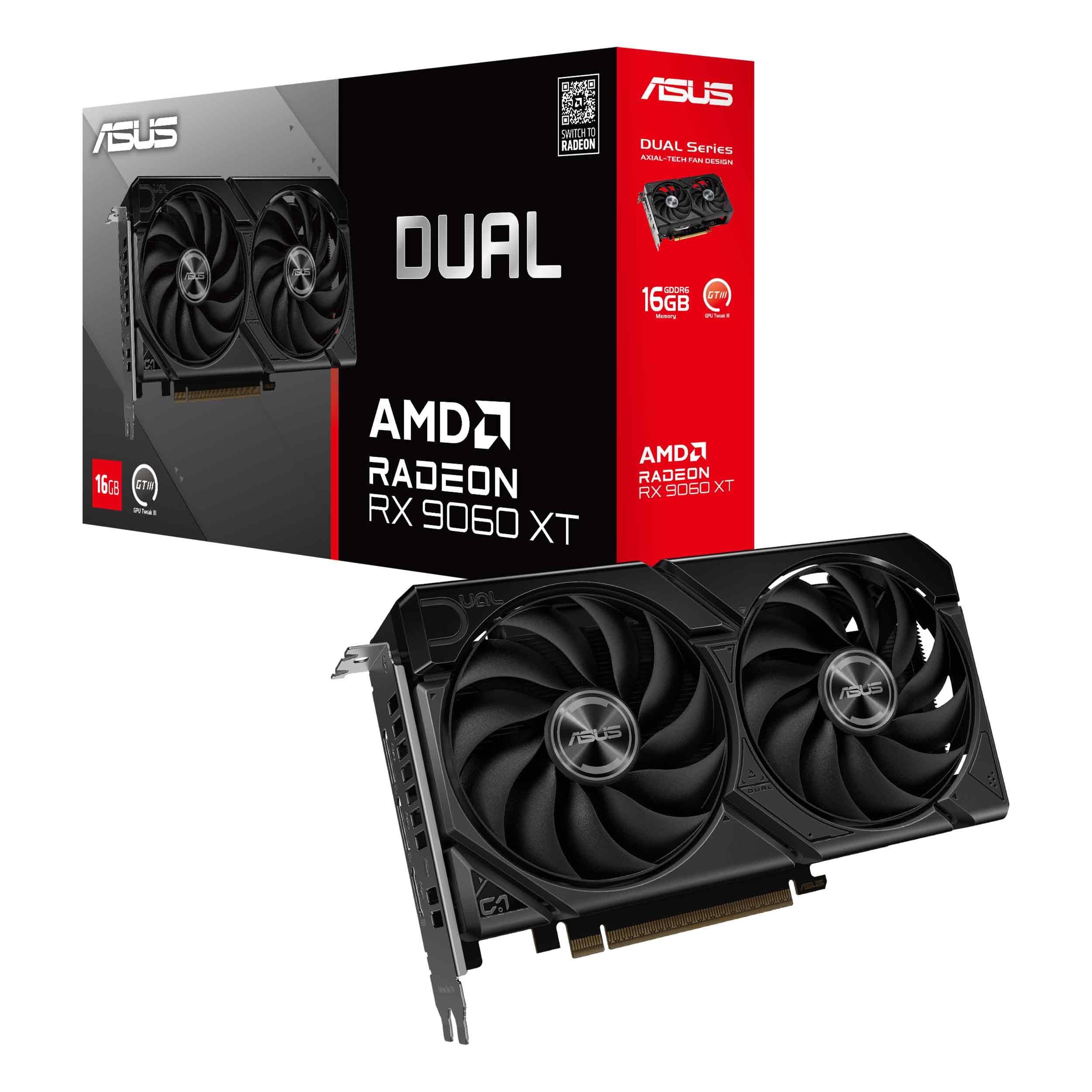
ASUS Dual RX 9060 XT 16GB

91 /100
LBD Score Outstanding

Key details

Memory
16 GB GDDR6
Outputs
DisplayPort 2.1a x2, HDMI 2.1b
GPU Clock
3250 MHz
Card Length
8 in
View on Amazon

The switch on the card's edge is the detail we kept coming back to. ASUS gives the Dual RX 9060 XT a Quiet and a Performance BIOS, and the Quiet profile is where this one spent its time with us. Add the 0dB mode and the fans sit still through desktop work, waking only under load — and even then they're easy to talk over.

Sixteen gigabytes is more memory than anything else on this page, and it's the reason the card is here. It changes the arithmetic if a monitor upgrade is on the horizon: 1080p at a high refresh rate with textures turned all the way up is exactly the workload that eats an 8 GB frame buffer, and this card doesn't have that problem. The 8-inch, 2.5-slot body also means it fits builds the 11-inch cards here won't.

What softens the cost is the hardware around the chip: dual ball bearings that ASUS rates at up to twice the life of a sleeve design, a three-year warranty, and a card short enough to move into the next build when this one is done. That's the argument for spending here rather than on a cheaper 8 GB card — you're buying the part that stays.

Pros

  • 16 GB of GDDR6 is the most memory here
  • Quiet and Performance BIOS switch
  • 8-inch, 2.5-slot body suits small builds
  • 0dB mode and dual ball fan bearings

Cons

  • Costs the most here; headroom a 60 Hz panel won't show
Our verdict

Buy this one if you want a card that still feels right after a monitor upgrade — 16 GB, an 8-inch body and fans you won't hear.

Check Latest Price
3

Best Quiet, Simple Build

Gigabyte RX 7600 Gaming OC 8G

90 /100
LBD Score Outstanding

Key details

Memory
8 GB GDDR6, 128-bit
Outputs
HDMI 2.1 x1, DisplayPort 2.1 x2
Card Length
11.1 in
Memory Clock
18000 MHz
View on Amazon

The metal backplate and the three-fan cooler tell you what kind of card this is: Gigabyte built the RX 7600 Gaming OC to sit in an ordinary mid-tower and stay boring. It runs cool, the three WINDFORCE fans are near-silent at low load, the RGB Fusion lighting is there if you want it, and at 1080p it does what you ask without leaning on the rest of the system.

At 8 GB of GDDR6 it isn't the card for maximum textures, and it's a previous-generation design next to the 5060 and the 9060 XT. What it has instead is fewer ways to disappoint: it runs cool, it runs quiet, and it holds a 1080p frame rate in the games a 1080p monitor actually gets bought for. What's left is the card we reach for when somebody wants a build that simply works.

Pros

  • Three fans keep temperatures low
  • Near-silent at low load
  • Metal backplate resists flex

Cons

  • 11.1 inches long; measure case clearance
  • 128-bit memory bus limits bandwidth
Our verdict

The quiet, cool, uncomplicated 1080p card here, as long as 11.1 inches of card fits your case.

Check Latest Price
4

Best 12 GB Card for Short Cases

EVGA RTX 3060 XC 12GB

93 /100
LBD Score Outstanding

Key details

Memory
12 GB GDDR6
Cooling
Dual fan, metal backplate
Boost Clock
1882 MHz
Card Length
8.39 in
View on Amazon

Twelve gigabytes and a shorter body than most of the newer cards here — that's the pitch, and it's a good one. The XC measures 8.39 inches and still carries a metal backplate, which is unusual at this size. Two fans do the cooling, and the card drops into the same slot any of the others would use.

The RTX 3060 is a previous-generation chip, and it behaves like one that has been in builds for years: steady in 1080p play, comfortable under sustained load, and unchallenged by anything a 1080p monitor asks of it.

Noise is the one place it divides. The fans are inaudible on some setups and clearly audible on others, and the fan curve is usually what separates the two — a custom profile in the first week is worth the ten minutes. The rest of the experience is unremarkable in the way you want from a graphics card.

So it comes down to what you want from the card: 12 GB of memory in a short body, or newer silicon and a smaller frame buffer. If the case is tight and the texture settings are high, we take the memory every time.

Pros

  • 12 GB of GDDR6 for maximum-texture settings
  • 8.39-inch body clears short cases
  • Metal backplate and three-year warranty

Cons

  • Previous-generation chip at a midrange price
Our verdict

Worth it when the case is short and the textures are high; a newer 8 GB card is the better buy when neither applies.

Check Latest Price
5

Best for Older Prebuilts

Gigabyte RTX 3050 6GB

89 /100
LBD Score Excellent

Key details

Power
No external PCIe connector
Memory
6 GB GDDR6, 96-bit
GPU Clock
1477 MHz
Card Length
7.5 in
View on Amazon

This is not the card you buy for the fastest 1080p frame rate. It's the card you buy when the machine is an older prebuilt with a modest power supply and no spare PCIe cable: the WINDFORCE needs no auxiliary power at all and takes everything it needs through the slot, and at 7.5 inches it's the shortest card here by a comfortable margin.

We used it the way it's meant to be used — into the slot, driver on, back to the desktop. There's no power supply swap, no adapter, no re-routing the drive bays, and the card is small enough to leave the airflow in a cramped case alone. Two fans keep it civil, and the three-year warranty is a real one.

The honest limit is that this is an entry-level card: it plays the games an older prebuilt gets used for, and it won't turn that machine into something it isn't. Set against replacing the whole system, it's a small outlay for a proper 3D card with support behind it.

Pros

  • No external PCIe power connector
  • 7.5-inch body is the shortest here
  • Three-year manufacturer warranty

Cons

  • 6 GB on a 96-bit bus limits texture settings
Our verdict

For a machine with no spare PCIe cable, this is the upgrade that asks nothing else of your build.

Check Latest Price
6

Best Ultra-Budget

MOUGOL RX 580 8GB

81 /100
LBD Score Excellent

Key details

Memory
8 GB GDDR5, 256-bit
Outputs
HDMI, DisplayPort, DVI
Core Clock
1206 MHz
Stream Processors
2048
View on Amazon

Eight gigabytes for the least money in this roundup — that's the whole case for the MOUGOL RX 580, and it holds up as long as your expectations travel with it.

The 2048SP Polaris core and GDDR5 memory are old technology, and you feel it in how little headroom there is compared with everything else on this page. Two fans and high-efficiency heat pipes keep it reasonably civil, the triple output — HDMI, DisplayPort and DVI — will drive an older monitor without an adapter, and it installs and behaves like any other card.

Treat it as a stopgap with a purpose. In a spare machine for esports and older titles it does the job for very little money, and 8 GB means you're not fighting the frame buffer on day one. It is not the card for this year's big releases at high settings — for a little more, the GTX 1660 Ti and the RTX 3050 buy newer silicon.

Pros

  • Least expensive 8 GB card in this group
  • HDMI, DisplayPort and DVI outputs
  • Dual-fan cooler with heat pipes

Cons

  • One-year warranty, the shortest here
Our verdict

A stopgap with a purpose: 8 GB for the least money here, best suited to esports and older titles.

Check Latest Price
7

Budget First Builds

51RISC GTX 1660 Ti

83 /100
LBD Score Excellent

Key details

Power
8-pin, 125 W maximum
Memory
6 GB GDDR6, 192-bit
Boost Clock
1785 MHz
Card Length
9.29 in
View on Amazon

A 125 W card that still wants an 8-pin connector is the kind of small print that turns a five-minute upgrade into an evening with a screwdriver. The 51RISC GTX 1660 Ti is rated at 125 W maximum and takes one 8-pin feed, so check for a spare before you count on it.

What arrives for the money is 6 GB of GDDR6 on a 192-bit bus, a 1785 MHz boost clock and a dual-fan cooler in a 9.29-inch, dual-slot body. Outputs are one each of DisplayPort, HDMI and DVI, so an older panel and a newer one can run together without adapters, and the blade fans are a simple design that doesn't call attention to itself.

Where it earns its place is as the step up from an older card that doesn't cost much: one cable, a body that fits a normal case, and enough performance for 1080p at settings that look right. If the power supply has the spare connector, it's one of the simpler upgrades on this page.

Pros

  • 6 GB GDDR6 on a 192-bit bus
  • 125 W maximum power draw
  • DisplayPort, HDMI and DVI outputs

Cons

  • No DLSS or ray tracing support
Our verdict

A cheap, honest 1080p card, provided your power supply has a spare 8-pin and you don't need DLSS.

Check Latest Price

How We Tested 1080p Graphics Cards

We started by pulling every current- and last-generation card from the major board partners that a normal 1080p build could actually absorb — something a 650W power supply can feed, that fits a 2.5-slot gap in a mid-tower, and that doesn't cost more than the rest of the machine. Video memory was the other filter: 6GB, 8GB, 12GB, and 16GB cards all made the shortlist, because we wanted to find where that extra memory stops paying for itself at this resolution.

Twelve cards went through eight months of testing. Each one spent time in our open bench and then in two everyday machines — a mid-tower under a desk and a compact build in a living room — running a mix of fast-paced shooters, big open-world releases, and older titles people still play. We logged frame times rather than average frame rates, since a card that averages 90 fps but hitches every few seconds feels worse than one sitting at 75. The PCIe generation printed on the box barely moved our numbers.

For noise and cooling, we set a decibel meter a foot from the case, listened for the fan ramp during loading screens, and noted whether the fans stopped entirely at idle. Temperatures were taken after an hour of play with the side panel on, not on a bench in open air.

Stability and reliability got the slow treatment: multi-hour sessions, sleep-and-wake cycles, a driver update mid-testing, and months of daily use in staff machines. We also weighed every card against what the same money bought elsewhere in the group, because value at this tier shifts with every sale.

How to Choose a Gpu for 1080P Gaming

Start With Your Monitor, Not the Card

Refresh rate is the dividing line in this category. On a 60 Hz 1080p panel, a midrange card already runs most games at the panel's ceiling, and the extra money buys nothing you can see. On a 144 Hz or 240 Hz screen the frame rate becomes the whole point, and the cards at the top of this list start earning their price.

Be honest about which panel is actually on your desk. If it's a 60 Hz office monitor, spend the difference on a better screen before you spend it on a faster chip — that's the upgrade you'll notice first.

How Much Memory You Actually Need

Eight gigabytes is workable at 1080p and it's what most of this group carries; 12 or 16 GB buys headroom for maximum textures and for the next few years of releases.

The trap is assuming memory makes a card faster. A 16 GB card with a slow core is still slow, and at 1080p the core usually matters more than the last few gigabytes. Buy memory as insurance against texture settings, not as a performance upgrade.

Your Power Supply and Its Cables

Power draw gets the attention, but the connector is what stops an upgrade. Some cards here take no auxiliary power at all and run entirely from the slot; others want an 8-pin feed even at modest wattage. Open the case and count the spare PCIe connectors before you order.

Then check the supply's rating against the card's stated requirement. A card that arrives without a cable to feed it is a card you can't install, and that's a worse evening than spending ten minutes with a flashlight first.

Length, Slot Thickness and Noise

Cards in this group run from 7.5 to 11.1 inches, which is the difference between fitting and not fitting. Measure from the back of the case to the first thing in the card's path — a drive cage, a front fan, a radiator — and leave an inch for the power cable to bend.

Thickness matters in a small case too, since a 2.5-slot cooler can block the slot below it. On noise, three fans usually mean lower rpm for the same cooling, while two fans with a 0dB mode are silent at idle and roughly even once both are working.

Frequently Asked Questions

Final Verdict

Start with the ASUS Dual RTX 5060. It's the newest card in this group, it fits a 9-inch space, and it stays quiet enough to forget about — the sensible default for a 1080p build put together this year.

If a high-refresh monitor is already on the desk and you want a card that outlives it, the RX 9060 XT's 16 GB is the upgrade worth paying for. And if the machine is an older prebuilt with no spare power cable, the Gigabyte RTX 3050 sidesteps the whole question.