Best Game Consoles of 2026

A game console has to satisfy everyone in the house at once. One person wants the sharpest picture, one wants to keep playing on the train, and one just wants to join the group their friends are already in. Spec sheets don't settle any of that — the numbers get top billing while the things that actually shape a Tuesday night go unmentioned.

My team and I have kept seven consoles moving between the living room, a backpack, and a train seat since last fall, and the ones that stuck weren't the ones with the best numbers on the box. Here's what I'd tell a first-time buyer: storage disappears faster than anyone warns you, a handful of big releases can swallow most of a terabyte, and going all-digital means there's no disc to trade in when you're finished.

Battery life and how a controller sits in your hands matter more than any frame-rate claim, and so does the plain question of which games you simply can't play anywhere else. The picks below are sorted by the kind of player you are rather than by who won the spec war.

1

Best Overall

Nintendo Switch 2

92 /100
LBD Score Outstanding

Key details

Screen
7.9-inch LCD touchscreen
Storage
256 GB
TV Output
Up to 4K via dock
Play Modes
TV, tabletop, handheld
View on Amazon

Two machines in one is the pitch, and it's why the Switch 2 tops this list. It drops into a dock and sends up to 4K to a TV, then comes back out to play the same game on a 7.9-inch LCD running up to 120 fps. We moved between the two constantly while testing, and the screen is what won us over: the bigger panel and the faster refresh make handheld play feel like a first-class way to use the console rather than something you settle for.

Buying it as Nintendo's bundle is the smarter move. You get 256 GB of storage, four times what the OLED model offers, plus a digital copy of one of three games: Mario Kart World, Donkey Kong Bananza, or Pokémon Pokopia. On a machine where a single big release can take a serious bite out of the drive, that headroom is worth more than the spec sheet suggests, and choosing a pack-in at checkout beats paying for it separately a week later.

Battery life is the compromise. The larger, brighter screen asks more of the cell than the OLED model's does, so a long flight at full brightness needs a charger within reach. The magnetic Joy-Con are the counterweight — they snap on and off far more securely than the old rails — and tabletop mode turns a tray table into a two-player setup on a long trip.

Pros

  • TV, tabletop, and handheld in one system
  • 256 GB, four times the OLED's storage
  • Includes a current game download
  • Sharp 7.9-inch screen at up to 120 fps

Cons

  • Battery drains fast at full brightness
  • A bigger handful than the OLED model
Our verdict

The one console here that works on your TV and in your hands, with 256 GB of storage and a game in the box — the safest buy for most households.

Check Latest Price
2

Best PlayStation

PlayStation 5 Digital Edition

96 /100
LBD Score Outstanding

Key details

Edition
All-digital
Storage
1 TB SSD
Controller
DualSense wireless
Resolution
4K
View on Amazon

There's no disc slot here, and that single omission decides who should buy it. Everything you play comes from the PlayStation Store, so a stack of PS4 discs or a habit of trading games with friends doesn't help you. What you get instead is the slim body, 1 TB of SSD storage, a DualSense controller in the box, and Astro's Playroom pre-installed to show off what the pad can do.

We think most people should take that trade. The SSD loads games fast enough that switching between two or three titles stops feeling like a commitment, 4K output is genuinely sharp on a good TV, and the DualSense is still the best reason to play on a PlayStation — the adaptive triggers do things a standard controller can't. At 8.9 pounds it's also the lightest of the big consoles here, which makes shifting it between rooms less of a chore.

Two practical notes before you order. The vertical stand is sold separately, and the slim model rests on two small clip-on feet when it lies flat — those feet are easy to lose, so decide how it will sit in the cabinet before it arrives. And if you're still on a 1080p TV, expect to see less of what the console can do; the difference shows up on a 4K set.

Pros

  • 1 TB SSD with quick load times
  • DualSense controller with adaptive triggers
  • Lightest of the big consoles here
  • Sharp 4K output

Cons

  • No disc drive
Our verdict

If your games come from the PlayStation Store, this is the cleanest route to PS5 exclusives: 1 TB of fast storage, 4K output, and the DualSense in the box.

Check Latest Price
3

Best Xbox

Xbox Series X (Digital, 1TB)

95 /100
LBD Score Outstanding

Key details

Storage
1 TB custom SSD
Resolution
Up to 4K at 120 fps
Performance
12 teraflops
Backward Compatibility
Four generations of games
View on Amazon

Twelve teraflops is the number that separates this from everything else in the guide, and it shows up where it counts: 4K output at up to 120 fps, hardware ray tracing, and a custom 1 TB SSD that keeps load screens short. Xbox's Velocity Architecture does the quieter work behind it, streaming data so worlds fill in without a hitch.

We came away most impressed by how little friction sits between you and a game. Quick Resume holds several titles mid-level, so you can drop out of one and pick up another without sitting through logos, and 1 TB means you're not deleting something every week. It's the feature we missed every time we went back to another console.

The all-digital part is the catch. Four generations of backward-compatible games are available, and many arrive upscaled and smoother than they originally ran, but they come as downloads — the 360 discs in the closet stay there. If your library is already digital, this costs you nothing.

Game Pass is the other half of the pitch, and it changes the math on ownership: a subscription turns the console into a rotating library instead of a run of full-price purchases. Between that and the back catalog, most people find something to play before they buy a single new game.

Pros

  • 12 teraflops drives 4K at up to 120 fps
  • 1 TB SSD plus Quick Resume
  • Four generations of Xbox games
  • Game Pass fills it with a library

Cons

  • All-digital, so old discs stay on the shelf
  • Heaviest console here at 13 pounds
Our verdict

The most powerful console here and the natural partner for Game Pass — 4K at up to 120 fps with 1 TB of fast storage built in.

Check Latest Price
4

Best Handheld Screen

Nintendo Switch OLED

95 /100
LBD Score Outstanding

Key details

Stand
Wide, adjustable
Screen
7-inch OLED
Storage
64 GB
Play Modes
TV, tabletop, handheld
View on Amazon

Compared with the Switch 2, this one gives up power and storage and keeps the better-looking panel. The 7-inch OLED is why it stays in the guide: deep blacks, rich color, and a picture that makes handheld play feel like a treat instead of a downgrade from the TV. The wide adjustable stand is the other upgrade that matters — it holds at a usable angle on a tray table, which the original Switch's kickstand never managed for us.

We think it's the right Nintendo for a household that plays in the car and on the couch more than on a big screen. Two things to plan for. The 64 GB of storage is gone after two or three large games, so put a microSD card in the same order, and test both Joy-Con in the first week — the right one has a habit of losing its pairing on some units, and a return is easier early.

Pros

  • 7-inch OLED with the deepest blacks here
  • Wide stand holds a usable angle
  • Joy-Con detach for local multiplayer

Cons

  • 64 GB fills after a couple of big games
  • Right Joy-Con pairing can drop
Our verdict

The best-looking screen you can hold in your hands, paired with a stand that finally works — our pick when handheld play matters most.

Check Latest Price
5

Best Compact Console

Xbox Series S (1TB)

94 /100
LBD Score Outstanding

Key details

Weight
6.8 lb
Storage
1 TB custom SSD
Resolution
1440p, up to 120 fps
Backward Compatibility
Four generations of digital games
View on Amazon

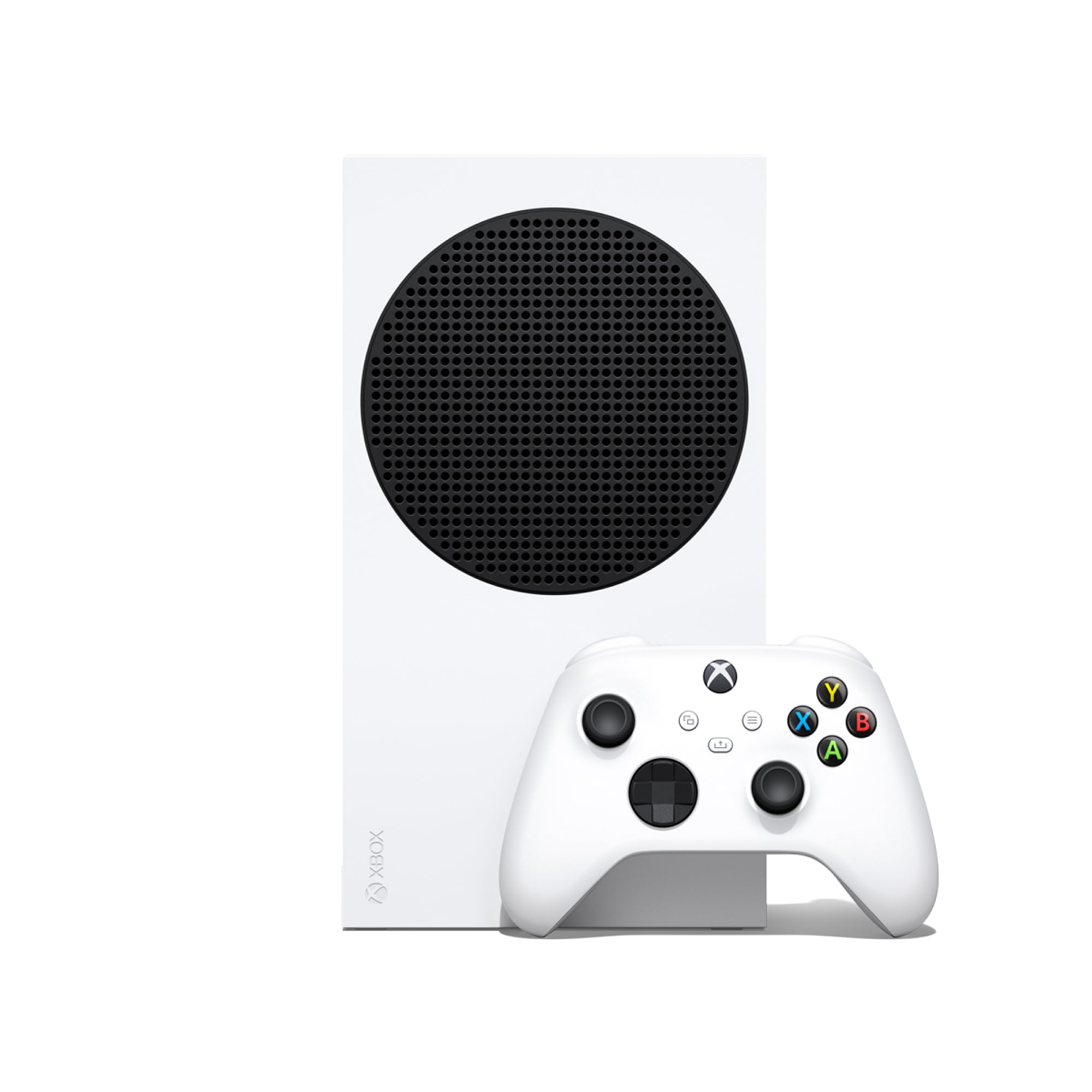
Small is the whole idea. At 6.8 pounds this is the console that disappears onto a desk, behind a monitor, or under a bedroom TV, and it still runs the current Xbox library at up to 120 fps with the same Quick Resume trick as its bigger sibling.

What it doesn't do is 4K. This is a 1440p machine, and on a large 4K set you'll notice softer edges next to a Series X — fewer detail settings, less bite in the distance. Pair it with a 1080p or 1440p screen, or a monitor at desk distance, and the gap closes to the point where we stopped thinking about it. The 1 TB version is the one to get: installs are large, and a subscription library fills a drive faster than you expect.

Value is where this ends up for us. It's the least expensive Xbox in this guide, setup runs through the phone app in a few minutes, and the size means it can be the second console in the house rather than a replacement for the main one. Keep it out in the open, too — some units drop the wireless controller connection at random, and a clear line to the pad, or a cable, sorts it out.

Pros

  • Fits a desk or a second TV
  • Up to 120 fps and Quick Resume
  • Least expensive Xbox in this guide
  • Quick setup through the phone app

Cons

  • 1440p output, not 4K
Our verdict

The least expensive Xbox here, and the one that fits on a desk or under a second TV without giving up 120 fps.

Check Latest Price

How We Tested Seven Consoles Over Eight Months

We started by gathering every current-generation console we could get our hands on — the two hybrid handhelds, the big living-room machines, and the cheaper all-digital box — then cut the shortlist by price, storage, whether a disc drive was included, and which platforms our testers' friends already played on. Seven made the cut, and we've lived with them for eight months. We also tallied what came in each box and what it would cost to add storage or a second controller before calling any of them a good value.

In the living room, we timed how long each console took to go from box to first game, then repeated it after moving the console to a second TV to see whether the setup held up. Four of us played on the same screen with extra controllers, passing them to a 9-year-old and a six-foot adult in the same evening to check the grips. We noted how long games took to load and whether menus stuttered mid-session, and we photographed each console in the same corner of the room to judge how it looked sitting under the TV with its cables.

For the handhelds, we rode a two-hour train with each one, ran the battery from full to dead at mid brightness in a demanding game, and tilted the screen toward both a window and a lamp to judge glare. Two-hour sessions in a hard chair told us more about ergonomics than any spec sheet did.

We downloaded the same large game onto each console over the same home Wi-Fi, recording how long it took, how much space was left afterward, and whether the connection dropped when the machine woke from sleep. After months of use, we checked for stick drift, scuffed shells, and fan noise during quiet scenes.

How to Choose a Game Console

Start With the Games

Exclusive titles and the friends you play with decide more than any specification. Nintendo's catalog leans family-friendly and portable, PlayStation's strength is big single-player releases, and Xbox leans on Game Pass, a subscription library spanning four generations. Pick the ecosystem whose games you already buy at full price, then let the hardware follow. Cross-play helps, but a console is more fun when your group is on the same platform, so ask before you commit.

Will It Leave the House?

A TV-only console gives you more performance for the money; a hybrid trades some of that for the ability to play the same game on a train. If the console never leaves the dock, buy for the TV and ignore battery figures. If it travels, treat battery life as a headline spec — screen brightness is the biggest drain — and keep a USB-C power bank in the bag. The Switch 2 and the OLED model both switch modes mid-game, so a session can start on the TV and finish in bed.

Digital Only, or a Disc Drive

An all-digital console ties you to the store: no used games, no borrowing, no Blu-ray. In exchange you skip the drive and the shelf of cases, and store sales are frequent. Our rule: if you trade games in or lend them out, pay for the drive. If you buy a few titles a year and play mostly from a subscription catalog, digital is simpler and usually cheaper over the life of the console. Read the model name carefully, because the same console often ships in both versions.

Match the Console to Your TV

A 4K console on a 1080p TV still looks good; you just won't see the detail you paid for. The bigger trap is refresh rate: 120 fps needs a 120 Hz panel, and on these consoles that usually means an HDMI 2.1 port as well. The Series S tops out at 1440p, which suits a monitor or a smaller set and shows on a large 4K screen. Buy the output your room can display, not the biggest number on the box.

Storage and Subscriptions Add Up

Game installs are large, and capacity disappears faster than the number suggests: 1 TB is a comfortable baseline, while 64 GB is gone after two or three titles. A microSD card or expansion drive is a near-term purchase, not a someday one. Subscriptions — Game Pass, PS Plus, Nintendo Switch Online — are the other recurring cost, and they are what make an all-digital console feel like a library. Set a reminder to cancel anything you aren't using.

Frequently Asked Questions

Final Verdict

The Switch 2 is the console we point most people toward. It plays on the TV and in your hands, ships with 256 GB of storage and a game, and its only real weakness is battery life away from a socket. If it never leaves the dock, look at a PS5 Digital Edition or an Xbox Series X instead — both are stronger on a big 4K screen — and drop to the Series S if the TV is small.