Best Game Consoles for Kids of 2026

The wrapping paper is in shreds and the console is still installing an update. That's the moment I started judging kids' game consoles differently than my own: a console for a child has to be playable within five minutes, work in the back seat of a car, and survive a drop on the driveway. Over the past three months, we tested 14 consoles and handhelds built for young players.

The pattern that emerged had little to do with processing power. The ones kids returned to had a game library broad enough to feel like a collection, menus a 5-year-old could read, and a rechargeable battery instead of a drawer of AAs. I also learned to look hard at the screen, since a small washed-out display makes a good game frustrating outdoors and is usually the first thing to fail after a ride in a backpack.

Below you'll find a mix of living-room sets, preschool handhelds, and retro players loaded with dozens of games for about the price of a takeout dinner. None of these is the fastest thing on the market; each was chosen for the kid who'll actually hold it.

1

Best Overall

Nex Playground

95 /100
LBD Score Outstanding

Key details

Controls
Camera, no controller
Games Included
5 preloaded
Recommended Age
5 years and up
Simultaneous Players
4
View on Amazon

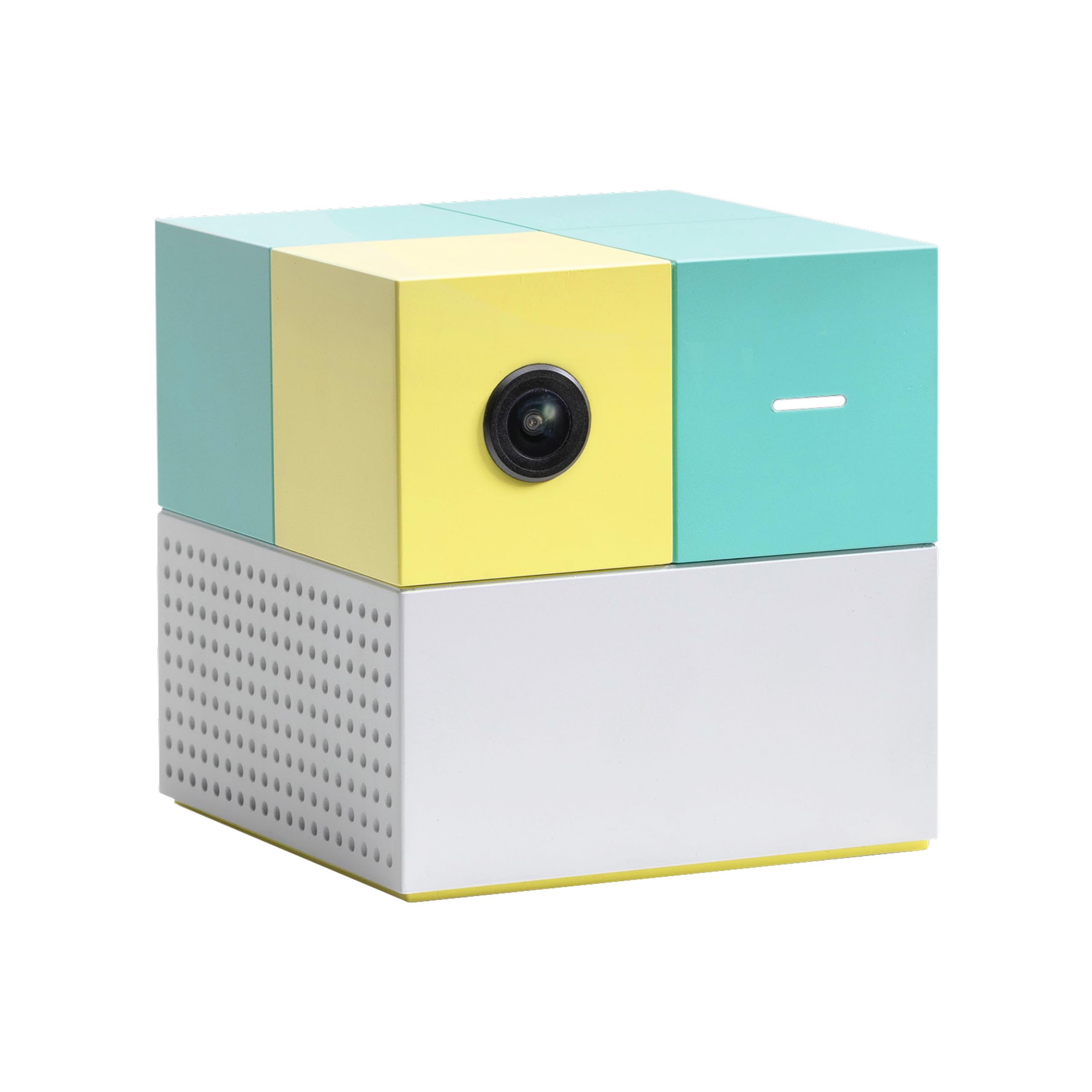
The first thing Nex Playground asks for is floor space. Push the coffee table back, clear a few feet in front of the television, and stand where the wide-angle camera can see you — that is the whole setup, and after it there is nothing to hold. It is why we recommend this one first for a family with kids of different ages. No controller to lose, charge, or argue over, and a five-year-old can take a turn against a grandparent.

Five games come in the box — Fruit Ninja, Starri, Whac-a-Mole, Go Keeper, and Party Fowl — which is a demo rather than a library. The library is the Play Pass subscription, and that is the honest cost of owning this thing: the hardware is a one-time purchase and the games are not. The collection is not static either, and new titles arriving over the months is worth a lot for a console a kid will come back to across a couple of years.

Where it strains is space and patience. A child who drifts out of frame loses the round, and a room with furniture in the middle of it turns half the games into an obstacle course. Movement games also assume a kid who wants to move; a child who would rather sit with a handheld will bounce off this in a week.

The handoff is what settled it for us. A new player stands in front of the TV and moves, and there is no button layout to teach, which is the difference between a console that gets pulled out when friends come over and one that does not.

Pros

  • Nothing to lose, charge, or replace
  • Four players in the same room
  • Setup is one HDMI cable
  • New games keep arriving

Cons

  • The library needs a Play Pass subscription
  • Needs clear floor space to work
Our verdict

Of everything here, this is the one we recommend first for a family with mixed ages: no controllers, four players at once, and games a five-year-old and an adult can share.

Check Latest Price
2

Best Budget TV Console

LeapFrog LeapLand Adventures

91 /100
LBD Score Outstanding

Key details

Power
2 AA batteries
Connection
HDMI game stick
Saved Profiles
5
Recommended Age
3 to 6 years
View on Amazon

It is the least expensive way here to put a game on the television, and for a household with a three- or four-year-old that is most of the argument. The console is a game stick that goes into an HDMI port with a USB cable for power, and the controller is the only thing your kid has to hold.

The game is a quest for keys to Clever Castle, with letters, numbers, shapes, and colors picked up along the way, plus a Learning Center for a kid who wants to poke at one skill at a time. The detail we appreciate most is that it saves five separate profiles: each child gets their own progress and nobody has to start over because a sibling played first. That is what makes it a family console rather than a toy.

It also needs no downloads, no accounts, and no internet, which is why it travels well — a hotel television or a rental house works exactly like the living room. The exception is pairing: the controller links to the stick wirelessly, and some televisions fight it. Set it up on the set you will actually use before you wrap it.

The ceiling is content. A six-year-old who has played through the castle once is finished with it, and the controller is sized for kindergarten hands rather than a seven-year-old's.

Pros

  • No account, downloads, or internet
  • Five separate saved games
  • Learning content a preschooler can use

Cons

  • Content runs out by first grade
  • Two AA batteries are not in the box
Our verdict

If the console is going on the living-room TV for a preschooler, this is the one we point to: it plugs into HDMI, needs no account, and keeps a separate game for each of five kids.

Check Latest Price
3

Best for Toddlers

LeapFrog Game and Go

91 /100
LBD Score Outstanding

Key details

Size
5.6 by 4.1 by 1.3 inches
Power
3 AAA batteries
Weight
6.4 oz
Recommended Age
2 years and up
View on Amazon

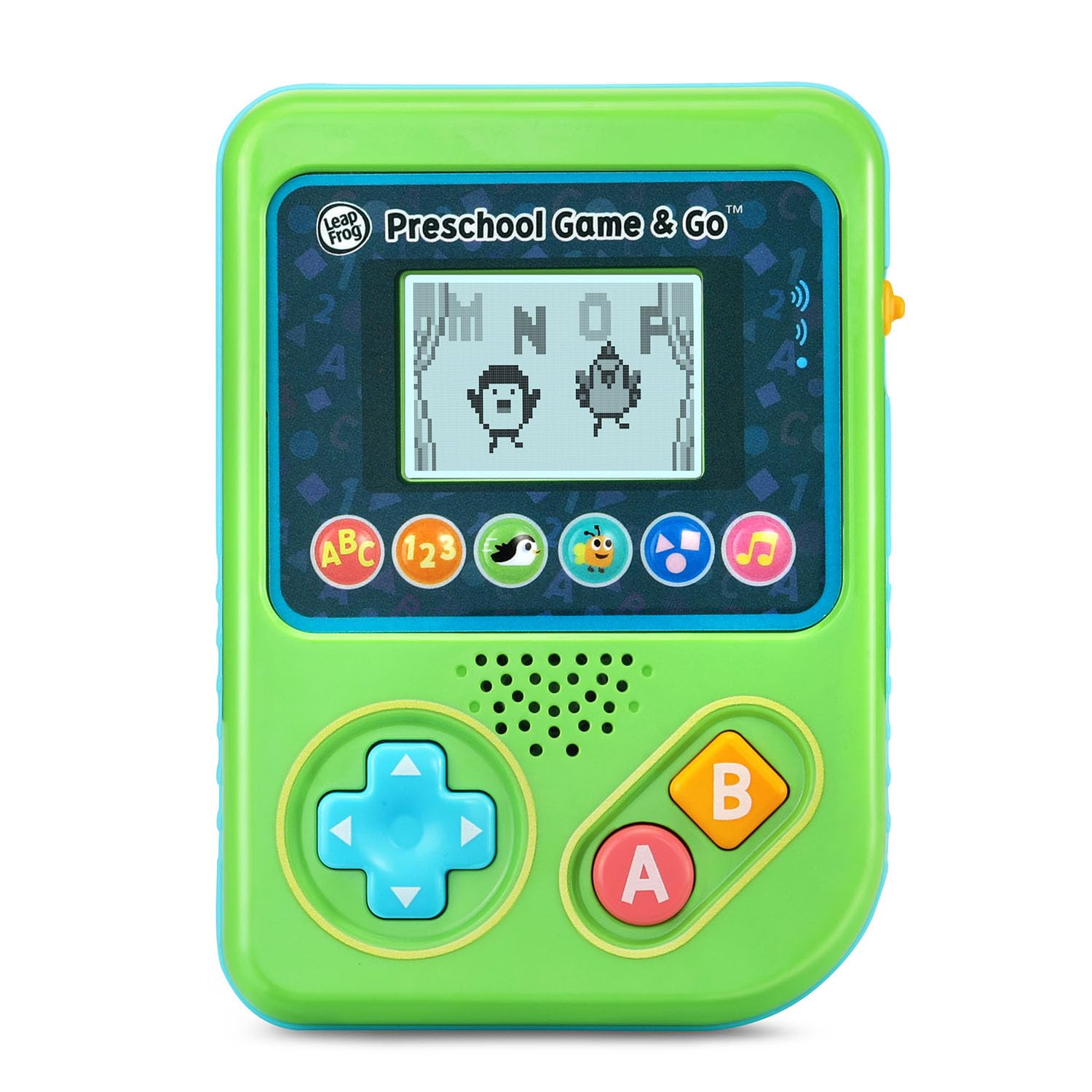
A video game console for a two-year-old sounds like a joke until you are four hours into a flight with one. The Game and Go is the size of a small book — about six ounces and five and a half inches across — with buttons a toddler can find without looking, and it needs no television, no network, and no account.

The games are mini-games built around letters, numbers, and shapes: pop bubbles to hear letter sounds, collect coins and count hearts, slide and jump to gather letters with a penguin. We were surprised by how much of it a two-year-old can run alone, because the whole thing is one object. There is no controller to pair and no menu tree to get lost in; a kid picks it up, presses something, and the screen responds.

It runs on three AAA batteries — included, but only for the demo, so buy a pack — and there is no rechargeable version, which is the one thing we mind. It is also a two-to-four-year-old's device: once a kid is reading, the games are beneath them.

Pros

  • Small enough for a toddler to hold
  • No TV, Wi-Fi, or account needed
  • Games teach letters, numbers, and shapes

Cons

  • Three AAA batteries, no rechargeable option
  • Outgrown by about age four
Our verdict

For a two- or three-year-old, this is the console we hand over without instructions: one piece, big buttons, and games about letters and shapes a toddler can start alone.

Check Latest Price
4

Best Screen for the Money

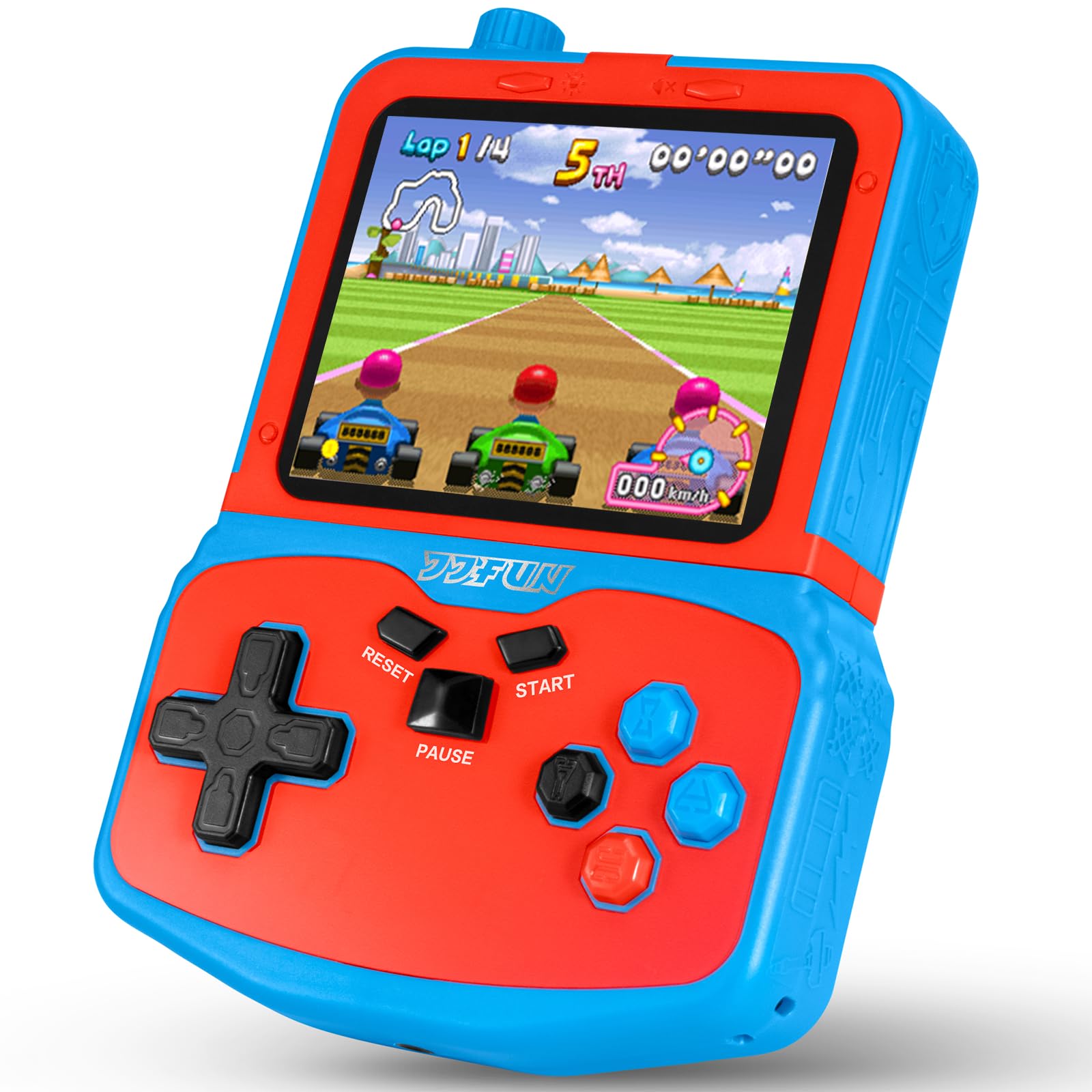
SNONBROS Handheld Console

82 /100
LBD Score Excellent

Key details

Extras
Kickstand and headphone jack
Screen
3.5-inch IPS
Battery
Rechargeable, 6 hours
Preloaded Games
220
View on Amazon

Three and a half inches does not sound like much until you set it beside the three-inch screens the rest of the budget handhelds here use. The IPS panel is the reason we reach for this one on a long drive: it holds its color at an angle, so a kid in a car seat is not tilting the console toward the window to see what is happening.

The details around that screen were chosen for travel. There is a volume knob rather than a buried menu setting, a 3.5mm jack for headphones, and a kickstand so it can stand on a tray table or a restaurant table. The 220 preloaded games are the usual old arcade and puzzle titles, and starting one takes a couple of button presses.

Overall we think it is the most livable of the budget handhelds, with one significant caveat: charging can go wrong, and some units stop taking a charge. Buy it somewhere with an easy return and test the charging port in the first week rather than on the way to the airport.

At just under nine ounces it is the heaviest handheld here, which is what the bigger screen costs you. In a kid's hands it reads as substantial rather than heavy, and the kickstand means it does not have to be held at all.

Pros

  • Biggest screen of the budget handhelds here
  • Headphone jack and a physical volume knob
  • Kickstand for tray tables and desks

Cons

  • Charging can stop working on some units
  • Heavier than the three-inch handhelds
Our verdict

We like this one for travel because it has the biggest screen of the cheap handhelds here and a headphone jack that keeps the back seat quiet.

Check Latest Price
5

First Handheld

Douddy Handheld Console

85 /100
LBD Score Excellent

Key details

Screen
3-inch IPS
Battery
5 hours per charge
Charging
USB-C
Preloaded Games
139
View on Amazon

Fewer games is the pitch, and we think it is the right trade for a first handheld. The Douddy carries 139 titles instead of the 220-plus the others here advertise, and they are 32-bit games rather than 16-bit, which shows in the sprites and the sound.

The screen is a three-inch IPS panel, charging is USB-C, and the claimed battery life is five hours; at 6.4 ounces it matches the other three-inch handhelds here. Games are sorted into casual, puzzle, shooting, and sports, so a kid who wants a racing game is not hunting through a wall of block puzzles to find it.

Of the cheap handhelds in this guide, this is the steadiest on screens and charging, though that is relative rather than a promise: some units still lose the display. What sells it for us is the manual. It includes a printed game guide, which is more than most of these ship with and enough for a parent to point a kid at something good on the first drive.

Pros

  • 32-bit games look a step ahead of the 16-bit libraries
  • Printed game guide in the manual
  • USB-C charging

Cons

  • Some units stop charging or lose the display
  • Smaller screen and library than the SNONBROS
Our verdict

We point first-time buyers here: fewer games than the others, but 32-bit titles, USB-C, and a printed guide make it the easiest of the cheap handhelds to use.

Check Latest Price
6

Biggest Game Library

TaddToy Handheld Console

83 /100
LBD Score Excellent

Key details

Screen
3-inch LCD
Battery
800 mAh rechargeable
Included
3 game cartridges
Preloaded Games
230
View on Amazon

Three game cartridges come in the box, which is an unusual thing to find in a handheld this cheap and, for a kid with siblings, a good one: a cartridge is a thing to trade, label, and lose, and it makes a new game feel like an event rather than a menu item.

The library is the reason to pick it. There are 230 preloaded titles across puzzle, leisure, racing, fighting, and adventure, on a three-inch LCD, and the 800 mAh battery will charge and play at the same time — a small thing that matters a great deal on a long drive with one charging cable in the car.

The shell is where the corners were cut. It is light, it flexes a little, and the buttons are loud and clicky. We minded that less than we expected, because the part a kid actually handles is the cartridge, not the case.

Pros

  • 230 games, the largest library here
  • Three cartridges to swap and trade
  • Charges and plays at the same time

Cons

  • Shell and buttons feel flimsy
  • An adult has to find the good games first
Our verdict

The pick when the library matters most: 230 games, three cartridges a kid can trade, and a battery that charges while it plays.

Check Latest Price

How We Picked and Tested the Best Game Consoles for Kids

We started by rounding up every console marketed to kids under 12, then cut anything that needed a subscription, a Wi-Fi connection, or a parent account before the first game would load. From that shorter list we tested 14 units over three months, spanning systems that plug into the TV and handhelds with the games already built in. A 5-year-old and an 8-year-old were in the room for most of it, because their patience is a better filter than any spec sheet.

Every device got the same first test: unboxed at the kitchen table with both kids watching, timed from box to first playable game. We noted who had to help, how many steps the menu took, and whether the controls made sense to the younger one without a demonstration. Then each one went into rotation for a week of real use — car rides, waiting rooms, a rainy Saturday, and a playdate with four kids and one console to share.

We ran each battery from a full charge to dead and logged how long it lasted, then charged it back up to see how long that took. Handhelds rode in backpacks, got knocked off the coffee table onto wood and carpet, and were wiped down with a damp cloth. Screens were checked under a bright lamp and outside to see how much glare washed the picture out. We also counted how many of the built-in games the kids reopened after a week, and whether the whole thing had become a paperweight by day ten.

How to Choose a Game Console for Kids

Decide Where It Will Be Played

Three kinds of console sit in this guide: a handheld a kid carries, a plug-and-play stick that hangs off the television, and a camera system that turns the living room into the play space. Each fails in a different room. A motion console needs clear floor and a child who will stay inside the camera's view; a handheld needs a kid who will keep track of it.

Pick the room first, then the console. If it will travel, buy one that needs neither Wi-Fi nor a television, because a hotel set and a rental house are where plug-and-play systems get fussy.

Treat the Game Count as a Menu, Not a Library

Two hundred preloaded titles sounds like a bargain until you watch a seven-year-old page through them. The libraries on the budget handhelds here are mostly 16- and 32-bit arcade, puzzle, and sports games of wildly uneven quality, and a child will settle on a handful of favorites.

What matters more is whether they can find those five. A smaller library, a sorted menu, or a printed guide in the manual does more for a young player than another hundred titles. The number on the box is the least useful specification in this category.

Match the Console to What Your Kid Can Already Do

A three-year-old cannot read a menu. Look for games built around letters, numbers, and shapes with short rounds, which is what the LeapFrog systems do, and plan to sit nearby for the first few sessions.

By six or seven a child can navigate a retro library and will want to. Age ranges on the box are the floor rather than the ceiling: a console rated for ages 3 and up is one a three-year-old can start, not one they will still be playing at eight.

Budget for What Comes After the Box

The purchase price is not the cost of ownership, and the gap is wider in this category than in most. The Nex Playground puts its library behind a Play Pass subscription, so the hardware is the cheap part. The LeapFrog handhelds run on AA and AAA cells, which is a recurring cost and a Saturday-morning problem. The retro handhelds charge over USB and cost nothing after the sale.

Decide which of those models you can live with before you compare anything else.

Expect the Controls to Give Out First

Across the budget handhelds, the parts that fail are the ones that get touched: screens, charging ports, joysticks, and buttons. That is not a reason to skip the category — it is a reason to buy somewhere with a real return window and to test the charging port in the first week rather than on the way to the airport.

A case helps less than you think. A seller who takes returns helps more.

Frequently Asked Questions

Final Verdict

Most families should buy the Nex Playground. It is the only console here that a five-year-old, an eight-year-old, and an adult can play at the same time without anyone teaching anyone else, and the catch is the room and the subscription rather than the hardware.

If the television is the only screen you want to give up, the LeapFrog LeapLand Adventures does the same job for a preschooler with no account and no network. And if the console has to fit in a backpack, buy the SNONBROS for the screen and the headphone jack.