Best VR Headsets for Kids of 2026

VR headsets split into two worlds that behave nothing alike. Standalone units pack the screen, sensors, and computer into one plastic shell — sharp picture, no cables, but a real cost and a battery somebody has to keep charged. Phone-powered viewers slide the handset you already own behind a pair of lenses: a fraction of the price, and a picture only as good as that phone.

We spent six months with nine of them, from cheap phone cradles to the standalone headsets kids beg for after a birthday party, testing with the harshest critics available: six-, nine-, and twelve-year-olds. What separates a headset that survives week two from a dust collector isn't the spec sheet — it's whether the strap holds a small head steady and whether the thing dies mid-game with the charger nowhere in sight.

One detail worth knowing before you scroll: standalone headsets typically need a supervised account with a minimum age around ten, while a phone-powered viewer can go to a six-year-old with an adult nearby. That single fact decides the category for a lot of families, and the picks below cover both sides of it.

1

Best Overall

Meta Quest 3S 128GB

93 /100
LBD Score Outstanding

Key details

Storage
128 GB
Age Guidance
All ages
Battery Life
2.5 hours
Field Of View
128 degrees
View on Amazon

The Quest 3S is the one we hand over first. It runs the current Meta library, comes with its controllers, and asks less of your wallet than the Quest 3 — and for a child, the step up to the pricier model buys noticeably less than it does for an adult. If one headset has to serve a household with a 10- to 14-year-old in it, this is the version to buy.

Mixed reality is the part that changes how a kid uses it. The front cameras blend game objects into your living room, so the room stays in view while they play, and the first few sessions feel far less like a leap of faith for everyone involved. Pair that with the controllers and the headset becomes something a child moves around in rather than sits still behind.

Clarity is the thing to manage. The lenses have a small sweet spot, so a set sitting high or loose on a smaller face goes soft toward the edges. Tighten the top strap first, centre the picture, and check it yourself before a long session — a blurry view on a child is nearly always fit, not a bad screen.

The listing gives 2.5 hours, which is roughly one child's session before it wants a cable, and it charges over USB-C. Storage is the number worth watching: 128 GB sounds generous until a few large titles land on it, and if two children share the set you'll be deleting games sooner than expected.

Pros

  • Current Meta library for the least outlay here
  • Mixed reality keeps the room in view
  • Controllers included, so games work out of the box

Cons

  • Picture softens if the set sits off the sweet spot
  • 128 GB fills quickly with larger titles
Our verdict

We think most families should stop here: current Meta hardware, controllers in the box, and the smallest gap between what you spend and what a kid actually notices.

Check Latest Price
2

Best Premium Pick

Meta Quest 3 512GB

91 /100
LBD Score Outstanding

Key details

Storage
512 GB
Resolution
2064x2208 pixels per eye
Age Guidance
10+
Battery Life
2.2 hours
View on Amazon

Look through the Quest 3's pancake lenses after wearing the cheaper set and the difference is plain: 2064 by 2208 pixels per eye, a 120 Hz refresh rate, and edges that stay clean instead of smearing. For a child reading a menu or tracking a distant object in a game, that clarity does more than any feature bullet suggests.

Most of the extra money here buys optics rather than capacity, and that shapes who the headset is for. Meta gives the age range as 10 and up, which fits: we think this is the set you buy when a 12- or 13-year-old will share it with an adult who cares about the picture. It isn't the one you hand to a 7-year-old, and it isn't the one for a child who plays alone in ten-minute bursts.

Battery is the compromise. The listing says 2.2 hours and demanding games cut into that, so a USB-C power bank in a hoodie pocket keeps a session alive, and charging it between children avoids the flat-battery conversation. The 512 GB of storage is the other half of the pitch: nobody has to work out which game to delete before downloading the next one.

Pros

  • Sharpest picture in this group
  • Pancake lenses keep edges sharp
  • 512 GB means no deleting games
  • 120 Hz refresh for smooth motion

Cons

  • Maker's age guidance starts at 10
Our verdict

Buy it if an adult will wear it as often as the kid — the sharpest picture in this group, and enough storage that nobody has to uninstall a favourite.

Check Latest Price
3

Best for Younger Kids

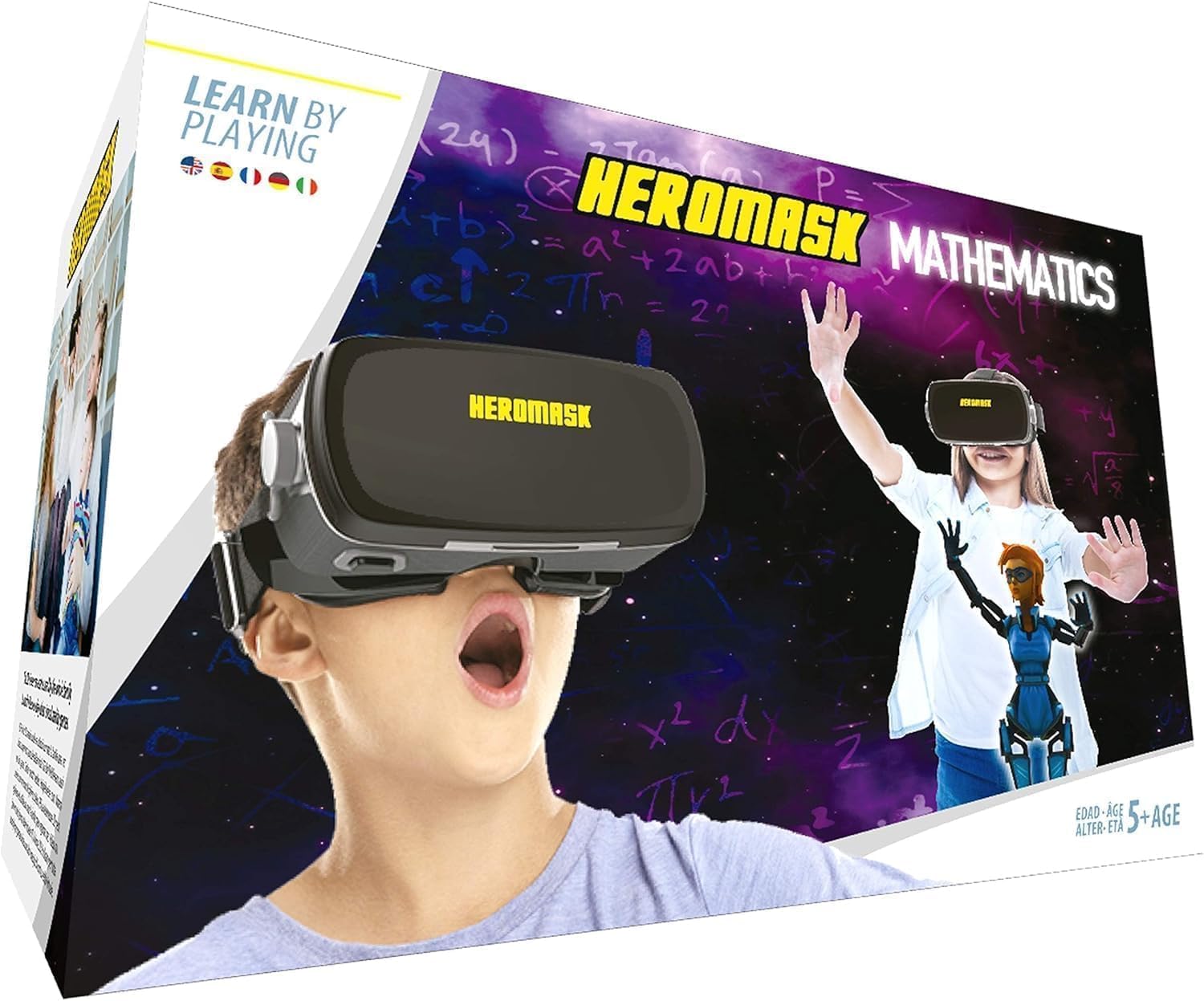
Heromask VR Headset

76 /100
LBD Score Very Good

Key details

Power
No batteries or charging
Warranty
2 years
Age Range
5-12 years
Phone Compatibility
All iPhone 5S or newer, Android 7.0+ (gyroscope required for Android)
View on Amazon

A math tutor in a plastic shell is an odd pitch, and it's the one that works on the parents of a 6-year-old. Heromask is built for ages 5 to 12, runs off the phone you already own, and the games inside are times tables, addition, subtraction and division, developed with teachers rather than licensed from a game studio.

What we like most is the absence of admin. The trigger button is moulded into the headset, so there's no remote to lose and nothing to charge, and once the free app is downloaded the games run without a connection — which makes this the one headset here that still works on a car trip or at a grandparent's house with no Wi-Fi. Aspheric lenses, a microfiber cloth and a two-year warranty round it out.

The boundary is the library. This is arithmetic practice with a headset on, not a way into Beat Saber, and a child who has watched a Quest demo will clock the difference inside a minute. For a 5- to 8-year-old who hasn't, it's a low-stakes way to find out whether VR holds their attention — and the sums come along for the ride.

Pros

  • No batteries or charging to manage
  • Games run offline after the first download
  • Built-in trigger button
  • Two-year warranty

Cons

  • Math practice only, no general VR library
  • Android phones need a gyroscope to work
Our verdict

Our pick for a 5- to 9-year-old: times tables in a headset, nothing to charge, and no pretence of being a games console.

Check Latest Price
4

Best Budget Pick

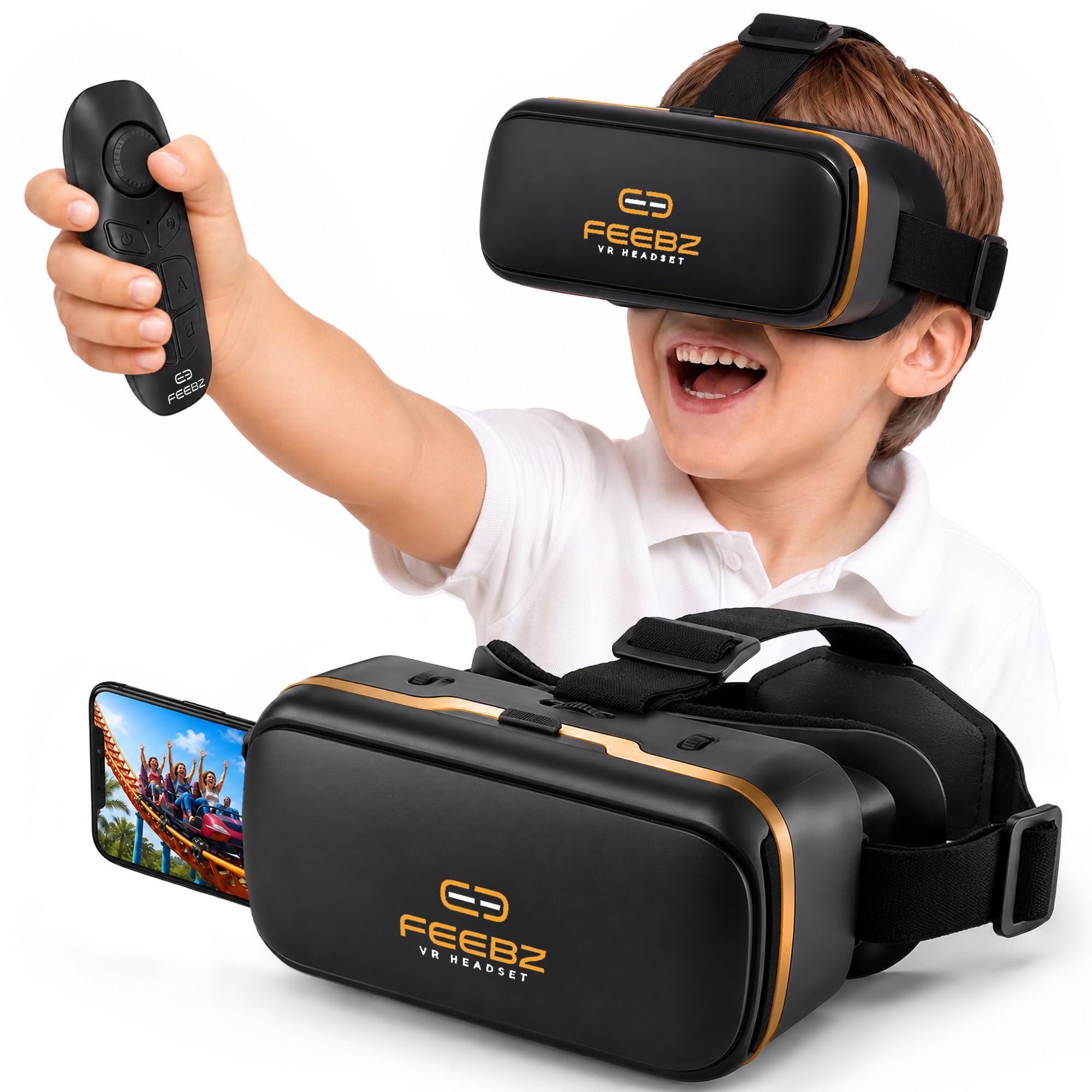
Feebz VR Headset

85 /100
LBD Score Excellent

Key details

Age Range
All ages
Controller
Remote included
In The Box
Headset, remote, cleaning cloth, fabric case
Phone Compatibility
iPhone and Android
View on Amazon

Inside the box you get a honey-gold shell with oversized lenses and a padded face rest, a small remote, a cleaning cloth and a fabric case — more kit than most phone viewers bother with, and enough to make the thing feel like a present rather than a plastic accessory.

Setup is the whole product, and it's a short one: slide the phone into the cradle, tighten the straps, open one of the linked apps or videos, and hand it over. For a first afternoon of VR with a 7-year-old, that's plenty. The tutorial link in the box means nobody has to work out the controls while a child asks whether it's ready yet.

What it doesn't do is tracking. The remote clicks through menus rather than following a hand, and nothing follows the headset as it moves through the room, so the child sits and looks around instead of walking through anything. For the money we don't mind that trade: a kid who mainly wants to stand on the moon for ten minutes before passing it to a sibling won't miss what isn't there.

Pros

  • Cheapest entry point in this group
  • Remote, cloth and carry case included
  • Padded face rest and larger lenses
  • Free app and video links for beginners

Cons

  • Remote navigates menus rather than tracking movement
Our verdict

We reach for this one when the budget is tight and the kid is young: a padded shell, a remote, a case, and nothing that needs charging.

Check Latest Price
5

Big-Screen Phones

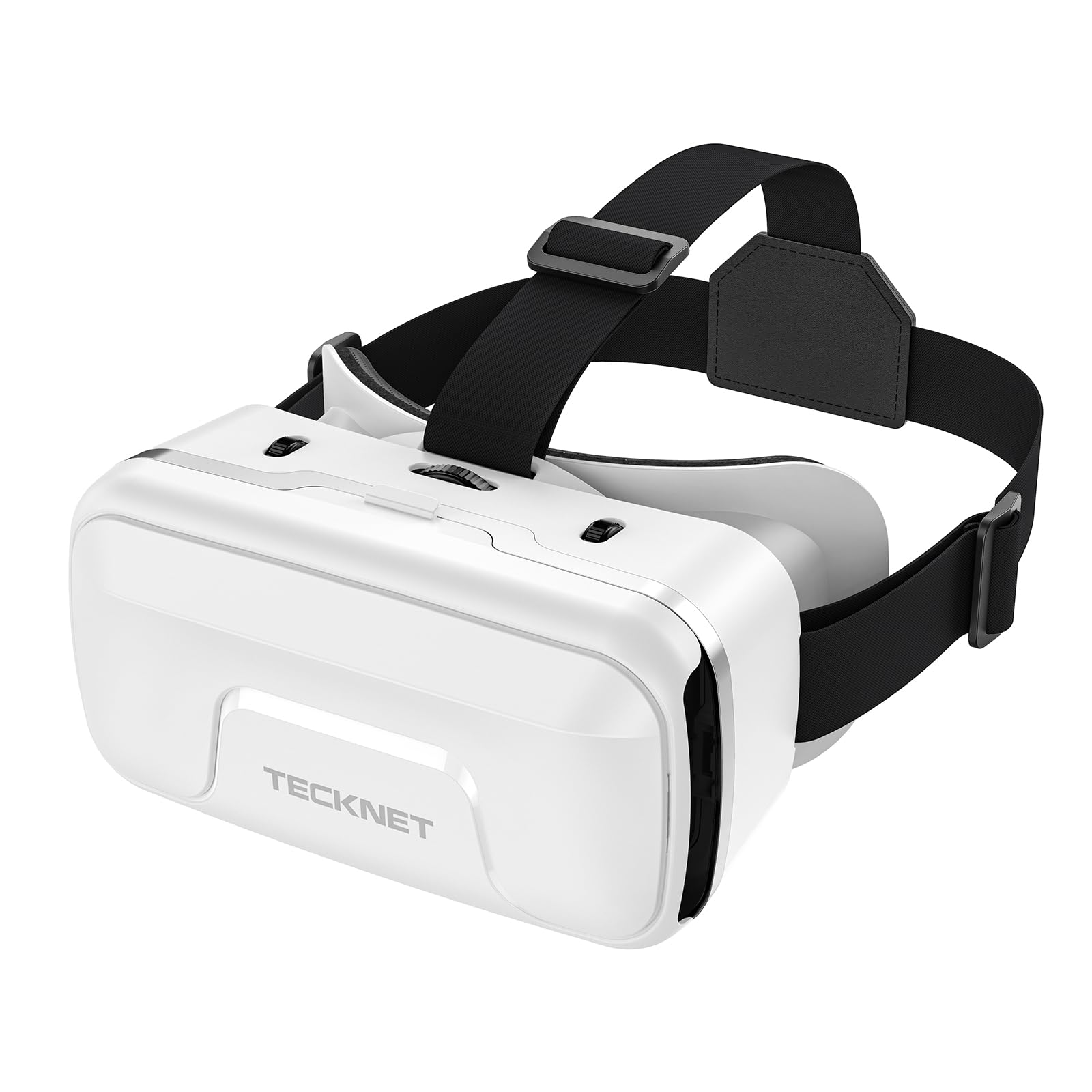
Tecknet VR Headset

82 /100
LBD Score Excellent

Key details

Warranty
3 years
Age Range
Kid
Field Of View
110 degrees
Phone Compatibility
4.7 to 7.2 inch screens
View on Amazon

The number that decides whether the Tecknet fits is 7.2 — inches, the largest phone the cradle takes, with 4.7 at the small end. That covers everything from a hand-me-down handset to a current big-screen phone, and it's why this one stays on our list: it's the phone viewer least likely to leave you stranded on compatibility.

The rest is sensible for the money. A 110-degree window is wide enough that the phone's edges disappear, the adjustable headband and soft nose rest go small enough for a child, the lenses are listed as blue-light filtering for long video sessions, and the warranty runs three years — unusual at this end of the range. A face cover and lens wipe come in the box, which are the boring things that keep a shared headset usable.

What it can't do is put anyone inside a game the way the Meta sets do. There's no motion tracking and no motion controller, so this is a seat, a phone, and a 360-degree video or a simple app. For a child who wants to ride a virtual roller coaster and then pass it to a friend, that's the job done.

Pros

  • Wide phone-size range
  • Three-year warranty
  • Blue-light filtering lenses
  • Adjustable headband and nose rest

Cons

  • Takes phones from 4.7 to 7.2 inches only
Our verdict

A phone viewer we trust to survive a shared household, with a wide phone cradle and a three-year warranty behind it; it's a viewer, not a console.

Check Latest Price

How We Tested VR Headsets With Kids

We started with research: every headset sold for kids, sorted by how it actually runs — standalone or phone-powered. Anything whose cradle couldn't grip a modern handset got cut, as did anything whose head strap topped out before a child's head size, and anything with no lens adjustment, since kids' eye spacing varies enormously and a fixed viewer is a headache waiting to happen. Nine headsets made the cut.

Those nine lived in four households for six months. They came out after school, on rainy Saturdays, and at a sleepover that ran until the low-battery warning; the phone-powered ones rode along on a long car trip, which is where the cheap viewers earned their keep. Every session, I logged how long the kid stayed in before handing it back and whether they asked for it again the next day — a more honest measure of fun than any feature list.

Image quality we judged the way kids do: whether menu text was legible, whether the picture looked like a screen door or a window, and whether fast games left anyone queasy. We timed each session until the headset died, then timed a full recharge from empty and checked whether the charging cable reached the couch so play could continue plugged in. Straps were run out to full extension against the smallest and largest heads in the house, units got dropped onto a rug from couch height, and lenses were wiped more times than I care to admit.

Value came last and mattered most: hours of use over six months against what each one cost, and whether the remote, the app library, and the tracking held up after the novelty wore off. A couple of the cheapest viewers are still in weekly rotation.

How to Choose a Vr Headset for a Kid

Standalone or Phone-Powered

A standalone headset, like the Quest 3S and Quest 3 here, carries its own screen, processor and battery, tracks how it moves through the room, and comes with controllers, so it can put a child inside a game. A phone-powered viewer is a shell with lenses and a cradle: the phone supplies the display and the computing, and nothing follows where the headset moves. That's why viewers are pitched at the 5-to-12 crowd and standalone sets aim higher — Meta lists the Quest 3 at 10 and up.

If your child is 10 or older and wants to play games, buy standalone. If they're younger, or you're not certain VR will hold their attention, start with a viewer and find out before spending four figures on a family hobby.

Fitting a Child's Head

A full-size standalone headset is built around an adult head, and a small face sits differently: the lenses land too far apart, the face pad rides up on the forehead, and the picture goes soft. Adjust the top strap first so the weight rests on the back of the skull, then the sides, then look through the set yourself and centre the image before a session starts.

Phone viewers are more forgiving, because a soft nose rest and a wide headband adapt to a small face. Either way, a child who says the picture is blurry is usually describing fit, not a faulty screen — so fix the straps before you consider returning anything.

The Cost After the Box

The headset is the cheap part. Standalone games are sold separately, plenty carry in-app purchases, and both Meta sets here include a three-month Meta Horizon+ trial — a trial, not a library you keep. Phone viewers run the other way: the apps and video links are free, and the phone does the work.

So budget for a couple of titles before you buy, decide now whether in-app purchases are allowed on the account, and choose storage with the whole household in mind. 128 GB is fine for one child who deletes as they go; 512 GB earns its keep when two people keep a library installed.

Battery and the Session Routine

The listed runtimes are 2.5 hours for the Quest 3S and 2.2 for the Quest 3, and demanding games eat into both. A USB-C power bank in a pocket stretches a session, and charging between children stops the next one starting on empty. Phone viewers have no battery of their own, which sounds simpler until you remember that a phone running a VR app at full brightness drains quickly.

Whichever you choose, a charge after every session is the habit that keeps the thing usable. It also gives you a natural place to end a session without an argument about whose turn it is.

Frequently Asked Questions

Final Verdict

Most families should buy the Meta Quest 3S. It has the current Meta library, ships with controllers, and the step up to the Quest 3 mostly buys optics a child won't notice. Where an adult will wear the headset as often as the kid, that changes: the Quest 3's sharper picture and larger storage are worth the premium, and Meta's 10+ guidance suits a teenager anyway.

If your child is still between 5 and 8, skip standalone for now. The Heromask covers that age bracket with math games, no charging and no remote to lose — and it tells you whether VR is worth a bigger purchase later.