Best Enclosed 3D Printers of 2026

An enclosed 3D printer only earns its footprint if it actually prints, and that's the quiet worry behind most searches: you're paying extra for the box, and what the box buys you is a heated chamber, a lid on the noise, and filtration so the machine can sit in a room people actually use. My team and I have spent the past nine months with seven enclosed printers in a home workshop and, for one long stretch, in my home office.

The specs that end up mattering are the boring ones: automatic leveling, a camera and app you can check from your desk, and a first-run setup that doesn't send you to a forum thread. Two things worth knowing before you buy — don't pay for build volume you have no plan for, and multi-color printing is genuinely fun but costs hours of filament in purge waste. The picks below run from a beginner-friendly starter you could hand to a kid to a large-format multi-color machine.

1

Best Overall

Bambu Lab P2S Combo

87 /100
LBD Score Excellent

Key details

Max Speed
600 mm/s
AMS Drying
65 °C
Setup Time
15 min
Chamber Temp
50 °C
View on Amazon

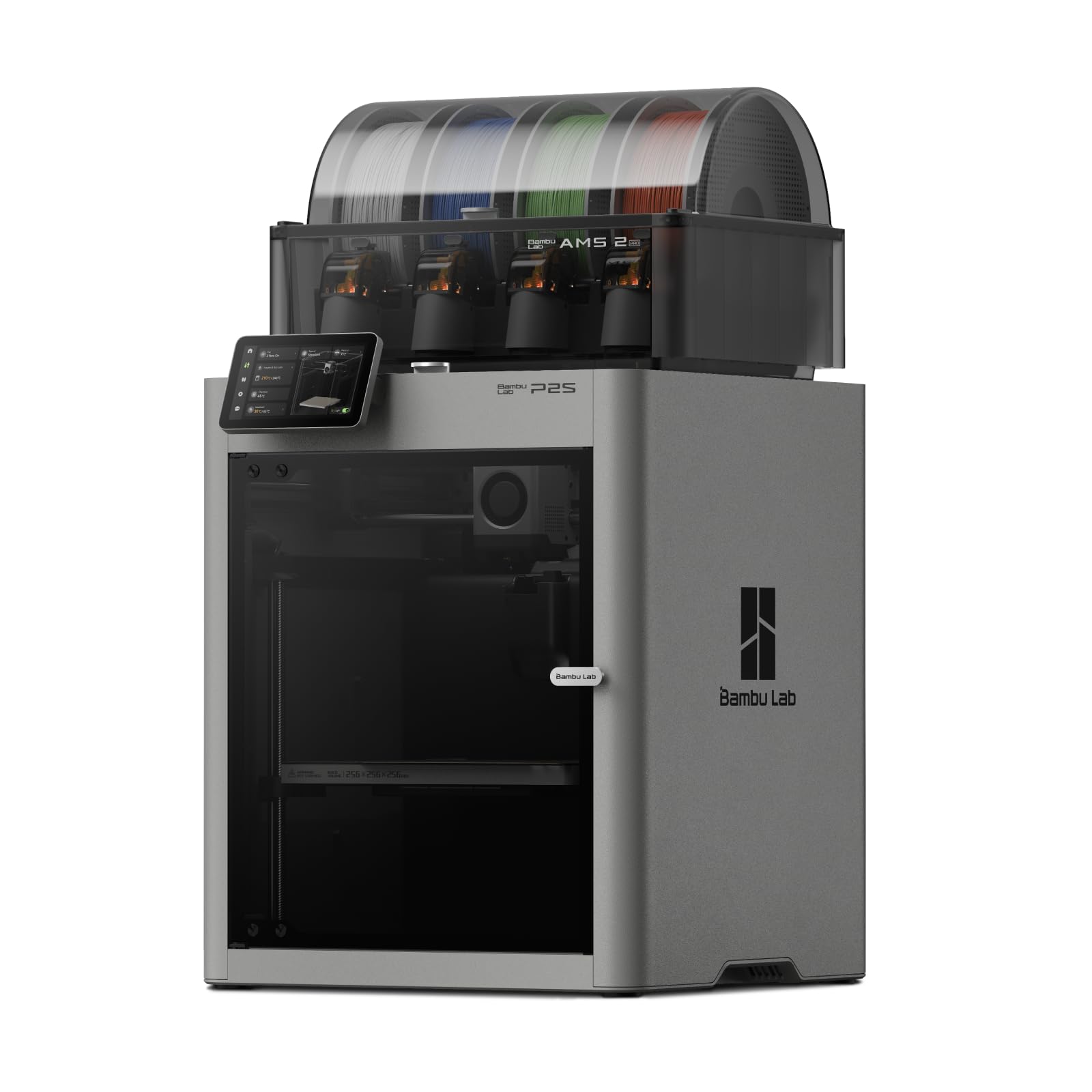
The first thing we noticed about the P2S Combo is how little ceremony there is between unboxing and a finished print. Bambu Lab claims a 15-minute setup, and the combination of automatic calibration, quick-swap nozzles, and AI failure detection makes that feel plausible rather than promotional. The CoreXY motion is rated to 600 mm/s, but the more useful number for us is the amount of time we didn't spend tramming a bed or chasing a first-layer problem.

The AMS 2 Pro is the part we didn't expect to care about as much as the printer. It dries filament at up to 65 °C while the spools sit, which is a quiet advantage in a humid room; the four-color switching is the headline, but dry filament is the everyday benefit. The 50 °C chamber and adaptive airflow do the housekeeping for you, balancing cooling for overhangs against heat retention for ABS and ASA.

Where the P2S earns the top spot is the lack of friction in everyday use. It's not the largest printer here — the K2 Plus Combo has a much bigger cube — but it's the one we kept coming back to for mixed workloads: a multicolor figurine, a functional bracket, a quick prototype. The quick-swap nozzle system is the detail that sold us: you can change nozzle size without rebuilding the hotend, so a detailed miniature and a rough draft don't require two machines.

Pros

  • Fast 600 mm/s CoreXY motion
  • 15-minute setup with automatic calibration
  • AMS 2 Pro dries filament at up to 65 °C
  • Enclosed 50 °C chamber with adaptive airflow

Cons

  • 50 °C chamber trails the hotter engineering picks
Our verdict

We recommend the P2S Combo to anyone who wants enclosed, multicolor printing to feel like an appliance rather than a project.

Check Latest Price
2

Best Budget Enclosed

Flashforge Adventurer 5M Pro

83 /100
LBD Score Excellent

Key details

Noise
≤50 dB
Max Speed
600 mm/s
Nozzle Temp
280 °C
Build Volume
220 × 220 × 220 mm
View on Amazon

The 5M Pro is the smallest fully enclosed printer we recommend, and that's the point. It takes up about the footprint of a small microwave, seals the build area behind a door and lid, and adds HEPA13 and activated-carbon filtration. The rated noise is under 50 dB. For a spare-room desk or a workbench in a shared space, that combination is more useful than a bigger build volume you have to house somewhere else.

The 600 mm/s CoreXY motion and 280 °C hotend are not just spec-sheet numbers. The 5M Pro heats to 200 °C in about 35 seconds and uses a quick-swap nozzle system that covers 0.25, 0.4, 0.6, and 0.8 mm. We liked that you can go from a 0.4 mm general-purpose setup to a 0.6 mm rough-part nozzle in seconds; the 0.25 mm option is the sleeper feature for miniatures.

What keeps the 5M Pro from being a universal recommendation is reliability. The design is right for a compact enclosed machine, but the long-term record is mixed enough that the return window belongs in your setup plan. If the printer has to live where you do, that sealed, filtered box is worth more than another 50 mm of build volume.

Pros

  • Fully enclosed with HEPA13 and carbon filtration
  • Compact 220 mm cube fits a small desk
  • Quick-swap nozzles from 0.25 to 0.8 mm

Cons

  • Small 220 mm build volume
  • Long-term reliability is mixed
Our verdict

We pick the Adventurer 5M Pro when the budget and the desk are both tight but you still want a sealed chamber and filtration.

Check Latest Price
3

Best for Engineering Materials

QIDI Q2

78 /100
LBD Score Very Good

Key details

Max Speed
600 mm/s
Nozzle Temp
370 °C
Build Volume
270 × 270 × 256 mm
Chamber Temp
65 °C
View on Amazon

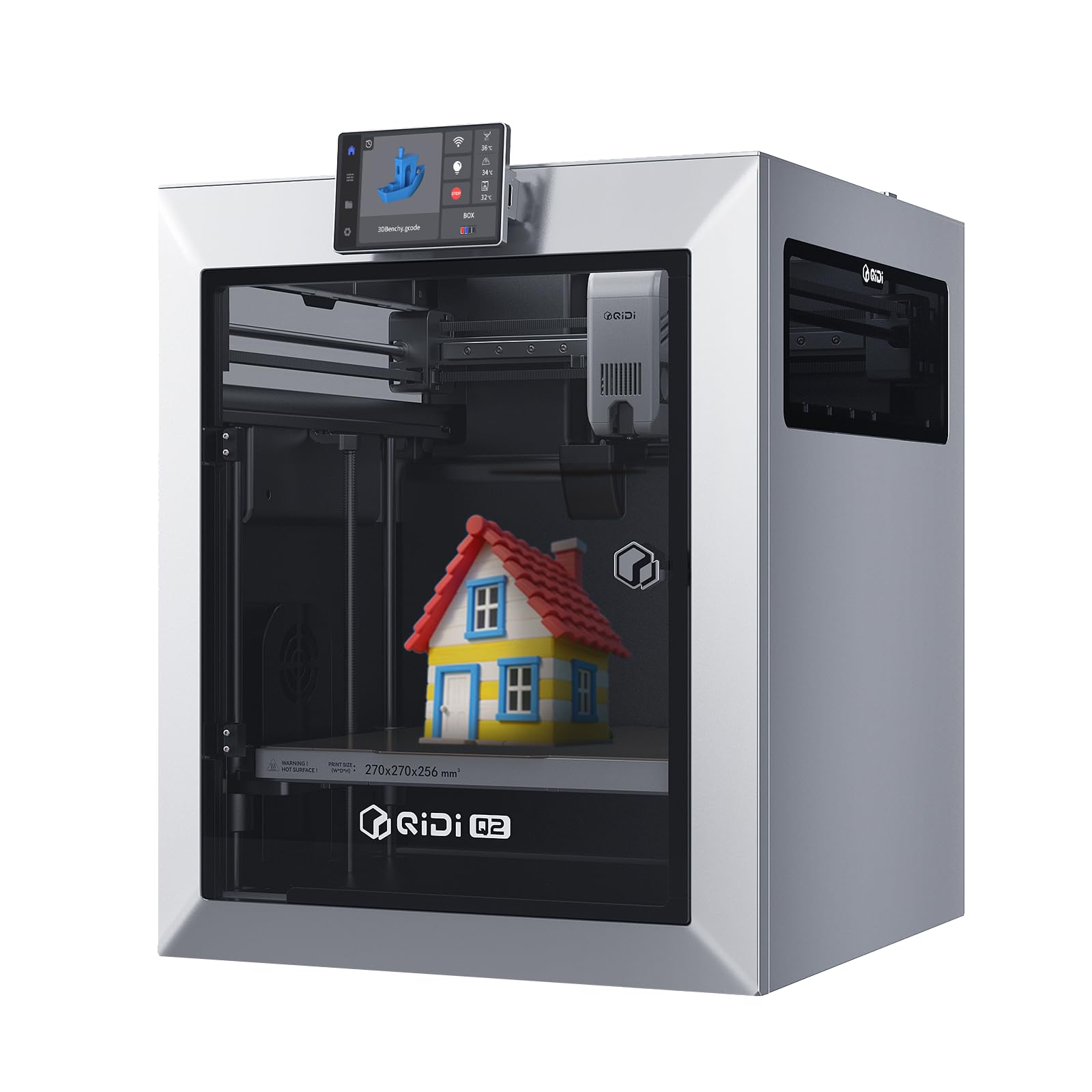
The Q2's 65 °C heated chamber is the reason it's here, but the detail we kept thinking about is the nozzle acting as the bed-leveling sensor. Instead of a separate probe, the nozzle itself finds the bed, which means the first layer is measured at the point where plastic actually lands. That's a small mechanical difference with a real payoff: fewer first-layer variables to chase when you switch from a textured sheet to a smooth one.

The rest of the package is built for materials that punish a cold chamber. The 370 °C nozzle is rated for PPS-CF, and the 65 °C chamber is the feature that separates it from the 50 °C P2S and the 60 °C K2 Plus. A G3 pre-filter, H12 HEPA, and activated carbon handle the exhaust side. We appreciated that the filtration is integrated rather than a bolt-on box; on a printer this size, that's one less thing to find room for.

The Q2 is a 270 x 270 x 256 mm printer, so it's not the large-format answer. Multi-color is also an add-on: the QIDI Box takes it to 16 colors, but the base machine is single-color. If you mostly print PLA and PETG, the P2S is the easier, faster pick. The Q2 earns its keep when the spool says CF or high-temp, and you want that capability in a footprint that still fits a normal desk.

Pros

  • 65 °C heated chamber for engineering filaments
  • 370 °C nozzle rated for PPS-CF
  • Nozzle-based bed leveling
  • Triple filtration with HEPA and carbon

Cons

  • Multi-color requires the add-on QIDI Box
  • High-speed print quality is mixed
Our verdict

We reach for the QIDI Q2 when your filament list includes engineering plastics and you need real chamber heat without stepping up to a larger machine.

Check Latest Price
4

Best for Large Prints

Creality K2 Plus Combo

85 /100
LBD Score Excellent

Key details

Colors
Up to 16
Max Speed
600 mm/s
Build Volume
350 × 350 × 350 mm
Chamber Temp
60 °C
View on Amazon

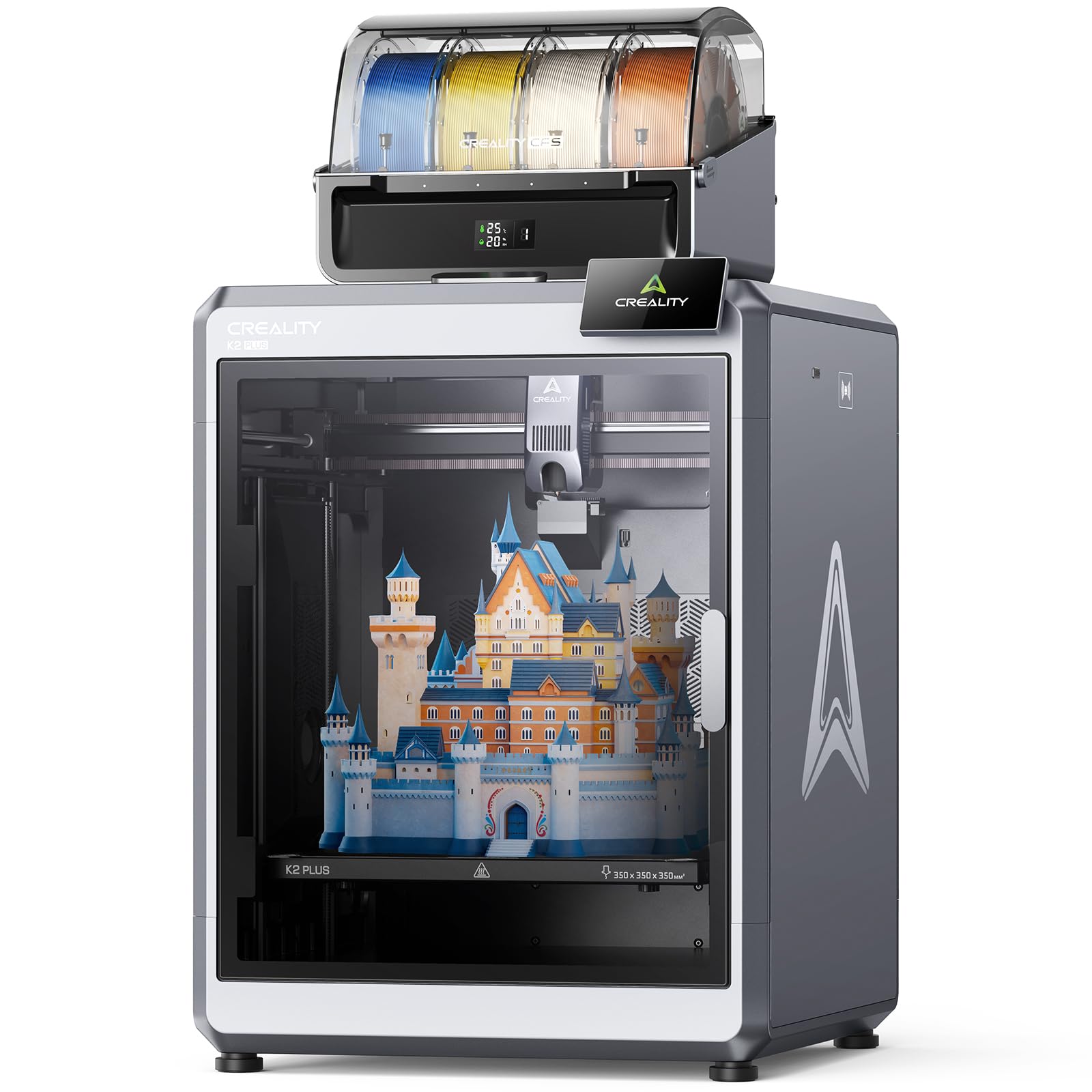
The 350 mm build cube is the whole reason to look at the K2 Plus Combo. It's the largest build volume in this group, and the difference is practical: a full-size helmet, a big vase, or a batch of brackets can print in one piece instead of being split and glued. The machine itself is correspondingly large, so measure the door swing and the space beside it, not just the footprint.

The 60 °C chamber and 16-color CFS setup make it feel like a small production machine. One CFS gives four colors; four units reach 16. Dual AI cameras watch the chamber and the nozzle, and we appreciated the chamber view for checking a long print without opening the door. The nozzle camera is the one that catches a blob early, which is the kind of monitoring that matters on a print that runs overnight.

Setup is more involved than the P2S, and the documentation is the weakest part of the package. That's a real friction point for a first printer, but it matters less if you're buying this for the build volume and have some experience. If your parts fit a 270 mm class machine, the QIDI Q2 or the P2S will be easier to live with; the K2 Plus is the one you choose when the part size decides the printer.

Pros

  • 350 mm cube for large single-piece prints
  • 60 °C active chamber for high-temp materials
  • 16-color CFS setup with four units

Cons

  • Large footprint needs door and spool clearance
  • Thin documentation and involved setup
Our verdict

The K2 Plus Combo is our pick for large multicolor parts that smaller enclosed printers force you to split or outsource.

Check Latest Price
5

Kids and STEM

AOSEED X-MAKER JOY AI+

82 /100
LBD Score Excellent

Key details

Filament
Single-color PLA
Enclosure
Enclosed
Precision
0.05 mm
Print Speed
220–250 mm/s (400 peak)
View on Amazon

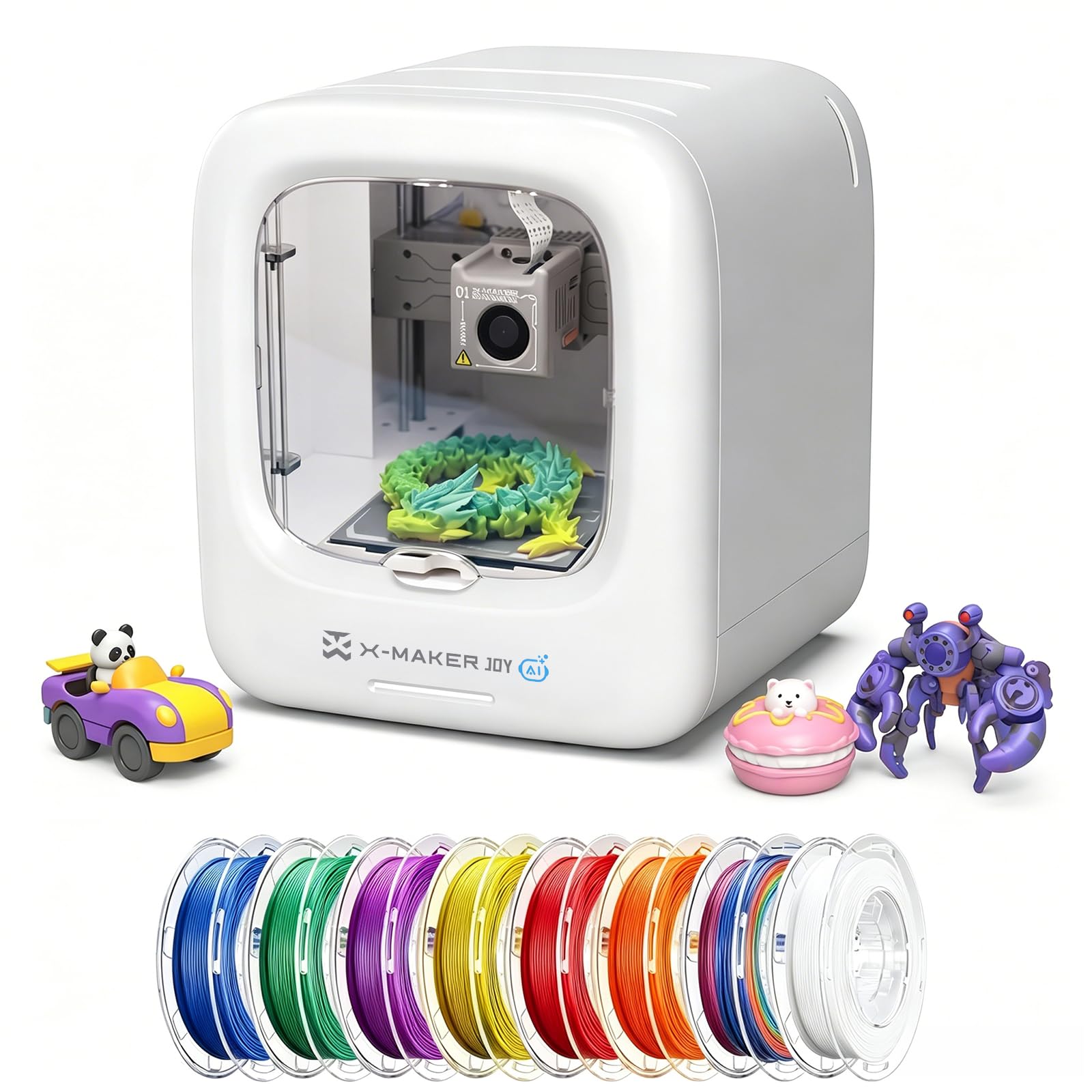
The AOSEED X-MAKER JOY AI+ is not trying to be a workshop printer, and that's the point. It's a small enclosed machine with a one-tap app, a library of more than 20,000 models, and eight PLA spools in the box. For a family that wants a toy factory rather than a hobby, the one-tap workflow is the feature that matters. The enclosure is the safety story: it puts a layer between small hands and the moving parts.

The prints are aimed at small toys and STEM projects, and the 0.05 mm detail and 220–250 mm/s speed are enough for that job. We liked that the app handles the slicing and model choice; a child can pick a design, tap print, and watch it build. The catch is PLA only and single-color. Multi-color designs are printed as separate parts and assembled, which is a real limit but also keeps the machine simple.

The eight spools are the detail that makes it a genuine gift rather than a starter kit with a shopping list. You can start the same afternoon. The small build area is the trade: this is a machine for charms, toys, and school projects, not a full-size prop. If that's the job, the AOSEED is the most kid-first enclosed printer here.

Pros

  • Enclosed body with a kid-first one-tap app
  • 20,000+ model library and eight PLA spools
  • Simple WiFi setup and remote printing

Cons

  • PLA only and single-color
  • Small build area limits larger projects
Our verdict

We like the AOSEED for families who want a sealed, app-driven first printer that can make toys without a slicer lesson.

Check Latest Price

How We Tested Enclosed 3D Printers

We started with roughly 30 enclosed machines and filtered hard: anything with a sealed frame but no filtration came off the list, then we compared chamber type, build volume, and what actually ships in the box — camera, light, spare nozzle, filament. Seven survived, spanning compact single-color printers to large multi-color setups.

Every printer got the same start: unboxed at the kitchen table on a Saturday, assembled using only the included instructions, and timed until the first test print came off the bed. We noted where the manual contradicted the hardware in front of us, whether the leveling sequence needed a manual nudge, and how many steps it took to get the machine on Wi-Fi and running from the app. One of them went home with a friend who had never printed anything, and we watched how far she got without my help.

After that they moved into real rooms. We ran 12-hour overnight jobs on a desk beside a bedroom wall, checking noise at arm's length and again through a closed door. We printed ABS and ASA with the door shut and came back to sniff the hallway. Multi-color jobs were often started remotely from the app mid-workday so we could watch the camera feed and weigh the purge waste.

Print quality was measured, not eyeballed: the same test cube on every machine, calipers on all three axes, corners checked for lifting, layer lines judged under a raking light. Across nine months we logged every failed print and every part that needed a reprint, which is where reliability and value separated — a printer that arrives with a camera, a light, and filament is a different proposition than one that doesn't.

How to Choose an Enclosed 3D Printer

Start With the Chamber, Then the Filtration

A sealed enclosure traps heat and noise, but an active heated chamber holds a target temperature. The P2S holds 50 °C, the K2 Plus 60 °C, and the QIDI Q2 65 °C. For PLA and PETG, a basic enclosure is enough. For ABS, ASA, PA-CF, or PPS-CF, pay for chamber heat and filtration; the higher temperature reduces warping, and the filter handles the fumes you don't want in the room. Look for a stated chamber temperature, not just the word enclosed.

Treat Build Volume as a Floor-Plan Decision

Measure the largest part you actually plan to print, add room for a brim and supports, then check the door swing and spool clearance. A 220 mm cube like the Adventurer 5M Pro is a desktop machine. The 270 mm Q2 is the useful middle. The 350 mm K2 Plus is a different commitment and needs a dedicated table. Buying a bigger cube than you need costs space and usually money; buying too small means splitting models and gluing them back together.

Reliability Is a Maintenance Plan

Auto-leveling and AI cameras help, but first-layer adhesion still comes down to a clean sheet, the right Z offset, and dry filament. Budget for a spare nozzle and a second bed sheet. Run a small test print before the return window closes, then another after a week of use. A printer with a mixed reliability record is not automatically out, but it is a reason to test early and keep the packaging until you trust it.

Multi-Color Is a Workflow Choice

An AMS or CFS system trades purge waste and extra mechanics for convenience. If a model has a handful of color changes, print separate parts and assemble them; if color is the point, a combo makes sense. Four colors covers most models, while 16 is for production runs or complex designs. Filament drying matters as much as color count, especially in a humid room; a dryer built into the AMS is a real convenience, not a spec-sheet extra.

Frequently Asked Questions

Final Verdict

The Bambu Lab P2S Combo is the enclosed printer we recommend first. It makes multicolor, high-speed printing feel routine: 15-minute setup, automatic calibration, a drying AMS, and a 50 °C chamber.

If your filament list runs to PPS-CF or PA-CF, the QIDI Q2's 65 °C chamber and 370 °C nozzle are the better tool. For parts beyond a 300 mm class, the K2 Plus Combo's 350 mm cube and 16-color setup justify the larger footprint. The Adventurer 5M Pro is the choice when the desk, not the print, is the limiting factor.