Best Small 3D Printers of 2026

A 3D printer is not a toaster. You can't press a button and walk away — at least not the first few times. The gap between the photos on the box and the machine sitting on your counter is exactly where first-time buyers get stuck: the bed drifts out of level, the first layer smears, and the cheerful little boat turns into a nest of filament. The right small printer closes that gap. The wrong one becomes a paperweight with a screen.

I've kept one humming on the desk behind me for most of this year, and my team has put nine small machines through seven months of school projects, replacement knobs, and an unreasonable number of tiny dinosaurs. The ones that stay are rarely the fastest on paper; they're the ones that finish a print while you're doing something else. A listing's top speed comes from one shape at one setting — a kid's elephant is a different test entirely.

Auto-leveling decides how much of your evening goes into the hobby rather than into the machine, with a removable textured build plate a close second. Quiet matters more than you'd expect once the thing lives in a bedroom. Some picks below suit a curious eight-year-old; others suit a grown-up who just wants a bracket by Saturday.

1

Best Overall

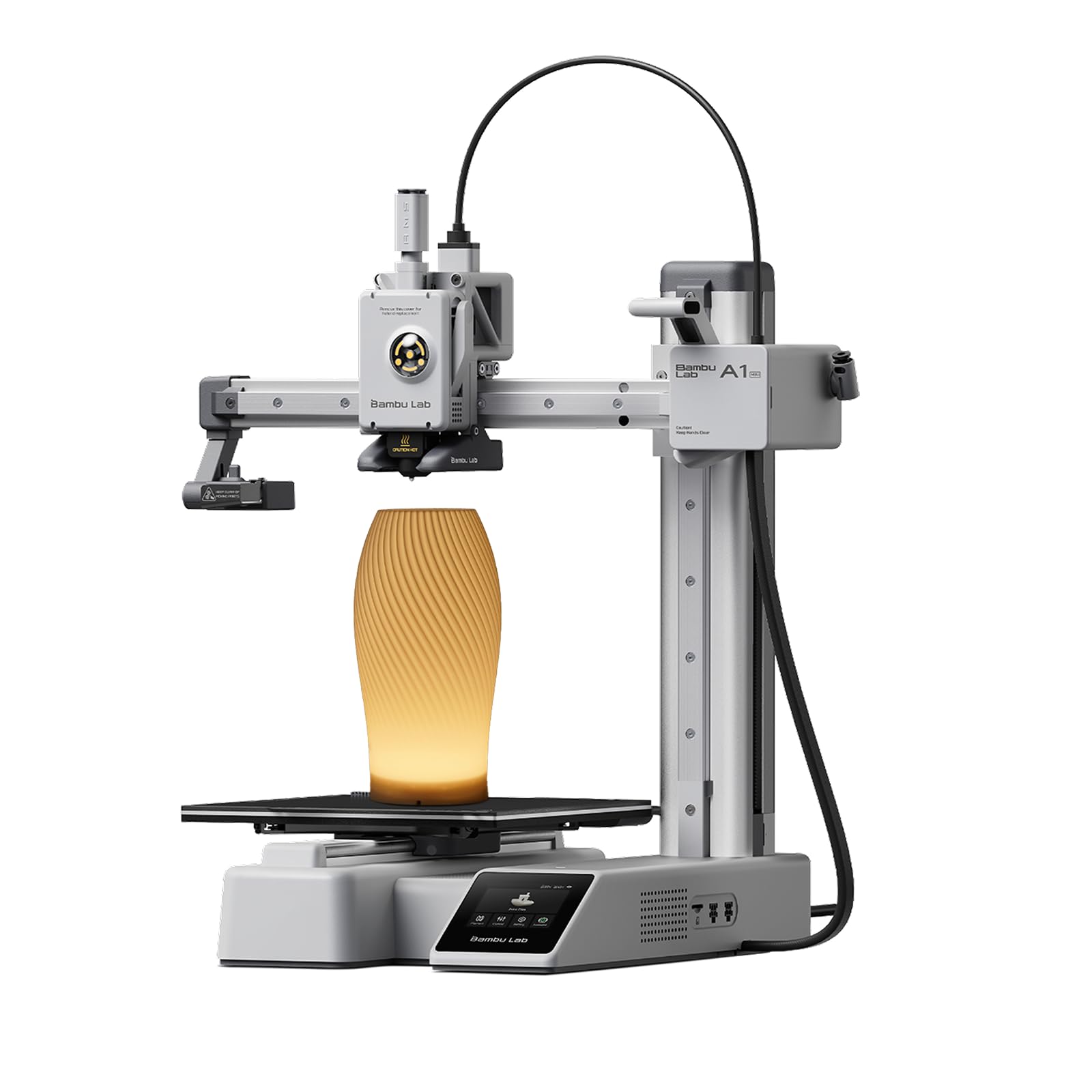
Bambu Lab A1 mini

86 /100
LBD Score Excellent

Key details

Weight
12.1 lb
Footprint
15.21 x 16.77 x 17.94 in
Calibration
Full-auto calibration
Noise Rating
≤48 dB
View on Amazon

The A1 mini costs more than the Entinas, and the difference buys the thing that matters most on a beginner's machine: prints that finish. Bambu's full-auto calibration levels the bed and compensates flow rate before the first layer, so the first hour is printing rather than tuning, and it repeats that every time you switch materials.

What surprised us is how little noise it makes for the output. Bambu rates it at 48 dB, and in a room with a television on you stop noticing it — the exception being the pre-print calibration routine, which whines and rattles for a minute before each job and is comfortably the least pleasant part of owning one. The LED lamp kit in this version is the best kind of pack-in: you print a shade, fit the light, and end up with something that goes on a shelf instead of into the parts drawer. MakerWorld and the Handy app keep that going. Pick a model, hit print, don't learn a slicer first unless you want to.

The reservation we hold is reliability. Some of these printers fail to produce a clean print and no amount of bed-leveling practice fixes it, which is a warranty conversation rather than a settings one. It's the one place this pick isn't airtight, and it's why we suggest buying from a seller with an easy return window and running a real print in the first week rather than the bundled test file.

Pros

  • Automatic bed and flow calibration
  • Quiet enough for a shared room
  • Deep model library and app workflow
  • LED lamp kit makes a real first project

Cons

  • Large footprint for a mini printer
  • Calibration routine is loud and high-pitched
Our verdict

Buy this if you want a first printer that behaves: it calibrates itself, runs quietly, and finishes more prints than anything else in this group.
Check Latest Price
2

Best Value for Speed

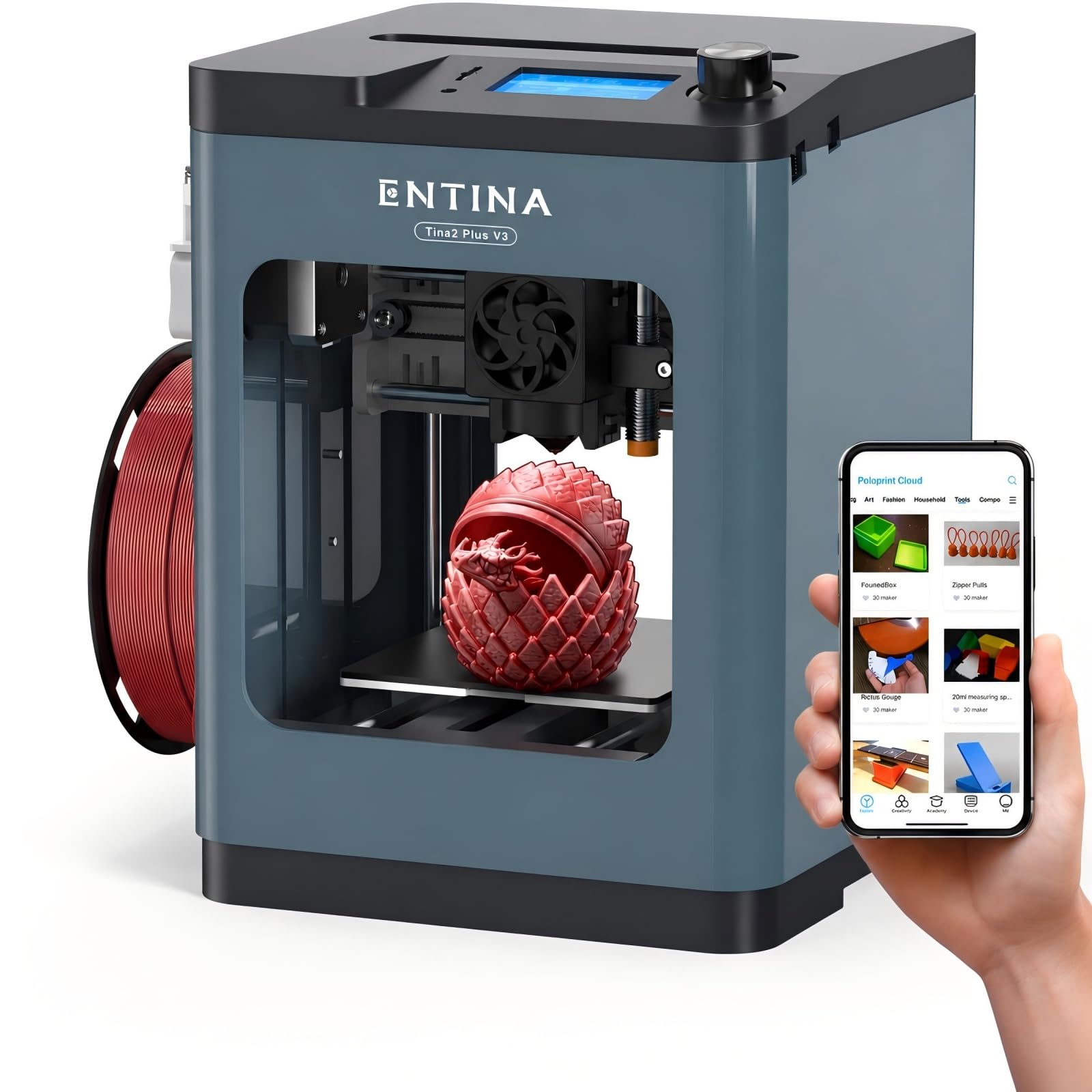
Entina Tina2 Plus

86 /100
LBD Score Excellent

Key details

Weight
9.88 lb
Footprint
11.4 x 8.6 x 8.6 in
Heat-up Time
40 seconds
Max Print Speed
250 mm/s
View on Amazon

Forty seconds is the number we kept coming back to on the Tina2 Plus. The 250 mm/s top speed is the headline and it does make small parts feel quick, but the ceramic hotend is what changes how you use the machine: a job becomes a five-minute detour between other things rather than a session you plan around. For palm-sized brackets, keychains and toy parts, the nozzle is hot before you've picked a model.

We think of this one as the fast second printer. It arrives assembled and pre-calibrated, auto-leveling sorts the first layer, and the flexible PEI plate releases parts with a bend instead of a scrape. The quick-swap nozzle is the detail that earns its keep over months, since a clogged nozzle is usually the point where a cheap printer ends up at the back of a cupboard. Where we're less convinced is the software: the Poloprint Cloud app and its 3,500+ models are the intended route in, which is lovely for a kid who wants to tap and print and a detour for anyone who already slices in Orca or Cura.

The trade-off is that this is less of a known quantity than the Bambu. Prints come out well when the machine behaves, and it undercuts our top pick on price, but a dud that never prints properly is the failure that shows up on this line, and no amount of bed-leveling practice saves one. If yours arrives printing cleanly, it's the best value in this group; that first-week test is the whole gamble.

Pros

  • 40-second heat-up speeds up small jobs
  • Auto-leveling and flexible PEI plate
  • Quick-swap nozzle simplifies maintenance

Cons

No notable drawbacks to flag.

Our verdict

The pick for someone who prints small parts often and wants the machine ready in under a minute — provided the first week goes cleanly.

Check Latest Price
3

Best Enclosed for Kids

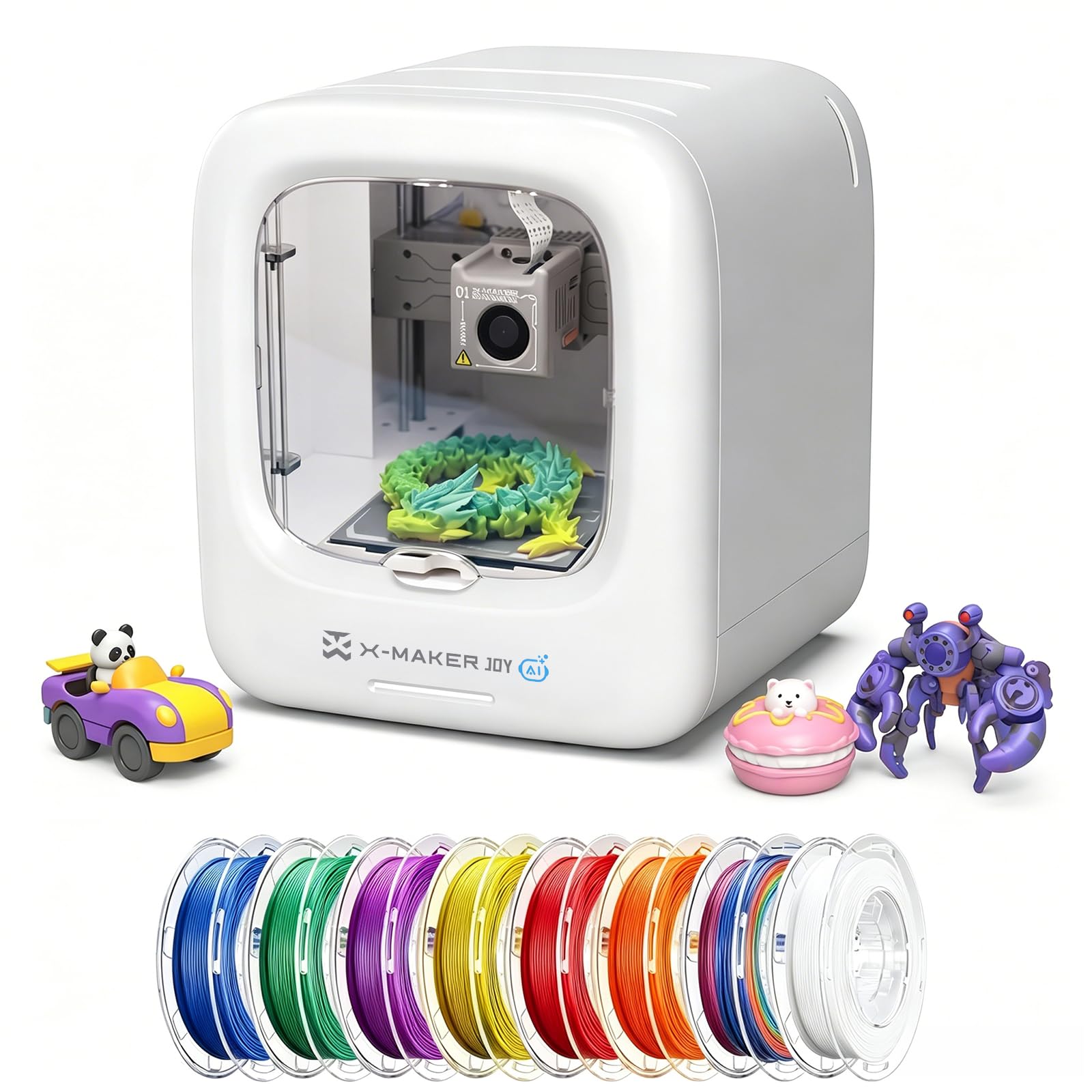
AOSEED X-MAKER JOY AI+

82 /100
LBD Score Excellent

Key details

Footprint
11.42 x 10.63 x 12.2 in
Print Speed
220–250 mm/s, peaks up to 400 mm/s
Build Chamber
Fully enclosed
Filament Included
8 PLA spools
View on Amazon

Eight spools of PLA ship in the box with the AOSEED, which tells you most of what you need to know about who this printer is for. Add the enclosed build chamber and one-tap printing from the app, and you have the machine to buy when the person using it is nine and the person paying for it is you. Nothing about it is aimed at an adult who wants to spend an afternoon tuning a slicer.

The enclosure is the real argument. Open-frame printers put a hot nozzle and a heated bed exactly where small hands go, and a closed chamber with a door is one less thing to think about while a child works beside you. We were also impressed by the AI Doodle tools, which turn a drawing, a typed sentence or a spoken idea into a printable model. That's the feature that keeps getting used after the novelty of the 20,000+ library wears off, because it means a kid prints something they invented rather than something they scrolled past.

It isn't the fastest, despite the numbers on the box: 220–250 mm/s with peaks up to 400 is the advertised range, and the honest read is that a small toy comes off in a reasonable time rather than a startling one. Speed was never going to be the reason to buy it. The catch is the track record — there's less history behind this machine than behind the Bambu or the Entinas, so our confidence rests on the design and on how completely it's built around children rather than on a long run of it.

Pros

  • Enclosed chamber shields the hot end
  • Eight PLA spools included with the printer
  • AI Doodle turns drawings or speech into models
  • 20,000+ ready-to-print models in the app

Cons

  • Single-color printing only, despite eight spools
  • The most expensive pick in this group
Our verdict

The pick for a household with young kids: the enclosure puts a door between small hands and the hot end, and eight spools mean printing starts immediately.

Check Latest Price
4

Best for Small Desks

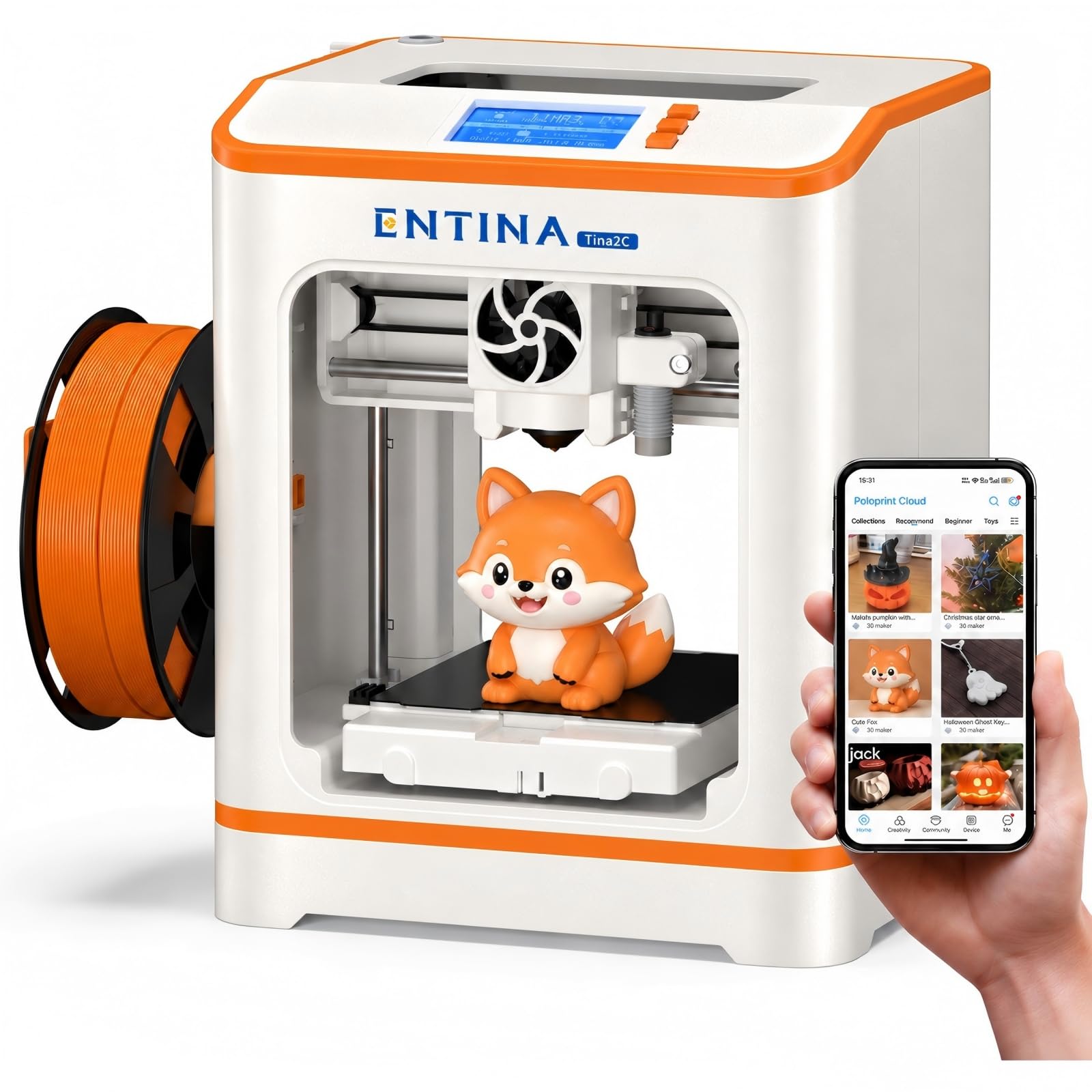
Entina Tina2C

86 /100
LBD Score Excellent

Key details

Weight
5.28 lb
Assembly
Fully assembled
Footprint
8 x 6.5 x 10 in
Model Library
3,500+ models
View on Amazon

At 8 by 6.5 by 10 inches and 5.28 pounds, the Tina2C is the lightest and narrowest machine in this group — the one you can lift off the desk with one hand when the desk needs to be a desk again. That reads like a footnote until you're fitting a printer into a shared apartment or a kid's homework station, where permanent surface area is the thing you don't have.

Setup is close to nothing. It ships assembled and pre-calibrated, auto-leveling handles the first layer, and the Poloprint Cloud app walks a first-timer from unboxing to a finished print without a slicer tutorial. The flexible magnetic plate is what we appreciated most day to day: bend it and the print releases, which is a far calmer way to end a job than working a spatula under a cold model.

What you give up is headroom. An 8-inch body means the build area inside is small even by mini standards, so anything you'd hold with two hands is out of reach, and the 3,500+ model library is built around exactly the palm-sized stuff this machine does well. For a seven- or nine-year-old taking a first run at 3D printing, that scale is the point rather than the compromise — short prints, cheap mistakes, and a printer that sits where the homework already happens.

Pros

  • Lightest and narrowest printer here
  • Ships assembled with automatic bed leveling
  • Guided app setup with 3,500+ models
  • Magnetic plate releases prints without scraping

Cons

  • Small body limits prints to palm-sized parts
Our verdict

The pick when desk space is the real constraint: light enough to move with one hand, guided enough for a child to start, and sized for the palm-sized prints that actually get made.

Check Latest Price
5

Tiny Desk Toys

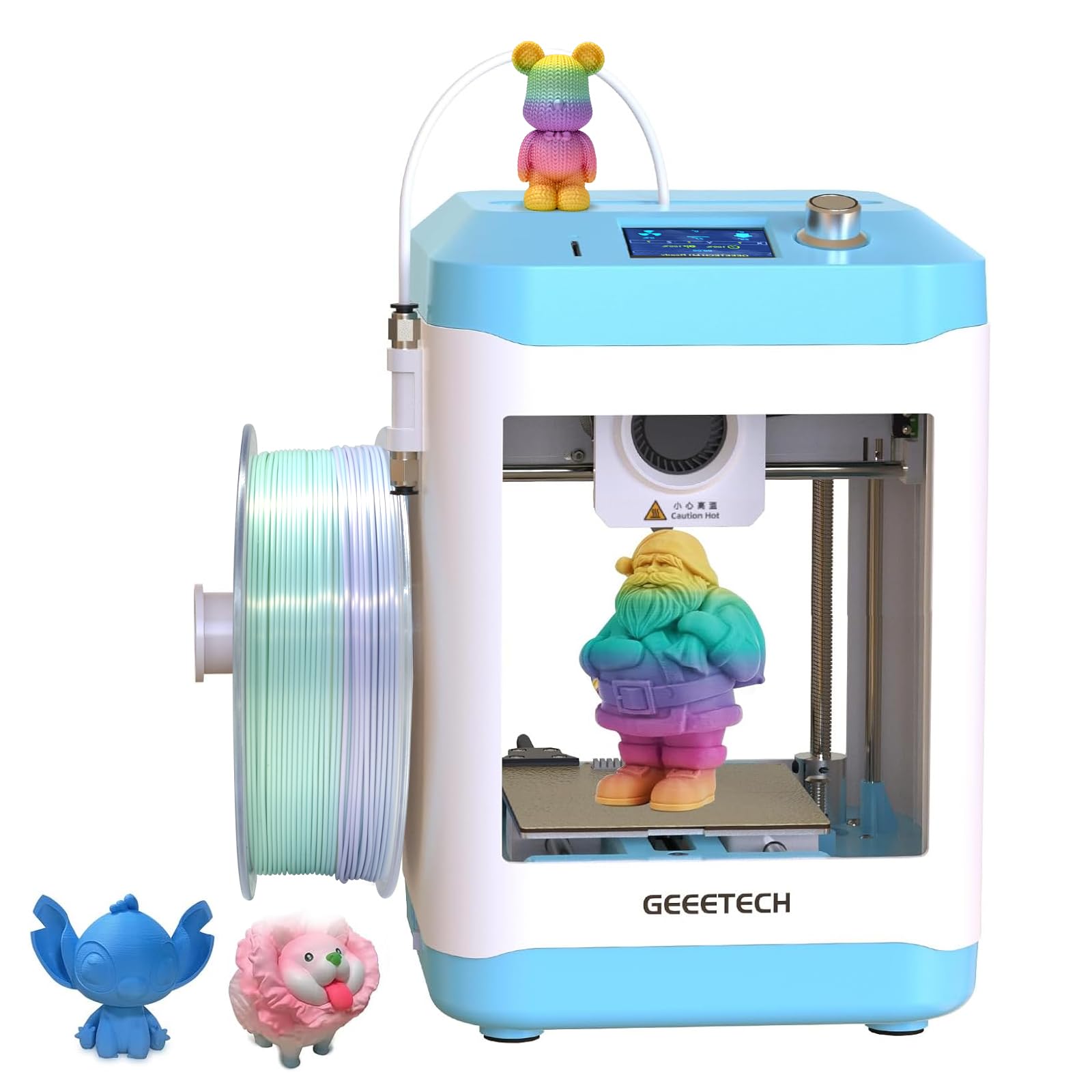
Geeetech M1 mini

77 /100
LBD Score Very Good

Key details

Weight
9.8 lb
Extruder
Direct drive
Leveling
16-point automatic
Print Area
3.94 x 4.33 x 3.94 in
View on Amazon

The Geeetech's print area is 3.94 by 4.33 by 3.94 inches, and that single figure decides whether it's the right printer for you. It's the smallest build box in this group — roughly a four-inch cube — so models get scaled down, split into parts, or skipped entirely. What you get in return is a machine that fits on a shelf, arrives fully assembled, and asks for about as little ceremony as anything here before the first print.

The hardware is better than the money suggests. A direct-drive extruder with a 1:5 gear ratio and a 50 W hot end give it more grip and heat than a body this size implies, the 16-point auto-leveling takes the worst of the setup out of play, and it runs quietly enough that we stopped noticing it. As a first taste of 3D printing, that's a sensible set of priorities.

Two things to weigh. The workflow is an SD card and a knob rather than a phone app, which is either the simplest thing about this printer or the most dated, depending on who's using it. And if you buy it, treat the return window as part of the product: run a real print in the first week and be patient with the leveling before you decide it's the machine's fault. It's a fine, cheap education in small-format printing; it just isn't the one to buy if you want to print without thinking about the machine.

Pros

  • Fully assembled and quick to start
  • Direct-drive extruder with 50 W hot end
  • Quiet in use

Cons

  • Some units won't print properly
Our verdict

A shelf-sized trinket printer with better hardware than its price implies — worth it only if you accept a four-inch build box and a shakier record.

Check Latest Price

How We Tested Nine Small 3D Printers on Our Desks

To build the shortlist, I read through retailer reviews and spec sheets for every compact printer I could find, then cut anything that arrived as a partial kit, anything with a build volume too small for a phone stand, and anything whose replacement nozzles or build plates weren't sold separately. Nine machines made the cut and stayed set up for seven months.

Each one was unboxed and timed from cardboard to first print, using nothing but what shipped in the box. We ran the same handful of files across all nine — a small articulated toy, a phone stand, and a replacement knob with a thread that had to come out clean — then peeled each print off the plate by hand to see how well it had gripped, and inspected the underside of every first layer for squish and gaps. Speed claims got checked against real jobs rather than the display, and a long overnight print showed us which machines held their layers and which drifted. Noise was measured with a phone decibel app at arm's length, then again from the next room with a print running.

Because so many of these get bought for a kid or a first-timer, we handed over the controls: an eight-year-old and an eleven-year-old loaded filament, picked a model from the built-in library, and started prints while we watched and wrote down what tripped them up. We logged every failed print, clog, and manual re-level.

Value came down to the first year rather than the sticker — whether a spare nozzle and plate were cheap and easy to find, and whether the bundled model library was big enough that nobody had to open a slicer on day one.

How to Choose a Small 3D Printer

Match the build box to the models, then the machine to the desk

Two different measurements get blurred together in listings: how much desk the printer eats and how big a print it can produce. They're related but not the same, and only the second one limits what you can make. The Geeetech prints inside a box of roughly four inches a side; the Tina2C is the narrowest machine here at 8 inches across, which is what makes it liveable on a child's homework station.

Write down the largest thing you actually want to print — a phone stand, a toy figure, a bracket — and check it against the build volume before anything else. If the honest answer is a helmet or a shelf span, none of these is your purchase and you should be shopping larger.

Assembly is done for you; calibration is where they differ

Every printer here arrives assembled, so the unboxing is not the hard part. What separates them is how much the machine does for itself afterwards. The A1 mini runs a full automatic calibration of bed leveling and flow rate before a job; the Geeetech uses a 16-point probe; the Entinas level automatically and lean on an app to walk you through the rest.

A guided first print is worth more to a beginner than any other feature on this list. The most common way a new printer gets abandoned is a first layer that won't stick and no idea which of six settings to blame.

Speed figures are ceilings, and heat-up often matters more

Top speeds in this group run from 200 mm/s to a claimed 400 mm/s peak, and those numbers hold only for certain shapes and materials. A mini printer mostly makes small parts, where the real bottleneck is often the machine getting ready: the Tina2 Plus heats its hotend in about 40 seconds, which turns a job into a quick detour between other things rather than a session you plan around.

Treat the print speed as a ceiling and ask instead how long the whole operation takes, from picking a model to peeling it off the plate.

Decide where it will live before it arrives

These are quiet machines for the category — the A1 mini is rated at 48 dB, and the Geeetech is the quietest of the group in our use — but none is silent, and calibration routines are the loudest thing any of them does. A bedroom shelf is workable. A shared living room during a work call is not.

The other half of placement is who's in the room. An open frame leaves a hot nozzle and heated bed exposed, so if young children will be nearby, an enclosed machine like the AOSEED is the more sensible design, with an adult supervising either way.

Work out what you'll spend on filament

Filament is the only recurring cost, and at this size it's modest: a palm-sized model uses a small fraction of a spool. The AOSEED includes eight spools, enough to keep a child printing for a long while; the others assume you'll buy your own, and plain PLA is the sensible starting material for toys, brackets and desk decorations.

Budget for one spare spool in a color you actually want, and save the exotic materials until the machine has turned out a few clean prints.

Frequently Asked Questions

Final Verdict

Buy the Bambu Lab A1 mini. It costs more than either Entina and less than the AOSEED, and it is the one we keep on the desk: it calibrates itself, prints quietly, and finishes jobs without asking you to learn anything first. That combination is what a first printer needs to be.

If a child is the primary user and you want a door between them and the hot end, the enclosed AOSEED earns its premium. If you want fast small parts without the Bambu bill, the Tina2 Plus is the value call — just run a real print in the first week and buy where returns are painless.