Best 4K Blu-Ray Players of 2026

There's a specific disappointment in settling in for a movie you've been waiting on and finding it has left the streaming service you thought owned it — or that the dark scenes look like a gray smear on a TV you paid good money for. That's usually the moment people start shopping for a disc player again. A good 4K Blu-ray player fixes both problems: the disc is the master copy, and the deck does the work of getting it to your screen at full bitrate with the right HDR format attached.

We've had eight players running through a living-room system for six months, from bare-bones decks to units that handle Dolby Vision and HDR10+, and one lesson arrived fast: match the player's HDR formats to your TV's. If your set handles Dolby Vision and the player only does HDR10, you're handing the tone mapping to the wrong device.

The other things shoppers ask me about — region-free playback, how these treat older DVDs and CDs, whether the drive is quiet, whether the remote is usable in a dark room — matter more than the spec sheet suggests. The picks below are the ones that held up on all of it.

1

Best Overall

Panasonic DP-UB820-K

86 /100
LBD Score Excellent

Key details

Weight
5.3 lb
HDR Formats
Dolby Vision, HDR10+, HDR10, HLG
HDMI Outputs
2
Surround Channels
7.1
View on Amazon

Two players in this group handle both Dolby Vision and HDR10+, and this is the one we point people toward first. The practical upshot is that nothing in your library drops back to plain HDR10 because the player only speaks one dialect: a Dolby Vision disc gets Dolby Vision, an HDR10+ import gets HDR10+, and Panasonic's HCX processing and 4K chroma work sit on top of both. Dark scenes are where we notice it most, and the picture is what keeps this player at the top of the group even though it costs the most.

At 5.3 pounds it's the heaviest player here, and the twin HDMI outputs let you send picture to the TV and sound to a receiver on separate cables — worth having if the receiver predates eARC. There's 7.1 surround support, a long list of hi-res audio formats, and streaming apps for 4K video on demand. We've never found a player's built-in apps better than the ones already on the TV, but they're there if you want them.

The thing that goes wrong is the freeze. On some high-capacity 4K discs, playback stops mid-film and the tray has to be reopened before it picks up again, and it's usually the long triple-layer titles that trigger it. Update the firmware before your first movie, play your longest disc in week one, and buy somewhere with a return window you don't mind using. That's the honest limit of the recommendation: not a reason to skip it, a reason to audition it early.

Pros

  • Covers Dolby Vision, HDR10+ and HDR10 in one player
  • Twin HDMI outputs keep audio and video separate
  • 7.1 surround and wide hi-res audio file support

Cons

  • Some high-capacity 4K discs freeze mid-film
Our verdict

If your library mixes Dolby Vision and HDR10+ discs, this is the player we recommend: it covers every format and turns in the most convincing 4K image in this group.

Check Latest Price
2

Best Value

Sony UBP-X700M

90 /100
LBD Score Outstanding

Key details

Media Type
Blu-ray, CD, DVD
HDR Formats
Dolby Vision, HDR10
HDMI Outputs
2
Output Resolution
2160p
View on Amazon

Considerably cheaper than our top pick and it still does Dolby Vision, which is the whole reason it's here. The X700M covers Dolby Vision and HDR10, outputs at 2160p, and offers two HDMI ports so audio can travel to a receiver on its own cable. Blu-ray, CD and DVD all play.

Picture quality is the strongest thing about it and the part we keep coming back to. Dolby Vision is what separates it from the Panasonic UB420, which costs more and doesn't offer it, and the BT.2020 wide color support means a modern disc's extra color has somewhere to go. Setup is about as easy as this gets: one cable to the TV, a short on-screen pass, and you're watching.

The catch is stability. Playback can freeze mid-film and need a restart, and the fix is usually a firmware update or a clean disc rather than a new player. Keep the receipt, run your longest disc early on, and give anything that skips a wipe before you blame the hardware.

The trade against the UB820 is HDR10+ coverage and a heavier build. Sony includes one High Speed HDMI cable in the box, so add a second if you're feeding a receiver and a TV on separate outputs.

Pros

  • Dolby Vision for far less than the top pick
  • Two HDMI outputs for separate audio
  • Quick setup with an HDMI cable in the box

Cons

  • Can freeze mid-film and need a restart
  • HDR10+ is not on its format list
Our verdict

The best value in this group: Dolby Vision, two HDMI outputs and a genuinely simple setup for considerably less than our top pick.

Check Latest Price
3

Best for HDR10+ Discs

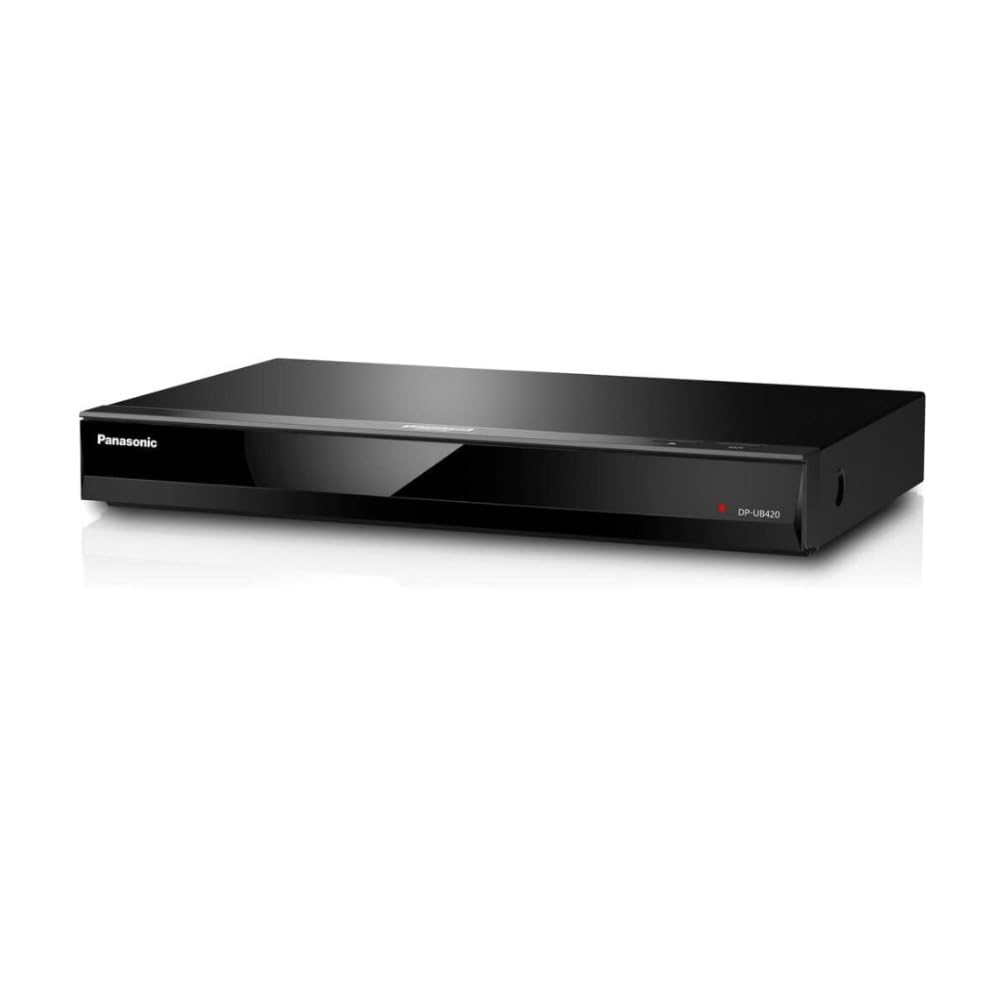
Panasonic DP-UB420-K

85 /100
LBD Score Excellent

Key details

Weight
3.09 lb
HDR Formats
HDR10+, HDR10, HLG
Connectivity
HDMI, Wi-Fi
HDMI Outputs
2
View on Amazon

If your TV is a Samsung, or any set that skips Dolby Vision, this is the sensible match: it plays HDR10+, HDR10 and HLG, and you aren't paying for a format your display can't show. On a Dolby Vision set the omission bites — those discs play back as HDR10 — and that's the whole reason this one sits below the UB820 rather than beside it.

What carries it is the picture. The 4K high-precision chroma processing interpolates the compressed 4:2:0 color on a disc up to 4:4:4, which is the technical way of saying gradients and skin tones stay smooth instead of banding across a sky. That's the Panasonic processing we care about most here, and it's why the image holds up next to players that cost more.

Twin HDMI outputs are the other reason to pick it over a single-output player, and there are 4K streaming apps built in plus basic voice control through Alexa. The chassis runs 14.75 inches across and a little over three inches tall, so give it a proper shelf rather than a slot. For a midrange player feeding a receiver and a TV, that's most of what you need.

Pros

  • HDR10+ playback for Samsung and HDR10+ discs
  • Twin HDMI outputs for a receiver and a TV
  • Chroma processing keeps color gradients smooth
  • 4K streaming apps and voice control built in

Cons

  • Disc loading and menus can feel sluggish
Our verdict

If your TV doesn't do Dolby Vision, we think this is the better-spent money: HDR10+ playback, twin HDMI outputs and the same Panasonic color work for a midrange price.

Check Latest Price
4

Headphone Listening

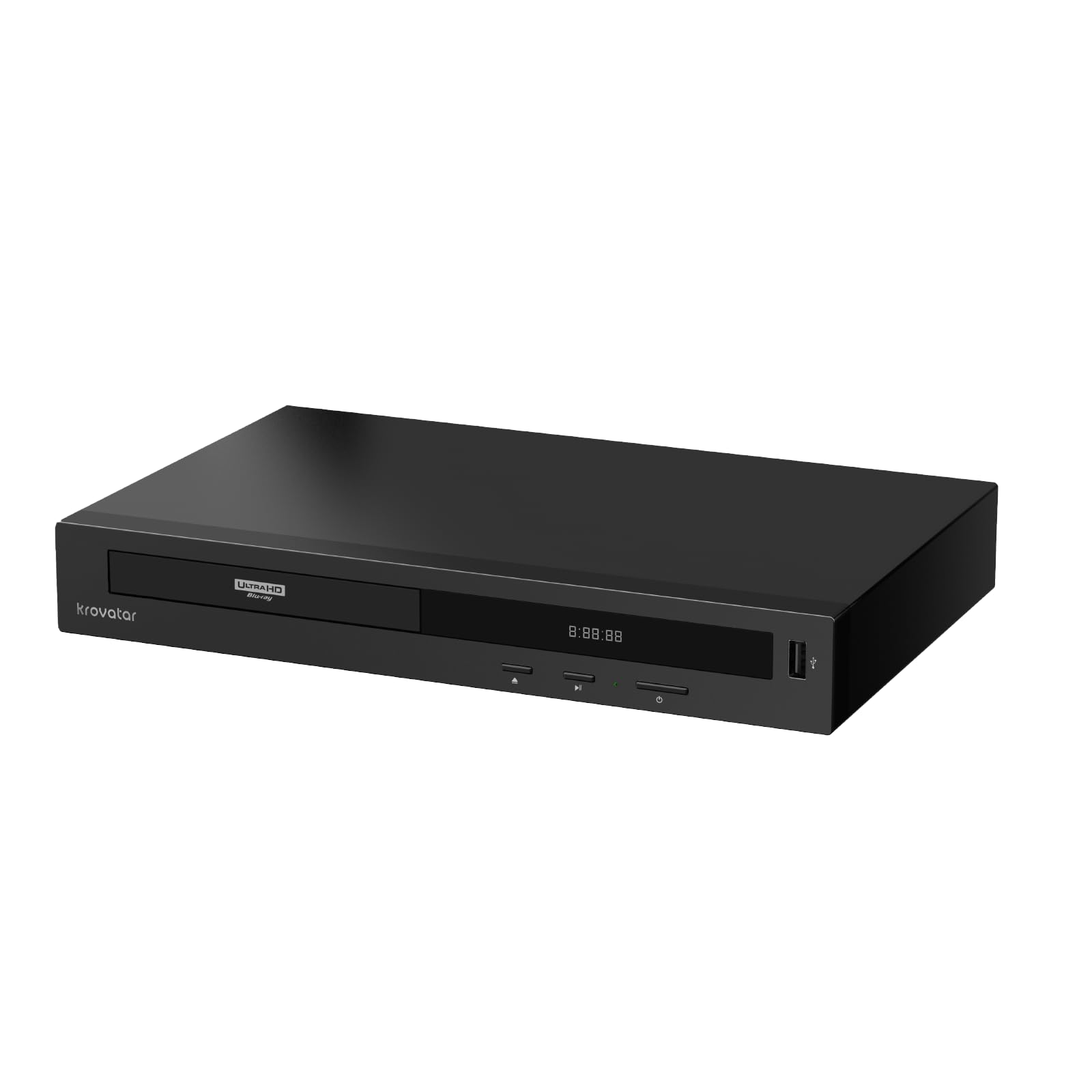
Krovatar KBU-300

83 /100
LBD Score Excellent

Key details

Audio
Dolby Atmos, DTS:X
Weight
3.09 lb
HDR Formats
Dolby Vision, HDR10+
Connectivity
Bluetooth, Ethernet, HDMI, USB
View on Amazon

The Bluetooth transmitter is what makes this one different: pair a set of headphones straight to the player and watch a disc without routing anything through a receiver or a TV. For a bedroom setup, or a house where someone else is asleep by the second act, it's the most useful thing in the box.

The rest of the package is generous. Dolby Vision and HDR10+ are both on the format list, Dolby Atmos and DTS:X pass through, and it reads SACD alongside Blu-ray, DVD and CD. You also get a front display, a full-size remote with batteries, an HDMI cable, and a two-year warranty — the longest of anything here. The aluminum body makes it feel more expensive than it is, which is a compliment we don't hand out often in this group.

Where we hesitate is the long game. This is a small brand with a short track record next to Panasonic and Sony, and a disc player's useful life is decided by firmware — a format fix, a disc that won't load, a Dolby Vision handshake that needs patching. If that support arrives, this is a genuinely good buy for a second room or a headphone-heavy setup. If it doesn't, you've bought a very capable spinner that may not keep up.

Pros

  • Bluetooth output pairs headphones directly
  • Dolby Vision and HDR10+ on one player
  • HDMI cable, batteries and a two-year warranty included

Cons

  • Little track record for firmware updates and service
Our verdict

A flexible, well-equipped player and the one we reach for when headphones are the point — just go in knowing the brand's support record is unproven.

Check Latest Price
5

Import Discs

Sony X700 Region-Free

80 /100
LBD Score Excellent

Key details

Wi-Fi
2.4 GHz and 5.0 GHz
DVD Regions
1-9
HDMI Outputs
2
Blu-ray Regions
A, B, C
View on Amazon

There's a specific buyer for this one: someone with a shelf of Region B Blu-rays or Region 2 DVDs and no second player to put them in. It's a Sony UBP-X700 opened up to play Blu-ray regions A, B and C and DVD regions 1 through 9, with the same Dolby Vision support, dual-band Wi-Fi and two HDMI outputs as the standard model.

We like that it solves the problem without a second box under the TV, and that the switching is a button sequence rather than a menu crawl — the tray stays open while you set the region with the remote's color buttons. What we don't like is the variance. The region-free claim is the thing that goes wrong: units turn up as plain Region A players instead of the modified hardware, which is a costly surprise on a premium purchase.

So test it the day it arrives. Put in a disc from a region you don't normally use, switch regions, and confirm both play before the return window closes. Buy from a seller that states the modification explicitly, and keep the packaging until you've checked.

Pros

  • Plays Blu-ray regions A, B, C and DVD regions 1-9
  • Dolby Vision and two HDMI outputs
  • Dual-band Wi-Fi built in

Cons

  • Premium price over the standard X700
Our verdict

Worth it if imports are the reason you're shopping: region-switching Blu-ray and DVD playback, Dolby Vision and two HDMI outputs, provided you verify the modification on arrival.

Check Latest Price
6

Wired Second Rooms

Samsung UBD-M7500

82 /100
LBD Score Excellent

Key details

Weight
4.2 lb
Network
Wired Ethernet only
Media Type
Blu-ray
HDMI Outputs
1
View on Amazon

There's no Wi-Fi, and that's the first thing to know. This Samsung needs an Ethernet cable to reach your network, which is fine in a rack that already has one and a nuisance anywhere else. It also ships without an HDMI cable, so add one to the order.

What you get for the money is a straightforward 4K disc player that does its job. We think the picture is the strongest part of the package — 4K detail is what this model is liked for — and setup is simple enough to manage from the remote without the manual. There's one HDMI output, and HDR is covered while Dolby Vision isn't part of the spec.

Where it earns a place is a second room, a guest setup, or a first 4K player bought on a budget: the menus are clean, the remote is one of the plainer and easier ones in this group, and the apps it does carry stream over that Ethernet cable rather than fighting for Wi-Fi. If the cable run is easy, it's a lot of player for the outlay.

Pros

  • Simple setup and clean on-screen menus
  • Strong 4K picture for the money
  • Plain, easy remote

Cons

  • No Wi-Fi; needs a wired Ethernet connection
  • Only one HDMI output
Our verdict

A simple, solid 4K player for a wired setup — we think it's worth buying only if an Ethernet cable already reaches the shelf and Dolby Vision isn't on your list.

Check Latest Price

How We Tested 4K Blu-ray Players

We started by pulling the current players from the major manufacturers and sorting them by the things that actually change a purchase: which HDR formats they decode, whether they output hi-res audio, which disc types they read, and where they sit on price. Owner reviews narrowed the field further — repeated complaints about freezing, noisy drives, or apps that stopped loading knocked a few out before we ever plugged them in. Eight made the cut.

Each one spent time in the same living-room setup, connected to a 4K TV and an AV receiver, and we lived with them the way anyone would: movie nights, a stack of older Blu-rays and DVDs borrowed specifically to see how each player upscales them, and a run of imported discs to check region-free behavior. We timed power-on, tray-open, and how quickly menus responded to the remote — including in a dark room, where button layout and backlighting matter more than anyone expects.

Picture quality was judged scene by scene. We watched the same dark, grainy sequences on every player to see which held shadow detail and which crushed it into black, and ran the same action chapters to check for banding in skies and gradients. Sound went out over HDMI to a receiver so we could compare how each handled a lossless track and whether audio stayed in sync with the picture.

Over six months we also noted the unglamorous stuff: drives that got louder with use, apps that stopped loading, remotes that drove us up a wall, and whether the box included an HDMI cable or left you buying one on top of the purchase price.

How to Choose a 4K Blu-Ray Player

Match the Player to Your TV's HDR Format

Dolby Vision and HDR10+ are separate dynamic-metadata systems, and plenty of televisions support one but not the other — LG and most OLED sets go Dolby Vision, Samsung goes HDR10+, and some sets do neither. A player can't hand your TV something the TV can't show, so buy the format your display speaks. The Panasonic DP-UB820-K covers both, which is why it's our default; on an HDR10+ set, the UB420 is the better-spent money.

Every 4K disc still plays on either player. It simply falls back to HDR10, which is a good picture rather than a broken one. If a TV upgrade is two or three years out, buy for the formats you want next.

Reliability Matters More Than the Feature List

The discs that cause trouble are the high-capacity triple-layer 4K titles — long movies with big transfers, which is usually exactly what you bought the player for. Firmware fixes a good share of it. Connect the player to your network and run the update before the first movie, then play your longest disc in week one while returning it is still simple.

A player that gets through that will usually get through the rest of your collection. Keep discs clean and fingerprint-free too; a smudge on a 100GB disc causes more skipping than most hardware faults.

Do You Need Two HDMI Outputs?

Two outputs send video to the TV and audio to a receiver on separate cables, which matters when the receiver is older than the TV and can't pass a 4K HDR picture through to the display. Most players here have two; the Samsung has one.

If your receiver handles 4K and HDR, or you run a soundbar off the TV's own output, one HDMI is enough and you can put the difference toward discs.

The Small Stuff: Remotes, Noise and Displays

Almost every remote in this group is small, button-dense and hard to read with the lights off, so plan on a backlit universal remote or a phone app — and check the code list for your player before you buy one. The drive is the other thing you'll live with: a disc spinning up and changing layers makes noise you'll hear in a quiet scene.

A front display tells you what's happening without turning the TV on. It's the sort of detail nobody shops for and everybody misses.

Frequently Asked Questions

Final Verdict

Start with the Panasonic DP-UB820-K. It's the one player here that handles Dolby Vision and HDR10+ both, it has the twin HDMI outputs a receiver-based system wants, and its 4K picture is the most convincing in this group. If the price is the obstacle, the Sony UBP-X700M delivers Dolby Vision and two outputs for a lot less; you give up HDR10+ coverage and a heavier build, and you take on the same freeze risk.

On a Samsung or any HDR10+ display, skip both and buy the Panasonic UB420 — it's the version of this decision that doesn't charge you for a format your TV can't show.