Best Blu-Ray Players of 2026

Put the same movie on a 4K disc and on its streaming app and the disc usually wins: sharper detail, deeper blacks, sound with real weight behind it. What people underestimate is the player itself. A weak one chokes on a busy action scene, smears the grain out of an older film, or hands your TV a signal it mishandles, and the format you paid extra for ends up looking no better than cable.

I've kept a player under my living room TV for years, and over the past six months my team put 12 of them through real movie nights, plus a bedroom setup and a spare TV in the back room. The advice I'd pass along first: check that the HDR format on the box matches what your TV can display, and let the player pass audio untouched to your soundbar or receiver instead of decoding it itself. Both change what you actually see and hear more than any line on the spec sheet.

Setup, the remote, and whether a machine still loads a disc cleanly in month five matter more than most shoppers expect. The picks below are sorted by who they suit, not by price.

1

Best Overall

Panasonic DP-UB820-K

86 /100
LBD Score Excellent

Key details

Dimensions
16.9 x 8.06 x 2.5 in
Resolution
4K UHD (3840 x 2160)
HDR Formats
Dolby Vision, HDR10+, HDR10, HLG
HDMI Outputs
2
View on Amazon

If you have a 4K TV and a stack of Ultra HD discs, the Panasonic DP-UB820-K is the player we recommend first. It supports Dolby Vision, HDR10+, HDR10, and HLG, so it can match the format your TV handles best. The two HDMI outputs are the detail that makes it a serious home-theater component: you can send video straight to the TV and audio to a receiver, which keeps an older surround system in the chain without compromising the picture.

Among these picks, it's the only true 4K player, and that's the difference you're paying for. Discs look detailed, and standard Blu-rays and DVDs get a useful upscale rather than looking flat on a big screen. The audio side is just as complete, with 7.1-channel surround and a wide list of hi-res file formats. We also appreciate the full-width chassis for a dedicated rack, though it takes up more shelf space than the compact 1080p models here.

The price is the other thing to weigh. This is a premium player, and you're paying for 4K format support, dual HDMI, and audio flexibility rather than a long list of streaming extras. If your library is still mostly standard Blu-ray, the NUTROMO below is the more sensible buy. For a dedicated 4K theater, though, the format support and dual outputs make the extra outlay easier to justify.

Pros

  • True 4K with Dolby Vision and HDR10+
  • Two HDMI outputs for TV and receiver
  • Strong upscaling for DVDs and Blu-rays
  • Wide hi-res audio support

Cons

  • Some units have 4K disc playback issues
  • Remote is crowded and small
Our verdict

This is the player we recommend for a 4K home theater, thanks to its Dolby Vision/HDR10+ support and dual HDMI outputs.
Check Latest Price
2

Best Value

NUTROMO Blu-ray DVD Player

86 /100
LBD Score Excellent

Key details

Resolution
1080p
USB Support
128GB
Disc Regions
Region A Blu-ray, Region 1 DVD
Audio Formats
Dolby TrueHD, DTS-HD
View on Amazon

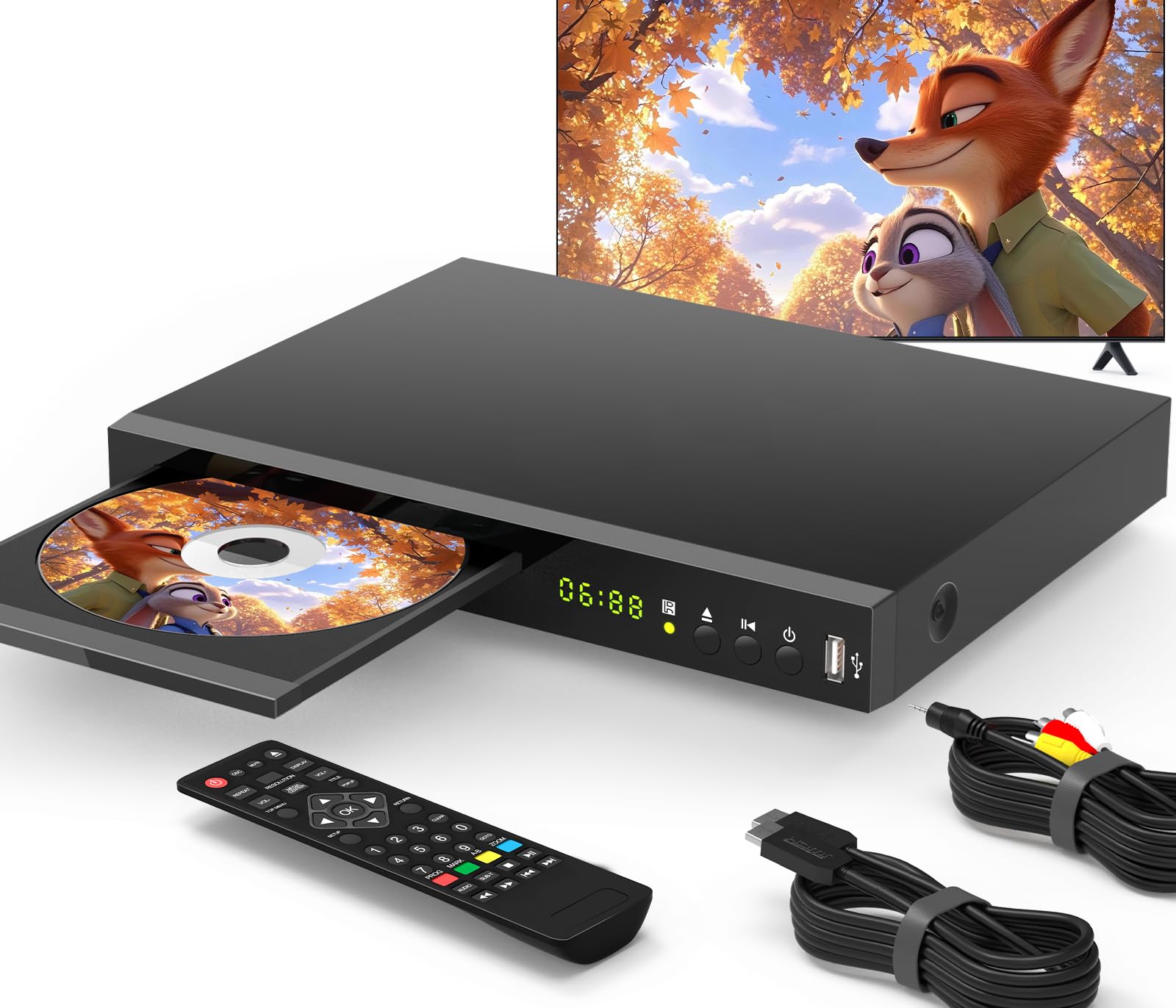
The NUTROMO player is the one we point to when the goal is playing a big shelf of standard Blu-rays and DVDs without paying 4K prices. It handles Region A Blu-rays and Region 1 DVDs, which covers the discs most U.S. buyers already own, and it upscales DVDs to 1080p over HDMI. Setup is about as simple as it gets: one HDMI cable, a power cord, and a menu that doesn't bury the basics.

What we like most is the connection set at this price. You get HDMI, composite AV, and coaxial audio outputs, plus a USB port for files up to 128GB. That makes it unusually easy to fit into an older TV or a soundbar setup. It supports Dolby TrueHD and DTS-HD, so it can feed a surround system, and it plays CDs as well as movies. For a spare room or a first disc player, that's a lot of useful flexibility.

This is a 1080p player, so if you've moved to 4K discs, it isn't the one; the Panasonic above is. For everyone else, the value is hard to argue with: it starts up without a lot of fuss, handles files from a USB drive, and doesn't make you pay for 4K hardware you won't use.

Pros

  • Strong value for standard Blu-ray
  • HDMI, AV, and coaxial outputs
  • USB playback up to 128GB

Cons

  • Remote feels flimsy and small
Our verdict

The best value here for standard Blu-ray and DVD collections, with simple setup and useful USB playback.

Check Latest Price
3

Best for Older TVs

LONPOO LP-100

85 /100
LBD Score Excellent

Key details

Outputs
HDMI, RCA, coaxial
Resolution
1080p
Disc Regions
Region A Blu-ray, Region 1 DVD
External Storage
USB up to 64GB, HDD up to 2TB
View on Amazon

The LONPOO LP-100 is the pick for a TV that predates HDMI, or for a setup where you want a wired connection to an older receiver. It has HDMI, RCA, and coaxial outputs, so it can slot into a modern flat-screen or a legacy set without an adapter. The metal case gives it a sturdier feel than the plastic budget players here.

It plays Region A Blu-rays and Region 1 DVDs, upscales DVDs to 1080p, and handles CDs. The external storage support is unusually broad for the price: USB drives up to 64GB and hard drives up to 2TB. That makes it a useful part of a home-theater setup if you keep movies on a drive. We also like that it supports Dolby TrueHD and DTS-HD, so the audio isn't an afterthought. The 1080p output is the right match for that kind of setup, and it won't ask you to replace a working TV just to play discs.

The picture is good for standard Blu-ray, but this isn't a 4K player. If you want a disc-first deck for a second room or an older TV, the connection set is the reason to pick it. Just don't expect it to match a true 4K player on a large screen.

Pros

  • RCA and coaxial outputs for older gear
  • Plays Blu-ray, DVD, and CD
  • USB and 2TB hard-drive support
  • Metal case feels sturdier

Cons

  • Remote buttons are small and confusing
Our verdict

A flexible 1080p deck for older TVs and mixed setups, with RCA and coaxial outputs plus hard-drive playback.

Check Latest Price
4

Second Room

Philips BDP1502 (Renewed)

85 /100
LBD Score Excellent

Key details

HDMI Ports
1
Resolution
1080p
Disc Formats
Blu-ray, DVD, CD
DVD Upscaling
To 1080p
View on Amazon

The Philips BDP1502 is the least expensive way into Blu-ray here, and it's a renewed unit rather than a new one. That's the first thing to weigh: you're saving money, but you're relying on the seller's refurbishment and warranty terms. If that's acceptable, the player itself is refreshingly simple. It handles Blu-ray, DVD, and CD, upscales DVDs to 1080p, and connects with HDMI. A six-foot HDMI cable is included, so you can be watching without a separate trip for a cord.

We like it for a guest room or a secondary TV where you just want to put in a disc and watch. The picture is clean for standard Blu-ray, and the player stays out of the way. It's a disc player in the purest sense, and that simplicity is the appeal. The remote is small, but the menus are simple enough that you won't spend much time in them.

The one HDMI output means you'll route audio through your TV or use the TV's own outputs. For the money, that's a reasonable compromise. If you want a second-room deck for occasional movie nights, it does the job without extra complexity.

Pros

  • Lowest-cost way into Blu-ray
  • Simple HDMI setup
  • DVD upscaling to 1080p

Cons

  • No Wi-Fi or streaming apps
Our verdict

A cheap, simple 1080p player for a second room, with the basics done well.

Check Latest Price

How We Chose and Tested Blu-Ray Players

We built the shortlist from spec sheets first, looking for HDR support, players that can send Dolby TrueHD and DTS bitstream to a receiver, DVD upscaling, USB and external-drive playback, and the analog outputs older TVs still need. Anything that couldn't play a Region A disc without a workaround got cut before we ordered it.

That left 12 players, which we lived with for six months across three setups: the main 4K TV in the living room with a soundbar, a 1080p bedroom set, and a spare TV in the back room that only gets turned on at weekends. We watched whole films rather than clips, including a triple-layer 4K disc with a long layer change, a scratched DVD from a library sale, and a USB stick of home video files.

We timed each one from tray close to first frame and noted which paused noticeably mid-film. On a dark nighttime scene we watched for banding and for highlights that blew out, then ran the same DVD through every player to see whose upscaling kept faces from turning waxy. We compared audio sent straight to the receiver against audio the player decoded, listened for dropouts, and used each remote in a dark room by feel to see how quickly we could find chapter skip.

Reliability surfaced later: HDMI handshakes that dropped when we switched inputs, one player that forgot the Wi-Fi password twice, menus that got slower the longer a disc sat paused. We weighed all of that against what each machine costs, since a player that handles nearly everything here for half the money is the better buy for most rooms.

How to Choose a Blu-Ray Player

Start with your TV and your discs

Your TV sets the ceiling. A standard Blu-ray player outputs 1080p and upscales DVDs to that resolution, which is plenty for a 1080p set or a secondary room. A 4K Ultra HD player only earns its price if you have a 4K TV and plan to buy 4K discs; it can also upscale standard Blu-rays, but the biggest jump comes from true 4K media. HDR support is the other part: Dolby Vision and HDR10+ let the player match the TV's tone mapping, while HDR10 and HLG cover the rest. If you're not buying 4K discs, put the savings into a better standard player.

Put playback reliability first

A disc player has one job, and a frozen picture or a disc that won't load makes every other feature irrelevant. Before you buy, check the return window and plan to test a few discs right away, especially 4K discs if you go that route. Region compatibility matters too: most U.S. players handle Region A Blu-rays and Region 1 DVDs, and a region-free model is a specialist purchase rather than a default. We prefer a plain player that loads reliably to a feature-packed one that stumbles.

Match the connections to your gear

Count the HDMI inputs on your TV and receiver before you choose. A single HDMI output is fine for a TV-only setup, but a player with two outputs lets you send video straight to the TV and audio to an older receiver. If you have a legacy TV or an older AV receiver, RCA and coaxial outputs are the difference between using the player and needing an adapter. The LONPOO LP-100 is the pick here for that kind of wired setup, while the Panasonic DP-UB820-K covers dual-HDMI theater systems.

Treat streaming, remote, and size as extras

Built-in apps and Wi-Fi are convenient, but they're secondary on a disc player; a streaming stick can handle apps if the player's interface feels slow. The remote matters more than shoppers expect, because you'll use it in a dark room. Look for large, readable buttons or plan on a universal remote if the included one is cramped. Finally, measure the shelf: full-width 4K decks take more space than compact 1080p models, and a tight cabinet can block ventilation.

Frequently Asked Questions

Final Verdict

For a 4K home theater, the Panasonic DP-UB820-K is the player we recommend. Dolby Vision and HDR10+ support, dual HDMI outputs, and strong upscaling make the premium easier to justify, provided you have the TV and discs to use it.

If your library is still standard Blu-ray, the NUTROMO Blu-ray DVD Player is the smarter buy: it handles the discs most people own and adds useful USB and legacy connections for less. Choose the LONPOO LP-100 when your TV or receiver needs RCA or coaxial outputs, and the Philips BDP1502 only if the lowest price and a second-room deck matter more than a new unit.