Best 3D Printers Under $500 of 2026

For years, a budget 3D printer came with a second job: leveling the bed by feel, babysitting the first layer, learning the particular rattle of a clog. That's mostly over. Machines under $500 now calibrate themselves, move fast enough to finish a small print before dinner, and a few switch between four colors without you touching a spool. What hasn't changed is how uneven the cheap end of the market still is — the wrong pick costs weekends, not just money.

I've spent six months with eight of these printers, running them on a home-office desk and a garage workbench, with a child doing the loading on the kid-oriented models. Every spec sheet promises auto-leveling, speed, and app control; the real differences show up in week three, when the nozzle starts clicking four hours into a print. They live in living rooms now, so I measured noise myself rather than trusting the decibel figure on the box.

The ones below earned a permanent spot on my bench — including a couple I'd hand to a total beginner without a second thought.

1

Best Overall

Bambu Lab A1

90 /100
LBD Score Outstanding

Key details

Calibration
Fully automatic
Acceleration
10,000 mm/s²
Quiet Rating
≤48 dB
Machine Weight
22 lb
View on Amazon

The A1's 10,000 mm/s² acceleration is the number that gets quoted, but full-auto calibration is what earns it the top spot here. The machine levels the bed, sets nozzle height, and trims flow rate on its own before your first print, which is the difference between a beginner printing on day one and a beginner watching a first layer smear. Of everything in this guide, this is the one we hand to someone who has never opened a slicer.

Print quality is the other half of the case. The A1 is the strongest of this group on print quality, and it gets there without a tuning session: the parts we ran came off the plate with clean walls and legible small text, and we did nothing in between but load filament and press go. It is quick in the way that matters for small parts, where acceleration counts more than a top-speed figure, and the ≤48 dB rating makes it bearable in a room you actually sit in.

The app and the MakerWorld library are the softer side of the package. Thousands of models arrive with print profiles already attached, so the first week is spent choosing things rather than setting things. Multicolor is the one upgrade worth deciding on before you order: the A1 handles it through Bambu's AMS lite filament system, and that is a different purchase from the printer itself.

What keeps it from being faultless is the long game. The hot end is the part that fails first after a few months of steady printing, and it is the piece of the A1 we trust least. Everything a first printer has to get right — calibration, print quality, a reason to keep going — sits above that, and set against the rest of this group the A1 is the least likely to end up in a closet after a month.

Pros

  • Calibrates itself before the first print
  • Best print quality in this group
  • 10,000 mm/s² acceleration with a ≤48 dB rating
  • MakerWorld library with profiles attached

Cons

  • Multicolor depends on Bambu's AMS lite system
  • The hot end is the part that fails first
Our verdict

Our pick for a first printer: it calibrates itself, out-prints the rest of this group, and gives a beginner something worth keeping from the first afternoon.

Check Latest Price
2

Best Budget Speed

Flashforge AD5M

83 /100
LBD Score Excellent

Key details

Max Speed
600 mm/s
Structure
All-metal CoreXY
Build Volume
220 x 220 x 220 mm
Nozzle Sizes
0.25 / 0.4 / 0.6 / 0.8 mm
View on Amazon

Against the A1, the AD5M gives up polish and takes back speed and money. It is an all-metal CoreXY machine with a listed 600 mm/s ceiling and a 220 x 220 x 220 mm build area, and it costs a good deal less than our top pick — the trade is a printer you have to think about a little more.

Where it earns its place is repetition. The nozzle releases without tools and comes in 0.25, 0.4, 0.6 and 0.8 mm sizes, so a fat nozzle can stay in for rough prototypes and a fine one goes in for detail without dismantling a hot end. We appreciate that in a workshop machine: print the bracket, do not fuss over the bracket.

Setup is genuinely quick — the one-click leveling routine measures nozzle-to-plate distance and gets out of the way, and the speed turns an overnight job into an afternoon one. Connectivity is the weak seam. Wi-Fi drops and third-party slicer support take patience, and Flashforge's own Orca-based slicer is the path of least resistance. Print in one color, keep it off the network, and the AD5M is a lot of machine for the money.

Pros

  • All-metal CoreXY motion at a budget price
  • Tool-free nozzle swaps in four diameters
  • One-click leveling keeps setup short
  • 600 mm/s ceiling with a 220 mm cube

Cons

  • Wi-Fi and third-party slicer setup takes patience
  • Single color only
Our verdict

An all-metal CoreXY with tool-free nozzle swaps for less than our top pick — the right buy if you print parts and never need multicolor.

Check Latest Price
3

Best for Multicolor

Anycubic Kobra X

84 /100
LBD Score Excellent

Key details

Colors
4 built in, up to 19
Nozzle
Hardened steel
Max Speed
600 mm/s
Bed Leveling
49-point auto
View on Amazon

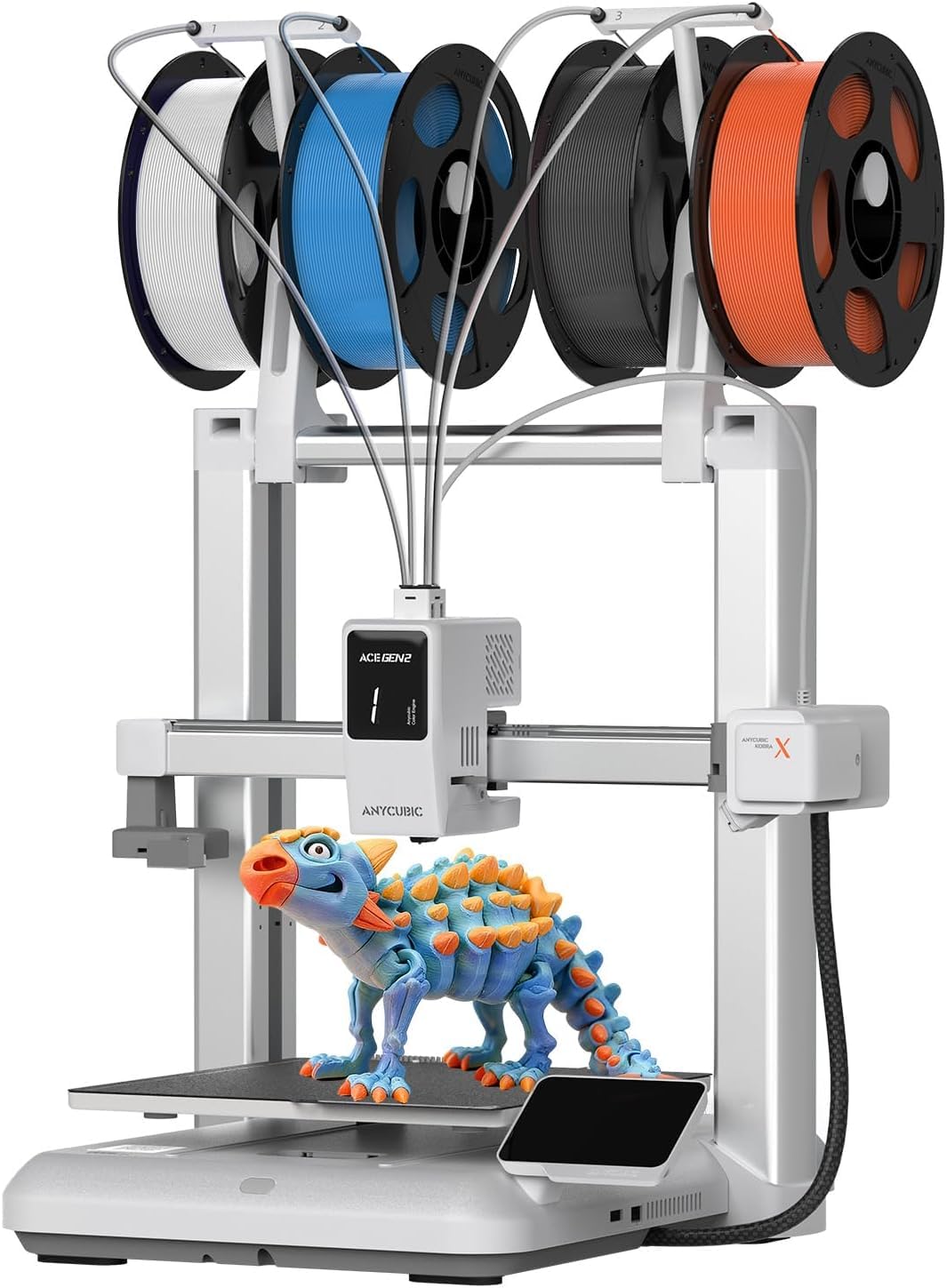
Four colors built in is the pitch, and it is a real one: the Kobra X changes filament inside the frame rather than through a bolt-on box, so color transitions arrive without a second appliance on your desk. Where it earns our recommendation over the A1 is exactly that — if multicolor is why you are buying a printer at all, this is the lower-cost way in.

Anycubic's figure for the switch is an 81% cut in purge filament and machine travel, which we treat as a best case rather than an average. Color changes still eat time and material on any machine; the savings here narrow the gap, they do not close it. The 600 mm/s speed and vibration compensation matter more day to day, and the 49-point bed map with LeviQ 3.0 takes care of leveling that we normally end up doing by hand.

Setup runs quick enough to call this a first printer for someone who has done their reading, and the 15-year-old in the house could probably beat you to it. The AI camera with spaghetti detection earns its keep on long multicolor jobs, where a failed print keeps chewing filament while nobody is looking. What holds it back is reliability: clogs are the failure to watch for, especially overnight runs where the nozzle sits hot between color changes.

Pros

  • Four colors built in, expandable with ACE units
  • 600 mm/s printing with vibration compensation
  • 49-point auto leveling handles the bed
  • AI camera catches failed prints

Cons

  • Color changes still cost time and filament
  • Clogs are the failure to watch for on long prints
Our verdict

The cheapest route to four colors in one machine — buy it if color is the point and you can watch the first few prints closely.

Check Latest Price
4

Best for Kids

Entina Tina2S

86 /100
LBD Score Excellent

Key details

Assembly
Fully assembled
Max Speed
200 mm/s
Machine Weight
9 lb
Layer Resolution
0.04 mm
View on Amazon

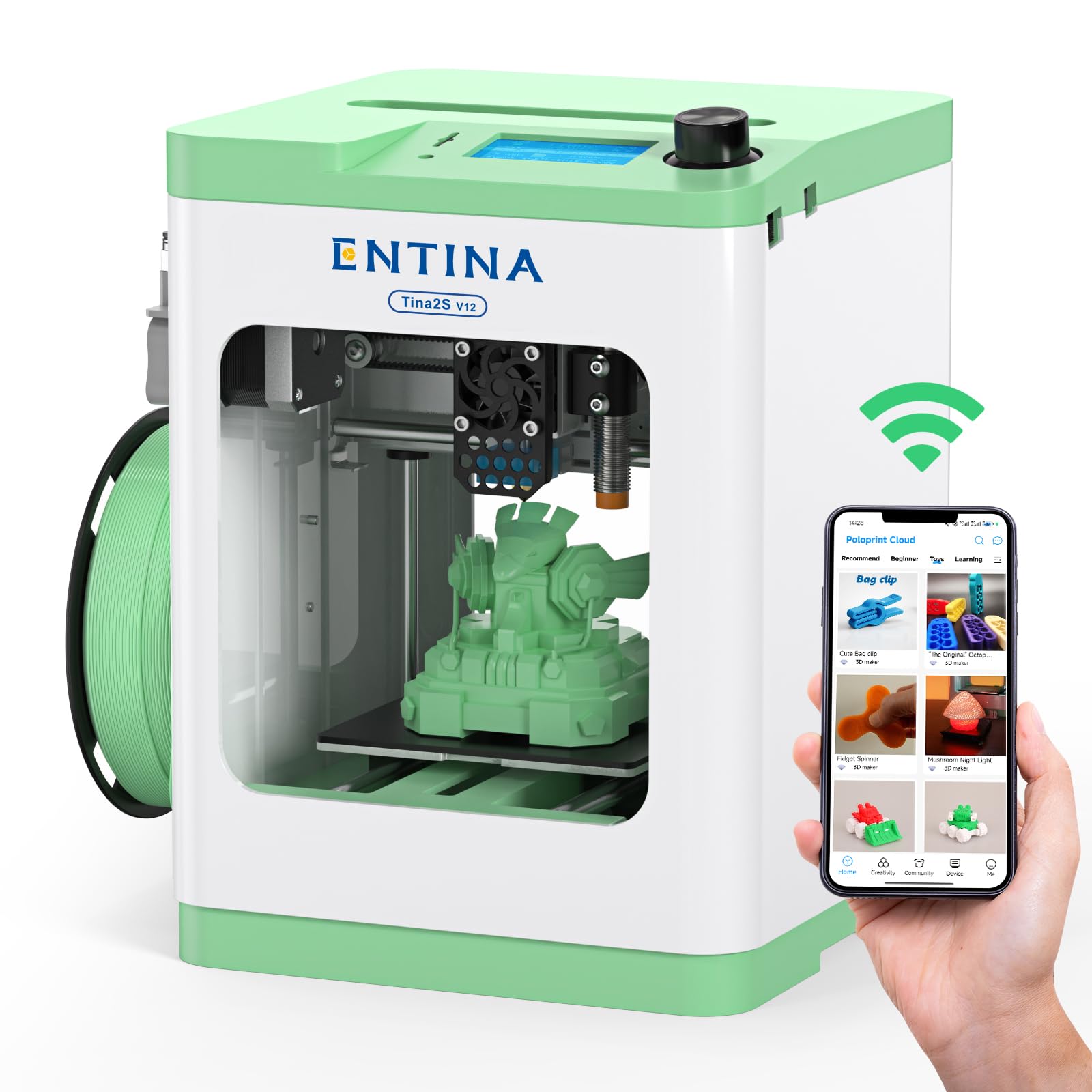
If the printer is going on a kid's desk or a shelf in a small apartment, the Tina2S is the one we point to. It arrives fully assembled and pre-calibrated, weighs nine pounds, and stands roughly a foot tall, so it does not need a dedicated bench or a patient adult to set up.

The app is the front door, and that is the point. Poloprint Cloud carries 3,000-plus models a child can pick and print, the same app handles the Wi-Fi connection, and USB and TF card printing cover the days the network misbehaves. Auto bed leveling takes the fiddliest chore off the table, and the flexible spring steel plate means a finished print pops off instead of being scraped at. At 200 mm/s and 0.04 mm layers it is not slow for its size.

What you are buying is the on-ramp, not the destination. The build area is small — the whole machine is 11.4 inches across, so anything bigger than a figurine or a bracket gets printed in pieces — and the value case thins once a child outgrows it. For the stretch where a nine-year-old is learning what a slicer does, that is a fair trade, and the prints we pulled came off clean without a single manual adjustment to get there.

Pros

  • Fully assembled and pre-calibrated out of the box
  • App library of 3,000-plus ready models
  • Auto leveling and a spring steel plate

Cons

  • Small build area forces big models to be split
Our verdict

The printer we point to for a child's desk: assembled, app-driven, and small enough that a first project finishes before attention does.

Check Latest Price
5

Engineering Filaments

Flashforge AD5X

83 /100
LBD Score Excellent

Key details

Colors
4
Max Speed
600 mm/s
Build Volume
220 x 220 x 220 mm
Nozzle Temperature
300°C
View on Amazon

A 300°C nozzle on a printer at this price is the detail that separates the AD5X from the rest of the guide. It runs the same 220 x 220 x 220 mm CoreXY platform as the AD5M, with a 32 mm³/s hot end, and the temperature is what puts carbon-fiber-filled and higher-temperature filaments in reach instead of out of bounds.

The four-spool filament system is the other half of it. It swaps between colors without you standing there, and the 4.3-inch touchscreen plus resume-after-power-loss handling make it feel like a more expensive machine than the price says. It moves fast, too — the 600 mm/s travel speed shows in how quickly it clears between features — and setup is one-click leveling plus a vibration calibration.

Then the honest part. Reliability is the softest of any pick in this guide, with failures turning up after a handful of prints, and the link between printer and software is where setups stall. Value is the arguable piece: you are paying midrange money for capability that usually costs more, and taking on more risk than the A1 asks of you.

What tips it toward a recommendation is that nothing else here puts temperature and color together at this size. What holds us back is the failure rate, so this is a printer to buy from a seller with a returns process you trust, and to run with the first few jobs watched closely rather than left overnight.

Pros

  • 300°C nozzle handles PLA-CF and PETG-CF
  • Four-spool filament system built in
  • CoreXY motion with 600 mm/s travel
  • Touchscreen and resume after power loss

Cons

  • Reliability is the weak point, with failures after a handful of prints
  • Printer-to-software connection is where setup stalls
Our verdict

For functional parts in filled or high-temperature filament, the AD5X is the only pick here that adds four colors to a 300°C nozzle.

Check Latest Price
6

Miniatures and Detail

Elegoo Mars 5 Ultra

84 /100
LBD Score Excellent

Key details

LCD
7-inch 9K mono
Max Speed
150 mm/h
Print Size
6.04 × 3.06 × 6.49 in
XY Resolution
18 μm
View on Amazon

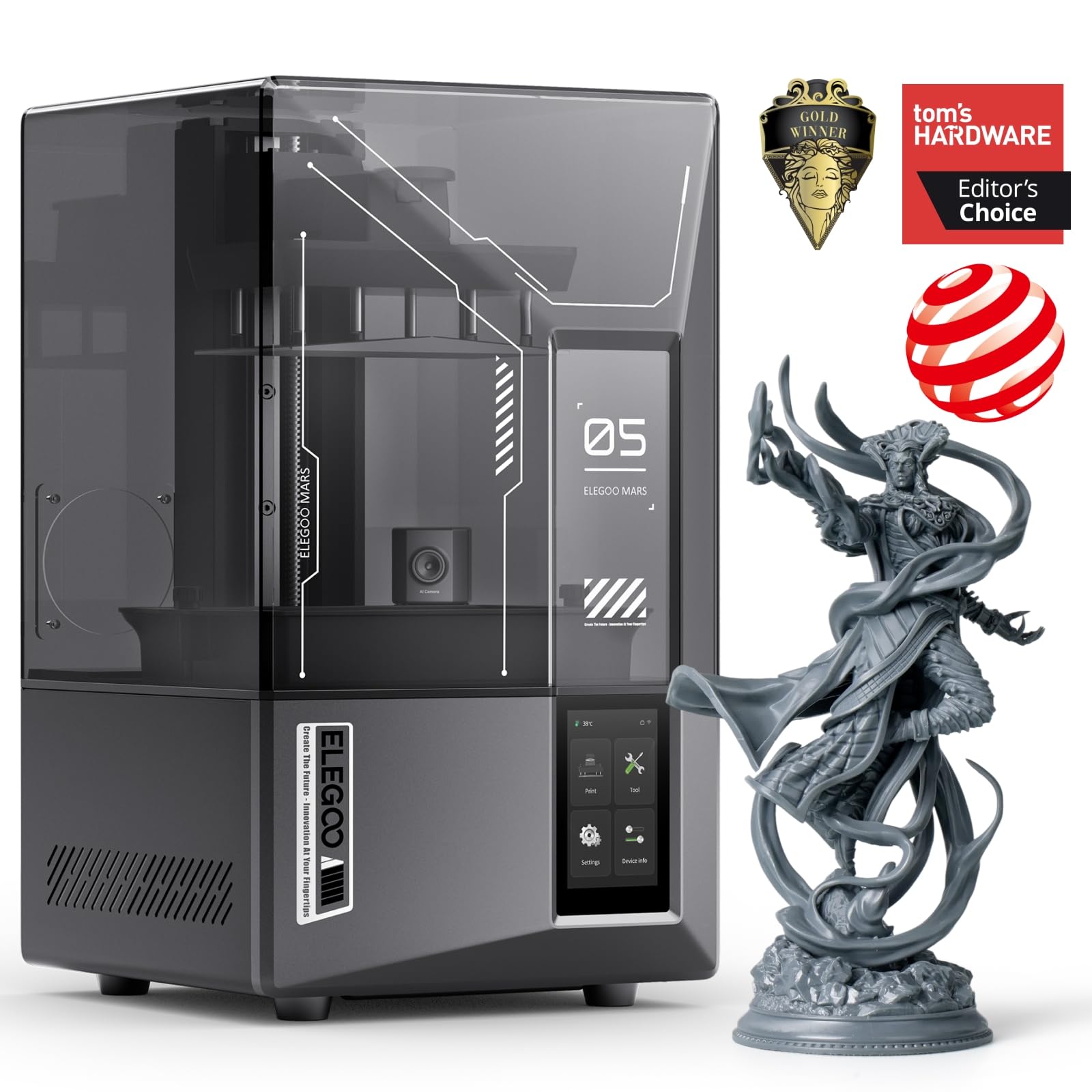
A resin printer is a different hobby wearing the same name. The Mars 5 Ultra does not hand you a part you can pass around the table: it produces a part that needs washing, curing, and a workspace you do not mind getting messy, plus gloves and ventilation you want regardless of what the listing tells you. Budget for the wash-and-cure side before you budget for the printer.

What you get for that is detail no FDM machine in this guide can approach. The 7-inch 9K mono LCD and 18 μm XY resolution resolve miniature faces, fine text, and jewelry-scale geometry that a 0.4 mm nozzle rounds off entirely, and the tilt-release mechanism pushes the platform to a listed 150 mm/h. Automatic leveling, a residue sensor, and the AI camera all exist to catch a failed print before it costs you a screen.

We recommend it for one job: small, highly detailed parts, printed in batches. The build area is 6.04 by 3.06 by 6.49 inches, which is generous for a squad of miniatures and useless for a bracket, and the workflow means a spare room or a garage rather than a kitchen counter. For a household that wants one general-purpose printer, an FDM machine is still the answer; for a painter or modeler, nothing here gets close on detail.

Pros

  • 18 μm XY resolution from a 9K mono LCD
  • Listed 150 mm/h with tilt-release peeling
  • Auto leveling, residue detection, and an AI camera
  • Wi-Fi transfer and cluster printing

Cons

  • Washing, curing, gloves, and ventilation are part of ownership
  • Build area suits miniatures, not household parts
Our verdict

Buy it for miniatures and fine detail, not for household parts — resin rewards patience with resolution FDM here cannot match.

Check Latest Price
7

Family Toy Making

Aoseed X-Maker Joy

82 /100
LBD Score Excellent

Key details

Colors
Single color only
Precision
0.05 mm
Peak Speed
400 mm/s
Included Filament
8 PLA spools
View on Amazon

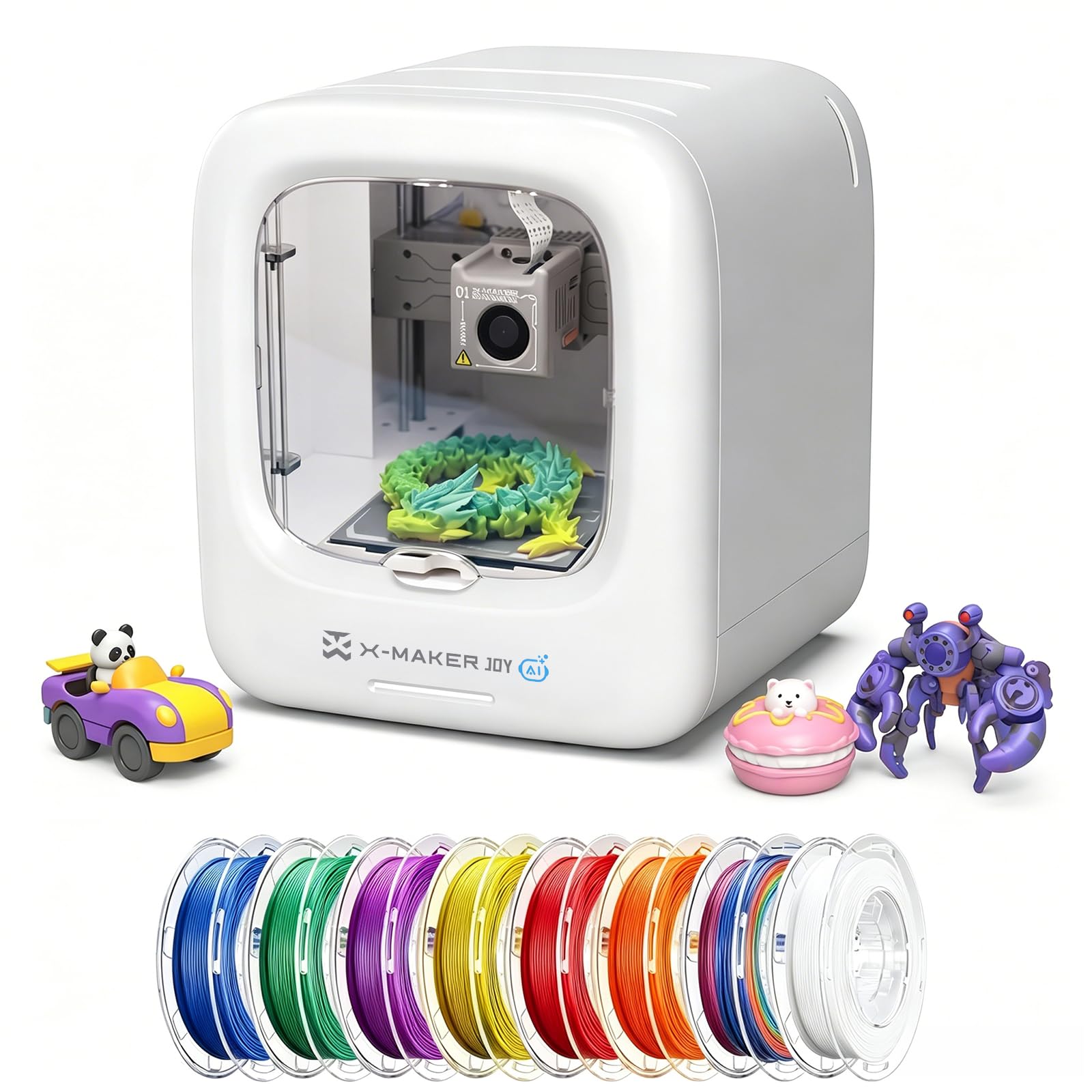
The thing that surprised us about the X-Maker Joy is how little choosing there is to do. It arrives with 20,000-plus models behind the app, an AI doodle tool that turns a description or a photo into a printable shape, and one-tap printing, so a child can go from wanting a dinosaur to holding one without a slicer ever being opened. The enclosed body is the part parents care about most: the build area sits behind a cover rather than out in the open.

Print quality holds up better than the toy-printer framing suggests — 0.05 mm precision, clean small parts, letters that read — and the eight PLA spools in the box mean it keeps printing for weeks before anyone has to shop. Speed peaks at 400 mm/s and settles around 220 to 250 mm/s, quick for a machine this size. It prints one color only, and the build area is small, so this is a toy factory for a family rather than the printer you buy for replacement parts. As a first machine for a seven-year-old, it is the one here we trust to run with an adult nearby but not hovering.

Pros

  • 20,000-plus models with one-tap printing
  • Enclosed body covers the working area
  • Eight PLA spools in the box
  • 0.05 mm precision from a small machine

Cons

  • Single-color printing only, by design
Our verdict

The one to buy when the printer is for a child: enclosed, app-simple, and stocked with enough filament to outlast the novelty.

Check Latest Price

How We Tested the Best 3D Printers Under $500

The shortlist began as research. I went through spec sheets and owner threads for every sub-$500 printer a first-time buyer is likely to run into, then narrowed to machines that ship mostly assembled and span what people actually ask for — a first printer, a family or school machine, and something that prints in more than one color. Eight came home and stayed for six months.

Each one was set up where it would really live: a home-office desk, a kitchen counter, a garage workbench, and, for the kid-friendly models, a corner of a family room. I timed the run from opening the box to a finished first print and followed only the manufacturer's instructions, because that's all a beginner has to go on. Then every machine printed the same three files — a small cube, an articulated figure, and a six-hour overnight piece.

Speed got logged with a stopwatch rather than taken off the box, and I watched whether the first layer went down without me touching a single leveling wheel. I noted stringing, layer shifts, and clogs after long unattended runs, and whether prints popped off the plate cleanly. On the multi-color machines I timed each filament swap and weighed the purge waste, since four colors looks great until you price the plastic. Files went over each machine's app and over Wi-Fi so I could track dropouts and transfer times, and I measured noise from three feet away during a live print.

At six months I reprinted the first file on each machine to see whether quality had drifted, priced replacement nozzles and plates against the purchase price, and noted which ones I looked forward to using on a Sunday. What's below survived all of that.

How to Choose a 3D Printer under $500

Calibration Is the Real Dividing Line

Almost every printer here claims auto leveling, and the differences live in what happens next. A machine that maps the bed, sets nozzle height, and trims flow on its own is one you can leave alone for weeks. A machine that only assists leaves you chasing a smeared first layer at eleven at night. Decide which of those you want before you shop, because the printers that do the most for you are the ones that leave you the least to fiddle with.

The trap is reading auto leveling as never touching the bed again. You still wipe the plate between prints and re-run the mesh when parts stop sticking. What you are buying is a shorter list of things that can go wrong, not a machine that never needs you.

Read Speed Figures Carefully

A 600 mm/s headline is usually a travel speed or a best case, not what a print averages — Flashforge labels it travel speed on the AD5X, which is the honest way to put it. Acceleration decides how fast the head gets back up to speed between features, which is why a machine rated for high acceleration feels quicker on small parts than one quoting a bigger top speed.

The practical test is what the print looks like when the machine runs fast. Speed that comes with ringing, stringing, and corners that bulge is not speed, it is a print you will redo. A slightly slower machine that holds its quality saves more time than a fast one you have to baby.

Multicolor Has a Running Cost

Built-in color is the biggest change in this price band. The Kobra X carries four filaments inside the frame; the A1 gets there through Bambu's AMS lite system; the AD5X runs four spools through its own filament changer. Whichever route you take, every switch purges filament, and a model with a couple of hundred swaps turns that into real material.

Buy a multicolor machine because color is the point of what you print, not because it tops the feature list. If most of your prints end up one color, a single-color machine is simpler, cheaper, and quicker to finish a job.

Footprint, Noise, and Where It Lives

Build volume and machine size are different numbers, and the second one decides whether the printer fits your desk. The mini machines here run about a foot in each direction; the CoreXY printers need a solid surface with clearance behind the bed. Measure the desk, then measure the door swing, then think about the room.

Noise is where listings get vague and owners get surprised. The A1 is rated at ≤48 dB and the Kobra X at 45 dB, which is quiet enough to sit in a room with. Anything louder wants a spare room or a garage, and a printer that has to live in a basement is a printer you use less.

Materials Decide More Than the Nozzle

PLA and PETG cover nearly everything a beginner prints, and every machine in this guide handles them. The moment you want ABS, ASA, or a fiber-filled filament, two specifications start to matter: a hot end rated for the temperature, and an enclosure to hold heat so the part does not warp. That combination is why the AD5X earns a place here despite its flaws.

If your prints are decorative, ignore the whole question and buy on print quality and calibration. Buying temperature capability you never use just adds a more complicated machine to learn.

Frequently Asked Questions

Final Verdict

The Bambu Lab A1 is the printer we point almost everyone to first. It calibrates itself, it prints better than anything else in this group, and the model library means the machine is useful in the first hour rather than the first weekend.

If color is the reason you are shopping, the Kobra X puts four filaments inside the frame and asks you to watch the first few prints. If the budget is the constraint, the AD5M delivers CoreXY speed and swappable nozzles and asks only that you skip Wi-Fi.