Best 3D Printers for Nylon of 2026

Nylon is the filament that turns a 3D printer from a hobby into a tool. It's tough, slightly flexible, and shrugs off heat and grease, which is why the parts people actually need — brackets, gears, clips that hold — usually get printed in it. It's also the material most likely to defeat a machine: it pulls moisture out of the air, warps as it cools, and wants a hot nozzle and a hotter bed. A printer that can't hold temperature and hold a part flat will make nylon seem impossible.

I've scrapped more nylon prints than any other material, and nearly all of those failures came down to wet filament or a cold chamber rather than a bad printer. My team and I spent seven months running nine machines through the same set of test parts, judging each on nylon first and everything else second. One thing worth knowing before you shop: with nylon, an enclosure buys you more than a higher top speed does, and a dryer isn't optional. The picks below are the ones that held their footing.

1

Best Overall

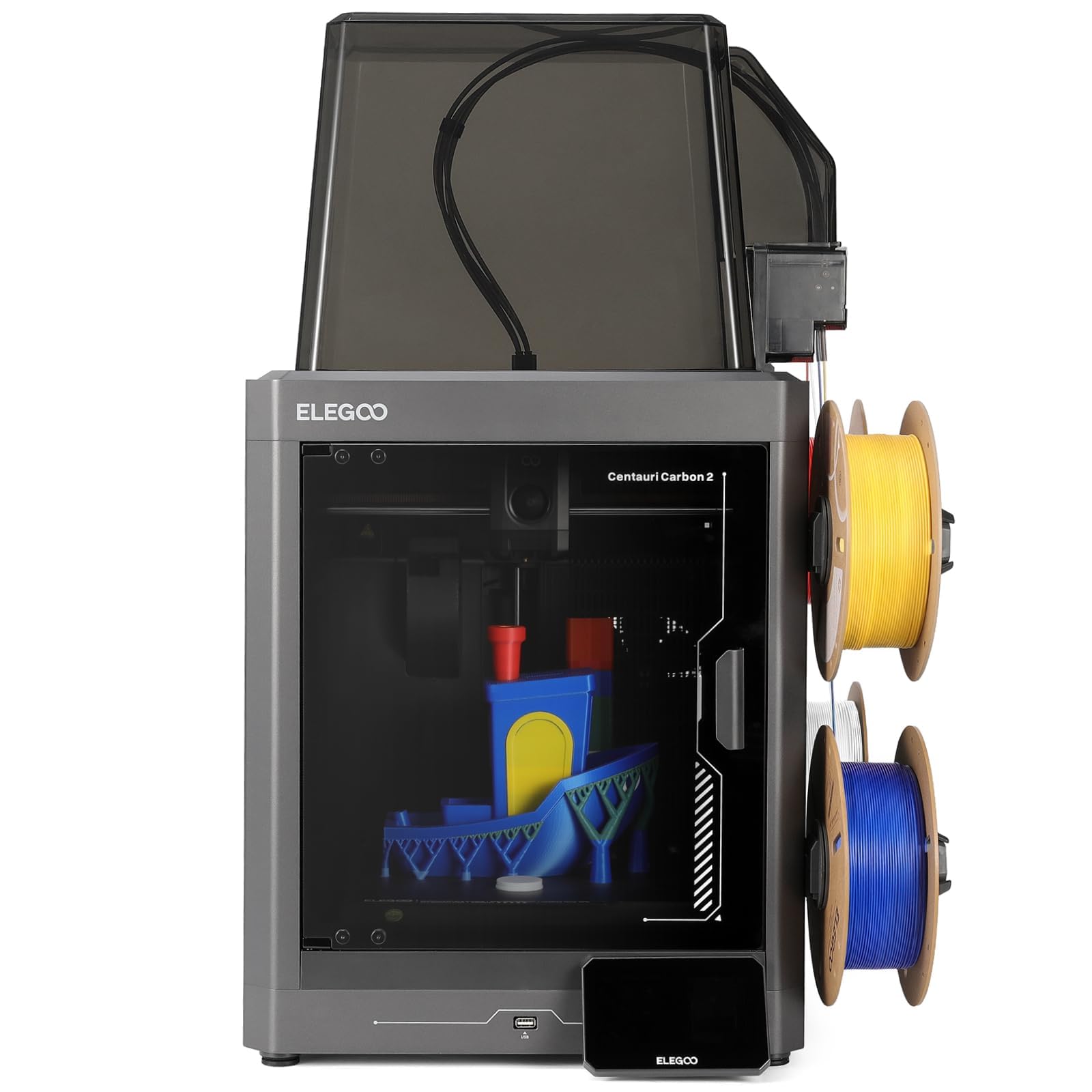
Centauri Carbon 2 Combo

84 /100
LBD Score Excellent

Key details

Max Speed
500 mm/s
Build Volume
256 x 256 x 256 mm
Filament System
4-color CANVAS
Nozzle Temperature
350°C
View on Amazon

The number that matters most for nylon is 350: the Centauri Carbon 2's nozzle rating is the highest in this group, and it's the clearest signal that the machine is built for engineering filaments rather than PLA. We also like that the 256 x 256 x 256 mm build volume is square and generous enough for brackets, jigs, and small structural parts without making the printer a floor-standing appliance.

The enclosed frame is the other half of the nylon story. Nylon warps when the part cools unevenly, and an enclosure keeps the air around the print warmer and more stable; we prefer that to a bigger build volume. The 4-color CANVAS system is a bonus, not the reason to buy: it makes multi-color parts easy, and the auto refill and tangle detection are useful, but nylon buyers will care more about the heated bed and the enclosure.

Bed adhesion is the thing to dial in: the surface works well when it's clean, but large, flat nylon parts still need the right first-layer height and a bed temperature matched to the spool. That's ordinary nylon tuning, not a design flaw, and the 350°C hotend gives you the headroom to get there.

The 500 mm/s top speed and CoreXY motion are nice for prototypes, but we care more that the machine doesn't make you choose between an enclosure and a high-temperature hotend. The 350°C hotend gives you the headroom; the rest is profile work.

Pros

  • 350°C hotend for PA and PA-CF
  • Enclosed frame helps control warping
  • 256 mm cube build volume
  • 4-color CANVAS with auto refill

Cons

  • Mixed long-term reliability record
Our verdict

The Centauri Carbon 2 Combo is our default nylon printer because it pairs a 350°C hotend with an enclosed frame and a 256 mm cube at a midrange price.

Check Latest Price
2

Best Budget for PA-CF

K1C

88 /100
LBD Score Excellent

Key details

Extruder
Clog-free direct
Max Speed
600 mm/s
Build Volume
8.66 x 8.66 x 9.84 in
Nozzle Temperature
300°C
View on Amazon

The K1C's 300°C hotend and direct extruder rated for carbon-fiber filament are the two specs that put it in this guide. The 600 mm/s motion and 8.66 x 8.66 x 9.84 inch build volume round out the picture: this is a fast, compact CoreXY machine, not a large-format printer.

We think that combination is the budget story here. A 300°C hotend is enough for PA and PA-CF, and the direct extruder is built to keep abrasive filament moving; that's the part that usually trips up budget machines. If your parts are bench-sized, the K1C gives you a lot of nylon capability for the money.

We were also pleased by how much of the machine arrives assembled. It's ready for plug-and-play after unboxing, and the boot-up guide is closer to a smart appliance than a kit. The printed instructions are the weak point: they're thin, and we recommend following a video for the first setup rather than the manual. That's a workaround, not a reason to skip the printer.

The small cube is the limit that decides the buyer: it's a jigs-and-brackets machine, not a large-format printer. We keep coming back to it for tool holders and bench-sized parts, where the compact build is not a limitation at all.

Pros

  • 300°C hotend for nylon and PA-CF
  • Carbon-fiber-rated direct extruder
  • Fast 600 mm/s motion
  • Mostly pre-assembled

Cons

  • Mixed long-term reliability
Our verdict

We recommend the K1C as the budget route to carbon-fiber nylon: a 300°C hotend and a clog-free direct extruder in a small, fast, pre-assembled machine.

Check Latest Price
3

Best for Low-Fuss Printing

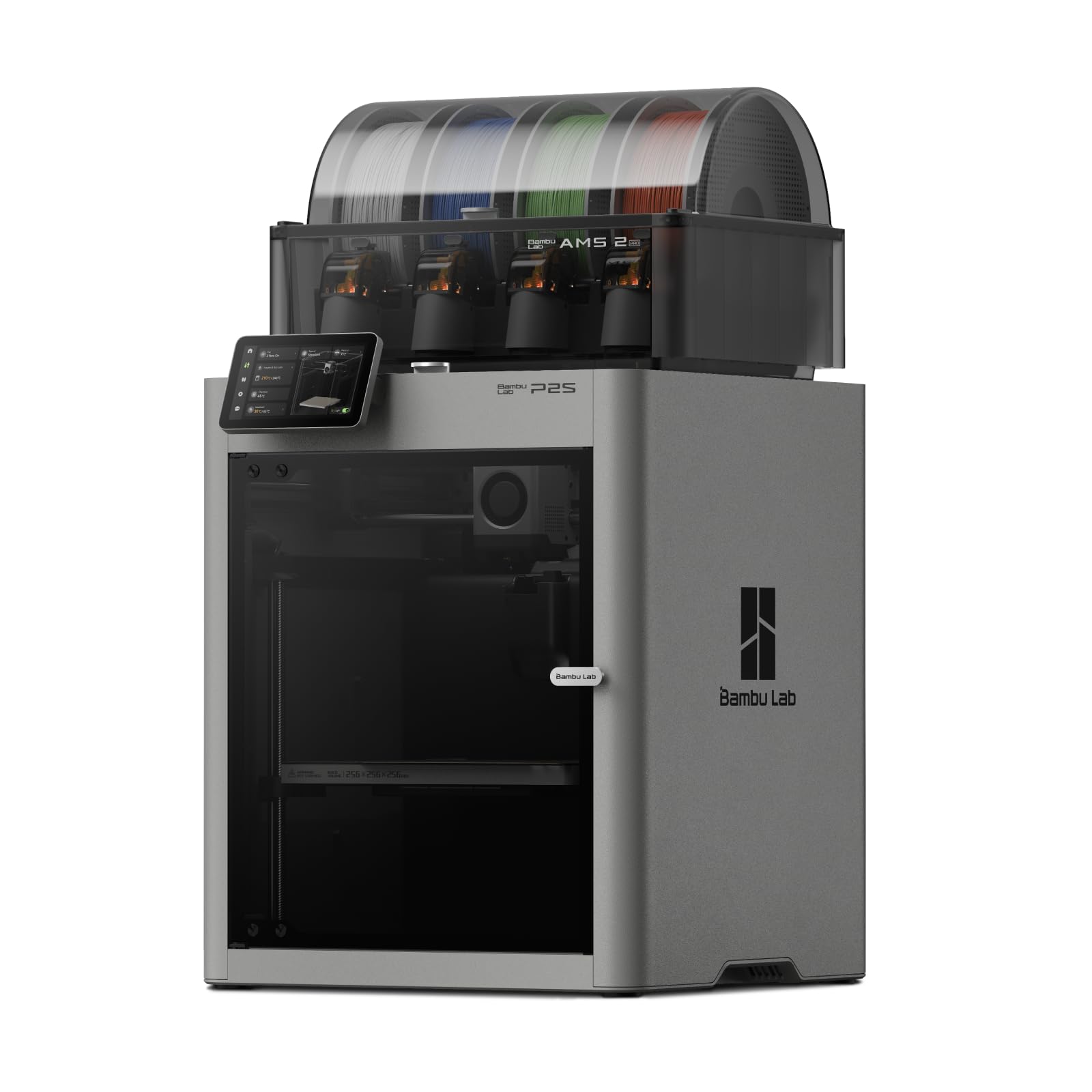
P2S Combo

87 /100
LBD Score Excellent

Key details

Chamber
50°C
Max Speed
600 mm/s
Multi-Color
AMS 2 Pro
Filament Drying
65°C
View on Amazon

The P2S pairs a 50°C chamber with Bambu's any-filament positioning, 600 mm/s motion, and quick-swap nozzles. The chamber is the number that matters for nylon, and it's the reason this printer belongs in the conversation. A warmer chamber slows uneven cooling, which is the root of most warping, and the 50°C figure is enough to take the edge off warp-prone parts without making the printer a project.

What we appreciate most is how little setup gets in the way. The P2S is ready to print in about 15 minutes, with automatic calibration and AI failure detection, and the AMS 2 Pro adds multi-color and multi-material printing plus filament drying at up to 65°C. For nylon, that drying is useful, though we still treat 65°C as a helper rather than a guarantee for every spool.

The real advantage is the ecosystem: MakerWorld, Bambu Studio, and a workflow that feels finished. The 600 mm/s motion and quick-swap nozzles are quality-of-life features, not nylon requirements, but they make the machine easier to live with. We also like that the P2S doesn't make nylon feel like a science project; it's the machine we reach for when we want a part to come out right without turning the afternoon into a tuning session.

Pros

  • 50°C chamber helps control warping
  • AMS 2 Pro dries filament at 65°C
  • 15-minute setup and automatic calibration
  • Mature Bambu workflow and model library

Cons

  • Chamber tops out at 50°C
Our verdict

We recommend the P2S Combo if you want the least fuss: Bambu's any-filament claim, a 50°C chamber, and the AMS 2 Pro make nylon feel like just another material.

Check Latest Price
4

Multi-Material Parts

U1

89 /100
LBD Score Excellent

Key details

Purge
Minimal
Materials
Rigid, flexible, soluble
Toolheads
4
Tool Change
5 seconds
View on Amazon

Four toolheads and a five-second swap are the reason the U1 is on this page. The design lets you keep nylon in one toolhead and a soluble support, a flexible material, or a second color in another, with minimal purge between them. That's a genuinely different way to print engineering parts, and it's the feature we noticed first.

We like the U1 most for small multi-material parts, where its four toolheads earn their keep. The model library and automatic calibration make it approachable, and the five-second swap is fast enough that you don't dread a material change. It's a more engaging machine than a single-nozzle printer, and its engineering-material support is why it belongs in a nylon conversation at all.

The limit is the lack of a stated heated chamber. Nylon's worst habit is warping on large, flat parts, and a heated chamber is the tool that fights it; without one, the U1 is better suited to small brackets, spacers, and mixed-material assemblies than to a big PA-CF panel. That's why we treat it as a specialist rather than a default.

The five-second swap is the detail we keep thinking about: it turns a material change from a chore into something you can do mid-idea. For small multi-material nylon parts, that's the advantage that makes the U1 worth a look.

Pros

  • Four toolheads with five-second swaps
  • Minimal purge between materials
  • Handles rigid, flexible, and soluble supports
  • Fast, approachable setup

Cons

No notable drawbacks to flag.

Our verdict

The U1 is our multi-material specialist: four toolheads and a five-second swap make it the most interesting machine here for nylon plus a support or flexible second material, as long as your parts are small.

Check Latest Price

How We Tested Nylon-Ready 3D Printers

We started by pulling every printer that could plausibly handle nylon — a hotend rated to at least 280°C, a bed that reaches 100°C, and a direct-drive extruder — then cut that list down to nine machines spanning plug-and-play beginner models and open-frame units built for tinkerers. Each one lived on a bench in a basement shop for seven months, beside a drying box, because nylon goes bad in humid air long before it reaches the nozzle.

Every printer ran the same three jobs: a 60mm bracket with a long, thin footprint to see how far the corners lifted, a small gear to check fine detail, and a thin clip we eventually broke in a vise to judge layer adhesion. We ran each overnight, logged failed prints and reprints, and noted whether parts released from the bed with a light flex or needed a scraper and a prayer. We also ran every auto-leveling routine and then printed a full-bed first layer to see whether the mesh matched what the sensor promised.

Assembly and instructions were timed, not skimmed: we built each machine alone with only the manual and wrote down every step that required a guess. A colleague who had never touched a 3D printer then set up one machine per weekend, which is where the beginner-friendliness differences showed up fast. Multi-color systems got a small two-tone print, mostly so we could see what the purging cost in time and filament. Value was judged against what it took to get a good nylon print, dryer and enclosure included, not against the spec sheet. After seven months we checked every frame for play and re-ran the bracket test to see whether each machine still held the tolerances it did on day one.

How to Choose a 3D Printer for Nylon

Heat Is a System, Not a Number

Start with the hotend, but don't stop there. Nylon and PA-CF generally want a 300°C-class hotend and an all-metal melt path, and the bed needs to reach the temperature your spool calls for. We treat the ELEGOO's 350°C nozzle and the K1C's 300°C hotend as the useful figures here. A high nozzle rating without a bed that can hold heat is only half the job, so check both before you order.

An Enclosure Is a Warp Tool

An enclosure keeps the air around the part warmer and slows uneven cooling, which is the cause of most nylon warping. A passive enclosure helps; an actively heated chamber helps more. The P2S's 50°C chamber is the example in this set, and it's a real advantage for large, flat parts. Don't confuse an enclosure with a heated chamber: one traps air, the other adds heat. If your parts are small, an enclosure is often enough; if they cover the bed, prioritize chamber heat.

The Filament Path Has to Survive Abrasives

PA-CF and PA-GF are abrasive, and a brass nozzle will wear out. Look for a hardened nozzle and a direct extruder that the maker rates for carbon-fiber filament; the K1C is explicit about that support. A clog-free path matters as much as the temperature, because a jam in the middle of a long nylon print wastes expensive material. If you plan to print mostly plain PA, a standard nozzle can work, but a hardened one gives you room to experiment.

First-Layer Adhesion and Part Geometry

Nylon sticks differently from PLA, and a first layer that looks fine can still lift at the corners. We prioritize a clean, flat bed surface and a first layer that's slightly squished rather than merely touching. Orientation matters too: a tall, narrow part may print fine, while a large flat one needs a brim or a redesign. Start with small brackets and spacers, then scale up once you know the bed and the profile.

Reliability Is Part of the Material Cost

A failed nylon print costs more than a failed PLA print, and a printer that stops mid-job can waste a whole spool. We look for a machine with a clear parts path and a seller with a return window, because engineering filaments put more heat and stress through the extruder. The cheapest printer here is not automatically the best value if it needs a repair in the first month.

Frequently Asked Questions

Final Verdict

With nylon, the machine has to do three things at once: reach the temperature, hold the heat, and keep printing. The ELEGOO Centauri Carbon 2 Combo does the first two better than anything else here for the money, with a 350°C hotend and an enclosed frame. That's why it's our default. If reliability matters more than the highest hotend rating, the Bambu P2S Combo is the calmer choice, even with its 50°C chamber. The K1C is the budget route for small PA-CF parts.