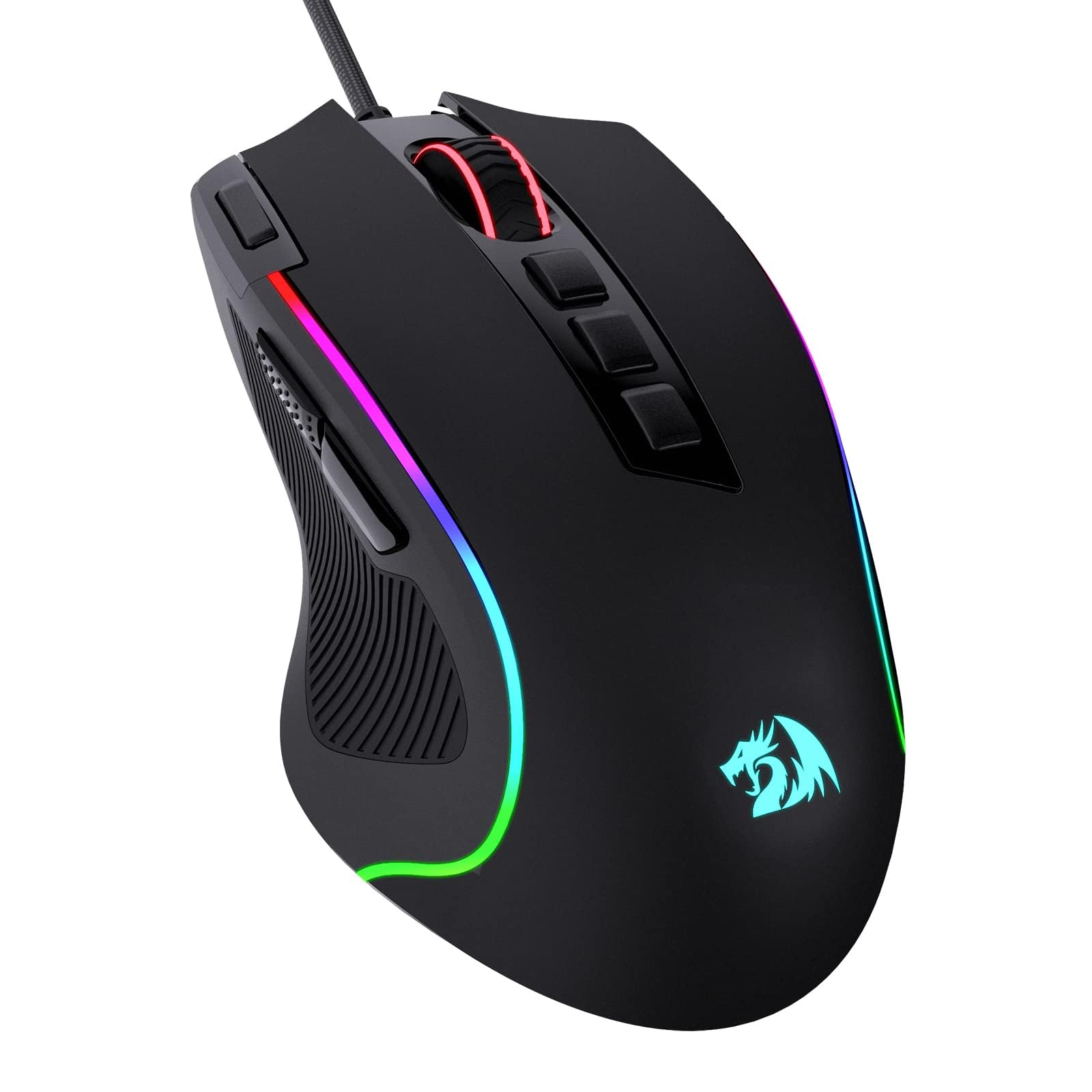
Best Wired Gaming Mice of 2026

A gaming mouse rarely dies dramatically. It starts double-clicking — you go to reload and get a menu instead — and you've already lost a ranked match to it. I've retired three that way, and all three felt flawless on day one. The trap in this category is that the shape in your hand and the numbers on the box tell you almost nothing about how the switches will behave a year of frantic clicking later. A good wired mouse fixes the boring stuff: no battery dying mid-match, no receiver stutter, no dropped clicks.

I've spent the past six months with 12 wired gaming mice, rotating them through my desk and two colleagues' and handing them to claw grippers, palm resters, and one friend who plays nothing but MMOs. Button count mattered less than button layout; RGB got set to one color in week one and never touched again; the cable and the scroll wheel are what kept getting our attention, for better and worse. The picks below cover the spread, from palm-filling ergonomic shells with thumb rests to light ambidextrous six-button shapes.

All 12 survived the click test that retires most mice early, and every scroll wheel still feels the way it did in week one.

1

Best Overall

Razer Basilisk V3

93 /100
LBD Score Outstanding

Key details

Sensor
26,000 DPI
Weight
4.48 oz
Scroll Wheel
HyperScroll tilt, free-spin or tactile
Programmable Buttons
11
View on Amazon

Most wired mice don't die of a bad sensor. They die at the switch, where two metal contacts wear until one press registers as two, and the mouse starts opening things you never asked it to open. The Basilisk V3 sidesteps that with Razer's Gen-2 optical switches, which read a press with a beam of light rather than two surfaces touching, so the wear mechanism behind the double-click isn't there to begin with.

That single choice is why this is the mouse we point most people toward. Around it Razer built the most complete package in this set: 11 programmable buttons, a sculpted thumb rest, and a 26,000 DPI sensor that runs far past any setting a player actually uses. The premium picks here cost multiples of this and don't beat it on control; the budget picks match parts of it and give up the switch design. If you want one mouse that covers shooters, strategy games, and a workday of spreadsheets, this is the one.

The HyperScroll wheel is the feature we kept coming back to. Press the button behind it and the wheel disengages into a free spin that turns a long document into a single flick; press again and it snaps back to notched, tactile scrolling for weapon swaps. It tilts left and right as well, and Synapse lets you rebind all 11 buttons and stack macros on the multi-function trigger.

Two things to know before you order. At 127 g this is one of the heavier mice here, and on a low-sensitivity flick shot you feel that in your forearm before the match is over. It's also a wide body at 2.95 inches, so it fills a palm rather than sitting inside one. Neither is a defect so much as a description of who it suits — if light and narrow is the goal, the TMKB or the G203 is the better fit.

Pros

  • Optical switches avoid the double-click failure
  • HyperScroll wheel free-spins or clicks
  • 11 programmable buttons with a thumb rest
  • 26,000 DPI sensor at a midrange price

Cons

  • Heavy at 127 g for fast flick aim
  • Wide body crowds a smaller hand
Our verdict

We tell most people to buy this one: the optical switches remove the double-click problem that kills wired mice, and nothing else here balances buttons, wheel, and price as well.

Check Latest Price
2

Best for Buttons and Macros

Logitech G502 HERO

93 /100
LBD Score Outstanding

Key details

Sensor
25,600 DPI
Weight
4.32 oz
Tuning Weights
Five 3.6 g
Programmable Buttons
11
View on Amazon

Eleven programmable buttons is a lot to fit on one mouse, and the G502 is the pick here that makes all of them reachable. There's the pair beside the left click, two more behind the wheel, the click and tilt of the wheel itself, and a thumb cluster that includes the sniper-style button people either love or rebind in the first ten minutes. The shape has barely changed in years because it didn't need to.

Underneath sits a 25,600 DPI HERO sensor with no smoothing, filtering, or acceleration added, five 3.6 g weights that drop into the base, and metal spring tensioning under the primary clicks that gives them a short, crisp throw. We were struck by how much the weights change the character of the mouse: shifting them forward or back moves the balance point, which is what you actually notice on a fast turn rather than the extra grams themselves. The wheel's free-spin mode is still the fastest way through a long inventory list.

For MMO, simulation, and macro-heavy play this remains the obvious buy at its price. Two caveats come with it. The two DPI buttons beside the left click can only be switched off or assigned to a key press, not freely remapped, which surprises people who assume every button is fair game. And the mechanical switches under the main buttons are the type that eventually develop a double click, so the one-year hardware warranty is your cover — worth knowing rather than worth fearing.

Pros

  • 11 programmable buttons, all within reach
  • Five 3.6 g weights tune the balance
  • 25,600 DPI HERO sensor, no smoothing
  • Dual-mode hyper-fast scroll wheel

Cons

  • Two DPI buttons can't be freely remapped
  • Mechanical switches can develop double clicks
Our verdict

This is the wired mouse for players who want a control panel under one hand — 11 buttons and tunable balance — as long as they accept mechanical switches and a one-year warranty.

Check Latest Price
3

Best Budget

Logitech G203

93 /100
LBD Score Outstanding

Key details

Sensor
8,000 DPI
Warranty
2 years limited
Programmable Buttons
6
View on Amazon

The G203 is the mouse we hand to people buying their first one, and the reason isn't the sensor — it's the two-year limited hardware warranty. Nothing else at the budget end of this list carries that much cover, and on a mouse with mechanical switches under the main buttons, cover is the spec that ends up mattering most.

Everything else is deliberately plain. Six programmable buttons, an 8,000 DPI sensor, on-board memory so your settings travel with the mouse, and a compact body at 4.59 by 2.45 inches — small enough for a claw grip and small enough to disappear into a laptop bag. The tensioned clicks are crisp, though loud enough that a headset mic will pick them up, and the cable is a thin unbraided cord that drags more than the paracord on the TMKB. At this end of the market neither is disqualifying; both are things to know before you plug it in.

Pros

  • Two-year limited hardware warranty
  • On-board memory carries your settings
  • Compact 4.59-inch body suits a claw grip

Cons

  • Loud, sharp clicks
  • Thin cable drags on the desk
Our verdict

We point first-time buyers here because a two-year warranty on a budget mouse buys more peace of mind than an extra few thousand DPI ever will.

Check Latest Price
4

Best for Big Hands

Razer Mamba Elite

95 /100
LBD Score Outstanding

Key details

Sensor
16,000 DPI
Weight
4.96 oz
Warranty
2 years
Programmable Buttons
9
View on Amazon

This is the most expensive mouse in this group, and it's worth being clear about where the money goes: the shape, not the sensor. A 16,000 DPI sensor is more than a player needs, and Razer's own Basilisk beats it on resolution for far less. What the Mamba adds is size — 4.92 inches long and 2.75 wide — along with soft rubber grips down both sides and a finish that feels a tier above the budget picks.

For a large hand that's been cramping on a compact mouse, that's a real answer rather than a luxury. The nine buttons sit in a layout that makes sense, with the two under the thumb landing naturally instead of requiring a reach, and the wheel tilts left and right on top of scrolling. It's the one mouse here we stopped noticing after an evening of use, which is the highest thing we can say about a shape.

The catch is the scroll wheel, which is where this model tends to go first, and it goes in an annoying way — scrolling that stalls or jumps backward. At this price, buy it somewhere the return is painless and keep the receipt. If your hands are average-sized, the Basilisk gets you most of what's good here for a lot less money.

Pros

  • Extra-wide body for larger hands
  • Nine buttons in a natural layout
  • Tilting scroll wheel and rubber grips
  • Two-year warranty at the premium tier

Cons

  • Most expensive mouse in this set
  • Scroll wheel is the known failure point
Our verdict

Buy this if your hand has been cramping on smaller mice — the Mamba is the broadest, most settled shape here, and that width is what the premium pays for.

Check Latest Price
5

Best Weight Customization

Corsair Nightsword RGB

91 /100
LBD Score Outstanding

Key details

Sensor
18,000 DPI
Weight Range
119 to 141 g
Programmable Buttons
10
Weight Configurations
120
View on Amazon

Corsair's weight system is the strangest thing on this list, and it's the reason to look at the Nightsword at all. You load blocks into six mounting points in the base, and iCUE tracks the mouse's center of gravity as you do it, showing you in software where the balance point has moved. Two sets of blocks — three at 4.5 g and three at 2.8 g — combine into 120 configurations between 119 and 141 g.

Around that sits a contoured right-handed body with high-performance rubber grips and a thumb rest, ten programmable buttons, and a Pixart PMW3391 sensor running to 18,000 DPI in single-DPI steps so you can land on an exact figure instead of a preset. It's a planted mouse: broad at the palm, with a shape that stays put under a hard turn rather than skittering.

The side buttons are the weak point in the layout. They sit forward of where a thumb naturally rests, and the sniper button in particular needs a deliberate stretch to reach mid-fight, which defeats some of the point. Then there's the starting weight: 119 g before a single block goes in, which puts this firmly on the heavy side of the group and means the tuning adds to an already substantial mouse rather than a light one.

Buy it if you play the kind of FPS or MOBA where a settled mouse beats a fast one, and you'd rather adjust balance than chase grams. The two-year manufacturer warranty is the longest cover here, which is the right thing to lean on — right-click and scroll wheel faults do turn up on this model, so keep the proof of purchase.

Pros

  • 120 weight and balance configurations
  • Software shows the center of gravity
  • 18,000 DPI in single-DPI steps
  • Two-year manufacturer warranty

Cons

  • Side buttons sit out of easy thumb reach
  • 119 g before any weights go in
Our verdict

This is for the player who tunes balance rather than chases a low weight — 120 configurations and a thumb rest, provided your thumb can stretch to the side keys.

Check Latest Price
6

Best Ultralight

TMKB Falcon M1SE

91 /100
LBD Score Outstanding

Key details

Sensor
12,800 DPI
Weight
2.65 oz
Polling Rate
125 to 1000 Hz
Programmable Buttons
6
View on Amazon

Seventy-five grams is the entire argument for this mouse, and at the lowest price tier in this group it's a convincing one. The honeycomb shell keeps the body light without feeling hollow in the hand, and the PTFE skates plus paracord cable underneath mean very little of what you feel through the mouse is friction. On a cloth pad it starts and stops with less effort than anything else here near the price.

The rest of the spec sheet outruns the money: a sensor adjustable from 200 to 12,800 DPI, polling from 125 to 1,000 Hz, six programmable buttons with four configuration layers, and an RGB ribbon along the base. The low end of the DPI range is the part we appreciate — 200 DPI is genuinely usable for fine work, while the 12,800 ceiling is a number nobody will touch.

What you give up is refinement. The shell is plastic and sounds like it when you tap it, the honeycomb holes collect desk grit, and the cord, paracord sleeve and all, arrived kinked and took a while to lie flat. If you want a mouse that feels expensive every time you pick it up, spend more. If you want a light one to learn on without committing real money, this is where to start.

Pros

  • 75 g honeycomb body
  • PTFE skates and a paracord cable
  • 1,000 Hz polling at a budget price
  • Six buttons with four config layers

Cons

  • Honeycomb shell collects dust and grit
  • Cord arrives kinked and takes time to flatten
Our verdict

Seventy-five grams for the least money on this page makes it the smart first lightweight mouse — just don't expect it to feel expensive.

Check Latest Price
7

Best for MMO

Redragon M908

89 /100
LBD Score Excellent

Key details

Sensor
12,400 DPI
Weight
6.17 oz
Side Buttons
12
Programmable Buttons
18
View on Amazon

Twelve buttons under the thumb is the whole idea, and the M908 commits to it: a grid on the left side you work without moving your palm, plus six more across the top and the wheel. For an MMO player who has run out of comfortable keys, this is a much cheaper way to get a full action bar under one thumb than a dedicated keypad, and it slots into a normal desktop setup the rest of the time.

We think it earns its place on that alone. It carries five on-board memory profiles, each with its own backlight color, so you can move between games on a machine that doesn't have Redragon's software installed, and the Teflon feet and six-foot braided cable are details budget mice usually skip. The weight is the trade — 175 g, heaviest here — and you feel it at the end of a long session, though for MMO play that mass is also what keeps the cursor steady while your thumb is busy.

Two things worth knowing before you order. The five preset DPI levels top out at 6,200 even though the sensor is rated to 12,400; you can go higher, just not from the button on the mouse. And the side buttons sit close enough together that a large thumb will catch two at once until the grid is learned — plan on a week of misfires before your thumb finds the columns.

Pros

  • Twelve-button thumb grid
  • Five on-board memory profiles
  • Teflon feet and braided cable
  • Five DPI levels switchable on the mouse

Cons

  • 175 g is the heaviest mouse here
  • Side buttons sit close together
Our verdict

If your action bar has more keys than your keyboard has room for, twelve thumb buttons and five stored profiles make this the MMO mouse to buy on a budget.

Check Latest Price
8

Tight Budgets

Redragon M612

93 /100
LBD Score Outstanding

Key details

Sensor
8,000 DPI
Weight
4.44 oz
DPI Levels
5
Programmable Buttons
11
View on Amazon

The M612 is what you buy when eleven buttons are the requirement and the G502's price isn't happening. It gives you 11 programmable bindings including a rapid-fire key and two side macro buttons, five DPI levels you can switch from the mouse itself without opening software, and a frosted coating that shrugs off fingerprints in a way glossy budget shells don't.

The compromise shows up in the click. The buttons are stiff and want a deliberate press, which is fine for a macro you fire twice a match and less pleasant for the left click you'll use a thousand times an hour. At 126 g it's a stable mouse rather than a quick one, and the body is on the long side at 5.43 inches, so it suits a palm grip more than a claw.

For a second setup, an office desk that occasionally sees a game, or a first MMO mouse, that trade is easy to take — you're getting the button count that matters and giving up feel. If it's going to be your only mouse and you play shooters, the lighter TMKB at the same price tier is the better fit for your hand.

Pros

  • 11 programmable buttons at a budget price
  • Five DPI levels switchable on the mouse
  • Frosted coating resists fingerprints

Cons

  • Stiff buttons need a firm press
  • Heavy 126 g body
Our verdict

Eleven programmable buttons for the price of a takeout lunch is a fair trade if you can live with stiff clicks and a heavy body.

Check Latest Price

How We Tested Wired Gaming Mice

We built the shortlist by reading owner threads, spec sheets, and the complaints people post after a mouse goes bad, then filtering to wired-only models in the mid-range — anything running on a battery or a receiver was cut. From that pool we chose 12 that covered the shapes people actually buy: big ergonomic bodies with thumb rests, ambidextrous shells, six-button mice, and macro-heavy boards with a dozen programmable keys. Each one lived on a desk for six months, split between my setup and two colleagues' so no mouse got a light week.

Then they all went through the same routine. I ran every mouse through a click counter, firing 500 rapid clicks and logging any phantom double registrations, since that is the failure that ends most gaming mice early. I scrolled 1,000-line documents and noted skipped lines or a wheel that jumped backward, then switched weapons mid-match to see whether the detents were crisp enough to feel through a scroll. Every programmable button got a macro — push-to-talk, inventory, the map — and I tracked which ones I could hit without looking during a fight. Each mouse went on a kitchen scale, then back on with its adjustment weights installed, and each spent two-hour sessions with a claw gripper and a palm rester who reported where their wrists ached afterward.

Six months of daily use is where the unglamorous differences surfaced: cables that stiffened or frayed at the strain relief, skates that went scratchy, side grips that turned shiny and slick, switches that softened from crisp to mushy, backlighting that dimmed unevenly. We also weighed what each mouse stores in its onboard memory — profiles that travel to another PC without software — against what it asks you to pay, and counted a dozen extra buttons as value only when we could actually reach them mid-game.

How to Choose a Wired Gaming Mouse

Fit Comes Before Any Spec

Hand size and grip decide more than anything printed on the box. Palm grippers rest the whole hand on the mouse and want length plus a tall back; claw and fingertip grips want a narrower body they can pick up and reset. The trap is the word large — listings call a mouse large when the only thing that matters is the measurement. Compare body length and width against the mouse you already use, not against an adjective.

The range here is real: the G203 runs 4.59 inches long, the Basilisk 5.12, and the Mamba 4.92 at its widest. That is the difference between a mouse that sits under your palm and one that fills it. Ambidextrous shapes exist in this category, but almost every pick on this page is molded for a right hand.

Weight, and Whether You Want to Tune It

Two philosophies sit at the ends of this list. The ultralight approach strips material until the mouse nearly disappears — the TMKB is 75 g — which suits low-sensitivity aiming where you move the whole arm. The other end adds mass and lets you redistribute it: the Nightsword spans 119 to 141 g across six mounting points, and the G502 takes five 3.6 g blocks. Extra weights do more than make a mouse heavier; they shift the balance point forward or back, which is what you actually feel in a fast turn. Choose light for shooters, tunable for MMO and simulation.

Don't overlook what the mouse slides on. A paracord-sleeved cable and PTFE feet cut the friction that makes a heavy mouse feel heavier, which is why the budget TMKB can feel quicker than mice costing twice as much.

How These Mice Actually Fail

Almost nothing on this list dies of sensor failure. Two parts give out. The mechanical switch under a primary button wears until one press registers as two, and the scroll wheel's encoder starts jumping or scrolling backward. That is precisely why the Basilisk V3's optical switches matter: they read the click with light instead of two metal faces touching, so the wear mechanism isn't there.

Warranty length is the other hedge, and it varies more than shoppers expect — two years on the G203, the Mamba, and the Nightsword, one year on the G502, the M908, the M612, and the TMKB. If you keep a mouse for years rather than replacing it when a click goes soft, buy the longer cover.

Count the Buttons You'll Actually Bind

Six buttons covers most games, 11 covers a hotbar, 18 covers an MMO rotation. Count what you will genuinely bind, because a cluster your thumb can't reach is just extra surface to clean. The M908's twelve side keys are worth it only if you play something with that many abilities; for a shooter they're dead weight.

Software matters as much as hardware. Remapping, macros, and exact DPI steps all live in the maker's app, and app quality varies across these brands. On-board memory is the feature that saves you: profiles stored on the mouse travel to a friend's PC or a tournament machine with no install. The G203, G502, and M908 all carry it, so check for it if you move between computers.

Frequently Asked Questions

Final Verdict

The Razer Basilisk V3 is the mouse we point most people to. It matches the best button layout on this page, adds a wheel that both free-spins and clicks, and uses optical switches that take the double-click failure out of the equation — at a midrange price that leaves the premium picks a long way above it.

Change the requirement and the answer changes. Playing fast, low-sensitivity shooters? The 75 g TMKB is the cheapest way in, as long as you can live with a plastic shell. Living in an MMO action bar? The Redragon M908 puts 12 keys under your thumb and doesn't pretend to be anything else.