Best Wi-Fi 6E Routers of 2026

The 6GHz band is the whole reason to buy a Wi-Fi 6E router — clean spectrum, no neighbor interference, and speeds that finally make a gigabit plan feel worth paying for. It's also why some people return them: that band doesn't carry nearly as far as the 5GHz signal you already own. So the real question isn't which router is fastest, it's which one still feels fast at the back of the house.

I've set up a lot of routers, including one memorable evening on a step ladder resetting a mesh node for the third time. Over the past eight months, we've lived with a dozen Wi-Fi 6E routers and mesh kits, and what actually mattered was unglamorous: a multi-gig WAN port, a 160MHz channel that holds steady, an app that doesn't hide the settings you need. Coverage claims on the box are the least trustworthy number in this category. The picks below are the ones we'd leave plugged in long after testing ended.

1

Best Overall

TP-Link Archer AXE75

88 /100
LBD Score Excellent

Key details

Antennas
8
Wi-Fi Standard
Wi-Fi 6E
Aggregate Speed
AXE5400 (5.4 Gbps)
Wired Connections
2.5 Gbps WAN, four Gigabit LAN
View on Amazon

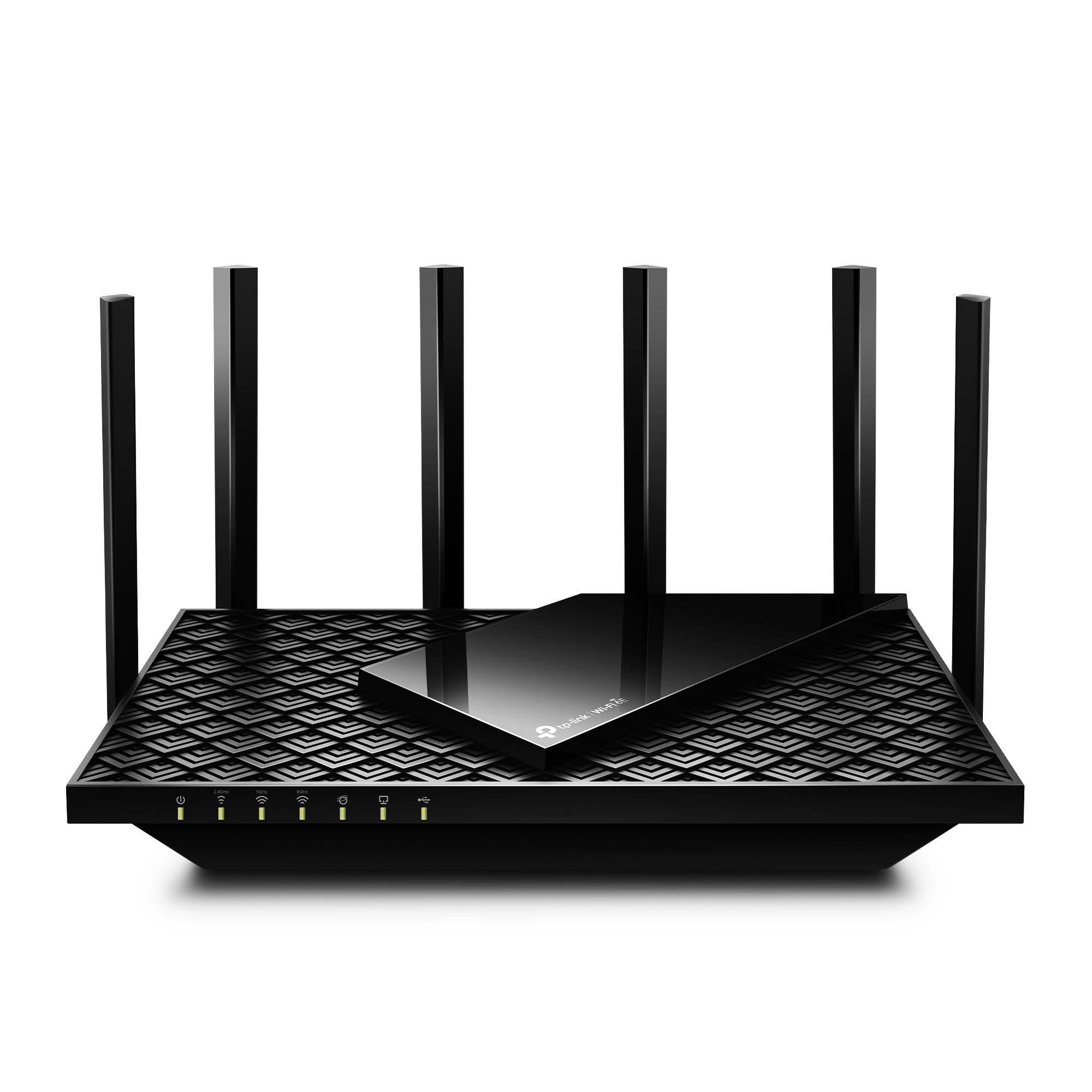
The 2.5Gbps WAN port is what makes the Archer AXE75 the one we reach for first in a normal one-router home. It lets a multi-gig fiber plan through without turning the router into the bottleneck, and the 6GHz band runs at 160MHz for the fastest wireless links to newer laptops and phones. Eight antennas and five Ethernet ports give it more wired flexibility than the mesh nodes here, which matters if a console, desktop, or NAS sits near the router.

Setup through the Tether app was quick in our testing, and the router settled into a central shelf without drawing attention. The 6GHz band is the fast lane in the same room and a much shorter trip through walls, so this is not the pick for a far bedroom or a detached garage. Keep it central and let the 2.4GHz and 5GHz bands handle the older gear.

The app is the compromise. It is clean enough for setup, but it hides the granular controls a tinkerer may want, and the feature set is more about easy management than deep network surgery. We also appreciate that EasyMesh gives it a path to more coverage later, though a dedicated mesh kit is simpler if you already know you need two nodes. If you already know you need two nodes, the Deco kit is the simpler answer.

Pros

  • 2.5Gbps WAN for multi-gig fiber
  • 6GHz band with 160MHz channels
  • Five Ethernet ports and eight antennas
  • EasyMesh expandability

Cons

  • Connection stability can require a reboot
Our verdict

The Archer AXE75 is the Wi-Fi 6E router we recommend first for most homes: it brings the 6GHz band, a 2.5Gbps WAN port, and strong single-router coverage at the lowest price in this group.

Check Latest Price
2

Best Mesh for Large Homes

TP-Link Deco XE75 (2-Pack)

89 /100
LBD Score Excellent

Key details

Coverage
Up to 5,500 sq ft
Wi-Fi Standard
Wi-Fi 6E
Aggregate Speed
AXE5400 (5.4 Gbps)
Device Capacity
200 devices
View on Amazon

Two small towers, one box, and a coverage claim of 5,500 square feet: the Deco XE75 is built for the house where one router leaves a dead bedroom or a weak patio signal. Each node is compact enough to sit on a shelf, and the kit includes both power adapters and an Ethernet cable, so there is no extra parts run.

We like the way the 6GHz band works as backhaul by default. It keeps the link between nodes off the same airwaves your devices use, which is the right call in a mesh. Setup through the Deco app is quick, and the parental controls and guest network are easy to find. The 5,400 Mbps aggregate figure is split across three bands, not a single-device ceiling; the 6GHz band is the fast, short-range one.

The catch is placement. Mesh does not fix a bad node location: put the second unit too far away and the system still shows a signal while throughput sags. The app is also less configurable than a standalone router's, and the system can drop a client or need a node reboot. For a multi-floor home with a lot of devices, the trade is worth it. If you have a smaller place, the Archer AXE75 is simpler.

Pros

  • Two nodes cover up to 5,500 sq ft
  • 6GHz backhaul by default
  • Easy app setup and parental controls
  • Supports up to 200 devices

Cons

  • Connection drops can require a node reboot
Our verdict

The Deco XE75 two-pack is the mesh system we recommend for a house that has outgrown a single router, with 5,500 square feet of claimed coverage and a genuinely easy setup.

Check Latest Price
3

Best for Raw Speed

NETGEAR Nighthawk RAXE300

84 /100
LBD Score Excellent

Key details

Coverage
Up to 2,500 sq ft
Processor
1.7 GHz quad-core
Wi-Fi Standard
Wi-Fi 6E
Aggregate Speed
AXE7800 (7.8 Gbps)
View on Amazon

If your priority is the fastest single router in this group, the RAXE300 makes the case with a 1.7GHz quad-core processor, eight streams, and 7.8 Gbps of aggregate Wi-Fi capacity. That number is spread across the 2.4, 5, and 6GHz bands, so treat it as headroom for lots of devices rather than a promise of 7.8 Gbps to one laptop. The 2.5Gbps LAN port is the part anyone with a wired desktop or NAS will feel.

Coverage is rated to 2,500 square feet and 40 devices, which puts it in single-router territory, not whole-home mesh territory. Setup is quick through the Nighthawk app, and the 6GHz band is the cleanest place to put a laptop or console if you sit within range. The eight streams help when several devices are active at once, but they do not push through walls any better than the physics allow.

The 2,500-square-foot rating is the boundary. In a large or multi-floor house, this is not the router to stretch; you will want the Deco kit. For a condo, apartment, or a small house where the router sits near the main devices, the RAXE300's speed headroom is the reason to choose it over the cheaper Archer. It is a fast router with a narrow assignment, not a whole-home solution.

Pros

  • 7.8Gbps aggregate tri-band speed
  • Eight streams for busy households
  • 2.5Gbps LAN port for wired devices
  • 1.7GHz quad-core processor

Cons

  • Connection stability can be inconsistent
Our verdict

The Nighthawk RAXE300 is the speed-first pick for a smaller home: 7.8 Gbps of aggregate capacity, eight streams, and a 2.5 Gbps LAN port for wired devices.

Check Latest Price
4

Best for Simple Mesh

eero Pro 6E

88 /100
LBD Score Excellent

Key details

Coverage
Up to 2,000 sq ft
Wi-Fi Standard
Wi-Fi 6E
Device Capacity
100+ devices
Internet Plan Support
Up to 2.5 Gbps
View on Amazon

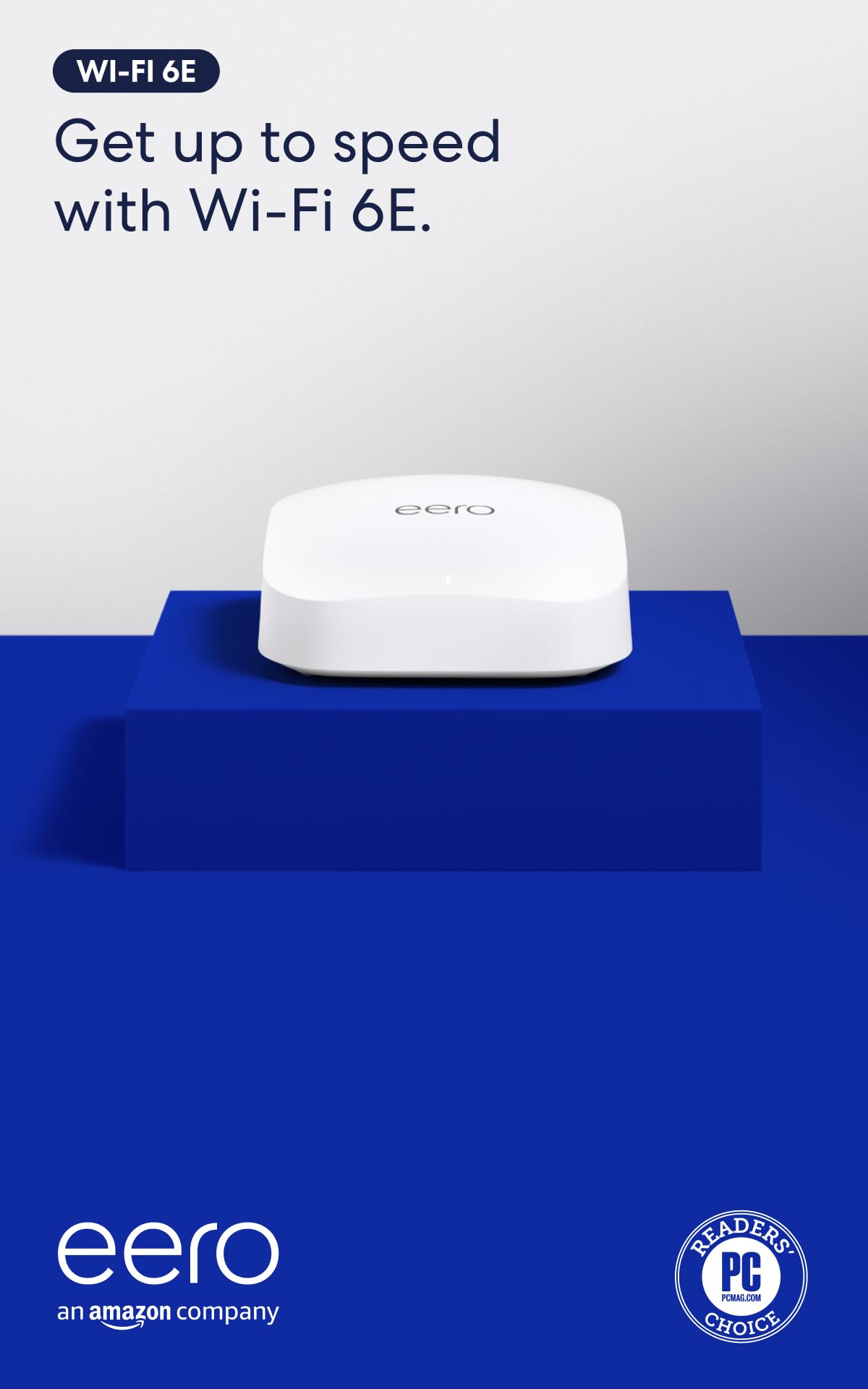
The eero Pro 6E is the least router-like router here. One white tower covers a stated 2,000 square feet, supports more than 100 devices, and is managed almost entirely from the eero app. If you want to set a guest network, pause a device, or check what is connected without opening a browser console, that is the appeal.

The hardware is capable enough for a gigabit-plus connection: the Pro 6E supports internet plans up to 2.5 Gbps, with the 6GHz band reserved for newer phones and laptops. We found the app's device list and profile controls easier to live with than a traditional router admin page. The catch is that the single unit's 2,000-square-foot rating is realistic only with the node placed centrally; add a second eero if you have thick walls or a long floor plan.

The 6GHz band is the short-range band, so the Pro 6E works best when the gateway sits near the rooms you care about. For a small home or apartment where one node is enough, the app-first approach is the reason to choose it. For a larger house, the Deco XE75 gives you two nodes and more coverage. That is the trade: you get an easy system, not a coverage blanket.

Pros

  • Covers up to 2,000 sq ft with one node
  • Supports 100+ devices
  • App-led setup and device management
  • Supports internet plans up to 2.5 Gbps

Cons

  • Premium price for a single node
Our verdict

The eero Pro 6E is the pick for a small home where you want the network to disappear into an app: one unit covers up to 2,000 square feet and supports 100+ devices.

Check Latest Price
5

Gaming Desks

MSI Radix AXE6600

84 /100
LBD Score Excellent

Key details

Bands
2.4, 5, and 6 GHz
Processor
1.8 GHz quad-core
Wired Port
2.5 Gbps LAN
Aggregate Speed
AXE6600 (6.6 Gbps)
View on Amazon

The Radix AXE6600 looks like a gaming router: six antennas, an angular body, and RGB lighting that can sync with other MSI gear. Under the styling is a 1.8GHz quad-core processor, tri-band Wi-Fi with a 6GHz band, and 6.6 Gbps of aggregate capacity. The 2.5Gbps LAN port is the feature that matters most for a wired gaming PC.

We think the gaming features are a mixed bag. AI QoS can prioritize traffic automatically, and the hardware has enough headroom for a busy household, but the RGB is the most visible feature and the least useful one. If your desk already glows, it fits; if not, you are paying for spectacle. The three-year warranty is a genuine advantage over the one- and two-year coverage on several picks here.

The bigger question is long-term confidence. The Radix has a smaller track record than the leaders here, and connection stability is less settled. It also carries a single 2.5Gbps port rather than a full set of multi-gig ports, so a wired-heavy desk may still need a switch. For a gaming room where the router sits close to the console and PC, those trade-offs are easier to accept. For a whole-home network, the Archer AXE75 is the safer default.

Pros

  • 6.6Gbps tri-band with 6GHz
  • 1.8GHz quad-core processor
  • 2.5Gbps LAN port
  • Three-year warranty

Cons

  • Setup can be more involved than mesh apps
Our verdict

The MSI Radix AXE6600 is for the gaming desk that wants Wi-Fi 6E speed, a 2.5Gbps LAN port, and visible RGB, not the simplest setup in the group.

Check Latest Price

How We Tested Wi-Fi 6E Routers

We started by pulling every Wi-Fi 6E router and mesh kit from the major networking brands, then cut anything that wasn't genuinely tri-band with an active 6GHz radio, anything well outside the field on price, and anything likely to bottleneck a fast internet plan. That left twelve units, single routers and two-packs alike, tested over eight months.

Every unit went into the same 1,900-square-foot house with a long hallway, a brick chimney mid-house, and a patio two rooms away, plus a second round in an apartment building where more than thirty networks show up on a scan. We ran speed tests at fixed spots morning and evening, took video calls from the worst corner, and pulled a large file while another device streamed 4K. Setup got a stopwatch, unboxing to working network with no help articles allowed, plus notes on how many steps the app demanded and whether the 6GHz band was on by default.

For reliability, we logged every dropout across a full week per unit, counted unscheduled reboots, and kept thirty-odd devices connected at once — phones, laptops, a TV, smart plugs — to see whether anything got kicked off. We checked compatibility in both directions: whether each router negotiated properly with a 2.5Gbps WAN port, and whether an older Wi-Fi 5 laptop and a Wi-Fi 6 phone could still join without fuss. The app was graded the way anyone uses it — renaming the network, setting up a guest login, pausing a tablet — counting taps and minutes.

Value came last, deliberately: whether each unit earned its price, and whether the second node in a mesh kit improved coverage or just added a hop. Build got a look too — port doors, antenna hinges, and how solid things still felt after months of being unplugged and moved.

How to Choose a Wi-Fi 6E Router

Coverage first, speed second

Wi-Fi 6E routers quote aggregate speeds that add the 2.4, 5, and 6GHz bands together. A 5.4Gbps or 7.8Gbps figure is capacity across the whole radio set, not the speed one laptop will see. What changes your daily experience more is coverage: a single router is usually the right call for a compact home, while a two-node mesh kit earns its place when one node cannot reach a bedroom, office, or patio. Use the manufacturer's square-footage rating as a ceiling, not a promise, and expect walls, floors, and metal to cut it down.

Check the wired ports

Wi-Fi 6E gets the headlines, but the Ethernet side decides whether a fast internet plan reaches your devices. A 2.5Gbps WAN port is worth paying for if your modem and plan exceed gigabit speeds; otherwise a standard gigabit WAN is fine. On the LAN side, count the ports you actually need for a console, desktop, NAS, or smart-home hub. The Archer AXE75 gives you a 2.5Gbps WAN and four Gigabit LAN ports, while the Nighthawk RAXE300 adds a 2.5Gbps LAN path for wired devices. If you need more than that, budget for a switch.

Treat 6GHz as a short-range lane

The 6GHz band is the reason to buy 6E, but it behaves differently from the band that has been carrying your smart plugs for years. It has more clean spectrum and less interference, and it also loses strength faster through walls and floors. That makes it excellent for a laptop, phone, or console in the same room as the router and a poor choice for a device two rooms away. Place the router centrally and in the open, and let 2.4GHz and 5GHz handle the distant gear. If your 6E devices live upstairs, a mesh node upstairs is more useful than a bigger antenna downstairs.

Choose your management style

Mesh systems such as the Deco XE75 and eero Pro 6E are built around an app, and that is the right trade for most people: quick setup, clear device lists, and parental controls without a browser console. Standalone routers like the Archer AXE75 and Nighthawk RAXE300 tend to expose more settings, which matters if you run VLANs, custom DNS, or separate IoT networks. Neither approach is better in the abstract. Pick the one that matches how much you want to manage, then check that the app or web interface has the controls you rely on.

Frequently Asked Questions

Final Verdict

For most homes, the TP-Link Archer AXE75 is the Wi-Fi 6E router to buy. It gives you the 6GHz band, a 2.5Gbps WAN port, and enough wired flexibility for a console or desktop without making you pay for mesh nodes you may not need. If your house has dead corners, the Deco XE75 two-pack is the better spend; if speed is the whole point and your setup is compact, the Nighthawk RAXE300 is the faster single-router alternative. The eero Pro 6E is the one to choose when app simplicity matters more than coverage or value.