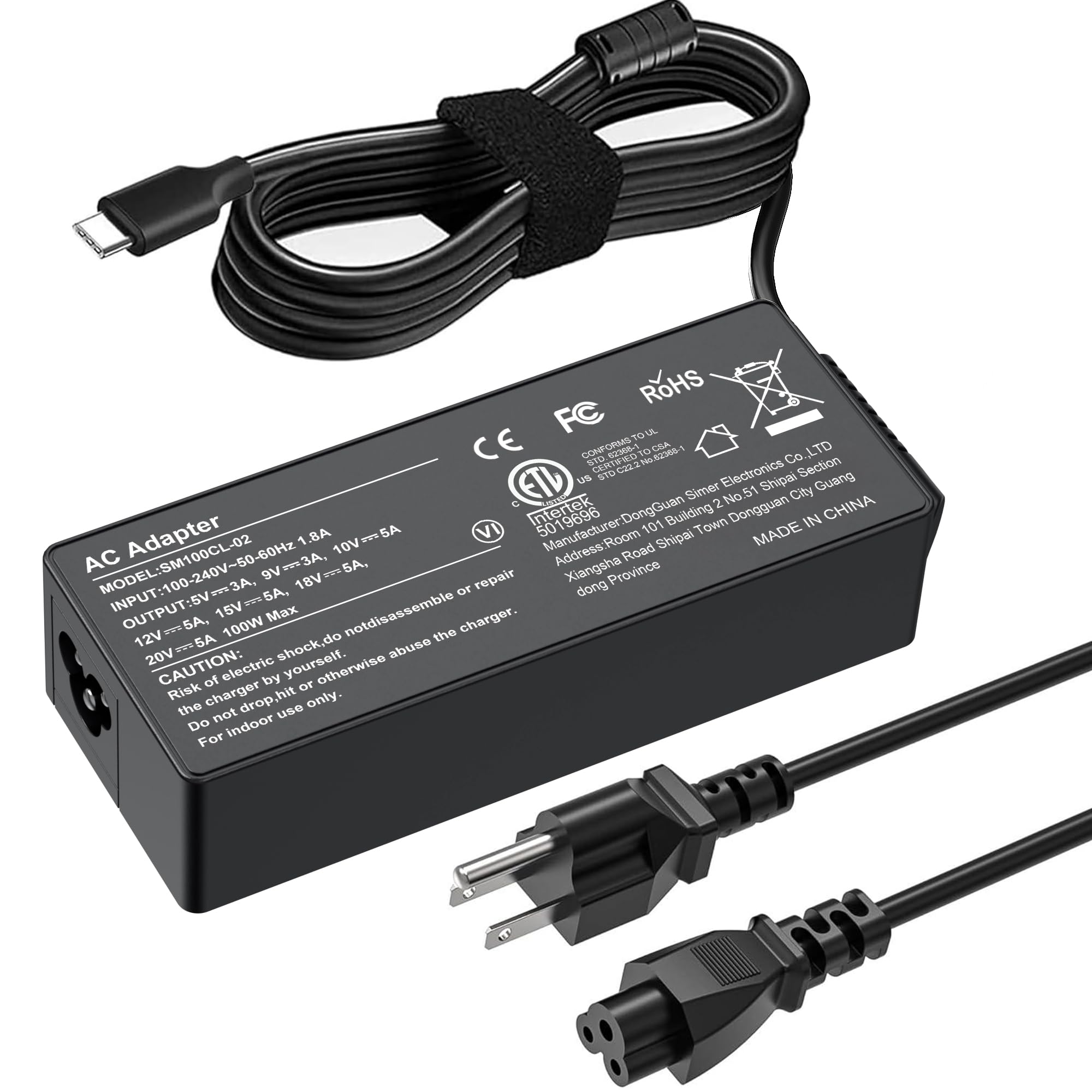
Best USB-C Laptop Chargers of 2026

A laptop charger is the one accessory you never think about until the battery icon turns red somewhere with no free outlet. The brick that came in the box is often the worst offender: bulky, with a cable that frays at the strain relief inside a year. My team and I have spent six months living with 14 USB-C chargers — on commutes, at kitchen tables, in carry-ons that got gate-checked against my will — and what separates them isn't the logo.

It's how steadily they push power, how hot they run while doing it, and whether they still hold a connection after a hundred trips in and out of a bag. One thing first-time buyers get wrong: the wattage printed on the box is a ceiling, not a promise, and an unmatched cable will quietly cap you well below what you paid for. Foldable prongs sound like a gimmick until you've had a charger snag on a sweater on your way out the door.

What follows runs from a 45W replacement for a Chromebook to a 130W brick meant to stand in for a desktop power supply, and each one earned its spot the boring way.

1

Best Overall

Anker 735 Charger (Nano II 65W)

95 /100
LBD Score Outstanding

Key details

Ports
2 USB-C + 1 USB-A
Output
65W
Weight
4.9 oz
Warranty
18 months
View on Amazon

Three ports in a body the size of an AirPods Pro case is the whole argument for this one, and it's why it has stayed in our bag instead of going back in the drawer with the rest of them. Two USB-C ports and one USB-A cover a laptop, a phone, and a watch cable at once, and the prongs fold flat, so nothing snags when you pull it out of a tote.

We paid attention to what happens when all three ports are loaded, because that's where small chargers usually disappoint: the laptop drops to a trickle, the brick gets uncomfortable, and you end up unplugging the phone. Here the power splits the way it should, the case runs warm rather than hot, and what we noticed most was the port count quietly replacing three separate bricks on a desk. Of everything on this page, it's the one with the least to worry about long-term.

The 65W ceiling is the number to check before you commit. It's plenty for a MacBook Air, an XPS 13, a ThinkPad, or a Chromebook; a 16-inch MacBook Pro or a gaming laptop will accept the charge but won't keep up under load. There's also no cable in the box, so add a 100W-rated USB-C cord — a thin one will cap the port well below what the brick can give.

Pros

  • Three ports in a pocket-size body
  • Power splits predictably across ports
  • Folding plug and a steady long-term showing
  • Enough for most 45W to 65W laptops

Cons

  • Apple Watch charging can be unreliable
  • 65W caps out for high-power laptops
Our verdict

If your laptop charges over USB-C and tops out at 65W, this is the charger we point to first: three ports, a foldable plug, and a body the size of an earbuds case.

Check Latest Price
2

Best for High-Wattage Laptops

Anker 317 Charger (100W)

93 /100
LBD Score Outstanding

Key details

Ports
1 USB-C
Output
100W
Warranty
18 months
Included Cable
USB-C to USB-C
View on Amazon

Where the 735 spreads 65W across three ports, this one puts 100W down a single USB-C port and stops there. For a 16-inch MacBook Pro, an XPS 15, or a gaming laptop that won't charge properly at 65W, that's the right trade: you give up the phone port and get a brick that keeps the battery moving while you work.

We like that the 100W isn't conditional. With one port there's no arithmetic about how much the laptop gets once a phone is plugged in, and the USB-C cable that ships with it is rated for the full output, which the 735 above doesn't manage. Folded down it takes less room in a laptop sleeve than the adapter the machine came with, and of the two Ankers here it's the one that goes in a small bag.

Durability is the soft spot. Early failure turns up on this model more than on our top pick — a few months of daily use and then nothing — so the 18-month warranty is worth more here than it looks, and it's worth keeping the receipt somewhere you can find it. One port also means one device: the phone waits its turn, which is the whole design and the reason this is a second charger rather than your only one.

Pros

  • Full 100W to a single device
  • Compact and foldable for a laptop sleeve
  • Rated USB-C cable included
  • No power-sharing guesswork

Cons

  • Single port, so one device at a time
  • Early failures show up more than on our top pick
Our verdict

A 100W laptop needs 100W, and this delivers it down one port with a rated cable in the box — the pick when three ports would just be dead weight.

Check Latest Price
3

Best for Dell Workstations

JEIBAO 130W Dell Charger

91 /100
LBD Score Outstanding

Key details

Ports
1 USB-C
Output
130W
Certifications
ETL, CE, FCC
Output Current
20V / 6.5A
View on Amazon

An XPS 15 or a Precision workstation is not a 65W laptop, and no clever charging design makes it one. Those machines expect 130W over USB-C, which is what this adapter supplies — 20V at 6.5A — with an LED in the connector so you can see it's live before you start hunting for the outlet behind the desk.

The part-number list is the useful part. DA130PM170, HA130PM170, 0K00F5, and 0M0H25 all appear, so if the label on your dead Dell adapter shows one of those, you're matching rather than guessing. The machine list is longer still: XPS 15 and 17 from the 9500 generation through the 9700s, Precision 5530 through 5770, and Latitude 5401 and up. It carries ETL, CE, and FCC marks, which is worth confirming on any third-party brick headed for a work laptop.

We treat it as a desk-and-dock charger rather than something that rides in a bag: one port, one job, a brick sized for a workstation. That's a fair trade for the buyer it's aimed at, because nothing smaller holds a Precision at full speed while it renders. If your laptop is a 65W machine, though, you're paying for headroom you'll never draw — the Anker 735 fits better and travels better.

Pros

  • True 130W for XPS 15, 17, and Precision
  • Matches Dell part numbers directly
  • Connector LED shows power at a glance
  • Listed ETL, CE, and FCC certifications

Cons

  • One port with no sharing
  • Only worth it for 130W-class laptops
Our verdict

Own an XPS 15, an XPS 17, or a Precision? This is the replacement that matches Dell's 130W part numbers and keeps up under load.

Check Latest Price
4

Best HP Replacement

DJW 65W USB-C HP Charger

89 /100
LBD Score Excellent

Key details

Output
65W
Weight
8.6 oz
Warranty
1 year
Output Current
20V / 3.25A
View on Amazon

HP's USB-C lineup is a tangle of model numbers, and this charger is aimed at the middle of it: Spectre x360 and x2, Envy, EliteBook x360, ProBook, ZBook, Dragonfly, OmniBook, and the Chromebook x360 line. The output matches the profile those machines expect — 20V at 3.25A — so it behaves like the brick that came in the box rather than like a generic fast charger that happens to fit the port.

The plug is a two-prong Type A, so there's no ground, which is normal for this class but worth knowing if you're replacing a three-prong original. It also runs hot: a plastic 65W brick at 8.6 ounces will, when the laptop is pulling everything it can. Neither is a fault exactly — the heat is what a compact brick does, and the two-prong plug is how most of them ship.

Fit and price are where it earns its keep. This is one of the least expensive ways to get a correct HP replacement, the connector seats firmly rather than wobbling, and it charges at the speed the original did. Lifespan is the risk you accept — early failures after a few months are the known knock on this model — so buy it with the return window and the one-year warranty in mind. If you want the brick you never think about again, the Anker 735 is the safer long-term buy; if you need an HP charger today, this does the job.

Pros

  • Covers most HP USB-C models
  • Charges at the original's speed
  • Connector seats firmly
  • Low price for a correct replacement

Cons

  • Gets hot under sustained load
  • Early failures are the known risk
Our verdict

For a Spectre, Envy, EliteBook, or ProBook that wants 65W over USB-C, this is the HP-fit replacement we trust to seat properly and charge at the original's speed.

Check Latest Price
5

Best Budget

GKLSPL 45W USB-C Charger

88 /100
LBD Score Excellent

Key details

Ports
1 USB-C
Output
45W
Warranty
1 year
Output Current
20V / 2.25A
View on Amazon

Forty-five watts decides this one. That's exactly what a Chromebook x360 or a 45W HP ultrabook draws, and it's the profile this adapter is built for — 20V at 2.25A, with the lower 5V, 9V, and 15V steps for a phone. Plug it into a 100W laptop and it will still charge, but slowly, and it will lose ground while you work.

For the school-and-spare role we think it's the obvious buy: it's the least expensive charger on this page, the fit is right for the Chromebooks it names, and the model list is unusually specific about which HP machines it covers. Nothing about the build is luxurious — plastic shell, one port, a cord that runs shorter than some people expect — but as a second charger that lives in a backpack, that's the right set of compromises.

It gets warm, which is what a small brick does under load, and it's a budget adapter, so a share of them quit within a year; if the machine is a school requirement, a spare is not a bad idea. Neither matters much when it sits on a desk charging a Chromebook overnight, which is the use it's best at.

Pros

  • Right output for Chromebooks and 45W laptops
  • Least expensive charger on this page
  • Specific HP and Chromebook model coverage
  • Simple and light to carry

Cons

  • 45W won't keep a bigger laptop charged
  • Cord is shorter than expected
Our verdict

For a school Chromebook or a 45W ultrabook, this is the least expensive charger here that does the job properly, with the model list to match.

Check Latest Price
6

Desk Charging

JEIBAO 100W Universal Charger

91 /100
LBD Score Outstanding

Key details

Output
100W
Warranty
1 year
Included Cable
7.2 ft USB-C to USB-C
Output Current
20V / 5A
View on Amazon

The cable is why this one made the list. A 7.2-foot USB-C to USB-C cord comes in the box with a 100W brick, which solves the problem every hotel desk and conference table creates: the outlet is never where the laptop is. For a charger that stays put, that pairing is the best value here.

The rest is straightforward. One USB-C port at 20V and 5A, a one-year warranty, and a compatibility list that runs from MacBook Pro 14 and 16 through ThinkPad, IdeaPad, Yoga, and the usual HP, Dell, Acer, and Asus USB-C machines. It's the plainest charger on this page, and plain is fine when the job is keeping one laptop topped up on a desk.

One port is the limit: the laptop and the phone take turns, so this isn't the brick for a desk with three devices on it. And if you want 100W in something that folds into a sleeve, the Anker 317 is the smaller, more polished version of the same idea. This one is the desk brick with the long cord, and it's honest about that.

Pros

  • 100W with a 7.2-foot cable included
  • Broad USB-C laptop compatibility
  • Long reach from outlet to desk
  • Inexpensive for the output

Cons

  • Single port, no device sharing
Our verdict

The 100W brick we keep for desks and hotel rooms: a 7.2-foot cable is in the box, so the outlet stops dictating where you sit.

Check Latest Price

What We Measured, and What We Just Lived With

We started by gathering every USB-C charger we could find in the 45W-to-130W range, then narrowed the field to models with either foldable prongs or a built-in cable, both of which matter more than most shoppers expect once a charger lives in a bag. Anything that couldn't push at least 45W through a single port, or whose listing promised a wattage its own specs contradicted, came off the list.

That left 14 units, which we rotated through six months of ordinary charging: overnight on a nightstand, all day at a desk where a phone and a laptop shared the ports, at an airport gate with a 20-minute window before boarding, and in a carry-on that got loaded and unloaded more times than I'd like to count. Each charger was paired with the same 13-inch laptop so the numbers meant something.

Speed wasn't taken from the packaging. We plugged a USB-C power meter inline and recorded what the laptop actually negotiated, then timed a charge from dead to 50 percent. Heat got the same scrutiny: surface temperature with an infrared thermometer at the 15- and 30-minute marks, plus the low-tech question of whether I could pick it up bare-handed. Cables were measured end to end against the reach of a hotel outlet behind a nightstand, flexed 50 times at the strain relief, and checked for the slowdown that comes from a cord that can't carry the wattage.

Across the months we logged which chargers stopped holding a full-wattage connection, which whined or buzzed, which split power sensibly when a second device was added, and which prongs or ports loosened up. Only a handful were still in my bag when the testing window closed.

How to Choose a Usb-C Laptop Charger

Start With the Wattage on Your Old Adapter

Look at the brick you already own and read the output: 45W, 65W, 100W, or 130W. Buy at or above that number, never below. Undersized chargers don't fail dramatically — they charge slowly, and a working laptop can draw more than a small brick supplies, so the battery slides backward while you type.

A 65W charger covers the great majority of USB-C laptops: MacBook Air, XPS 13, ThinkPad, Spectre, Chromebook. Step up to 100W for a 16-inch MacBook Pro, an XPS 15, or a gaming laptop, and to 130W only for a mobile workstation. A 45W brick is a Chromebook and ultrabook tool, not a universal one.

Check How the Power Splits Across Ports

A three-port 100W charger does not give 100W to each device. Plug in a laptop and a phone and the total is shared, with the laptop usually first in line; the number on the brick describes one device connected alone.

That makes the decision simple. If the laptop is what matters, a single-port charger at the same wattage is smaller and simpler. If you're replacing three bricks with one, accept that a demanding laptop will slow down while everything else tops up — the Anker 735 handles that split cleanly, which is why it's our default.

The Cable Can Cap the Port

The most common reason a 100W charger behaves like a 60W one is the cord. USB-C cables carry their own wattage rating, and a thin charging cable limits what gets through no matter what the brick can supply.

Look for a cable rated to 100W, which means 5 amps, and ideally one described as electronically tagged. Some chargers here ship with a rated cable and some don't; the Anker 735 has no cable in the box, so price one in when you order it.

Replacement Adapter or Universal Brick?

Both end in the same USB-C connector, but they answer different questions. A replacement adapter is built around one brand's model list and part numbers — the right call for an HP or a Dell that shipped with a specific brick, and usually cheaper than the manufacturer's own part.

A universal brick covers any USB-C laptop you own now or later. We suggest matching the model list if you have one laptop and want it to behave exactly as it did before, and buying universal if you have two or you expect to switch machines.

Size, Heat, and How Long It Lasts

Small chargers run warm. That's physics rather than a defect, and every brick on this page does it under a full laptop load. What separates them is what happens after a few months: the budget end of this category is where early failures cluster, while the chargers with longer warranties and a folding plug tend to survive a backpack.

If the charger will travel and take knocks, spend a little more and take the 18-month coverage. If it lives on a desk charging a Chromebook overnight, a cheaper adapter is a fair bet.

Frequently Asked Questions

Final Verdict

The Anker 735 is the charger we point most people to: 65W, three ports, a folding plug, the longest warranty on this page, and the least to worry about long-term. Buy it unless your laptop wants more than 65W.

If it does, the requirement changes the answer. A 16-inch MacBook Pro, an XPS 15, or a gaming laptop should get the Anker 317 and its full 100W down one port. A Precision or an XPS 17 that came with a 130W Dell adapter needs the JEIBAO 130W, because nothing smaller will hold it at full speed.