Best Travel Routers of 2026

Hotel Wi-Fi makes you sign in again on every device you own — phone, laptop, tablet, the e-reader you forgot about — and half the time the login page never loads at all. A travel router fixes that: it signs into the hotel's network once and rebroadcasts it as your own private network, so everything connects automatically and remembers it next time.

The catch is that these little boxes differ enormously in how much fiddling they demand. We've spent eight months with 12 of them — in hotel rooms on work trips, an RV, a cruise cabin, and a few coffee shops — weighing setup, speed, reliability, ease of use, and portability.

Here's what first-time buyers tend to overrate: the router's own speed rating. The hotel's connection is the ceiling, so what separates these is whether it clears a captive portal on the first try, how fast it recovers when the network hiccups, and whether it will run off a USB-C power bank. The picks below are the ones I'd hand a friend before a long trip.

1

Best Overall

GL.iNet Beryl AX

91 /100
LBD Score Outstanding

Key details

VPN
OpenVPN and WireGuard preinstalled
Weight
6.91 oz
Wired Ports
2.5G WAN + 1G LAN
Wi-Fi Speeds
574 Mbps (2.4 GHz) + 2402 Mbps (5 GHz)
View on Amazon

If we're packing one router for a trip and we have no idea what the Wi-Fi will look like when we arrive, this is the one that goes in the bag. The Beryl AX pairs Wi-Fi 6 radios — 574 Mbps on 2.4 GHz and 2402 Mbps on 5 GHz — with a 2.5-gigabit WAN port, a gigabit LAN port and USB 3.0, in a box the size of a paperback at 196 grams. That's why it holds the top spot: it's fast enough that it never becomes the bottleneck, and it has the port to take a wired feed when the room offers one.

Most of the hard part is already done. OpenVPN and WireGuard come preinstalled, it works with 30-plus VPN providers, and it runs OpenWrt, so the thing you bought for a hotel room can become a properly configurable router at home. The detail we like most is VPN cascading, which lets it host a server and run a client at the same time — one route back to your home network, one route out through a commercial VPN. Add WPA3, a guest network and QoS for prioritizing a work call, and there's very little left to want.

Setup is the part worth slowing down for. The first screen asks you to pick a mode, and choosing the wrong one is the quickest way to lose twenty minutes. Once it's connected the admin panel is dense but logical, and the two-year warranty is the norm for this category. It's a router you configure once per trip and then forget about, which is exactly the job.

Pros

  • 2.5G WAN port for fast wired feeds
  • WireGuard and OpenVPN preinstalled
  • Runs a VPN server and client together
  • 196 g with a small footprint

Cons

  • Connections can drop and need a restart
Our verdict

The Beryl AX is the travel router we point almost anyone to: fast Wi-Fi 6 radios, a 2.5G WAN port and OpenWrt depth in a 196-gram box.

Check Latest Price
2

Best for Simple Control

GL.iNet Slate 7

88 /100
LBD Score Excellent

Key details

Weight
10.6 oz
In The Box
US, UK, EU and AU plugs
Wired Ports
2 x 2.5G (1 WAN, 1 LAN)
Wi-Fi Speeds
688 Mbps (2.4 GHz) + 2882 Mbps (5 GHz)
View on Amazon

The touchscreen is the whole argument. On the Slate 7 you scan a hotel's Wi-Fi QR code to connect, watch throughput update in real time, and switch the VPN or the AdGuard Home filter on and off with a tap — no laptop, no admin page, no remembering an address to type into a browser.

Behind the screen it's a full Wi-Fi 7 router: dual-band radios rated at 688 Mbps on 2.4 GHz and 2882 Mbps on 5 GHz, two 2.5-gigabit Ethernet ports (one WAN, one LAN), 2 GB of RAM and OpenWrt 23.05. It's rated for more than 120 devices, which is more than a hotel room will ever need and about right for a rental with a console, a streaming stick and everyone's phones on the same network.

What we came back to is how much friction the screen removes. Handing this to someone who has never opened a router admin page is a different proposition from talking them through a browser interface, and at a rental or a client site that's the gap between five minutes and half an hour. The trade-off is money: this is the priciest non-cellular router in the group, and the screen and the newer radios are what you're paying for.

Pros

  • Touchscreen joins networks and toggles the VPN
  • Wi-Fi 7 radios with two 2.5G ports
  • Ships with US, UK, EU and AU plugs

Cons

  • Runs on its own 12V adapter, not USB-C
Our verdict

If you want to join hotel Wi-Fi without opening a laptop, the Slate 7 puts the join, the VPN toggle and a live speed readout on a touchscreen.

Check Latest Price
3

Best Value Wi-Fi 7

TP-Link Roam 7 BE3600

84 /100
LBD Score Excellent

Key details

Weight
8.8 oz
Wired Ports
2.5G WAN + 1G LAN
Wi-Fi Speeds
2882 Mbps (5 GHz) + 688 Mbps (2.4 GHz)
Device Capacity
Up to 90 devices
View on Amazon

A 2.5-gigabit WAN port and a plain gigabit LAN port on the same travel router is an unusual pairing, and it's the part of the Roam 7 that earns its place here. Feed it from a fast rental connection and the WAN side isn't the limiter; the slower port is free for whatever you want to plug in. TP-Link rates the dual-band Wi-Fi 7 radios at 2882 Mbps on 5 GHz and 688 Mbps on 2.4 GHz, and the box includes power adapters and an Ethernet cable, so there's nothing else to buy before a trip.

We found the app easier to live with than a browser panel for the twice-a-year user: it walks you through joining a public network once, and every device inherits the result instead of signing in individually. The 90-client rating is more than a rental with a console, a TV stick and everyone's phones will ever use. It also accepts WPA2-Enterprise logins, so a campus or a client's office network that wants a username and password rather than a shared key is within reach — the kind of detail that decides whether a router works somewhere at all.

Where it gives ground is getting online in the first place. Boot and reconnect take a beat, and if you're moving between networks several times a day that beat adds up. For a rental, a camper or a week in one hotel, it's a trade we'll take for the port speed and the price.

Pros

  • 2.5G WAN plus a gigabit LAN port
  • App setup signs in once for every device
  • Accepts WPA2-Enterprise logins

Cons

  • Dual-band only, with no 6 GHz band
Our verdict

The Roam 7 is the value pick among the Wi-Fi 7 routers here: a 2.5G WAN port, app setup and WPA2-Enterprise support for the least money.

Check Latest Price
4

Best USB-C Powered

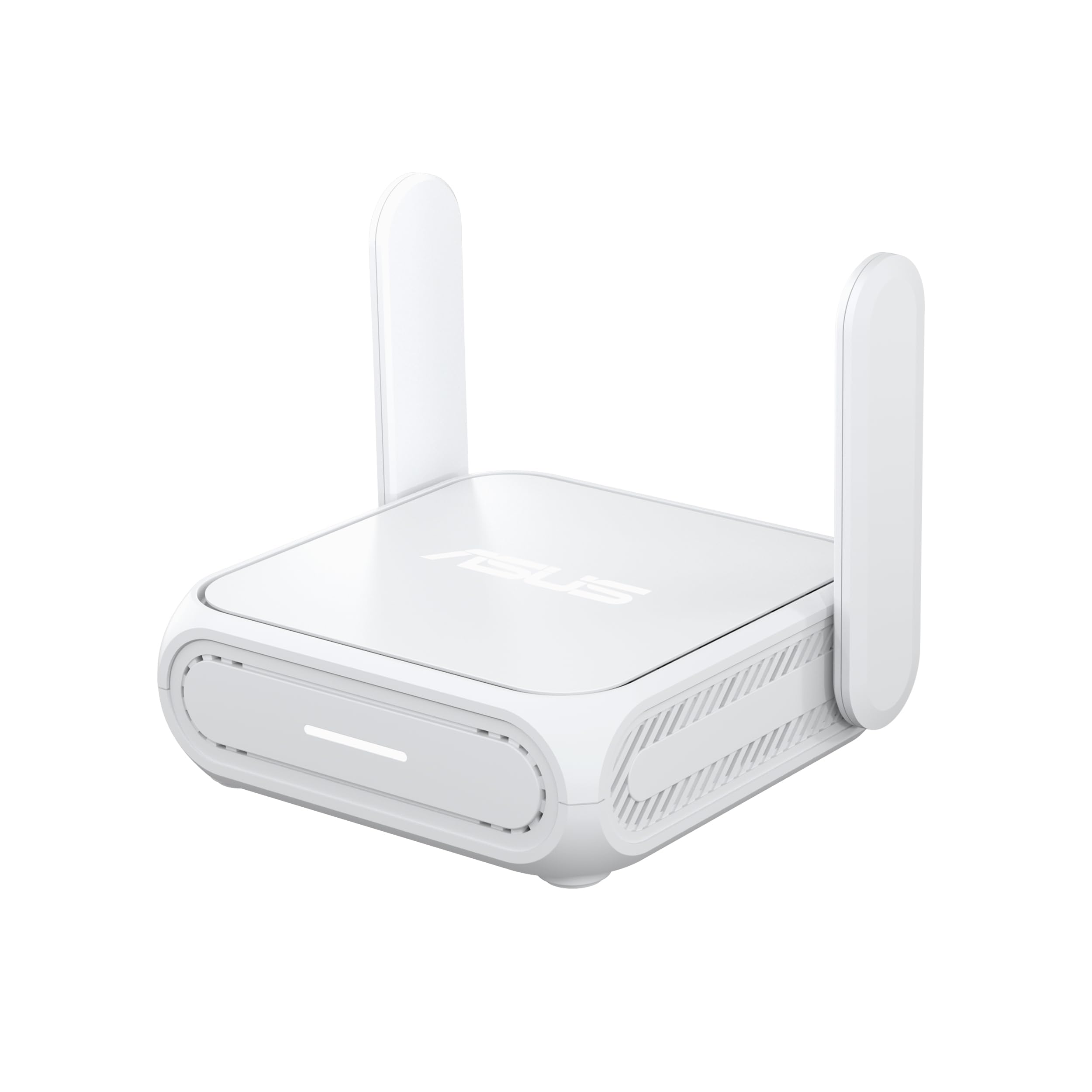
ASUS RT-BE58 Go

81 /100
LBD Score Excellent

Key details

Power
USB-C PD, 18W
Warranty
3 years
Wired Ports
1 x 2.5G
Wi-Fi Speeds
688 Mbps (2.4 GHz) + 2882 Mbps (5 GHz)
View on Amazon

USB-C Power Delivery at 18 watts is the reason this one is here. Every router in this group ships with a power adapter; this is the one that doesn't need it, because the charger your laptop already uses will run it, and a power bank will too when the outlet turns out to be behind the nightstand. That single decision removes a brick and a plug adapter from the bag, and on a two-week trip that's worth more than another few hundred megabits.

The rest of the hardware keeps up: dual-band Wi-Fi 7 rated at 688 Mbps on 2.4 GHz and 2882 Mbps on 5 GHz, a 2.5-gigabit port, 4G and 5G phone tethering, and a public-Wi-Fi mode built around the sign-in page every hotel puts in front of you. Setup is a short wizard and then a conventional ASUSWRT interface, and the three-year warranty is the longest of any pick here.

The single Ethernet port is the compromise. Take a wired feed and you have no wired LAN left over, so a NAS or a wired laptop has to wait its turn. Elsewhere the ASUSWRT side earns its keep: if you already run an ASUS router at home, this can join that AiMesh network as a node between trips, which is more than a travel router usually offers.

Pros

  • USB-C PD power from a charger or power bank
  • Wi-Fi 7 radios with a 2.5G port
  • Can join an AiMesh network as a node

Cons

  • Only one Ethernet port, so wired WAN rules out wired LAN
Our verdict

The RT-BE58 Go is the one to pick if you want a single USB-C charger for the whole trip, hotel sign-in pages and all.

Check Latest Price
5

Fixed Second Location

TP-Link Roam 6 AX3000

81 /100
LBD Score Excellent

Key details

Weight
5.28 oz
USB Port
USB 3.0
Wired Ports
2.5G WAN/LAN + 1G LAN
Wi-Fi Speeds
2402 Mbps (5 GHz) + 574 Mbps (2.4 GHz)
View on Amazon

Two Ethernet ports on a travel router is unusual, and the Roam 6 AX3000 is the one here that pairs a 2.5-gigabit WAN/LAN port with a second gigabit LAN port. Add Wi-Fi 6 rated at 2402 Mbps on 5 GHz and 574 Mbps on 2.4, USB 3.0 for tethering a phone, and a body that weighs 5.28 ounces, and the hardware list is hard to argue with.

That port pairing is what earns it a place. Take a 2.5-gigabit feed from a rental's modem and you still have a gigabit port free for a laptop or a NAS — the ASUS in this group can't do that, because its single port has to be one thing or the other. For a fixed installation, that's the more useful design, and the USB port means a phone on a weak signal can become the uplink without giving up the wired side.

The honest limit is the radios. This is Wi-Fi 6 hardware in a Wi-Fi 7 moment, and the picks above have moved on; what hasn't moved on is the port count, which is still the reason to choose it. Buy it for the wiring rather than the wireless, and put it somewhere it won't have to learn a new network every night.

Pros

  • 2.5G WAN/LAN plus a second gigabit LAN port
  • USB 3.0 phone tethering as a second uplink
  • 5.28 oz and easy to pack

Cons

  • Joining a new host network takes more patience than the picks above
Our verdict

The Roam 6 AX3000 suits the router that stays put — a camper or cabin where you set the network once and both wired ports keep working.

Check Latest Price

How We Picked and Tested Travel Routers

We started with spec sheets and filtered hard. Anything that needed a laptop browser to finish setup, an AC adapter instead of USB-C power, or only a single Ethernet port fell off early, and so did anything that couldn't log into a captive portal on its own. That left 12 routers, which we bought at retail and lived with for eight months.

Setup was timed, not estimated. In a hotel room I started a stopwatch at the box and stopped it when a laptop and phone were both online through the router's own network, counting the taps it took. A week later I set each one up again in a different hotel without the instructions, to see whether the process stuck. We also ran a VPN tunnel on each and noted how far throughput fell.

Reliability got judged over three-night stays rather than a five-minute check. We counted re-authentications, watched whether a video call held through a network hiccup, and timed how quickly the router reconnected after we carried it from the room to the lobby. Speed was measured side by side against the hotel's own signal, so we could see what the router added or cost.

For portability, every unit was weighed and slid into a laptop sleeve's side pocket with a charger to see if it disappeared, and we ran each from a USB-C power bank on a train and in an RV. Build quality showed up in small ways — ports that wobbled, cases that flexed when a cable went in. Configuration was the final pass: custom SSIDs, device limits, and whether the app explained itself when a connection failed.

How to Choose a Travel Router

Decide What Goes Into It

Every router here takes more than one kind of uplink, and which one you'll actually use decides most of the purchase. Public Wi-Fi repeater mode is the hotel case: the router joins the venue's network, clears the sign-in page, and hands your devices a private network of their own. Ethernet WAN is the rental-with-a-modem case, USB tethering is the phone-with-no-Wi-Fi case, and cellular covers the places where there is no network to join at all.

The trap is the captive portal. A router in repeater mode has to complete the hotel's sign-in itself before anything behind it gets online, and that step is where setups go wrong. Look for captive-portal support stated in the listing — the Roam 7 and the RT-BE58 Go both name it. If a travel router stays vague about hotel sign-in pages, treat that as a risk rather than a marketing omission.

Wi-Fi 6 or Wi-Fi 7?

Your uplink is almost always the bottleneck, so the radio standard matters less than the badge suggests. A hotel feed delivering a few hundred megabits doesn't need 2.8 Gbps of 5 GHz headroom. Where Wi-Fi 7 earns its premium is on your side of the router — shuffling files between a laptop and a NAS, screen sharing, a local backup — and in the 2.5-gigabit wired ports that tend to arrive with the newer models.

One thing to know before paying for the newer standard: many Wi-Fi 7 travel routers are dual-band, covering 2.4 and 5 GHz and skipping the 6 GHz band people associate with Wi-Fi 7. If the listing says dual-band, there's no 6 GHz, whatever the generation number claims.

Count Your Ports

Port count is where travel routers differ most, and where a spec sheet is easiest to misread. A 2.5-gigabit WAN port is worth having when the feed you're plugging into is faster than a gigabit, such as a rental with fibre or a hotel with a wired drop. A gigabit LAN port is what a wired laptop, a NAS or a temperamental TV actually wants.

The trap is the single-port router. Wired WAN and wired LAN are the same jack on a one-port model, so the ASUS RT-BE58 Go can do one or the other but not both at once. If you want a wired feed and a wired device running together, buy two ports and stop thinking about it.

Power Is a Packing Decision

A router's power supply is a travel decision as much as a technical one. Models that run on USB-C Power Delivery share a charger with your laptop or phone and can be fed from a power bank in a pinch. Models with a dedicated 12-volt adapter need that specific brick, plus whatever plug adapter the country requires.

The trap is assuming the plug set is universal. Some models ship with US, UK, EU and AU plugs in the box; others include one. Check what's in the box, and if you already travel with a laptop charger, a USB-C-powered router takes a brick out of your bag for nothing.

Check the VPN Number, Not the Wi-Fi Number

A travel router can run a VPN two ways. As a client, it pushes everything your devices do through a provider you already pay for, so the whole network is covered by one login. As a server, it lets you reach your home network from a hotel room. Both are useful, and both are limited by the router's encrypted throughput rather than its Wi-Fi rating.

That's the number to hunt for. A router advertising 3 Gbps of Wi-Fi can still top out far lower with WireGuard running, and lower again on OpenVPN. If the maker doesn't publish a VPN throughput figure at all, assume the tunnel is the slow part and set your expectations there.

Frequently Asked Questions

Final Verdict

Start with the GL.iNet Beryl AX. It fits the widest range of trips: Wi-Fi 6 radios that outrun any hotel feed, a 2.5-gigabit WAN port for a wired one, WireGuard and OpenVPN ready before you open the box, and 196 grams of nothing to think about.

If you want to leave the laptop closed in the hotel room, the Slate 7's touchscreen does the same job in fewer steps for more money. If one charger for everything matters more, the ASUS RT-BE58 Go runs on USB-C PD. And if your router is going to sit in a camper connecting to the same two networks, the Roam 6 AX3000's second wired port is worth the fiddlier setup.