Best Surveillance Hard Drives of 2026

Every camera on your property feeds one unglamorous little box: the drive inside your recorder. A regular desktop drive is built to read in bursts and idle between jobs. A surveillance drive is built to be written to every second of the day, for years, in a warm closet with no airflow — and you don't find out which one you bought until the night you actually need the footage.

I've had a recorder chew through two drives in three years, so I stopped cutting corners here. Over eight months my team ran ten surveillance drives in working recorders, from 1TB units up to 14TB, including a couple of refurbished models where the value math gets more interesting. Capacity is what gets advertised; what separates these drives is how they handle a constant write load and how much cache they carry when several cameras record at once.

What follows is what kept up — across capacities, because the right drive for a two-camera garage isn't the right one for a shop with six.

1

Best Overall

WD Purple 4TB

93 /100
LBD Score Outstanding

Key details

Capacity
4 TB
Warranty
3-year limited
Camera Support
Up to 64 HD cameras
Rotational Speed
5400 RPM
View on Amazon

A 4TB drive is the sensible starting point for a lot of NVRs, and the WD Purple 4TB is the one we reach for first. It is built for 24/7 surveillance writes, supports up to 64 HD cameras, and comes with a three-year limited warranty. We installed it in a small NVR, and it was recognized and ready to initialize without any fuss.

The 5400 rpm spindle and 64MB cache are matched to steady surveillance writes rather than burst speed, which is the right trade-off for a recorder that writes continuously. AllFrame is WD's write-handling technology for reducing dropped frames; the practical benefit is smoother playback when you scrub through a busy timeline. The drive is quieter than the 7200 rpm models here, though it can still be audible in a silent room.

The balance is what sells it: enough capacity for a typical home or small-business NVR, wide recognition across recorder brands, and a warranty that covers the early failure window. The 4TB capacity is the point: it leaves room for a camera or two without making you manage a huge archive.

Pros

  • Supports up to 64 HD cameras
  • Easy to install and initialize
  • Three-year limited warranty
  • Balanced 4TB capacity for most NVRs

Cons

  • 4TB may be tight for several 4K cameras
  • Some units fail early
Our verdict

For a typical four-to-sixteen-camera NVR, the WD Purple 4TB is the drive we reach for first: broad compatibility, straightforward setup, and a useful retention window.

Check Latest Price
2

Best High-Capacity

WD Purple Pro 12TB

88 /100
LBD Score Excellent

Key details

Capacity
12 TB
Warranty
5-year limited
Workload Rating
550 TB/year
Rotational Speed
7200 RPM
View on Amazon

The Purple Pro 12TB is the drive in this set that assumes your recorder is doing more than recording. Its 550 TB/year workload rating, 7200 rpm spindle, and 256MB cache are aimed at AI-enabled recorders, video analytics appliances, and multi-camera systems that write around the clock. The five-year limited warranty is the longest coverage here, and the tarnish-resistant design is a small detail that matters in a humid equipment closet.

We were impressed by how much headroom the 12TB capacity creates for a busy NVR: it lets you keep more cameras and longer retention without adding another bay. The 7200 rpm spindle also makes scrubbing through footage feel quicker than the 5400 rpm drives here. That performance comes with more noise and vibration, so we treat it as a rack or closet drive rather than something for a living-room cabinet.

If you are running analytics, recording several 4K streams, or planning to add cameras, the workload rating and warranty are what make this the high-capacity pick we trust for a recorder that never stops writing. A four-camera system with modest retention will not use what it offers.

Pros

  • 550 TB/year workload rating
  • 12TB capacity for long retention
  • Five-year limited warranty
  • 7200 rpm performance for scrubbing

Cons

  • Some drives stop after a few months
Our verdict

We think the 12TB Purple Pro is the right step up when your recorder runs analytics or needs weeks of high-resolution retention.

Check Latest Price
3

Best for AI NVRs

Seagate SkyHawk AI 8TB

86 /100
LBD Score Excellent

Key details

Capacity
8 TB
Warranty
5-year limited
AI Streams
Up to 32
Workload Rating
550 TB/year
View on Amazon

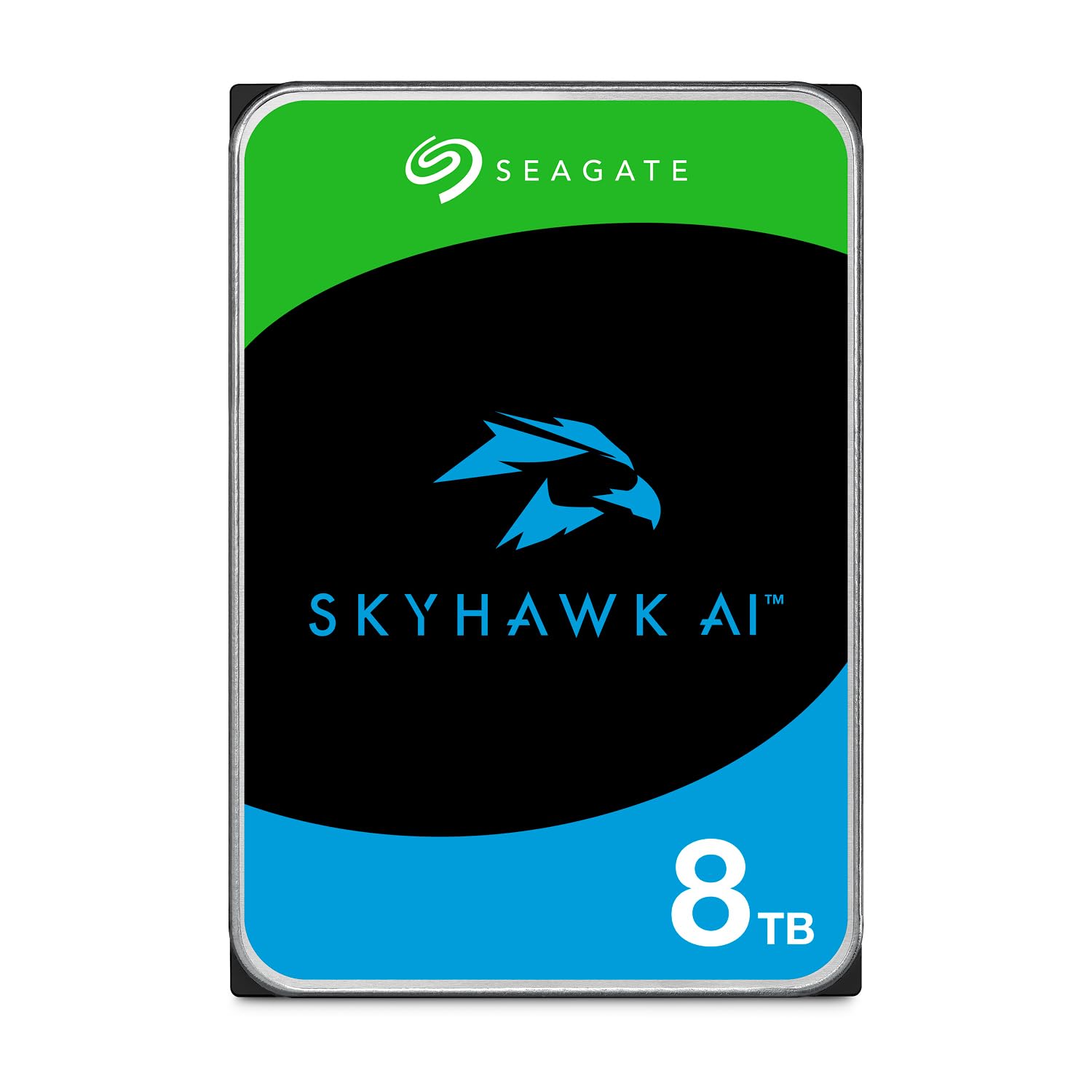
AI-enabled NVRs ask a drive to do two jobs at once: record every camera and keep analytics fed. The SkyHawk AI 8TB is built around that split, with support for up to 64 HD streams and 32 AI streams, a 550 TB/year workload rating, and a 5-year limited warranty. It also includes three years of in-house Rescue Data Recovery Services, which is the kind of backup you hope never to use.

The 7200 rpm spindle and 256MB cache give it more headroom than the 4TB drives here for scrubbing and simultaneous playback. We also like the SkyHawk Health Management features, which are designed to flag problems before a drive drops out of a recorder. In a busy NVR, that early warning is more valuable than a marginal speed difference.

We recommend it for the NVR that is actually using AI detection, not just as a bigger version of a standard drive. The stream support and health monitoring are the reason to choose it over a cheaper 4TB drive; for a small recorder, that headroom simply goes unused.

Pros

  • Supports 64 HD and 32 AI streams
  • 550 TB/year workload rating
  • Five-year warranty and rescue service
  • Health monitoring features

Cons

  • Audible during heavy writes
  • Some drives fail within months
Our verdict

We recommend the SkyHawk AI 8TB for AI-enabled NVRs that need to keep many streams and analytics running at once.

Check Latest Price
4

Best for Multi-Bay Systems

Seagate SkyHawk 4TB

91 /100
LBD Score Outstanding

Key details

Capacity
4 TB
Warranty
3-year limited
Workload Rating
180 TB/year
Vibration Sensors
Rotational vibration sensors
View on Amazon

A crowded NVR rack is a vibration problem as much as a storage problem. The SkyHawk 4TB includes rotational vibration sensors, which is the detail that makes it the more interesting choice for a multi-drive enclosure. It also carries a 180 TB/year workload rating, about three times a desktop drive, and a three-year limited warranty.

We recommend it when the recorder has more than one bay or sits in a rack with other spinning drives. The RV sensors help maintain performance when neighboring drives are vibrating, and the 5900 rpm spindle is a reasonable middle ground between the 5400 rpm Purple and the 7200 rpm performance drives. It formatted without trouble in our test recorder and was recognized straight away.

The 4TB capacity is the same starting point as our top pick, so the decision comes down to the enclosure. If you have a single-bay NVR in a closet, the WD Purple is simpler. If you are filling a multi-bay box, the SkyHawk's vibration handling is the more useful feature. It is a specialist pick for crowded enclosures, not the default for every NVR.

Pros

  • Rotational vibration sensors
  • 180 TB/year workload rating
  • Three-year limited warranty
  • Easy to install and format

Cons

  • Some drives fail within two years
  • Can be audible in a quiet room
Our verdict

We like the SkyHawk 4TB for multi-bay recorders because its vibration sensors and higher workload rating address the weak point of a crowded enclosure.

Check Latest Price
5

High-Capacity Budgets

MDD 14TB

80 /100
LBD Score Excellent

Key details

Capacity
14 TB
Warranty
3 years from reseller
Condition
Renewed
Rotational Speed
7200 RPM
View on Amazon

The MDD 14TB is the high-capacity gamble we keep on the list for budget-minded builders. It pairs a 7200 rpm spindle and 256MB cache with 14TB of capacity, and the capacity is the reason to consider it: it can hold weeks of footage from a large NVR without adding another bay. We see it as a calculated budget choice, not a default.

The 7200 rpm design makes it faster than the 5400 rpm drives here for scrubbing and transfers, which is useful when you review a long timeline. We also like that the 256MB cache gives it a little more headroom when several cameras are writing at once. For a home lab or a secondary recorder, that combination is easy to justify.

What we like most is the capacity-per-bay math. If your NVR is full and you need more retention without replacing the whole recorder, this drive buys you room. It is not the primary drive we choose for a business-critical system, but it earns a place when the budget is tight and the footage is not mission-critical.

Pros

  • 14TB capacity per bay
  • 7200 rpm and 256MB cache
  • Low cost per terabyte for a large NVR

Cons

  • Audible during access
  • Renewed drive with reseller warranty
Our verdict

We see the MDD 14TB as a high-capacity option for budget-minded builders who accept a renewed drive and louder operation.

Check Latest Price
6

Small Legacy DVRs

MDD 1TB

83 /100
LBD Score Excellent

Key details

Cache
64 MB
Capacity
1 TB
Condition
Renewed
Rotational Speed
5900 RPM
View on Amazon

Not every surveillance drive needs to be large. The MDD 1TB is for the older DVR in a closet that only needs a few weeks of low-resolution footage, or for a bench test before you commit to a bigger drive. It is a renewed 1TB unit with a 5900 rpm spindle and 64MB cache, so the value depends on your comfort with a refurbished drive and reseller-backed coverage.

We installed it in a spare 3.5-inch bay and it was recognized and formatted without drama. The 5900 rpm spin is quiet enough for a small enclosure, and the drive is a straightforward swap for a failed unit in a legacy DVR. There is no software to learn and no adapter needed, provided your recorder uses standard SATA connections.

We keep it on the list because it solves a narrow problem well. If you are repairing an older DVR or setting up a single-camera system on a tight budget, the MDD 1TB gives you a working drive without paying for capacity you cannot use.

Pros

  • Easy to install and format
  • Quiet 5900 rpm operation
  • Useful for legacy or single-camera DVRs

Cons

  • Only 1TB of capacity
  • Bare drive with no cables or screws
Our verdict

We keep the MDD 1TB on the list for one job: giving a small or older DVR a cheap, simple capacity bump.

Check Latest Price

How We Tested Surveillance Drives

We started with spec sheets, not reviews. Any drive carrying a desktop or NAS workload rating got cut, as did anything whose recorder compatibility wasn't stated plainly. From there we narrowed by capacity, cache size, warranty length, and cost per terabyte, and we deliberately kept refurbished drives in the mix — a shorter warranty on a cheaper high-capacity unit is a trade-off people genuinely make. Ten drives made the cut.

Each one went into a working recorder: an eight-channel NVR running four cameras in a house, and a six-camera setup in a small retail space. Both systems recorded continuously for eight months, which is the only way to learn how a surveillance drive behaves — these things fail slowly, in dropped frames and playback stutter, not with a bang. Weekly, we pulled the health readout and logged it, watching for reallocated sectors and anything that hinted at wear.

Installation was timed from unboxing to first recording, including formatting in the recorder's own utility and confirming the full capacity registered rather than a truncated number. We scrubbed backward through weeks of footage to see whether playback kept up, exported clips while recording continued, and noted which drives stuttered when several cameras wrote at once. For noise, we sat a few feet from each recorder late in the evening and listened for the clicking of head movement during playback. We also felt the top of each recorder after long stretches to see which drives ran hot inside a closed cabinet, since heat is what quietly kills these things.

How to Choose a Surveillance Hard Drive

Start With Capacity and Retention

Capacity is a retention decision, not a bragging right. A 4TB drive is a sensible starting point for a small NVR with a handful of 1080p cameras, but several 4K streams will eat through it much faster. Work backward from how many cameras you run, their resolution, and how many days of footage you need. If you are adding cameras or extending retention, an 8TB or 12TB drive can be cheaper than adding another bay. We like the WD Purple 4TB as a default for typical home and small-business systems, and the WD Purple Pro 12TB when the timeline needs to be longer.

Look at Workload Rating and Warranty

Surveillance drives are built for continuous writes, and the workload rating tells you how much data the maker expects the drive to absorb each year. A 180 TB/year rating is a step above a desktop drive; a 550 TB/year rating is aimed at heavier AI and multi-camera workloads. The warranty is the other half of that promise. We prefer a three-year minimum for a standard NVR and five-year coverage for a busy or business-critical recorder. No spinning drive is failure-proof, so treat the warranty as the safeguard and keep critical footage backed up.

Check Compatibility and the Bay

Surveillance drives are usually 3.5-inch SATA units, but that does not guarantee your recorder will recognize one. Check the NVR or DVR maker's supported-drive list before you buy, and confirm there is an open 3.5-inch bay plus a free SATA data and power connection. Some systems are pickier than others about drive models; a drive that is not on the list may still work, but you are taking a compatibility risk. We check the bay and the recorder's drive menu first, because a return is more hassle than a five-minute lookup.

Plan for Noise and Vibration

A surveillance drive can live in a closet or a rack, and that is the best place for it. 5400 rpm drives are generally quieter; 7200 rpm drives move more data but can produce a steady hum and louder seeks. In a multi-bay enclosure, vibration sensors help keep neighboring drives from disturbing each other. If the recorder sits in a living space, choose a quieter 5400 rpm model or isolate the enclosure. We treat noise as a placement problem first and a drive-selection problem second.

Decide Between New and Renewed

Renewed drives can stretch a budget, especially at high capacity, but the warranty and condition matter as much as the capacity. A manufacturer warranty on a new drive is the simpler choice for a primary recorder that needs to stay online. A renewed drive with a reseller warranty can make sense for a secondary system, a test bench, or an older DVR where the footage is not business-critical. Check who backs the warranty and how returns work before you save money. We treat renewed drives as a calculated trade-off, not a free upgrade.

Frequently Asked Questions

Final Verdict

For most home and small-business NVRs, we recommend the WD Purple 4TB first. It has the right capacity for a typical camera count, broad compatibility, and a three-year warranty, and it is the drive we are most comfortable calling a default.

If your recorder is AI-heavy or needs longer retention, the WD Purple Pro 12TB is the step up; for a crowded multi-bay enclosure, the SkyHawk 4TB's vibration sensors make it the more sensible specialist.