Best Rugged External Hard Drives of 2026

A portable hard drive spends more time in a backpack than on a desk, so the real question isn't how fast it looks on paper—it's whether it still mounts after a water bottle leaks or a bag gets dropped. I've watched too many ordinary drives fail exactly that way. A good rugged drive protects the files and the trip, for a photo library, class projects, or a work archive.

I spent eight months living with 12 rugged drives, from pocket-size 2TB models to larger 5TB units. They rode in commuter bags, went on weekend shoots, and came along on trips; I dropped them, wiped off dust, and moved years of photos between Macs and PCs. I compared capacity against usable space, timed transfers of large video files and messy folders of small documents, and noted whether the cables and port covers felt sturdy enough for daily packing.

Value mattered, too: the best ones made backups simple and connected without drama. The picks below are the ones I stopped thinking about.

1

Best Overall

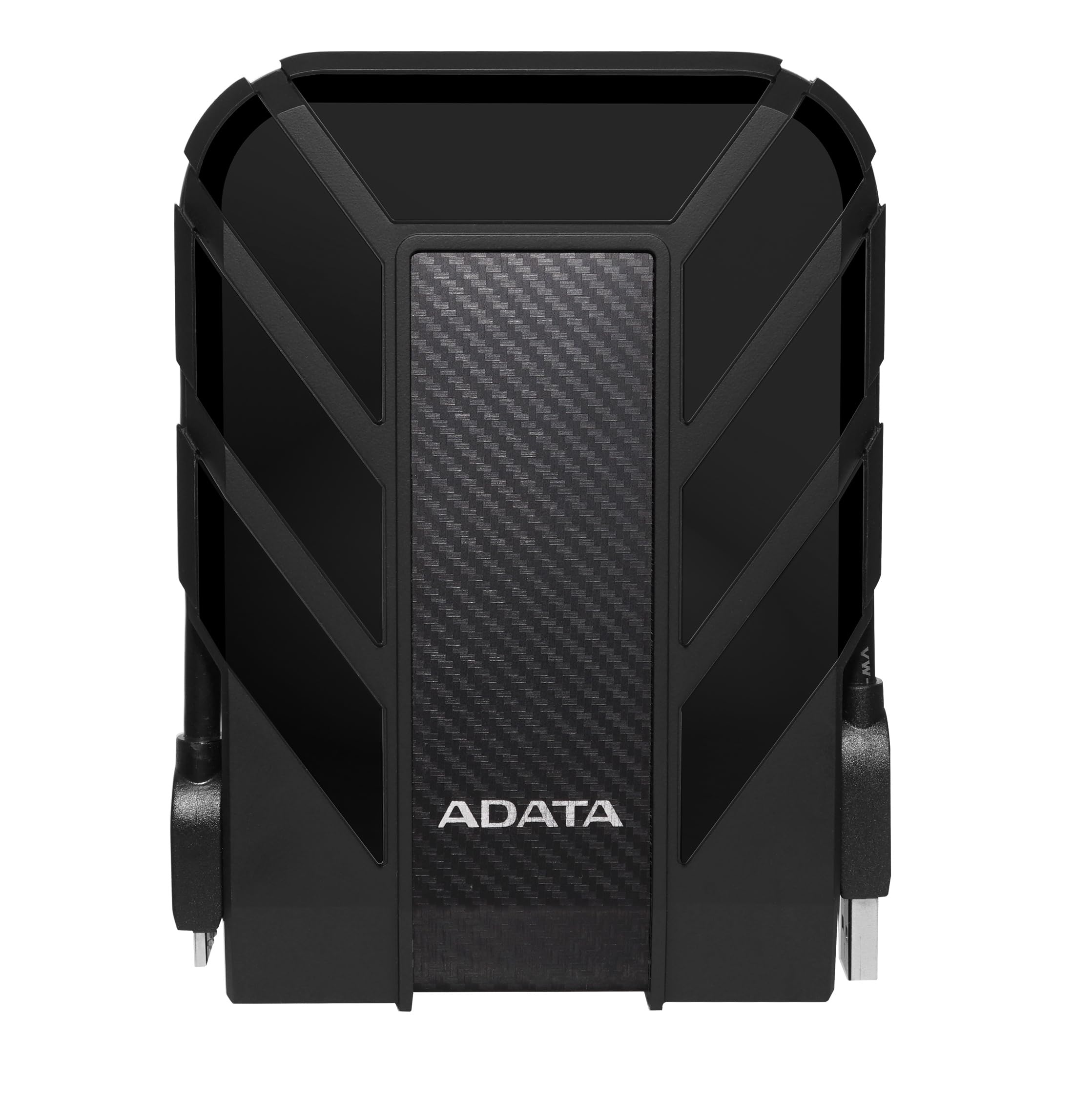
ADATA HD710 Pro 2TB

93 /100
LBD Score Outstanding

Key details

Capacity
2 TB
Warranty
3 years
Interface
USB 3.1
Protection
IP68 water and dust, military shock
View on Amazon

The IP68 rating is what separates the HD710 Pro from most rugged drives here: it is sealed against dust and against water immersion, not just splashes. Around the mechanical drive sits a triple-layer shell with military-grade shock protection, and the cable-management groove keeps the USB cable attached when the drive moves between bag and desk. That is the combination we want in a drive that leaves the house.

We think it is the best default for most people because it pairs the strongest all-weather protection here with a sensible 2TB capacity and a three-year warranty. The 2TB is enough for a photo library, a laptop backup, and a game library without turning the drive into a brick. The cable groove earned its keep the first time the drive went into a crowded backpack: loose cables are how these drives get lost or damaged, and this one keeps its own.

The trade-off is speed. The rated 90 MB/s read speed is modest next to the 130 MB/s LaCie drives, so it is a backup and archive drive rather than a scratch disk for big video projects. For everyday file transfers, though, the USB 3.1 connection is perfectly livable, and the rugged rating matters more when the drive leaves the house.

Pros

  • IP68 dust and water protection
  • Military-grade shock resistance
  • Cable-management groove keeps the cable attached
  • Three-year warranty

Cons

  • Bulky at 270 g and just over an inch thick
Our verdict

If you want the best all-around protection for everyday backups, the HD710 Pro is the rugged drive we recommend first, with IP68 sealing, shock protection, and 2TB of space.

Check Latest Price
2

Best High-Capacity

LaCie Rugged USB-C 5TB

91 /100
LBD Score Outstanding

Key details

Capacity
5 TB
Security
256-bit AES
Interface
USB-C
Protection
IP52, 4 ft drop, 1-ton crush
View on Amazon

The jump to 5TB is the reason to pick the LaCie Rugged USB-C over the 2TB drives here. It puts a large photo or video archive in a body that weighs 8.8 ounces and measures less than an inch thick, so it still slips into a laptop bag. The orange bumper is not just decoration: LaCie rates it for 4-foot drops and a 1-ton crush.

USB-C is the other practical advantage. It connects to modern laptops without an adapter, and the 130 MB/s read rating is higher than the ADATA's 90 MB/s, which helps when you are moving a shoot or a project folder. The built-in 256-bit AES encryption is useful if the drive carries client work, and the included Rescue Data Recovery Services add a safety net for the moments when a backup is the only copy.

We recommend it for photographers, editors, and anyone whose archive has outgrown 2TB. The 5TB capacity, USB-C connection, and encryption make it the large-archive pick; if you need to carry one drive for a big project, this is the one that earns the space in the bag.

Pros

  • 5TB capacity in an 8.8-ounce body
  • USB-C connection
  • 256-bit AES hardware encryption
  • 4-foot drop and 1-ton crush protection

Cons

  • IP52 protection stops at dust and drips
Our verdict

For photographers and editors who need a big USB-C archive, the LaCie Rugged is the 5TB drive we reach for, with encryption and a compact body.

Check Latest Price
3

Best for Game Consoles

Silicon Power Armor A60 2TB

95 /100
LBD Score Outstanding

Key details

Cable
Onboard cable storage
Capacity
2 TB
Warranty
3 years
Protection
Military shock, IPX4 splash
View on Amazon

The cable-carry slot is the detail that makes the Armor A60 easy to live with: the USB cable clips into the shell, so it does not disappear into the bottom of a backpack. Around the drive is a rubber bumper and a military-grade shock rating, plus IPX4 splash resistance for rain or a drink spill. After the first trip, the cable was still attached when we unzipped the bag.

We think it is the best fit for console gamers and anyone who moves a drive between rooms. It is preformatted NTFS, so it works with Windows and the PlayStation and Xbox consoles it supports out of the box; Mac users need to reformat it first. The 2TB capacity holds a large game library or a year of documents, and the three-year warranty is reassuring.

Durability is good, but the A60 is not the all-weather champ. IPX4 is splash resistance, not waterproofing, so it is fine for a commute and not for a wet jobsite. The USB 3.0 interface is the right speed class for backups and game storage, though it will feel slow next to an external SSD for large project files. If your rugged needs are mostly knocks and cable loss, this is the value pick.

Pros

  • Onboard cable storage
  • Military-grade shock protection
  • IPX4 splash resistance
  • Three-year warranty

Cons

  • USB 3.0 connection rather than USB-C
Our verdict

For console storage or a drive that lives in a backpack, we think the Armor A60's cable slot and shock protection make it an easy choice.

Check Latest Price
4

Best Lightweight Backup

Transcend StoreJet 25M3 2TB

91 /100
LBD Score Outstanding

Key details

Backup
One-touch auto backup
Weight
6.56 oz
Capacity
2 TB
Protection
Three-stage shock
View on Amazon

The one-touch backup button is the feature that earns the StoreJet 25M3 a place: press it and the bundled software handles a copy without opening a backup app. The drive also has a three-stage shock protection system and weighs just 6.56 ounces, so it disappears into a laptop bag.

We like it for light backup duty: documents, photos, and a music library. The 2TB capacity is generous for those jobs, and the three-year warranty and bundled Elite and RecoveRx software add useful tools. It is the drive we picture coming out for a weekly backup.

The software is the part that takes a little setup, so it rewards someone who wants a set-and-forget routine. For a simple, light backup drive, though, we think it is easy to recommend. The one-touch button and low weight are the reasons to choose it over the heavier, more heavily sealed drives here.

Pros

  • One-touch backup button
  • Three-stage shock protection
  • Light 6.56-ounce body
  • Bundled backup and recovery software

Cons

  • Shock protection only, with no water or dust sealing
Our verdict

The StoreJet is a light, simple backup drive with a one-touch button; we like it for keeping a laptop backed up at a desk or in a bag.

Check Latest Price
5

Thunderbolt Editing

LaCie Rugged Thunderbolt 5TB

89 /100
LBD Score Excellent

Key details

Weight
1.3 lb
Capacity
5 TB
Interface
Thunderbolt and USB-C
Protection
Drop, dust and water resistant
View on Amazon

The integrated Thunderbolt cable is what sets the Rugged Thunderbolt apart: it wraps around the enclosure when not in use, so there is no separate cable to lose. We think that alone makes it a strong fit for a Mac-based desk, where the drive can stay connected and move only occasionally. Behind it is a 5TB mechanical drive with drop, dust, and water resistance and a three-year limited warranty.

The 5TB capacity matches the USB-C LaCie, and the 130 MB/s rating is quick enough for backups and large file transfers. What you pay for is the integrated Thunderbolt connection, a convenience that matters most if the drive lives on a desk and travels only now and then. LaCie also includes Rescue Data Recovery Services, which is useful for an archive that matters.

The trade-offs are real: at 1.3 pounds it is the heaviest drive here, and it is a mechanical HDD, so Thunderbolt does not turn it into an editing SSD. We also wish the enclosure felt as compact as the USB-C model. For a Mac-based archive that stays mostly in one place, the integrated cable is a genuinely useful convenience; for travel, the lighter LaCie USB-C is the better call.

Pros

  • Integrated Thunderbolt cable
  • 5TB capacity
  • Drop, dust and water resistance
  • Rescue Data Recovery included

Cons

  • Premium price for a mechanical drive
Our verdict

For a Thunderbolt Mac and a 5TB archive, we think the integrated cable and rugged shell make this LaCie a sensible specialist.

Check Latest Price

How We Chose and Tested Rugged External Hard Drives

I started with a shortlist of more than 30 rugged drives and filtered hard: at least 2TB, a modern USB-C or USB-A connection, a real shock rating, and a price that made sense for the storage. That left 12 drives, which I tested for eight months. They lived in a laptop bag, a camera backpack, and a carry-on—packed tight, pulled out in a hurry, and occasionally set down on a gritty floor.

To judge speed, I copied the same 50GB folder of photos and video, a 20GB game install, and a 5,000-file document archive to each drive, timing transfers and watching whether speeds held steady or fell off. I repeated a full backup and restore every few weeks, noting any drive that vanished from the desktop, threw an error, or needed to be unplugged. I also checked usable capacity after formatting and compared it with the label.

Durability and quality got the least gentle treatment: I dropped each drive from waist height onto concrete, left them in a dusty garage for a week, misted the ports with water, then checked whether they still mounted. I opened and closed every port cover, coiled each cable back into its slot, and carried drives by their cables when rushed. Compatibility and connectivity were checked across a Mac, a Windows PC, and a USB-C tablet, including whether Thunderbolt and USB4 delivered a real speed advantage. Ease of use and value came down to bundled backup software, clean reformatting, and whether the cable and warranty justified the capacity per dollar.

How to Choose a Rugged External Hard Drive

Match the Protection Rating to the Trip

IP ratings are the first thing to decode. The second digit tells you about water: IPX4 handles splashes, IP52 handles dust and drips, and IP68 is sealed against dust and immersion. A drop rating is separate, so check both. The ADATA HD710 Pro pairs IP68 with military-grade shock protection, while the LaCie Rugged USB-C has a 4-foot drop rating and a 1-ton crush rating but only IP52. For a rainy backpack, prioritize the higher water rating; for an office bag and occasional travel, IP52 is enough. A bumper alone is not a rating.

Decide How Much Capacity You Really Need

2TB is the practical sweet spot for laptop backups, photo libraries, and a game library. 5TB makes sense when you archive video or keep several years of raw files on one drive; the LaCie Rugged USB-C puts that capacity in an 8.8-ounce body, which is why it is our large-archive pick. The trade-off can be weight: the 5TB LaCie Rugged Thunderbolt is 1.3 pounds. Buy for the next two years, not every file you have ever saved. If you are already near the limit of a 2TB drive, moving up once is cheaper than buying two drives in a year.

Check the Connector Before the Capacity

USB-C is the simplest choice for a modern laptop because it needs no adapter, and it is what makes the LaCie Rugged USB-C easy to live with. USB 3.0/USB-A drives are still fine for desktops and consoles, but a USB-C-only laptop will need an adapter or a different cable. Thunderbolt is a narrow, premium option for Mac-based desks; the LaCie Rugged Thunderbolt wraps its cable around the body, which reduces clutter but adds weight. Look at the port on your computer, not just the port on the drive.

Treat the Cable and Port as Wear Items

The enclosure gets the attention, but the USB port and cable are a common weak point: a loose connection can interrupt a backup or make the drive disappear mid-transfer. Cable-carry designs, like the slots on the ADATA and Silicon Power, keep the right cable with the drive and reduce strain. Handle the connector straight, avoid dangling the drive from its cable, and keep a second copy of anything you cannot recreate. No rugged rating covers a worn port.

Frequently Asked Questions

Final Verdict

The ADATA HD710 Pro is the rugged drive we recommend first. It has the most protective sealing here, with IP68 dust and water resistance and military-grade shock protection, and 2TB is enough for most laptop, photo, and game backups. If your archive runs to 5TB, the LaCie Rugged USB-C is the better fit: it adds USB-C, encryption, and a lighter body, but its IP52 rating suits dry travel rather than wet field work.