Best Portable Projectors of 2026

A projector buys you a hundred-inch picture for roughly the price of a mid-size TV, then charges you back in daylight. Every model I've lived with looks spectacular after sunset and merely fine at noon. Over the past six months my team and I put 12 portable projectors through the same routine: bedroom ceilings, a living room wall with the lamp on, and a bedsheet strung between two trees. The good ones also settle the smaller irritations — fan noise that drowns dialogue, focus that drifts when someone walks past, a speaker thin enough that you start pricing soundbars.

The spec sheet won't tell you the two things that decide whether you switch it on: how long it takes to go from bag to picture, and how much fiddling it needs once it's there. Streaming apps baked into the projector beat a marginally sharper one that needs a stick hanging off the back, and "4K support" usually just means it accepts a 4K signal. The picks below are sorted by where the projector will actually live.

1

Best Overall

YGSKK Mini Projector

91 /100
LBD Score Outstanding

Key details

Weight
1.7 lb
Brightness
300 ANSI lumens
Native Resolution
1920 x 1080
Built-in Streaming
Yes, with Wi-Fi 6
View on Amazon

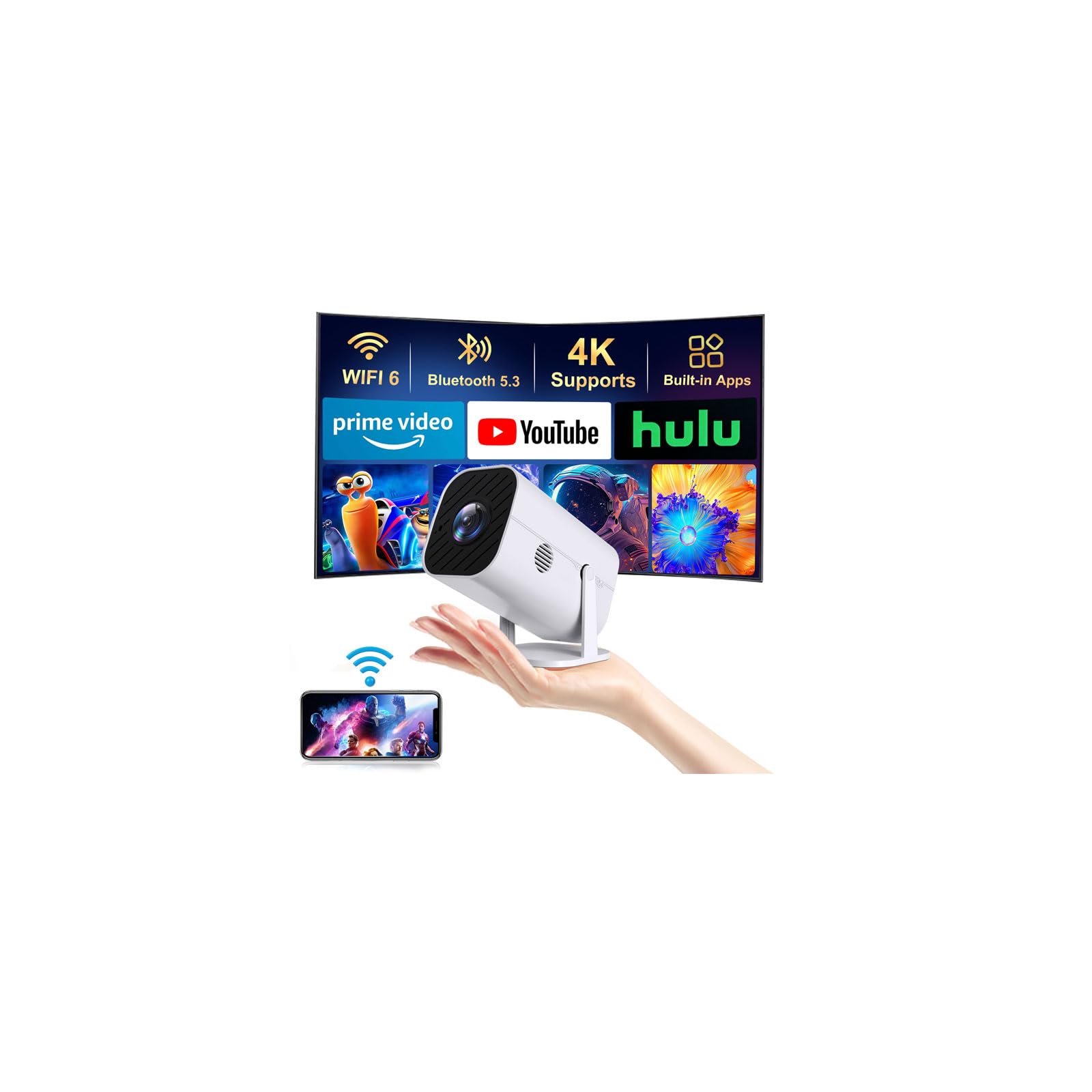
Most projectors at this price make you choose: a decent panel, or apps, or a body light enough to move without a second trip. This one refuses the trade. Native 1080p, Wi-Fi 6 and Bluetooth 5.3, a shelf of built-in apps and motorized focus all fit in a box that weighs 1.7 pounds and measures eight inches across, which is why it takes the top spot ahead of brighter and far more expensive models here.

Setting it up took about as long as finding a socket. Point it at the wall, let the electric focus settle, and the image comes up clean; there's no focus wheel to nudge every time you bump the table. The 50- to 200-inch range covers a bedroom wall or a hanging sheet in the yard, and at 4.9 feet from the wall you already get a picture big enough for two people on a bed. We were also pleased by how quiet the fan stays — audible in a silent room, gone the moment anything is playing.

Three hundred ANSI lumens is the honest ceiling. In a darkened room it looks genuinely good; with a lamp on in the corner it turns gray in a hurry. The built-in app shelf is short too — Prime Video, YouTube and Hulu are covered, and anything else means dropping a streaming stick into the HDMI port, which is a two-second fix rather than a dealbreaker.

What we didn't expect at this end of the market is the three-year manufacturer warranty, which is more coverage than most of the cheap projectors on this list offer. Add the remote, the HDMI cable and a footprint small enough to leave on a bookshelf between movies, and there's very little left to buy.

Pros

  • Native 1080p at a budget price
  • Built-in apps, no streaming stick needed
  • 1.7 lb and easy to move between rooms
  • Three-year manufacturer warranty

Cons

  • 300 lumens limits it to dark rooms
  • Short list of built-in apps
Our verdict

We recommend it to most people: native 1080p, built-in streaming and a two-pound body, with a dark-room caveat the price makes easy to accept.

Check Latest Price
2

Best for Outdoor Movie Nights

NEBULA Capsule 3 Laser

88 /100
LBD Score Excellent

Key details

Weight
2 lb
Brightness
300 ANSI lumens
Battery Life
Up to 2.5 hours
Native Resolution
1920 x 1080
View on Amazon

Two and a half hours of battery and a body the size of a large soda can: that's the whole argument for the Capsule 3 Laser, and it's the only projector here that makes it. Everything else on this list needs a socket, which means it's a television you can move rather than a projector you can take somewhere.

That combination is worth the premium to a particular buyer. Set it on a picnic table at dusk, let the autofocus and auto keystone do their work, and you have a 1080p picture on a sheet with no extension cord running back to the kitchen. Google TV is built in with a licensed Netflix app, so there's no dongle hanging off the back, and the 8-watt Dolby speakers are loud enough that we stopped reaching for a Bluetooth speaker halfway through the evening.

What you give up is headroom. Three hundred lumens is the same figure as the budget minis here, and outdoors it's a race against the sunset — start too early and you'll be watching silhouettes. The software is the other soft spot: Google TV on this hardware feels deliberate rather than quick, and the app roster on Android-based projectors isn't guaranteed to stay exactly as it shipped after an update.

Where it earns its keep is the second job. With the lens off it becomes an 8-hour Bluetooth speaker, and the tripod thread underneath means it can sit on a camera tripod at the edge of a patio instead of balanced on a cooler and hoping.

Pros

  • Battery-powered, so no outlet required
  • 2 lb and roughly soda-can sized
  • Google TV with licensed Netflix built in
  • Doubles as an 8-hour Bluetooth speaker

Cons

  • 300 lumens needs a genuinely dark room
  • Interface and apps can feel slow
Our verdict

Buy this one if the projector has to leave the house: the battery and the can-sized body are worth the premium, as long as you're watching after dark.

Check Latest Price
3

Best for Bright Rooms

Epson EpiqVision Flex CO-W01

89 /100
LBD Score Excellent

Key details

Weight
5.3 lb
Brightness
3,000 lumens
Native Resolution
1280 x 800
Built-in Streaming
None, add an HDMI stick
View on Amazon

Three thousand lumens is roughly ten times the output of the mini projectors on this list, and it buys the one thing none of them can: a picture you can watch with the lights on. Point this at a wall on a Sunday afternoon and you get a usable image instead of a gray rectangle.

Epson's 3-chip 3LCD engine puts red, green and blue on screen simultaneously, which is why the color holds together as the brightness climbs. The trade is resolution — native 1280 x 800 is the lowest pixel count here apart from the 720p minis, so menu text and subtitles look soft up close — and the long-throw lens wants roughly ten feet of room to fill a wall. At 5.3 pounds it still travels in a backpack, but it's the one here that feels like equipment rather than a gadget.

There's no smart interface at all, which we ended up liking: plug a Roku or Fire TV stick into the HDMI port and the projector stays a bright, dumb display that outlives whichever streaming box you're using this year. The built-in speaker is fine for a presentation and thin for a movie. For a bright living room, a garage or a classroom, that's a fair trade; for a dark bedroom, the extra lumens and the extra weight buy you nothing.

Pros

  • 3,000 lumens works with the lights on
  • Accurate color from 3-chip 3LCD
  • Outlives your streaming device

Cons

  • No streaming built in, so add a stick
  • 1280 x 800 native resolution
Our verdict

For a room you can't darken, nothing else here comes close to 3,000 lumens; budget for a streaming stick and accept a 1280 x 800 image.

Check Latest Price
4

Best 4K

XGIMI Elfin Flip 4K

84 /100
LBD Score Excellent

Key details

Zoom
0.98-1.3:1 optical
Speakers
Dual Harman Kardon
Brightness
1,600 ISO lumens
Native Resolution
3840 x 2160
View on Amazon

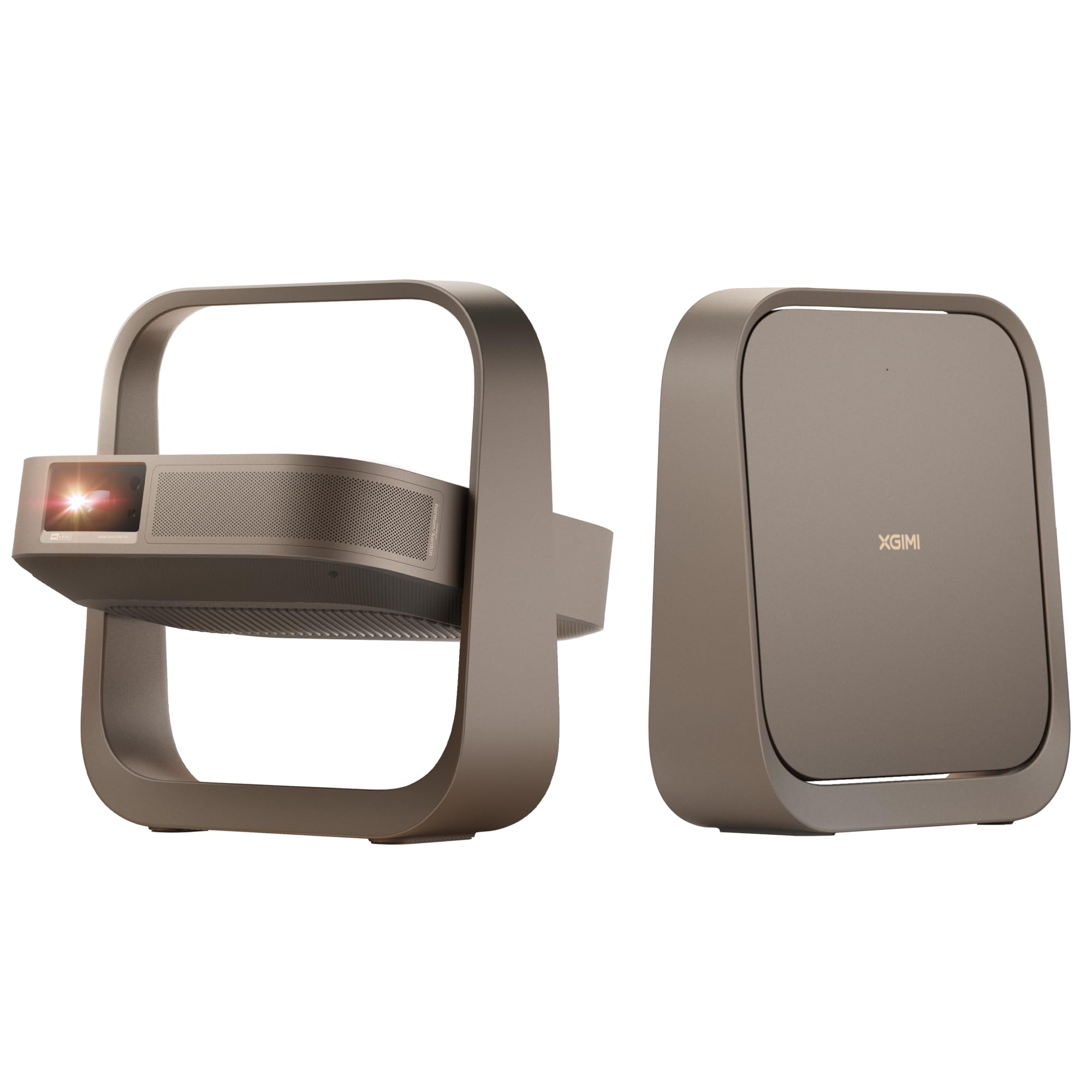
Where the Capsule is the projector you toss in a bag, this is the one you set down for the evening and leave alone. XGIMI's Elfin Flip is a 4K laser projector the size of a hardback book, and of the premium models here it's the one we keep coming back to: the picture is the sharpest in this group and it still moves from room to room without a second thought.

The RGB triple-laser light engine does the heavy lifting — 1,600 ISO lumens, a 20,000:1 contrast figure, and color that stays saturated instead of going pastel at the edges. Google TV is built in, the dual Harman Kardon speakers are genuinely listenable, and the 1 ms latency mode with VRR makes it a credible gaming projector, which isn't a sentence we expected to write about a lifestyle model.

Brightness is where it comes back to earth. 1,600 ISO lumens is plenty after dark and not enough to fight a window, so plan on evening viewing and close the blinds before a daytime match. That's the cost of a projector that fits on a shelf rather than a ceiling mount.

The specification we underrated is the optical zoom. Digital zoom shrinks the image by throwing pixels away; the 0.98-1.3:1 lens here actually changes the throw, so a small room gets a smaller picture at full sharpness. In a space where the sofa dictates your screen size, that's the difference between a good fit and a compromise.

Pros

  • True 4K with triple-laser color
  • Optical zoom keeps the image sharp
  • Genuinely good built-in audio
  • 1 ms latency and VRR for gaming

Cons

  • Wants a dim room despite the price
  • Premium price against the 1080p picks
Our verdict

It's the sharpest picture in this group and still light enough to move between rooms, which makes it the pick if 4K is the requirement.

Check Latest Price
5

Best Bundle

TMY V08

88 /100
LBD Score Excellent

Key details

Included
80-inch foldable screen
Bluetooth
Two-way audio
Brightness
300 ANSI lumens
Native Resolution
1920 x 1080
View on Amazon

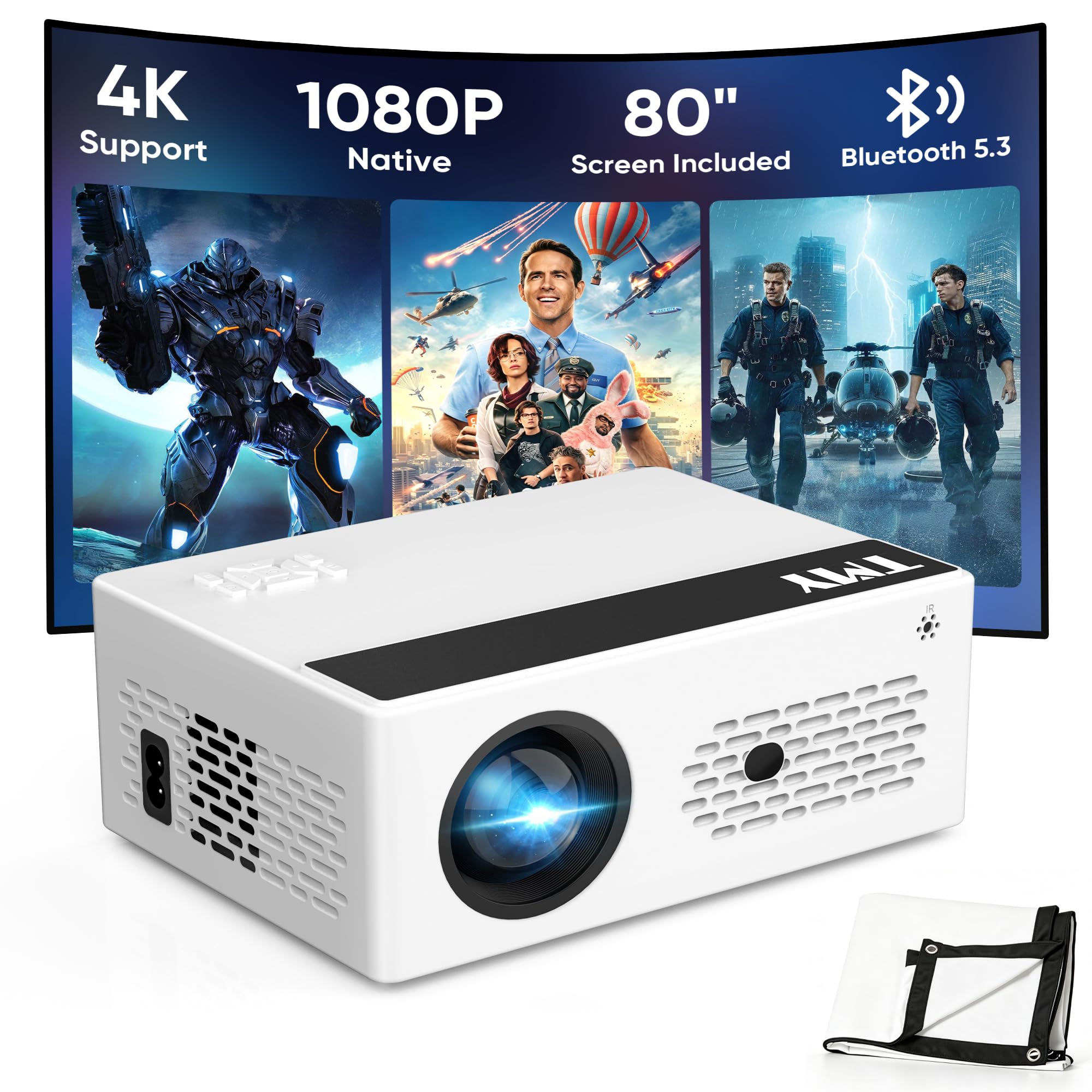
The 80-inch folding screen in the box sounds like filler until you're standing in a room where the only blank surface is a wall the color of oatmeal. We unrolled it against a fence and had a proper projection surface in about a minute, which is one less thing to buy and one less excuse to postpone movie night.

That screen is the reason we reach for this one over the other budget 1080p models: it's a complete first setup in a single box. The projector itself is a familiar package — native 1080p, 300 lumens, a 15-watt speaker, zoom and a sleep timer — but two-way Bluetooth is the part we didn't expect. It sends audio to a soundbar and it also receives, so the projector can keep working as a speaker after the credits roll.

The limits match its price peers. Three hundred lumens means real darkness, there are no built-in apps, so a Fire TV stick lives in the bag, and the speaker loses composure when you push the volume. The three-year warranty and the included screen are what make it feel like more than the sum of those parts.

Pros

  • 80-inch screen included in the box
  • Native 1080p for a budget price
  • Two-way Bluetooth audio

Cons

  • No built-in apps or smart interface
  • 300 lumens means a dark room
Our verdict

The screen in the box makes this the easiest first backyard setup here; just plan on a streaming stick and a dark evening.

Check Latest Price
6

Best for Bedrooms

Aurzen Roku TV E1R

87 /100
LBD Score Excellent

Key details

Stand
180-degree rotating
Weight
Under 1 lb
Brightness
160 ANSI lumens
Native Resolution
1280 x 720
View on Amazon

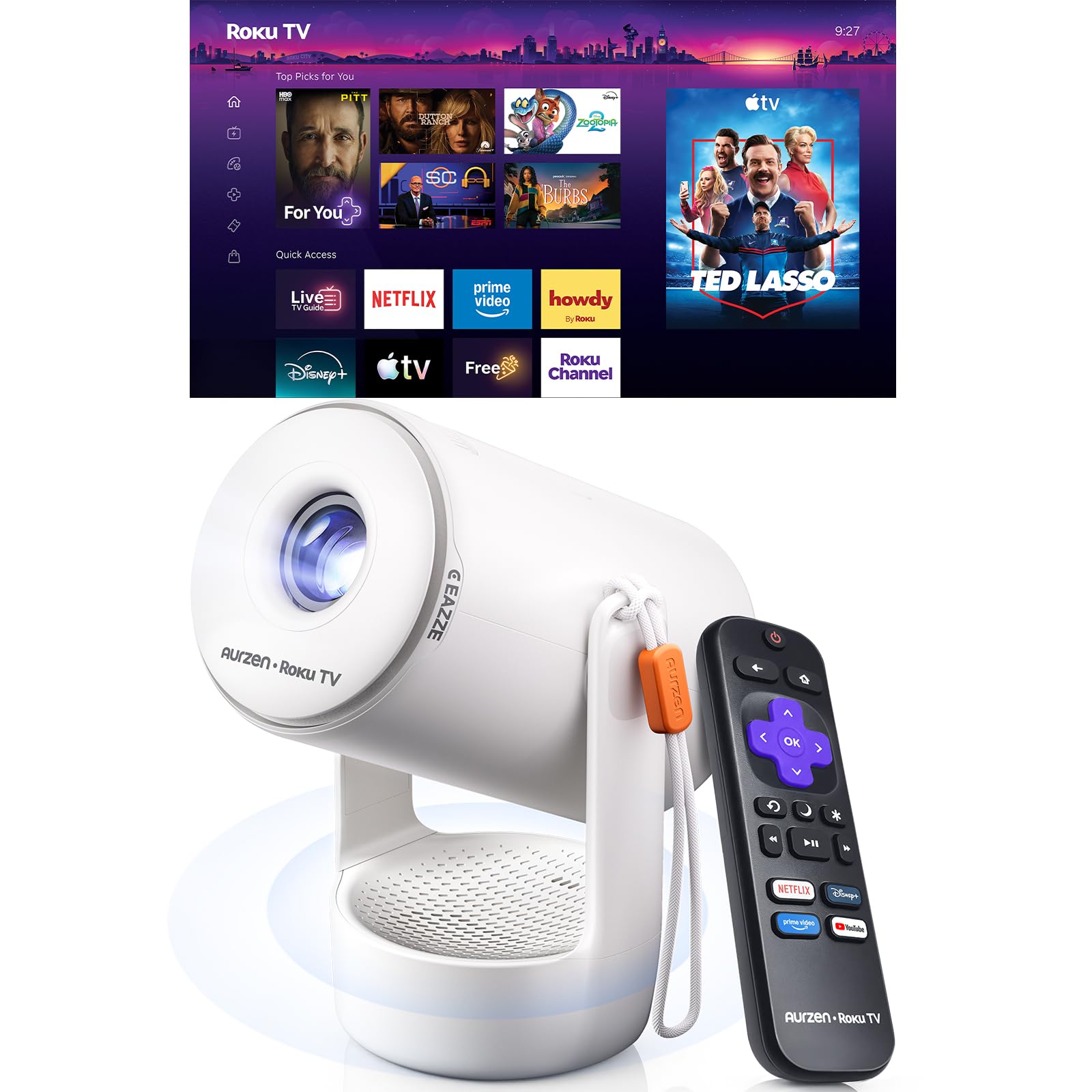
This one is designed around a specific habit: lying in bed with the picture on the ceiling. The stand rotates through 180 degrees, so the projector tips back and throws upward without a mount, a shelf or a stack of books on the nightstand.

Roku TV is built in, which means the interface, remote and app roster are the ones you already know from a Roku television, plus AirPlay and screen casting from a phone. At under a pound with a built-in strap, moving it from bedroom to kitchen counter is a one-hand job. The sound chamber is bigger than the body suggests and the Dolby Audio tuning is a real step up from the tinny speakers on most minis this size.

The picture is 720p at 160 lumens, and there's no arguing with that. In a dark bedroom at 60 to 80 inches it looks fine; with a bedside lamp on it doesn't. We think that's the right trade for what this is — a small, genuinely portable television for one person rather than a home theater — and it's why we'd point a dorm room or a guest bedroom here before pointing it at a living room.

Pros

  • 180-degree stand for ceiling viewing
  • Roku TV built in, no stick needed
  • Under a pound with a carry strap
  • Bigger sound chamber than its size implies

Cons

  • 720p native resolution
  • 160 lumens needs a dark room
Our verdict

Built for watching on the ceiling: a rotating stand, a familiar Roku interface and a body under a pound, at a resolution that suits a bedroom wall.

Check Latest Price
7

Budget 1080P

HAPPRUN H1

88 /100
LBD Score Excellent

Key details

Weight
2.87 lb
Brightness
300 ANSI lumens
Native Resolution
1920 x 1080
Built-in Streaming
None, add an HDMI stick
View on Amazon

No apps, no account, no home screen to learn: the HAPPRUN is a bright panel with an HDMI port and a Bluetooth radio, and you supply the intelligence in the form of a streaming stick.

For that you get native 1080p, 300 ANSI lumens, a 40- to 200-inch image and a throw range of roughly 4 to 23 feet, in a 1.3 kg body that slides into a backpack. There's a 24-month warranty, an HDMI cable in the box, and enough inputs — HDMI, USB, 3.5 mm — to hang a games console off it. Setup is about as simple as projectors get, which is the point.

The seams show in two places. Bluetooth here is audio-only, so it won't cast video and pairing with a speaker can fail; and the cooling fan is loud enough to notice during quiet scenes. Brightness is the usual 300-lumen story — good at night, gray by day.

What we liked is the honesty of the design. A streaming stick is better than most projector operating systems anyway, it receives updates, and it moves to your next projector when this one eventually gives out. If you already own a Fire TV or Roku stick and want the cheapest route to a real 1080p picture, this is the one we point you to.

Pros

  • Native 1080p for very little money
  • Any streaming stick works over HDMI
  • 24-month manufacturer warranty

Cons

  • No built-in apps or smart interface
  • Bluetooth audio can fail to pair
Our verdict

Bring your own streaming stick and you get honest 1080p for very little; Bluetooth audio is the part we trust least.

Check Latest Price
8

Living-Room 4K

NEBULA Cosmos 4K SE

87 /100
LBD Score Excellent

Key details

Weight
9.9 lb
Brightness
1,800 ANSI lumens
Smart Platform
Google TV with 4K Netflix
Native Resolution
3840 x 2160
View on Amazon

Dolby Vision on a projector is a different proposition than on a television: it's less about peak brightness and more about holding detail in shadow when the light output is modest. The Cosmos 4K SE pairs it with Google TV and a licensed 4K Netflix app, so the whole 4K chain sits in one box with one remote.

NEBULA's HybridBeam engine combines LED and laser sources for 1,800 ANSI lumens, and the IEA 4.0 setup is the part that feels like a luxury. The projector finds the screen edge, steps around an outlet on the wall, corrects for the paint color and focuses itself. We set it down well off to one side of the room and it sorted itself out in seconds.

The automatic correction is best head-on. At a sharp angle the keystone works hard and the geometry can end up slightly off, which is true of every auto-setup projector we've used. At 9.9 pounds it's also the heaviest thing here by a wide margin, so this is a move-between-rooms projector rather than one that goes to a friend's house.

Where it fits is a living room where the projector stays put and the television isn't the answer. Image quality after dark, Dolby Vision, and a setup that takes seconds instead of a session with a spirit level. The Elfin Flip is easier to live with in a small room; this one behaves more like a piece of furniture.

Pros

  • 4K with Dolby Vision and 4K Netflix
  • 1,800 ANSI lumens from HybridBeam
  • Self-correcting setup
  • Strong built-in Dolby audio

Cons

  • 9.9 lb is heavy for the category
  • Auto keystone is best head-on
Our verdict

Dolby Vision, 4K Netflix and automatic setup in one box, and nearly ten pounds of it — worth it if it lives on a shelf rather than in a bag.

Check Latest Price
9

Small Rooms

Alwtniet HY300Pro

88 /100
LBD Score Excellent

Key details

Weight
12.3 oz
Brightness
200 ANSI lumens
Throw Ratio
0.9:1
Native Resolution
1280 x 720
View on Amazon

Short throw is the least glamorous feature in this category and the one that decides whether a projector works in a small room at all. The HY300Pro's 0.9:1 lens throws a 100-inch picture from about seven and a half feet, so it can sit on a nightstand instead of on a tripod in the middle of the floor.

It's tiny, too — 12.32 ounces in a body you can hold in one hand — with a lens that swivels through 180 degrees for ceiling projection, automatic vertical keystone, and Android 14 built in alongside Wi-Fi and Bluetooth.

The compromises are the ones the price implies: 720p native, 200 ANSI lumens and a manual focus ring. In a dark bedroom at 60 to 80 inches it's watchable and even pleasant; go bigger or brighter and the pixels and the dimness both start to show.

Netflix is the recurring snag on Android-based minis like this one, where the app can refuse to launch or disappear after an update. If that's your service, plan on a streaming stick in the HDMI port rather than relying on the built-in shelf.

For a dorm room, a kids' bedroom or a flat where the sofa is only eight feet from the opposite wall, those are fair trade-offs, and the short throw is what earns it a place on this list. It's the cheapest route here to a big picture in a small room, and the only one that doesn't need the room to cooperate.

Pros

  • 0.9:1 short throw fits small rooms
  • 12.32 oz with a 180-degree swivel
  • Android 14 with Wi-Fi and Bluetooth

Cons

  • 720p native at 200 lumens
  • Netflix may not run on the built-in Android
Our verdict

The short-throw lens is the reason to choose it: a wall-filling picture from a nightstand in a room too small for anything else here.

Check Latest Price

How We Tested 12 Portable Projectors

We started with about 50 current models and cut the field by reading spec sheets against owner reviews: native resolution, claimed brightness, whether the smart apps were built in or required a streaming stick, and whether the unit would genuinely fit in a backpack alongside its power brick. That left 12, ranging from cheap mini projectors to brighter home-theater units, and we bought every one at retail so nothing arrived pre-tuned by a brand.

Testing ran six months and mostly happened where a projector actually lives. Each unit spent a week aimed at a bedroom ceiling, a week on a living room shelf with a lamp burning beside it, and a weekend outdoors pointed at a bedsheet after dusk. We watched the same dark film scene at 2 p.m. with the blinds open and again at 9 p.m., noting the moment shadow detail disappeared, and compared the brightness claim on the box against what the wall gave us at a set distance.

Setup was timed with a stopwatch, solo, from unzipping the bag to a finished picture. We nudged each unit a few inches mid-film to see whether autofocus hunted or settled, carried it between rooms to check the image was still square, and set it off-axis on a nightstand to test keystone correction. For apps, we signed into the same three services on every device and counted how many needed a phone or a stick to get there.

Then we turned the volume down and listened. Fan noise was measured at three feet during a quiet dialogue scene, and we noted whether we reached for subtitles; Bluetooth was paired to a speaker and to headphones, with a check on lip sync. Sports and games got a pass for motion and input lag, and we weighed price against what each projector could actually do after dark. The units that got used most were rarely the brightest — they were the ones that took the least fiddling to look decent.

How to Choose a Portable Projector

Brightness Is a Room Decision, Not a Number

Compare ANSI lumens and ignore everything else on the box. Budget listings often lead with a 'lumens' figure several times larger than the ANSI number for the same machine, which is why a projector advertised in the thousands can be outshone by one advertised at 300. As a working rule, 200 to 300 ANSI lumens is a darkened-room projector, 1,000 and up copes with dim evenings, and 3,000 is where you can leave the lights on.

So decide where it will live before you decide anything else. A bedroom after dark is exactly what the cheap 300-lumen models are for; a living room with a window you can't cover is not, and no feature list makes up that gap. Spend the difference on lumens before you spend it on apps.

Native Resolution Beats '4K Support'

'4K support' means the projector accepts a 4K signal and scales it down. It tells you nothing about how many pixels reach the wall. Native 720p is fine at 60 to 80 inches, native 1080p is the sweet spot for something portable, and true 4K is worth paying for when the projector stays put and you sit close enough to see the difference.

Look for the native figure written as pixels, not a marketing word, and treat the gap between the two numbers as the honest measure of a listing. The 4K models here list 3840 x 2160; the cheapest list 1280 x 720, and at 100 inches you will see that.

Battery, Throw Distance and Where It Sits

A battery buys one thing: a setup with no outlet. Budget a movie's worth of runtime, and expect the brightest mode to eat into it, which is why the Capsule 3 Laser's 2.5 hours is the figure that matters rather than the music-playback claim beside it.

Throw distance decides whether the room works at all. A standard lens wants roughly nine or ten feet for a 100-inch picture; a 0.9:1 short-throw lens such as the HY300Pro's does it from about seven and a half, which is the difference between a nightstand and a tripod in the middle of the floor. If the projector won't live on a shelf, check for a tripod thread before you buy.

Built-In Streaming or a Stick in the Port

Both approaches are defensible. Google TV, Roku TV and Android TV models give you one remote and no dongle hanging off the back, but the app roster is fixed at the factory and licensed apps vary between projectors, so the service you pay for may not be there.

A plain HDMI model plus a streaming stick is usually cheaper, updates more reliably and moves to your next projector. If you already own a Fire TV or Roku stick, buy the plain projector and put the savings into lumens.

Autofocus, Keystone and Sound

Motorized focus and auto keystone earn their keep if the projector moves between rooms and are irrelevant if it hangs from a ceiling. Keystone correction also costs resolution at steep angles, so the closer to head-on you can place it, the better the picture — the same is true of the automatic systems on the premium models.

On sound, assume the built-in speaker is for dialogue. Fifteen watts in a small box is respectable and still thinner than a soundbar, so check that Bluetooth runs outward to a speaker. Two-way Bluetooth, as on the TMY, is rarer than it should be and lets the projector double as the speaker after the credits.

Frequently Asked Questions

Final Verdict

For most people we point to the YGSKK: native 1080p, apps already installed and a body you can carry in one hand, with a dark-room requirement that's easy to plan an evening around. It's the least fuss here for the most common setup, which is a wall, a bed and a streaming account.

Spend up for the Capsule 3 Laser if the projector leaves the house, and choose the Epson CO-W01 if your room has windows you can't defeat and you're willing to bring your own streaming stick.