Best Portable Document Printers of 2026

You're three hours from home, the signed pages are due by five, and the nearest print shop closed at two. That particular panic is what a portable document printer solves — it turns a hotel desk or a car console into a place where paper comes out. I keep one in my laptop bag now, and the gap between a good one and a frustrating one shows up fast.

Over the past eight months, we've tested 11 of them, from compact inkjets to palm-sized inkless models, and the split that matters isn't brand — it's ink. Thermal printers skip cartridges and fold down to paperback size, but the paper is heat-sensitive and fades; leave a page on a dashboard and you may come back to a blank sheet. Inkjet portables take plain paper and print color, but their cartridges run small and dry out between uses.

Neither approach wins outright; the picks below were chosen on the rest of the job — battery life you can trust, a connection that doesn't drop mid-send, and paper feeding that doesn't need babysitting.

1

Best Overall

Canon PIXMA TR160

83 /100
LBD Score Excellent

Key details

Weight
4.5 lb
Paper Support
Letter, legal, envelopes
Input Capacity
50 sheets
Print Technology
Color inkjet
View on Amazon

Plain paper is the reason the Canon PIXMA TR160 earns the top spot in this group. It takes Letter and legal sheets, uses a five-color ink system, and prints in color, so the page you hand over looks like the document you sent rather than a thermal receipt. We liked the 50-sheet tray, which folds into the body and made the printer feel like a miniature office machine on a hotel desk. That flexibility costs size: 4.5 pounds and a 12.7-inch depth make it a laptop-bag commitment, not a jacket-pocket one.

The 1.44-inch OLED display is small but useful for checking ink and status without opening the app, and USB-C gives you a wired fallback when wireless is fussy. We paid close attention to connection options because this category lives or dies on them. The listed modes cover the Canon PRINT app, AirPrint, Mopria, and a direct mode without a router, which is the widest set here. That matters if you move between a phone, a tablet, and a work laptop.

Text is sharp for contracts and forms, and color charts and simple photos look better than you have any right to expect from a travel printer. The 9 ppm black and 5.5 ppm color ratings are not desktop-printer fast, but they are quick enough for a boarding pass, a set of directions, or a short client handout. The five-color ink system is what gives those pages their polish. For a handful of plain-paper pages on the road, this is the most flexible pick here.

Pros

  • Prints color on plain Letter and legal paper
  • 50-sheet tray and 4800 x 1200 dpi output
  • AirPrint, Mopria, app, and direct wireless
  • USB-C wired connection

Cons

  • Ink cartridges add ongoing cost
  • Simplex printing only
Our verdict

Buy the Canon PIXMA TR160 if you need color documents on plain Letter or legal paper; it is the most flexible travel printer here, provided you can live with its size.

Check Latest Price
2

Best All-In-One

HP OfficeJet 250

87 /100
LBD Score Excellent

Key details

Weight
6.5 lb
Battery
Included
Functions
Print, scan, copy
Input Capacity
250 sheets
View on Amazon

Compared with the Canon, the HP OfficeJet 250 is the one that does more than print: it scans and copies, and it includes a battery. Those are the two features no other pick here matches. The 250-sheet input capacity is generous for a mobile machine, and the color display walks you through setup without making you hunt through a manual.

We see the OfficeJet as the road-warrior all-in-one rather than the default document printer. If you need to sign, scan, and email a contract from a client site, the combination is genuinely useful, and the battery lets you set it up away from an outlet. The 20 ppm black rating and 600 x 600 dpi text output are fine for paperwork. The battery is the feature that makes the all-in-one concept work away from a desk.

The scanner is the reason to consider it. A portable all-in-one means one device for the paper you receive and the paper you send, which is a real advantage on a longer business trip. The trade-off is heft: 6.5 pounds and a 14.96-inch width make it a car or briefcase printer, not something you carry all day. We liked having the option; we just do not treat it as a casual travel purchase.

Pros

  • Print, scan, and copy in one body
  • Included battery for outlet-free use
  • 250-sheet input and 20 ppm black
  • Color display and guided setup

Cons

  • Premium price for occasional use
  • Battery and reliability record is mixed
Our verdict

Buy the OfficeJet 250 if you need to print, scan, and copy away from an outlet; it is the only all-in-one here, but it is a specialist purchase.

Check Latest Price
3

Best Compact Inkless

ETIKEZ D90E

85 /100
LBD Score Excellent

Key details

Dimensions
10.43 x 2.32 x 1.3 in
Rated Speed
4 ppm
Paper Capacity
10 sheets
Print Resolution
203 dpi
View on Amazon

Ten sheets is the first number that jumps out from the ETIKEZ D90E, and it is the right place to start. This is a printer for a handful of pages, not a mobile office. Within that limit, it is the compact thermal pick we came back to most often: 203 dpi text is legible, the case keeps the printer and starter paper together, and the 10.43-inch body slips into a backpack beside a laptop. The D90E prints only on thermal paper and only in black and white, so it is a companion to a plain-paper printer, not a replacement.

Bluetooth and USB-C cover phones and computers, and the paper-jam procedure is unusually simple: press the power button and the machine ejects the sheet. We appreciated that detail because a jam away from home is exactly when you do not want to hunt for a support article. The companion app is the gatekeeper for phone printing, but pairing was quick in our use.

For contracts, packing slips, return labels, and study notes, the output is clean enough, and the case makes the whole kit feel finished. We see the D90E as the best fit for someone who needs a few mono pages on a short trip and wants the smallest kit that still handles Letter paper.

Pros

  • Very compact with included carry case
  • Clean 203 dpi text for forms and labels
  • Bluetooth and USB-C connections
  • Simple jam-eject button

Cons

  • Slow 4 ppm output
  • Phone printing depends on the app
Our verdict

Buy the ETIKEZ D90E for short runs of mono documents when portability matters most; it is the cleanest small thermal kit here, but not a plain-paper replacement.

Check Latest Price
4

Best Thermal Text Quality

Phomemo M832D

83 /100
LBD Score Excellent

Key details

Weight
1.32 lb
Rated Speed
6 ppm
Paper Capacity
150 sheets
Print Resolution
300 dpi
View on Amazon

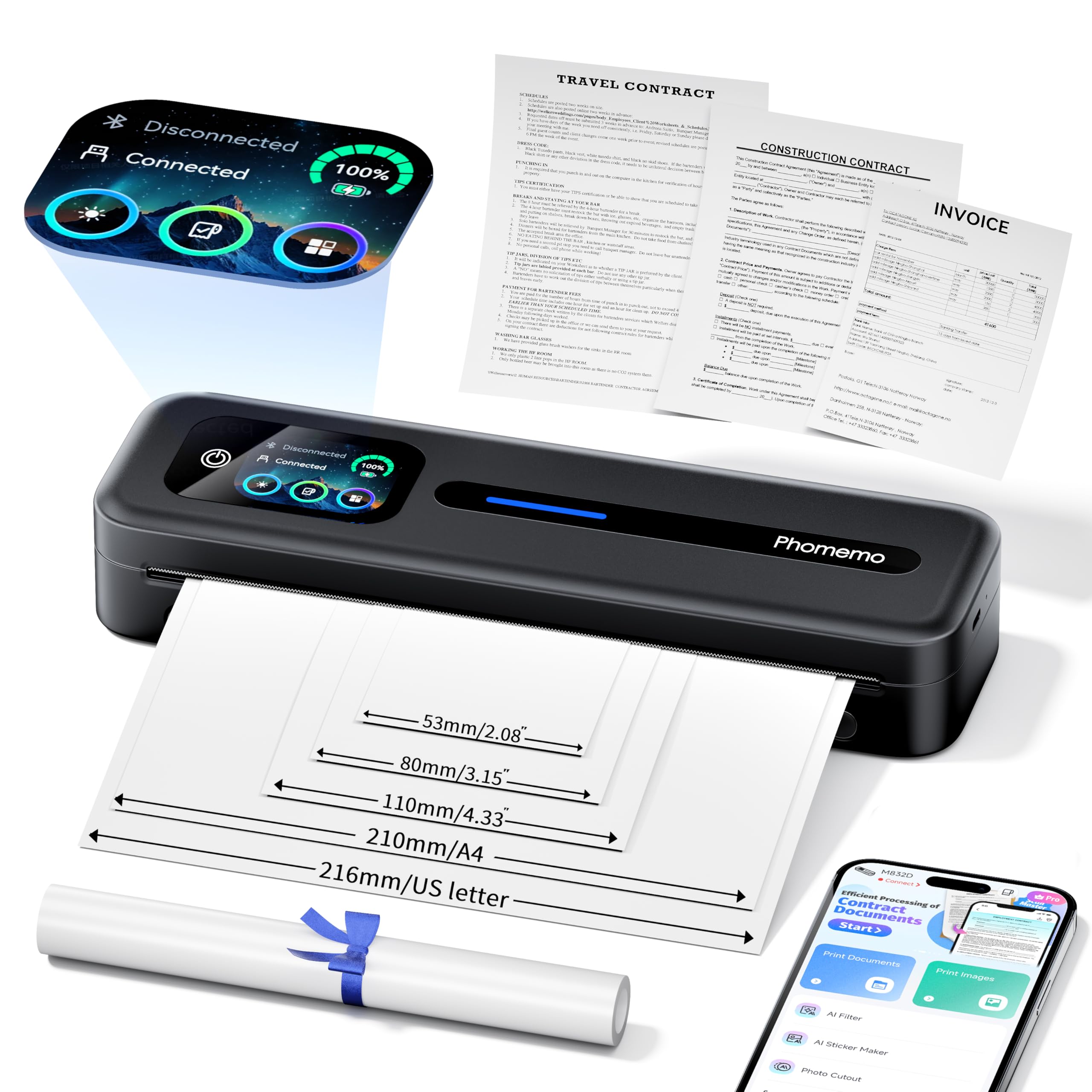
The Phomemo M832D is the thermal printer for someone who cares about the look of the page. Its 300 dpi head is a step above the 203 dpi models here, and the touchscreen makes the printer feel more like a small appliance than a bare mechanism. At 600 g and 12.17 inches long, it is still a bag-friendly shape, though the length is noticeable in a small backpack.

We liked it best for contracts and forms with small type. The extra resolution is not a marketing nicety; it is the difference between a page you have to squint at and one you can read at arm's length. The 150-sheet capacity also means fewer top-ups than the 10-sheet ETIKEZ. Bluetooth pairing and the app worked in our use, and the touchscreen made it easy to check battery and connection status without opening the phone.

The M832D is built for a handful of pages at a time, and the 6 ppm pace reflects that. We liked the larger paper bin and the sharper text; a long document run is not its strength. If you want the best thermal text quality in this group, this is the one.

Pros

  • 300 dpi text is crisp for small type
  • 150-sheet capacity reduces top-ups
  • Touchscreen shows battery and connection
  • Light enough for a backpack

Cons

  • Phone printing depends on the app
  • No color or plain-paper printing
Our verdict

Buy the Phomemo M832D if crisp mono text matters more than speed; its 300 dpi head and 150-sheet bin make it the best thermal document printer here.

Check Latest Price
5

Best High-Volume Thermal

Gloryang PD-A4

86 /100
LBD Score Excellent

Key details

Rated Speed
35 ppm
Included Paper
3 rolls
Paper Capacity
360 sheets
Print Resolution
203 x 203 dpi
View on Amazon

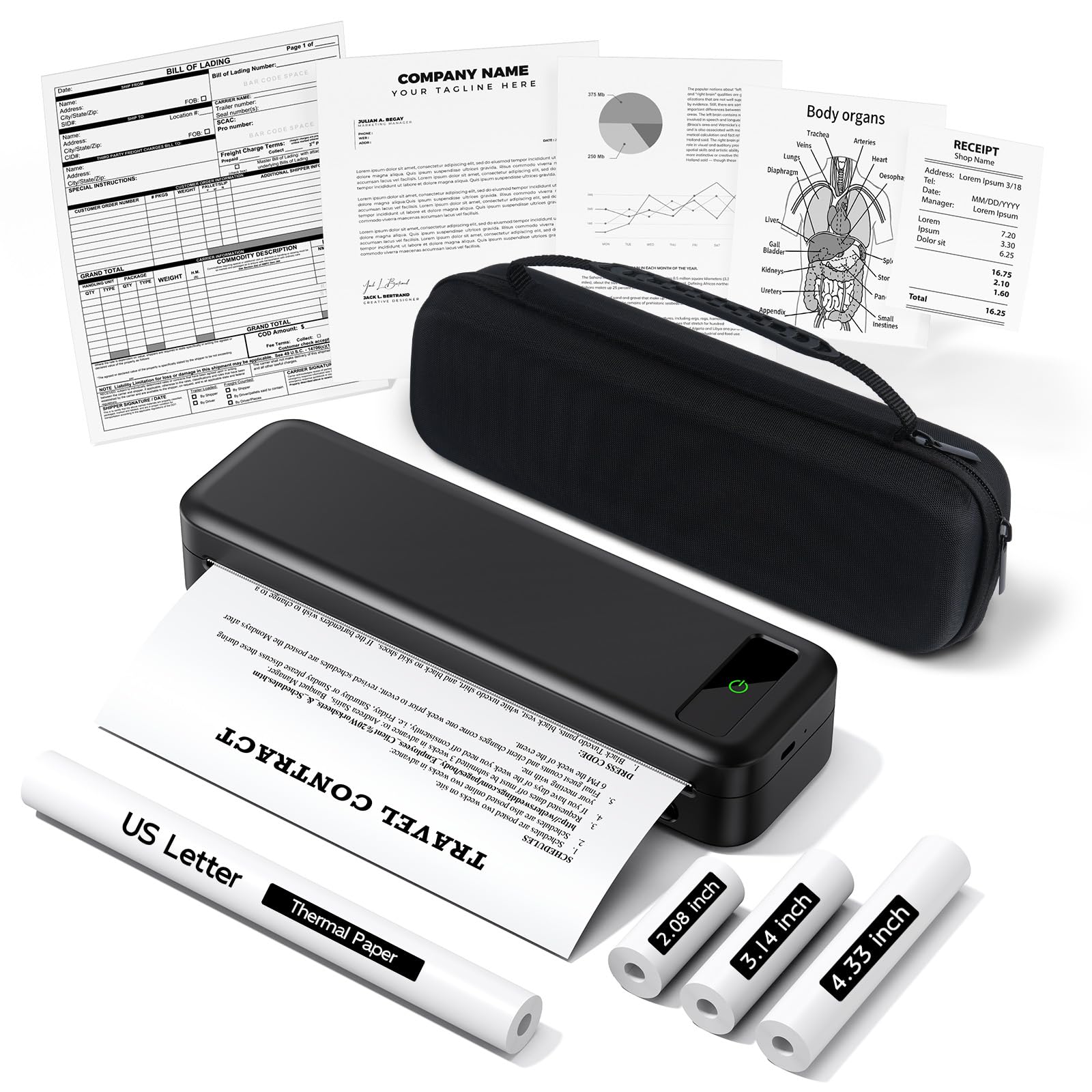
The Gloryang PD-A4 arrives as a kit: the printer, a carry case, and three rolls of Letter thermal paper. That bundle is the reason to look at it first. The built-in paper bin is rated for 360 sheets, far more than the pocket thermal printers here, and the 35 ppm rating suggests it is aimed at faster, higher-volume jobs.

We found the output readable for ordinary text, but fine print and dense forms can look rough at 203 x 203 dpi. That is the trade-off for the speed and capacity. The kit is aimed at invoices, shipping documents, and forms rather than presentation-quality pages. If you print a stack of documents on the road, the extra paper and the stable feed matter more than a pocketable body.

We see the Gloryang as a value kit for higher-volume road printing. The case keeps the rolls together, and the three-roll bundle means you can leave the spare at home or in the car. For someone who prints invoices or shipping paperwork in batches, it is an easy recommendation. For a page or two, the ETIKEZ is easier to carry.

Pros

  • Three rolls and carry case included
  • 360-sheet paper capacity
  • Fast 35 ppm rating
  • Good for invoices and shipping documents

Cons

  • Requires thermal paper, not plain paper
Our verdict

Buy the Gloryang PD-A4 if you print batches of mono invoices or shipping documents on the road; the three-roll kit and large paper bin make it a strong value.

Check Latest Price
6

Multi-Width Travel Kit

TATTMUSE A285M

82 /100
LBD Score Excellent

Key details

Rated Speed
7 ppm
Included Paper
4 rolls
Paper Capacity
160 sheets
Print Resolution
203 dpi
View on Amazon

The TATTMUSE A285M is sold as a travel kit: printer, case, and four rolls of thermal paper in Letter, 4.33-inch, 3.14-inch, and 2.08-inch widths. The multi-width paper is the interesting part. It lets one machine handle a full-page document and a narrower receipt without swapping hardware.

At 1.5 pounds and 10.39 inches long, it is light enough to live in a bag, and the 160-sheet capacity is generous for a thermal printer. The 7 ppm rating is middling. We found the Bluetooth app pairing straightforward, but the print quality asks for patience: text is readable, though dense pages can look uneven.

We see the TATTMUSE as a good occasional-use bundle for someone who wants one printer for both full pages and narrow slips. It is not the pick for crisp long documents; the 203 dpi output and uneven print consistency put it behind the Phomemo. We liked having the narrower rolls for receipts and labels, even though the main job here is full-page documents. The included paper is the real value, especially if you are not sure which width you need.

Pros

  • Four paper widths included
  • 160-sheet capacity
  • Light 1.5 lb body
  • Case keeps kit together

Cons

  • Battery charge can be inconsistent
Our verdict

Buy the TATTMUSE A285M if you want one travel kit that covers full pages and narrow slips; it is a value bundle, not the crispest thermal printer here.

Check Latest Price
7

Budget Occasional Printing

JADENS JD-166

84 /100
LBD Score Excellent

Key details

Weight
1.32 lb
Paper Size
8.5 x 11 in
Rated Speed
20 ppm
Print Resolution
203 dpi
View on Amazon

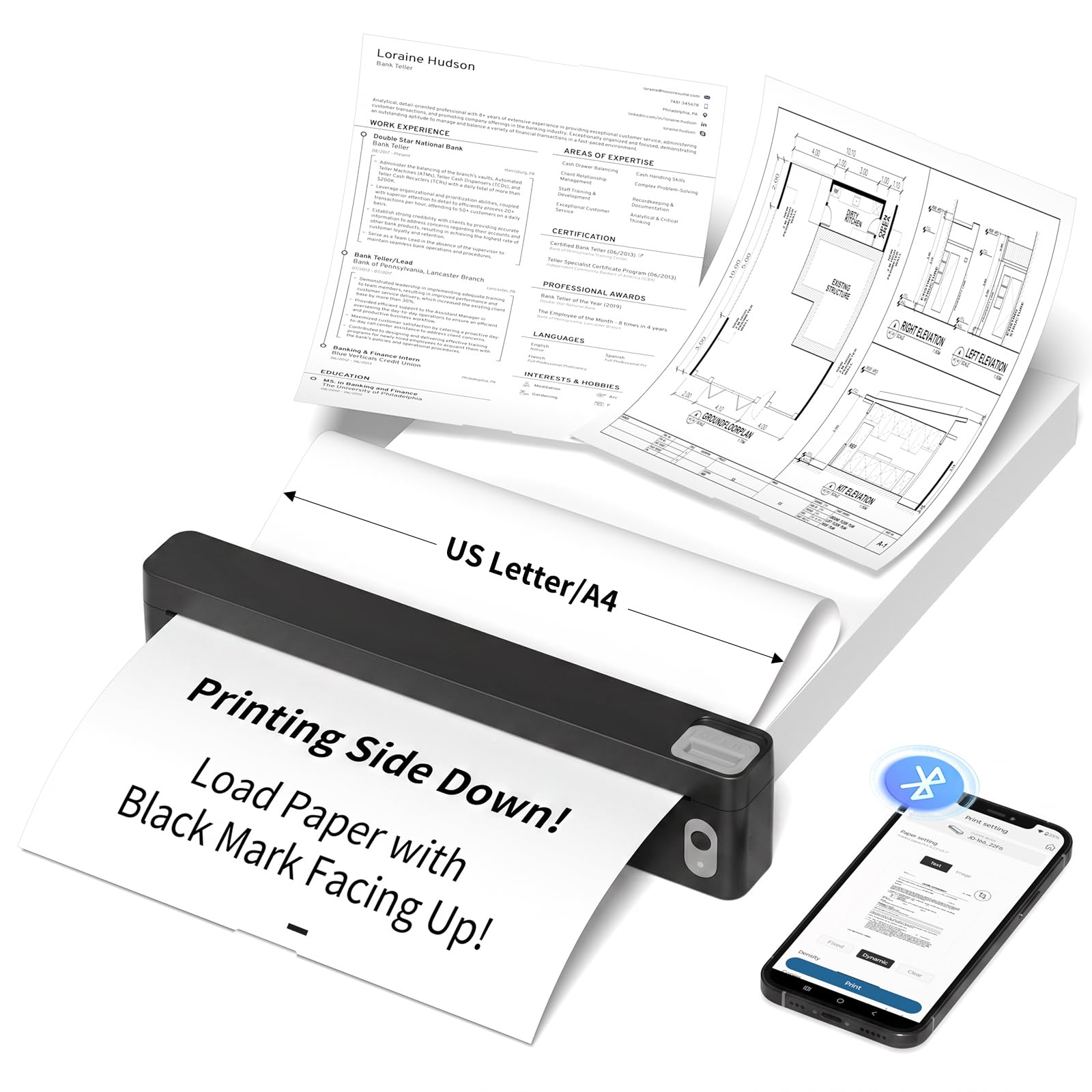
The JADENS JD-166 is the smallest printer here on paper, and the private local printing feature is the detail that sets it apart. Files print from your connected device without going through the cloud, which matters if you handle client documents or school forms.

At 600 g and 7.28 inches deep, it takes up less desk space than the full-width thermals, and the 20 ppm rating is quick for a small machine. The 203 dpi output is basic but readable for notes, worksheets, and simple forms. We liked the straightforward app setup; it is the kind of printer you can leave in a bag and forget about until you need it.

The catch is the paper supply. The box includes 10 sheets, and the printer is built around thermal paper, so you need to order more before a longer trip. That starter pack is enough to test the machine, not enough to rely on it for a week away. A spare roll is small, though, and easy to add to the bag.

We see the JADENS as a budget second printer for occasional pages, not a primary document machine. If you need color or plain paper, it is the wrong tool. If you want a tiny mono printer for forms and notes, it does the job at a low entry point.

Pros

  • Very small 600 g body
  • Private local printing
  • 20 ppm rating for short jobs
  • Simple app setup

Cons

  • Long-term reliability is less proven
Our verdict

Buy the JADENS JD-166 if you want a low-cost, ultra-compact thermal printer for occasional forms and notes; it is a second printer, not a main one.

Check Latest Price
8

Ultralight Short Runs

Arrvel A8

84 /100
LBD Score Excellent

Key details

Weight
1.37 lb
Paper Size
8.5 x 11 in and A4
Rated Speed
4 ppm
Print Resolution
203 dpi
View on Amazon

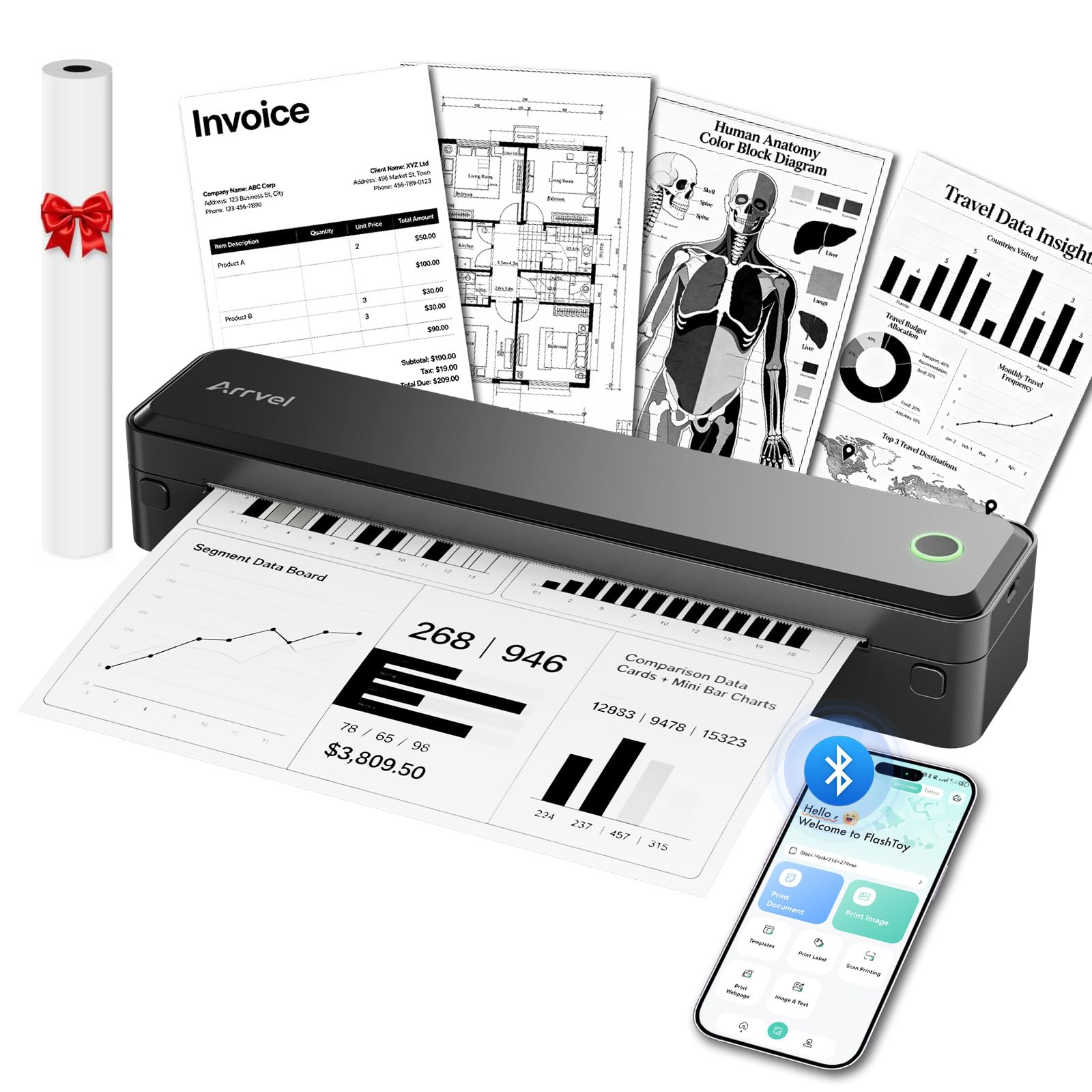
The Arrvel A8 makes its case with weight: 1.37 pounds and an 11.36-inch body that slides into a backpack. The built-in paper compartment is the better detail. It keeps the roll contained, so you are not carrying a separate paper holder or hoping the sheet stays aligned.

The 203 dpi output is standard for this thermal group, and the 4 ppm rating is on the slow side. For a page or two, that is not a problem. We liked the USB-C adapter and the velvet travel bag; the package feels complete for occasional printing away from home. Bluetooth pairing through the Flashtoy app worked for phone and laptop printing, though the app is still the gatekeeper on mobile.

The printer is mono thermal only. That puts it in the same lane as the ETIKEZ and JADENS: a companion for forms, labels, and short documents, not a replacement for a plain-paper inkjet. The Arrvel is slightly heavier than the JADENS but feels more protected in the bag.

We see it as a simple second printer for travelers who want a low-cost, light mono machine and do not need color. It is not the one to choose for a long contract run or for pages that have to go on plain paper. For a boarding pass, a return label, or a few pages of notes, it is easy to live with.

Pros

  • 1.37 lb body is easy to carry
  • Built-in paper compartment
  • USB-C adapter and travel bag included
  • Simple Bluetooth setup

Cons

  • Small paper capacity needs frequent reloads
Our verdict

Buy the Arrvel A8 if you want an ultralight mono printer for short documents and labels; it is simple and protected, but not a plain-paper replacement.

Check Latest Price

How We Tested Portable Printers (and Where)

We started with more than 30 models and filtered by the things that matter before you print a page: a built-in battery, support for standard 8.5-by-11 paper rather than a proprietary roll, and weight with the carry case on. Then we priced consumables — cartridges or thermal rolls — against a year of typical use. Eleven printers made the cut, and we lived with them for eight months.

They went where portable printers actually go: my kitchen table during a week of packing slips and school forms, hotel desks on two work trips, a backpack on a train, the passenger seat on the way to a client's office, and a shared coworking room. At each stop we timed setup from unboxing to first page and again from cold start, paired every printer to both an iPhone and a Windows laptop, and counted the attempts it took and whether the app demanded an account before it would print.

Battery claims got tested to empty, printing the same 25-page document on battery alone. For print quality we ran small type, a dense table, and a photo, then rubbed each page with a thumb a minute after it came out to see what smeared. We fed curled paper on purpose to find out what jammed, left printouts on a hot dashboard for a week to check fading, and noted which printers reconnected on their own after sitting idle overnight.

The models that rose to the top were the ones that needed the least attention — no dropped connections, no re-feeding, no surprise empty cartridge halfway through a document.

How to Choose a Portable Document Printer

Start With the Paper You Need

Thermal printers produce an image by heating special thermal paper; they do not print on the plain copy paper in your desk drawer. That is the divide that matters most. If your pages need to look like normal documents, accept color, or go on a client's paper, choose an inkjet like the Canon. If you print short mono forms, labels, or notes and can carry the right paper, a thermal model is smaller and avoids ink. We put paper first because the wrong choice here cannot be fixed by a better app or a bigger battery.

Match Capacity and Speed to the Trip

A 10-sheet bin is fine for a page or two, but it is not a week of work. For longer trips, look at the 50-sheet Canon, the 150-sheet Phomemo, or the 360-sheet Gloryang. Speed matters less for a handful of pages, but it becomes obvious on a long run: 4 ppm thermal models are slow, while the faster thermal ratings are better for batches. Resolution is the other half: 203 dpi is readable for forms, and 300 dpi is noticeably better for small type.

Plan the Connection and Power

Most thermal printers pair through a phone app, and some also accept a USB cable to a computer. The app is usually the gatekeeper, so install it and pair the printer before you leave rather than at the hotel desk. For computers, USB is the reliable fallback. Battery power is optional in this group: the HP OfficeJet 250 includes one, while the thermal models are built for portable use. If you need to print away from an outlet, check the power plan before you pack.

Budget for the Consumables

Thermal printers save on ink but not on paper. The rolls and sheets are a recurring cost, and the starter packs are small: several picks include only 10 sheets, while the Gloryang and TATTMUSE bundles include multiple rolls. Inkjet models need cartridges, and the Canon's five-color system is the price of color output. We think it is worth factoring the first reorder into the purchase, especially if you plan to print more than a few pages per trip.

Frequently Asked Questions

Final Verdict

For most people, the Canon PIXMA TR160 is the portable document printer to buy. It offers the best balance here of color, plain Letter and legal paper, and a generous 50-sheet tray, so the pages you print look normal when you hand them over. If you need to scan and copy away from an outlet, choose the HP OfficeJet 250. If you want the smallest kit for mono pages, the ETIKEZ D90E is the better travel companion.