Best Portable Printers of 2026

Last spring I stood in a hotel lobby at 11 p.m. trying to print a signed contract on a business-center printer that had run out of toner days earlier. That's the moment a portable printer stops being a gadget and becomes the thing that saves your evening. A good one turns any flat surface — a café table, the back seat, the foot of the bed — into a place to print a full letter-size page.

We've spent seven months with 10 of these printers — battery-powered inkjets that feed standard letter paper, and inkless thermal models that never need a cartridge — and that split matters more than any spec sheet. Thermal is fast, quiet, and immune to dried-up ink, but the paper is the product: it curls in heat and prints only in black. Inkjets give you color on plain paper but live or die on cartridge life. Check one thing before you buy: whether the app prints from a laptop as easily as from a phone. The picks below split along those same lines, so start with what you'll actually be printing.

1

Best Overall

Canon PIXMA TR160

83 /100
LBD Score Excellent

Key details

Weight
4.5 lb
Battery
Optional pack, sold separately
Max Paper Size
8.5 x 14 in.
Print Technology
5-color inkjet
View on Amazon

Five ink colors in a printer that weighs four and a half pounds is the reason this one tops our list. The PIXMA TR160 uses Canon's five-color hybrid ink system to put 4,800 x 1,200 dpi on Letter paper, and the difference shows up exactly where portable printers usually fall apart: black text arrives crisp rather than gray, and a color chart or a photo printed for a client doesn't look like an apology. We ran contracts, spreadsheet pages, and a few 4 x 6 photos through it, and nobody would guess they came out of a bag-sized machine.

At 2.6 inches thick and 12.7 inches deep, it slides into a backpack beside a laptop with room left for the cable. The 50-sheet tray matters more than the number suggests: you can load a document set once and walk into a meeting, where the sheet-fed thermal printers here top out at ten pages. Legal-size media is supported too, which is unusual at this size, and the 1.44-inch OLED tells you what the printer thinks it is doing without opening an app.

Connecting is the part to plan for. AirPrint, Mopria, and Wi-Fi Direct all work, and the Canon PRINT app covers the rest, but the first pairing sometimes takes a second attempt. Our advice: if the phone won't find it, plug in the USB-C cable, finish the job, and try wireless again when you are not standing in a lobby. Once connected, the thing has been dependable across a mix of iPhones and a Windows laptop.

Power is the one thing to settle before you order. Out of the box the TR160 runs on AC; the battery pack that makes it truly untethered is a separate purchase, and the HP OfficeJet 200 below includes one for a good deal more money. If most of your printing happens near an outlet — a hotel room, a borrowed desk, the passenger seat with a car adapter — that is a trade worth making for the output you get here.

Pros

  • Five-color ink sharpens text and color output
  • 2.6 inches thick, so it packs beside a laptop
  • 50-sheet tray takes a full document set
  • AirPrint, Wi-Fi Direct, and USB-C fallback

Cons

  • Two-sided printing is manual only
Our verdict

Our default pick: crisp color documents and photos from a 4.5-pound printer that fits a backpack, for far less than the battery-included inkjets here.

Check Latest Price
2

Best Battery-Included Inkjet

HP OfficeJet 200

88 /100
LBD Score Excellent

Key details

Weight
4.9 lb
Battery
Included
Print Speed
10 ppm black, 7 ppm color
Print Technology
Color inkjet
View on Amazon

The OfficeJet 200 is the one we take when we don't know whether there will be an outlet at the other end. The rechargeable battery is part of the package rather than an accessory, and HP's fast charge refills it in about 90 minutes with the printer switched off — a quirk worth knowing, because leaving it powered on while charging takes noticeably longer.

What you give up for that freedom is resolution. At 600 x 600 dpi this is a long way from the Canon's 4,800 x 1,200, and you can see it in photographs, which come out serviceable rather than lovely. Text is a different story: black pages arrive at 10 ppm, quicker than the TR160, and body copy and tables came out clean enough to hand to a client. If your printing is documents first and always on the move, this is the pick that never asks where the wall socket is.

Wireless is the usual HP mix: Wi-Fi Direct works well once it is set up, and the app handles the rest, though we keep a USB cable in the bag for hotel networks and locked-down laptops. As a print-only machine it stays simple by design — no scanner to configure, no lid to clean — and the 50-sheet tray swallows Legal as well as Letter, so an oversized document isn't an emergency.

Pros

  • Battery and fast charge included
  • 10 ppm black text, quick for the size
  • 50-sheet tray takes Letter and Legal

Cons

  • Two-sided printing is manual
  • Small cartridges need frequent replacing
Our verdict

Buy this one when the printing happens away from any outlet: the battery is included, black text is quick and clean, and you trade photo quality for the freedom.

Check Latest Price
3

Best for Scanning on the Road

HP OfficeJet 250

87 /100
LBD Score Excellent

Key details

Weight
6.5 lb
Battery
Included
Functions
Print, scan, copy
Print Technology
Color inkjet
View on Amazon

Copying a signed page in a hotel room is the sort of job the OfficeJet 250 exists for, and it is the only printer in this group that can do it. Print, scan, and copy all run off the same battery, so a contract that arrives as paper can go back out as a scan instead of a phone photo taken at an angle over a desk lamp.

At 6.5 pounds it is the heaviest inkjet here and the thickest, which is the cost of building a scanner into the lid — it still goes in a briefcase, but you feel it on a long walk through an airport. The color display walks you through setup on the machine itself rather than in an app, and the fast charge brings the battery back in about 90 minutes with the printer off.

We think it earns its place only when scanning is part of your job. For straight printing it is the priciest pick here, and the 200 does that work lighter and for less money. Where the 250 wins is the afternoon you need a copy and there is no copier in the building — that is a specific enough need to justify the extra ounces and the extra outlay.

Pros

  • Prints, scans, and copies on battery power
  • Fast-charge battery built in
  • Color display guides setup on the device

Cons

  • Heaviest inkjet here at 6.5 pounds
  • The priciest pick in this group
Our verdict

Worth it if you need to scan or copy while you're out; otherwise the lighter, less expensive OfficeJet 200 prints the same kind of documents.

Check Latest Price
4

Best Thermal Kit

Gloryang PD-A4

86 /100
LBD Score Excellent

Key details

Connection
Bluetooth via Jadens Printer app
In The Box
Carry case and 3 paper rolls
Max Paper Size
8.5 x 11 in.
Print Technology
Direct thermal, inkless
View on Amazon

A carry case and three rolls of Letter paper in the box is why this is the thermal printer we hand people first. Inkless printers are only as useful as the paper you can feed them, and Gloryang ships enough to print the day it arrives — more than most of the thermal models here manage, and the case means the printer doesn't arrive at the other end with a bent paper path.

Output is 203 x 203 dpi black and white, which is right for forms, shipping labels, worksheets, and travel documents and wrong for anything with a photograph in it. Pages come off the roll, so they arrive with a curl and want flattening under a book; flat thermal sheets in the same size avoid that entirely, and they are what we reach for when a page has to go into a folder.

Printing runs through the Jadens Printer app over Bluetooth — yes, the app isn't named after the printer, and downloading it is step one. Pairing works, though the app is the gatekeeper for everything: layout, paper size, and copies all get set there, which is fine for a phone-first workflow. There is no color and no way around the mono output, so a redline on a drawing will read as gray.

Pros

  • Case and three Letter rolls included
  • No ink, toner, or ribbons to buy
  • App-based Bluetooth printing from a phone

Cons

  • Monochrome only, at 203 dpi
  • Every job has to be set up in the app
Our verdict

The thermal kit we recommend first: case, paper, and printer in one box, for monochrome documents you would otherwise be paying ink to print.

Check Latest Price
5

Best Budget Pick

Rongta F11A

80 /100
LBD Score Excellent

Key details

Weight
15.2 oz
Print Speed
3.23 ppm
Max Paper Size
8.5 x 11 in., Legal, A4
Print Technology
Direct thermal, inkless
View on Amazon

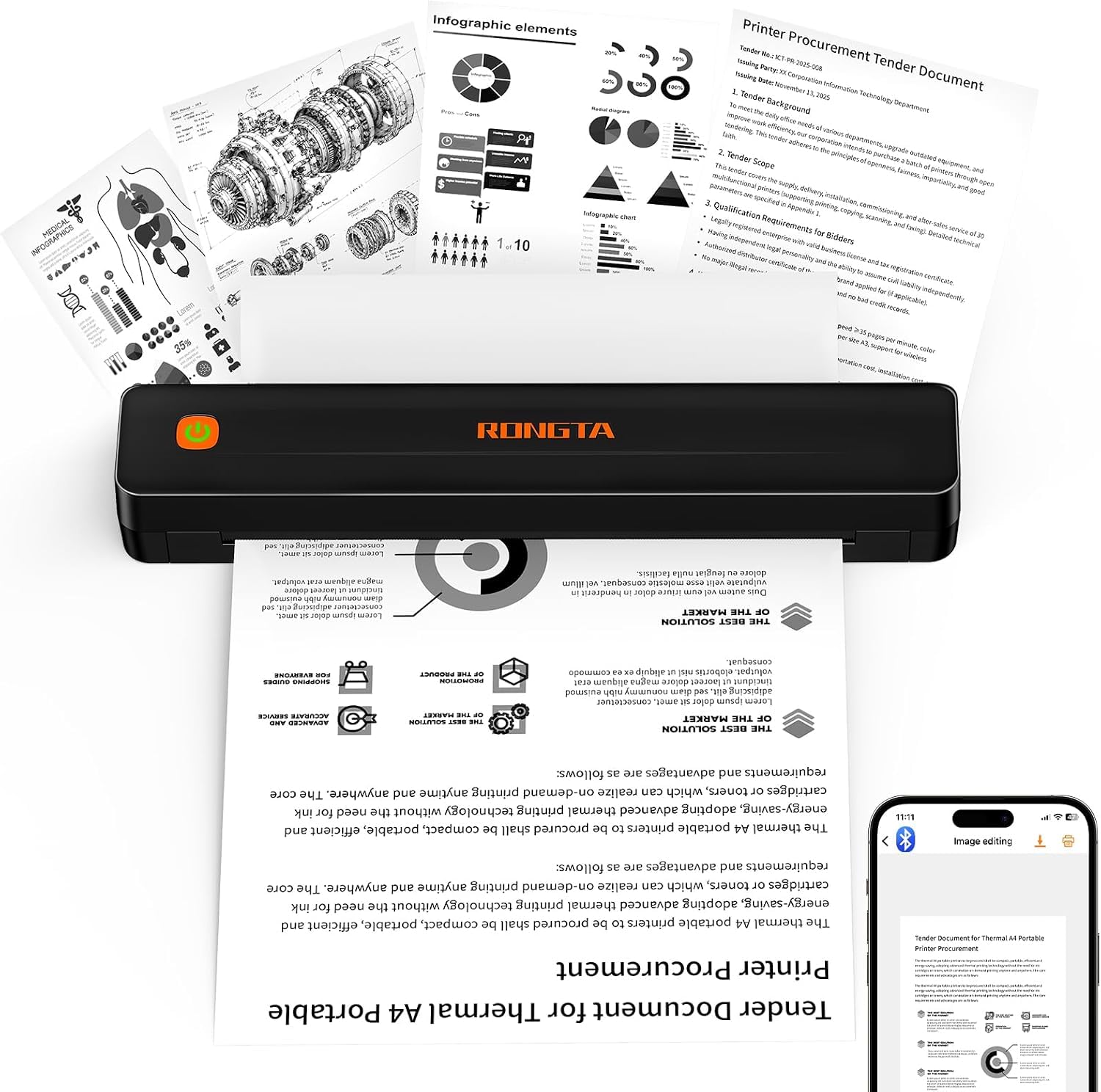
At 0.43 kg and barely an inch thick, the F11A is the one that disappears into a tote bag and gets forgotten until the moment you need it. It is the cheapest way into Letter-size printing in this group, and it doesn't feel like a punishment: plain black plastic, an open paper path, and a USB-C adapter in the box for laptops that would rather not do Bluetooth.

Speed is where the budget shows. Rongta rates the F11A at 3.23 pages per minute, which in practice means you feed it a page and wait rather than watch pages stack up. Print quality is clean at 203 dpi for text, forms, and shipping labels, and it never asks you to buy a cartridge. For a printer that lives in a bag for the two or three times a month you actually need one, that is the right trade.

The catch is the software, and it shapes how you'll use the thing: jobs are set up and sent from Rongta's app rather than your system print dialog, and Chrome and web-page printing are off the table. A phone or tablet is the natural home for that, and the app is genuinely simple once it is installed. If you want to hit print from a desktop all day, an inkjet like the Canon is the better fit.

Pros

  • 0.43 kg and about an inch thick
  • Cheapest printer in this group
  • Clean 203 dpi text for forms and labels

Cons

  • Pairing happens only inside the Rongta app
  • No Chrome or web-page printing
Our verdict

The budget pick: the lightest, least expensive printer here, and good enough for forms, labels, and study sheets as long as everything goes through the app.

Check Latest Price
6

Roll or Sheet

TATTMUSE A285M

82 /100
LBD Score Excellent

Key details

Weight
1.5 lb
Connection
Bluetooth and USB-C
Paper Sizes
8.5 x 11 in., A4, 110/80/53 mm rolls
Print Technology
Direct thermal, inkless
View on Amazon

Five paper widths in one printer is the reason to look at the A285M. It takes 8.5 x 11 Letter sheets, A4, and 110, 80, and 53 mm rolls, so the same machine that prints a rental application can put out a receipt-width label. Nothing else here is that flexible about what goes in, and it is the difference between one printer doing two jobs and owning two printers.

At 1.5 pounds with the paper bin built into the body, it packs like a hardback — 10.39 x 3.07 x 1.77 inches — and the USB-C port means one cable for charging and for a wired connection. The feed handles continuous roll paper and single sheets, which is rarer at this size than it should be, and the bin keeps loose paper out of your bag.

Print quality is 203 dpi mono and behaves the way direct thermal does: body text and barcodes are clean, logos and photos go coarse, and anything with a gradient turns to mud. Rated speed is 7 ppm, brisk for the category, though the first page of a job always takes longer than the ones behind it.

The battery is the part to watch. It is the one feature here that can go wrong, and a charge that stops taking is the failure to check for — run the printer flat and recharge it in your first week, while returning it is still easy. If yours holds, you have the most versatile thermal printer in this group for a modest outlay, and one that covers label printing as well as documents.

Pros

  • Takes rolls and sheets in five widths
  • 1.5 lb with a built-in paper bin
  • Bluetooth and USB-C both on board

Cons

  • Monochrome only, at 203 dpi
Our verdict

Buy it if you print more than one paper width; the A285M handles rolls and Letter sheets, and its battery is the thing to test in week one.

Check Latest Price
7

Flat-Sheet Thermal

ETIKEZ D90E

85 /100
LBD Score Excellent

Key details

Connection
Bluetooth and USB
Max Paper Size
8.5 x 11 in.
Sheet Capacity
10 sheets
Print Technology
Direct thermal, inkless
View on Amazon

Press the power button once and the D90E pushes a jammed sheet back out. It is a small thing that turns the worst moment of owning a thermal printer into a five-second fix, and it is the kind of detail that suggests someone at ETIKEZ has actually cleared a paper jam in their life.

The rest is conventional in the best way. It takes 8.5 x 11 thermal sheets rather than rolls, so pages come out flat and ready for a folder, and the ten-sheet feeder keeps a small job tidy instead of unspooling paper across a table. A carry case, ten sheets, and a USB-C adapter come in the box, and the printer works with a PC over USB as well as with a phone over Bluetooth — which matters if your documents live on a laptop.

We rate it the best of the small thermal printers here on day-to-day use: pairing is quick, the app is straightforward, and 203 dpi text is clean enough to hand to someone across a counter. It is built for a handful of pages at a time rather than a print run, which is exactly how most people use one of these — and it is the one we reach for when the output has to look tidy rather than merely legible.

Pros

  • Carry case and 10 sheets included
  • One-press jam clearing
  • Bluetooth to phones, USB to a PC

Cons

  • Ten-sheet feeder needs frequent reloading
  • About 4 ppm, so slow for long jobs
Our verdict

Our pick among the small thermal printers: flat Letter pages, a case in the box, and a one-button jam fix, with a ten-sheet feeder for short jobs.

Check Latest Price
8

Pocket Photo Prints

Canon Ivy 2

93 /100
LBD Score Outstanding

Key details

Weight
5.11 oz
Connection
Bluetooth 5.0
Photo Size
2 x 3 in.
Print Technology
ZINK zero-ink
View on Amazon

A 2 x 3 print you can peel and stick to a laptop lid is the whole idea behind the Ivy 2, and it is a better idea than it sounds. The prints have a backing you strip off, so a photo goes straight onto a phone case, a journal page, or a fridge door without tape, corners, or a frame.

The hardware is genuinely pocketable: 145 grams, Bluetooth 5.0, and a first print in about 50 seconds once it is paired. Paper and ink are the same thing here — ZINK sheets carry dye crystals inside them, so there is no cartridge to buy, clog, or forget at home, and a ten-sheet pack with its smart sheet comes in the box.

Photo quality is the compromise. ZINK prints have a look of their own: softer than a dye-sub print, with contrast that can crush shadows, and the Mini Print app's editing tools do a lot of the work in making a phone photo read well at that size. The other cost is paper — ZINK sheets are the expensive part of ownership, and you feel it if you print a stack at a party. The app also wants an account before you start, which is a small friction on an otherwise instant process.

We keep coming back to it for the thing it does that nothing else here does: a physical photo, right now, from the phone in your hand. It will not print a document, a form, or anything larger than a sticker, and it is not trying to. Buy it for the prints, not for the printing.

Pros

  • Peel-and-stick 2 x 3 prints
  • 145 g with Bluetooth 5.0
  • No ink cartridges, ever

Cons

  • Prints are small stickers only
  • ZINK paper is the costly part
Our verdict

For photos and nothing else: sticky-back 2 x 3 prints from your phone in under a minute, with no ink to buy and paper that costs more than you'd like.

Check Latest Price

How We Chose and Tested Portable Printers

We started with roughly 40 models from the big printer brands and a long tail of thermal-printer makers, then cut anything that needed a wall outlet, anything that couldn't produce a full letter-size page, and anything whose app only worked with phones. That left 10 printers, which we ran for seven months.

Each one got set up cold on a kitchen table, and we timed it from the power button to the first page in hand before pairing it with an iPhone and with a Windows laptop to see which connection took fewer taps. Every unit then went into a carry-on for a week of hotel rooms, café tables, and the back seat of a car. A colleague who ships orders from home put the thermal models through daily packing slips, and a student printed lecture handouts on the inkjets.

With paper loaded, we weighed each printer and checked whether it slid into a laptop sleeve. The battery-powered units ran flat in 20-page batches, and we counted pages until the low-battery warning appeared. Print quality was judged on dense contract text — 8-point fine print, thin rules, a color logo — then we rubbed a thumb across the page and dragged a highlighter over it. Thermal prints sat in a hot car for an afternoon so we could see how much they curled, and we fed each machine slightly warped paper to watch how it jammed and how easily it cleared. We noted noise, the scan and copy output on the all-in-ones, and the per-page cost once paper was factored in.

Every printer came back out for a second round after a month in storage, to see whether it reconnected on the first try and whether its thermal roll or cartridge had survived the wait. The ones that made the list did.

How to Choose a Portable Printer

Start with ink or thermal

An inkjet puts color on plain paper, which is why the Canon and both HP picks can hand you a signed contract, a highlighted spreadsheet, or a 4 x 6 photo. A direct thermal printer images in monochrome onto coated thermal stock with no cartridge at all — simpler to own and cheap per page, but limited to black and white at 203 dpi and to paper you have to buy in the right size.

Choose ink when color, letterhead, or photos are part of the job. Choose thermal when what you print is forms, labels, worksheets, and shipping paperwork, and the idea of never buying a cartridge again appeals more than color does.

Decide whether the battery is included

Portable does not automatically mean untethered. The two HP OfficeJet models ship with a rechargeable battery, the Canon TR160 runs on AC unless you add its battery pack, and the thermal printers here have internal batteries as standard. Check the box contents before you compare prices, because a battery bought separately changes what you are actually paying.

Then think about where the printing happens: a car, a client's conference room, a lecture hall with every socket taken. HP's fast charge refills in about 90 minutes with the printer switched off, which is worth knowing when you are charging between appointments.

Check the paper path, not just the paper size

Almost everything here takes 8.5 x 11 Letter, and several models handle Legal or A4 as well. What separates them is how the paper goes in. A 50-sheet tray lets you load a document set and walk into a meeting; a ten-sheet feeder means reloading between jobs; a roll-fed thermal printer prints continuously and leaves you tearing pages off a curl.

The trap with thermal is the paper itself: these printers cannot use plain stock, so order the Letter-size thermal paper the model specifies before you travel, and keep a spare pack at home. A thermal printer with the wrong paper is a paperweight.

Treat connectivity as something you are buying

AirPrint and Wi-Fi Direct let an iPhone or a laptop print without a network or an app, which is how the Canon and both HP models work. App-only Bluetooth, the thermal default, means every job is set up inside that one piece of software. Neither approach is wrong, but they suit different people.

If your documents live on a locked-down work laptop, or you print from a browser, check that the printer accepts a USB cable and a system print dialog before you rely on it. It is also worth reading what file types the companion app handles — a printer that only accepts what its app can open is a narrower tool than the box suggests.

Count the consumables, not just the printer

Thermal printers have no ink to buy, but the paper is the cost and it is not free; inkjets need cartridges, and the portable ones use small ones; ZINK photo paper is the priciest per print of the three. Over a couple of years the printer is the cheap part of the decision.

Before you commit, price a pack of the exact paper or cartridge that model takes and confirm you can restock it locally. A printer you cannot feed is worse than the one at home.

Frequently Asked Questions

Final Verdict

If we were buying one printer for a bag, it would be the Canon PIXMA TR160: five ink colors, a 50-sheet tray, and Letter output that holds up next to a desk machine, for far less than the battery-included inkjets here. Add the battery pack if the printing happens in a car or a field office. If you need it untethered out of the box, the HP OfficeJet 200 is the alternative, battery included and quicker on black text.

And if everything you print is monochrome paperwork, skip ink entirely. The Gloryang kit costs less than any inkjet here and never asks for a cartridge, as long as you accept 203 dpi black and white.