Best Phone Controllers of 2026

The thing that retires most phone controllers isn't a cracked shell or a dead battery — it's drift. Six months in, the left stick starts leaning and your character walks in slow circles while you push forward. That's mechanical wear, and it's finally solvable. A good controller clamped to your phone turns a train ride or a hotel room into a genuine handheld console; a bad one makes you wonder why you bothered.

I've been clamping controllers to my phones for years, and my team just spent six months living with 10 of the newest models, from pocket-sized Bluetooth grips to full-width USB-C gamepads. Hall effect sticks and triggers — magnetic sensors instead of the contacts that wear out — have reached nearly every price, and they're the best insurance against drift going. The bigger surprise was how much the connection type shapes the experience.

A Bluetooth pad keeps your charging port free but adds a battery to remember; a plug-in USB-C model reconnects instantly and sips nothing, yet its connector has to line up with your particular phone and clear your case. The picks below got both of those right.

1

Best Overall

8BitDo Ultimate Mobile

89 /100
LBD Score Excellent

Key details

Phone Fit
100mm to 170mm
Connection
Bluetooth
Compatibility
Android
Sticks And Triggers
Hall effect
View on Amazon

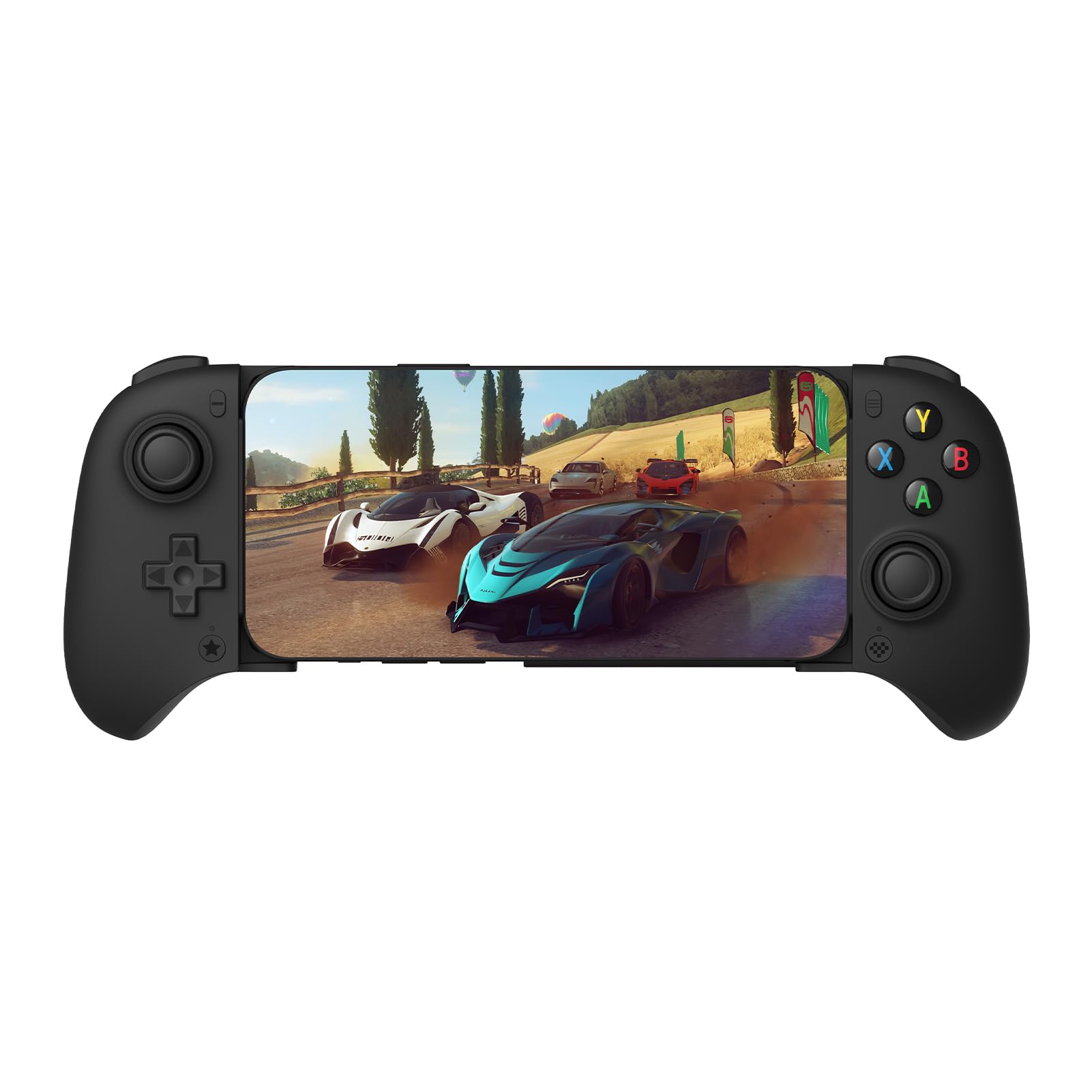
Hall-effect sticks, Hall-effect triggers and two back paddles are the parts you normally pay a premium for. The 8BitDo Ultimate Mobile has all three and still sits with the cheaper half of this group, which is why it is the controller we recommend first to most people. Value is easy to claim and harder to show; here it is visible in the parts list.

It is a Bluetooth pad that grips phones from 100mm to 170mm, so it covers most handsets and no tablets, which makes it a phone controller in the strict sense. Pairing is a button hold rather than a dance, and the profile button stores button assignments on the controller itself, so a game with odd defaults does not mean opening an app mid-session.

The part we did not expect to care about is the absence of software. No app, no account, no sign-in; the remapping simply lives on the pad. Add metal rings around the sticks and Hall sensors underneath them, and the two things that usually retire a mobile controller, drift and a fiddly companion app, are both designed out.

The limit is the platform. This is an Android controller and there is no version of it for iOS, so iPhone owners should go straight to the G8 Galileo below. For an Android phone, it is the least fussy route to real hardware, and the only pad here that never asked us to install anything.

Pros

  • Hall-effect sticks and triggers resist drift
  • Two back paddles for shooters
  • No app or account needed
  • Fits phones from 100mm to 170mm

Cons

  • No pass-through charging
Our verdict

Our pick for Android phones: Hall-effect sticks and triggers, two back paddles, and the best hardware-per-dollar in this group.

Check Latest Price
2

Best for iPhone

GameSir G8 Galileo

85 /100
LBD Score Excellent

Key details

Extras
3.5mm jack, pass-through charging
Connection
USB-C
Compatibility
Android, iPhone 15 series
Sticks And Triggers
Hall effect
View on Amazon

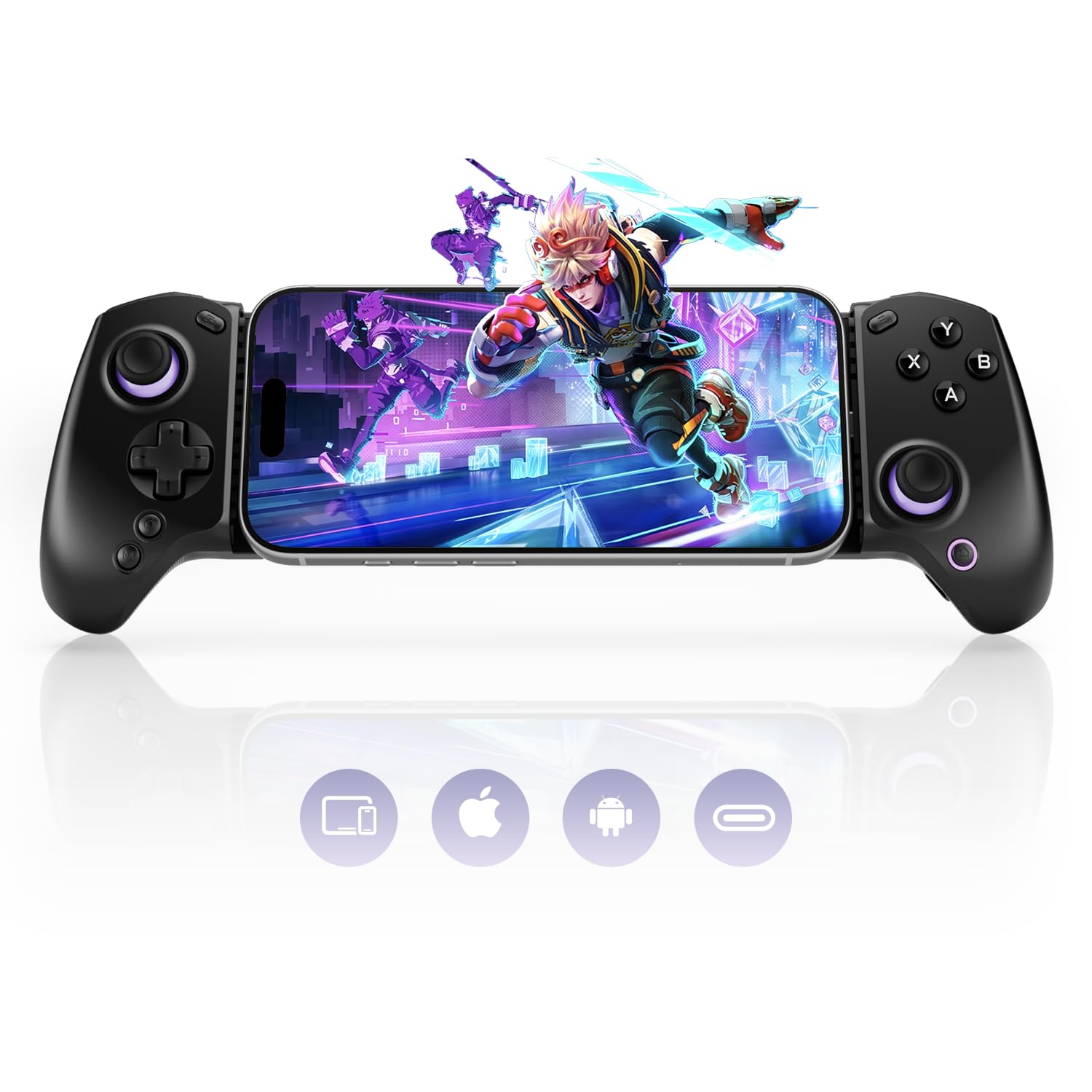
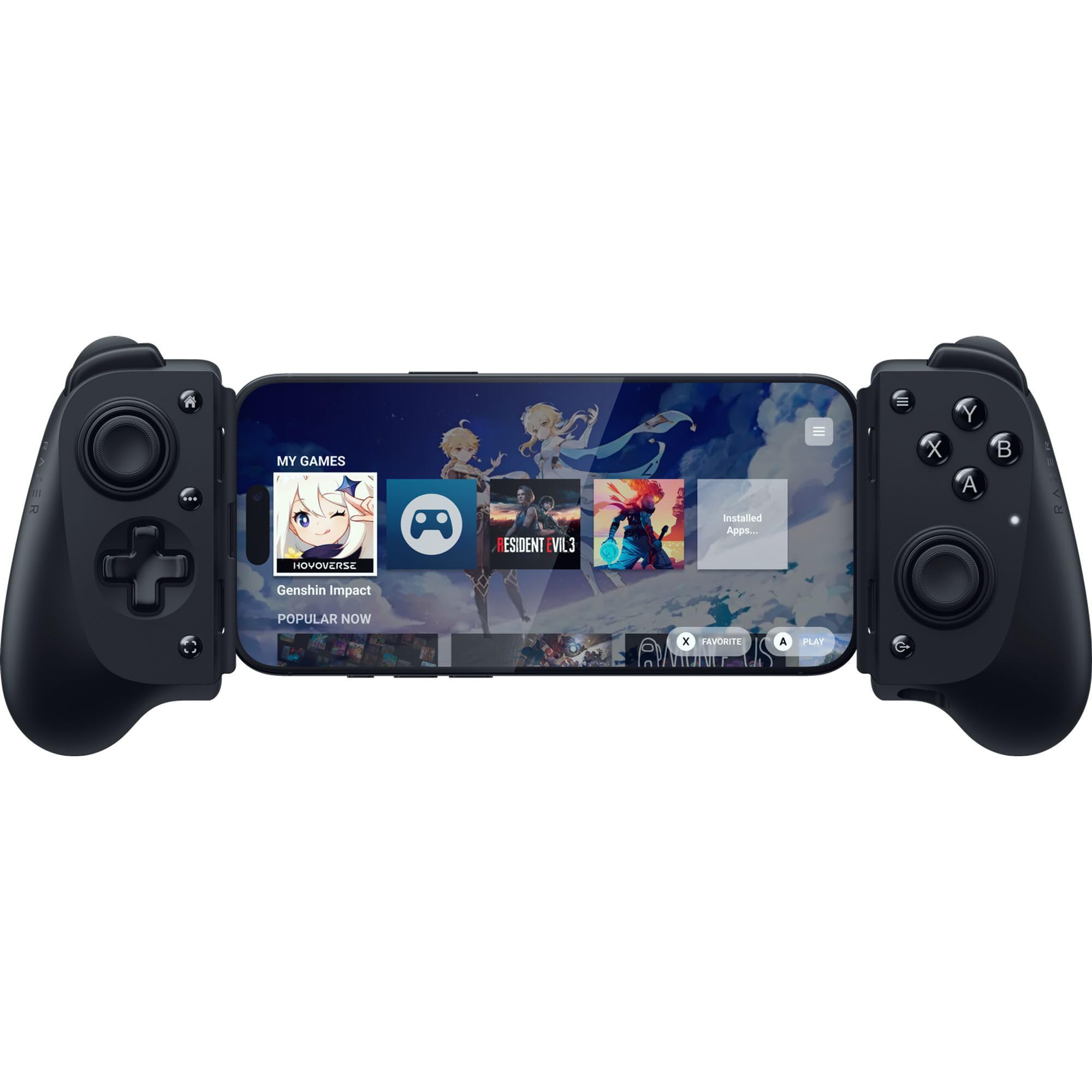
Seat a phone in the G8 Galileo and it stops feeling like a phone accessory. The grips are full-size, the sticks sit where your thumbs already expect them, and USB-C means the input travels down a wire instead of across a radio link. It is the most console-shaped thing in this guide, and the one that looks least like a compromise.

That shape is what you are paying for, and it holds up over a long session. The practical details are the ones we noticed first: the USB-C connector floats inside its housing so the plug is never levered by the phone, there is a 3.5mm headphone jack for wired headsets, and pass-through charging keeps the battery up while you play. None of the cheaper picks here offer all three, and the magnetic faceplates are a nice extra rather than the reason to buy.

Longevity is the caution. Some units run for a year of daily play, while others fail early, and the connector and the left-side buttons are where they tend to go. Treat it as gear to buy from somewhere with a return window you trust rather than as a final sale, because at this price the risk is real enough to plan around.

Pros

  • Pass-through charging and a 3.5mm jack
  • Hall-effect sticks and triggers
  • Floating USB-C connector reduces plug strain
  • Works with Android and USB-C iPhone

Cons

  • Case clearance is about 1mm
Our verdict

The closest thing here to console hardware in your hands, with a headphone jack and pass-through charging that the cheaper pads leave out.

Check Latest Price
3

Best for Phone Cases

Razer Kishi V3

80 /100
LBD Score Excellent

Key details

Connection
USB-C
Thumbsticks
Full-size TMR
Back Buttons
Two, mouse-click
Compatibility
iPhone 15/16/17, Android
View on Amazon

The question that sinks more phone controllers than any specification is the case. The Kishi V3 is built around it: the USB-C connector sits in a recessed island with extra depth behind it, so a slim-to-medium cover can stay on while the phone still seats properly. That sounds like a small feature and is not, since it is the difference between a controller you use and one that stays in a drawer because removing the case is a chore.

The rest of the hardware is aimed at the same buyer. The thumbsticks are full-size TMR rather than Hall-effect, tall and smooth with anti-drift in mind, and the two back buttons use the same click as Razer's mice, which is genuinely useful for moving jump and crouch off the face buttons. It is also the only pad here that lists Windows 11 over a USB-C cable, so it doubles as a desktop controller.

Build quality is the open question. Some units take a year of daily play in stride, while others fail at the connector or lose the buttons on one side. At this price that is the risk you are accepting, and it is the trade for a controller that works with your phone the way you already carry it.

Pros

  • Fits many popular phone cases
  • Full-size TMR sticks resist drift
  • Two mouse-click back buttons

Cons

  • Remapping runs through the Razer Nexus app
Our verdict

Buy it if your phone lives in a case: the recessed USB-C island clears slim covers that defeat most telescoping pads.

Check Latest Price
4

Best Budget Wired

GameSir X5 Lite

83 /100
LBD Score Excellent

Key details

Sticks
Hall effect
Weight
4.78 oz
Max Width
213mm
Connection
USB-C
View on Amazon

At 135 grams the X5 Lite barely registers in a bag and does not turn a long session into a wrist workout. It is a wired pad, so there is no battery to charge and nothing to pair: you seat the phone on the USB-C plug and it works. Because the phone powers it, there is nothing to top up before a trip either.

Reach is where it earns its place. The clamp opens to 213mm, enough to swallow big handsets and stretch to an iPad mini, and no other pad here covers that spread. The sticks are Hall-effect, the same drift-resistant design as the premium models, and the membrane buttons and triggers are deliberately quiet, a detail we appreciated more than we expected to when playing in a room with someone asleep nearby.

The caveat is the iPhone claim. The listing names iPhone 15 and 16, but iOS compatibility is the most disputed thing about this model and Android is the safe pairing. On Android it is a lot of controller for the money, and one of the lightest full-size pads here. On iOS, treat it as a gamble.

Pros

  • Stretches to 213mm for big phones
  • Light at 135.4 grams
  • Quiet membrane buttons and triggers
  • Hall-effect sticks at a budget price

Cons

  • Small sticks and a compact grip
Our verdict

The budget wired pick: light, quiet, and wide enough for an iPad mini, as long as you are pairing it with Android.

Check Latest Price
5

Best for Tablets

abxylute S8 Lite

88 /100
LBD Score Excellent

Key details

Extras
Pass-through charging
Connection
USB-C
Compatibility
iPhone, iPad mini, Android
Sticks And Triggers
Hall effect
View on Amazon

There is no Bluetooth in the S8 Lite, and that is a design choice rather than a corner cut. The device connects straight to a USB-C plug, which is why it wakes up the moment you seat it, why there is nothing inside to charge, and why the input feels immediate in a way wireless pads have to work harder to match.

Around that connector abxylute has built a fuller pad than the price suggests: Hall-effect sticks and triggers, two customizable rear buttons, on-board key mapping, and extended grips that give your palms somewhere to sit. It also handles an iPad mini without an adapter, which makes it the closest thing in this group to a small console. At 8 ounces it is heavier than the X5 Lite, and the difference is the point, because there is more to hold.

Pass-through charging is what turns it from a phone pad into a tablet pad. The controller draws power from the device it is plugged into, so on a long session you run a cable into the pad and the battery stays where it was instead of counting down. That, plus the tablet fit, is why we send people here when the phone screen starts feeling too small.

Pros

  • Pass-through charging keeps the device topped up
  • Hall-effect sticks and triggers
  • Handles iPhone, Android and iPad mini

Cons

  • Doesn't map in COD Mobile
  • Thick cases can block the connector
Our verdict

The tablet-friendly wired pad: pass-through charging, Hall sticks, and rear buttons, with plug-and-play that needs no pairing at all.

Check Latest Price
6

Best Pocket-Sized

abxylute M4

80 /100
LBD Score Excellent

Key details

Modes
HID, PS, NS
Mount
Magnetic snap-on with kickstand
Weight
3 oz
Connection
Bluetooth
View on Amazon

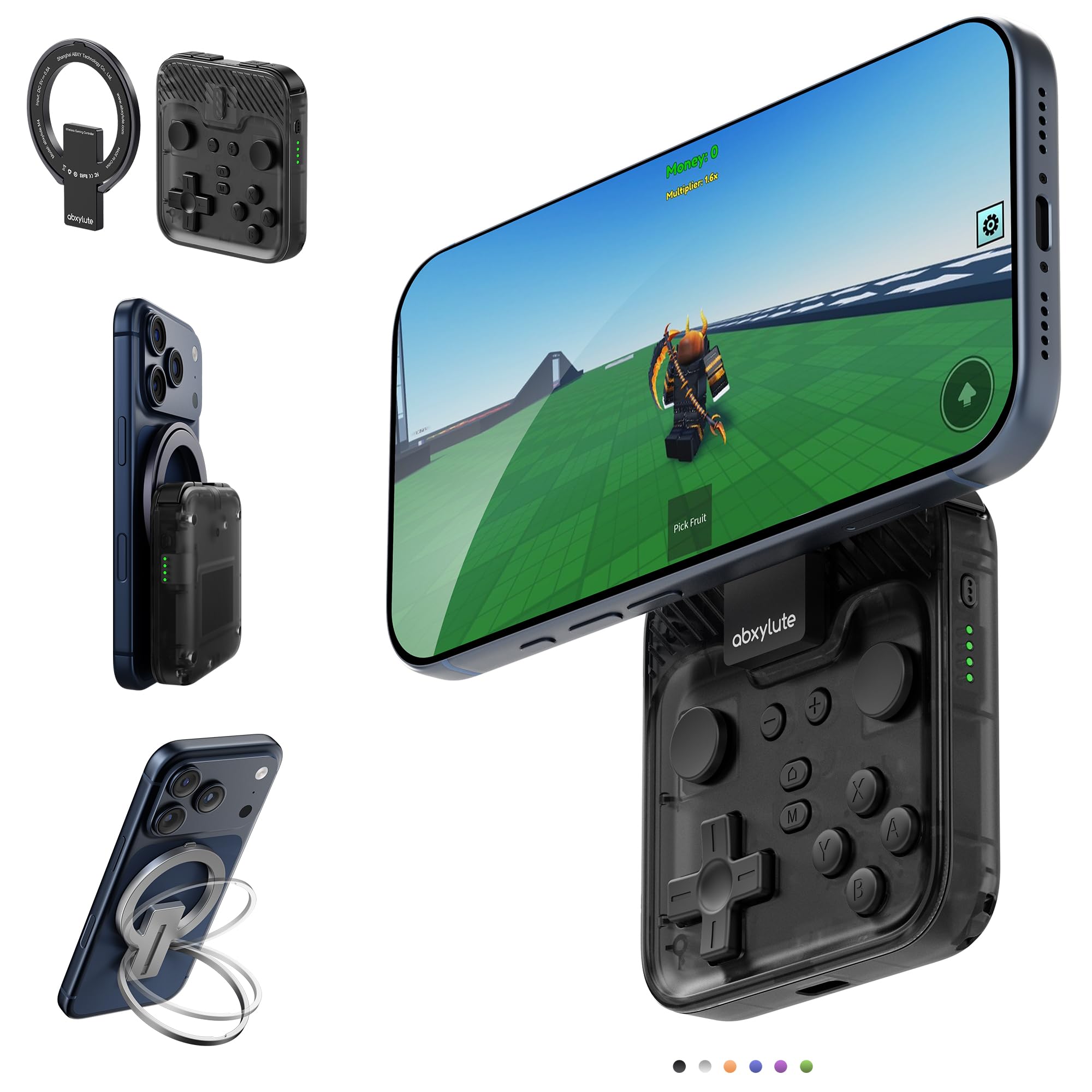
This one is for a specific person: someone who wants to play Game Boy, SNES and PSP games in short bursts, in a waiting room or on a train or ten minutes before bed, without carrying a full-size pad. At 85 grams the M4 disappears into a pocket, and the magnetic ring sticks it to the back of a MagSafe case.

It is a snap-on design, so the phone sits on top of the pad and you hold the whole sandwich. The ring doubles as a kickstand, which turns the combination into a tiny tabletop console, and the HID, PS and NS modes cover the pairing quirks that trip up cheap Bluetooth pads. It is aimed squarely at RetroArch, Delta and PPSSPP, and that is where it makes sense.

Short sessions are where we think it is good; long ones are where it is not. The grip is shallow and the phone sits high, so a two-hour shooter session will cramp hands that a full-size pad would not. For a twenty-minute emulator run it is the most convenient thing here, and the one that actually comes with you.

Pros

  • 85 grams and genuinely pocketable
  • Magnetic ring doubles as a kickstand
  • Modes for Android, PlayStation and Switch

Cons

  • Needs the included ring on non-MagSafe phones
Our verdict

For retro emulators and short sessions: an 85-gram magnetic pad that turns a phone into a pocket Game Boy.

Check Latest Price
7

Cheap Wireless

Mocagen MC1

87 /100
LBD Score Excellent

Key details

Sticks
Hall effect
Battery
600mAh
Connection
Bluetooth
Compatibility
iPhone, Android
View on Amazon

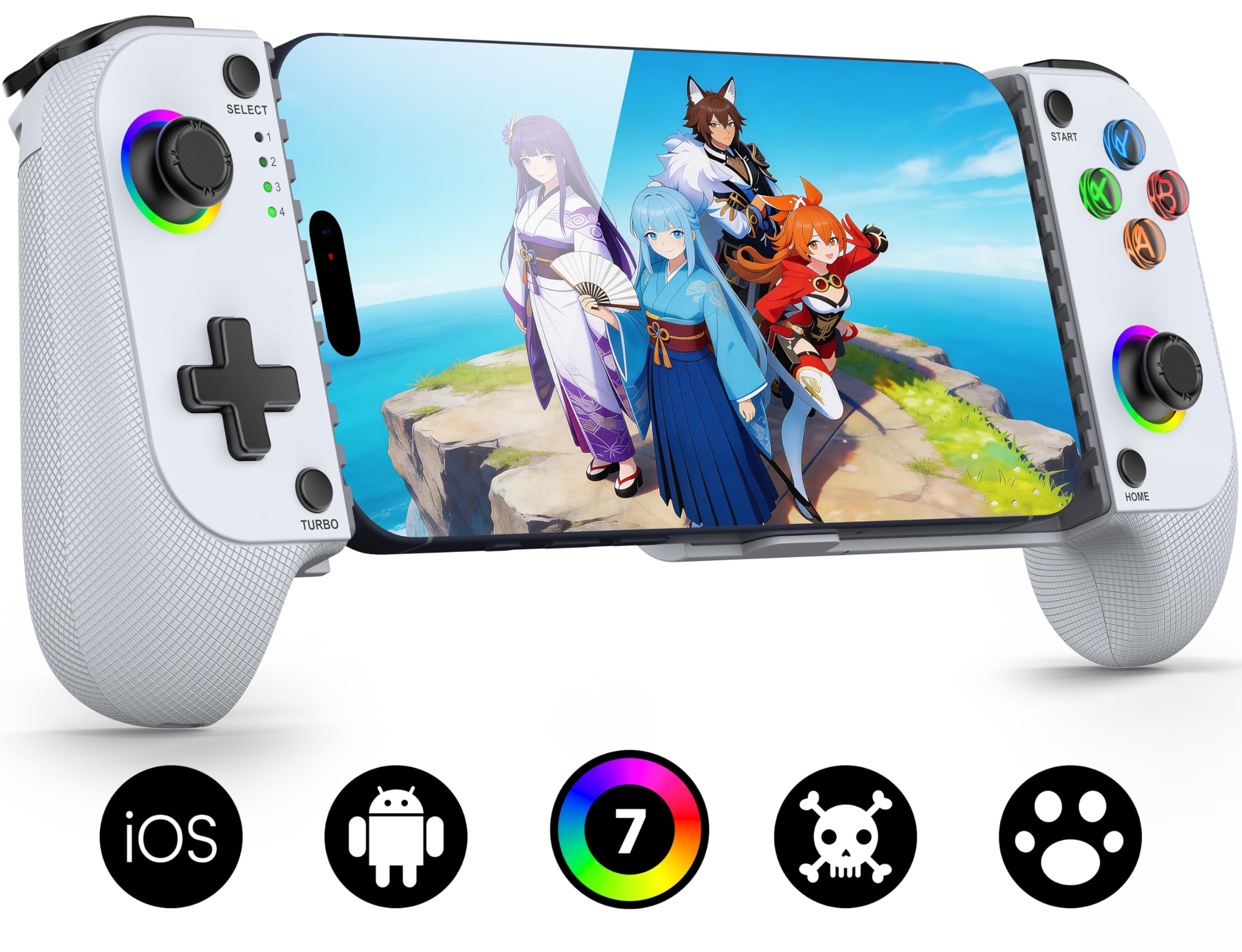
If you want wireless without paying a premium, the MC1 is the least expensive route in this group. It is a Bluetooth pad with Hall-effect sticks, a real grip, textured handles and a light ring around the sticks, a hardware list that usually carries a bigger ask.

The sticks are rated for a five-million-cycle lifespan, the kind of figure that only matters the day your old controller starts drifting. It is case friendly, it pairs with both iPhone and Android, and the laser-engraved grip texture is there for warm hands rather than decoration.

The case claim holds better than most at this price, since the clamp leaves room for a slim cover, which is not something every pad here can say. The seven-color ring is adjustable and easy to ignore, and the whole thing feels more substantial in the hand than its position in the range suggests.

The battery is the other question mark. 600mAh is small next to a phone, and units that stop taking a charge are the risk you take. We think it makes sense as a bag controller, the one that lives in a backpack for cloud games and emulators. Buy it as your only pad and the charging is what you will remember.

Pros

  • Hall-effect sticks rated to 5 million cycles
  • Works with iPhone and Android
  • Case-friendly clamp

Cons

  • Bluetooth pairing can drop mid-session
Our verdict

A cheap way into wireless Hall-effect gaming that works with iPhone and Android, as long as you can live with the occasional reconnect.

Check Latest Price
8

Multi-Device Play

aghi Bluetooth Controller

81 /100
LBD Score Excellent

Key details

Mount
Adjustable phone clip
Sticks
Hall effect
Battery
Up to 15 hours
Connection
Bluetooth 4.0 or wired
View on Amazon

This is a normal gamepad with a clip, not a phone-shaped controller, and that changes how it plays. The phone hangs above the pad on an arm, so the weight sits high and you are balancing a screen instead of gripping a solid bar. It works, and it never feels as planted as a telescoping pad.

What you get is a lot of controller for the money: Hall-effect sticks with a speed lock, six-axis motion, four levels of rumble, a macro button that records 30 seconds of play and replays it, and a claimed 15 hours per charge. It also pairs with a Switch, a PC and an iPad, which none of the telescoping pads here do.

The clip is where it gets shaky. The mounting frame is the least substantial part of the package, and it does not like thick cases, so the phone can sit proud or wobble while you play. That is the difference between a controller you forget about and one you are always adjusting.

Where we think it earns its place is as a second controller. Leave it in a bag for Switch duty, PC streaming and the occasional phone session, and the clip compromise stops mattering. If the phone is your only screen, a telescoping pad will serve you better.

Pros

  • Works with Switch, PC, phone and tablet
  • Claims 15 hours per charge
  • 30-second macro recording
  • Hall-effect sticks with speed lock

Cons

  • Bluetooth pairing varies by phone
Our verdict

A proper gamepad first and a phone controller second: it plays Switch and PC too, but the clip makes the phone feel like an afterthought.

Check Latest Price

How We Picked and Tested 10 Phone Controllers

We started with every mobile controller we could find that listed support for current-generation phones, then cut anything that couldn't hold a 6.7-inch handset or came without button-mapping software for games that don't natively support a pad. That left 10 models spread across the price range, which we bought at retail and used as our own for six months on commutes, on weekend trips, and on the couch at home.

Fit was the first filter. I seated each controller on a bare phone, then on the same phone in a slim case and in a chunky one, noting whether the USB-C plug seated fully or the clamp springs bottomed out before the phone was secure. Every pad got at least one hour-long session in a game I actually play, which is where ergonomics shows itself: I logged where the grips pressed into my palms, whether my thumbs had to stretch for the face buttons, and how hot the whole assembly got. Then I weighed each one and tried it in a jacket pocket to see whether it counted as portable or needed a bag.

Button responsiveness we judged the honest way, running the same rhythm sections and racing laps on each pad and against the touchscreen, listening for mushy shoulders and watching for lag between the press and the on-screen reaction. I checked the Hall effect sticks for drift by setting a character walking and taking my hands off, and by feeling for wobble at the telescoping joint and flex in the grips. Bluetooth models were paired to three phones apiece, put to sleep and woken repeatedly to count dropped connections, and run from full to dead so we knew real battery life. Plug-in models were watched for how quickly they reconnected after the phone locked and how much phone battery an hour of play actually cost.

Value came last, because a controller that fits badly or drops its connection is expensive at any price — we compared what each one asked against what it actually delivered over six months of use.

How to Choose a Phone Controller

Wired or Bluetooth

USB-C pads win on latency and skip charging entirely: the phone powers them and the signal never leaves the wire. Bluetooth models trade some of that for freedom, since you can prop the phone up and sit back, but they carry a battery to manage and a radio link that can stutter at the wrong moment. For shooters we lean wired; for emulators and cloud streaming, Bluetooth is fine. Wired pads without pass-through also pull from your phone's battery, which is worth knowing before a long flight.

Fit and case clearance

Every pad lists a phone-length range, and it is worth checking against your handset rather than assuming. The 8BitDo tops out at 170mm, which covers most phones and no tablets; the X5 Lite opens to 213mm and takes an iPad mini. Cases are the bigger trap, because case-friendly usually means thin. The Galileo wants 1mm or less, while the Kishi V3's recessed connector is the one built to leave real room around a cover.

Sticks, triggers and drift

Hall-effect sensors have moved down the price ladder, and that is the reason to buy now rather than later: a magnetic sensor has no carbon film to wear through, so the drift that eventually kills a thumbstick takes far longer to appear. You can get them at the bottom of this group, not just the top. Triggers are the other split, since cheaper pads use short digital triggers that are fine for most games and wrong for racing.

Shape, weight and session length

Three shapes are on offer. Telescoping pads clamp the phone between two halves and put the weight in your palms, which is what you want for a two-hour session. Snap-on pads like the M4 stick to the back of the phone and stay pocketable, at the cost of a shallow grip. Clip-on gamepads like the aghi hang the phone above the pad on an arm, the least stable of the three. Match the shape to your longest session, not your shortest.

What the extra money buys

Not raw performance, because Hall sticks are available at the bottom of this group. The premium buys the extras around the edges: a headphone jack and pass-through charging on the Galileo, deeper case clearance on the Kishi V3, a sturdier clamp and tablet reach on the S8 Lite. If you play with wired earbuds or your sessions outlast your phone's battery, those are worth the step up. If not, save the difference.

Frequently Asked Questions

Final Verdict

Buy the 8BitDo Ultimate Mobile if you are on Android. Nothing else here matches its hardware for the money, and Hall sticks with back paddles make it feel like a step up rather than a workaround. On iPhone, the G8 Galileo is the pick, with the headphone jack and pass-through charging that justify the premium.

If your phone never comes out of its case, the Kishi V3's recessed connector is worth paying more for, and that single detail is the whole decision between it and the Galileo.