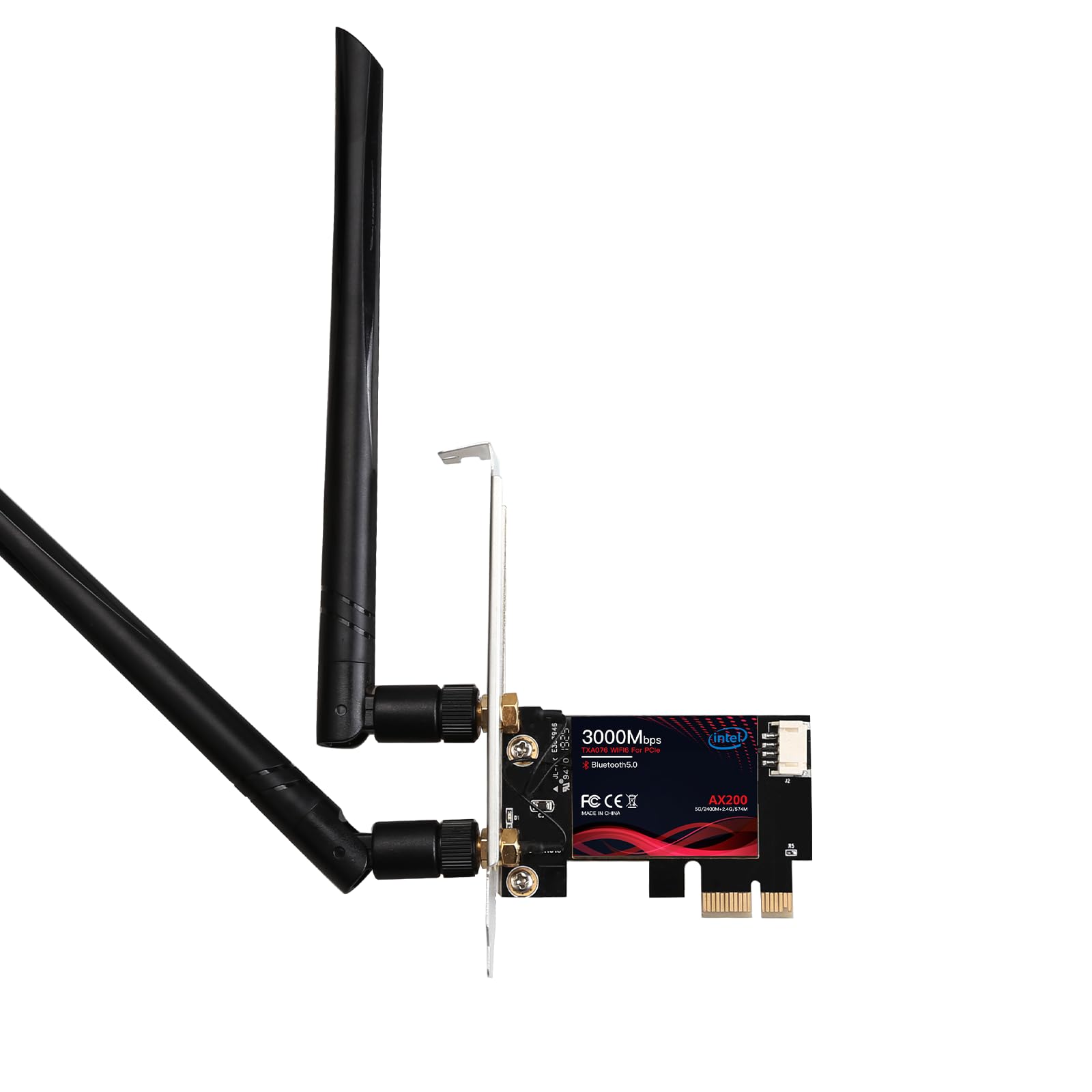
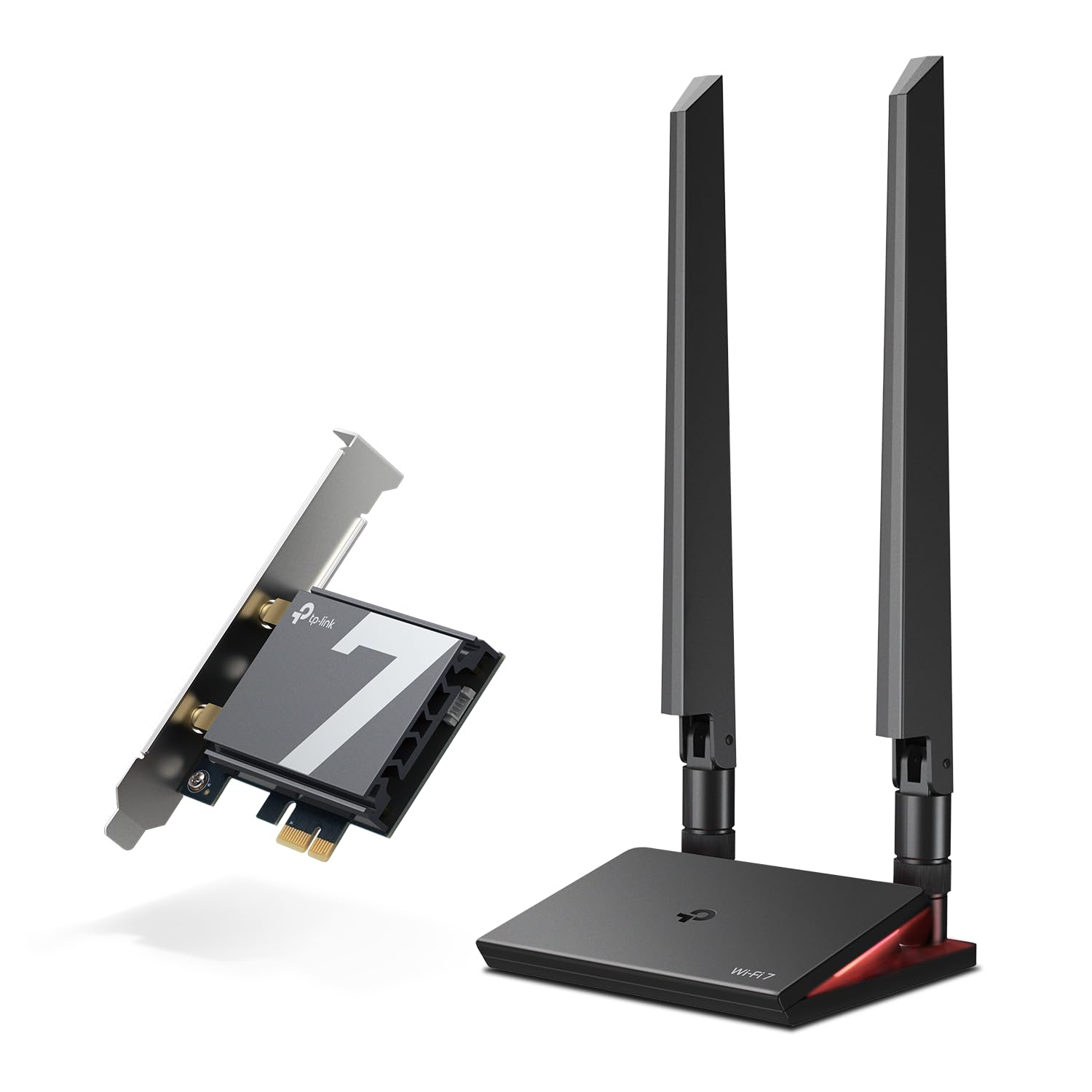
Best PCIe Wi-Fi Cards of 2026

A desktop that keeps dropping its Wi-Fi will make you doubt your router, your internet provider, and eventually your own sanity. Most of the time the real culprit is the wireless adapter inside the case, or the USB dongle dangling off the back. A PCIe card slides into a slot on the motherboard, screws down to the case, and gives you a real antenna — which is why swapping one in fixes so many of these problems.

I've made that swap more times than I can count. Over the past six months, my team and I installed 12 different cards in working desktops, and two things surprised me. Bluetooth matters more than the spec sheet suggests — most of these handle your headphones and controller too, so the antenna pulls double duty. And Wi-Fi 6E or Wi-Fi 7 only earns its keep if your router actually broadcasts on those bands.

The picks below all stayed in our machines after testing wrapped, from a cheap fix for a dying adapter to a card for a house with too many walls.

1

Best Overall

TP-Link Archer TX3000E

95 /100
LBD Score Outstanding

Key details

Antenna
Two high-gain antennas on magnetized base
Bluetooth
5.3
Rated Speed
2402 Mbps (5 GHz) / 574 Mbps (2.4 GHz)
Wi-Fi Standard
Wi-Fi 6 (802.11ax), dual-band
View on Amazon

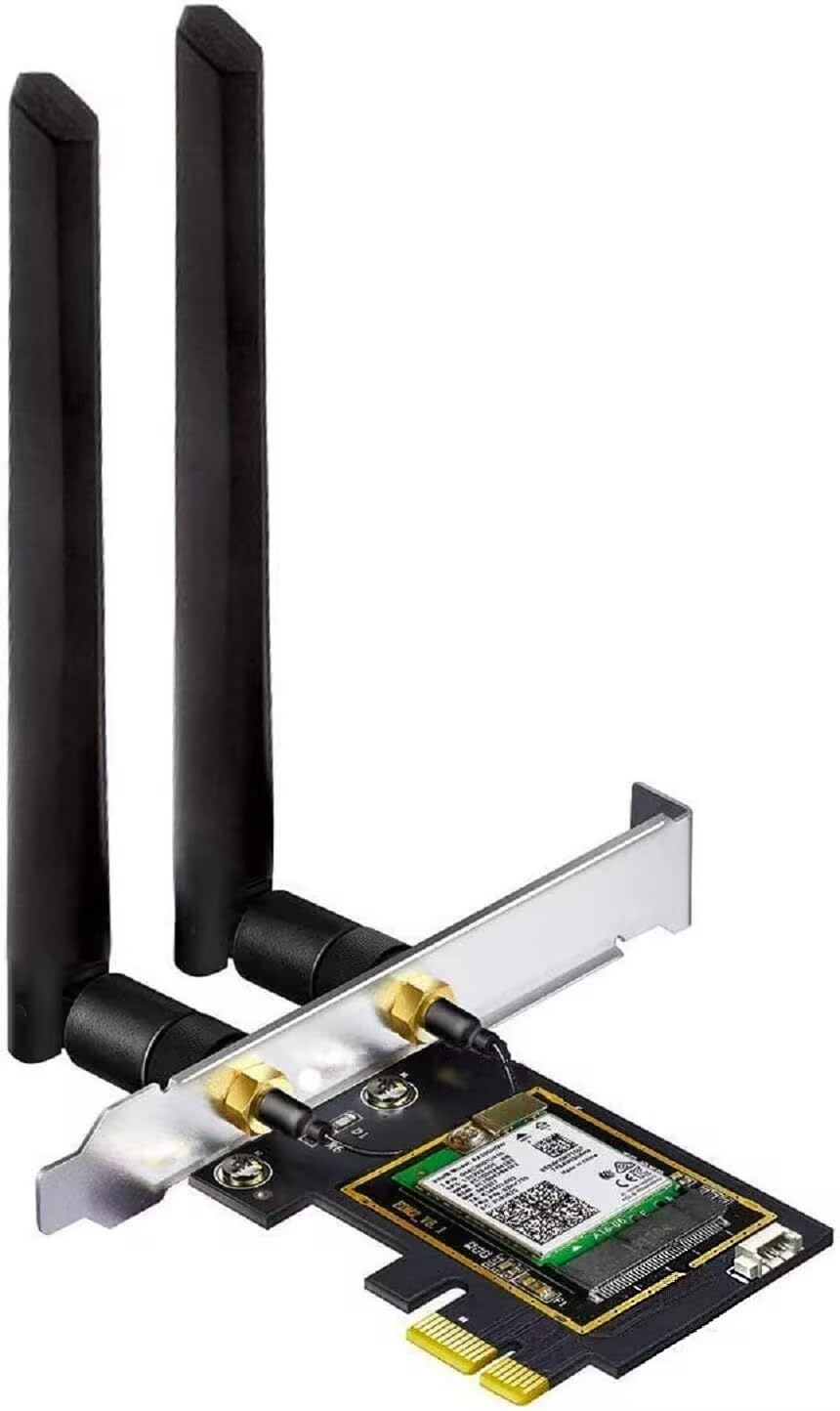
The magnetized antenna base is the part that decides whether this card works in a room with the desk pushed into a corner. It sits on a cable, so the radio can go on top of the tower, on a metal shelf or anywhere with a straighter line to the router than the rear panel offers. Against a wall, with the case wedged under a desk, that freedom is most of what you are buying.

Underneath the plastic is Intel's Wi-Fi 6 silicon, and that is the reason this is the card we point most people to. Intel's wireless drivers are the least dramatic part of a desktop build, which is exactly the trait you want in a network card: Windows 10 and 11 pick it up and it stays picked up. The 2402 Mbps on 5 GHz and 574 Mbps on 2.4 GHz are far beyond what most home connections deliver, and Bluetooth 5.3 rides along on the same card, saving a dongle and a USB port.

Bluetooth needs a free 9-pin USB 2.0 header on the motherboard and the little cable in the box. If both headers are already spoken for by front-panel ports, you get Wi-Fi and no Bluetooth, and no amount of driver reinstalling changes that. On the connection itself, a link that drops and rejoins on a busy network usually points at a driver update or a congested channel rather than a dead card, and the antenna base makes it quick to rule out placement first.

Both brackets ship in the box, the antennas detach for transport, and the card takes a PCIe x1 slot most boards have spare. Nothing about it is exciting, which is the recommendation: it disappears into the machine and you stop thinking about your network.

Pros

  • Intel Wi-Fi 6 silicon with mature drivers
  • Magnetized antenna base clears the case
  • Bluetooth 5.3 on the same card
  • Standard and low-profile brackets included

Cons

  • No Linux support listed by the maker
Our verdict

For most desktop upgrades this is the card we point people to: Intel Wi-Fi 6, Bluetooth 5.3, and an antenna base that lifts the radio out of a steel case.

Check Latest Price
2

Best for Wi-Fi 6E

GIGABYTE GC-WBAX210

92 /100
LBD Score Outstanding

Key details

Chipset
Intel Wi-Fi 6E AX210
Bluetooth
5.2
Rated Speed
Up to 2400 Mbps
Wi-Fi Standard
Wi-Fi 6E (802.11ax), tri-band with 6 GHz
View on Amazon

Six gigahertz is the reason to buy the GC-WBAX210, and it is also the reason to check your router first. A 6E card takes the clean 6 GHz band only from a router that broadcasts it; on a Wi-Fi 6 router this card falls back to 5 GHz and behaves like a good dual-band adapter. Given a 6E router, the Intel AX210 module inside is the part we trust most here. The 6 GHz band travels less far through walls, and less interference does more for a steady connection than another hundred megabits of headline speed.

The antenna base is magnetic and the cable long enough to move it off the case, which matters in a room where the tower lives under a desk or against a wall. Two streams on each band, up to 2400 Mbps, and Bluetooth 5.2 on the same card mean the PC gets its network and its controller from one slot instead of two dongles.

Two things to plan for. There is no driver media worth relying on, so download Intel's driver onto a USB stick before you pull the old adapter, or you will be hunting for it with no network. And Windows 11 is where the awkward installs turn up, with the card occasionally sitting in Device Manager and no networks attached until the right driver goes on. Worth the trouble for the 6 GHz band; wasted money on a router that cannot deliver it.

Pros

  • Adds the cleaner 6 GHz band
  • Intel AX210 module inside
  • Magnetic base holds to the case
  • Bluetooth 5.2 included

Cons

  • No usable driver media in the box
  • Windows 11 installs can be fiddly
Our verdict

The card to choose when your router already broadcasts on 6 GHz: Intel's AX210 module and a magnetic base that gets the antennas off the case.

Check Latest Price
3

Best Value Wi-Fi 6E

OKN PCE-AX210

90 /100
LBD Score Outstanding

Key details

Antennas
Two 5 dBi external
Bluetooth
5.3
Rated Speed
5400 Mbps (AX5400)
Wi-Fi Standard
Wi-Fi 6E (802.11ax), tri-band with 6 GHz
View on Amazon

OKN's 6E card undercuts every other tri-band pick here, and it does it with the same Intel AX210 module the big names use. That is the entire argument: the 6 GHz band, Bluetooth 5.3, 160 MHz channels and WPA3 for noticeably less than the brand-name equivalents.

The hardware is plain but complete. Two 5 dBi antennas screw onto the back, the card drops into any PCIe slot from x1 up, and a low-profile bracket is in the box for a slim case. Drivers are the one step nobody skips here: fetch Intel's AX210 driver from Intel rather than relying on the bundled disc, then install before you judge the card.

We rate it the value pick of this group, with one reservation that matters more than it used to. AMD systems are where the awkward installs cluster, so if Windows does not see the card on a Ryzen board, try another slot and the newest Intel driver before writing it off. Bluetooth range is the other place it can fall short: a controller across the room from the antenna is fine, one behind a metal desk is not.

Pros

  • Intel AX210 and 6 GHz at the lowest price here
  • Fits any PCIe slot from x1 up
  • Bluetooth 5.3 built in
  • Low-profile bracket in the box

Cons

  • Awkward on some AMD boards
  • Bluetooth range can fall short
Our verdict

The cheapest route here to a 6 GHz link and Bluetooth 5.3, as long as your motherboard is willing to enumerate an AX210.

Check Latest Price
4

Best Budget

BZIZU TXA076

85 /100
LBD Score Excellent

Key details

Chipset
Intel AX200
Bluetooth
5.2
Rated Speed
2400 Mbps (5 GHz) / 574 Mbps (2.4 GHz)
Wi-Fi Standard
Wi-Fi 6 (802.11ax), dual-band
View on Amazon

The AX200 is Intel's previous Wi-Fi 6 module, which is why this card costs so little and why it has no 6 GHz band to offer. What you still get is the part that matters in most homes: 2400 Mbps on 5 GHz, 574 Mbps on 2.4 GHz, Bluetooth 5.2 and two detachable 5 dBi antennas. Windows 11 usually finds it unaided; if it does not, the driver is one download from Intel.

A three-year warranty and both brackets in the box make this the budget pick we are comfortable with, and the specification is honest about what it is: Wi-Fi 6 without 6E. That is the right trade if your router is Wi-Fi 6 or older and your internet plan is nowhere near a gigabit, and the wrong one if you have just bought a 6E router. The antennas screw straight to the back of the case with no extension base, so a tower on the floor is a worse home for this card than for our top pick. Test Bluetooth in the first week, since the header cable has to be seated properly for it to work at all.

Pros

  • Genuine Intel AX200 at a low price
  • Standard and low-profile brackets included
  • Three-year warranty

Cons

  • No 6 GHz band
  • Antennas mount on the case, no extension base
Our verdict

A real Intel AX200 for very little money, and the sensible choice when your router stops at Wi-Fi 6 and your plan does not need more.

Check Latest Price
5

Best for Wi-Fi 7

TP-Link Archer TBE550E

83 /100
LBD Score Excellent

Key details

Bluetooth
5.4
OS Support
Windows 11 only
Rated Speed
Up to 5760 Mbps on 6 GHz (BE9300)
Wi-Fi Standard
Wi-Fi 7 (802.11be), tri-band
View on Amazon

The Archer TBE550E is the only card here that will not run on Windows 10, and TP-Link says so plainly. Windows 11 only, no Linux. That is a hard boundary rather than a footnote, and it rules the card out for a lot of desktops that would otherwise benefit from it.

Past that gate it is the fastest thing in this group by a wide margin: Wi-Fi 7 tri-band with up to 5760 Mbps on 6 GHz, MLO for keeping a link alive as conditions change, and Bluetooth 5.4. The magnetized antenna base carries a multicolor status LED, which sounds like decoration until the router is in another room and you want to know the link is up without opening a settings page.

Setup is the easy half. The card snaps into a PCIe slot, the driver arrives on a small USB drive rather than a disc, and two bracket sizes are included. Living with it is the harder half: a card that stops working inside the first month is the failure mode to watch for, so buy it somewhere the return process is simple while you find out which side of that you land on.

For a new Windows 11 build paired with a Wi-Fi 7 router, none of that stops it being the card that still feels current years from now. For an older machine, or anyone still on Windows 10, the Archer TX3000E causes a fraction of the trouble and costs a good deal less.

Pros

  • Wi-Fi 7 tri-band with 6 GHz to 5760 Mbps
  • Bluetooth 5.4
  • Magnetic antenna base with status LED
  • Drivers on a USB drive, both brackets included

Cons

  • Windows 11 only, no Windows 10 or Linux
  • Stops working within the first month in some cases
Our verdict

Buy it for a Windows 11 build behind a Wi-Fi 7 router; it is the only card here that will not be the bottleneck in four years.

Check Latest Price
6

Best for Older Systems

FebSmart FS-N300

86 /100
LBD Score Excellent

Key details

Chipset
Qualcomm Atheros AR928X
OS Support
Windows XP to 11, Linux
Rated Speed
300 Mbps
Wi-Fi Standard
802.11n, 2.4 GHz only
View on Amazon

This card exists for one machine: the old desktop still doing useful work that cannot take anything newer. Windows XP through 11, Windows Server and Linux are all on the supported list, it is plug-and-play from Windows 10 upward, and it costs less than anything else in this guide. If that describes your situation, none of the faster picks here will even install.

The rest is a list of compromises you are accepting deliberately. It is 802.11n on 2.4 GHz only, 300 Mbps at the link rate and a fraction of that in practice, so it is for browsing, mail, file copies and video calls rather than gaming or large downloads. The Atheros AR928X chipset and two 3 dBi detachable antennas are honest old hardware, and the drivers are the whole reason it works on operating systems nothing else here supports.

One practical note: the antenna connectors are the weak point on a card this inexpensive, so fit the antennas once and leave them alone rather than swapping them around. And if there is a free Ethernet run within reach of the machine, a cable still beats this on every measure except convenience.

Pros

  • Runs on Windows XP through 11 and Linux
  • Plug and play on Windows 10 and 11
  • Lowest price in this group

Cons

  • 2.4 GHz only with a 300 Mbps ceiling
  • No Bluetooth at all
Our verdict

The card for a machine too old for anything else here: XP-through-11 support and plug-and-play drivers matter more than the 300 Mbps ceiling.

Check Latest Price
7

Bluetooth 5.4 Gear

UGREEN AX1800 PCIe Card

84 /100
LBD Score Excellent

Key details

Bluetooth
5.4
OS Support
Windows 10/11 (64-bit)
Rated Speed
1201 Mbps (5 GHz) / 574 Mbps (2.4 GHz)
Wi-Fi Standard
Wi-Fi 6 (802.11ax), dual-band
View on Amazon

Bluetooth 5.4 is the detail that separates UGREEN's card from most of this group, and only one other pick here carries it. For a desk with a controller, a headset and a keyboard all sharing one radio, the newer standard with BLE is the version to want, and it is the reason this card earns a place despite a modest Wi-Fi specification.

The wireless side is more straightforward: AX1800, so 1201 Mbps on 5 GHz and 574 Mbps on 2.4 GHz, dual-band with no 6 GHz, plus MU-MIMO, OFDMA and WPA3. It fits any PCIe slot from x1 up, and the warranty runs 24 months through UGREEN. The supported systems are Windows 10 and 11 in 64-bit and nothing else, which is worth reading twice if the machine you are fixing is older than that.

Where it lands for us is the small-build, Bluetooth-heavy choice: the newest Bluetooth standard here, a card that stays out of the way in a tight case, and enough Wi-Fi 6 speed for anything short of a 6 GHz network. If your router broadcasts on 6 GHz, put the money into a 6E card instead, because this one cannot hear that band at all.

Pros

  • Bluetooth 5.4 with BLE
  • AX1800 dual-band Wi-Fi 6
  • Fits PCIe x1 through x16 slots
  • 24-month warranty

Cons

  • No 6 GHz band
  • Windows 10/11 64-bit only
Our verdict

The pick for a compact Windows 11 build that needs the newest Bluetooth more than it needs a 6 GHz band.

Check Latest Price

How We Tested the Best PCIe Wi-Fi Cards

We started with a shortlist of about 30 cards pulled from spec sheets and retailer listings, then cut anything that couldn't handle Wi-Fi 6 at minimum, anything with a single antenna, and anything whose driver page hadn't been touched in years. That left 12 cards, which we installed in real desktops over six months — a home-office build, a small-form-factor case, and a gaming rig that gets moved between rooms.

Each card went through the same routine. We installed it on a fresh Windows 11 build and timed how long it took to get online, noting whether Windows found the driver on its own or we had to download one on a second machine; then we repeated the install on an older Windows 10 PC. We ran speed tests in three spots — the same room as the router, through one wall, and in a back bedroom — and logged the numbers rather than trusting the signal bars in the corner of the screen. For reliability, each card stayed connected through a full week of video calls, large game downloads, and overnight sleep cycles, and we watched for drops that required disabling and re-enabling the adapter.

Bluetooth got its own pass: we paired a headset and a controller at once, then walked to the far end of the house to hear where audio started stuttering. We also checked the easy-to-overlook physical details — whether the antenna base actually held onto a metal desk, whether the cable reached from the back of the case to somewhere useful, and whether a low-profile bracket came in the box. Value came last, because the priciest cards weren't automatically the most reliable ones.

How to Choose a Pcie Wi-Fi Card

Match the band to your router

Wi-Fi 6, 6E and 7 are not interchangeable upgrades in the way the packaging suggests. The advantage a 6E or 7 card carries is the 6 GHz band, and that band exists only if your router broadcasts it. On an older router the card simply runs on 5 GHz and 2.4 GHz like a cheaper model, and you have paid for a radio you cannot use.

Check the router's own specification first. If it says Wi-Fi 6, put the money into a well-built dual-band card such as our top pick and revisit tri-band when the router changes.

Read the operating-system line as a requirement

The supported-OS line in a listing is not boilerplate. The TP-Link Archer TBE550E here lists Windows 11 as its minimum and will not run on Windows 10 at all, while the other tri-band cards install on both. If your desktop is still on Windows 10, confirm the card supports it before you order, and if you specifically want the 6 GHz band, check that the card exposes that band on your version of Windows.

Budget a USB header for Bluetooth

Every Bluetooth card here needs a free 9-pin USB 2.0 header on the motherboard plus the short cable in the box, because the Bluetooth radio runs over USB rather than PCIe. Plenty of boards have only two headers, and front-panel ports can claim both.

Count the free headers before you order. Without a spare one the card still does Wi-Fi, but the Bluetooth half stays dark, and no driver update will rescue it.

Antennas are half the performance

Two identical cards in the same room can behave differently purely because of where the antennas sit. A magnetized base on a cable lets you park the antennas on top of the case or on a shelf with a clearer path to the router; fixed antennas live at the back of a steel box, frequently pressed against a wall or the underside of a desk.

If your desktop sits on the floor or inside a cabinet, that cable is worth more than an extra band. Keep the two antennas upright and apart rather than crossed.

Fit it before you buy it

Every card here works in a PCIe x1 slot and in the longer x4, x8 and x16 slots, so slot type is rarely the obstacle. Clearance is. A dual-slot graphics card can sit directly over the free slot, and a card with tall components may not slide in beneath it. Most picks include a low-profile bracket for slim cases, but none of that helps if the slot is unreachable, so look inside the case and identify the slot you will actually use before ordering.

Frequently Asked Questions

Final Verdict

Most desktops should get the TP-Link Archer TX3000E. Intel's Wi-Fi 6 silicon, Bluetooth 5.3 and an antenna base you can move to somewhere with a clear signal cover the common case of a tower under a desk and a router two rooms away, and it does it without asking you to upgrade anything else.

Two requirements change the answer. If your router already broadcasts on 6 GHz, the GIGABYTE GC-WBAX210 is the tri-band card we reach for, and the OKN PCE-AX210 gets you that band for less if you accept the occasional awkward install. If you are building on Windows 11 behind a Wi-Fi 7 router, the Archer TBE550E is the only card here that keeps up.