Best PC Controllers of 2026

The first part of a controller to fail is almost always the left stick — a slow drift that turns a careful crouch into a moonwalk off a cliff about a year in. This generation of PC gamepads fixes that: Hall effect and TMR sticks read position with magnets instead of carbon wipers dragging on a track, so the part that used to wear out has nothing left to wear.

I've played on PC for years, and my questions before recommending a pad haven't changed: does it drift, does it stay connected, does it fit my hands? My team and I spent four months with 14 controllers answering them, wired and wireless, at my desk and in front of the living room TV.

One surprise: polling rate is the number everyone quotes now, and past a point it's hard to feel — responsiveness has more to do with how a button bottoms out. Multi-platform claims deserve scrutiny too, since nearly everything paired with my PC but the extras often worked on just one system. The picks below are the ones I kept plugged in.

1

Best Overall

8BitDo Ultimate 2 Wireless

91 /100
LBD Score Outstanding

Key details

Sticks
TMR joysticks
Connection
2.4G, Bluetooth, wired
Polling Rate
1000Hz on 2.4G and wired
Charging Dock
Included, holds the dongle
View on Amazon

The wireless dongle has its own slot inside the charging dock, which tells you most of what 8BitDo got right here: nothing about this controller needs a drawer. Drop it in when you finish playing and it tops up; lift it out and the 2.4G connection is already live. That small absence of friction matters more day to day than any single line on the spec sheet.

The parts that matter are all present. TMR sticks are magnetic, so there is no contact track to wear into drift, and they feel precise all the way out to the edge of the travel. A switch on the back changes the triggers from a long analog pull to a short tactile click — for shooters we left it in the short position, and for racing we flipped it back. Two back paddles and a pair of extra shoulder buttons round it out, and 1000Hz polling over the dongle or the cable keeps the input path quick.

It is shaped close enough to an Xbox pad that your hands don't need a briefing, and at 246 g it feels substantial without being tiring over an evening. The Bluetooth radio is the weakest of its three connections — pairing took a couple of attempts, and the dongle is both quicker and steadier — so treat Bluetooth as the travel option and keep the dongle in the dock for the desk.

Pros

  • TMR sticks that resist wear and drift
  • Dock stores the dongle and keeps it charged
  • Four extra buttons, including two back paddles
  • 1000Hz polling over dongle or cable

Cons

  • Won't work with an Xbox or PlayStation console
Our verdict

Our pick for most PC players: the Ultimate 2 pairs drift-resistant TMR sticks and four extra buttons with a dock that keeps everything charged and together.

Check Latest Price
2

Best Budget

8BitDo Ultimate 2C

89 /100
LBD Score Excellent

Key details

Sticks
Hall effect, metal wear rings
Connection
2.4G and wired
Polling Rate
1000Hz on 2.4G and wired
Extra Buttons
L4/R4 bumpers, remap without software
View on Amazon

Take the Ultimate 2, drop the dock, the trigger switch and the two extra shoulder buttons, and you have the 2C — for less than half the money. What survives is the part that actually matters: Hall-effect sticks with wear-resistant metal rings, Hall triggers, 1000Hz polling over 2.4G or cable, and a pair of L4/R4 bumpers.

That last detail is the one we keep coming back to. Remapping on the controller itself, with no app involved, means you can set the bumpers up on a friend's machine or on a Windows install with nothing but Steam on it, and the settings stay where you put them. For a first PC controller, or a second one for a living-room box, it is the pad we point people toward.

The compromises are about finish rather than function. The plastic is plainer, the face buttons have a lighter action than the Ultimate 2's, and nothing here invites you to admire the build. None of that showed up in how it played, which is the test that counts.

Pros

  • Hall-effect sticks and triggers at a budget price
  • Remap the extra bumpers without any software
  • 1000Hz polling over 2.4G or wired

Cons

  • Windows and Android only, no console support
Our verdict

The value pick of this group: Hall-effect sticks, two remappable bumpers and 1000Hz polling for less than half what our top pick costs.

Check Latest Price
3

Best for Competitive Play

GameSir Tarantula 8K

90 /100
LBD Score Outstanding

Key details

Sticks
Gen-2 TMR
Connection
USB-C wired only
Polling Rate
8000Hz
Extra Buttons
9 remappable, 32-step macros
View on Amazon

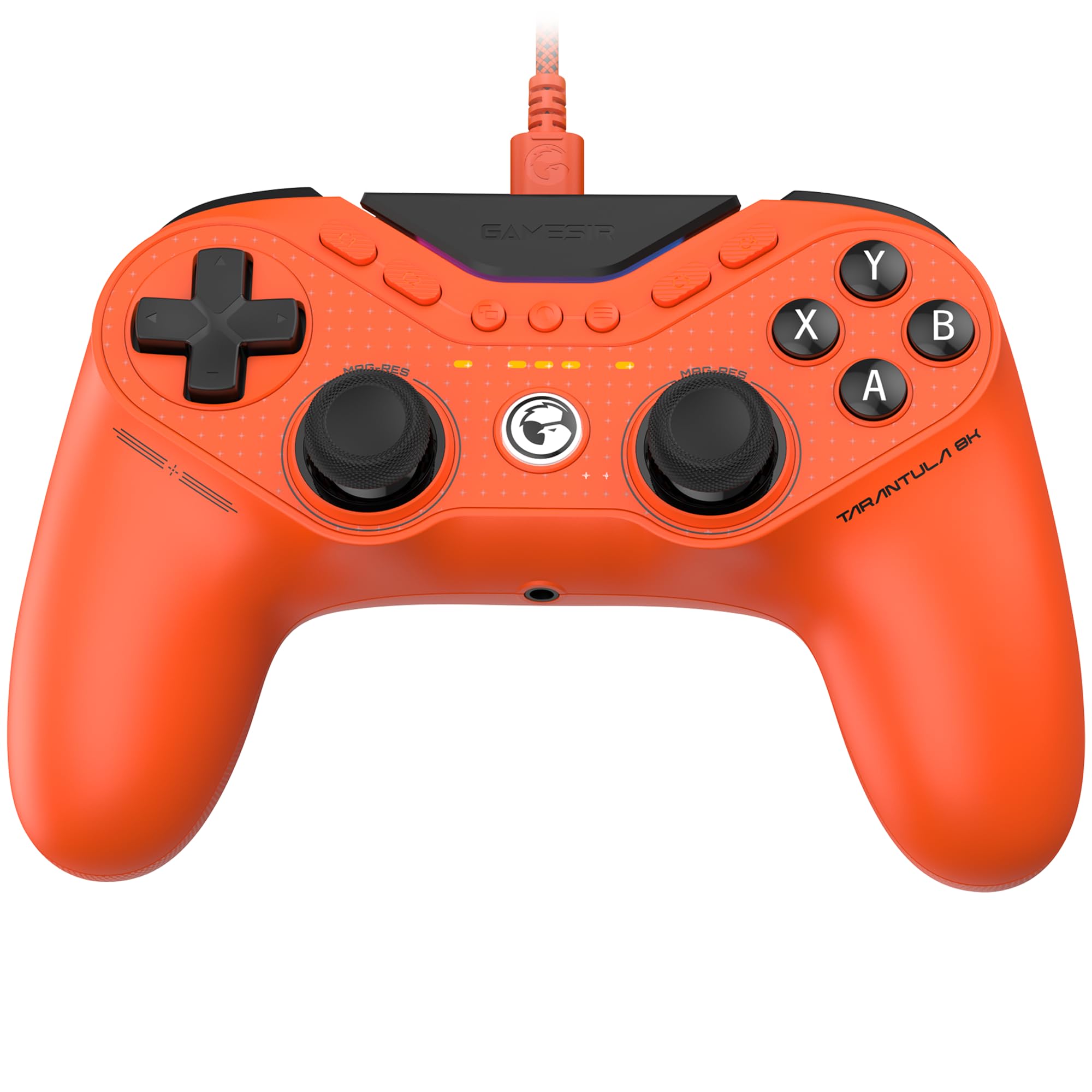
Eight thousand hertz is the headline, and it is worth being straight about it. Polling rate is how often the pad reports to your PC, and 8,000 times a second is eight times what most of this group manages. Over a cable, on a high-refresh monitor, that is a real shortening of the gap between your thumb and the screen — small, but exactly the kind of small a competitive player chases.

What we didn't expect to like as much is everything else. At 180 g it is the lightest full controller here, and after an evening of shooters that lightness reads as less fatigue rather than less substance. Gen-2 TMR sticks, dual-mode triggers that switch between an analog Hall pull and a micro-switch click, plus nine mappable buttons with 32-step macros — two lockable back buttons, two mini bumpers and five extra faces — cover almost anything you'd want to bind.

This is a desk controller and it makes no apology for it. PC only, and shaped closer to a PlayStation pad than an Xbox one, which some hands will prefer and others won't. If your idea of PC gaming is a monitor, a headset and a ranked queue, this is the most single-minded thing on the page.

Pros

  • 8000Hz polling, eight times the rest of the group
  • Light 180 g shell that doesn't tire your hands
  • Nine mappable buttons with 32-step macros
  • Switchable analog and micro-switch triggers

Cons

  • Wired USB-C only, with no wireless mode
  • No rumble motors fitted
Our verdict

For competitive players at a desk, the Tarantula's 8000Hz wired connection, featherweight shell and nine mappable buttons form the most purpose-built combination here.

Check Latest Price
4

Best for PS5 Games on PC

PlayStation DualSense

95 /100
LBD Score Outstanding

Key details

Audio
Built-in mic and 3.5mm jack
Feedback
Haptic feedback, adaptive triggers
Connection
USB-C and Bluetooth
Works With
PS5, PC, Mac, mobile
View on Amazon

Haptics and adaptive triggers are the reason this pad belongs on a PC list at all. Games that support them can stiffen a trigger until it feels like a jammed mechanism, or push texture through the grips that a rumble motor simply cannot produce. Nothing else here does anything remotely similar.

We came away thinking of the DualSense as the controller for a particular library rather than a general-purpose one. If you play big PlayStation ports, especially the cinematic third-person games and the racing titles that build trigger resistance into the corner, it justifies its premium. If your evenings belong to esports shooters, an Xbox-shaped pad with back paddles will serve you better.

The practical side is good too. A built-in microphone and a dedicated mute button mean you can drop into voice chat without hunting for a headset, and there is a 3.5mm jack for when you want one. It connects over USB-C or Bluetooth to Windows, Mac, Android and iOS with no adapter in the way. Just read the PC feature list for the specific games you care about first — trigger effects are decided title by title, not by the controller.

Pros

  • Adaptive triggers and haptics no other pick here has
  • Built-in microphone and mute button
  • USB-C or Bluetooth to PC, Mac and mobile

Cons

  • Face buttons don't match Xbox-style on-screen prompts
Our verdict

The pick for a PlayStation-heavy PC library: adaptive triggers and haptics that change how a game feels, not just how it plays.

Check Latest Price
5

Best for Xbox Households

GameSir G7 Pro

88 /100
LBD Score Excellent

Key details

Sticks
Mag-Res TMR
Weight
9.59 oz
Connection
Wired on Xbox, 2.4G or wired on PC
Polling Rate
1000Hz on PC
View on Amazon

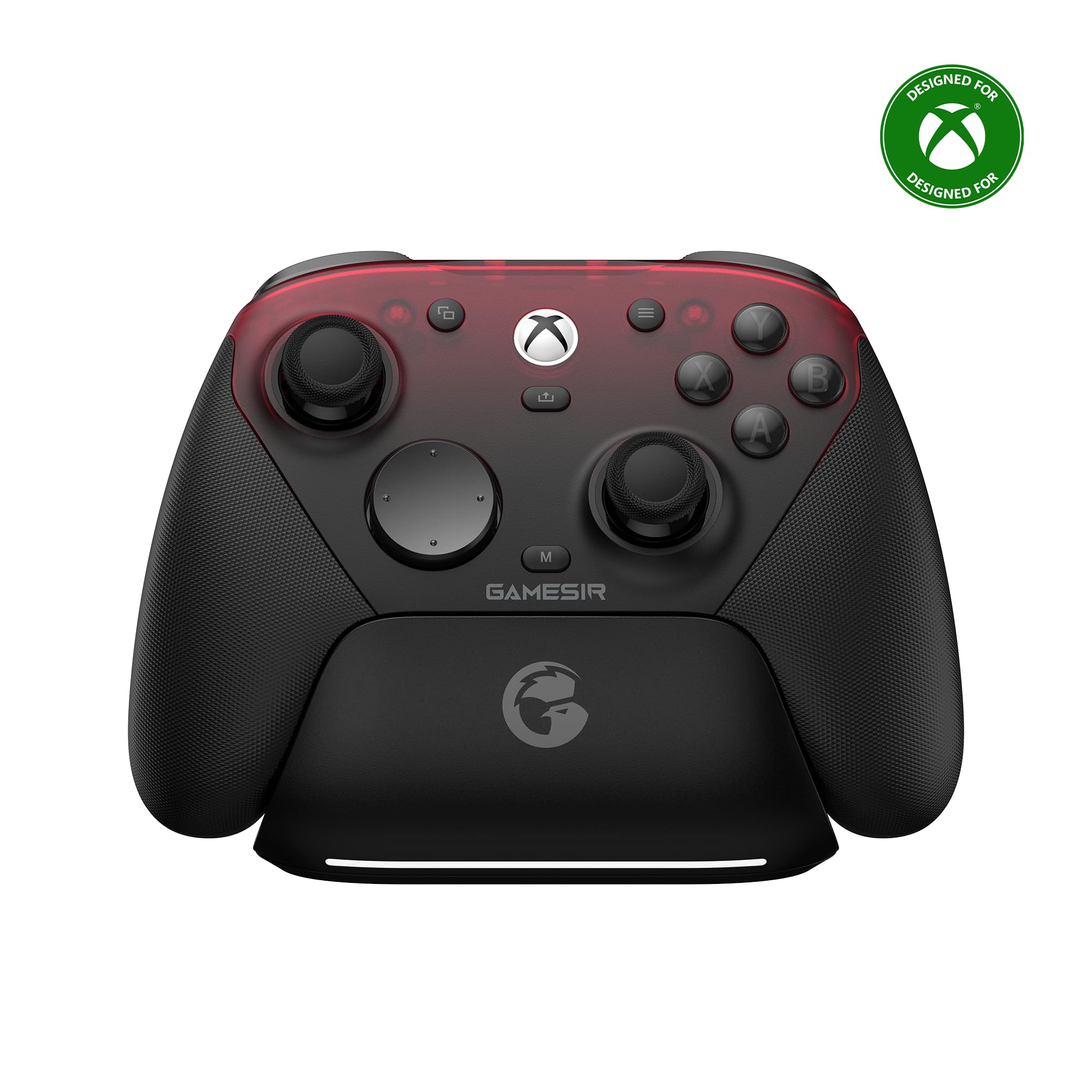
If you own an Xbox and game on a PC, you have probably bought two controllers. The G7 Pro is aimed squarely at that person: a licensed Xbox controller that, on a PC, runs either wired or over a 2.4G dongle at 1000Hz.

GameSir's Mag-Res TMR sticks are the highlight — magnetic, so there is no contact track to wear into drift, and smooth right through the travel. The triggers are Hall-effect analog with a micro-switch click at the end of the pull, and there are extra buttons tucked by the shoulders where your fingers already rest. At 272 g it is the heaviest pad in this group, which reads as planted rather than tiring over a couple of hours, and the Nexus app handles remapping, dead zones and stick curves.

Where it gets awkward is wireless on PC. The dongle is the dependable route; we didn't lean on Bluetooth for anything beyond pairing a phone. Buy it for the Xbox licence and the magnetic sticks. If you never touch a console, the Ultimate 2 does the same PC job with a dock and fewer compromises.

Pros

  • Licensed for Xbox as well as PC
  • Mag-Res TMR sticks with smooth travel
  • Hall-effect triggers with a micro-switch click
  • Nexus app covers remapping and stick curves

Cons

  • Xbox play is wired only
  • Costs more than our top pick
Our verdict

The neatest answer for a household with both an Xbox and a gaming PC, as long as the PC side runs through its dongle.

Check Latest Price
6

Best Cheap Backup

Logitech F310

89 /100
LBD Score Excellent

Key details

Layout
Xbox 360-style, 4-switch D-pad
Software
Logitech Profiler mapping
Connection
USB wired, 6 ft cord
View on Amazon

There is nothing modern about the F310. It is an Xbox 360-shaped shell with ten buttons and the same blue-and-black plastics Logitech has been molding for years. That is exactly the appeal: it is the pad we leave plugged into a desktop permanently, because there is no battery to think about and nothing to pair.

Two details earn it a place beyond being inexpensive. A switch on the back changes how Windows sees it, which is how older games and emulators that predate modern controller support still register it properly. And Logitech's Profiler software will map keyboard and mouse commands onto the buttons for games that never had gamepad support at all — that is the difference between playing an old strategy game and not playing it.

The floating D-pad sits on four separate switches instead of a single pivot, and it is crisper than the mushy pads on most budget controllers, which is good news for 2D games and fighting games. Small hands do well with it too. It is a spare, a second pad for a kid, or the thing you keep in a drawer for the one emulator you still open.

Pros

  • Plug-and-play with no battery or pairing
  • Switch on the back fixes old-game compatibility
  • Crisp four-switch D-pad for 2D games
  • Lowest price in this group

Cons

  • Wired only, with a six-foot cord
  • Sticks and face buttons feel inexpensive
Our verdict

The cheapest way to keep a controller permanently attached to a desktop, and still the easiest one to get working with old games.

Check Latest Price
7

Quiet Late-Night Play

EasySMX X05Pro

85 /100
LBD Score Excellent

Key details

Sticks
Hall effect, 11-bit
Battery
1000mAh
Buttons
Silicone-damped, quiet
Polling Rate
1000Hz wired and 2.4G
View on Amazon

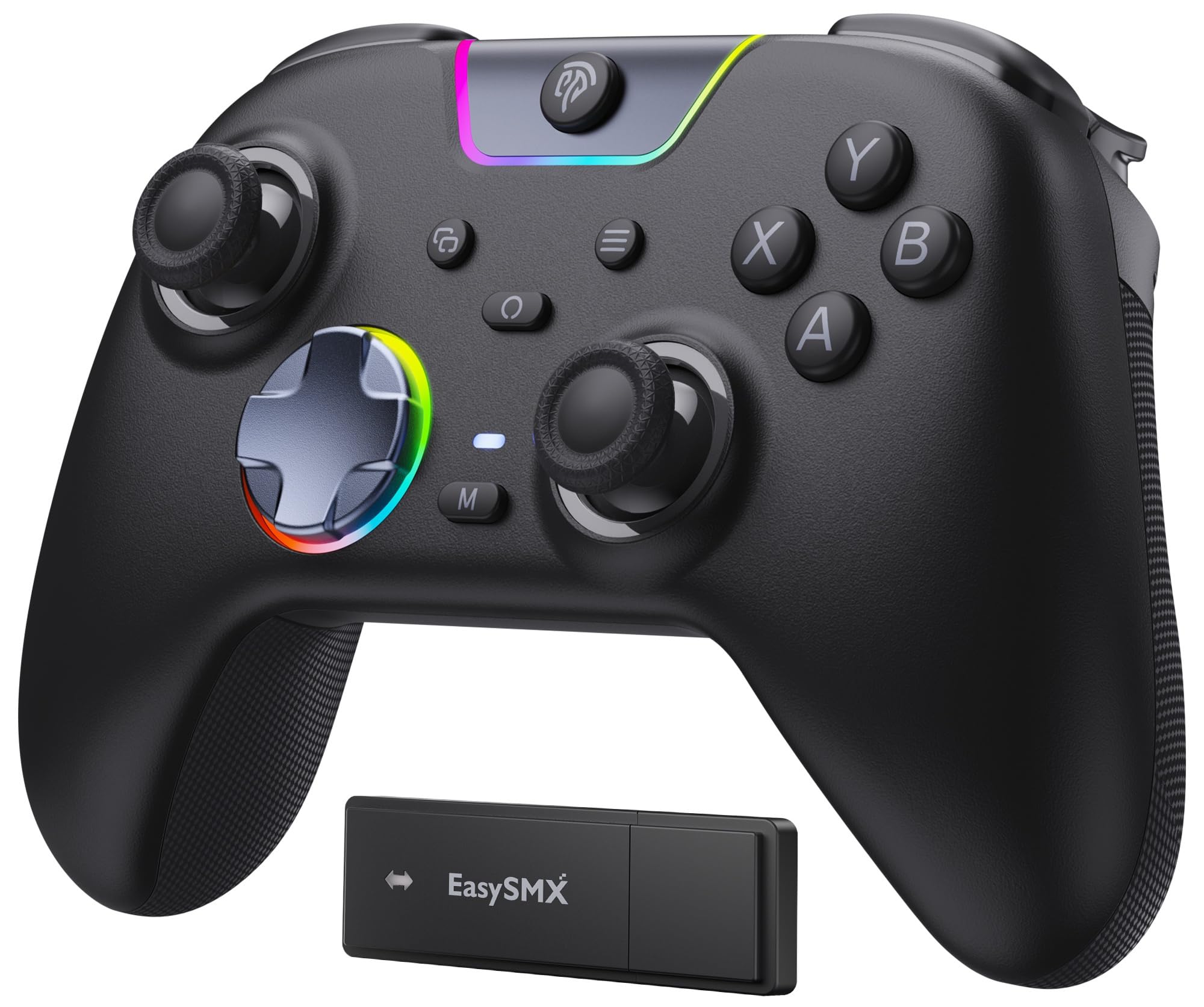
Most controllers announce themselves. This one doesn't: the face buttons, bumpers and D-pad are silicone-damped, so a late-night session in a shared room stays quiet. We noticed it most in menu-heavy games, where the clicking of a normal pad is constant and this one is close to silent.

Underneath the hush is a sensible spec sheet. Eleven-bit Hall-effect sticks, dual-stage triggers that switch between a long pull and a short one, 2+2 rumble motors and a 1000mAh battery. The two programmable buttons sit on the top edge rather than the back, which keeps them out of the way of a tight grip on the right-hand side of the shell.

Three ways in: USB-C, the 2.4G dongle, or Bluetooth. Wired and dongle both run at 1000Hz, and the dongle paired on Windows 11 the first time and stayed paired across reboots.

The X05Pro makes most sense as a second controller — the one for a bedroom, a laptop bag or a living room where noise matters. It is not the pad for a dedicated desk setup, since the shell doesn't feel as tight as the 8BitDo's, but the quiet buttons plus a full set of Hall-effect hardware are the reason to choose it over anything else in its bracket.

Pros

  • Silicone-damped buttons that stay quiet
  • Hall-effect sticks with 11-bit resolution
  • Top-mounted extra buttons avoid accidental presses
  • 1000mAh battery and three connection modes

Cons

  • Bluetooth mode tops out at 125Hz
Our verdict

The controller for a shared room or a late-night habit: quiet buttons, Hall-effect sticks and three ways to connect.

Check Latest Price
8

On-Device Tuning

Manba One

87 /100
LBD Score Excellent

Key details

Sticks
Hall effect
Battery
1800mAh with charging dock
Display
2-inch interactive screen
Works With
PC, Switch, iOS, Android
View on Amazon

Setting this controller up means never opening an app. A two-inch screen sits between the grips, and you use it to set vibration strength, stick and trigger response, lighting and button mapping — all on the device, with no software and no key-combination guessing.

The rest of the package is generous. Hall-effect sticks and triggers, micro-switch face buttons with ALPS bumpers, a six-axis gyroscope for motion aiming, 16 buttons, and an 1800mAh battery that arrives with its own charging dock. The dock is the part we appreciated most in daily use: the controller lives on it between sessions, so it is topped up and out of the way.

A screen on a controller sounds like a gimmick until you are setting one up away from your own desk. Because the configuration lives on the controller rather than in an app, there is nothing to reinstall when you move between a desktop, a laptop and a Switch.

The tuning is the reason to buy it, and it is where the value sits: the screen, the dock and the large cell together cost roughly what a premium pad with none of them does. For a PC-and-Switch player who likes getting the settings exactly right without another piece of software on the machine, this is the most interesting option here.

Pros

  • Two-inch screen for setup without an app
  • Hall-effect sticks and triggers
  • 1800mAh battery with a charging dock
  • Six-axis gyroscope for motion aiming

Cons

  • Won't work with Xbox or PlayStation
  • Can't wake a Switch from sleep
Our verdict

The pick for tinkerers: a controller you configure entirely on its own screen, with a dock and a big battery behind it.

Check Latest Price

How We Tested the Best PC Controllers

We started with roughly 40 pads pulled from spec sheets, store listings, and the handful that keep resurfacing in forum threads. Anything with a reputation for mushy triggers, an unremappable layout, or murky platform support got cut before it reached my desk. That left 14, spanning wired esports pads, dock-charging wireless models, and a few budget options so we could see what you give up at the low end.

Testing ran four months, mostly in two places: my desktop, where each pad played a rotation of shooters, platformers, and racing games, and the living room, where it had to wake from sleep, reconnect after the TV switched inputs, and get handed between four people with very different hand sizes. Every controller got at least two weeks as the daily driver before it earned a verdict.

Button responsiveness we judged by repetition as much as feel — a timing trainer for the face buttons, a stick-circularity test to expose dead zones and drift, and the same short sequence of taps on every pad so my fingers had a baseline. Connectivity meant pairing over dongle, Bluetooth, and cable, then walking into the next room to see what dropped. For durability, we dropped each one from desk height onto carpet and ran a week of sessions with the vibration cranked. Value came down to the box: dock, cable, case, and whether the extras were things we'd actually use.

Ergonomics and finish got their own pass. We logged whether thumbs reached the bumpers without shifting grip, and watched how quickly each shell picked up fingerprints and scuffs over a month of nightly use.

How to Choose a Pc Controller

Sticks Are the First Decision

Every pad here uses either a potentiometer or a magnetic sensor in its sticks, and that one choice decides how it ages. A traditional stick reads position through a wiper on a resistive track, and that track wears, which is where drift comes from. Hall-effect and TMR sticks read a magnetic field instead, with no contact to wear out.

If you play most nights, we think magnetic sticks are worth paying for, and every pick in this guide has them. If you pick up a pad a couple of times a month, a cheap potentiometer model will outlive your interest.

Wired, Dongle or Bluetooth

These are three different products wearing one name. A cable gives you the highest polling rate and nothing to charge. A 2.4G dongle delivers close to the same responsiveness without the tether. Bluetooth is the convenience option and the slowest of the three — the EasySMX X05Pro drops from 1000Hz over its dongle to 125Hz over Bluetooth.

Our rule is simple: dongle at the desk, Bluetooth only for a phone, tablet or TV. A pad that ships with a dock, like the 8BitDo Ultimate 2, makes that dongle route frictionless because there is always somewhere to put the controller down.

How Many Extra Buttons You'll Actually Use

Back paddles are the one addition most players keep using once they have tried it, because they let your thumbs stay on the sticks. Beyond that, placement matters more than count: the EasySMX X05Pro puts its extra inputs on the top edge where a tight grip will not catch them, while the GameSir Tarantula 8K stacks nine for macro-heavy play.

The other question is where the remapping lives. On-controller mapping, as on the 8BitDo Ultimate 2C, travels with the pad between machines; app-based mapping is perfectly fine if you only ever play at one desk.

The Platform Trap

PC on the box does not mean it works with everything else you own. Most of the pads here — the two 8BitDos, the EasySMX and the Manba One — have no Xbox or PlayStation support at all, and the Manba One is explicitly not cleared for GeForce Now. Sony's DualSense works on PC but only delivers its adaptive triggers in games that implement them.

Read the compatibility line before you buy for a console or a streaming service. A pad that lives on your desktop will not necessarily follow you to the living room.

Weight, Grip and Long Sessions

Two hours in, weight matters more than button count. The GameSir Tarantula 8K is the lightest full controller here at 180 g and the G7 Pro the heaviest at 272 g, and the difference shows up in your forearms rather than your scores. Heavier pads feel planted; lighter ones feel quicker and tire you less.

Neither is better in the abstract. If you have smaller hands or play in long stretches, get the pad in your hands before committing to a heavier shell.

Frequently Asked Questions

Final Verdict

Buy the 8BitDo Ultimate 2. It solves the most problems at once: drift-resistant TMR sticks, four extra buttons, 1000Hz over a dongle that never goes missing, and a dock that means it is charged whenever you reach for it.

If you play competitively at a desk, the GameSir Tarantula 8K trades wireless and rumble for 8000Hz polling and nine mappable buttons. If the budget decides, the 8BitDo Ultimate 2C keeps the sticks and the polling and gives up the rest.