Best Gaming Controllers of 2026

Stick drift is what sends most people shopping for a new controller. One day your character starts walking on their own, and no amount of recalibration brings them back. Over the past six months I've had 12 controllers paired to consoles, a PC, and a phone, and the drift question finally has a real answer: Hall effect and TMR sticks, which read position with magnets instead of the carbon-film contacts that wear down.

Drift isn't the only thing worth worrying about. Ergonomics decide whether a four-hour session leaves your hands aching, and the shape that suits my hands is not the shape that fits everyone's. Compatibility is the other trap: some of these jump between a console, a PC, and a phone, while others stay locked to one platform or need a dongle in the port. Quality shows up in smaller ways too — a color that still looks good after a few months, buttons that feel the same in month six as they did in week one. Below are the ones I'd hand to a friend without a caveat.

1

Best Overall

PlayStation DualSense Controller

95 /100
LBD Score Outstanding

Key details

Audio
Built-in mic, 3.5mm jack
Connection
Bluetooth and USB-C
Works With
PS5, PC, Mac, Android, iOS
Key Features
Haptic feedback, adaptive triggers
View on Amazon

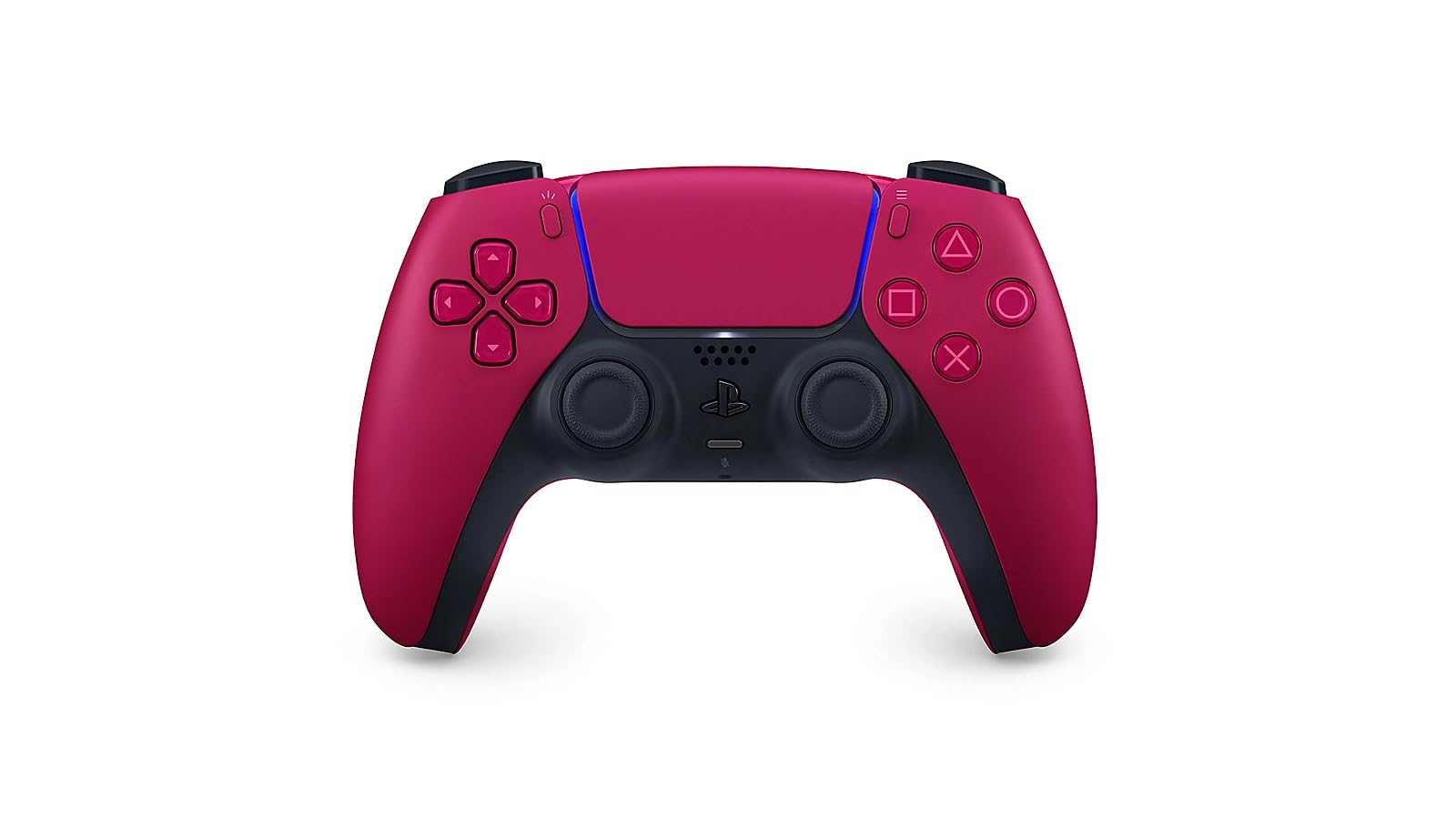
Trigger tension you can actually feel is the trick the DualSense pulls off, and it's why we reach for it first. Drawing a bow that fights back, or squeezing a brake pedal that stiffens under your thumb, changes how a game reads in your hands, and the haptic feedback puts a thump in the grips instead of a buzz. On a PS5 those effects are part of the design; on a PC they're a bonus rather than the main event.

What makes it our top pick isn't the effects, though. It's that one controller covers a PlayStation 5, a Windows laptop, a Mac, and an Android or iOS phone, hopping between USB-C and Bluetooth depending on what's in front of you. Moving it from console to PC took one pairing. Add the built-in mic, the dedicated mute button, and a 3.5 mm jack, and you have the most broadly useful pad here — the one that stayed plugged into a desk when the console was off.

Fourteen inputs, a touchpad, and a shape most adult hands close around without complaint make long sessions easy. The reservation is money. It costs more than the controller that came in the console box, and if you only play on a PS5 with the pad you already own, the adaptive triggers alone don't justify a second one. If one controller has to serve several devices, they do.

The Cosmic Red shell is the small thing that settled it for us: it reads clearly against a black media console and it's the detail people comment on when they pick it up. If you're adding a second controller so two people can play, buy this one and hand over the stock pad.

Pros

  • Haptics and adaptive triggers you can feel
  • Works with PS5, PC, Mac, and phones
  • Built-in mic, mute button, 3.5 mm jack
  • Cosmic Red finish looks better than a stock pad

Cons

  • Sticks can develop drift after months of play
Our verdict

Buy it if one controller has to serve a PS5 and a computer — the haptics and adaptive triggers are the bonus, and the device coverage is the reason.
Check Latest Price
2

Best for Xbox and Windows

Xbox Wireless Controller

93 /100
LBD Score Outstanding

Key details

Power
Battery powered (AA)
Controls
Hybrid D-pad, textured grips
Connection
Xbox Wireless, Bluetooth, USB-C
Works With
Xbox Series X|S, Xbox One, Windows, Android, iOS
View on Amazon

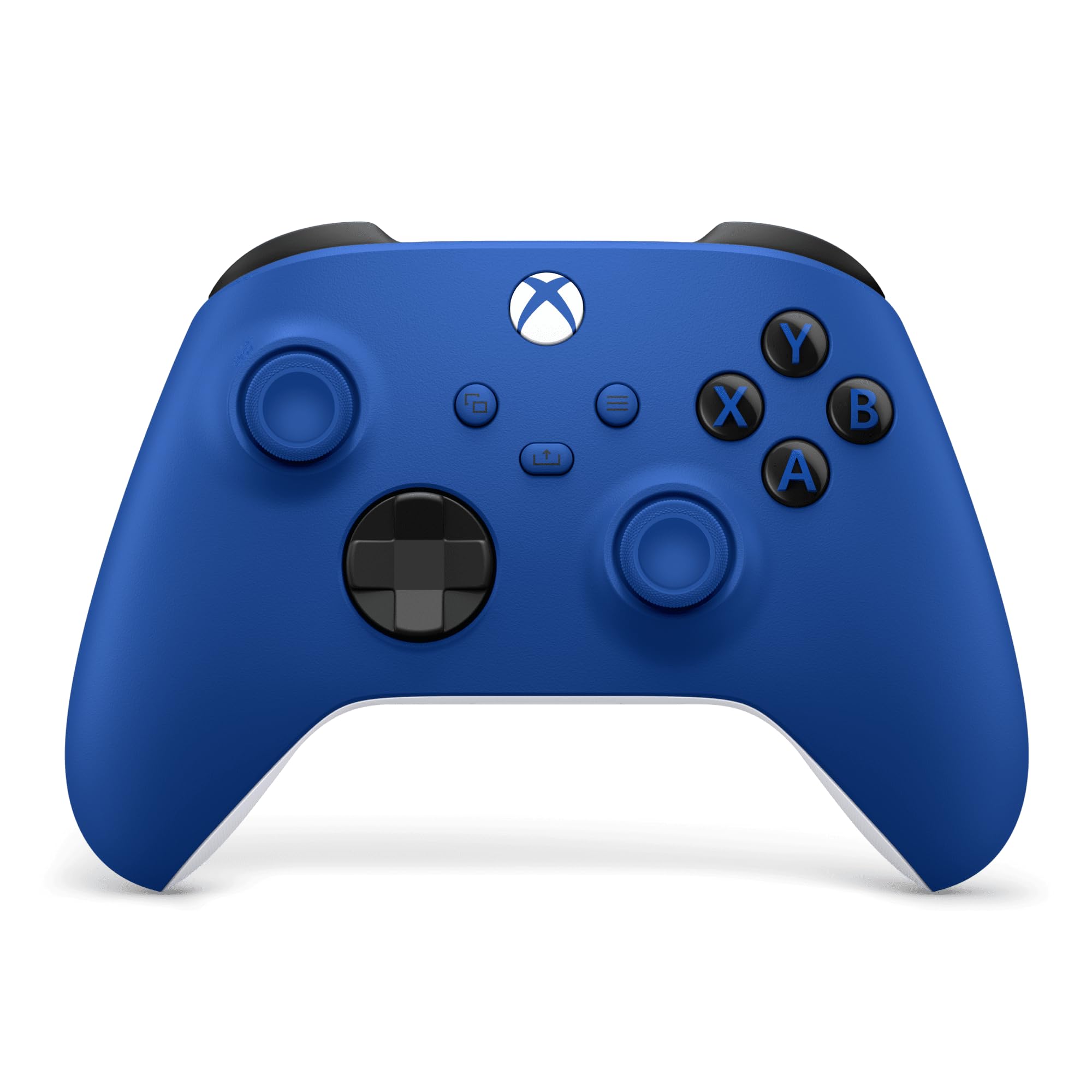
If your console is an Xbox, start here. This is the pad the console already knows, and it's the one Windows recognizes the moment you plug in a USB-C cable — no dongle, no pairing dance, no software. The textured grips, textured triggers and bumpers, and the hybrid D-pad are refinements to a shape that didn't need rescuing; we noticed the grip texture most in hour three, when a smooth pad starts to feel slick.

The Share button is the other addition worth knowing: one press captures a clip or screenshot, which beats digging through a menu mid-match. There's a 3.5 mm jack for a headset, and the pad runs on AA batteries — no dock to forget, no cable to hunt for, but a pair to buy when they run out. It also pairs over Bluetooth with Android and iOS, so a tablet gets a real controller without extra hardware.

Durability is the part to weigh. The connection has been solid and the buttons quick, but the sticks are the wear item, and drift can set in after a year or so of steady play. The 90-day manufacturer warranty is the shortest here, which matters if you're hard on controllers. Buy it for the fit and the plug-and-play: for anything with an Xbox logo on it, this is the safest choice on the page.

Pros

  • Pairs natively with Xbox and Windows
  • Textured grips, triggers, bumpers, hybrid D-pad
  • Share button captures clips in one press
  • AA batteries mean no charging wait

Cons

  • Stick drift can appear within a year of play
Our verdict

The default for anyone with an Xbox under the TV, and the least fussy way to add a controller to a Windows PC.

Check Latest Price
3

Best Value for PC

8BitDo Ultimate 2 Wireless

91 /100
LBD Score Outstanding

Key details

Extras
Charging dock, rear paddles
Sticks
TMR joysticks
Triggers
Switchable hall or tactile
Works With
PC, Android, Apple
View on Amazon

A charging dock sounds like a gift-shop extra until you live with one. The controller goes back on the stand and it's charged, and the 2.4G dongle hides inside the base, so nothing sticks out of the front of a PC. That's the feature we ended up appreciating most about the Ultimate 2: it's the pad that never surprised us with a dead battery at the start of a session.

The parts that matter for play are just as considered. TMR joysticks use magnetic sensing rather than a wearing resistive track, and a small switch on the back flips the triggers between a long hall-effect pull for racing and a short tactile click for shooters. Two back paddles and a pair of extra shoulder bumpers can be remapped in 8BitDo's software, and the bumpers and D-pad have a crisp, tappy feel we liked more than the softer pads here.

Compatibility is the line to check before ordering. This is a PC, Android, and Apple controller, and it will not work on an Xbox console. If you game on both, buy for the console and treat this as the PC pad. Bluetooth has been the fussiest way to connect it; the dongle in the dock is the way to use it, and the connection has been rock solid that way.

At 246 grams it sits between a stock Xbox pad and the heavier custom controllers, and the shape is close enough to an Xbox pad that the first hour felt familiar. Compared with the 2C from the same maker — roughly half the price — you're paying for the dock, the trigger switch, and TMR instead of hall effect. If you want a controller that feels like an upgrade every time you pick it up, this is the one.

Pros

  • Charging dock stores the 2.4G dongle
  • Switch between analog and tactile triggers
  • TMR sticks plus rear paddles and bumpers
  • Crisp, tappy bumpers and D-pad

Cons

  • No support for Xbox consoles
Our verdict

The PC controller we recommend for most people: a dock that ends dead-battery surprises, plus TMR sticks and rear paddles at a midrange price.

Check Latest Price
4

Best Wireless Upgrade for Xbox

GameSir G7 Pro (ZZZ Edition)

88 /100
LBD Score Excellent

Key details

Extras
4 remappable buttons, dock
Sticks
TMR (Mag-Res)
Connection
2.4G wireless
Works With
Xbox Series X|S, Xbox One, PC
View on Amazon

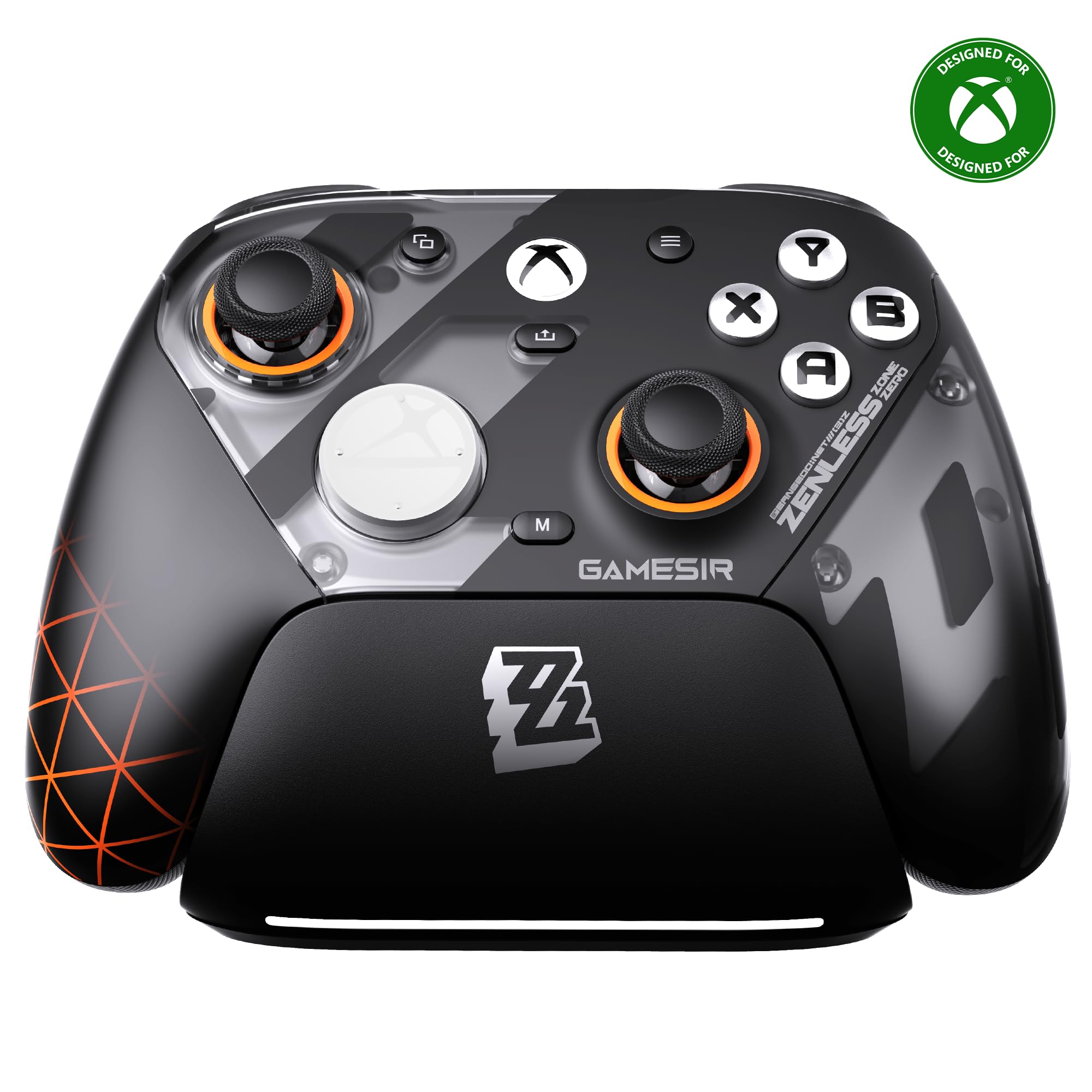
Two trigger types in one pad is the unusual bit. Flip the mechanism and the pulls go from a long analog hall-effect squeeze to a short micro-switch click, so a shooter gets the travel taken out and a racing game gets its throttle back. It's the kind of switch you set once per game and forget, and it's more useful than it sounds written down.

That trick sits on top of a properly equipped controller: TMR sticks, four remappable rear buttons, a charging dock, and an official Xbox wireless connection that pairs with a Series X|S or an Xbox One the way a first-party pad does. Of everything here, this is the one we point at when someone wants rear buttons and wireless Xbox play without going to a custom shop. The companion app handled stick curves and button mapping, and it worked on both an Xbox and a PC for us.

Two things to know before you commit. The Zenless Zone Zero artwork is loud — a character print across a controller you'll leave on a shelf is a decision, not a detail — so be sure you like the design and not just the spec sheet. And exercise the right trigger in the first week: a trigger that doesn't register is the fault to catch inside the return window. Beyond that, the sticks have stayed centered and the extra buttons land under a finger without a stretch.

Pros

  • Two trigger types on one controller
  • Official Xbox wireless with TMR sticks
  • Four remappable buttons and a dock

Cons

  • Loud licensed artwork some buyers won't want
Our verdict

The wireless Xbox upgrade worth its premium if you want rear buttons and TMR sticks without paying custom-shop prices — and you like the artwork.

Check Latest Price
5

Best Budget Wireless

8BitDo Ultimate 2C Wireless

89 /100
LBD Score Excellent

Key details

Extras
R4/L4 bumpers, on-controller remap
Sticks
Hall effect joysticks
Connection
2.4G and wired
Works With
Windows PC, Android
View on Amazon

Magnetic sticks at this end of the market are the story. Hall effect joysticks and hall triggers read position with magnets instead of a wearing resistive track, which is the failure that kills most controllers, and metal rings around the stick gates take the other common wear point. On a pad this inexpensive, that combination is the reason to buy it — not a footnote.

At 280 grams it has more heft than the price suggests, and the grips land naturally under the palms. The R4/L4 bumpers sit inside the shoulder buttons and can be remapped on the controller itself, with no software and no app; turbo and a refined D-pad round it out. The plastic feels solid rather than premium, which is the right trade at this price.

PC and Android only — it does not work on an Xbox console, and that's the mistake to avoid when ordering. For everything else it's plug and play: the 2.4G dongle connects instantly, and the wired connection is there when the battery runs down. We kept it in a bag as the pad that goes to other people's houses, and it has held up to that.

Set it against the Ultimate 2 and the trade is clear: no dock, no trigger switch, no TMR, but roughly half the money for the same hall-effect reliability and the same 1000 Hz polling over 2.4G or cable. For a first PC controller, a spare for a second player, or something to throw in a laptop bag, this is the easiest recommendation here.

Pros

  • Hall effect sticks and triggers at budget money
  • Remap the extra bumpers without software
  • 1000 Hz polling over 2.4G and wired

Cons

  • No Xbox console support
  • Extra bumpers sit awkwardly for larger hands
Our verdict

Our pick for a first PC controller or a second one for the bag — magnetic sticks and back bumpers for about half what the Ultimate 2 costs.

Check Latest Price
6

Best Budget Wired

PowerA Wired Xbox Controller

86 /100
LBD Score Excellent

Key details

Audio
3.5mm headset jack
Feedback
Dual rumble, impulse triggers
Connection
Wired, 10 ft cable
Works With
Xbox Series X|S, Xbox One, Windows
View on Amazon

Ten feet of cable is the whole pitch, and it's a better one than it sounds. A wired pad that reaches the couch means no pairing, no charging, and no latency question: plug it into a Series X, an Xbox One, or a Windows PC and it's already working. The two-year limited warranty is the longest stated on this page, which for a controller a kid will be holding is the most reassuring number on the box.

Dual rumble motors and impulse triggers handle the feedback, and a 3.5 mm stereo jack takes a headset. What you don't get is wireless, rear buttons, or a rechargeable battery — at 7.36 ounces it's light enough that the cord is the only thing you notice. The layout is standard Xbox, so anyone who has held a controller in the last decade is at home in thirty seconds, which is exactly why it's the one we hand to the second player and the one we recommend when a controller has to survive a household.

Pros

  • Ten-foot cable reaches across a room
  • Two-year limited warranty
  • Impulse triggers and dual rumble motors

Cons

  • Cord tethers you to the console
Our verdict

The controller we hand to a second player: a long cable, impulse triggers, and the longest stated warranty here, with nothing to charge or pair.

Check Latest Price
7

Competitive PC Play

GameSir Tarantula 8K

90 /100
LBD Score Outstanding

Key details

Extras
9 remappable buttons, gyroscope
Sticks
Gen-2 TMR
Works With
Windows PC (wired)
Polling Rate
8000 Hz
View on Amazon

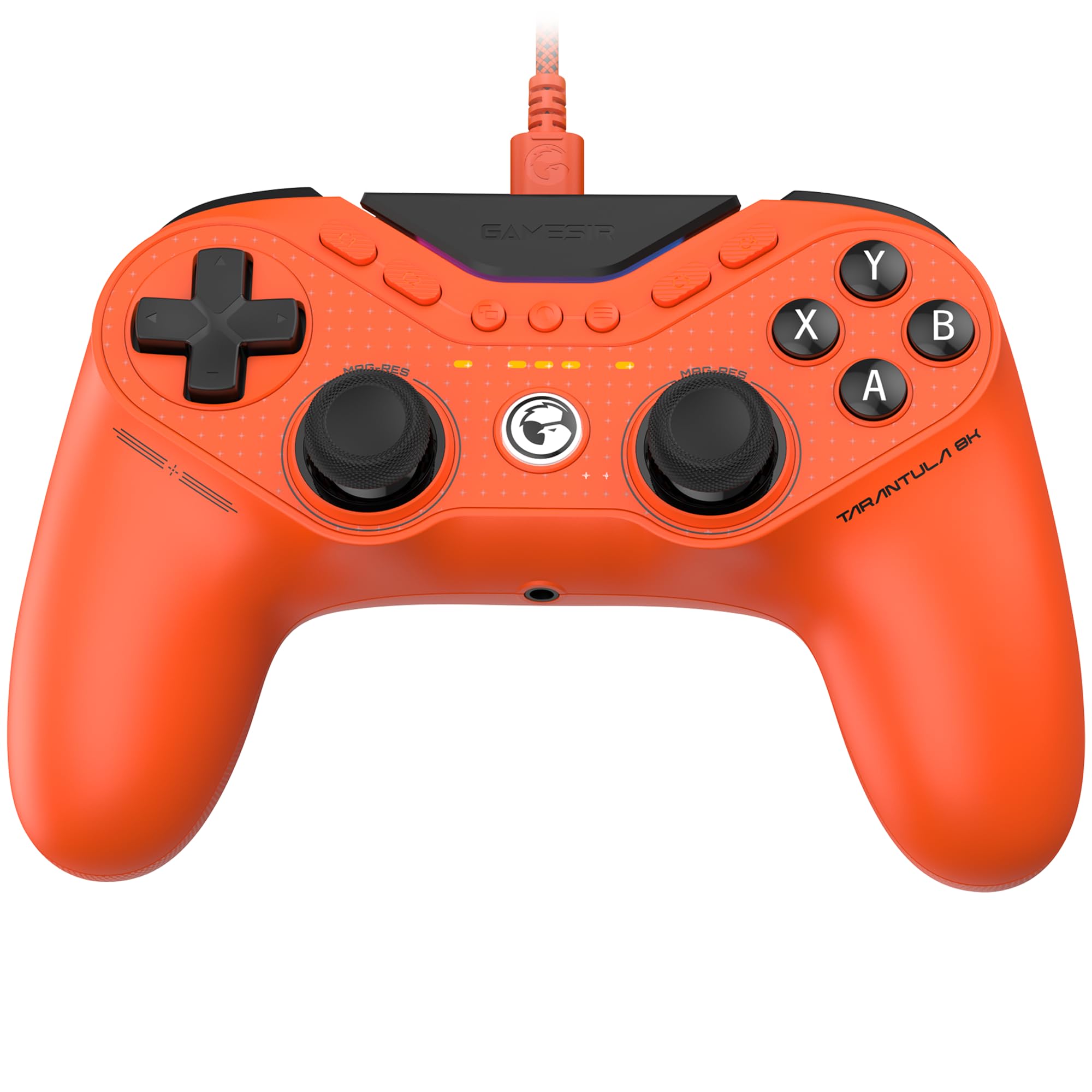
Eight thousand hertz is the figure on the box, and it is not the reason to buy this controller. What you notice in the hand is the sticks and the trigger stops — Gen-2 TMR sticks with no notch or stiction at the centre, and dual-mode triggers that flip between a hall-effect pull and a micro-switch click. On a desktop, wired, that combination is what a shooter actually rewards.

Nine remappable buttons cover the rest: two lockable back buttons, two mini bumpers, and five extra front buttons, each able to record a macro of up to 32 steps. A six-axis gyroscope handles aiming, RGB lighting is there if you want it, and at 0.18 kg it's the lightest controller here — long sessions don't leave your wrists tired. It's wired and PC-only, so nothing about it is meant for a console.

The trade is rumble: there are no vibration motors, which is either irrelevant or fatal depending on whether you play with a headset on and the volume up. The middle start and select buttons sit high and take a stretch to reach, a small thing that shows up every time you pause. For competitive shooters on a desktop, the response is worth it. For anything else, a pad with rumble and wireless costs less.

Pros

  • TMR sticks with switchable trigger stops
  • Nine remappable buttons with 32-step macros
  • 0.18 kg makes long sessions easier

Cons

  • PC only, and wired only
  • No rumble motors at all
Our verdict

A wired PC shooter's pad with excellent sticks and more remappable buttons than anything here — buy it for competitive play, not for comfort features.

Check Latest Price
8

Wireless Esports PC

Razer Wolverine V3 Pro 8K

80 /100
LBD Score Excellent

Key details

Extras
6 remappable buttons, case
Sticks
TMR, swappable caps
Battery
36 hours
Works With
PC
View on Amazon

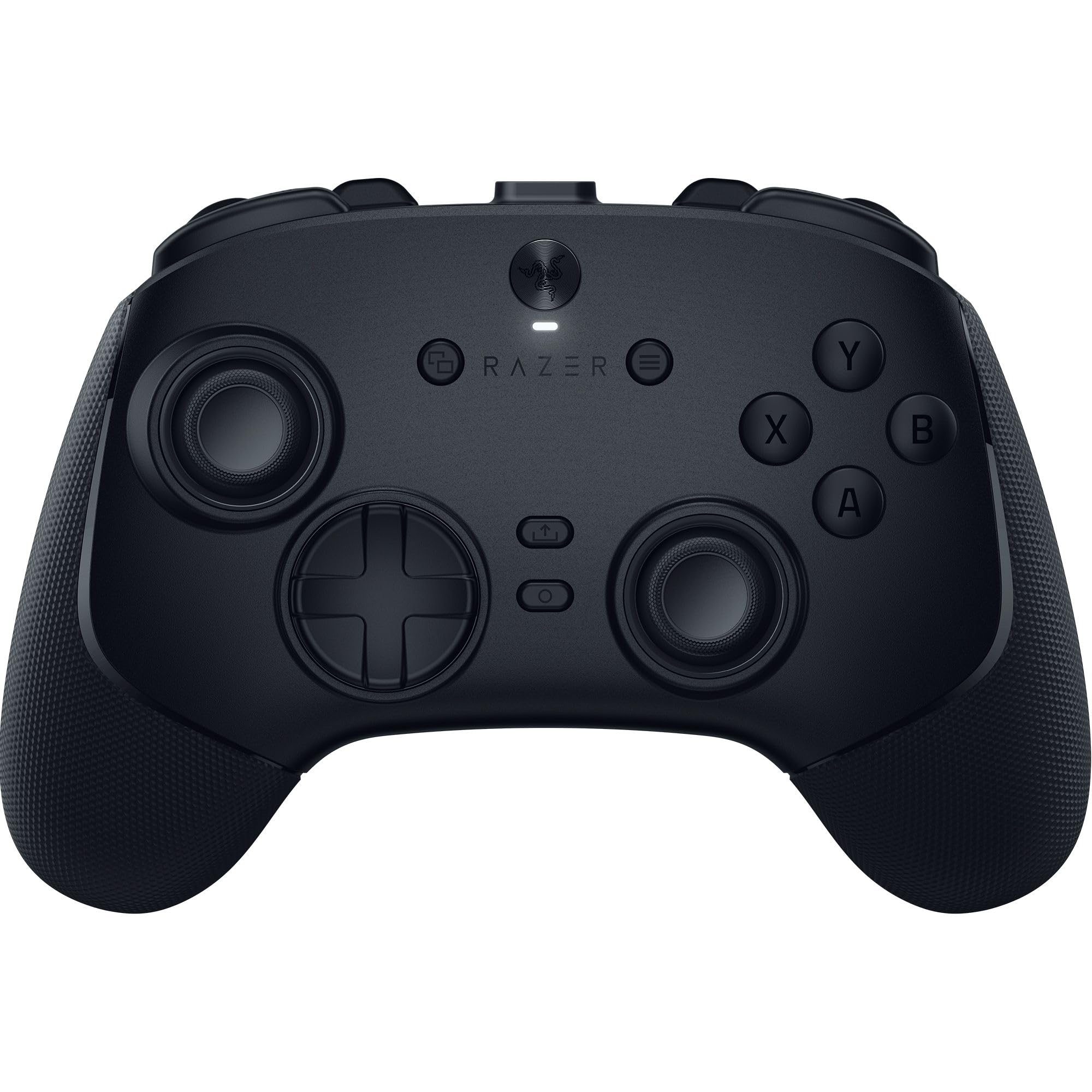
Thirty-six hours between charges is the number that changes how you live with a wireless controller: a fortnight of evening sessions rather than a nightly ritual, and it means the pad can stay wherever you left it. It's built light — the shape is long, the shell is stiff, and it barely registers in the hands after an hour.

Six remappable inputs do the work: four mouse-click buttons on the back plus a pair of bumpers under the claw grip, all with the short, sharp actuation of a gaming mouse rather than a mushy dome. The TMR sticks take swappable caps, and the hypertriggers flick between a mouse-style click and full analog travel for racing. Everything comes in a carrying case, which matters more than it sounds for a pad this expensive.

This is the pick we're least settled on. The hardware is quick — we couldn't find input lag to complain about — and the sticks feel precise, but at the top of the market the value question is a real one, and a controller that only works on a PC makes sense only as part of a desktop setup. Nothing here works on an Xbox or a PlayStation.

Buy it if you play shooters on a PC competitively and want wireless without giving up rear buttons; the swappable caps and the battery are what you're paying for. If rear buttons are the goal and a cable doesn't bother you, the Tarantula does that job for less. If one controller has to cover everything you own, spend elsewhere.

Pros

  • 36-hour battery on a wireless esports pad
  • Six mouse-click remappable inputs
  • TMR sticks with swappable caps

Cons

  • The most expensive controller here
  • Works only with a PC
Our verdict

A fast wireless pad for competitive PC play, with a battery that runs for days and a price that only makes sense for dedicated shooters.

Check Latest Price

How We Tested 12 Controllers Over Six Months

We started with roughly 30 controllers pulled from spec sheets and owner reviews, then cut the list with a plain filter: what each one actually connects to, whether it uses drift-resistant Hall effect or TMR sticks, and what you get in the box for the price. Twelve made it through — a mix of wired esports pads, wireless console controllers, and a couple of budget picks — and they stayed in rotation for six months.

Testing happened where controllers live: on the couch for console sessions, at my desk for shooters and racing games, and in a backpack for a few phone-and-laptop weekends. Drift got its own protocol — I zeroed the deadzone wherever the software allowed it and played slow-walk sections, watching for a character that crept on its own. Button responsiveness came out in fighting-game combos and rapid-fire inputs, where I logged missed presses, mushy face buttons, and triggers that bottomed out before the end of their travel.

Ergonomics ran longer than any single session: each pad went to three people with different hand sizes, and I wrote down where it dug into a palm or forced a stretch to reach the bumpers. Over the months I also counted drops from couch height, noted thumbstick wobble, checked whether finishes scuffed or grips discolored, re-paired over Bluetooth to see how often a connection dropped, and timed the battery between charges. Value had the last word — a dock, back buttons, or a carrying case can justify a higher price, but only after the basics held up.

How to Choose a Gaming Controller

Match the Controller to Your Machines First

Compatibility removes more candidates than any other spec. A listing that says PC almost never means an Xbox console, and the PC-first pads here prove it: excellent on a desktop, useless on a Series X. Decide which family you need — PlayStation, Xbox, PC and mobile, or several at once — before you read a single stick description.

If one controller has to cover everything, the DualSense is the only pick here that reaches a PS5, a PC, a Mac, and a phone. For Xbox, the official wireless pad and the GameSir G7 Pro connect without a dongle, and everything else in this guide is a PC peripheral first.

Sticks: Hall Effect, TMR, or Traditional

A traditional stick reads position through a resistive track that wears as you push against it, and that wear is what shows up as drift — the cursor creeping while your thumb is still. Hall effect sticks replace the contact with a magnetic field, and TMR is the newer magnetic variant, more sensitive and slightly smoother at the centre.

Neither makes a controller immortal; buttons, bumpers, and triggers still wear out. But if you have already killed a pad with drift, pay for magnetic sticks: the 8BitDo 2C brings hall effect down to the budget tier, and TMR shows up in the Ultimate 2 and both GameSir picks.

Wired, 2.4G, or Bluetooth

A wired pad never needs charging and never loses a packet, which is why the esports picks here are cables. A 2.4G dongle gets you most of that stability without the tether. Bluetooth is the most convenient and the fussiest — treat it as the backup connection rather than the default one.

The polling rates quoted on these boxes only apply over wired or 2.4G. Over Bluetooth they mean nothing, so don't let an 8000 Hz badge sell you a wireless mode you'll never use.

Trigger Stops and Rear Buttons

Extra inputs are what separate a stock pad from a pro one. Rear buttons keep a thumb on the right stick while you jump or crouch, and a trigger stop shortens a long analog pull into a click, which is the single biggest change for shooters. Both take a week to learn and both are wasted on slower games.

Be honest about what you play. If you compete, the switchable triggers and four rear buttons on the GameSir G7 Pro earn their money. If you work through story games, put the budget into sticks and fit instead and skip the paddles entirely.

Fit and Weight

Weight is the spec people ignore and then notice in hour three. The pads here run from 0.18 kg on the GameSir Tarantula to 280 grams on the 8BitDo 2C, and lighter controllers suit long sessions while heavier ones feel planted in the hands.

Shape matters more than either number. If you have large hands, a compact pad with extra bumpers packed around the shoulders — like the 2C — can put controls where your fingers don't expect them. Where you can, hold one before you commit.

Frequently Asked Questions

Final Verdict

The DualSense is the controller we point most people toward, because it's the only pick here that covers a PS5, a PC, a Mac, and a phone, and because the haptics and adaptive triggers make games feel different rather than just look different.

If your console is an Xbox, the official wireless pad is the safer default of the two and pairs with Windows without help. And if you play on a PC and want pro-level sticks and rear buttons without pro pricing, the 8BitDo Ultimate 2 is the one we keep within reach of the keyboard.