Best NAS for Plex of 2026

Plex is supposed to make your movie collection feel endless, but the wrong NAS turns movie night into a buffering screen. The drive bays get the attention; the processor, network port, and setup software decide whether a 4K stream reaches the living room cleanly or stutters when someone else opens an episode on a tablet. I’ve spent six months setting up and living with seven diskless NAS units, from two-bay boxes to a six-bay all-flash model, and the difference is rarely about bay count. The picks below made library indexing, phone backups, and remote playback feel like background chores—not a second hobby.

Setup is the test: I timed the path from unboxing to a working Plex library. Compatibility was whether Plex apps on the TV, phone, and tablet found it without fuss; speed and performance showed up in thumbnail scrolling and remote streams over cellular. Reliability is whether the unit recovers after a power cut, and build quality and durability matter because these run all day. Value comes down to whether the bays and ports leave room to grow.

1

Best Overall

UGREEN DXP4800 Plus

90 /100
LBD Score Outstanding

Key details

RAM
8GB DDR5
Network
10GbE + 2.5GbE
Processor
Intel 8505
Drive Bays
4 bays
View on Amazon

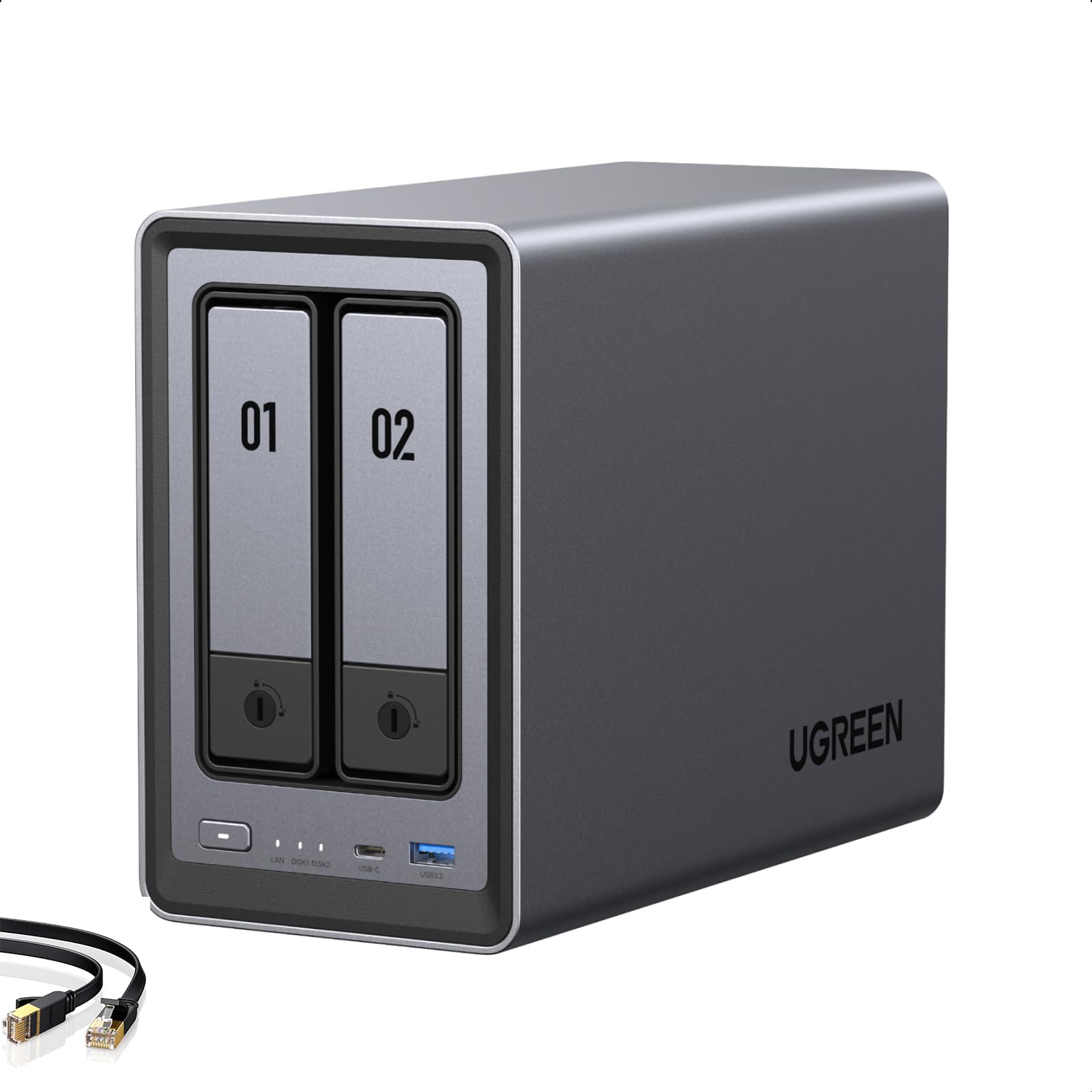
The 10GbE port is the headline, but the four drive bays are what make the DXP4800 Plus our default Plex server. A two-bay box forces a choice between capacity and redundancy; four bays let you run a protected array and still leave room to grow. Inside, the Intel 8505, 8GB of DDR5, and hardware transcoding give Plex the muscle to convert video for phones and older TVs, while the built-in 128GB SSD and two M.2 slots keep metadata and containers off the spinning disks.

The network side is unusually generous for a home NAS. The 10GbE port is there for moving a large library onto the box or feeding several viewers at once, and the 2.5GbE port is the more practical everyday connection. We also appreciate the way the hardware leaves room for Plex to grow into other jobs, whether that is Docker containers or a backup target for the rest of the house.

The extra hardware is aimed at a library that is already large or clearly heading that way. If you are starting with a few hundred titles, the DXP2800 covers the same Plex basics for less. For a collection that will keep expanding, the four-bay frame and faster network are the parts that age well.

Pros

  • Four bays support RAID and growth
  • Intel 8505 hardware transcoding for Plex
  • 10GbE and 2.5GbE ports
  • 8GB DDR5 and dual M.2 slots

Cons

  • 10GbE needs matching switch and client
  • Four-bay body takes more shelf space
Our verdict

For a growing Plex library, the DXP4800 Plus is our default: four bays, Intel hardware transcoding, and a 10GbE path you can grow into.
Check Latest Price
2

Best Compact 2-Bay

UGREEN DXP2800

91 /100
LBD Score Outstanding

Key details

RAM
8GB DDR5
Network
2.5GbE
Processor
Intel N100
Drive Bays
2 bays
View on Amazon

A tight shelf and a few hundred titles are the DXP2800's natural habitat. It is a two-bay box with an Intel N100, 8GB of DDR5, and a 2.5GbE port, and its compact body makes it easy to tuck beside a router or on a media shelf. The second bay is your redundancy, not extra capacity, so plan the drives around a mirror.

What makes it a Plex pick rather than just a small NAS is the N100's hardware transcoding. That is the part that lets Plex convert a file for a phone or an older TV without stuttering, and it is the same job the bigger UGREEN handles with a more powerful chip. We were pleased by how much the dual M.2 slots add: put Plex metadata and containers on NVMe, and the hard drives can stay focused on the media library.

The compact body disappears on a shelf, and the dual M.2 slots give it useful headroom for Plex metadata. For a first Plex library, the DXP2800 is easy to live with. If you already need four drives, step up to the DXP4800 Plus.

Pros

  • N100 hardware transcoding
  • 2.5GbE and dual M.2 slots
  • Compact two-bay footprint

Cons

  • Two bays limit RAID and growth
Our verdict

The DXP2800 is our compact Plex pick, with two bays, N100 transcoding, and 2.5GbE for a smaller library.

Check Latest Price
3

Best Software Ecosystem

Synology DS225+

89 /100
LBD Score Excellent

Key details

Processor
Intel CPU
Drive Bays
2 bays
Max Capacity
40 TB
Transfer Speed
282 MB/s
View on Amazon

Software is the reason to look at the DS225+. Synology's DSM is the interface most people compare every other NAS to, and it makes Plex installation, permissions, and backups feel like a guided process rather than a weekend project. The Intel CPU supports hardware transcoding, which is the part that matters when Plex has to convert a 4K file for a phone or a TV that cannot direct play it.

We choose it when the software is the point. The app ecosystem is mature, the backup tools are strong, and the two-bay body is compact enough to tuck into a closet shelf. The catch is drive compatibility: Synology's current list is narrower than the other picks, and drives that are not on it may not unlock the same features. Price the whole build before you commit, because the enclosure is only part of the cost.

For a Plex library that is already organized and a user who values the software, the DS225+ is a strong alternative to the UGREEN boxes. What it gives you is a polished, predictable server that is easy to manage after the novelty wears off. It is not the hardware value leader, but it is the one we trust to stay out of the way.

Pros

  • Synology DSM software ecosystem
  • Intel hardware transcoding
  • Mature backup and app tools

Cons

  • Two bays limit future growth
Our verdict

We choose the DS225+ when Synology's polished software and Intel hardware transcoding matter more than a four-bay frame.

Check Latest Price
4

Best All-Flash

Asustor Flashstor 6

80 /100
LBD Score Excellent

Key details

RAM
4GB DDR4
Network
Dual 2.5GbE
Processor
Intel Celeron N5105
Drive Bays
6 M.2 SSD
View on Amazon

Six M.2 slots and no spinning drives make the Flashstor 6 the quietest way into a Plex server we've tested. There is no hard-drive chatter during a quiet scene, and the low-profile chassis can sit near a TV without announcing itself. That alone makes it a different kind of Plex box from the four-bay towers.

The Intel N5105 and 4GB of DDR4 are enough for Plex and hardware transcoding, and the dual 2.5GbE ports give you room for fast transfers. We appreciate the HDMI 2.0b output for direct playback and the USB 3.2 Gen2 ports for pulling files off a camera or external drive. The all-flash design also makes thumbnails and metadata feel snappy.

For a smaller, curated library or a creator who already has SSDs, the Flashstor 6 is a fast, silent home for Plex. The six slots let you start with two drives and add more as the library grows, and the all-flash design keeps the whole system responsive. It is a specialist pick, but a satisfying one.

Pros

  • Six M.2 SSD slots
  • Silent all-flash operation
  • Dual 2.5GbE and HDMI
  • Intel N5105 for Plex

Cons

  • All-flash storage costs more per terabyte
  • M.2 holders can snap during installation
Our verdict

We rank the Flashstor 6 as the silent, all-flash Plex pick when speed and quiet matter more than cost per terabyte.

Check Latest Price
5

Best Budget 2.5GbE

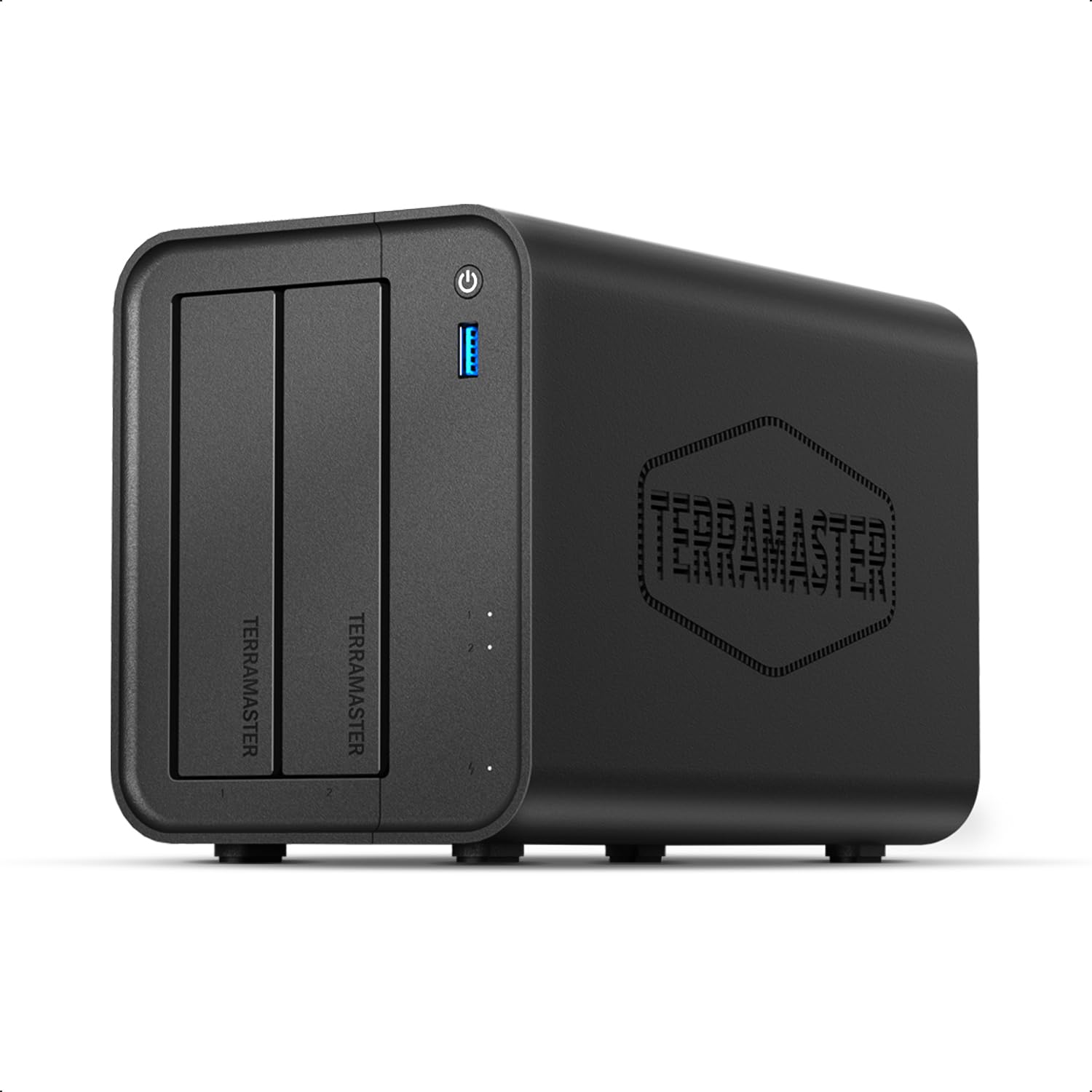
TerraMaster F2-425

77 /100
LBD Score Very Good

Key details

RAM
4GB
Network
2.5GbE
Processor
Intel x86 quad-core
Drive Bays
2 bays
View on Amazon

2.5GbE and an Intel x86 chip for less than the big-name two-bay boxes: that is the F2-425's pitch. It also brings 4GB of RAM, a rated 19dB operating noise, and tool-free drive trays. On paper, it covers the Plex basics without asking you to pay for a premium badge.

We like that it does not make you choose between a fast network port and a low price. The 2.5GbE connection is a real step up from gigabit for moving files, and the Intel chip supports 4K H.265 hardware decoding for Plex, Emby, and Jellyfin. The 4GB of RAM is enough for Plex and a backup job, though not for a stack of heavy containers.

For a budget Plex build, the hardware does the important job, and the two-bay price leaves more room for drives. The F2-425 is the one we reach for when the priority is getting Plex running well for as little as possible.

Pros

  • 2.5GbE at a budget price
  • Intel x86 quad-core with 4K H.265 decoding
  • Tool-free drive trays

Cons

  • Plastic enclosure feels less substantial
  • Software less polished than Synology's DSM
Our verdict

We see the F2-425 as the budget route to 2.5GbE and Intel decoding, without the premium enclosure.

Check Latest Price
6

Budget 4-Bay

Asustor Drivestor 4 Pro

85 /100
LBD Score Excellent

Key details

RAM
2GB DDR4
Network
2.5GbE
Processor
Realtek quad-core
Drive Bays
4 bays
View on Amazon

Four bays at a budget price is the Drivestor 4 Pro Gen2's reason for being here. Asustor's 2.5GbE port and four drive trays give you room for RAID 5 and a library that grows, and the 4K Plex support is the reason it belongs on this list. At this price, the bay count is the headline.

The Realtek quad-core and 2GB of DDR4 are enough to run Plex as a file server, and the four bays are the real story. We see it as a storage-first Plex server: put the media on four drives and keep the workload simple. The 2.5GbE port is a genuine advantage over the gigabit ports on many entry NAS units.

We recommend it for a budget four-bay build where capacity comes first. Four bays give you a safer RAID layout than a two-bay mirror, and the 2.5GbE port keeps file transfers from feeling like a bottleneck. If your Plex clients are recent and your files are compatible, it is a lot of storage for the money.

Pros

  • Four bays at a budget price
  • 2.5GbE network port
  • 4K Plex support

Cons

  • 2GB RAM is thin for extra apps
  • Realtek CPU limits heavy transcoding
Our verdict

The Drivestor 4 Pro Gen2 is the budget four-bay pick we point to when storage room and 2.5GbE matter most.

Check Latest Price
7

DIY Builds

ZimaBlade 7700

83 /100
LBD Score Excellent

Key details

RAM
16GB
Expansion
PCIe x4
Processor
Intel quad-core x86
Drive Bays
2 bays
View on Amazon

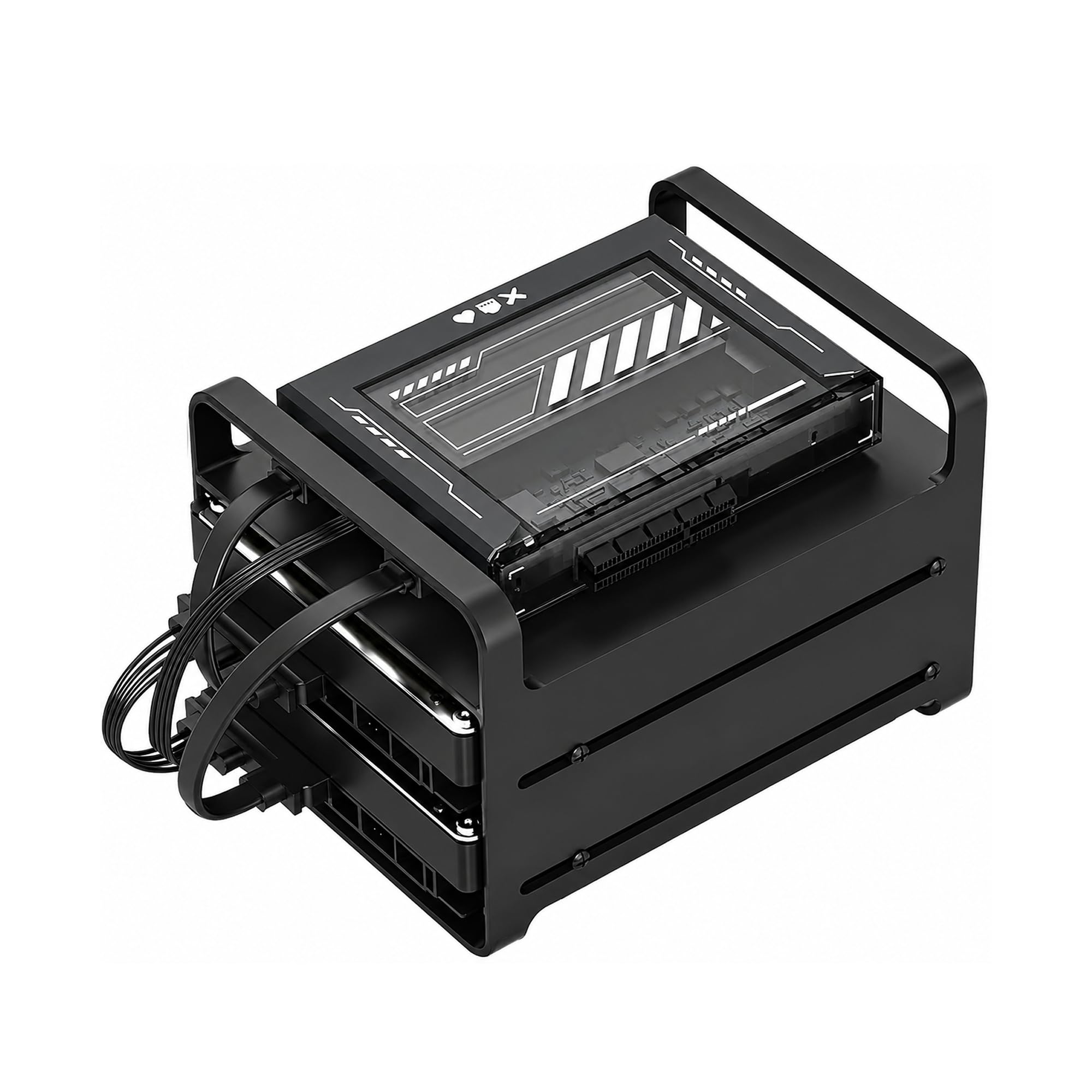
A kit, not a finished appliance: the ZimaBlade 7700 arrives with an x86 board, 16GB of RAM, a metal two-drive cage, a power supply, and dual SATA cables. You supply the drives and the operating system. That is either the appeal or the dealbreaker, depending on how much you enjoy the build.

For a tinkerer, the kit makes sense. The Intel quad-core runs Plex and Docker, the 16GB of RAM is more than the turnkey two-bay boxes give you, and the PCIe x4 slot adds expansion you will not find on a compact NAS. We like that it is built for low-power, always-on duty rather than repurposed desktop hardware.

It is not a turnkey Plex server. You will install the OS, configure the storage, and manage updates yourself, and the kit is aimed at Plex direct play rather than a transcoding appliance. That is a real time cost, and it is the reason this one is a specialist pick rather than a default.

For someone who wants to build a compact home server and does not mind the setup, the ZimaBlade is a satisfying project. You get 16GB of RAM and x86 flexibility for less than a turnkey NAS, and the two-drive cage keeps the footprint small. For everyone else, the DXP2800 is the easier route.

Pros

  • 16GB RAM in a DIY kit
  • x86 flexibility and PCIe x4
  • Dual SATA drive cage included

Cons

  • Two-drive cage limits storage growth
  • Requires OS install and setup
Our verdict

We recommend the ZimaBlade 7700 for a DIY Plex builder who wants 16GB of RAM and x86 flexibility without a turnkey enclosure.

Check Latest Price

How We Tested Plex-Ready NAS Units

I started by pulling current diskless two- to six-bay models that list Plex support, then narrowed the field by hardware transcoding, 2.5GbE or faster networking, M.2 slots, Docker support, and whether the price made sense once drives were added. My team and I tested seven units over six months, setting each one up from scratch rather than relying on a preconfigured demo.

Setup began on a Saturday morning with an empty bay and a stack of drives. I installed the drives, chose a RAID type, created shared folders, and added a movie and TV library to Plex, timing the whole run and noting where the interface assumed knowledge I didn’t have. I then opened Plex on a living-room TV, a phone, and a tablet, played a high-bitrate 4K file, and forced a subtitle and audio transcode to see whether playback stayed smooth or the processor stumbled.

For speed, I moved a season of episodes over the network and scrolled a large library to watch thumbnails load. I also tested remote access over cellular and two simultaneous streams. Build quality got a less polite test: I removed and reinserted trays, listened for fan noise from the couch, and checked whether the chassis felt solid. Reliability meant rebooting after a simulated power loss and confirming the drives, shares, and Plex library returned without manual repair. Each unit ran continuously for six months, which gave me a read on durability and whether heat or noise became a nuisance.

For value, I compared what each unit cost per usable bay and whether its expansion, M.2 caching, or faster networking solved a real Plex problem rather than just looking good on a spec sheet. HDMI out got a try where offered, but I treated it as a bonus—not a substitute for smooth network playback.

How to Choose a Nas for Plex

Start with transcoding, not raw capacity

Plex is happiest when the player can direct play a file, but a phone, an older TV, or a remote connection often needs the server to convert it on the fly. That is a processor and graphics job. An Intel x86 chip with hardware transcoding, like the N100 in the DXP2800 or the 8505 in the DXP4800 Plus, is the safer bet for a mixed household. If every client is a recent player and your files are already in a compatible format, a simpler NAS can work, but you are leaving less headroom. Buy for the devices you actually own, not the best-case file.

Match bays to the library and the backup plan

Two bays are enough for a small library, but they force a choice: mirror the drives and lose half the capacity, or stripe them and risk the lot. Four bays let you run a protected array and keep a spare slot for growth, which is why the DXP4800 Plus is our default for a library that keeps growing. The DXP2800 is the better fit when space and cost matter more and a two-drive mirror is acceptable. Count the usable capacity after RAID, not the raw drive total.

Treat network speed as a path, not a headline

Plex streaming itself rarely needs 10GbE; even a high-bitrate 4K stream is a small fraction of that. Faster ports pay off when you move a large library onto the NAS or run several simultaneous transfers. The DXP4800 Plus has 10GbE, but it only helps if your switch and computer can use it. For most homes, 2.5GbE is the sweet spot, and it is what the DXP2800 and several picks here provide. Do not pay for 10GbE and then connect over Wi-Fi.

Buy enough RAM for Plex plus your habits

Plex metadata and thumbnails benefit from memory, and the amount that matters grows if you run Docker containers, backups, or a virtual machine alongside it. The 8GB in the UGREEN boxes is a comfortable starting point for a Plex server with a few extras; the 4GB in the Flashstor and F2-425 is fine for a simpler setup. The 2GB Drivestor is the one to keep lean. More RAM is not a substitute for hardware transcoding, so solve the processor question first.

Plan for noise, drives, and drive compatibility

Hard drives are usually louder than the NAS fan, especially during writes and rebuilds. If the server will sit in a living room, an all-flash box like the Flashstor 6 or a quiet two-bay model makes more sense than a four-bay tower full of drives. Drive compatibility is the other practical trap: the DS225+ is happiest with Synology-branded drives, so price the whole build before you commit. Check the compatibility list and the return window, then buy drives from the same batch.

Frequently Asked Questions

Final Verdict

We recommend the UGREEN DXP4800 Plus as the best NAS for Plex for most people because it gives you four bays, Intel hardware transcoding, and a 10GbE path without the cost of an all-flash library. If your library is small and shelf space is tight, the DXP2800 is the more sensible two-bay choice. If Synology's software is the reason you are buying, the DS225+ is the alternative, provided you check the drive list first.