Best Monitor Arms for Heavy Monitors of 2026

A heavy monitor rarely fails all at once — it droops. You torque the tension bolt, lift a 49-inch ultrawide back to eye level, and a week later it has crept down again, nose tilted at the ceiling. The arm is the only thing between an expensive screen and the floor, and whether it holds comes down to the spring, the clamp, and the joints.

I've mounted big screens on undersized arms for years, and the pattern never changes: capacity claims run optimistic, clamps feel like an afterthought, and the directions assume a wrench you don't own. We spent eight months with 12 heavy-duty arms, clamping them to three very different desks, hanging 49-inch curved screens off them, and raising those screens every time we stood up.

Worth knowing before you shop: weight ratings are measured at the mounting plate, and a curved ultrawide pushes its mass forward of that point, so an arm rated at your monitor's weight can still drift. A lip or welded rail under the desk rules out the clamp and sends you to the grommet. The picks below all held.

1

Best Overall

HUANUO TitanLift

90 /100
LBD Score Outstanding

Key details

VESA
Up to 100x100 mm
Tilt Range
+50° to −50°
Screen Size
17 to 49 inches
Weight Capacity
44 lb
View on Amazon

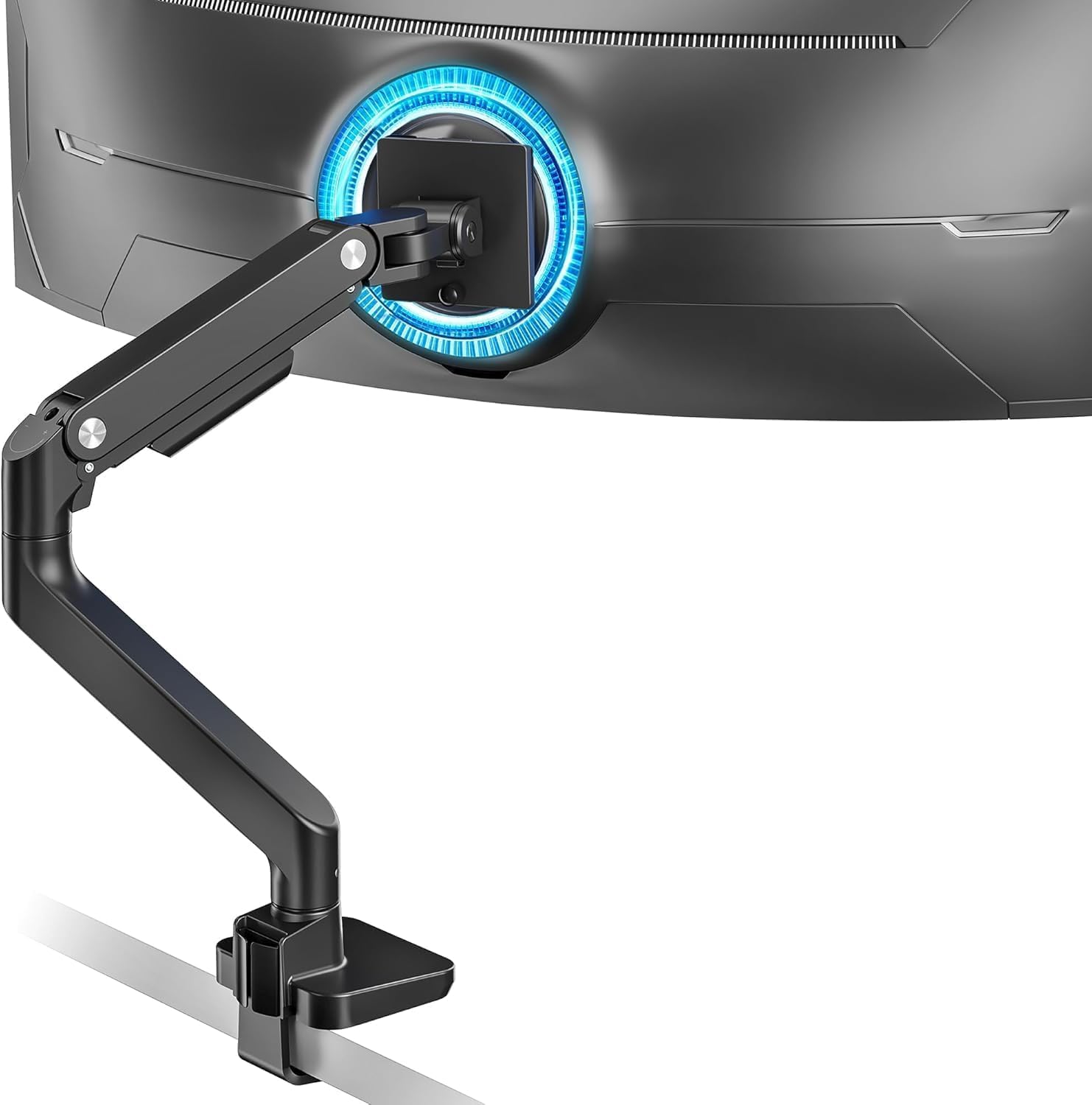
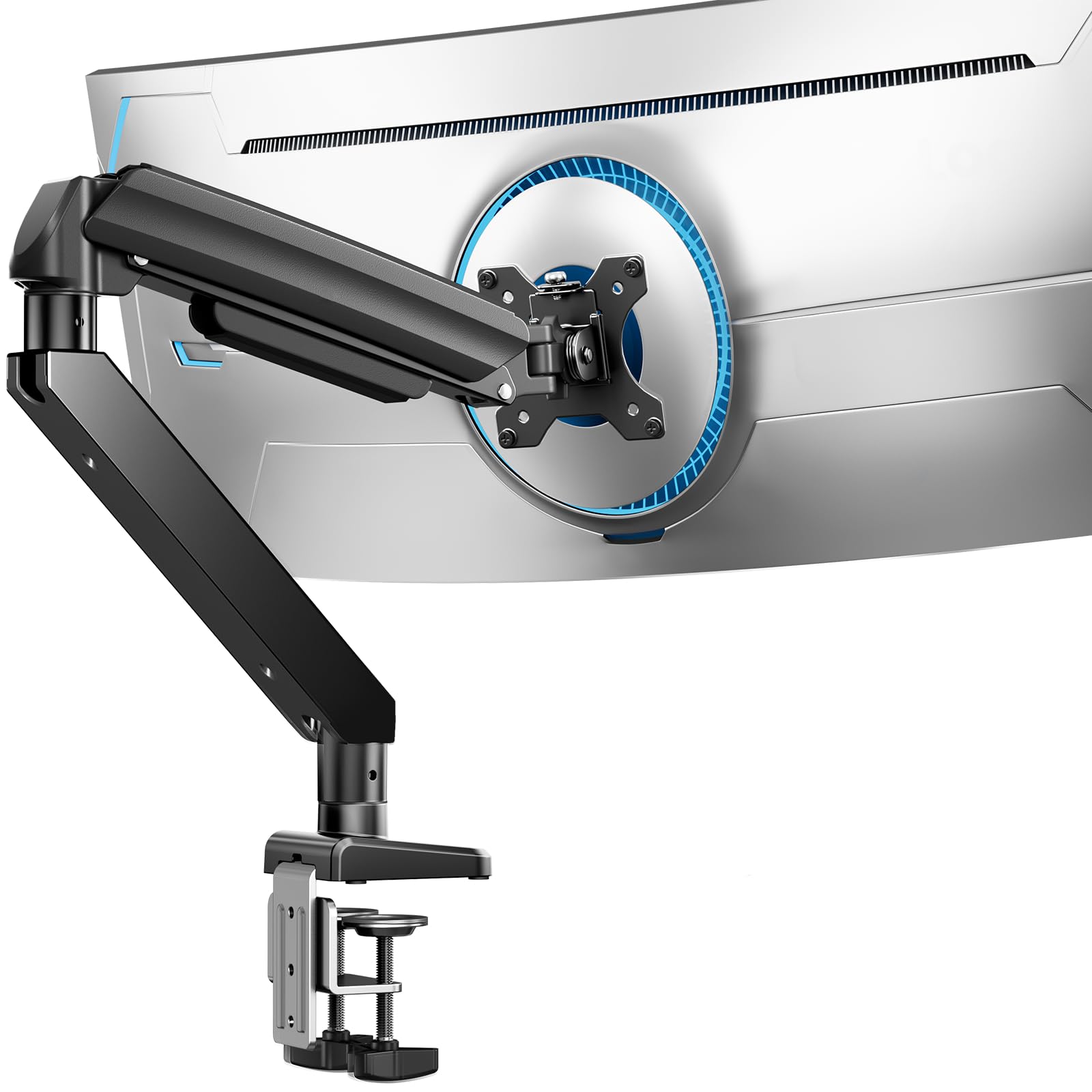
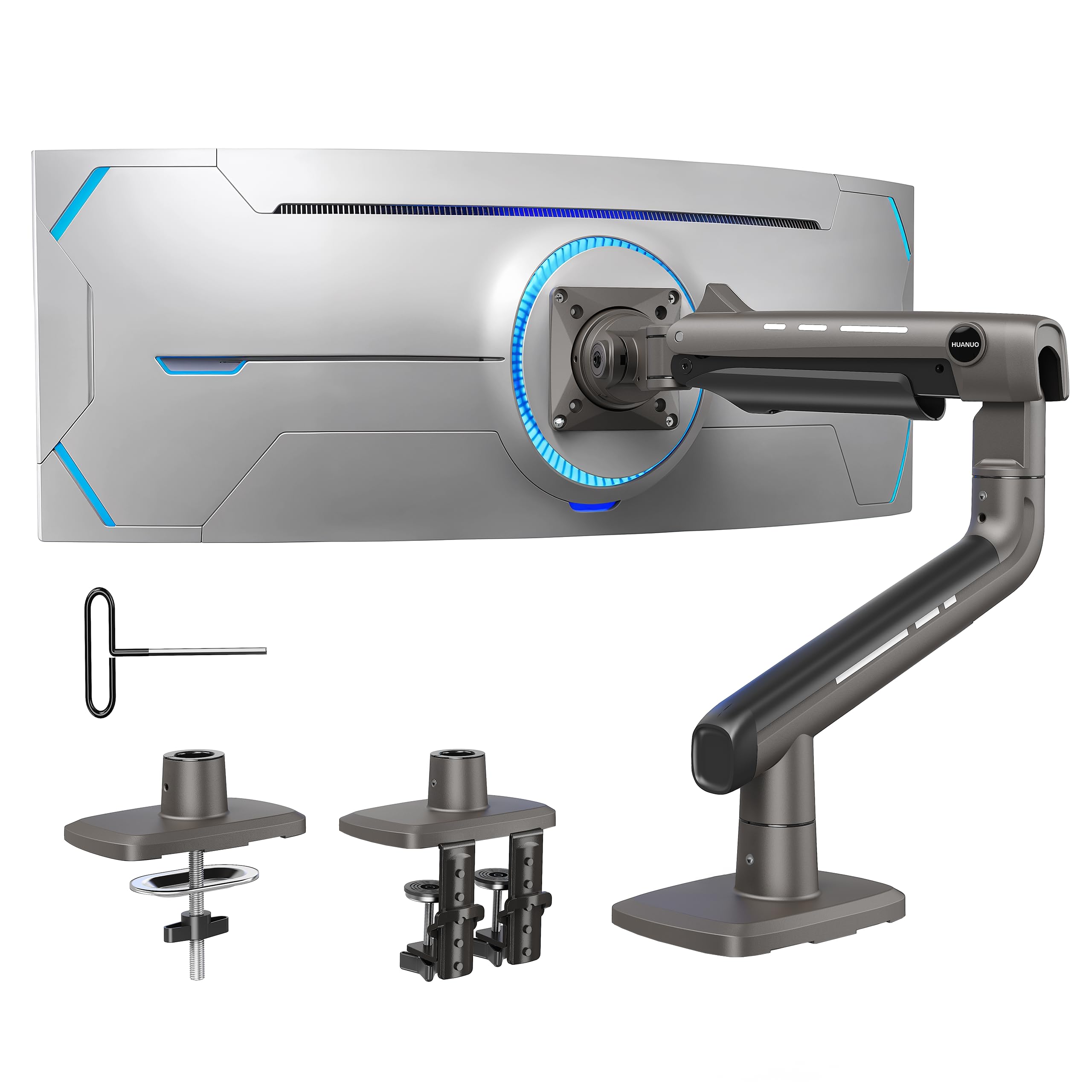
Droop is what ends most heavy-monitor arms: the panel is fine, the desk is fine, and then one morning a 49-inch ultrawide is nose-down at the tilt joint. The TitanLift goes after that failure directly, with a VESA head listed as 20 percent thicker, arms and base 30 percent wider than the standard build, and high-strength aluminum throughout. The rating is 44 pounds across a 17- to 49-inch range, which puts a big curved panel comfortably inside it rather than right at the edge.

The clamp is the part we watch most closely now, because a heavy arm lives or dies by how it grips the desk edge, and this one winds down hard and stays there. The tension adjustment is a one-hand operation, which sounds minor until you are holding 35 pounds of curved glass with the other hand and hunting for a bolt underneath the arm.

Motion is generous on paper — +50 to -50 degrees of tilt, 180 degrees of swivel, full rotation to portrait — and the arm is stiff at the far end of its travel, which is the price of holding this much weight without a wobble. Setup is quick for the category: the VESA head is built for a fast hang and the dual C-clamp hardware ships in the box. Check your monitor's recess depth against the included VESA screws and offsets before you start, because that is the part most likely to send you to a hardware store.

Pros

  • 44-pound rating covers 49-inch ultrawides
  • Wider base and reinforced VESA head fight droop
  • One-hand spring tension adjustment
  • Quick-install VESA head speeds mounting

Cons

  • Included VESA screws do not suit every recessed back
Our verdict

The one we recommend for 49-inch ultrawides: a 44-pound rating, a wider base, and a reinforced head that keep a heavy panel where you left it.

Check Latest Price
2

Best Premium

Ergotron HX

92 /100
LBD Score Outstanding

Key details

Lift
11.5 inches
VESA
75x75 to 200x200 mm
Screen Size
Up to 49 inches
Weight Capacity
20 to 42 lbs
View on Amazon

The HX costs more than any other arm here, and it is the only one whose build never made us nervous while a screen hung off it. The rating is 20 to 42 pounds for screens up to 49 inches, VESA patterns run from 75x75 to 200x200 mm, and the arm lifts 11.5 inches with the pivot reaching 17.8 inches above the desktop. It is 17.2 pounds of metal before a monitor goes anywhere near it.

Two things to know before you order. The standard pivot is not rated for the Samsung Odyssey G9, so Ergotron sells a separate Heavy Duty Tilt Pivot (98-540-216) for that panel, and it belongs in the budget. The 20-pound floor is real as well: this arm is sprung for weight and behaves poorly with a light 24-inch screen, which is not who it is for.

What the money buys shows up at the clamp. It is a two-piece low-profile design that fits desk edges from 0.4 to 2.6 inches and slides into tight corners where a bulky C-clamp will not sit flat, and the 200x200 VESA support covers the big professional panels most arms ignore. For a heavy curved screen on a thick desk with not much room behind it, nothing else here comes close.

Pros

  • Build quality is the best in this group
  • VESA patterns up to 200x200 mm
  • 11.5 inches of lift for tall panels
  • Low-profile clamp fits tight corners

Cons

  • Odyssey G9 needs a separate tilt pivot
  • Costs far more than any other pick here
Our verdict

The one we choose when a panel is genuinely heavy and the desk edge is tight: the stiffest build here, with VESA support up to 200x200 mm.

Check Latest Price
3

Best Value

MSI MAG MT201

84 /100
LBD Score Excellent

Key details

Desk Clamp
10 to 85 mm
Tilt Range
+50° to −20°
Screen Size
17 to 49 inches
Weight Capacity
44 lb
View on Amazon

MSI is not the name most people look for in monitor arms, which is probably why this one gets passed over next to the desk-brand regulars. That is a mistake at this weight class. The MAG MT201 carries the same 44-pound rating and 49-inch ceiling as arms that cost noticeably more, and it adds a quick-release VESA plate that turns hanging a heavy panel into a shorter job.

What sold us is how little it moves once it is set. The gas spring takes the load without the slow settle you get from cheaper hardware, and the tilt holds the angle you tighten it to. The vertical tilt is the joint to watch: on a heavy screen it can creep if the tension screw is not snugged after the monitor goes on, so do that with the screen mounted and check it again a few days later.

Both mounting styles are in the box — a clamp for desks 10 to 85 mm thick and a grommet for 10 to 35 mm — so it fits thicker tops than most of this group. Cable management is the one place it feels built to a price: the channel is narrow, and two thick display cables plus a power lead take some shoving.

Pros

  • 44-pound rating at the bottom of the price range
  • Quick-release plate simplifies mounting
  • Clamp fits desks up to 85 mm
  • Holds its angle without sag once set

Cons

  • Cable channel is narrow for thick leads
Our verdict

The budget pick we trust with a heavy panel: 44 pounds of rated hold, a quick-release plate, and no sag once the spring is set.

Check Latest Price
4

Best for the Heaviest Panels

monTEK Heavy Duty Arm

85 /100
LBD Score Excellent

Key details

VESA
75x75, 100x100 mm
Tilt Range
+75° to −75°
Screen Size
17 to 57 inches
Weight Capacity
59.4 lb
View on Amazon

At 59.4 pounds and 57 inches, this is the arm for the panel nothing else on this page will take, and that single number is the reason to buy it. Nothing else here goes past 44 pounds or 49 inches, so if you are mounting a 57-inch ultrawide, the shortlist starts and nearly ends with this one.

The rest of the specification backs it up: a steel and aluminum build, ±75 degrees of tilt for the widest range in this group, 180 degrees of swivel, 90 degrees of rotation, a quick-release plate, and both clamp and grommet hardware in the box. You are getting a lot of arm for the money.

Tilt is where it asks for patience. Near the top of its load range the head can drift, and it takes a firm hand on the tension to keep a 59-pound panel square to your face instead of angled at the ceiling. Set it with the monitor on, check it after a few days, and it holds. The cable cover is tight as well, so thick leads need to go in before the cover clips down, not after.

Pros

  • 59.4 lb capacity, the highest in this group
  • Fits screens up to 57 inches
  • Widest tilt range of the picks here
  • Clamp and grommet hardware both included

Cons

  • Tilt can drift near the top of its load range
  • Cable cover is tight for thick leads
Our verdict

The only arm here rated past 44 pounds, and the one we point to for a 57-inch panel, provided you set the tilt tension firmly.

Check Latest Price
5

Best for Stacked Duals

PUTORSEN Dual Arm

87 /100
LBD Score Excellent

Key details

Arms
Two
Pole Height
19.69 inches
Screen Size
17 to 49 inches per arm
Weight Capacity
44 lbs per arm
View on Amazon

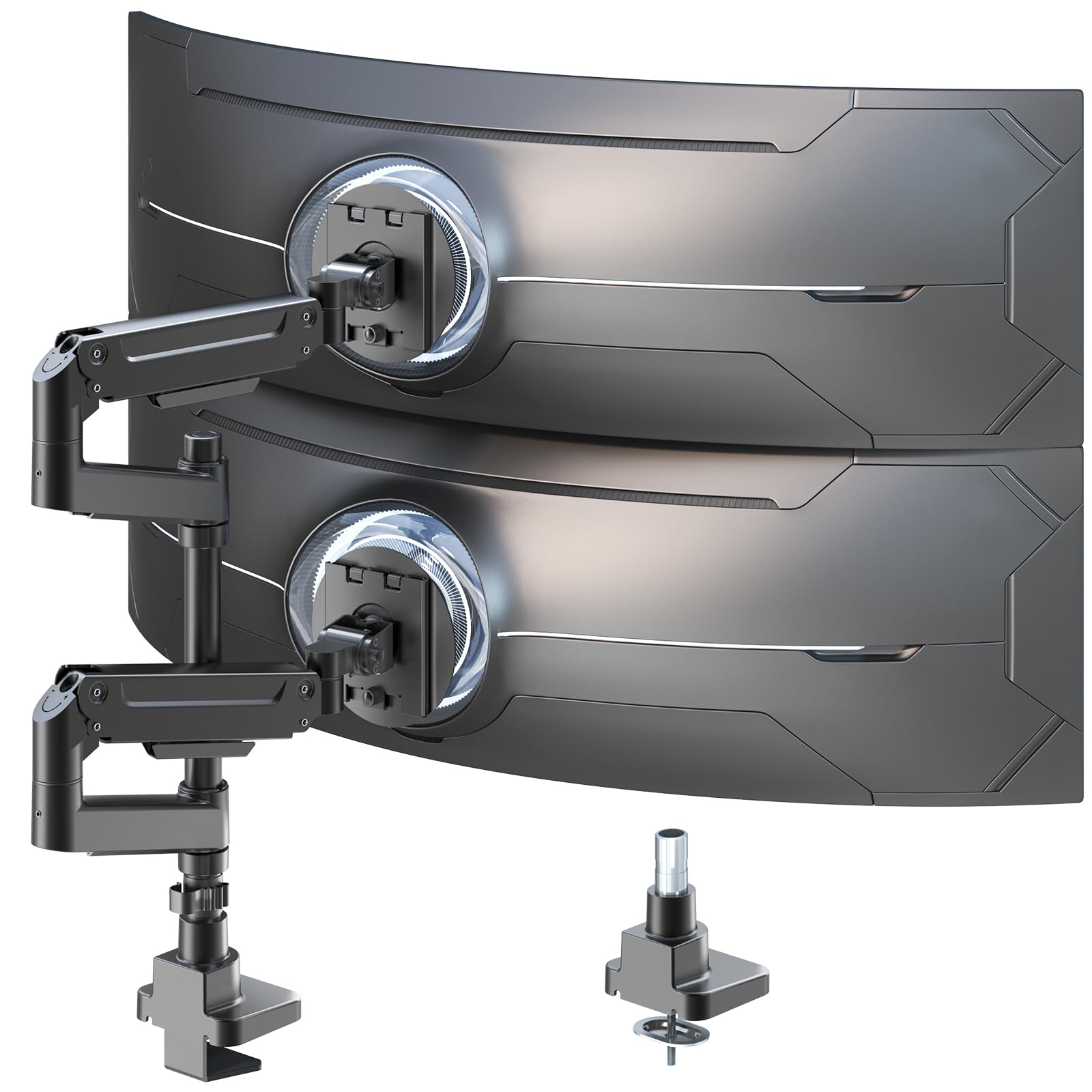
Stacking two ultrawides is a different problem from holding one. You need a pole tall enough that the top panel clears the bottom one's bezel, and two arms that are each rated for the weight rather than sharing a single figure. PUTORSEN's answer is a 19.69-inch pole with two gas spring arms, 44 pounds and 17 to 49 inches per side.

The springs are the good part. Height changes on a loaded arm are smooth and stay where you leave them, the arms move on all three axes without the graunch you get from cheap spring hardware, and the base carries 88 pounds, so a third arm later is not out of the question.

Where it takes patience is the mounting hardware: the VESA plate is large, and a monitor with a tight recess around its holes can fight it, so measure the pattern and the recess depth before ordering. Get past that and it is the setup that makes two big screens feel like one workspace instead of two desks pushed together, which is why we keep it for the stacked case and not the single one.

Pros

  • Two gas spring arms rated 44 lbs each
  • 19.69-inch pole for vertical stacking
  • Base rated to 88 lbs for a third arm
  • Holds position without wobble

Cons

  • VESA plate crowds deeply recessed monitor backs
  • Pole leaves little extra gap between two 49-inch panels
Our verdict

Two 44-pound arms on one 19.69-inch pole, which is how we stack a pair of ultrawides without giving up the desk.

Check Latest Price
6

Value 49-Inch Arm

ARES WING Ultrawide Arm

85 /100
LBD Score Excellent

Key details

Desk Clamp
0.5 to 1.8 inches
Tilt Range
+50° to −20°
Screen Size
17 to 49 inches
Weight Capacity
44 lb
View on Amazon

Ares Wing covers the same ground as our top pick on paper — 44 pounds, 17 to 49 inches, +50 to -20 degrees of tilt — for less money, and that is a fair trade as long as you are not moving the screen every day. The hardware is metal, the gas spring is rated for the load, and the clamp and grommet bases both ship in the box.

The arm holds a heavy panel at the height you set it to, and the cable covers slide toward the monitor instead of making you thread leads through a tube, a small design decision we appreciated more than we expected to. Tilt, swivel and rotation are all present and the movement feels closer to the advertised range than the spec sheet suggests.

The mounting hardware is the weak link. The screws supplied for the VESA plate are short, and a monitor with a thick or recessed back may need a trip to the hardware store before it goes up. The joints also want re-tightening after you reposition rather than holding their settings indefinitely, which is normal at this weight but worth knowing if you swing the screen around daily.

Pros

  • 44 pounds and 49 inches for less money
  • Cable covers slide instead of threading
  • Full tilt, swivel and rotation
  • Clamp and grommet bases included

Cons

  • VESA screws are short for thick monitor backs
Our verdict

Our value route to 44 pounds and 49 inches, as long as you check the VESA screws and accept a joint that wants re-tightening.

Check Latest Price
7

Built-In USB Ports

Mount-It! MI-4771

0 /100
LBD Score Fair

Key details

VESA
75x75 to 200x200 mm
Ports
USB 3.0 and audio
Screen Size
17 to 35 inches
Weight Capacity
33 lb
View on Amazon

Ports in the base are why this one is in a roundup of heavy arms. USB 3.0 and audio pass-through sit within reach at the bottom of the pole, which saves a hub on the desk and a reach around the back of the monitor every time you plug something in.

The rest is a gas spring arm rated to 33 pounds for 17- to 35-inch screens, with VESA support from 75x75 up to 200x200 mm and ±45 degrees of tilt. That 35-inch ceiling is the first number to check: it is a good match for a heavy 32-inch panel and the wrong arm for the 49-inch ultrawide you may be picturing.

Setup is a genuine project. There are a lot of parts, and the tilt tension is sensitive enough that small turns change the angle a great deal, so dial it in with the monitor mounted and then leave it alone.

What you get for the effort is a stiff, well-machined arm that feels like more hardware than the price suggests, and a clamp that takes desk tops up to 3 inches. Against the MSI you are paying more for 11 pounds less capacity and 14 inches less screen, so the ports have to be worth that to you.

Pros

  • USB 3.0 and audio ports built into the base
  • VESA patterns up to 200x200 mm
  • Gas spring arm rated to 33 lbs
  • Clamp fits desks up to 3 inches

Cons

  • Caps out at 35 inches and 33 pounds
  • Tilt tension is touchy to set
Our verdict

We buy this one for the USB and audio ports at the base, with a 33-pound, 35-inch ceiling that rules out the biggest panels.

Check Latest Price
8

Cheapest Heavy-Duty Arm

ErGear Heavy Duty Arm

89 /100
LBD Score Excellent

Key details

VESA
75x75, 100x100 mm
Tilt Range
+30° to −40°
Screen Size
13 to 49 inches
Weight Capacity
37.4 lb
View on Amazon

Value is the entire argument here: a 13- to 49-inch arm rated to 37.4 pounds, pre-assembled out of the box, with a 10-year warranty behind it. For a desk that needs a heavy screen lifted without becoming a project, that is a lot of arm for the money.

The clamp is the part that decides whether you will like it. The tension screw takes real force to wind down, and mounting goes far more smoothly with the arm off the desk and the clamp set first, a small change in sequence that turns a frustrating install into a straightforward one.

Range of motion is the other compromise. The arm moves smoothly, but a 49-inch panel at this rating is close to the ceiling and will not swing as freely as the 44-pound arms here. If the screen stays where you put it, that costs you nothing.

Buy it for a 34- to 38-inch panel that does not move much, and treat the 37.4-pound figure as a ceiling rather than a target. A 49-inch OLED with a dock on the back is past what this one is built to hold, and the arms further up this list are the ones to look at for that.

Pros

  • 37.4 lb rating at the lowest price here
  • Fits 13 to 49 inches and arrives pre-assembled
  • Backed by a 10-year warranty

Cons

  • 37.4 lb ceiling leaves no room for the heaviest 49-inch panels
Our verdict

The cheapest way we found into heavy-duty territory here, provided you set the clamp screw before the monitor goes up.

Check Latest Price

How We Tested Heavy-Duty Monitor Arms for 49-Inch Screens

The shortlist started with specs: arms rated for at least 30 pounds and screens up to 49 inches, with both clamp and grommet hardware and VESA 75/100 compatibility. Anything whose clamp wouldn't fit a standard desk edge got cut. That left 12 arms, which we mounted and lived with for eight months.

Assembly came first. I built each arm solo with a stopwatch running and counted the tools I had to fetch mid-build. Then it went onto one of three desks: a 1.5-inch laminate top, a 2.5-inch butcher block, and a workbench with a welded rail under the edge. Where the clamp wouldn't seat, I switched to the grommet and measured how much desktop the base swallowed. With a screen mounted, I leaned on the desk, hip-checked the arm, and typed hard to see whether the monitor moved.

Then we used them. Every arm carried a 49-inch curved ultrawide through full workdays and got raised and lowered each time someone stood up — which is where gas-spring tension shows itself, since some held at eye level and others drifted overnight. We swung each one out to arm's length, pushed it flat toward the wall, tilted it into portrait, and noted where the range ran out or a joint stiffened.

Sturdiness got checked weekly: I measured sag at the pivot and watched which arms still felt tight after months of daily use. Value was the final filter — an arm stayed in contention if its hardware and clamp held up well enough to justify the price against cheaper options that drooped.

How to Choose a Monitor Arm for a Heavy Monitor

Match the rating to the load, not the diagonal

Two 49-inch ultrawides can differ by twenty pounds depending on whether the panel is OLED or LCD, so the diagonal on the box tells you almost nothing. Add the VESA adapter, a dock hung off the back and the cables, then compare that number with the arm's rating — and do it at the extension you actually plan to use, because a long arm working at full reach is doing more work than the same arm tucked in.

Ratings in this group run from 33 pounds to 59.4. Buying at the very top of a rating is where most disappointment starts, so leave roughly 20 percent headroom and you will rarely think about the arm again.

The tilt joint is where heavy arms fail

Most failures with a heavy panel trace back to the head: a screen that slowly noses down, or a tilt that will not hold after you move it. The gas spring carries the weight, but the tilt tension is a separate screw, and it has to be set with the monitor mounted because the load is what it is fighting.

Set it, live with it for a few days, then check it again — a little settling in the first week is normal. Arms with a wider base and a beefier VESA head, like the HUANUO TitanLift, give you less of this to chase in the first place.

Clamp or grommet, and measure the desk

Most arms here include a C-clamp and a grommet mount, and the clamp usually tolerates a thicker top. The MSI MAG MT201, for example, takes 10 to 85 mm at the clamp but only 10 to 35 mm through a grommet hole, so the two routes are not interchangeable on a thick desk.

A clamp loads the desk edge, which solid wood and thick laminate handle better than a hollow-core top; glass needs a spreader plate. Measure thickness at the edge and behind the drawer stack, not in the tidy middle where the desk looks best.

Reach, height and where the base lands

A long arm lets you pull a big screen toward you and push it aside, but every inch of reach is one more joint to stiffen and a little more wobble at the far end. Height matters just as much if you stand to work: the Ergotron HX lifts 11.5 inches and puts the screen 17.8 inches above the desktop, which is what gets a 49-inch panel to eye level.

Before you commit, look under the desk. A drawer, a crossbar or a cable tray can leave the clamp with nowhere flat to sit, and no amount of adjustment fixes a base that landed in the wrong place.

What the extra money buys

Above the budget tier you are paying for three things: material at the joints, a clamp that grips on the first attempt, and warranty length. The Ergotron is the extreme case — for a 42-pound curved panel on a tight desk edge it is the difference between a mount you adjust and one you forget about.

Below that, the MSI and the ARES WING carry the same 44-pound rating with more compromise at the head, which is exactly the part worth reading carefully before you order.

Frequently Asked Questions

Final Verdict

For a 49-inch ultrawide, buy the HUANUO TitanLift. It holds 44 pounds, the clamp stays put, and the tension can be set with one hand while the other holds the screen — which is the whole job done.

Spend on the Ergotron HX when the panel is at the top of that range and the desk edge is tight and thick. Above 44 pounds, the monTEK is the only arm here that takes the load, and for two stacked screens the PUTORSEN is the one that makes the geometry work.