Best Dual Monitor Arms of 2026

A monitor arm has one job: hold the screen where you put it. Plenty of them don't. You tighten everything down, nudge the screen closer, and by the end of the week it has drooped back toward the desk. Get it right, though, and two monitors float at eye level with the whole desktop cleared underneath — room for a keyboard, a notebook, and a mug that no longer sits in a screen's shadow.

My team spent six months with 12 dual arms clamped to desks and threaded through grommet holes, and the pattern held: the ones that stay put have honest per-arm weight ratings, hardware that lines up on the first try, and a tension adjustment you can reach without unmounting anything. Two numbers decide most of this before you unpack the box — how much each arm carries, and how thick your desktop is.

Below are the arms that earned a permanent spot, from simple mechanical models to gas-spring versions that lift with one finger.

1

Best Overall

HUANUO FlowLift HNDS6

93 /100
LBD Score Outstanding

Key details

Mounting
C-clamp or grommet
Warranty
5 years
Screen Size
13 to 32 inches
Load Per Arm
19.8 lb
View on Amazon

Most dual arms grip the desk with a single C-clamp and hang both screens off it, which is why so many of them shimmy when you type hard. The FlowLift spreads that grip across a wider plate and clamps down twice, and the difference shows up the moment you knock a monitor: the base stays quiet. Each arm carries 4.4 to 19.8 pounds of screen, fits 13- to 32-inch panels, and moves on its own — tilt, swivel, and full rotation into portrait.

That second clamp is why this is the arm we recommend to most people building a two-screen desk. Two 27-inch panels cantilevered off one small pad is a lot of leverage, and the extra contact along the edge is what keeps the whole rig from walking when you swing a screen aside. Cable clips run down the back of each arm, so the clean-desk effect survives contact with actual work.

The part that takes patience is the tension. The arms arrive set for a mid-weight monitor, so a 12-pound screen floats upward until you back the spring off, and a 19-pounder near the ceiling wants its tilt screw re-tightened after the first week. Give it a proper session with the included hex key before you conclude the arm droops — that adjustment is the whole difference between a stiff mount and a bad one.

Two practical notes before ordering. The clamps want a wooden top, since glass and thin plastic are ruled out, and they sit a few inches apart along the edge, so look underneath for a crossbar or apron exactly where they need to land. The grommet kit covers the drilled-hole alternative, and the warranty runs five years.

Pros

  • Twin-clamp base resists wobble while you type
  • Independent arms with tilt, swivel, and 360° rotation
  • Fits 13–32 inch screens with clamp and grommet kits
  • Five-year manufacturer warranty

Cons

  • Tilt tension needs retuning near the 19.8-pound limit
  • Clamp mounting is for wooden desktops only
Our verdict

Our pick for most desks: the dual-clamp base holds two 27-inch screens steady, and the independent arms swing far enough for a corner setup.

Check Latest Price
2

Best Budget

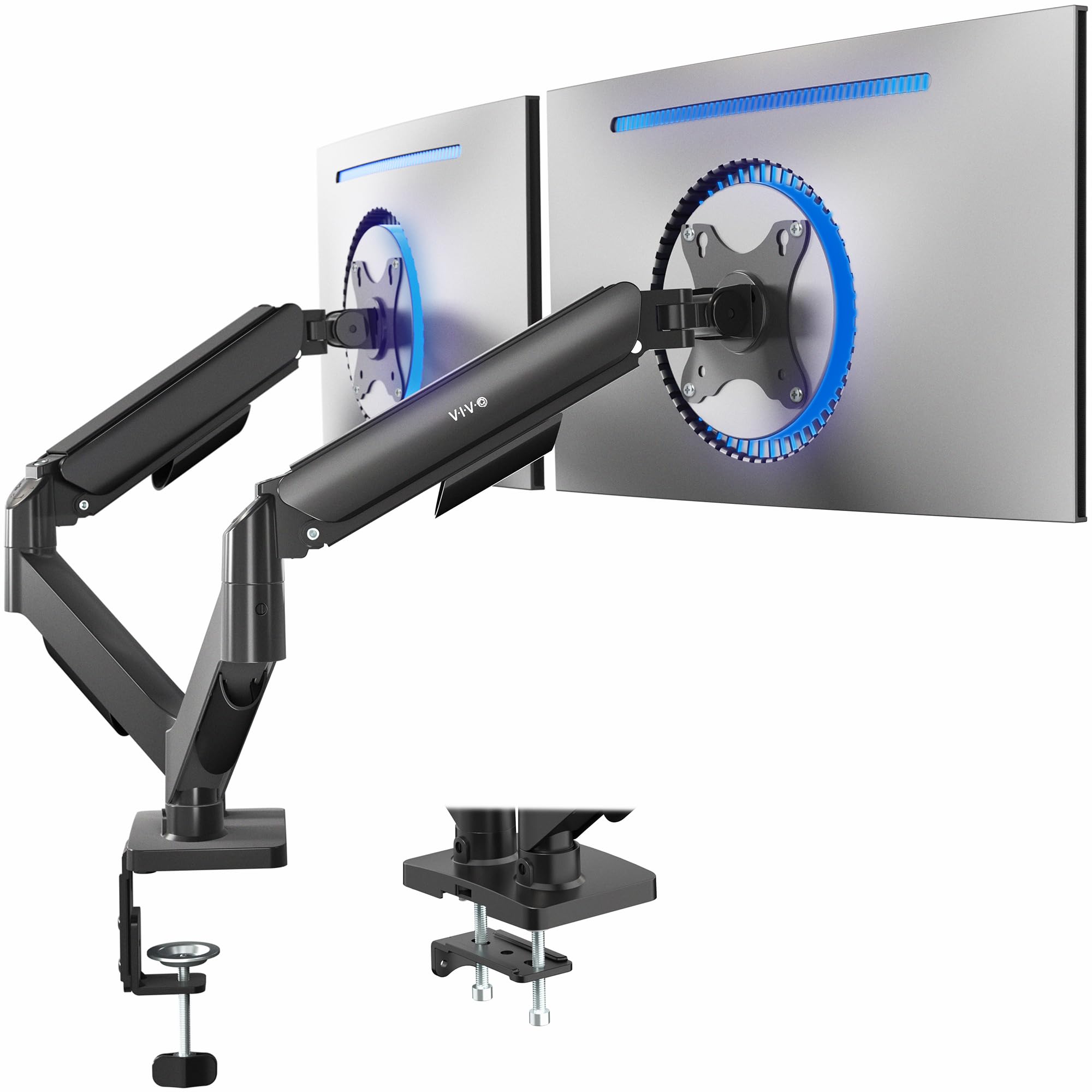
VIVO STAND-V002

93 /100
LBD Score Outstanding

Key details

Warranty
3 years
Screen Size
13 to 30 inches
Load Per Arm
22 lb
Desk Thickness
Up to 3.25 inches
View on Amazon

Two things separate the STAND-V002 from our top pick: there is no gas spring, and both arms hang from a single center pole. That second difference is the one you live with. Because the arms are fixed to the same pipe, the height you set for one screen is the height you get for the other — right for a matched pair at eye level, wrong for anyone who wants one screen higher than its neighbor.

What the money buys is genuinely sturdy hardware: a steel frame, 22 pounds of capacity on each arm, 90 degrees of tilt in either direction, 180 degrees of swivel, and a full 360 for portrait. The VESA plates detach, so you screw them to the monitors flat on the desk and hang them afterward, and the clamp takes tops up to 3.25 inches or swaps for a grommet bolt.

We point people here when both screens are going to sit level and stay there. The joints are the compromise: they have a narrow sweet spot between loose enough to move and tight enough to hold, and you find it with the hex key rather than by feel. Tighten once and the pole design turns into an advantage — nothing drifts out of alignment, and there is far less hardware crowding the desk edge.

Pros

  • 22 pounds of capacity on each arm
  • Steel build with a three-year warranty
  • Detachable VESA plates and cable management
  • Full 360° rotation for portrait screens

Cons

  • Both arms share one pole height
  • Joints have a narrow tension sweet spot
Our verdict

We recommend it when your two screens will sit at one height: steel, 22 pounds an arm, and a three-year warranty for very little money.

Check Latest Price
3

Best for Heavy Monitors

HUANUO HNDS7

93 /100
LBD Score Outstanding

Key details

Warranty
5 years
Arm Height
Up to 21.1 inches
Load Per Arm
26.4 lb
Desk Thickness
Up to 3.54 inches
View on Amazon

26.4 pounds per arm is the number that earns this mount its place. It is the highest per-arm rating in this group by a wide margin, and it is the arm we point to when a 32-inch panel weighs more than its spec sheet suggested — or when a heavy screen has already defeated a cheaper arm by slowly tilting forward all afternoon.

The capacity comes from aluminum arms, a wider base, and the same twin-clamp design as our top pick. The arms raise screens up to 21.1 inches above the desk, enough to clear a laptop and a riser, and the grommet mount takes desktops up to 3.54 inches thick. Swivel runs 90 degrees each way, tilt from -30 to +85, and rotation is a full 360 for portrait. USB charging is built into the mount, which quietly removes a hub and a cable from your desk.

The trade is footprint and money. The base is larger than the FlowLift's, so it eats more clear desk edge, and this is the most expensive arm in the guide by a distance. If your monitors are 15-pound 24-inchers, you are buying headroom you will never spend.

Where it justifies the premium is the panels nothing else here will hold flat: a 20-plus-pound 32-incher, or a pair of thick curved displays that keep dragging a lighter arm's tilt downward. Same five-year warranty as the FlowLift.

Pros

  • Highest per-arm rating here at 26.4 pounds
  • Aluminum arms on a wider twin-clamp base
  • Raises screens to 21.1 inches above the desk
  • USB charging built into the mount

Cons

  • Larger base needs more clear desk edge
  • Premium price against the rest of the group
Our verdict

The arm we suggest for genuinely heavy panels — nothing else here is rated for 26.4 pounds a side.

Check Latest Price
4

Best for Solo Setup

VIVO STAND-V002O

90 /100
LBD Score Outstanding

Key details

Warranty
3 years
Screen Size
17 to 32 inches
Load Per Arm
19.8 lb
Desk Thickness
Up to 3.1 inches
View on Amazon

The worst ten minutes of mounting two monitors by yourself is the part where you hold a panel against a VESA plate and hunt for four screw holes hidden behind the screen. VIVO's open-top plates fix that: you hang the monitor on the bracket, let it settle, then drop the screws in from above. That single design choice is why this is the arm we point to for solo installs — one person, no second set of hands, no stack of books holding the screen at the right height.

The rest is a mechanical spring arm rather than a gas one, so counterbalance is set by hand and holds without a pressurized cylinder to lose pressure over time. It fits 17- to 32-inch screens from 4.4 to 19.8 pounds, tilts 90 degrees in either direction, swivels 180, and rotates a full 360 into portrait, with a C-clamp for tops up to 3.1 inches or an optional grommet mount. One thing to know about the geometry: the back of each arm extends past the desk edge when you push a screen away.

We like it best for the solo installer and for anyone who repositions a screen a few times a day. The caveat is in the joints and the plastic covers on the arms — this is a workmanlike mount rather than a desk ornament, and the arms need a firm hand on the tension screws or a bumped screen will swing. Tightened properly, our screens held their height without the slow sag that plagues cheaper arms.

Pros

  • Open-top VESA plates simplify solo mounting
  • Mechanical spring holds without a gas cylinder
  • 17–32 inch fit with 19.8 pounds per arm
  • Three-year warranty

Cons

  • Joints need firm tightening to stop swing
  • Plastic joint covers feel basic
Our verdict

We recommend it to anyone mounting two screens alone — the open-top plates turn a two-person job into a one-person one.

Check Latest Price
5

Best for Big Screens on a Budget

ErGear EGDS15B

91 /100
LBD Score Outstanding

Key details

Warranty
2 years
Screen Size
17 to 33 inches
Load Per Arm
22 lb
Height Above Desk
Up to 17.5 inches
View on Amazon

If the goal is getting two 32- or 33-inch screens off the desk for as little as possible, this is the mount that does it. ErGear rates it for 17- to 33-inch panels at up to 22 pounds per arm, which is more screen and more weight than the budget VIVO handles, and it lifts the arms 17.5 inches above the desktop so a big panel can still reach eye level.

The money comes out of the movement. These arms are stiff — you push a screen into place rather than glide it — and the height and tilt screws need a firm turn to hold a heavier panel where you left it. We think that is a fair trade for a desk that gets set up once: if both monitors are positioned and rarely touched, the stiffness reads as solidity instead of friction.

It clamps or bolts through a grommet, tilts from +90 to -35 degrees, swivels 90 degrees each way, and rotates 360 for portrait, and the two-year warranty is longer than the Acer's. Where it asks for patience is initial alignment: getting two panels flush at the same height takes a few passes, heavier screens want the tilt re-tightened after the first week, and the arms need clear space behind the desk to fold back.

Pros

  • Fits 17–33 inch screens at the lowest price here
  • 22 pounds per arm for large panels
  • Height adjustable to 17.5 inches above the desk
  • Two-year manufacturer warranty

Cons

  • Stiff arms need force to reposition
  • Tilt needs re-tightening with heavier panels
Our verdict

The budget answer for 32- and 33-inch screens — as long as you plan to set the position and leave it alone.

Check Latest Price
6

Mixed Layouts

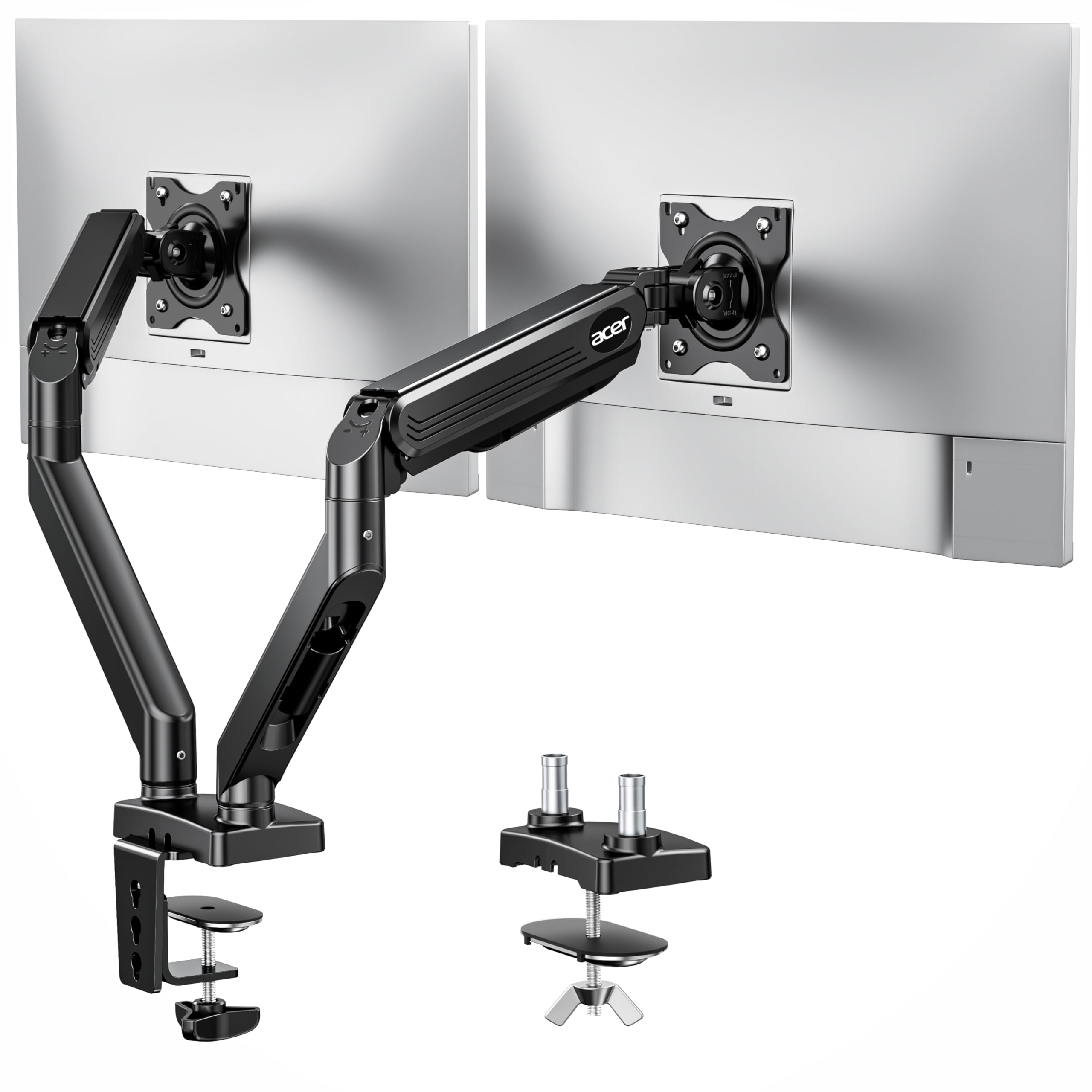
Acer AMS002

89 /100
LBD Score Excellent

Key details

Mounting
C-clamp or grommet
Warranty
1 year
Screen Size
17 to 32 inches
Load Per Arm
19.8 lb
View on Amazon

A gas-spring arm at a mid-range price with a monitor maker's name on it — that is the pitch, and it holds up for a light-to-mid pair. The AMS002 takes 17- to 32-inch screens from 4.4 to 19.8 pounds, swivels 90 degrees each way, tilts from +90 down to -60, and rotates a full 360 for portrait, with a C-clamp or a grommet bolt through a hole wider than 10mm.

The layout flexibility is the part we appreciate most. You can run both screens side by side, stack them vertically, or mix one landscape with one portrait without fighting the arms, which is more than most mounts at this price allow. For a small desk where the second screen lives above the first, that alone can settle the decision.

Two things hold it back in this group. The warranty is a single year, the shortest here, and the tilt-down is the fussy axis: the screen stops well short of a steep forward angle, and the arm resists lowering rather than dropping freely. For a fixed, eye-level setup it is fine; for a desk where you push a screen back and forth all day, the movement is not as free as the gas spring suggests.

Pros

  • Gas-spring arms for 4.4–19.8 pound screens
  • Side-by-side, stacked, or mixed layouts
  • Full 360° rotation into portrait

Cons

  • One-year warranty, the shortest in this group
Our verdict

The pick when you want one screen stacked over the other and still want gas-spring movement.

Check Latest Price
7

Small, Light Monitors

Amazon Basics Gas Spring

85 /100
LBD Score Excellent

Key details

Screen Size
15 to 27 inches
Load Per Arm
15.4 lb
Desk Thickness
0.39 to 4 inches
View on Amazon

Start with the ceiling: this arm tops out at 27-inch screens and 15.4 pounds per side. If you own 32-inch panels, stop here. If you own a pair of 24- or 27-inch office screens, the mount does the job and adds something the cheaper picks skip — a separate tension screw for each arm, so a 12-pound panel and a 15-pound panel can be balanced independently instead of compromising on one setting.

Amazon Basics ships it with the gas springs pre-set for a heavier monitor and the joints tight from the factory, which is deliberate: a stiff joint survives shipping and a loose one arrives flopped. The manual walks through backing each screw off to match your screen. Do that before you judge the arm, because skipping it makes a perfectly serviceable mount feel broken.

The clamp spans desks up to four inches thick, the widest stated range in this group, and a grommet bolt comes in the box for a drilled hole. VESA coverage is the usual 75x75 and 100x100.

We see it as a starter arm, or the right one for a small home office with lighter screens. On a heavy 27-inch gaming panel it will want constant attention, and the 27-inch ceiling rules out the upgrade most people make next — which is why it sits behind the others here rather than ahead of them.

Pros

  • Separate tension screw for each arm
  • Clamp spans desks up to 4 inches thick
  • Gas spring for smooth height changes

Cons

  • 27-inch and 15.4-pound limit per arm
  • Joints arrive stiff and need backing off
Our verdict

Right for a light pair of 24- or 27-inch office monitors, and wrong for anything heavier — check your panel weights first.

Check Latest Price
8

White Desk Setups

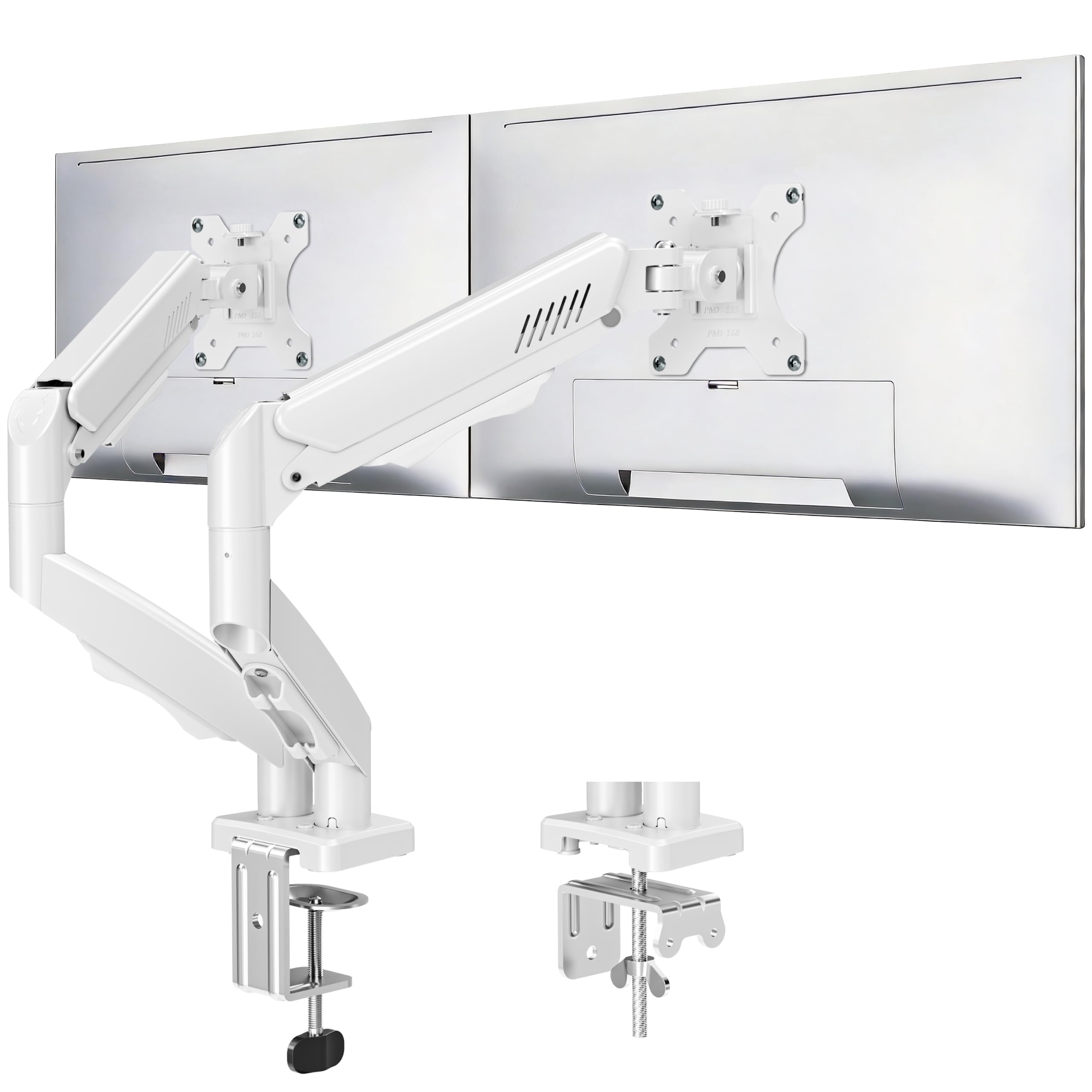
MOUNTUP Freelift White

87 /100
LBD Score Excellent

Key details

Finish
White
Screen Size
22 to 32 inches
Load Per Arm
19.8 lb
Arm Extension
Up to 19.5 inches
View on Amazon

White is the reason this mount earns a place in the guide. Everything else here is black, and on a pale desk with white peripherals a black arm is the one thing that refuses to match. The steel is finished in white, including the clamp and the VESA heads, so the color holds up where the mount meets the desk rather than stopping at the arms.

Underneath the finish it is a standard full-motion arm for 22- to 32-inch screens from 4.4 to 19.8 pounds: tilt from +90 to -45, 180 degrees of swivel, 360 rotation, and 19.5 inches of extension. Cable management runs inside the arms, and there is a clamp or grommet option for desks from 0.39 to 2.76 inches thick.

Alignment is where it asks for patience. Getting two screens flush at the same height takes a few passes, and the tilt wants re-tightening after the first week with a heavier panel. Our advice is to set the arm height first, then align the screens, then tighten everything — working in the other order means starting over.

For a mid-weight pair on a desk that gets adjusted now and then, we think it is a reasonable buy, and for a white setup it is the only one here. Just plan on real clearance behind the screens: pushed flat to a wall, these arms cannot fold back far enough to bring the two panels together.

Pros

  • White finish matches pale desk setups
  • 19.8 pounds per arm with 32-inch support
  • Arms extend up to 19.5 inches
  • Cable management inside the arms

Cons

  • Aligning the two screens takes patience
  • Tilt needs re-tightening with heavier panels
Our verdict

The only white arm here, and a sensible one for a mid-weight pair if you will spend the time aligning the screens once.

Check Latest Price

How We Tested 12 Dual Monitor Arms

We started with specs on roughly three dozen dual arms — per-arm weight capacity, supported screen sizes, VESA patterns, and whether the base clamps to a desk edge, bolts through a grommet, or offers both — then cut anything that couldn't clear a two-inch desktop or carry a 27-inch panel without maxing out its rating. That left 12 arms, which we mounted on real desks: a standard office desk, a standing desk, and one particleboard table that flexed when you pressed on it.

Assembly was timed solo with a stopwatch, from unboxing to a mounted and adjusted monitor. Before we started, we counted every bolt, plate, and wrench against the parts list, because missing hardware came up often enough in customer reviews to be worth verifying. Each arm then held a pair of monitors through two weeks of ordinary use — pulled forward for reading, pushed back for video calls, swiveled to show someone across the desk.

What we watched for was droop. We marked each screen's height on day one and checked it a week later, noting which arms had slipped and whether the tension screw had enough travel left to correct it. We also ran every arm to full extension and swung it through its full range, listening for creaks and watching whether the clamp crept along the desktop under the weight. Value came last: what the arm cost against how much usable desk it actually gave back.

How to Choose Dual Monitor Arms

Start With the Weight, Then the Size

Per-arm ratings among these picks run from 15.4 to 26.4 pounds, and screen ranges run from 13 to 33 inches. The two do not move together. A 32-inch panel can weigh anywhere from about 12 to 20 pounds depending on its backlight and how much stand you remove, while a dense 27-inch gaming monitor can outweigh a bigger office screen. Look up your monitor's weight without its stand before you compare capacity.

Then check the size ceiling against what you own. A 30-inch limit rules out a 32-inch panel no matter how much weight capacity is left over, and the size range is the number shoppers skim past most often. If you plan to upgrade screens in a year, buy for the screens you expect to have, not just the ones on the desk today.

Decide Whether the Arms Need to Move Independently

Pole-mounted designs hang both arms from one column: simple, stiff, and cheaper, but the two screens share a height. That is fine for a matched pair sitting at eye level, and wrong the moment you want one screen higher than the other or a laptop tucked underneath. Our budget VIVO is exactly this design, and it suits a desk that gets set once.

Independent arms cost more and give each screen its own height, tilt, and swing, which is what makes a corner desk or a portrait-plus-landscape pair workable. If you change positions through the day — sitting, standing, leaning back for a video — pay for independence. If the screens stay put, a pole is honest value.

Check the Desk Edge, Not Just the Desktop

Clamp and grommet bases need something solid to grab. Wood and engineered wood are the intended surfaces; glass and thin plastic can crack under a loaded arm. Thickness matters too: the clamps here span roughly 0.39 to 4 inches, so measure the top at the edge where the clamp actually lands, not in the middle of the desk.

Two more checks prevent most installation surprises. Look under the front edge for a crossbar, welded frame, or deep apron where the clamp has to sit flat. And leave room behind the desk: arms fold backward to bring the screens together in the middle, which a desk pushed flat against a wall will not allow.

Plan on Setting the Tension Yourself

Nearly every arm arrives with its springs and tilt screws set for a mid-weight monitor, so the first thing it does is droop or float. That is setup, not a defect. Match the counterbalance to the screen, then set the tilt tension with the monitor mounted, turning in small increments until the panel holds its angle when you let go.

Stiff is safer than loose. A joint that moves with two fingers will also drift under a heavy panel, and the narrow window between the two is where most of the frustration in this category lives. Once the tension is right, keep the hex key somewhere findable — a heavier monitor or a new panel means going through it again.

Frequently Asked Questions

Final Verdict

Most two-monitor desks are best served by the HUANUO FlowLift. The twin-clamp base is the deciding advantage: it holds two 27-inch screens without the shimmy that single-clamp arms develop, and the arms still swing independently when you want one screen out of the way. Set the tension once and it behaves.

Change one requirement and the answer changes. If a panel is heavy enough to drag a normal arm's tilt downward, the HUANUO HNDS7 carries 26.4 pounds per side. If you are mounting both screens without help, the VIVO STAND-V002O's open-top plates are worth more than any specification on this page.