Best Dual Monitor Stands of 2026

A dual monitor stand has one job: put both screens where you want them and keep them there. The failure shows up around week three, when one arm drifts down and you're re-tightening the same bolt every Monday. I've run that desk — two mismatched displays, a joint that wouldn't hold, a neck that paid for it — so we spent six months with 12 dual monitor stands finding the ones that don't.

What separates them rarely shows up in the headline spec. An arm rated for 22 pounds a side has headroom for a 27-inch panel but not for a heavy ultrawide on a long lever, and every stand here wants VESA 75x75 or 100x100, so check your monitor's pattern before anything else. The base matters just as much: a C-clamp or grommet needs a desk edge or drilled hole with a couple inches of thickness to bite, while a freestanding base slides behind the desk and works on glass.

The picks below are the ones that held position, went together with the hardware in the box, and didn't fight me when I moved a screen.

1

Best Overall

VIVO STAND-V002 Dual Monitor Mount

93 /100
LBD Score Outstanding

Key details

Mounting
C-clamp or grommet
Screen Size
13 to 30 inches
Desk Thickness
Up to 3.25 inches
Weight Per Arm
22 lb
View on Amazon

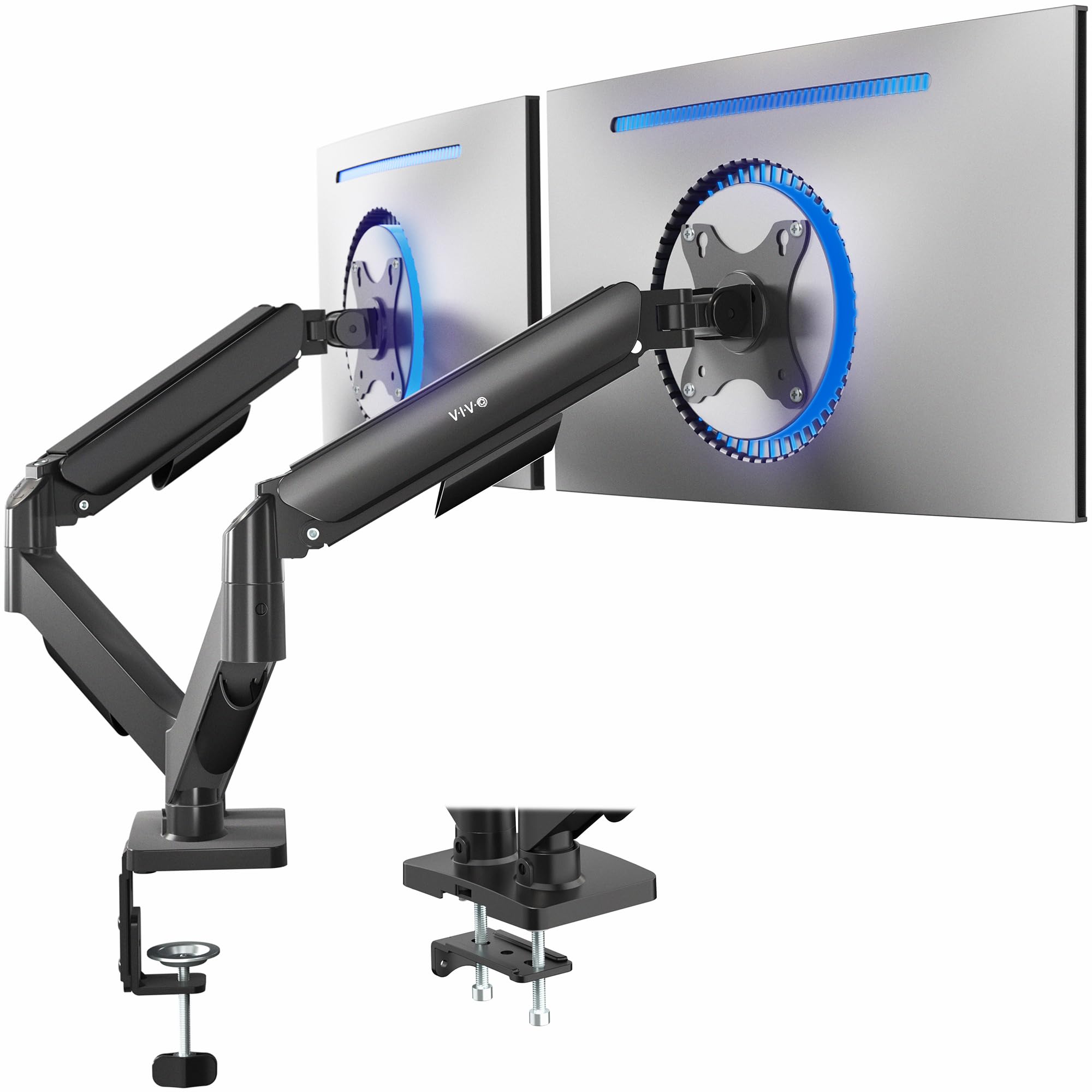
Most two-screen desks come down to one question before brand or budget matters: should the screens hang from an arm that grips the desk, or sit on a base you can lift off? The STAND-V002 answers it both ways, because a C-clamp and a grommet kit both come in the box. It holds two screens from 13 to 30 inches at up to 22 pounds each, which covers nearly any 24- or 27-inch pair you would put together, and it does it for among the least money in this group.

We keep it as the default because it handles the unglamorous parts. The VESA plates detach, so you screw each plate to the back of a monitor lying on the desktop and hang the screen afterward instead of holding it in the air with one hand. Tilt, swivel, and 360-degree rotation move freely once set, the pole and cables disappear behind the screens rather than adding one more thing to look at, and the 3-year warranty is longer than most budget mounts give you.

Setup is the part to take slowly. The joints are all-or-nothing: backed off, an arm drifts under its monitor; cranked down, it resists a nudge. Mount the screens, set height and angle, then tighten the hex bolts at each joint and test the tilt by hand before you call it done. Ten minutes of that and the arms stay where you leave them.

The honest limit is height. Both arms ride a single center pole, so raising one screen raises the other — a gift with a matched pair and a nuisance with a 24-inch beside a 27-inch, where you will shim a VESA plate to line the tops up. Pair it with two screens of the same size and the pole stops feeling like a compromise at all.

Pros

  • C-clamp and grommet hardware both included
  • 22 lbs per arm, screens to 30 inches
  • Detachable VESA plates simplify mounting
  • 3-year manufacturer warranty

Cons

  • Height adjustment moves both screens together
  • Plastic cable clips can snap when fitted
Our verdict

Buy this one unless your desk cannot take a clamp or your monitors do not match: it holds 22 pounds a side and does it for less than most of the group.
Check Latest Price
2

Best for Frequent Adjustment

VIVO STAND-V002O Dual Monitor Stand

90 /100
LBD Score Outstanding

Key details

Mounting
C-clamp or grommet
Screen Size
17 to 32 inches
Desk Thickness
Up to 3.1 inches
Weight Per Arm
4.4 to 19.8 lbs
View on Amazon

The spring arms are the whole reason to pay more here. Instead of a hex bolt at every joint, a mechanical spring counterbalances each screen, so you push it where you want it and it stays. The VESA plates are open at the top too, which means you hang a monitor onto the arm rather than threading screws through a plate while holding the screen up.

It fits 17- to 32-inch screens weighing 4.4 to 19.8 pounds, clamps or grommets to a desk up to 3.1 inches thick, and offers 90 degrees of tilt, 180 degrees of swivel, and portrait rotation. That 4.4-pound floor is worth noting: very light panels sit at the bottom of what the springs can balance, so a featherweight 24-inch may ride a touch high until you wind the tension down. VIVO also points out that the back of the arms extends past the desk edge, which matters if the desk is against a wall.

Whether it earns the extra money depends on how restless your setup is. On a shared desk where one person codes in portrait and the other games in landscape, this is the one we reach for, because that change takes one hand. On a desk where the screens go up once and never move again, the fixed joints of the cheaper STAND-V002 hold just as hard for less.

Pros

  • Mechanical spring arms adjust without tools
  • Open-top VESA plates for slide-on mounting
  • 17 to 32 inches, 19.8 lbs per arm
  • Clamp or grommet on desks to 3.1 inches

Cons

  • Plastic housings around the spring tension
  • Arms have some play when nudged
Our verdict

Worth the step up if you move your screens through the day: spring arms hold position without a knob, and the open-top plates let you drop a monitor on.

Check Latest Price
3

Best for Mismatched Monitors

HUANUO FlowLift Dual Monitor Stand

93 /100
LBD Score Outstanding

Key details

Mounting
C-clamp or grommet
Tilt Range
85 degrees
Screen Size
13 to 32 inches
Weight Per Arm
4.4 to 19.8 lbs
View on Amazon

The base is the part of a clamp mount that decides whether you trust it, and HUANUO spent the money there: a wider platform than most, gripped by two C-clamps instead of one. That extra clamp spreads the load across more of the desk edge, which is exactly what stops a two-screen setup from walking when you push a screen back. It fits 13- to 32-inch panels from 4.4 to 19.8 pounds, with 85 degrees of tilt — more than most here.

What we noticed first was how little the screens move once it is clamped down. Two monitors of different weights are the hard case for any mount: one arm wants to ride high, the other sags, and the whole assembly leans. The dual clamp and the stiffer steel keep that in check, which is why this is our pick when your screens are not twins — a 32-inch main panel with an older 24-inch beside it being the obvious pairing. The arms also move independently, so lining up two different heights is a job you finish rather than a compromise you accept.

Adjustment is where it asks for patience. The tension and height changes need a hex key and a few rounds of trial, and a lighter desk will show some wobble with a heavy screen extended far out on an arm. Set both screens up while the desk is clear and keep the arms short: the further out you reach, the more leverage you hand to gravity.

Pros

  • Dual C-clamp base spreads load wider
  • Independent arms suit different screen sizes
  • 85 degrees of tilt, more than most here
  • Handles 4.4 to 19.8 lbs per arm

Cons

  • Dual clamp needs a clear, flat rear desk edge
  • Costs more than the budget clamp mounts
Our verdict

The pick when your two monitors do not match: independent arms and a double C-clamp keep a 32-inch and a 24-inch sitting where you left them.

Check Latest Price
4

Best Freestanding

WALI MF002 Freestanding Dual Monitor Stand

91 /100
LBD Score Outstanding

Key details

Mounting
Freestanding base
Tilt Range
90 degrees
Screen Size
13 to 27 inches
Weight Per Arm
22 lb
View on Amazon

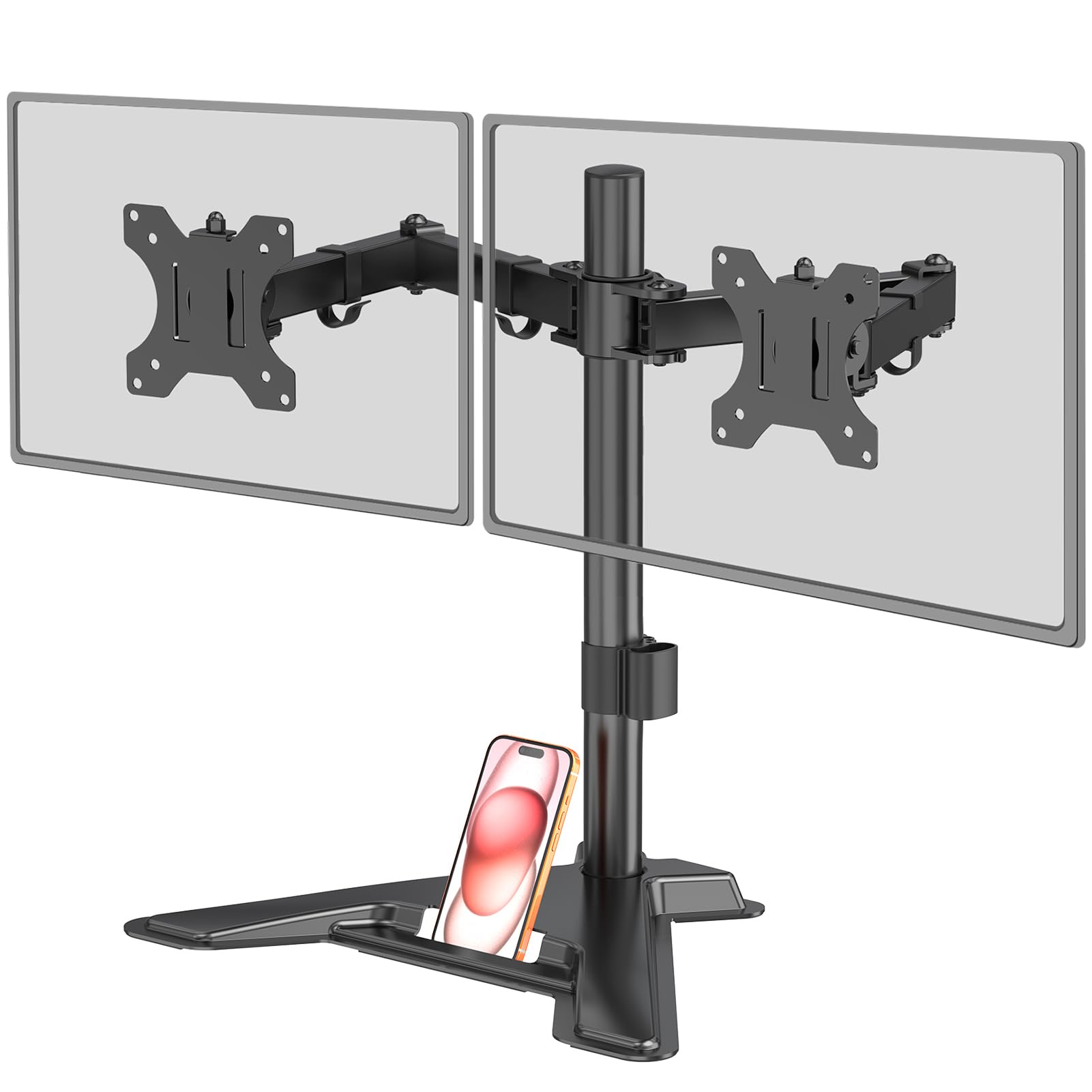
Some desks will not take a clamp: a glass top, a hollow-core door, a desk with a rear apron, or a lease that says no holes. The MF002 is the answer for those. A weighted base sits on the desktop and the two-arm assembly rises from it, so there is nothing to drill, nothing to grip, and nothing to undo when you move. It holds two screens up to 27 inches and 22 pounds each, with 90 degrees of tilt, 360-degree rotation, and height set along the center pole.

A freestanding stand carries load differently, and that is the thing to understand before you buy one. The base holds the screens by sitting under their center of gravity, so the further forward you pull a monitor, the less there is holding it down. Keep the screens roughly over the base and pushed toward the wall side of the desk and it is steady; haul a 27-inch panel out toward your keyboard and the whole thing gets light.

What we like is what the compromise buys: pick the whole assembly up, set it on another desk, put it back. Nothing is permanent and nothing needs patching. For a two-screen setup on furniture you do not own, that reversibility is worth more than the last degree of stiffness a clamp would give you.

Pros

  • No clamp, no drilling, nothing permanent
  • 22 lbs per arm, screens to 27 inches
  • Tilt, swivel, and 360-degree rotation

Cons

  • Capped at 27-inch screens
  • Height adjustment is stiff along the pole
Our verdict

The one to buy when you cannot clamp: a weighted base, 22 pounds a side, and 27-inch screens held without a single hole in the desk.

Check Latest Price
5

Tight, Tall Setups

MOUNT PRO PR1009 Dual Monitor Stand

88 /100
LBD Score Excellent

Key details

Height
Up to 18.1 inches
Mounting
Freestanding V-shaped base
Screen Size
13 to 27 inches
Weight Per Arm
17.6 lb
View on Amazon

Eighteen inches of height is the number that sells this one. The arms climb to 18.1 inches at the top of the pole, which is the difference between a screen at eye level and one you spend the day looking down at, and it does that on a heavy V-shaped base that simply sits on the desk. Two screens up to 27 inches and 17.6 pounds each, tilted from -90 to +70 degrees, no clamp and no hole.

The arms want a firm hand. Set the joint tension light and a screen will slide down its own arm, and a head that is not snugged will gradually nose forward. Tighten both tilt heads before the monitors go on, keep the heavier screen closer to the center of the base, and check them again after a day of use. Done in that order it holds, but it is not a stand you adjust on the fly.

Where it wins for us is the awkward room: a small desk with a screen-height problem and no way to clamp, whether that is a dorm desk, a shared table, or a glass top. It gets a pair of screens up to eye level for less than the other freestanding options here, and it does it without asking anything of the desk.

Pros

  • Reaches 18.1 inches at the top
  • Heavy V-shaped base needs no clamp
  • Tilt, swivel, and 360-degree rotation

Cons

  • Lowest per-arm rating here at 17.6 lbs
  • Wide V-shaped base claims desk depth
Our verdict

The cheapest way to get a screen up high without a clamp, as long as both monitors stay under 27 inches and 17.6 pounds.

Check Latest Price
6

Cable-Heavy Desks

Perlegear PGTVS41B Dual Monitor Stand

84 /100
LBD Score Excellent

Key details

Power
3 AC outlets, USB-A, USB-C
Mounting
Freestanding glass base
Screen Size
13 to 32 inches
Height Settings
10.79 to 14.92 inches
View on Amazon

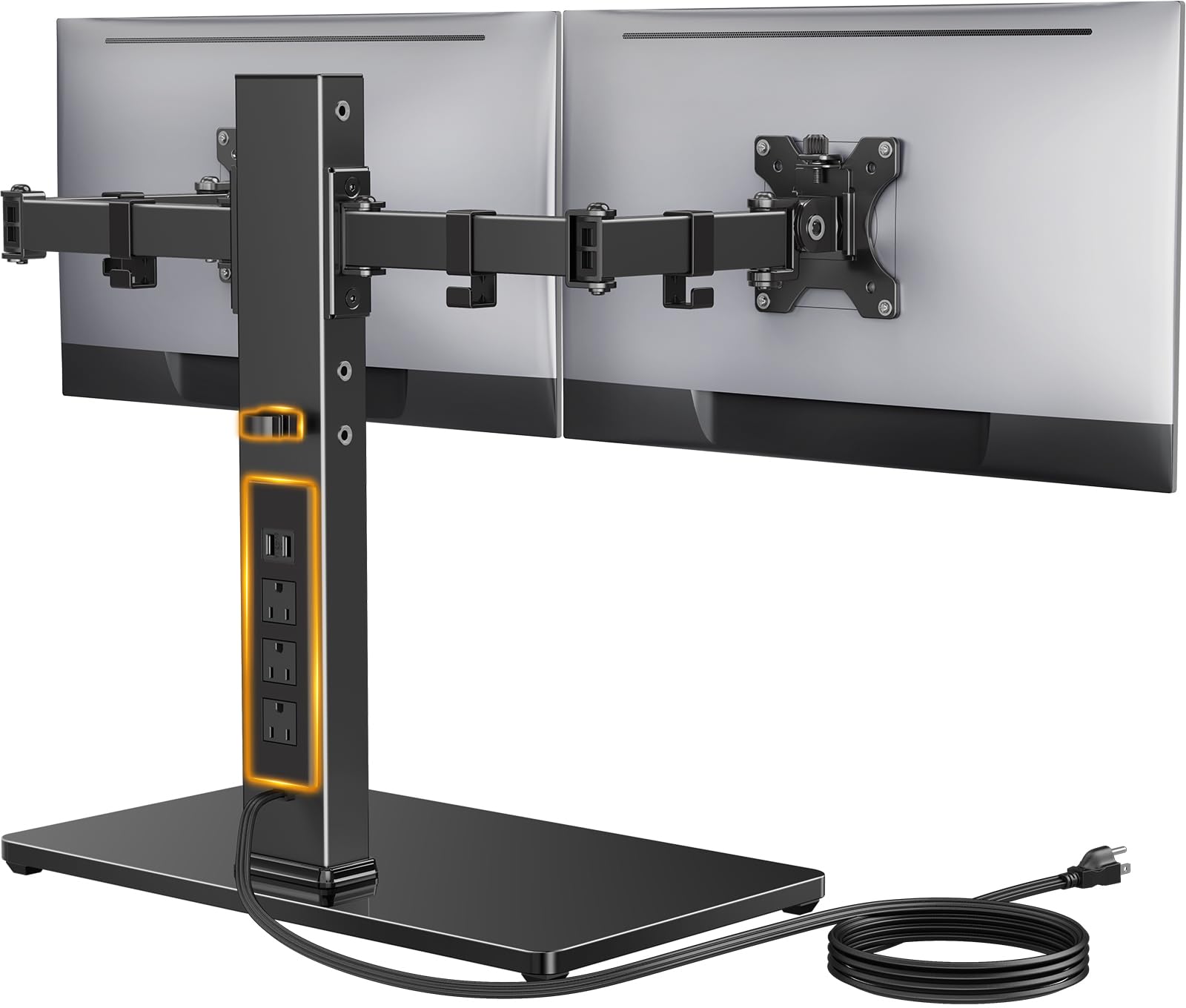
There is a power strip built into this stand: three AC outlets plus a USB-A and a USB-C, fed by a 6.5-foot cord. It sounds like a gimmick until you have zip-tied two monitor bricks and a dock under a desk. Here the monitor power and a phone charger live at desk height, in the same steel tower the arms rise from, and the tangle never reaches the floor.

The rest is a proper freestanding stand: a carbon steel column, a tempered glass base with non-slip pads, and two arms for 13- to 32-inch screens up to 22 pounds each with 45 degrees of tilt, 90 degrees of swivel, and 360-degree rotation. Height is not a sliding collar — it is four set positions between 10.79 and 14.92 inches, so the pole lands on a notch and stays there.

Those four notches are the thing to check against your own body. If your seated eye level falls between two of them, you will be adjusting the chair instead, so measure before you order rather than after the box is open. The glass base also wants a flat surface and a little care — it is furniture as much as hardware.

At the top of this group's price range it earns the money on the power strip and the finish rather than on capacity, because the arms hold what the cheaper stands hold. We like it for a desk where the outlet is a walk away and the tower is the one thing holding the cables; otherwise the simple stands do the same work for a lot less.

Pros

  • Three AC outlets plus USB-A and USB-C
  • Four height settings from 10.79 to 14.92 inches
  • 13 to 32 inches at 22 lbs per arm
  • Tempered glass base with non-slip pads

Cons

  • 6.5-foot cord limits where the base sits
Our verdict

The only stand here that also powers the desk: three outlets and two USB ports in the tower, for a two-screen setup you want off the floor.

Check Latest Price
7

Budget 32-Inch Builds

monTEK MA1006PXLBK Dual Monitor Mount

86 /100
LBD Score Excellent

Key details

Mounting
C-clamp or grommet
Screen Size
17 to 32 inches
Weight Per Arm
22 lb
View on Amazon

What you give up for the price is follow-up and polish, not capacity. This is 6.7 pounds of alloy steel rated for 22 pounds a side across 17- to 32-inch screens, with both a C-clamp and a grommet base in the box — the same headline numbers the name-brand clamp mounts here carry, for less money. That heavier column is doing real work: it is the part that resists the twist you get when one arm is swung out and the other is folded back.

Assembly is straightforward and the parts arrive labeled, so the plates go on the monitors first and the arms go on last. Tighten from the pole outward, set both screens before you load the cable clips, and check the tilt heads again after a day of use — a head that is not fully snugged will let a screen droop, and it is easier to catch that early than after a month.

We are comfortable recommending it for a budget 32-inch build on a desk where the screens go up and stay put. It is not the one for a shared desk that gets rearranged daily, and the shorter warranty reflects that. If the stand will live on the same desk for years, the extra money for the VIVO earns itself back in not thinking about it.

Pros

  • 22 lbs per arm with a 17 to 32-inch range
  • C-clamp and grommet bases both included
  • 6.7 pounds of steel at a budget price

Cons

  • One-year warranty only
  • Adjustment screws can strip or slip
Our verdict

Full 32-inch clamp capacity for less than the big-name mounts, as long as you are patient with the joints and the one-year warranty.

Check Latest Price

How We Chose and Tested the Best Dual Monitor Stands

We started with every dual monitor stand we could find that listed at least 17 pounds of capacity per arm, support for both VESA 75x75 and 100x100, and a clamp, grommet, or freestanding base. We read the returns and the one-star reviews, dropped anything whose stated capacity contradicted its own photos, and bought 12 stands at retail so none of them arrived hand-picked. What came in the box — screws, spacers, hex keys — counted toward value.

One person assembled each stand with only the hardware provided, and we timed it. We noted whether the VESA plate could be bolted to the monitor before it was lifted, whether the printed steps matched the parts actually bagged, and where a second pair of hands was genuinely needed. Each stand then went onto a solid wood desk, a standing desk, and — for the freestanding models — a glass-topped desk that no clamp can grab, with desk thickness measured before we tightened anything.

For two weeks per stand we typed hard, dropped a stapler next to the base, and ran the standing desks up and down to watch for bob and drift. A strip of tape on the wall at eye level caught slow sag. We moved each arm through its full tilt, swivel, rotation, and height range and let go to see whether it held, pushed the heads as close together and as far back as they'd go to check for collisions, and loaded the arms near their stated limit to see if they stayed put. Cables went through the channels the way a real desk routes them: two DisplayPort, two power, one webcam. Six months in, the stands below are the ones that never needed a second tightening.

How to Choose a Dual Monitor Stand

Clamp or Weighted Base

A clamp stand hangs both screens off the desk edge, so the desk itself carries the load and the arms can be rated for 22 pounds apiece. A freestanding base carries the same weight through a plate that sits under the screens, which is steadier than it sounds right up until you pull a monitor toward your keyboard.

Choose the clamp when the desk is solid wood with a clear rear edge, and choose the base for glass tops, hollow-core doors, or furniture you would rather not modify. We treat this as the deciding question because nothing later — arm quality, price, capacity — makes up for picking the wrong one.

Weight Rating First, Screen Size Second

The size range on the box is a ceiling, not a promise. Weight per arm is the number that actually stops a mount, and a 27-inch panel with a heavy bezel can outweigh a 32-inch one built around a thin frame. Check your heaviest monitor against the per-arm figure before anything else.

Then confirm both screens have a 75 x 75mm or 100 x 100mm VESA hole pattern on the back. That pattern is the whole interface — a monitor without it needs an adapter before any of these stands will touch it.

How Height Is Set Decides How Often You Adjust

Two design choices separate a set-and-forget stand from one you fiddle with. Height on a shared center pole moves both monitors together, which is free and fine for a matched pair and useless for a 24-inch beside a 32-inch. Independent arms and spring-loaded heads cost more and let you move one screen without disturbing the other.

Then there is tension. Fixed joints need a hex key and hold hard once set; spring arms move by hand and have more play. Match that to how restless your setup is rather than paying for movement you will never use.

Measure the Space Behind the Screens

The arms fold backward, so the space behind the monitors is part of the footprint. A clamp mount wants a few inches between the screens and the wall plus a reachable rear desk edge; a freestanding base wants a footprint of its own under the screens, with nothing stacked beside it.

If the desk sits flush against a wall, your screens end up closer to your face than you planned. Measure from the back edge of the desktop to the wall before ordering, and remember the base depth if you are going freestanding.

Assembly, Cables, and Warranty

Budget an hour and, for the first one, a second pair of hands. On most of these the VESA plate detaches from the arm, so you screw the plate to a monitor lying face down and hang the screen afterward — that one step is the difference between a calm install and a wrestling match. Cable clips then run power and video leads down the arms, which is most of what makes a two-screen desk look intentional.

Read the warranty last, because it tells you how hard the maker expects the joints to work. The clamp mounts here run from one year to three, and the longer one is worth something on a product whose entire job is holding two screens in the air.

Frequently Asked Questions

Final Verdict

The VIVO STAND-V002 is the one we point people to first. It grips the desk with a clamp or a grommet, carries 22 pounds on each arm, and throws in both mounting kits plus a 3-year warranty — and it costs less than most of the group while doing it.

Spend more only for a reason. The STAND-V002O if you move your screens several times a day and want spring arms instead of a hex key; the HUANUO if your two monitors do not match in size or weight; the WALI MF002 if the desk cannot take a clamp at all.