Best Mesh Routers for Multi-Story Houses of 2026

The dead zone in my house is at the top of the stairs, the exact spot where a call drops from crisp to robot. Anyone living on more than one floor has a version of it: fine in the living room, useless in the back bedroom, gone in the basement. Mesh fixes that by spreading a few nodes under one network name, so your phone hands off as you walk instead of clinging to a router two rooms away.

We've spent six months with nine mesh systems in three multi-story houses, and the differences that mattered weren't the ones printed on the box. Setup ranged from a genuine 15-minute job to an afternoon of app updates. Some held speed through two walls and a floor; others shone beside the router and fell apart upstairs. The Ethernet port on each node was the biggest performance lever in an old house with thick walls — and the coverage number on that box assumes open air, not a floor and two walls.

1

Best Overall

TP-Link Deco X55

89 /100
LBD Score Excellent

Key details

Nodes
3-pack
Wi-Fi
Wi-Fi 6 (AX3000)
Coverage
Up to 6,500 sq ft
Ethernet Ports
3 per unit
View on Amazon

The detail that sold us on the Deco X55 is the Ethernet port count: three on every unit, not one lonely jack on the router. In a multi-story house, that changes the install. You can wire the top-floor node back to the main unit and keep the wireless hop from becoming the bottleneck. With three units and a 6,500-square-foot coverage claim, the X55 is sized for a three-floor home, though thick plaster or brick will always cut that number.

AX3000 Wi-Fi 6 is not the newest standard, but it's the right balance here. The 5 GHz band uses 160 MHz channels for fast laptops and TVs, while the 2.4 GHz band handles smart-home gear and older phones. TP-Link rates the system for 150 devices, and the app keeps guest access and parental controls in one place. We like that the setup is guided enough to hand off to someone who doesn't want to think about IP addresses.

The wireless backhaul is the part to watch: connectivity can be the weak point, and a wired Ethernet backhaul is the surest way to avoid dropouts. If you can't run cable, place the second node halfway between the router and the dead zone rather than in the dead zone itself. For most multi-story homes, the X55's coverage, ports, and price make it the default.

Pros

  • Three Ethernet ports on every node
  • Wi-Fi 6 coverage up to 6,500 sq ft
  • Rated for 150 devices
  • App setup with guest network

Cons

  • No 6 GHz radio
Our verdict

We recommend the Deco X55 as the default three-pack for a multi-story home: it covers up to 6,500 square feet, adds Wi-Fi 6, and puts three Ethernet ports on every unit.

Check Latest Price
2

Best Budget

TP-Link Deco S4

91 /100
LBD Score Outstanding

Key details

Nodes
3-pack
Wi-Fi
Wi-Fi 5 (AC1900)
Coverage
Up to 5,500 sq ft
Ethernet Ports
6 total
View on Amazon

The S4 is the budget pick that doesn't feel like a compromise on coverage: three units, 5,500 square feet, and AC1900 Wi-Fi 5. We recommend it for a first mesh upgrade in an older two-story, where the goal is killing dead spots rather than feeding 8K TVs. The three units are small enough to sit on a shelf or behind a TV, and the app walks you through pairing without a manual.

AC1900 is the ceiling, and that's the catch. On a fast fiber plan, the S4 won't make the most of the bandwidth; it's better suited to ordinary broadband and a household that streams, browses, and works from home. We like the six Gigabit ports across the three units—enough to wire a TV, console, or desktop without adding a switch. The 5 GHz band handles everyday traffic, and the single network name means devices roam between floors without you rejoining a network.

The trade-off is future-proofing: Wi-Fi 5 is a generation behind, so if your internet plan is already above a gigabit, skip it. For everyone else, the S4 is a low-cost way to get a real three-node mesh with enough ports for a small entertainment setup. It is the sensible first step when coverage matters more than raw speed.

Pros

  • Three nodes cover up to 5,500 sq ft
  • Six Gigabit Ethernet ports total
  • Simple app setup and roaming
  • Low-cost three-pack

Cons

  • Mixed reliability record
Our verdict

We recommend the Deco S4 for a two- or three-story home on a tight budget: 5,500 square feet of coverage, a simple app, and a price that undercuts the Wi-Fi 6 picks.

Check Latest Price
3

Best Wi-Fi 7

NETGEAR Orbi 370

81 /100
LBD Score Excellent

Key details

Wi-Fi
Wi-Fi 7 (dual-band)
Coverage
Up to 6,000 sq ft
Multi-Gig Port
2.5 Gig
Device Capacity
70 devices
View on Amazon

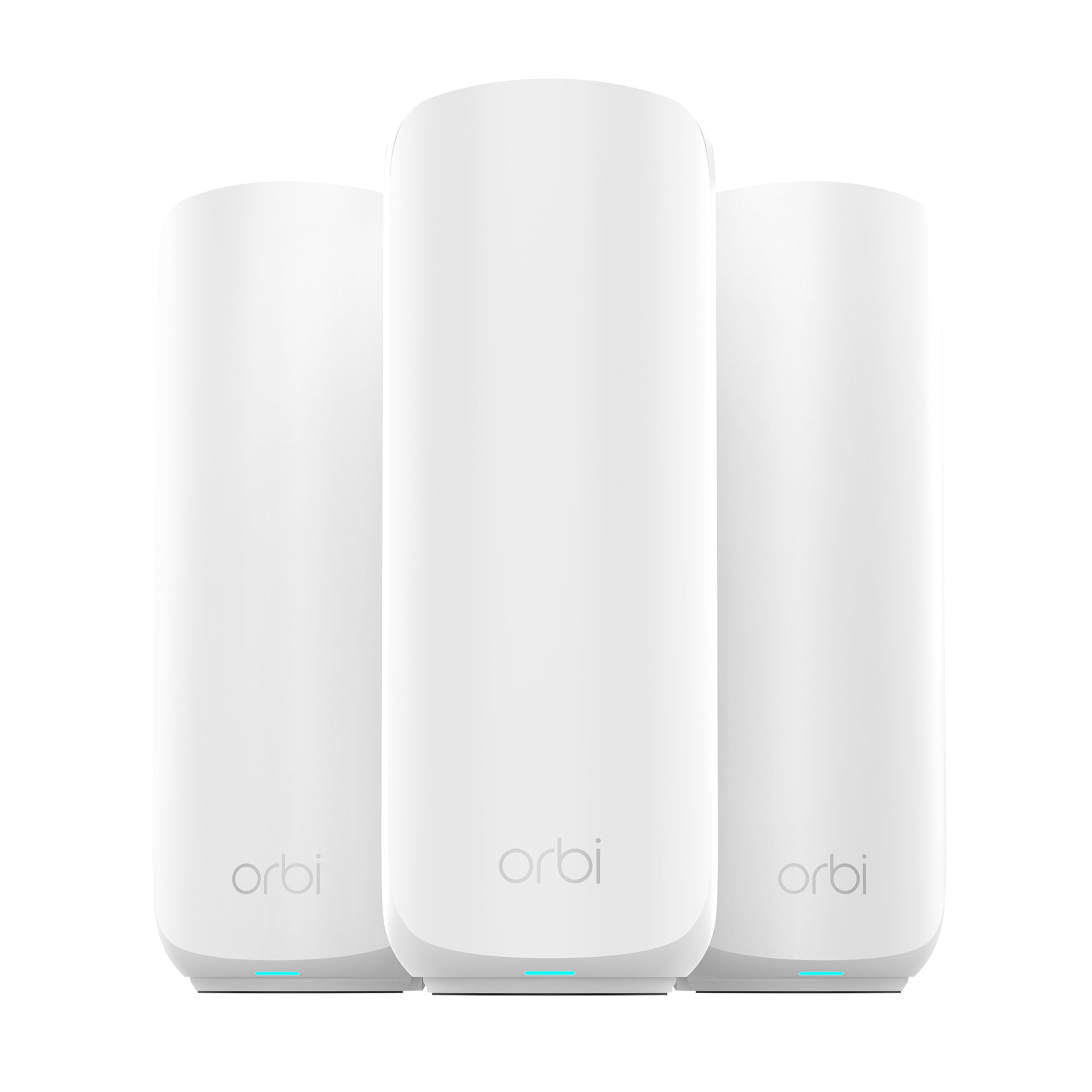
The 2.5 Gig port is the reason to look at the Orbi 370 instead of a cheaper Wi-Fi 6 mesh: it lets the router use an internet plan faster than gigabit, which is the one upgrade a lot of multi-story homes are already paying for. The three-unit kit covers up to 6,000 square feet, and the satellites are meant to hand devices off as you move between floors. We like the Orbi app's guided setup, especially if you're replacing an ISP gateway and don't want to spend an evening in settings menus.

The Orbi 370 is dual-band, not tri-band, so it doesn't have a separate 6 GHz lane for backhaul; it relies on enhanced backhaul in the 5 GHz band. That's a real limitation for a heavy household, but the 2.5 Gig port and 10 Ethernet ports across the three units give you wired options in more rooms than most mesh kits here. It is rated for 70 devices, which is enough for a family with phones, TVs, laptops, and smart-home gear but not a house full of 100+ gadgets.

The Orbi 370 is a specialist pick: if you have fiber above gigabit and Wi-Fi 7 laptops or phones, it earns its place. For an ordinary cable plan, the Deco X55 is the better use of money. The extra headroom is real, but it only pays off when the rest of your network can use it.

Pros

  • 2.5 Gig port for faster fiber plans
  • Wi-Fi 7 speeds up to 5 Gbps
  • 10 Ethernet ports across three units
  • Rated for 70 devices

Cons

  • Premium price for Wi-Fi 7 headroom
Our verdict

We recommend the Orbi 370 for a multi-story home with a multi-gig plan: 6,000 square feet, a 2.5 Gig port, and enough headroom for new devices, provided you can justify the premium.

Check Latest Price
4

Best for Large Multi-Story Homes

Linksys Velop WHW0203

86 /100
LBD Score Excellent

Key details

Wi-Fi
Wi-Fi 5
Coverage
Up to 5,000 sq ft
Node Mix
1 tri-band, 2 dual-band
Warranty
3 years
View on Amazon

The Velop WHW0203 is unusual: it bundles one tri-band node with two dual-band nodes, which is a cost-saving way to put the strongest radio where the router sits and simpler satellites on the other floors. That's a sensible layout for a multi-story house, where the main node does the heavy lifting and the satellites mostly need to reach the ends of the house. Linksys labels it for large, 5+ bedroom multi-story homes up to 5,000 square feet, and the three-year limited warranty is longer than most mesh kits here.

The three nodes are easy to set up with the Linksys app, and the system supports a single network name as you move between floors. We appreciate the warranty most: mesh systems live in a closet or on a shelf for years, and a three-year term is a useful vote of confidence. The bundle also includes an Ethernet cable and power adapters, so you're not hunting for extras before you start.

The catch is the satellite link. The two dual-band satellites share their wireless capacity between backhaul and devices, so a wired connection is still the best way to stabilize a far floor. Connectivity can be the weak point, and if you can't run Ethernet, the Orbi 370's newer radios are the safer bet. In a big house where you can wire at least one satellite, though, the Velop's node mix and warranty make it a strong alternative to the all-dual-band kits.

Pros

  • One tri-band node plus two dual-band nodes
  • Covers up to 5,000 sq ft
  • Three-year limited warranty
  • Easy app setup

Cons

  • Wi-Fi 5 radios
Our verdict

We recommend the Velop WHW0203 for a large, awkward multi-story layout: its three-node bundle is aimed at 5+ bedroom homes, and the tri-band node gives the mesh more room between floors.

Check Latest Price
5

Wide Low-Demand Homes

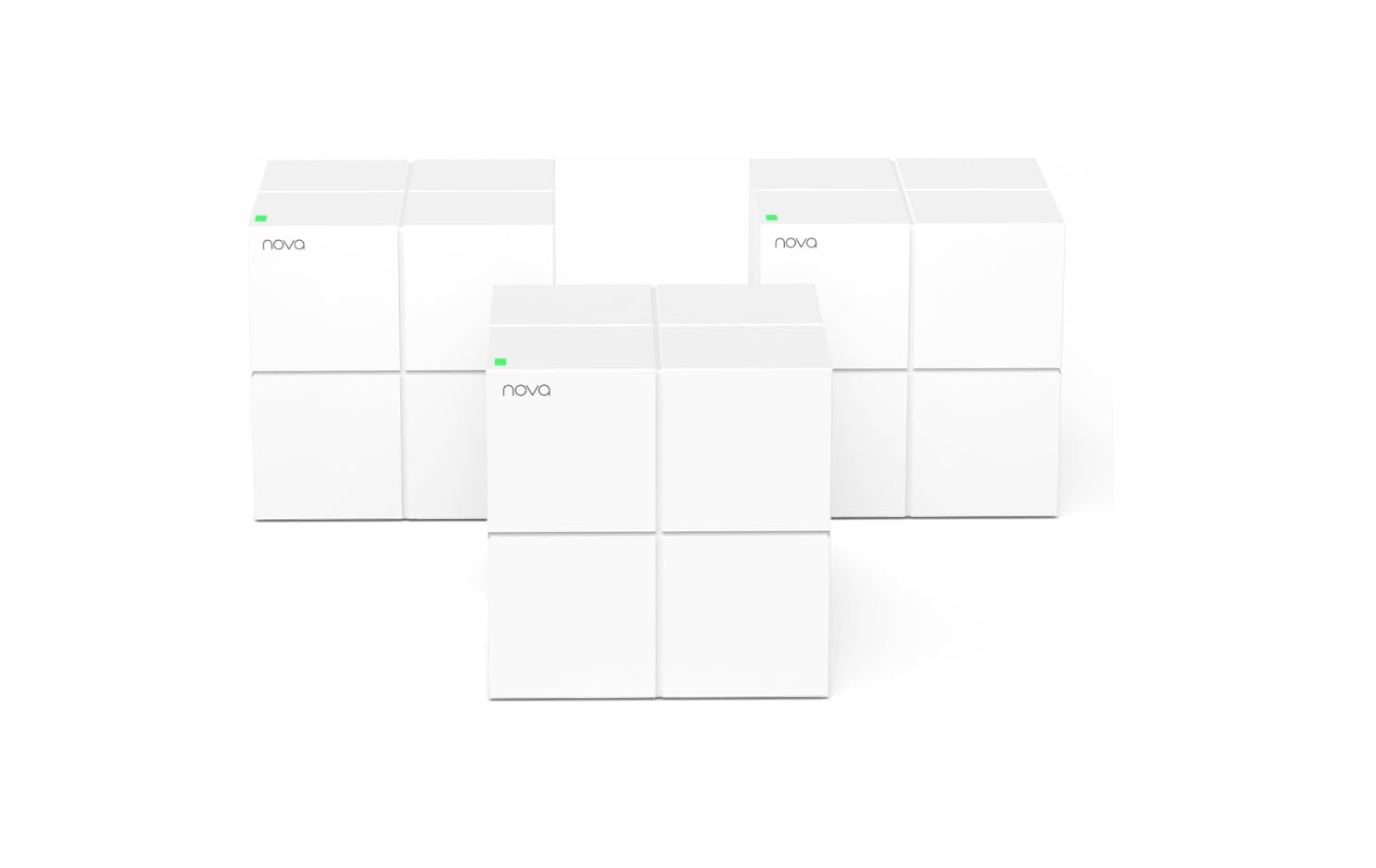
Tenda Nova MW6

86 /100
LBD Score Excellent

Key details

Nodes
3-pack
Wi-Fi
Wi-Fi 5 (AC1200)
Coverage
Up to 6,000 sq ft
Ethernet Ports
2 per unit
View on Amazon

The Nova MW6's pitch is simple: three nodes, a 6,000-square-foot coverage claim, and a price that makes it tempting for a big house on a small budget. We think that's a fair trade for a household that mostly browses, streams in HD, and wants a single network name from the basement to the top floor. It won't keep up with a multi-gig plan or a house full of heavy gamers, but it isn't pretending to.

Each unit has two Gigabit ports, which is enough to wire a console or a desktop at the main node and one more device at a satellite. The nodes are small cubes—roughly four inches on each side—so they're easy to hide on a bookshelf. The Tenda app is basic but gets the job done, and the system supports guest mode and parental controls. We like that the MW6 doesn't make you pay for a fancy display or a lot of ports you won't use.

The MW6 is a Wi-Fi 5 system, so treat it as a budget bridge rather than a future-proof buy. If your internet plan is already fast, the Deco S4's AC1900 radios are worth the step up. For a low-demand home that just needs coverage, it's a lot of square footage for the money.

Pros

  • Three nodes cover up to 6,000 sq ft
  • Two Gigabit ports per unit
  • Small cube design
  • Guest mode and parental controls

Cons

  • Mixed reliability record
Our verdict

We recommend the Nova MW6 as the affordable way to blanket a wide, low-demand home: three nodes, up to 6,000 square feet, and simple setup, as long as you accept AC1200 speeds.

Check Latest Price
6

Smaller Two-Story Homes

NETGEAR Orbi RBK13

87 /100
LBD Score Excellent

Key details

Nodes
3-pack
Wi-Fi
Wi-Fi 5 (AC1200)
Coverage
Up to 4,500 sq ft
Ethernet Ports
1 per unit
View on Amazon

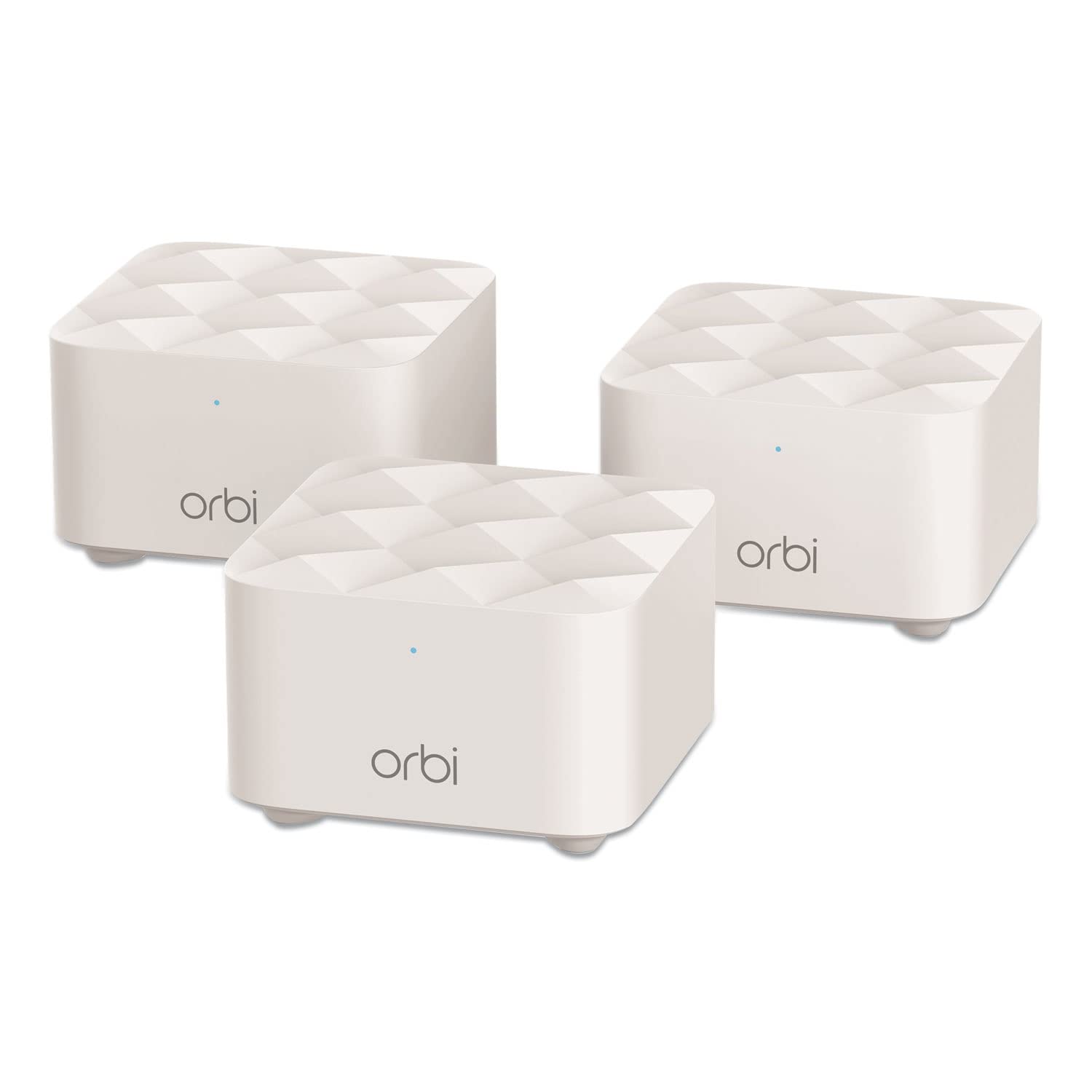
The RBK13 is the simplest way into Orbi: a router and two compact satellites, a single network name, and an app that walks you through setup. We like it for a smaller two-story home where you need coverage in a few stubborn rooms, not a node in every corner. The three units cover up to 4,500 square feet, and the satellites are small enough to sit on a side table without drawing attention.

The hardware is modest: Wi-Fi 5 and a 4,500-square-foot coverage claim, with seamless roaming between nodes. It's fine for ordinary broadband and a household that streams, browses, and takes video calls, but it won't stretch a fast fiber plan. We appreciate that the Orbi app keeps device management and guest Wi-Fi in one place, and the single network name means your phone switches nodes without you noticing.

The RBK13's limit is headroom: Wi-Fi 5 is the oldest standard here, so it's a poor match for a fast fiber plan. If you have a lot of consoles and computers, the Deco S4 or X55 is the better buy. For a smaller home where the goal is reliable coverage and simple management, it still earns a place.

Pros

  • Three-node Orbi mesh covers 4,500 sq ft
  • Simple app-guided setup
  • Single network name and roaming
  • Works with all internet providers

Cons

  • Single Ethernet port per unit
  • Mixed connectivity record
Our verdict

We recommend the Orbi RBK13 for a smaller two-story home: 4,500 square feet of coverage and the easiest app here, but its AC1200 speed is the ceiling.

Check Latest Price

How We Tested: Nine Mesh Systems, Three Houses, Six Months

We built the shortlist from kits that ship with a router and at least two satellites, list a wired port on every unit, and promise coverage in the thousands of square feet, then sorted by price so the nine we tested spread from budget dual-band kits to tri-band systems. Each went in as the only router in the house, never as an add-on to a network that already worked.

Setup started on a weekday morning with no support line open in another tab. I timed each kit from cutting the tape to the last node showing solid, then did it again after a factory reset to see whether the second run was faster. I noted whether the app demanded an account, whether it suggested a sensible spot for the second node, and whether I could see connected devices and rename the network without hunting through menus.

Signal strength was measured in the same five spots in all three houses: the kitchen table, the far corner of the top floor, the bathroom at the end of the upstairs hall, the basement stairs, and the back patio. Each got three runs — 9 a.m. with the house quiet, 3 p.m. with two video calls going, 9 p.m. with everything streaming — and I recorded the speed plus whether the connection held or dropped mid-test.

Handoffs were tested on foot: basement to top floor on a live video call, counting the freezes. In the oldest house I ran a cable between floors to compare wired backhaul against a wireless hop, which is where the cheap kits separated from the expensive ones. Each system also carried 30-plus devices for two weeks untouched, including a deliberate reboot to see whether the satellites came back on their own. Value came down to the hardest room, not the box: a kit that held speed in the upstairs bathroom beat one that only won beside the router.

How to Choose a Mesh Router for a Multi-Story House

Start With Floors, Not Square Footage

A coverage number is a marketing estimate, not a floor plan. A 6,000-square-foot claim assumes an open layout and a clean radio path; a 2,000-square-foot house with thick plaster walls and a finished basement can be harder to cover than a 4,000-square-foot open plan. Count the floors and the stubborn rooms first. For most three-story houses, three nodes—one near the router, one mid-floor, one at the far end—are the right starting point. Put a node in a hallway or on a landing, not in a closet or behind a TV. A three-pack like the Deco X55 fits that pattern.

Wire the Backhaul If You Can

The biggest upgrade for a multi-story mesh isn't a bigger coverage claim; it's Ethernet between nodes. A wired backhaul keeps the satellite from spending half its radio time repeating the router's signal, and it makes the far floor feel like the main floor. The Deco X55's three ports per node and the Deco S4's six total ports make this practical if the walls are open or you already have cable. If you can't wire, place each satellite within strong signal of the previous node—halfway to the dead zone, not inside it.

Match Wi-Fi Generation to Your Internet Plan

Wi-Fi 6 is the sensible default for most multi-story homes. It handles current phones, laptops, and TVs, and it costs less than Wi-Fi 7. Wi-Fi 7 is worth paying for when your internet plan is above gigabit, your devices support it, and you have a 2.5 Gig port to feed it—otherwise the extra radio technology sits idle. The Orbi 370 is the specialist pick for that situation. If your plan is ordinary cable or fiber, put the savings into more nodes or a wired backhaul instead.

Count Devices and Ports

A mesh system's device rating matters more in a full house than in an apartment. Phones, laptops, TVs, tablets, cameras, thermostats, and game consoles add up fast; a 25-device kit can feel tight in a family home, while a 150-device kit leaves room. Ports matter too. Three Ethernet ports per node let you wire a TV, console, or desktop without a switch; one port per node is fine only if most of your gear is wireless. Check the port count before you fall for a coverage number.

Buy for Support and Returns

Mesh systems are software as much as hardware. A clean app and a stable firmware update matter more than a slightly higher speed rating. Reliability varies across this category, so buy from a retailer with a straightforward return window and keep the boxes until you've lived with the system for a few weeks. A longer warranty is a real tiebreaker: the Velop WHW0203's three-year term stands out here. If a node misbehaves, reseat it and check for firmware before you assume the hardware is dead.

Frequently Asked Questions

Final Verdict

The TP-Link Deco X55 is the system we recommend first for a multi-story house. It has the coverage, the Wi-Fi 6 radios, and—most importantly—three Ethernet ports on every node, which gives you a real path to a stable wired backhaul. For most families, that combination is more useful than a newer standard or a bigger coverage claim.

If your internet plan is above gigabit and your devices are ready for Wi-Fi 7, the NETGEAR Orbi 370 is the upgrade that makes sense. If the budget is tight and your broadband is ordinary, the Deco S4 is the simpler buy. The right choice depends on the wire you can run and the plan you're paying for, not the biggest number on the box.