Best LED Video Lights of 2026

The first time I watched back a video I'd shot in my living room, my face was the color of a boiled ham. The lamp was bright enough — it was aimed at the ceiling and running warm, and no amount of editing fixed it. What you see on camera comes down to color temperature, accuracy, and how close the light sits, not the lumen count on the box.

I've been pickier since. Over the past six months, my team and I put 12 LED lights through morning video calls, late-night recordings in a windowless basement, and product shots at the kitchen table. The differences showed up in unglamorous places: whether the mount held after an hour, whether the dial matched the room's existing light, whether the stand stayed upright when I nudged the desk.

Nearly every light here is brighter than you need. What separates them is control — dimming that doesn't jump, a color range that matches a tungsten lamp or an overcast window, and a mount you trust above a laptop screen. Every pick below clears that bar.

1

Best Overall

NEEWER 660 LED Kit

94 /100
LBD Score Outstanding

Key details

Color
3200K–5600K, CRI 96+
Power
AC or NP-F battery
Output
40W, 3300 lux/1m
Stands
26–75 in
View on Amazon

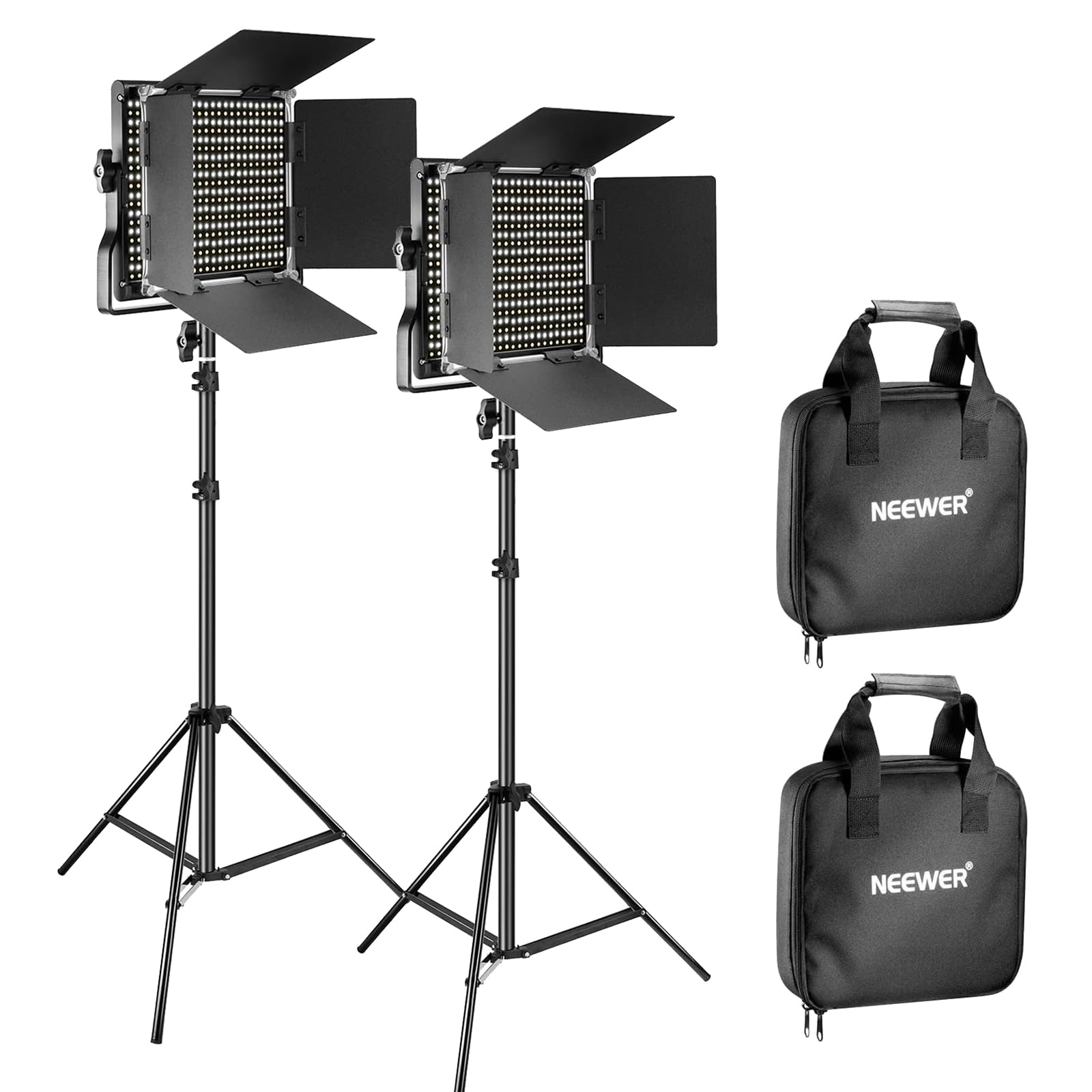
A pair of 660 panels, two 75-inch stands, soft diffusers, barndoors, and carrying bags is the complete kit we recommend for most creators. The metal housings and barn doors are the details that make it feel more like studio gear than a starter set: you can shape the light instead of just pointing it at a face. We liked that the panels are fanless, so nothing hums along under dialogue or a livestream.

The bi-color range is 3200K to 5600K, with 330 warm and 330 cool LEDs and CRI 96+, and the output is rated at 40W and 3300 lux at one meter. That is enough for a two-person setup or a medium room when the lights are close, and the U-bracket makes tilting quick. We found the separate warm and cool controls more useful than a single blended knob when matching room light, though they take a minute to balance.

Power runs from AC adapters or NP-F batteries, and the LCD screen makes the settings easy to check from behind the camera. The 75-inch stands give enough height for standing interviews, and the barndoors are stiff enough to stay where you put them. The carrying bags keep the panels protected between shoots, which matters when the metal barn doors are the parts you want to last.

For a fixed or semi-fixed studio, the metal build and beam control are the payoff. The barndoors are the part we noticed most in practice: they keep light off a dark backdrop without extra flags, which makes the kit feel more controlled than a pair of bare panels.

Pros

  • Complete two-light studio kit
  • Bi-color 3200K–5600K with CRI 96+
  • Metal barn doors shape the beam
  • Fanless aluminum body

Cons

  • NP-F batteries sold separately
  • Heavy kit at 14.7 pounds
Our verdict

We recommend the NEEWER 660 kit as the default two-light setup for creators who want clean bi-color light, real barndoors, and stands without building a studio from scratch.
Check Latest Price
2

Best Budget Kit

NiceVeedi 15W Kit

89 /100
LBD Score Excellent

Key details

Color
2800K, 4800K, 6500K
Power
USB-C
Stands
Up to 73 in
Panel Size
10 x 7.8 in
View on Amazon

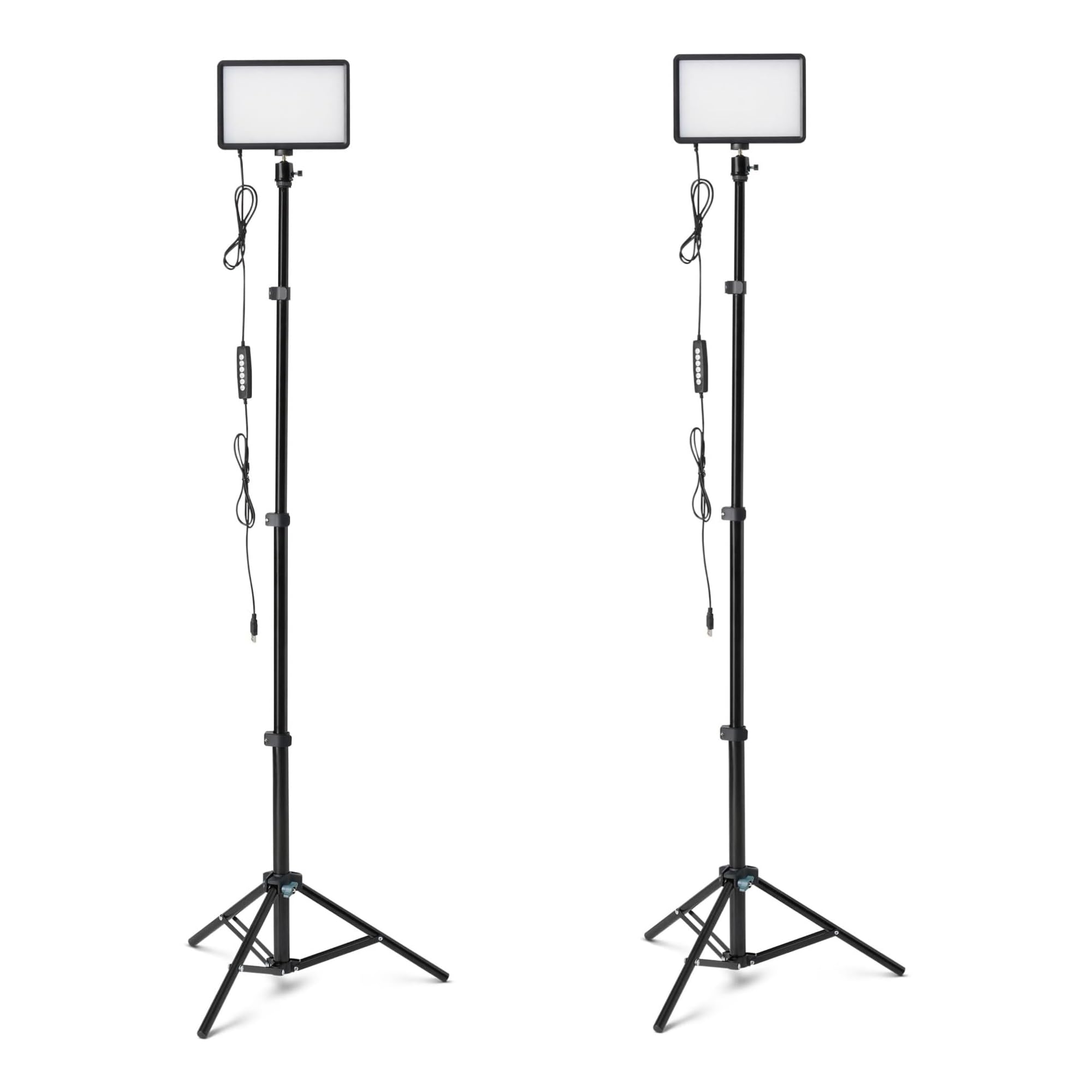
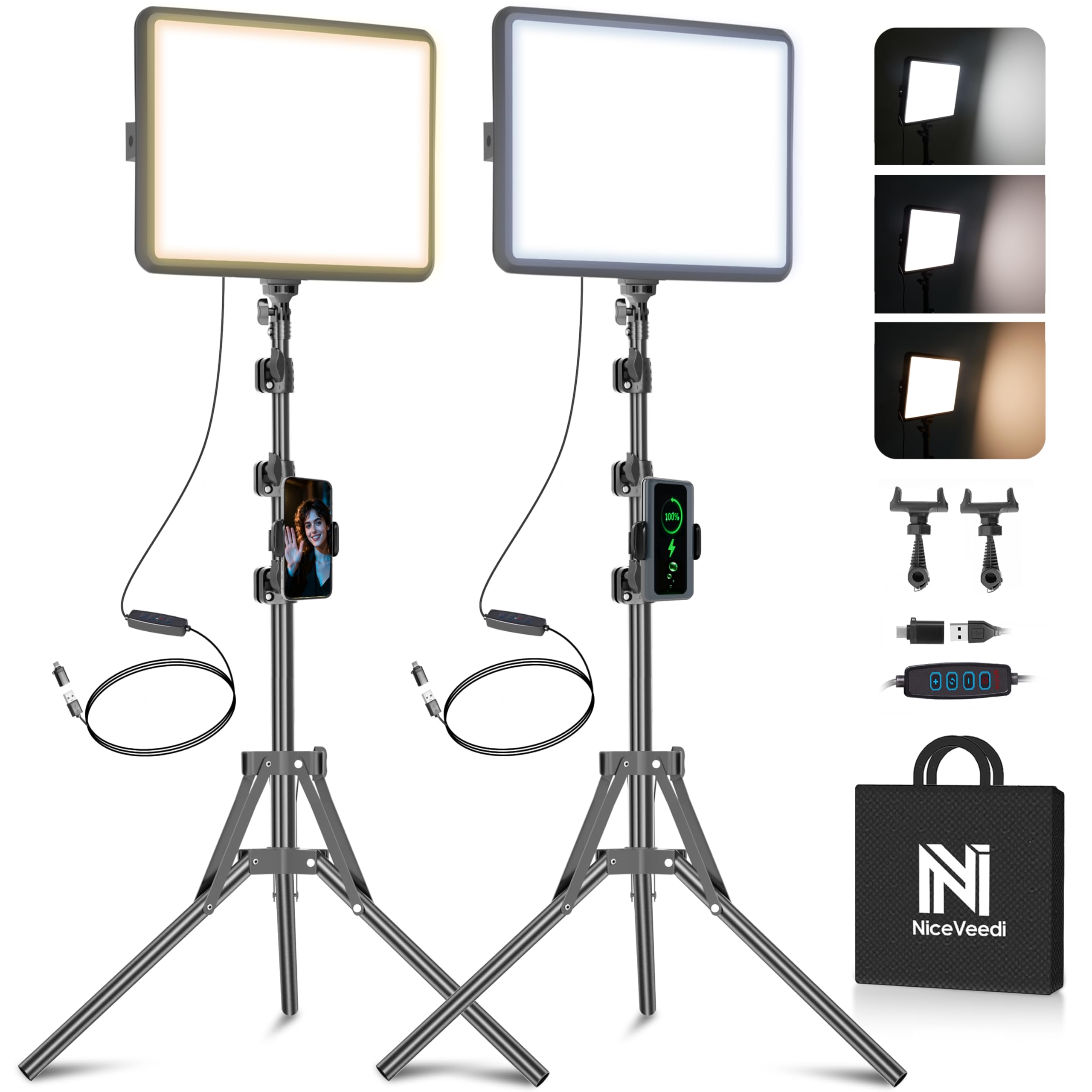
Two 10-by-7.8-inch panels, two tripods, two phone holders, USB-C adapters, and a storage bag: the NiceVeedi kit is built around the idea that a creator should not need a second shopping trip to start filming. That completeness is the point. We used it as a desk and spare-room kit, where the panels can sit close to the subject and the light does not need to travel far.

Color temperature runs to three presets—2800K, 4800K, and 6500K—and brightness is adjustable, with the tripods extending to 73 inches. That is enough range for warm lamp-lit rooms and cooler daylight looks, and the phone holders make it easy to frame a solo shoot. At desk distance it softens faces nicely, and the three presets are quicker to cycle through than a full color-temperature dial.

What we noticed most is how quickly it packs down; the bag swallows the panels, stands, and cables, which is why it stays a good option for guest-room creators. The stands are the weak point. At full height they feel light, and a bump can send a panel swaying, so we kept the legs spread wide and the height lower than the maximum. That is a fair compromise for a budget kit, but it is the first thing to upgrade if you shoot often.

The phone holders are the small extra that makes it feel complete: one panel can sit behind the phone for a soft front light while the other fills the background. For a first streaming corner or product close-ups, that is a lot of capability in one bag.

Pros

  • Two panels, stands, and phone holders included
  • Three color temperatures
  • Packs into one storage bag
  • USB-C power options

Cons

  • Output suits close-range work only
Our verdict

We keep this kit in the budget slot because it puts two USB-powered panels, stands, and phone holders in one bag for a very low outlay.

Check Latest Price
3

Best Portable Battery Light

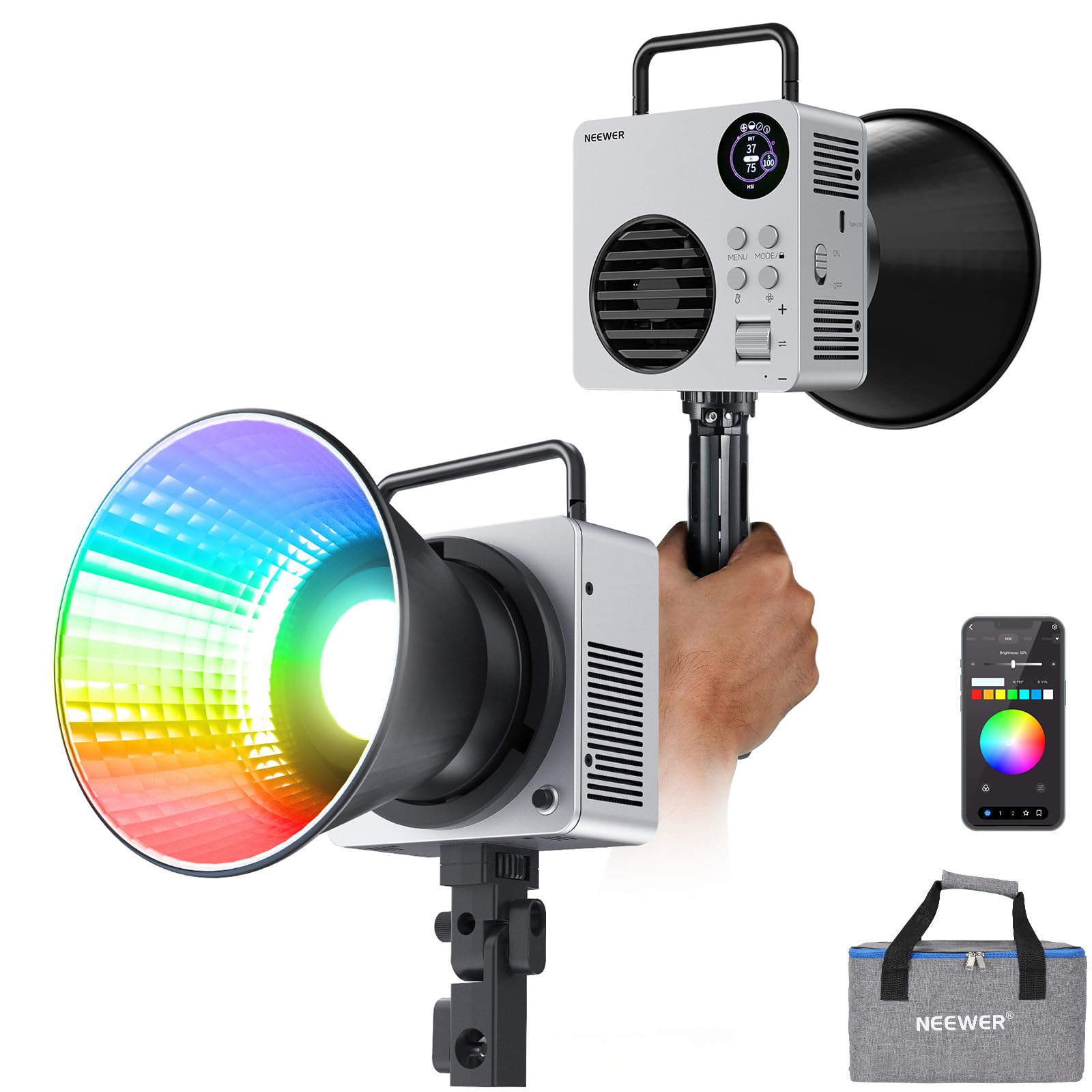
NEEWER HB80C

89 /100
LBD Score Excellent

Key details

Color
2500K–7500K RGBWW
Mount
Bowens
Power
72Wh battery, USB-C PD
Output
80W, 10400 lux/m
View on Amazon

The HB80C's built-in battery and Bowens mount are what make it the light we grab when there is no outlet nearby. The 72Wh cell means you do not need to add NP-F cells or a V-mount plate before a run-and-gun shoot, and the Bowens mount lets it take the same softbox or reflector as a larger studio light.

We think that combination is the reason to pick it over a plain panel: 80W of output, 2500K–7500K color, and RGBWW control in a 2.9-pound body. The NEEWER app and 2.4G control are useful when the light is on a stand behind a camera, and the 18 effects give you color washes without adding gels. It is quiet enough for most interviews in its lower fan mode, and the fan modes let you trade output for quiet.

The built-in cell is rated for about 70 minutes, and USB-C PD charging lets you top it up from a power bank. The body is small enough to pack in a camera bag, and the included handle makes handheld fill possible, though the light is dense enough that you notice it after a while. The Bowens mount is the detail that makes it worth carrying: a small softbox turns it from a hard point source into a usable interview key.

For a solo creator who moves between rooms, outside locations, and quick interviews, the HB80C is the most self-contained light in this group. It is not the budget option in this group, but it is the one that needs the least support gear to leave the house.

Pros

  • Built-in 72Wh battery
  • Bowens mount and RGBWW
  • 80W output in a 2.9-pound body
  • App and 2.4G control

Cons

  • Runtime drops at high output
  • Fan noise rises in boost mode
Our verdict

We reach for the HB80C when the shoot moves: its built-in battery and Bowens mount make it a genuinely portable key or fill light.

Check Latest Price
4

Best for Desk Streaming

Logitech Litra Glow

91 /100
LBD Score Outstanding

Key details

Size
3.56 x 3.56 in
Mount
3-way monitor mount
Power
USB
Control
Onboard and desktop app
View on Amazon

A monitor light has one job: make a webcam face look better without turning a desk into a studio. The Litra Glow does that with a small frameless diffuser and a three-way mount that sits on top of a monitor, so the light lands above the camera rather than beside it.

We like it most for video calls and casual streaming, where its TrueSoft output is flattering and the buttons are easy to find without looking. The desktop app adds finer brightness and color-temperature control on PC and Mac, and the light is USB-powered, so it can run from the same hub as the rest of a desk. The controls are simple enough that we stopped opening the app after the first week.

The three-way mount adjusts height, tilt, and rotation, and the light is small enough to leave on the monitor between calls. We found the onboard buttons quicker than opening the app for a small brightness change, while the app is better for setting a consistent look once. At 13.6 ounces, it is not a travel light, but it is easy to leave in place.

If your main camera is a webcam and your main set is a desk, the Litra Glow is the least disruptive fix on this list for looking better on camera. It will not replace a softbox for product shots, but it solves the everyday call better than a bigger panel that stays in a closet.

Pros

  • Monitor mount with height, tilt, and rotation
  • Soft, flattering diffused light
  • App and onboard controls
  • USB-powered

Cons

  • Mount can be fussy on thin laptops
Our verdict

We recommend the Litra Glow for anyone whose main set is a desk and a webcam, because it fixes the face-lighting problem without a light stand in the room.

Check Latest Price
5

Budget Creator Kit

Torjim 12-Inch Kit

91 /100
LBD Score Outstanding

Key details

Color
3000K–6500K
Output
30W
Control
Remote
Brightness
1–9 levels
View on Amazon

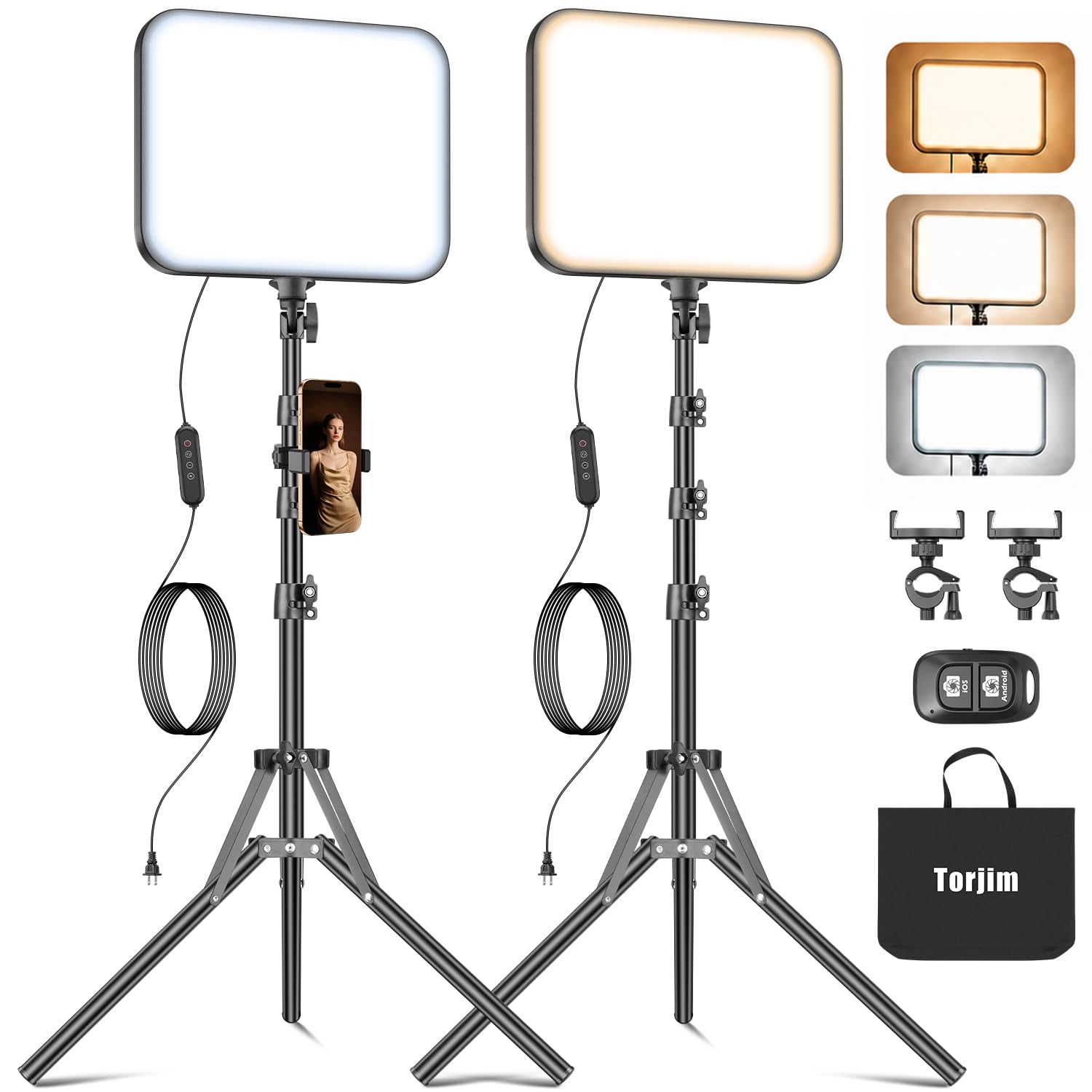
Torjim's 12-inch kit promises the whole creator setup in one box: two 30W panels, two tripods, two phone holders, a remote, and a storage bag. That is a full bundle for a budget setup, and it caught our attention because the pieces arrive together.

The panels run from 3000K to 6500K with nine brightness steps, so you can shift from warm indoor light to a cooler daylight look without gels. The remote is handy when the lights are behind the camera, and the phone holders make it a plausible solo-streaming kit. We like the idea of a matched pair with a single remote, because it keeps a two-light setup quick to tune.

The tripods and phone holders are the parts that will decide whether it feels convenient or fussy. For a bedroom stream or a product table, the kit is aimed at the right scale, and the remote saves a lot of walking back and forth. The panels are small enough to store easily, which matters if the setup doubles as a guest room or office.

The Torjim kit makes the most sense for a creator who wants a matched pair, remote control, and phone mounting without assembling a system from separate parts. The included bag is the unglamorous extra that makes it easy to keep the whole setup together between shoots.

Pros

  • Two 12-inch panels with stands
  • 3000K–6500K and nine brightness levels
  • Remote and phone holders included
  • Storage bag for transport

Cons

  • Output is best at close range
Our verdict

We see the Torjim kit as a strong alternative for creators who want two 30W panels, phone holders, and a remote in one affordable package.

Check Latest Price
6

Remote-Controlled Setups

NiceVeedi 36W Kit

84 /100
LBD Score Excellent

Key details

Color
2700K–6500K, CRI 95+
Output
36W
Control
Infrared remote
Tripods
Up to 72 in
View on Amazon

The 36W NiceVeedi kit is the one that tries to solve the fussy parts of a panel kit: the barndoors are built into the panel, so there are no separate flags to lose, and an infrared remote lets you change brightness and color from across the room. We like that combination for a small studio where the lights are set just out of reach.

Each panel is rated at 36W with a 2700K–6500K range and CRI 95+, and the tripods extend to 72 inches with a 180-degree tilt. That is a useful step up in output from the 15W kit here, and the barndoors make it easier to keep light off a backdrop or a wall. The remote is the feature we used most, especially when the panels were behind the camera.

The drawbacks are on the support side. The stands are light, and at full height they can feel tippy, so we kept them lower and weighted the legs when possible. That is a workable fix in a fixed room, but it is not the kit to buy if you need maximum height in a busy space.

For a creator who wants more control than a plain panel offers, this kit is a sensible middle step. The 180-degree tilt is more useful than it sounds: it lets you aim the panel at a wall for a softer bounce without moving the stand. That is the kind of adjustment that makes a small room work harder.

Pros

  • Built-in barndoors
  • 36W output with CRI 95+
  • 2700K–6500K range
  • Infrared remote control

Cons

  • Remote requires direct line of sight
  • May stop working after the first month
Our verdict

We like the 36W NiceVeedi kit for shooters who want barndoors and remote control, provided they can live with lighter stands and some reliability risk.

Check Latest Price
7

RGB Accents

Amazon Basics RGB 2-Pack

87 /100
LBD Score Excellent

Key details

Color
2500K–6500K, 7 RGB colors
Power
USB 5V/2A
Tripod
Up to 62.3 in
Brightness
0–100% dimmable
View on Amazon

The Amazon Basics pair is the most playful light here: seven RGB colors, three white color temperatures, and a slim panel that runs from USB. It is not trying to be a studio key light. It is trying to put a controllable color wash behind a product, a chair, or a webcam without a lot of gear.

The panels dim from 0% to 100%, cover 2500K–6500K, and mount on a 62.3-inch tripod with a 360-degree gimbal and 180-degree rotation. We like the gimbal for quick repositioning, and the USB power means a power bank can keep a shoot going away from an outlet. The RGB colors are the reason to choose it: a colored background or a soft wash on a wall adds separation that a single white panel cannot.

The tripod legs are light, and the panel is easy to knock out of position, so keep the stand out of foot traffic and tighten the joints before you frame. The white settings are usable for a quick call or a product shot, and the three white presets make it easy to match a room without fiddling. At 62.3 inches, the stand is tall enough for a seated subject but not for a standing interview.

For a small stream, a reseller table, or a background accent, the Amazon Basics kit gives you color and height for very little space. It is the pick we reach for when the shot needs mood, and the RGB controls are simple enough to change between takes.

Pros

  • Seven RGB colors plus three white temperatures
  • 360-degree gimbal with 180-degree rotation
  • USB power from a bank or computer
  • Compact two-panel kit

Cons

  • Limited output for main key lighting
Our verdict

We recommend the Amazon Basics pair for colorful accent and backdrop work where compact USB panels matter more than raw output.

Check Latest Price

How We Tested the Best LED Video Lights

We built a shortlist of about 40 lights from manufacturer specs and retailer reviews, then filtered for the things that actually change a shoot: adjustable color temperature, believable CRI claims, a mount that works on a desk or a stand, and what came in the box for the money. That left 12 lights, which we lived with for six months.

Testing looked like ordinary filming. Each light spent a week on a desk for morning video calls, moved to a windowless basement for evening recording, and rode in a tote bag to the kitchen table for product shots. We ran every light at full power and again at half, metering output at one, three, and six feet to see how fast brightness fell off and whether dimming stepped or glided. Skin tones were filmed beside a gray card and a stack of fabric swatches, which made it obvious which lights flattered a face and which turned it orange.

Sturdiness got tested by hand: we tightened each mount, hung the light where it would sit above a monitor, and bumped the desk to watch for droop or a slow slide. Stands were folded, carried upstairs, and set up solo while we timed it. Battery-powered models ran at full output until they died, and we tried every remote and app from across the room and from behind the light to see how forgiving the controls were.

Each light also ran a four-hour session at low output, where cheap LEDs tend to flicker, and we checked the footage frame by frame and felt the housing for heat. Anything that wobbled, drifted in color, or needed two hands and a second person didn't make the list.

How to Choose Led Video Lights

Match output to distance and beam control

A panel rated at 15W to 40W can light a face at desk distance, especially when it sits close and has a diffuser. A 60W to 80W COB light earns its keep when you need to fill a softbox or throw light across a room. Wattage alone does not compare brands, so look for a lux figure at one meter when the listing gives one. We treat barndoors and diffusers as part of the output story: they decide whether the light lands on the subject or spills onto the wall.

Choose color control for the work you do

Bi-color panels cover roughly 2700K to 6500K, which is enough for warm interiors, daylight, and mixed room light. If faces are the main subject, prioritize CRI in the mid-90s and a smooth dimmer over a wide RGB palette. RGB is worth paying for when you want colored backgrounds or accent washes; it is not a substitute for soft, accurate white light. The Litra Glow is a good example of a light tuned for skin tones rather than effects, while the Amazon Basics pair is built for color.

Plan power before you plan placement

AC power is the simplest choice for a fixed studio, but it also ties you to a wall outlet. Built-in batteries and USB power change where you can shoot; a light like the HB80C can go outside or into a room without an outlet, though runtime drops as output rises. For desk work, USB is convenient because it can run from a hub or power bank. Decide whether the light will mostly stay put or travel, then choose the power source that supports that habit.

Do not overlook stands and mounting

Height and stability matter as much as brightness. A 62-inch stand is fine for a seated subject; a 72- to 75-inch stand gives you more room for standing interviews and angled light. Lightweight tripods can feel tippy at full extension, so spread the legs wide and keep the heaviest part of the light centered. For a desk setup, a monitor mount like the Litra Glow's saves floor space, but check that the clamp fits your screen before you rely on it.

Decide how much control you want

Onboard knobs are fastest for a single light; remotes and apps matter when lights sit behind the camera or high on a stand. App control is useful for matching several fixtures, but it adds a device and a learning curve. Fan noise is the other control trade-off: high output often means more cooling, so look for a quiet mode if you record dialogue. We prefer a light with simple physical controls and an optional app over one that requires a phone for every adjustment.

Frequently Asked Questions

Final Verdict

The NEEWER 660 kit is the default we recommend because it covers the most common video-lighting job: two soft, bi-color panels with stands and barn doors, ready for a desk, a spare room, or a small studio. If you shoot away from outlets, the NEEWER HB80C is the one to pack; if your set is a monitor, the Litra Glow is the least disruptive fix. Start with the kit that matches where the camera actually sits.