Best Laser Engravers of 2026

A laser engraver is a focused beam on a moving gantry, and what that beam does to wood, acrylic, leather, or coated metal depends entirely on the machine behind it. My team and I spent nine months with seven of them set up around our workshop, and the gap between a smooth, repeatable cut and a scorched mess showed up fast.

Part of the confusion is that the numbers don't compare: wattage is quoted differently by every seller, and top speeds are measured at settings you'd never use. Assembly is the quiet dealbreaker — a frame that takes an afternoon to square up is one you'll use less — and the enclosed models were the only ones we felt good running with kids in the house.

The appeal is one machine covering coasters, a wallet, a tumbler — but only if the beam suits the material and the software doesn't fight you. We scored hardest on how clean the engraving looked up close, how much we could set up without the manual, and whether it still cut straight months in. What held up is below.

1

Best Overall

xTool S1 40W

87 /100
LBD Score Excellent

Key details

Max Speed
600 mm/s
Work Area
23.93 x 15.16 in
Laser Power
40W diode
Safety Class
Class 1 enclosed
View on Amazon

Most machines in this group leave the beam out in the open, which means goggles for everyone in the room, a fan in the window, and nobody wandering in mid-job. The S1 puts all of that behind a filter cover: it's rated Class 1, the cover blocks 99% of the laser light, and the smoke stays inside the box until you vent it out. That single decision is why we treat it as the default, because it's the only machine here you can set up in a spare room or behind a shop counter without first turning the space into a workshop.

Behind the cover it's also the biggest machine here, with a 23.93 by 15.16 inch bed and a 40W diode head that xTool rates at 18mm cherry wood in a single pass, at 600mm/s travel. In practice that's a sign blank or a cutting board laid flat with room to spare, and the rotary bundle adds tumblers and cylinders without a separate jig.

Auto-focus handles the step that wastes time everywhere else, moving the head to the right height for each new material, and Creative Space pairs it with presets and pin-point positioning so a design can be dropped onto an object already sitting on the bed. That combination matters for repeat work: it's the difference between setting a job up once and re-measuring it every evening.

What the S1 really buys is consistency. A sealed beam, a self-focusing head and a saved preset mean Tuesday's job runs the same as Monday's, and that's the point where a hobby machine starts taking orders. Nothing else here pairs that much power with a bed that wide.

Pros

  • Class 1 enclosure, no goggles required
  • Largest work area in this group
  • 40W head rated for 18mm cherry in one pass
  • Rotary bundle handles tumblers and cylinders

Cons

  • Costs the most of the 40W machines here
  • At 86.8 lb it wants a permanent bench
Our verdict

The S1 is the machine we recommend to anyone who needs 40W cutting indoors without turning the bench into a hazard zone.

Check Latest Price
2

Best Value for Cutting

Longer Ray5 40W

86 /100
LBD Score Excellent

Key details

Cutting
20mm wood, 30mm acrylic
Max Speed
24,000 mm/min
Work Area
15.16 x 15.16 in
Laser Power
40W diode
View on Amazon

Forty watts is the number that decides whether you're cutting or just marking, and the Ray5 puts it on the bench for a good deal less than the enclosed xTool. We think that makes it the pick for anyone whose real priority is throughput on plywood and acrylic, and who has a garage or a workshop where an open frame and a pair of goggles make sense.

The numbers are serious: a 15.16 inch square work area, a dual-beam head running to 24,000mm/min, and a rating of 20mm wood and 30mm acrylic. The frame is metal, glasses come in the box, and there's movement cutoff plus thermal protection if a job goes wrong. What isn't included is an enclosure, so ventilation and eye protection are yours to arrange. An open frame is a machine you operate, not one you leave running while you answer email.

Plan on spending the first week on settings rather than projects. Power and speed need dialing in per material, and the head is what decides whether a cut is clean or scorched, so run a test grid on offcuts before you commit a sheet of good plywood. Longer rates the machine for 7x24 running and lets one computer drive several of them, a detail that only matters once you're filling orders - and at that point it matters a lot.

Pros

  • 40W optical output at a midrange price
  • 15.16 inch square work area
  • 24,000 mm/min dual-beam head
  • One computer can drive several machines

Cons

  • No enclosure, so goggles and exhaust are on you
Our verdict

We think the Ray5 is the best value here for projects that are mostly cutting, as long as you can house an open frame.

Check Latest Price
3

Best for Metal and Jewelry

xTool F1 Ultra

81 /100
LBD Score Excellent

Key details

Laser
20W fiber + 20W diode
Camera
16MP
Max Speed
10,000 mm/s
Work Area
220 x 220 mm
View on Amazon

Bare metal is the line in the sand. Every diode machine here will mark coated metal; none of them will touch a plain steel tag, a silver ring or a brass plate. The F1 Ultra is the one that will, with a 20W fiber source sitting alongside a 20W diode. That second laser is most of the story, and most of the price.

The fiber side handles all metals plus 3D embossing and deep engraving, and it travels up to 10,000mm/s, so small metal runs finish while you're setting up the next batch. The 16MP camera overlays the bed on screen, which stops being a gimmick the moment the part is a ring and the design has to land in one specific spot.

Calibration is where the shine dulls. Lining the camera up with the head takes patience, and the Auto Streamline production setup xTool markets hardest depends on a conveyor sold separately. Give yourself an afternoon of focus and camera work before you take a paid job on it, and check the fiber source across your first few weeks of metal work rather than assuming it will hold its power indefinitely.

Pros

  • Fiber laser engraves bare metal
  • 20W fiber and 20W diode in one cabinet
  • 10,000 mm/s top speed
  • 16MP camera for placing designs on small parts

Cons

  • Costliest machine in this group
  • Conveyor for automation sold separately
Our verdict

We recommend the F1 Ultra when metal is the job: nothing else here engraves bare steel, and the dual sources cover the rest.

Check Latest Price
4

Best for a First Machine

Ortur Laser Master 2 S2

86 /100
LBD Score Excellent

Key details

Weight
9.03 lb
Software
LightBurn, LaserGRBL
Spot Size
0.05 x 0.1 mm
Laser Power
10W diode
View on Amazon

If the plan is to learn on plywood, card stock and leather without spending much, this is the machine we point beginners at. The 10W head compresses to a 0.05 by 0.1mm spot, fine enough for small lettering and detailed logos, and Ortur claims the frame goes together in about 10 to 15 minutes.

We like the safety details at this price. The motherboard carries a G-sensor that stops the job if the frame gets knocked or tilted, and a protective cover over the lens filters most of the UV. It runs on LightBurn and LaserGRBL, so you aren't locked into one app or one workflow, and a 9 lb frame is easy to shift between the bench and a shelf.

Where it asks for patience is reliability. The wiring harness and module connections are the parts to inspect the moment it's assembled, so build it carefully, run a long job inside the first week, and keep the packaging until you're satisfied. Do that and it's a lot of laser for a first machine, even if the printed booklet mostly sends you to video tutorials.

Pros

  • 10W head with a fine 0.05 x 0.1mm spot
  • Tilt sensor stops the job if the frame moves
  • Works with LightBurn and LaserGRBL
  • Assembles in roughly 15 minutes

Cons

  • Printed instructions leave you hunting for videos
  • Thicker stock needs multiple passes
Our verdict

Our pick for a first machine: capable, quick to assemble, and honest about the thin stock it prefers.

Check Latest Price
5

Best Compact Desk Engraver

K15 Pro 10W

81 /100
LBD Score Excellent

Key details

Software
CutLabX (free)
Max Speed
15,000 mm/min
Work Area
11.8 x 7.9 in
Laser Power
10W diode
View on Amazon

An A4 workbed is either the whole point or an immediate dealbreaker, and the K15 Pro leans into it: 11.8 by 7.9 inches, 10W of output, and a body light enough to move off the desk when you need the desk back. For a kitchen-table operation that has to pack away, this is the size that actually works.

Control is where it separates itself from the other budget machines. CutLabX is free and runs on a computer, tablet or phone, jobs can run offline once they're loaded, and one-touch focus means switching from a leather patch to a wood blank doesn't turn into a feeler-gauge exercise. Travel runs to 15,000mm/min, which keeps small jobs moving between cuts rather than parking over each one.

The limit is the bed, and it's a hard one. Phone stands, keychains, coasters, small signs and leather goods all fit; a cabinet door, a full cutting board or a run of 12-inch signs do not. Buy it because the work is small and frequent, not because you hope to grow into bigger stock later.

Pros

  • A4 bed fits a normal desk
  • Free software on phone, tablet or PC
  • One-touch focus between materials
  • Light enough to move at 2.68 kg

Cons

  • A4 work area caps project size
Our verdict

We recommend the K15 Pro for small, frequent projects on a desk that has to double as something else.

Check Latest Price
6

Markets and Tumblers

LaserPecker LP2

82 /100
LBD Score Excellent

Key details

Laser
Galvo diode
Rotary
Electric roller
Cutting
Wood, paper to 0.2 in
Max Speed
1417 in/min
View on Amazon

Picture the table at a weekend market: a tumbler in the roller, a phone running the job, and an engraving finished before the buyer has finished deciding. That's the case the LP2 is built for - a handheld galvo head, an electric roller for cylinders, and a body you can carry in one hand.

The galvo head is quick on small designs, up to 1417 inches a minute, and cylinder mode turns the roller into a tumbler, pen and cup machine. Slab and trolley modes stretch it to flat work and larger pieces. It's also honest about its limits: leather, wood, paper, stone and coated metal are fine, pure or shiny metal is not, and cutting stops at wood and paper around 0.2 inches thick.

Connection is the soft spot. Pairing, driver installs and app updates are where an LP2 session can stall, and the whole workflow is built around a phone rather than a laptop running LightBurn. Keep the included cables to hand and treat pairing as the first thing to solve each time you set up.

We think of it as a second machine rather than a first one. As the only laser in a shop it's too small and too app-bound; as the one that goes to markets, engraves a tumbler while the customer watches and comes home in a bag, it's the most useful thing here.

Pros

  • Handheld head engraves on location
  • Electric roller for tumblers and pens
  • Galvo head is quick on small designs
  • Packs into a bag

Cons

  • Bluetooth pairing is the weak link
  • Won't mark bare or shiny metal
Our verdict

We like the LP2 as a market-day and tumbler machine, as long as you can live with a phone-first app.

Check Latest Price
7

Tiny Projects

ACMER S1

83 /100
LBD Score Excellent

Key details

Weight
3.98 lb
Software
Acmerstudio (free)
Work Area
130 x 130 mm
Laser Power
2.5W diode
View on Amazon

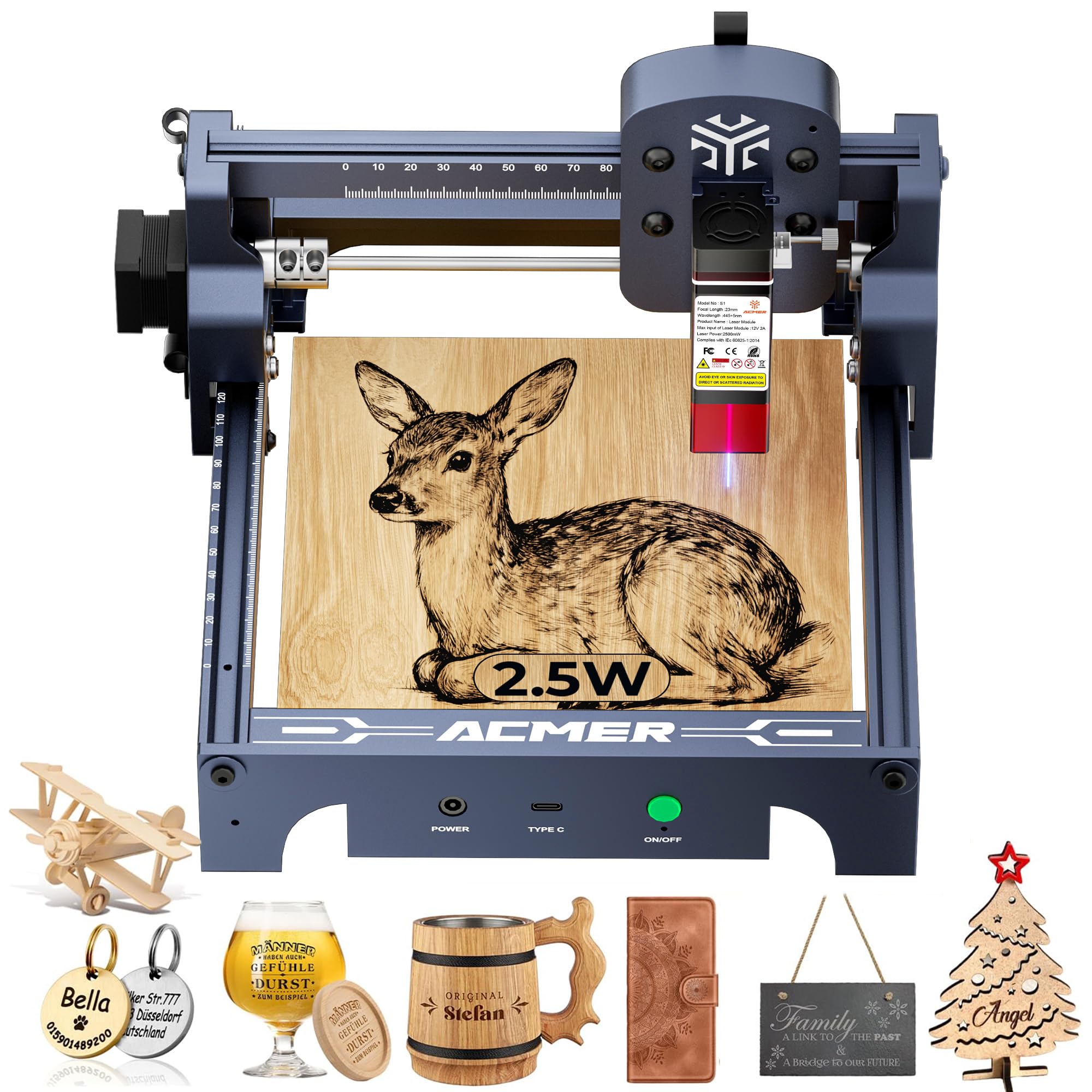
Setup is the surprise here. The S1 arrives 99% assembled and the laser head goes on in about a minute, which is not what we expect from a machine at this end of the range. It's the reason this one gets recommended to people whose patience for flat-pack hardware runs out fast.

What you get is a 130 by 130mm bed, a 2.5W diode, and a 24W machine output inside an aluminum frame that weighs just under four pounds. Acmerstudio is free and ready out of the box, and the whole thing stores in a drawer between projects. Engraving is where it's comfortable: wood, leather, coated metal, ceramics and PCB marking all land inside its range.

Cutting is where it stops. At 2.5W this is a marking laser - it will score and cut thin material, and it will not replace a 10W machine for anyone making boxes or signs. Buy it for tags, patches, card stock and small personalized gifts, and it earns its keep.

Pros

  • Arrives 99% assembled
  • Under four pounds, stores in a drawer
  • Free Acmerstudio software included

Cons

  • 2.5W marks and lightly cuts only
Our verdict

Buy the ACMER S1 for small, detailed marking when space and budget are both tight.

Check Latest Price
8

Classrooms and Gifts

Twotrees TS1 Mini

86 /100
LBD Score Excellent

Key details

Weight
2.2 lb
Control
Bluetooth app
Enclosure
Fully enclosed
Work Area
80 x 80 mm
View on Amazon

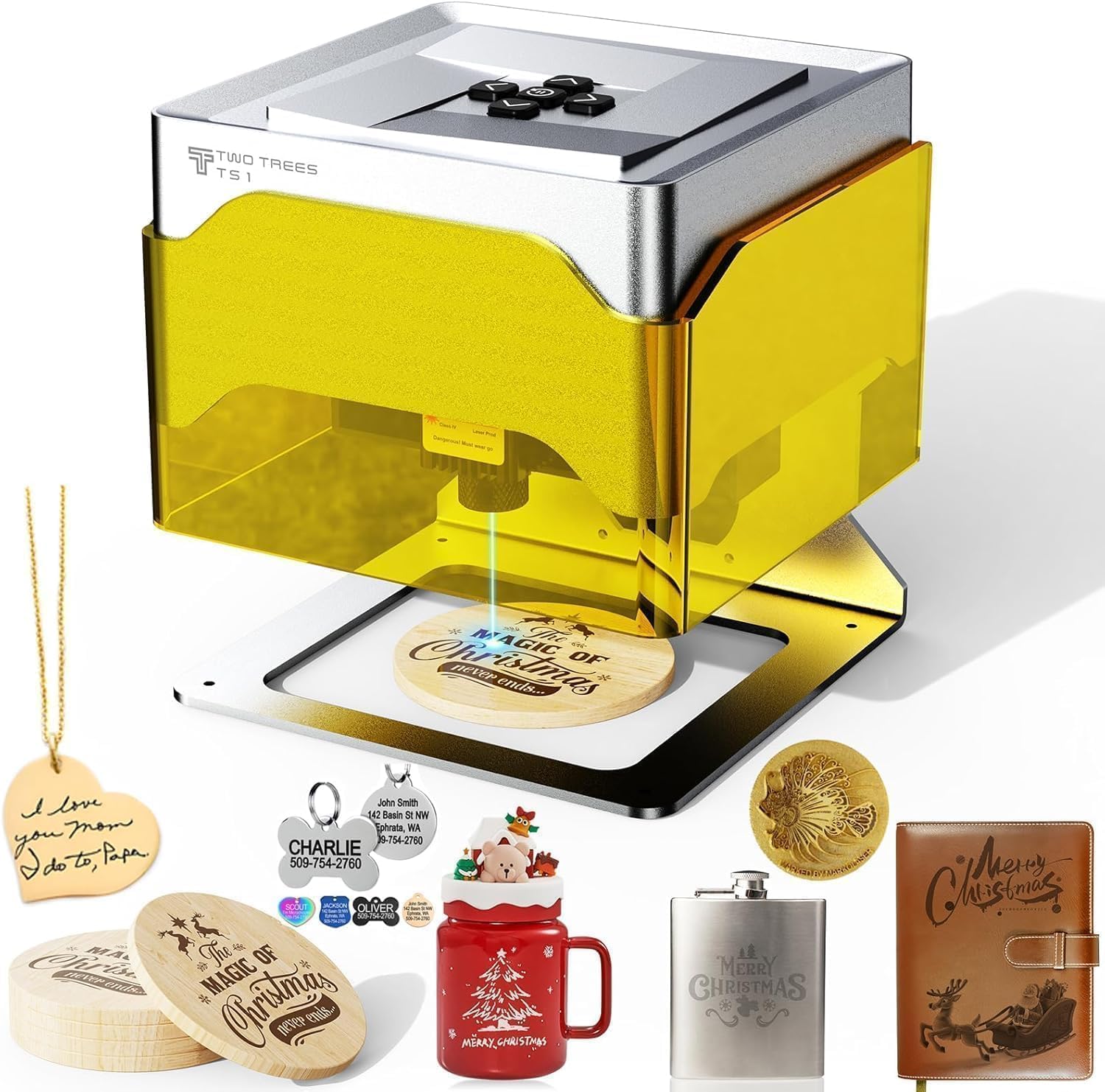
At 157 by 157 by 167mm and about a kilogram, this is a laser engraver that lives on a shelf next to the printer. The acrylic cover closes over the work so the light and the debris stay inside, which is the whole reason a machine this small can sit in a house rather than a workshop.

It's a gifts-and-classroom machine, and that's the case we'd make for it to a teacher or a parent who wants a first project without building a bench first: 80 by 80mm of work area, Bluetooth control through the MKSLaser app, and thin plywood, MDF, paper, leather and painted metal in range.

Eighty millimetres is the catch, and it's smaller than it sounds. A coaster fits, a phone case just about does, a sign doesn't. Treat it as a companion to a bigger machine or a starter for small, repeatable pieces, and check the size of the thing you actually want to engrave before you commit.

Pros

  • Fully enclosed cover contains light and debris
  • About 1 kg, moves anywhere
  • Phone app, no computer needed

Cons

  • 80 x 80 mm bed fits only small items
Our verdict

For classrooms, gifts and small pieces, we think the enclosed TS1 Mini is the safest place to start.

Check Latest Price

How We Tested the Laser Engravers

We started with a long list of machines that had a real user base and enough posted projects to judge them by, then filtered by laser type, work area, and whether the accessories people actually need — a rotary for tumblers and cylinders, air assist, spare lenses — came in the box or cost extra. Seven made the cut, and each one stayed set up on a bench in our workshop for nine months, alongside a pile of scrap plywood, acrylic, leather, and coated tumblers.

Day one was identical for every machine: assemble it with a framing square in hand, time how long the frame took to level and the laser to focus, then run the same three files — a photo-engraved tile on birch, a cut circle in 5mm plywood and 3mm acrylic, and a grid of text at the smallest size the software would allow. We counted how many passes each cut actually needed, whether the edges came out clean or charred, and whether we could start a first project from a phone or a USB stick without a computer tethered to the machine.

Once they were running, we watched for what you notice after an hour at the bench: how much smoke and smell escaped into the room, whether the lid interlock genuinely stopped the beam when we opened it mid-job, and how long a real project took with a stopwatch running at settings we'd use again rather than whatever the listing claimed. Then we kept going — gifts, jigs, tumblers — and re-ran the day-one files months later to see if alignment had drifted or belts had stretched.

How to Choose a Laser Engraver

Start With the Material, Not the Wattage

A diode laser burns wood, leather, paper, dark acrylic and painted or coated metal. It will not touch bare steel or aluminum, no matter what the wattage says. If bare metal, deep engraving or jewelry is the work, the answer is a fiber source, and the F1 Ultra is the only one here. If your projects are wood, leather and acrylic, spend the money on watts and bed size instead. The coated-metal loophole is real but narrow: it marks the coating, not the steel underneath.

Enclosed or Open Frame Decides Where It Lives

An open-frame machine is a beam moving over an open bed, so everyone in the room needs laser glasses and the smoke needs a window, a duct or a garage door. A Class 1 enclosure - the S1, the F1 Ultra, the TS1 Mini - keeps the light behind a filter and makes a spare room or a shop counter viable. Our preference is simple: if people share the room with the machine, buy the enclosure.

The trap is assuming enclosed means no exhaust. Smoke still has to go somewhere, so plan a hose to a window or an extractor before the machine arrives, not after the first plywood job fills the room.

Work Area Costs More Than It Looks

An A4 bed fits a desk and makes phone stands and coasters; a 16-inch bed makes signs and cutting boards but needs a permanent table. Somewhere between 12 and 15 inches square covers most hobby and small-business work, and the K15 Pro and the Ray5 sit at opposite ends of that range. Measure the biggest piece you'll run in a normal week, then add clearance for the gantry travel, the exhaust hose and your hands.

Read the Cutting Claims Carefully

Listings mix two different numbers. Machine power is what the wall socket supplies; optical output is what reaches the wood. A 72W engraver with a 10W head cuts like a 10W laser, so compare optical watts against optical watts. Then check what a machine cuts in a single pass on your material, not the thinnest thing it has ever managed, and expect air assist to be the difference between a clean cut and a scorched edge.

Software, Air Assist and the Cost After the Sale

Every machine here ships with free software, and the open-frame models also run LaserGRBL or LightBurn if you outgrow it - check that a listing names them before you assume compatibility. Budget for what isn't in the box: air assist for cutting, a honeycomb bed, spare lenses, and more material than you expect while you're learning. A cheap machine with an app you fight every evening costs more than a better one with a workflow you trust.

Frequently Asked Questions

Final Verdict

The xTool S1 is the machine we recommend to most people buying a laser engraver this year. It's the only 40W option here that arrives sealed, focused and ready to run indoors, and a 23.93 by 15.16 inch bed covers everything from tumblers to sign blanks without re-jigging.

If the budget won't stretch that far, the Longer Ray5 does the same cutting work in an open frame for a lot less - add glasses and an exhaust fan to the total. And if metal is the work rather than wood, skip both and go to the F1 Ultra, because it's the only one here that will touch bare steel.