Best Label Makers for Cable Labeling of 2026

For years my cable labeling system was masking tape and a Sharpie, and it worked right up until the adhesive dried out and the tape let go somewhere behind my desk. A label that curls at the edge or smears when you touch it is worse than no label at all — it sends you to the wrong port with total confidence. A real label maker prints on heat-shrink tube or flexible flag tape that wraps the jacket and stays put.

We spent six months with 12 of these machines, from pocket-sized units that pair with a phone to industrial handhelds with their own keyboards. Print resolution, I learned, is the least interesting number on the box. What separates them is whether they accept heat-shrink tube and cable-flag tape, whether you type on a real keyboard or fight an app while standing on a ladder, and what each label costs once the starter tape runs out.

The picks below split along those lines — some suit a handful of labels at the kitchen table, others a full afternoon inside an electrical panel. All of them earned their spot by printing labels I could still read months later.

1

Best Overall

Brother P-Touch Edge 310BT

87 /100
LBD Score Excellent

Key details

Media
Laminated labels and heat-shrink tubes
Cable Modes
Wrap, flag, patch panel, punch block, faceplate
Connectivity
Bluetooth and USB-C
Label Widths
3.5mm to 18mm
View on Amazon

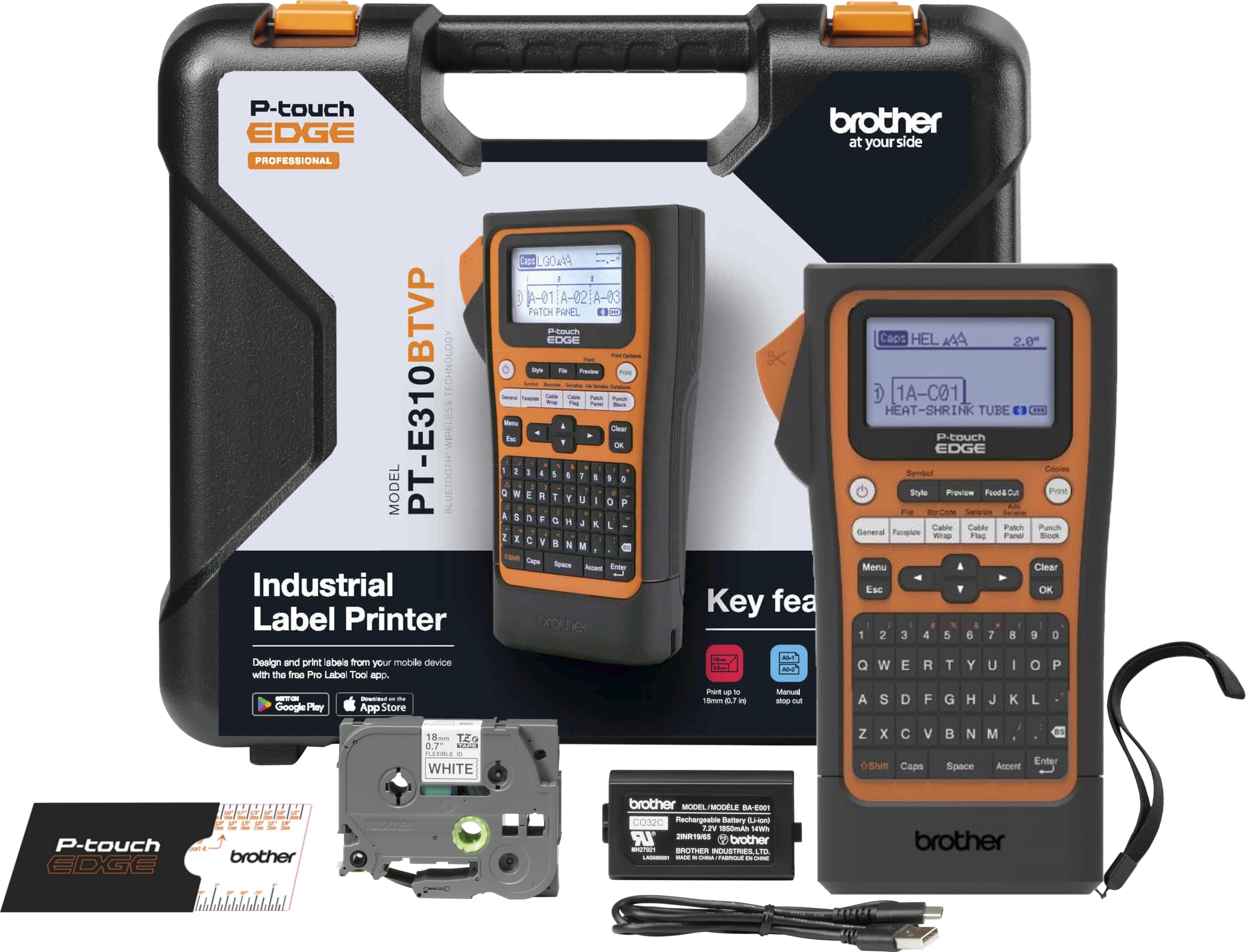
The Brother P-Touch Edge 310BT earns the top spot because it does the least compromising. It takes laminated labels and heat-shrink tubes from 3.5mm to 18mm, and the dedicated keys for cable wrap, cable flag, patch panel, punch block, and faceplate put the right format one press away. On a panel with dozens of drops, that is the difference between labeling as you go and stopping to fight a menu. We also like the Bluetooth app and USB-C PC connection: long cable schedules and templates are easier to build on a bigger screen, then print from the machine or phone.

The kit is unusually complete. You get a carry case, a patch-panel ruler, an 18mm flexible-ID starter tape, a wrist strap, and a two-year limited exchange warranty. Those are not glamorous features, but they make the 310BT feel like a field tool rather than a printer that happens to be portable. Barcode support for QR and linear codes is useful if you scan asset tags or patch records.

The 310BT is at its best when cable ID is recurring work. For occasional wraps and flags, the PT-H111 is the simpler fit, and it does not ask you to learn an app. The Edge's advantage is range: one machine for heat-shrink, laminated tape, and panel labels, rather than a drawer of single-purpose tools.

Pros

  • Heat-shrink and laminated tape to 18mm
  • One-touch wrap, flag, and panel keys
  • Bluetooth app plus USB-C PC printing
  • Carry case, ruler, and two-year warranty

Cons

  • Premium price and wide-tape cost
Our verdict

We recommend the Edge 310BT for anyone labeling real electrical or network cables; it covers heat-shrink and laminated tape at widths the cheaper machines cannot match.

Check Latest Price
2

Best for Jobsite Durability

Brady M210

91 /100
LBD Score Outstanding

Key details

Control
Smartphone app
Drop Rating
6-foot drops
Max Media Width
0.75 inch
Print Resolution
203 x 203 dpi
View on Amazon

The M210 announces itself as a jobsite tool: a 6-foot drop rating, a 203 x 203 dpi thermal print engine, and a body that feels meant for a toolbox. It takes media up to 0.75 inch wide, which gives you more room for long asset tags and wrap labels than the 12mm machines here. The phone app is the control surface, so there is no keyboard to fill with grit.

We like it most for laminated wire labels. They lie flat around a bundle, stay legible, and look tidy enough for a panel someone else has to service. The 203 dpi output is sharp for cable IDs, and the app makes repeat labels quicker than thumbing through menus. Brady's variety of materials, from basic to extreme duty, is the real advantage; you can match the label to the environment instead of using one tape everywhere.

The electronics are the part we trust less. The printer can stop working, so warranty support matters if this is your only field machine. Beyond that, it is a serious tool rather than a casual purchase, and the supplies are part of the commitment.

Pros

  • Six-foot drop rating for field use
  • Prints laminated wire labels up to 0.75 inch
  • 203 dpi output and smartphone app control
  • Broad material range from basic to extreme duty

Cons

  • Locked to chipped Brady cartridges
Our verdict

The M210 is our pick for a hard-used field labeler: it takes knocks, prints laminated wire labels, and runs from a phone, provided you accept Brady's cartridge system.

Check Latest Price
3

Best Value Heat-Shrink Kit

Vixic DM170

90 /100
LBD Score Outstanding

Key details

Battery
1200mAh rechargeable
Label Width
12mm
Connectivity
Bluetooth app
Included Tapes
2 heat-shrink, 1 vinyl, 1 flag
View on Amazon

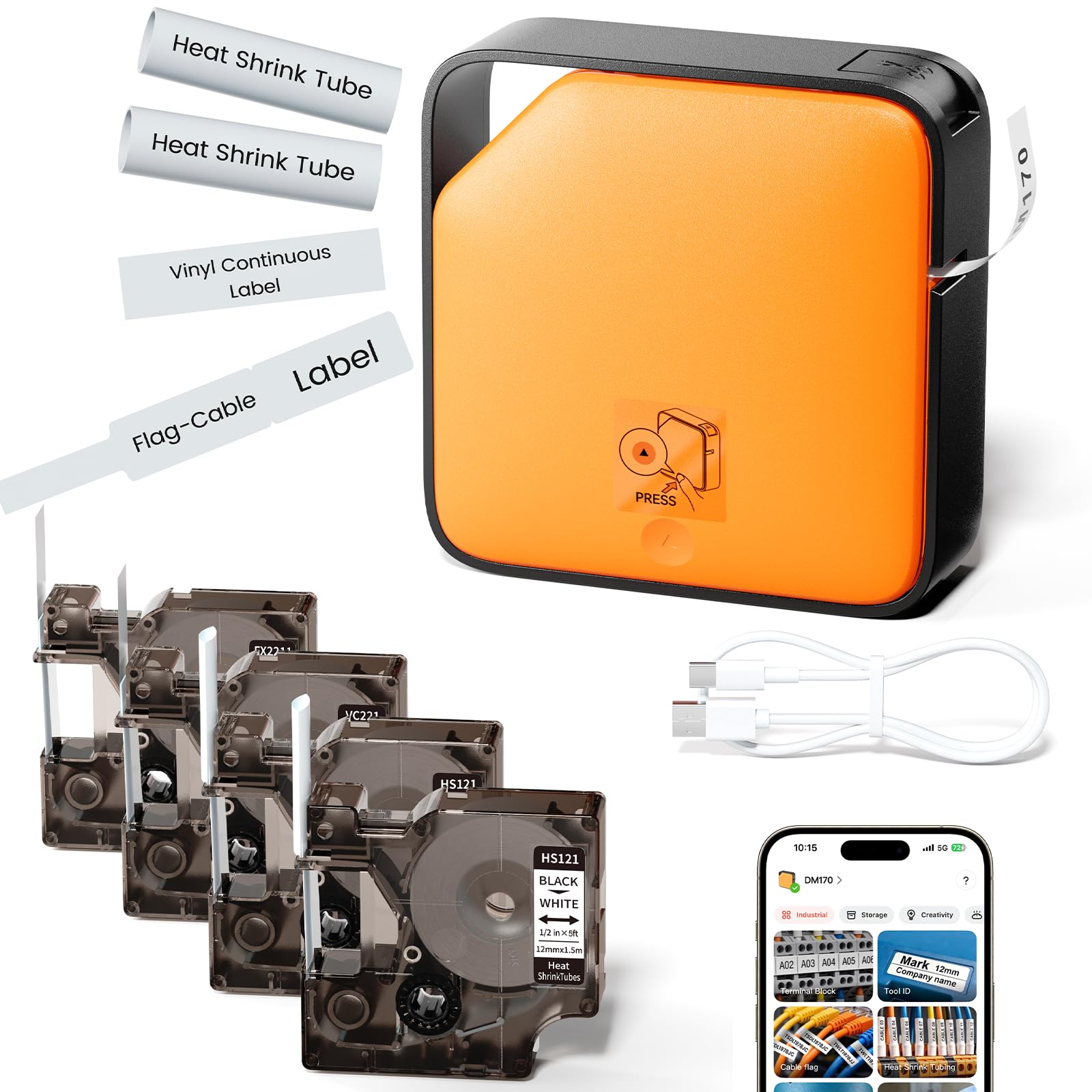
The DM170 gets the cable-labeling basics right for a lot less than the industrial brands. The box includes four cartridges: two heat-shrink tubes, one flexible nylon flag tape, and one vinyl continuous tape. That is not a sampler; it is enough to start a real cable job. At 0.7 lb, it disappears into a tool bag, and the 1200mAh battery charges over USB-C. We like that combination more than a bigger machine that stays on a shelf.

The Print Master app is where the cable templates live. You can build heat-shrink, wire, cable, and barcode labels on the phone, then send them over Bluetooth. The 203 x 203 dpi print engine is capable of crisp small type, and the compact body is easy to hold against a cable bundle while you check placement. For a first heat-shrink labeler, this is a low-friction way in.

The app templates are the reason this kit works, not the hardware polish. Check every cartridge as you load it and keep the phone close; the DM170 rewards a little patience. It is a value pick, not the machine for a deadline panel.

Pros

  • Four tapes, including two heat-shrink rolls
  • Compact 0.7 lb body and USB-C charging
  • App templates for cable and heat-shrink labels
  • 203 x 203 dpi print engine

Cons

  • Print quality can be inconsistent
  • Bluetooth link can drop
Our verdict

The DM170 is the heat-shrink kit we point to for value: four tapes, a rechargeable body, and cable templates in one compact package, with print quality that needs a little patience.

Check Latest Price
4

Best Compact Heat-Shrink Labeler

SUPVAN G15M Mini

82 /100
LBD Score Excellent

Key details

Weight
0.88 lb
Battery
1200mAh rechargeable
Label Types
Heat-shrink, continuous, fixed-size, cable
Heat-shrink Tube
4.8mm x 2m
View on Amazon

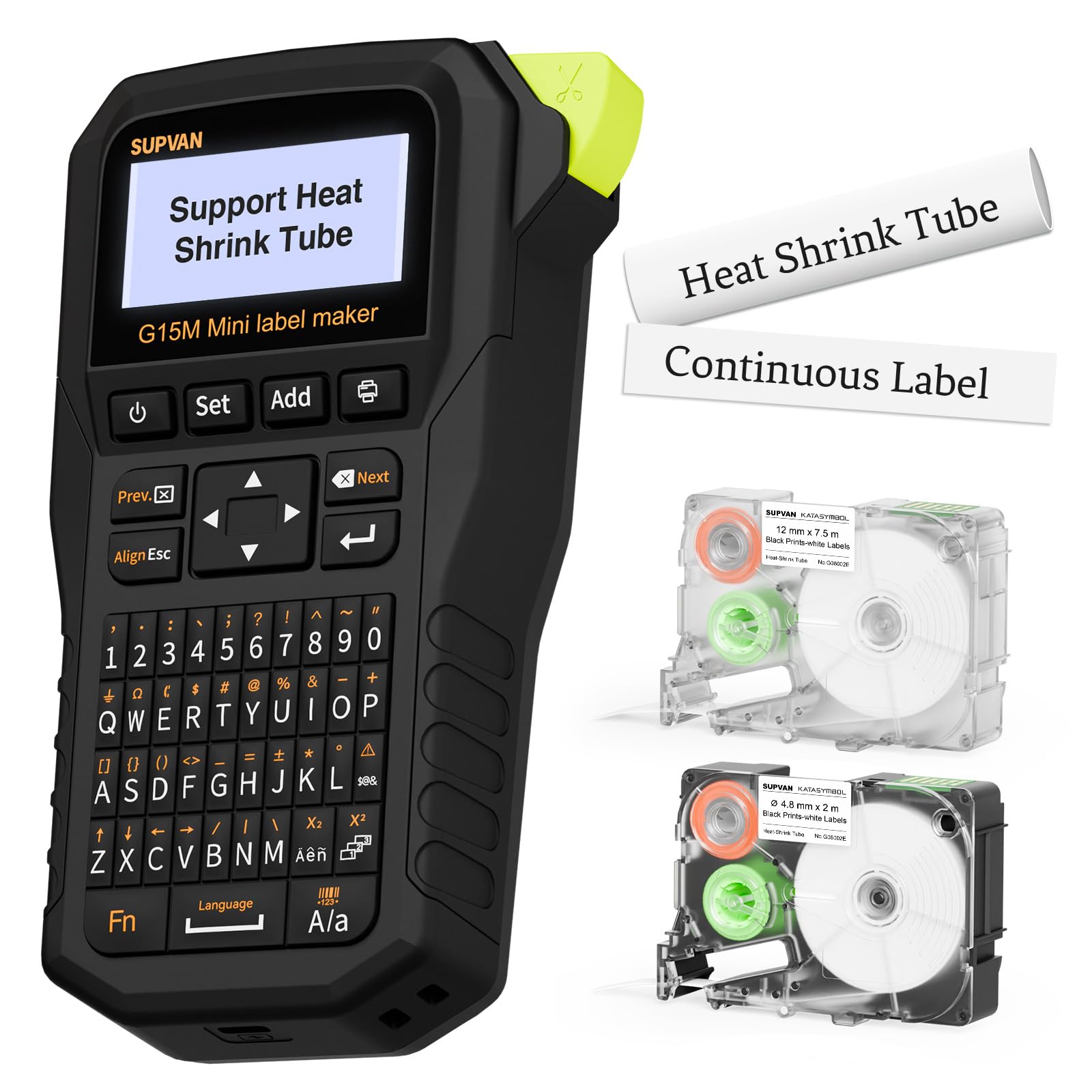
SUPVAN's G15M is one of the most compact heat-shrink labelers here. It weighs 0.88 lb, runs from a 1200mAh rechargeable battery, and accepts heat-shrink tube, continuous tape, fixed-size labels, and cable labels. The included 4.8mm heat-shrink tube is the useful part: it lets you try the format without buying a separate roll. The 203 dpi print and backlit LCD are welcome on a machine this small.

The 0.19-inch margin is a genuine advantage. Short cable labels leave less waste, and the thermal-transfer print is designed to resist UV, heat, and water. We like the size for a garage or small control panel, where a larger industrial printer is more machine than the job needs.

Adhesion is the part to test before a batch. On clean, dry cable jackets the labels hold, but a dusty or slick surface can let them lift; wipe the cable and try one label first. That caveat is manageable on small jobs, which is where the G15M belongs. For a full panel, the dense menus and small type make it slower than the Brother.

Pros

  • Heat-shrink, continuous, fixed-size, and cable labels
  • 1200mAh rechargeable battery
  • 0.19-inch margin reduces tape waste
  • Compact 0.88 lb body with backlit LCD

Cons

  • Thin instructions slow setup
Our verdict

The G15M is a good compact heat-shrink labeler for small cable and garage jobs, as long as you are willing to learn its menus without much help.

Check Latest Price
5

Best Budget Cable Labeler

Brother P-Touch Pro PT-H111

91 /100
LBD Score Outstanding

Key details

Power
6 AAA batteries
Cable Modes
Wrap, flag, faceplate
Tape Widths
3.5, 6, 9, and 12mm
Print Resolution
180 x 180 dpi
View on Amazon

The PT-H111 is a budget cable-labeling machine for people who want a keyboard and no app. It prints on Brother's laminated TZe tape in 3.5, 6, 9, and 12mm widths, and it has one-touch keys for cable wrap, cable flag, and faceplate labels. The vertical QWERTY layout leaves room for a preview screen on a body that still fits in a drawer.

The cable keys are the reason to choose it over a general-purpose label maker. A wrap label prints in a couple of steps, the laminated tape shrugs off water and handling, and the 180 x 180 dpi output is clear enough for breaker and port IDs. Six AAA batteries keep it portable, so it is easy to carry to a rack or a panel.

Where it fits best is a toolbox or a small shop with a roll of 12mm tape and a list of port names. The keyboard and one-touch keys are faster than opening an app for three labels, and the laminated tape is the right material for a patch panel. If you need heat-shrink sleeves or long barcode strings, the Edge 310BT or Vixic DM170 is the better starting point.

Pros

  • Cable wrap, flag, and faceplate shortcut keys
  • Laminated TZe tape resists water and wear
  • 3.5, 6, 9, and 12mm tape widths
  • Portable keyboard with preview screen

Cons

  • Leaves extra tape on each print
  • Cutter can fail with use
Our verdict

For tape-only cable labels on a budget, the PT-H111 is our pick: the cable keys and laminated TZe tape do the job without an app.

Check Latest Price
6

General Labeling

SUPVAN E11

91 /100
LBD Score Outstanding

Key details

Battery
1200mAh rechargeable
Connectivity
Bluetooth and keyboard
Max Label Width
15mm
Print Resolution
203 dpi
View on Amazon

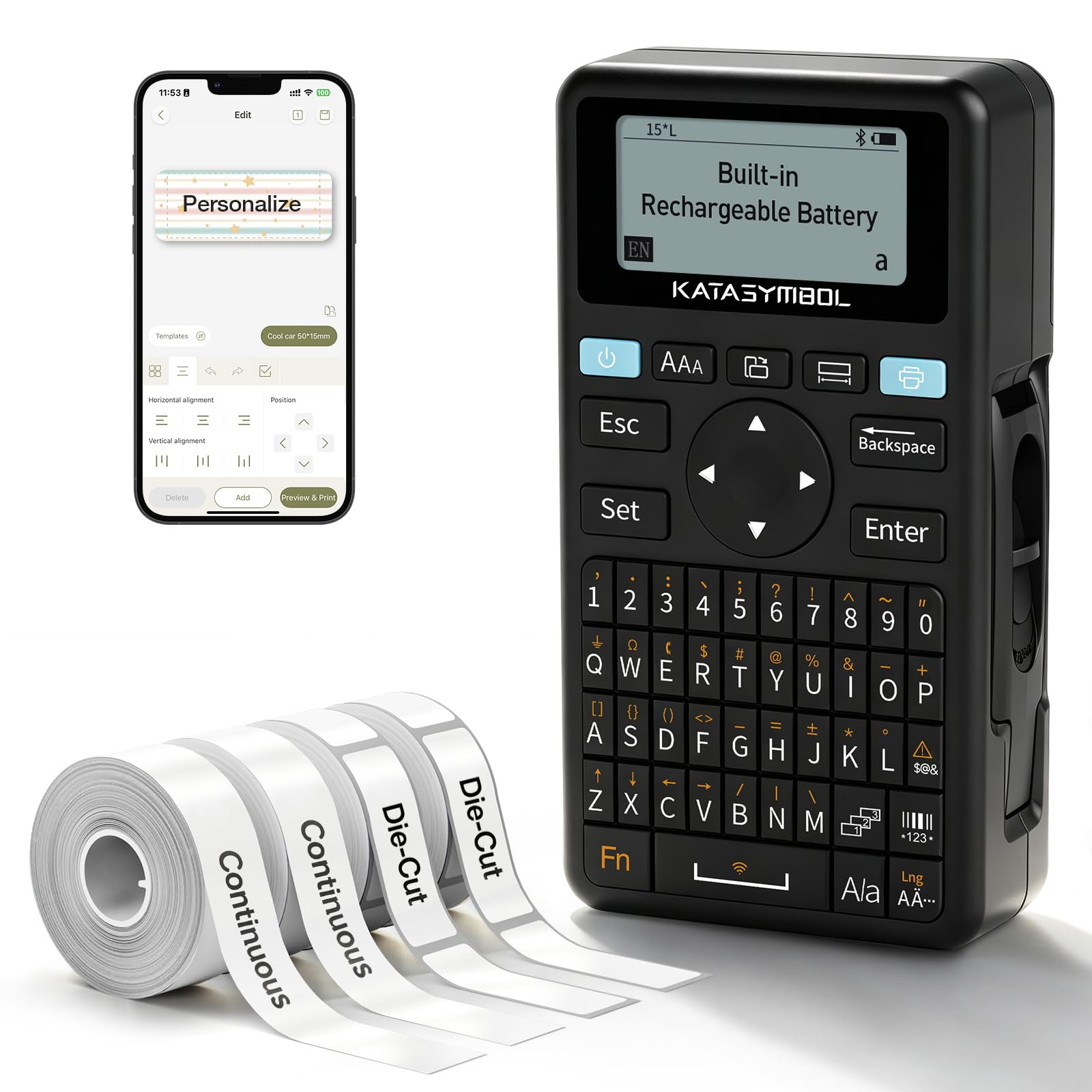
The E11 is a two-way machine: a small keyboard for quick labels, and a Bluetooth app for longer cable schedules. It prints at 203 dpi, uses 15mm continuous or die-cut tape, and charges over USB-C. The keyboard is the reason to pick it over a phone-only labeler; you can tap out a port number without unlocking anything.

The app is better for anything with symbols, frames, or a long string. We like the 0.2-inch margin because short labels do not waste as much tape, and the rechargeable battery saves a drawer full of AAAs. The 15mm tape is fine for faceplates, bins, and a handful of cable tags.

For cable work, the limit is scale: this is a general labeler, not a panel tool. A handful of patch cords is fine; a rack with dozens of drops calls for a cable-specific machine with wider tape and shortcut keys. It earns its place on a desk where labels are flat and the phone is already out.

Pros

  • Keyboard and Bluetooth app control
  • 203 dpi print with 0.2-inch margin
  • 1200mAh rechargeable battery
  • Handles continuous and die-cut tape

Cons

  • 15mm tape limit cramps long cable IDs
  • Thin manual leaves setup to trial and error
Our verdict

The E11 is a strong budget labeler for general labeling and light cable tagging, but its 15mm tape limit keeps it out of dense panel work.

Check Latest Price
7

Light-Duty Cable Tags

NIIMBOT D110

91 /100
LBD Score Outstanding

Key details

Weight
5.26 oz
Connectivity
Bluetooth app
Max Label Width
15mm
Print Resolution
203 dpi
View on Amazon

The D110 is barely bigger than a deck of cards: 149g and under four inches long. That makes it the one here most likely to live in a kitchen drawer or a laptop bag. The catch is that it has no keyboard; everything happens in the NIIM app.

Setup is quick. You pair over Bluetooth, pick a template, and the 203 dpi thermal head prints without ink or toner. Automatic label rewind and first-label calibration are small conveniences that matter when you are printing a dozen tags in a row. We like it for spice jars, cable tags on a home desk, and anything that needs a short, legible sticker.

The phone-only design cuts both ways. The app is easy to use and gives you more fonts than the tiny keyboard machines, but a label maker that depends on a charged phone is not the one to take into a basement. Direct thermal printing also means the label is a sticker, not a heat-shrink sleeve.

We keep the D110 around for quick home labels and the occasional cable tag, and that is the right scope. It is not a production labeler: the phone is the interface, and there is no cable-specific format to speed up a panel. If your cable labeling is a weekend project, that is fine; if it is billable work, step up.

Pros

  • Pocketable 149g body
  • 203 dpi thermal printing with no ink
  • Bluetooth app with templates and automatic rewind
  • Budget-friendly phone-based labeling

Cons

  • Phone-only operation
  • Small 15mm labels limit long cable IDs
Our verdict

We keep the D110 for quick, tiny labels from a phone, including light-duty cable tags, not for a full rack or a jobsite.

Check Latest Price
8

Budget Heat-Shrink Labels

VolenGo E1000

82 /100
LBD Score Excellent

Key details

Keyboard
QWERTY
Cable Modes
Three cable modes
Included Tapes
2 heat-shrink, 2 flexible-ID
Print Resolution
180 dpi
View on Amazon

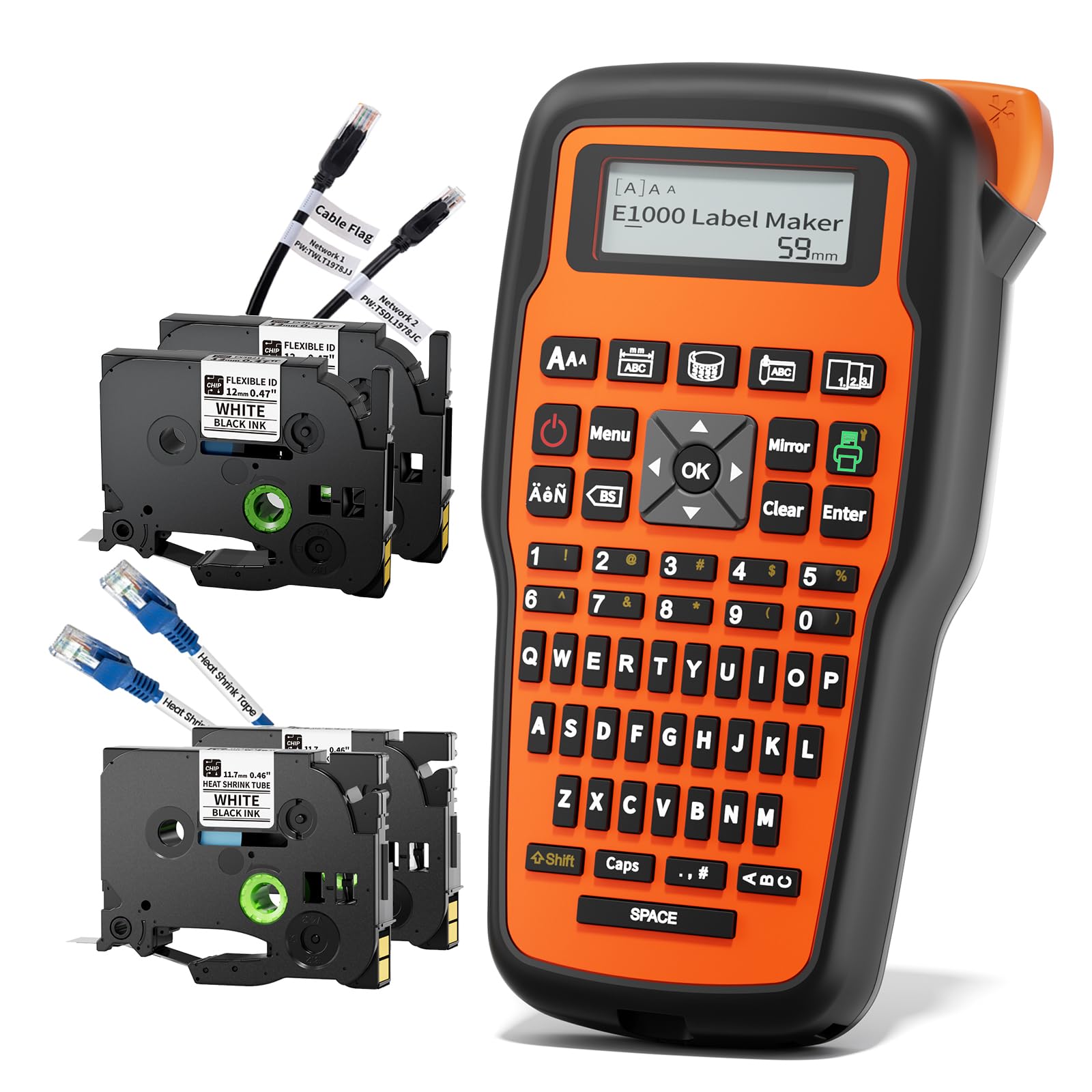
The E1000 bundle is the most direct budget answer to heat-shrink cable labels: two 12mm heat-shrink tubes and two flexible-ID cable tapes in the box, plus a QWERTY keyboard and three cable modes. The 180 dpi print is coarser than the 203 dpi machines here, but for short breaker and port IDs it is legible.

We appreciate the keyboard. Long cable names are faster to type than to thumb into a phone, and the one-touch keys keep wrap, flag, and fixed-length formats close. The orange body is easy to spot in a tool bag, and the USB-C connection is the modern charging standard.

The bigger irritation is tape waste: the E1000 leaves a lead margin on each print, so printing one short label at a time burns through a roll. Batch your labels when you can, and the cost per label settles down.

For a starter heat-shrink kit, the bundle is the point: you get both tube and flag tape without hunting for supplies. We see it as a garage or small-shop machine, not a replacement for the Edge 310BT on a big panel. The keyboard keeps long cable IDs quick, and the two tape types make it easy to try both formats.

Pros

  • Two heat-shrink and two flexible-ID tapes included
  • Three cable modes and one-touch keys
  • QWERTY keyboard for fast text entry
  • USB-C connection and 180 dpi output

Cons

  • Tape waste on short labels
  • Coarser 180 dpi output
Our verdict

The E1000 is a sensible starter heat-shrink labeler for keyboard lovers, though its lower resolution and tape waste show where the money went.

Check Latest Price

How We Tested Label Makers for Cables

We started with roughly 30 label makers sold for wire and cable work and narrowed them down on three questions: does the machine take heat-shrink tube or flexible flag tape, does it print from a keyboard, an app, or both, and what does a single label cost after the included tape is gone. Twelve made the cut, and we lived with them for six months.

Testing happened where cables actually live: a network closet with 40 unlabeled patch cables, a garage wall panel, a workshop bench, and the tangle behind a media console. Each unit got its manual and nothing else. I timed how long it took to produce a legible first label cold, then handed the machine to a colleague who had never used one and watched where they got stuck.

For print and label quality, we printed at the smallest size each machine allowed, then checked legibility at arm's length and by flashlight inside a dim rack. Heat-shrink labels got shrunk with a heat gun and tugged; flag labels got wrapped around 6mm, 12mm, and 24mm cable to see whether the print disappeared underneath the wrap or hung past the jacket. We wiped finished labels with a damp rag and an alcohol wipe, and left a set in the garage for a month to see how they held up.

Reliability meant running 30 labels back to back and counting jams, misprints, and wasted leader. We ran each battery to empty and counted labels per charge, noted how often Bluetooth dropped mid-job and whether the app reconnected on its own, and tracked cost per label across tape types. The machines that survived all of it are the ones below.

How to Choose a Label Maker for Cable Labeling

Start With the Label Format

Heat-shrink sleeves are the permanent choice for electrical and network cable IDs: the tube slides over the jacket and shrinks tight. But heat shrink is a media type, not a software setting. The printer must accept the tubing, and the tubing must fit the cable.

For installed cables, adhesive wrap and flag labels are the practical choice; a flag folds around the cable and gives you two readable faces. The Edge 310BT covers both, while the PT-H111 is a tape-label machine. Decide the format first and you eliminate half the field.

Width and Resolution Decide Legibility

Cable labels are read at arm's length in bad light, so legibility matters more than font variety. A 12mm tape is the versatile default: wide enough for a port name, narrow enough for most jackets. Drop to 6mm or 9mm only when the cable is thin or the panel is crowded, and accept that longer names will be cramped.

Resolution helps, but 180 dpi is enough for short uppercase IDs; 203 dpi gives you more room for small type and barcodes. Pair the width with laminated tape for abrasion resistance, or heat-shrink for a permanent sleeve.

Choose the Workflow You Will Actually Use

A keyboard is faster when you need five labels and the names are already in your head. An app is better when you need templates, long cable schedules, barcodes, or repeat labels with sequential numbers. Bluetooth models also let you design on a larger screen and print at the rack.

Think about where the labeler lives: a pocket body with a rechargeable battery suits a toolbox, while a larger keyboard machine is happier on a bench. The Edge 310BT and Vixic lean app-first; the PT-H111 and VolenGo E1000 keep the keyboard central.

Price the Tape, Not Just the Printer

The printer is the smaller cost on a real cable job. Heat-shrink cartridges, laminated tape, and chipped cartridges can outrun the machine, especially if you print one short label at a time. Check three things before you commit: whether the model accepts third-party tape, how much lead margin each print wastes, and what a replacement roll costs.

Minimal-margin designs such as the G15M and E11 save material on short labels, while cartridge-locked systems such as the Brady M210 trade choice for consistency.

Match the Label to the Environment

Cable labels live in three places: a dry rack, a garage, or outdoors. Laminated tape is enough indoors; heat-shrink or UV-rated material is better where sunlight, oil, or abrasion will find the label.

Adhesion starts with the surface. Wipe the jacket clean and dry, wrap the label fully, and test one before you print a whole panel. Flexible ID tape is made to bend around a cable; standard stiff tape will lift at the edges. The right material matters more than a higher resolution.

Frequently Asked Questions

Final Verdict

The Brother P-Touch Edge 310BT is our default because it covers the two cable-labeling jobs that matter: adhesive wraps and flags, and heat-shrink sleeves up to 18mm. The cable-specific keys and Bluetooth/USB-C workflow make it a tool we are happy to use all day, not just for a drawer full of chargers.

If the budget is tighter, the PT-H111 is the tape-only choice we recommend. If you want heat-shrink for occasional garage work, the Vixic DM170 gives you the media bundle for less. Neither changes the top pick for recurring electrical or network work.