Best Hardware Wallets of 2026

A hardware wallet exists to solve one specific, terrifying problem: private keys sitting somewhere a hacker, an exchange, or a corrupted laptop can reach. The device holds those keys offline and signs a transaction only when you physically confirm it, which is why anyone who has lived through a drained hot wallet becomes a hardware wallet person fast.

I've set up enough of these at my kitchen table to know where new buyers actually get stuck — the backup, not the hardware. A wallet that buries the seed-phrase confirmation three menus deep and ships a flimsy recovery card costs you more sleep than one that walks you through it on screen. Over the past six months, we put 12 wallets through setup, backup, wipe, restore, and daily spending, from button-and-screen models to air-gapped units with glass touchscreens.

Coin support lists are the easiest thing to overrate; what matters is whether the coins you actually hold, plus the phone and laptop you actually own, are covered. The picks below are the ones still in my bag at the end.

1

Best Overall

Trezor Safe 3

92 /100
LBD Score Outstanding

Key details

Power
No battery
Weight
0.5 oz
Connection
USB-C
Secure Element
EAL 6+
View on Amazon

Take it out of the box and the Safe 3 is a small aluminum slab with two buttons, a monochrome OLED screen, and a USB-C port. No battery, no Bluetooth, no touchscreen — and that short list of absences is the reason it sits at the top of this guide. A device you might open twice a year should have as little inside it as possible that can stop working in the meantime.

What is inside is the part that matters for security: an EAL 6+ secure element paired with open-source firmware, which means the code guarding your keys can be inspected by anyone who wants to, rather than taken on trust. We rate that combination above a bigger screen or a nicer shell. Setup runs through Trezor Suite on a desktop or a phone, and recovery uses the familiar written phrase, with an optional multi-share backup that splits it into separate parts so no single sheet is enough on its own.

Approving a transaction here is a physical ritual: hold a button, read the address a few characters at a time, press again. One practical detail worth knowing is that the USB-C port sits in a narrow recess, and a cable that is not seated all the way reads exactly like a dead device — we check the connection before we conclude anything worse. If you sign every week, the Safe 5 buys you a faster screen. If you are buying a signer to live in a drawer and come out rarely, that slower screen is a fair price for a device with nothing to charge.

Pros

  • Open-source firmware with an EAL 6+ element
  • No battery or Bluetooth to wear out
  • Least expensive full-featured signer here
  • Multi-share backup avoids a single point of failure

Cons

  • Two-button entry is slow for long passphrases
Our verdict

For most people this is the hardware wallet to buy: open-source firmware, a certified secure element, and no battery or radio to fail later, for far less than the touchscreen models.

Check Latest Price
2

Best Touchscreen

Trezor Safe 5

89 /100
LBD Score Excellent

Key details

Input
Touch with haptics
Weight
0.81 oz
Display
Color touchscreen
Secure Element
EAL 6+
View on Amazon

The Safe 3's two-button OLED is fine until you have to type a long passphrase on it. The Safe 5 answers that with a color touchscreen, and the difference is not cosmetic: tapping a letter on glass beats scrolling to it with a button every single time you set the device up or reconnect it.

Underneath, the story is the same as the Safe 3's — an EAL 6+ secure element with fully open-source firmware, the same Trezor Suite app on desktop and mobile, and the same support for thousands of coins and tokens. What changes is the housing: Gorilla Glass over the display and an aluminum body, at 23 g, which is light enough to carry but finished well enough that you will not mind it living on a desk.

Where the extra money goes is the confirmation flow, and that is the right place for it. Amounts and addresses arrive on a screen you can read at arm's length, and the haptic pulse lands exactly as the approval registers, so there is never a question about whether the tap took. On a device whose entire job is making you check one address carefully, that small buzz is worth more than it sounds.

Pros

  • Touchscreen confirmation is fast and legible
  • Haptic pulse marks each approval
  • Gorilla Glass and aluminum body
  • Same open-source EAL 6+ element as the Safe 3

Cons

  • Premium over the Safe 3 for the same security
Our verdict

We point anyone who signs regularly at the Safe 5: the touchscreen and haptics turn a fiddly confirmation into a two-second check, on the same secure foundation as the Safe 3.

Check Latest Price
3

Best for Beginners

Tangem Wallet 3-Pack

90 /100
LBD Score Outstanding

Key details

Power
No battery
Backup
2 encrypted cards
Connection
NFC
Durability
IP69K waterproof
View on Amazon

Three cards the size of a credit card, no cable, no battery, no screen, and — the part that decides it for a lot of people — no seed phrase. You tap a card against the back of your phone, the Tangem app opens, and you are signing. Setup generates the wallet inside the card's EAL 6+ chip, and at no point does a list of words appear for you to write down and then lose.

That seedless design is why we recommend it to people who have never owned a hardware wallet. Nothing to photograph, nothing to paste into a convincing phishing site, nothing to hide in a sock drawer. The backup is the other two cards in the box — encrypted copies of the same wallet — and that is the detail to get right: all three open the same funds, so keeping them in one place gives you the protection of a single card. Split them across two locations and a lost card costs you a walk to the drawer, nothing more.

Durability is unusually good for something this thin: IP69K water and dust rating, shockproofing, and a rated range from −25°C to 50°C, which is a polite way of saying it survives a coat pocket and a car glovebox. Ninety blockchains and more than 16,000 coins and tokens run through the Tangem app. The catch is that everything runs through the phone — there is no desktop app for managing the wallet — so if you do your crypto admin at a keyboard, one of the USB signers here will suit you better.

Pros

  • No seed phrase to write down or leak
  • Tap-to-sign from a phone, no cable
  • Three cards, so a backup ships in the box
  • IP69K waterproof and shockproof

Cons

  • No on-card screen; approvals happen on the phone
Our verdict

If you want cold storage without writing down a single word, this is the easiest route we have used: three tap-to-sign cards, no battery, and an app that carries you through setup.

Check Latest Price
4

Best Big Screen

Ledger Flex

88 /100
LBD Score Excellent

Key details

Weight
1.95 oz
Display
2.8-inch E Ink touchscreen
Connectivity
Bluetooth, NFC, USB-C
Backup Included
Ledger Recovery Key
View on Amazon

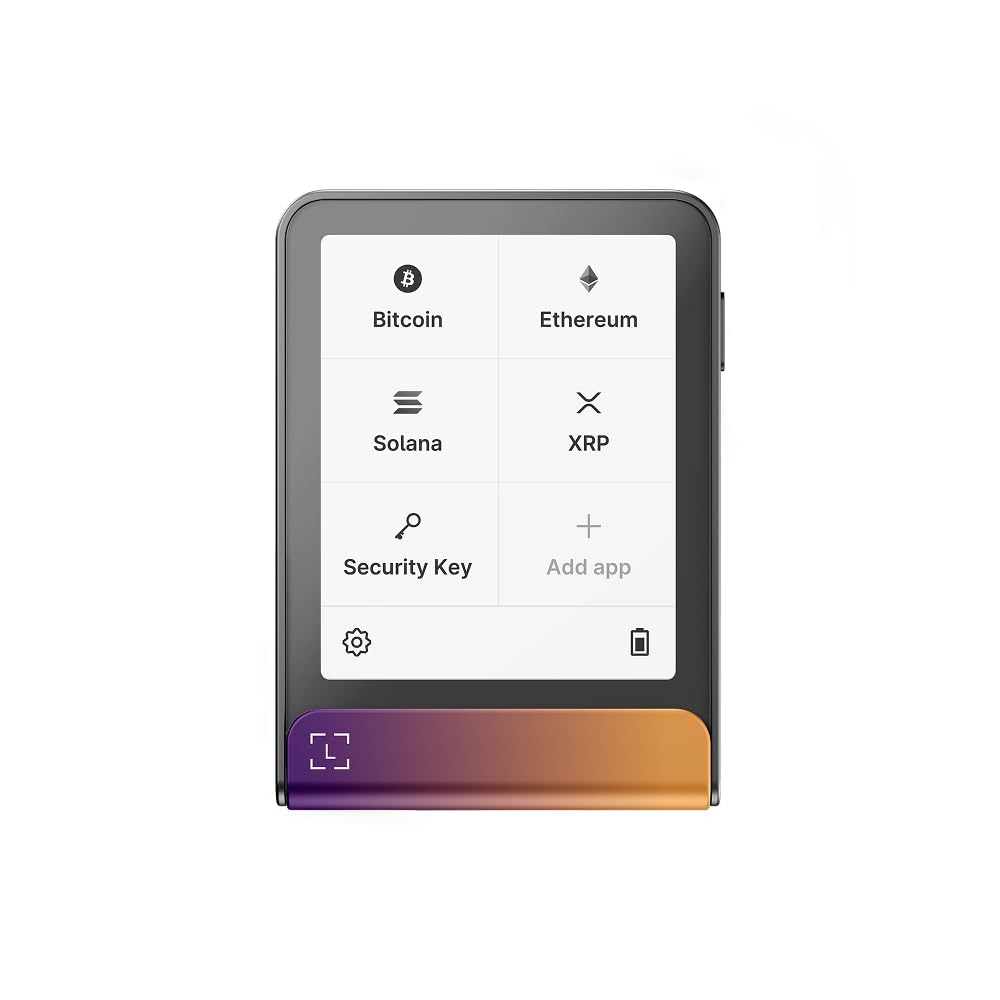
Signing blind is the failure hardware wallets exist to prevent, and the Flex attacks it with size. Its 2.8-inch E Ink panel lays a transaction out in full — recipient, amount, contract details — instead of scrolling it past you a line at a time, and E Ink is the sensible choice for the job: it is reflective enough to read in daylight and it holds an image without a backlight glowing at you.

Around that screen sits a 55.2 g aluminum body with NFC, Bluetooth, and USB-C, paired with the Ledger Wallet app and its 15,000-plus assets. The radio is the practical part: you can approve from a phone without hunting for a cable, and the same device plugs into a laptop when you want a bigger keyboard for the admin work. It is a desk object rather than a pocket one, which suits a display this size.

In the box is the piece that changes how you think about backup: a Ledger Recovery Key, a separate PIN-protected key that holds an encrypted copy of your recovery. That is one more physical object to store carefully, and it is also a way to avoid a paper phrase you have to keep dry, flat, and unphotographed for a decade.

What surprised us is how much the screen changes the habit. With the whole transaction in front of you, you actually read it, instead of glancing at the first and last characters of an address and hoping. That is what the premium buys here — display, radio, and recovery key — not a different class of key storage from Ledger's cheaper signer, which uses the same app for the same assets.

Pros

  • 2.8-inch E Ink screen shows full transactions
  • NFC and Bluetooth as well as USB-C
  • Ledger Recovery Key included for backup
  • 15,000-plus assets in the Ledger app

Cons

  • The priciest pick in this group
Our verdict

The Flex is for people who want to read what they are signing: a 2.8-inch E Ink screen, Bluetooth when you want it, and a recovery key in the box, at the top of this group's price range.

Check Latest Price
5

Fingerprint Sign-In

D'CENT Biometric Wallet

88 /100
LBD Score Excellent

Key details

Weight
1.27 oz
Connection
Bluetooth
Authentication
Fingerprint + PIN
Secure Element
EAL5+
View on Amazon

Unlocking a hardware wallet usually means four button presses and a PIN you have half-forgotten. D'CENT swaps that for a thumb on a sensor, and after a week we stopped thinking about unlocking at all, which is the whole point. The reader sits on the device itself, so the finger that authorizes a transaction never touches the phone. The trade is the chip inside: it is EAL5+, one tier below the EAL 6+ elements on most of the picks here.

More than 10,000 assets across 100-plus blockchains are supported natively, with stablecoins and NFTs in the same app and a MetaMask connection for dApps and airdrops. The large screen and four-button navigation are easy to learn, and at 36 g with a slim body it slides into a pocket without a case.

We see this one as the wallet for someone who signs from a phone regularly and wants the friction gone. Bluetooth is the part to watch: every session begins by reconnecting the app to the device, a small tax on an otherwise quick flow. If you sign twice a year and keep the thing in a safe, the fingerprint buys you very little.

Pros

  • Fingerprint unlock on the device itself
  • 10,000-plus assets on 100-plus blockchains
  • Large screen, simple four-button navigation
  • Slim 36 g body that travels easily

Cons

  • Firmware updates require a computer
Our verdict

A fingerprint reader is the friendliest way to unlock a hardware wallet, and D'CENT does it well — just know its secure element is a tier below the EAL 6+ devices here.

Check Latest Price
6

Maximum Isolation

ELLIPAL Titan 2.0

83 /100
LBD Score Excellent

Key details

Weight
4.94 oz
Display
4-inch touchscreen
Accounts
Up to 5
Signing Link
QR codes, air-gapped
View on Amazon

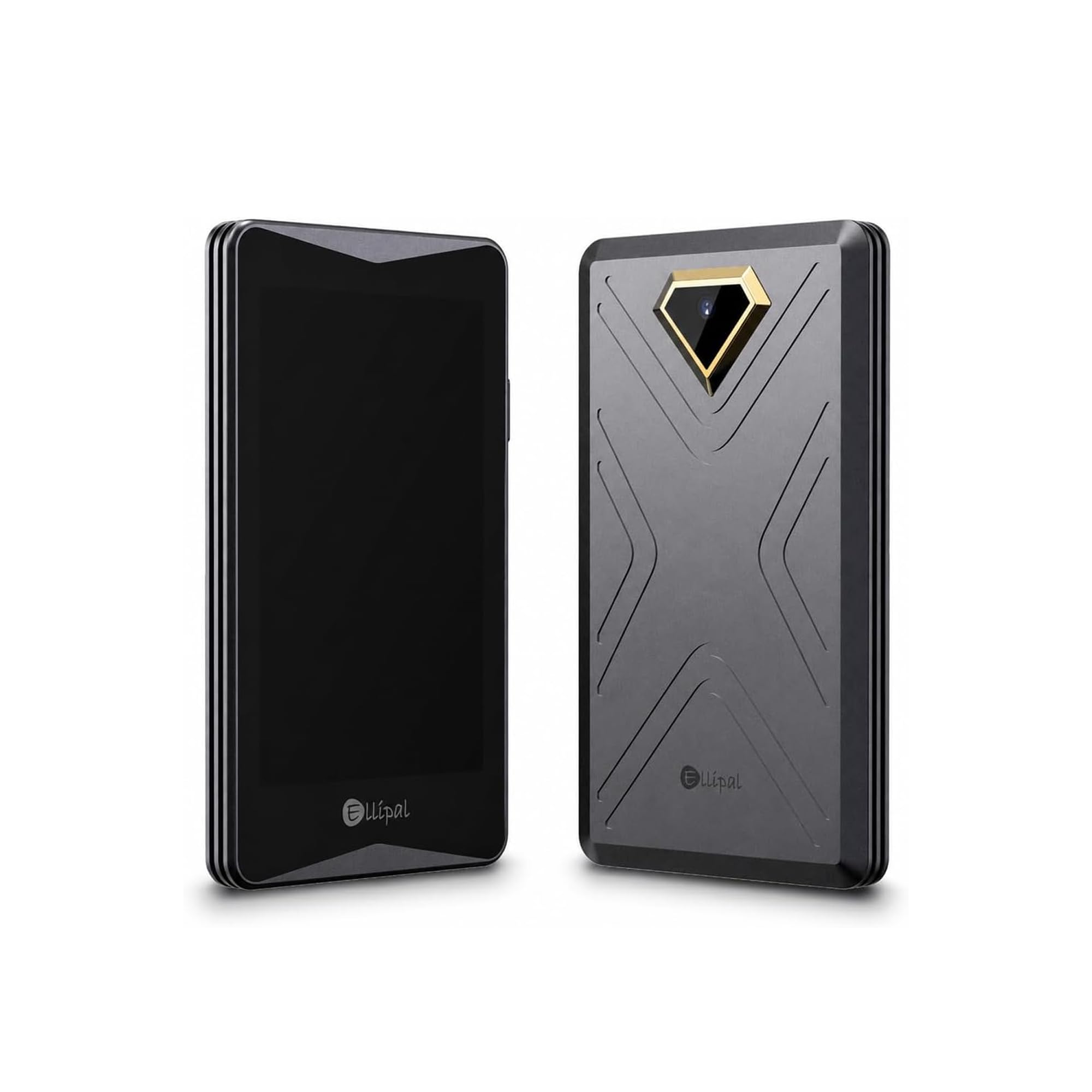
Nothing about signing on the Titan travels over a radio or a cable. The device shows a QR code, your phone scans it, your phone shows a code back, and the Titan's camera reads that. It is a genuinely different security posture from everything else here — there is no pairing to hijack and no cable to leave connected — and it costs you two scans per transaction and a few seconds of holding a phone perfectly still.

We think that trade is worth it for one kind of owner: someone who buys and holds, moves coins a handful of times a year, and wants the signing device to have no path to the internet at all. The 4-inch touchscreen is the other half of the argument, because a QR handshake is useless if you cannot read what you are approving — here the full transaction is laid out before you scan anything.

It handles up to five separate accounts, and the 0.14 kg metal body feels like a small tablet, right down to the charging dock. Firmware arrives by microSD, which is fiddlier than an app update: format the card to FAT32 first, because the device will not read the update file otherwise. Carry it in a bag, not a pocket.

Pros

  • Fully air-gapped signing over QR codes
  • 4-inch touchscreen shows full transaction detail
  • Up to five separate accounts
  • Solid metal body with a charging dock

Cons

  • Bulky 0.14 kg, so it stays in a bag
Our verdict

If maximum isolation is the goal and you sign rarely, the Titan's air-gapped QR workflow and 4-inch screen deliver it; sign weekly and the scanning will wear you down.

Check Latest Price
7

Desk and Android

Ledger Nano S Plus

90 /100
LBD Score Outstanding

Key details

Weight
0.74 oz
Connection
USB-C only
Compatibility
Desktop and Android
Secure Element
CC EAL 6+
View on Amazon

There is nothing wireless in the Nano S Plus and nothing to charge: it is a USB-C fob that wakes when you plug it in and goes dark when you pull it out. That is a design decision worth taking seriously if your wallet lives in a drawer, because a device with no battery has nothing to swell, leak, or refuse to hold a charge after a year of sitting still.

Inside is a CC EAL 6+ secure element, and the Ledger Wallet app covers 15,000-plus coins and tokens with buy, sell, swap, and stake in one place. The recovery sheets in the box are the backup. The coins themselves never sit on the device — your phrase is the wallet and the fob is the lock in front of it, which is the part people get wrong about every hardware wallet.

At 21 g with a keychain strap it goes on a ring or into the same drawer as your passport, and setup runs through the Ledger Wallet app before finishing with a phrase you have copied by hand. There is nothing at all about it that draws attention, and for a device that spends most of its life hidden, that is a feature.

Here is the boundary: this is a desktop and Android device. No Bluetooth, no iOS, so an all-iPhone household needs a different signer — the Flex or a tap-to-sign card. If you have a laptop and an Android phone, though, this is the most affordable route to a certified element and a mature app in this guide, and the plainness is the pitch.

Pros

  • No battery or Bluetooth to fail
  • CC EAL 6+ secure element
  • Ledger Wallet app covers 15,000-plus assets
  • Light 21 g fob with a keychain strap

Cons

  • Included cable is USB-C to USB-A
Our verdict

The least expensive way into a certified secure element and a 15,000-asset app: a USB-only signer with no battery, built for a desktop and an Android phone.

Check Latest Price
8

Gifting and Holding

Ballet REAL Card

87 /100
LBD Score Excellent

Key details

Build
Stainless steel, waterproof
Power
None, no electronics
Backup
No seed phrase
Weight
1.36 oz
View on Amazon

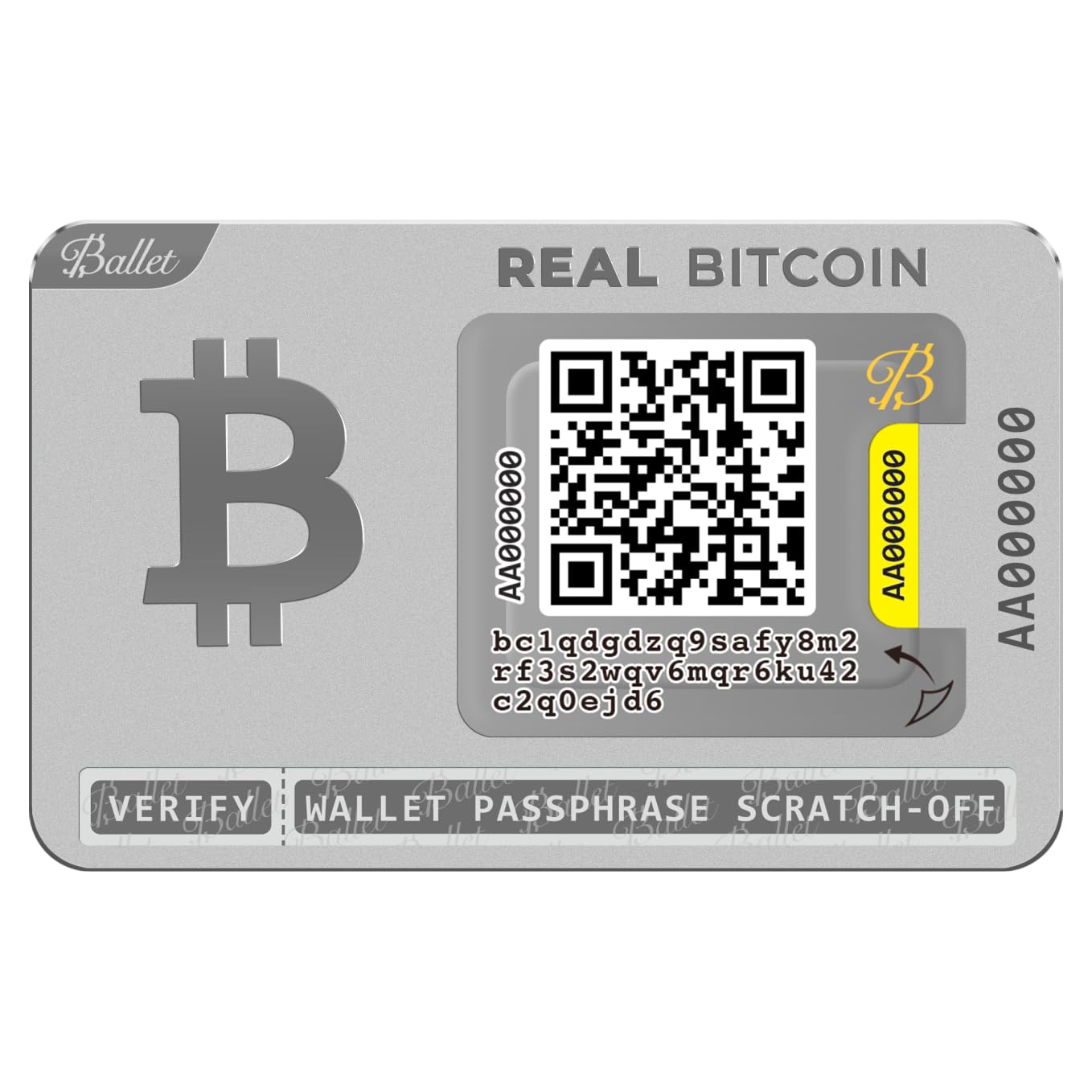
It is a metal card. No chip, no screen, no battery, no firmware, and no twelve-word phrase to copy down — the private key is encoded in the QR code on the card, and the Ballet app reads it when you want to see a balance or move funds. You can drop it, and you can leave it in a drawer for years, because there is nothing inside to degrade.

After handling a lot of cold-storage gadgets, we appreciate the version with no failure modes at all. Waterproof stainless steel is the entire specification, and it is also the only pick here you can hand to someone who has never set up a wallet and have them understand it in a sentence — which is why it gets bought as a gift for a child, a godchild, or a friend who keeps saying they should get off the exchange.

The trade is that it does not sign. To spend, you scan the card into the app and sweep the balance to wherever it is going; this is storage, not a device you approve transactions on. And there is one card in the box with no phrase behind it, so a card lost or damaged before you sweep is a balance lost. Treat it like cash in a safe rather than a wallet you carry, and it does its job very well.

Pros

  • Nothing to charge, update, or break
  • No seed phrase to write down
  • Waterproof stainless steel card
  • Cheapest cold storage in this guide

Cons

  • One card, no spare and no phrase backup
Our verdict

For a long hold or a gift, this stainless card is the simplest cold storage here — no electronics, no phrase to write down, and nothing to charge or update.

Check Latest Price

How We Tested 12 Hardware Wallets

We started by reading spec sheets for roughly 30 wallets and filtering on four things: whether the device used a secure element or stayed fully air-gapped, whether the firmware was open-source, which coins and networks the companion apps supported, and whether it worked with both a desktop and a phone. That left 12 units, spanning button-and-screen models, touchscreen signers, NFC cards, and Bluetooth-connected devices. Testing ran six months.

Every wallet was set up from scratch at my kitchen table with a stopwatch running, and each seed phrase was written out by hand. I then wiped the device and restored it from that backup to see whether the balance came back and how many confirmation taps it took. Wrong PINs went in on purpose to see what the lockout did, and I checked whether the address on the device screen matched the one in the app before approving anything.

For daily use, I sent small transactions weekly — from a desktop app, from an Android phone over Bluetooth and NFC, and by scanning QR codes on the air-gapped unit. Each wallet rode in a bag or a pocket for a month; one was dropped onto a tile floor and one was carried loose with keys to see how the casing and screen held up. I also added accounts in every coin I hold, plus an NFT, to find where an app ran out of room or got clumsy.

The last pass was value: for each wallet I noted what the extra money bought — a touchscreen, haptic confirmation, biometric unlock, a metal backup plate — and whether that feature removed friction or just added steps. A wallet that takes four taps to send $20 is a wallet you stop using.

How to Choose a Hardware Wallet

Start with the recovery model

Every wallet here asks you to protect one of three things: a written phrase, a set of encrypted backup cards, or a separate recovery key. A phrase is the most portable — it restores into another maker's wallet if you ever want to leave — but it is also the thing people photograph, email to themselves, or type into a site that looked real.

Seedless designs such as Tangem's delete that mistake entirely and replace it with two more cards that must be stored apart from the first. Decide which error you are more likely to make, then buy the backup that survives it.

Treat the battery as a wear item

A rechargeable cell is the most consistently disappointing part of this category: devices that stop charging, or arrive unable to power on at all. If your wallet lives in a safe and comes out twice a year, buy a bus-powered signer. The Trezor Safe 3 and the Ledger Nano S Plus have no battery at all, and a device with nothing to charge still works after three years in a drawer.

If you check balances daily and want to sign from a phone, a battery is the price of that convenience — just expect to replace the device sooner than you replace a cable-only one.

Match the connection to where you sign

USB is the simplest link and the one that never needs pairing, but it ties you to a computer or an Android phone. Bluetooth untethers you and, in our experience, is the least reliable of the four; expect to reconnect at the start of most sessions. NFC cards such as the Tangem tap straight to a handset with no pairing and no cable, at the cost of doing everything on that handset.

The QR air-gap on the ELLIPAL Titan is the most isolated and by far the slowest. Choose the friction you can live with weekly, not the one that sounds best on paper.

The screen decides how much you can verify

A hardware wallet's real job is showing you what you are about to approve, on a display the internet cannot touch. A two-line OLED makes you check the first and last few characters of an address, which is exactly how address-swapping malware wins.

A bigger panel — the Ledger Flex's E Ink screen, the 4-inch display on the ELLIPAL Titan — lets you read the whole transaction. That is worth paying for if you sign often, but understand what it buys: legibility, not a stronger chip.

Coins, apps, and what the number means

A claim of 10,000 supported tokens describes the app's asset list, not the device's ability to sign every chain natively, and the gap shows up when a coin you hold needs a third-party bridge. Check that the assets you actually own appear in the maker's own app, not just somewhere in the ecosystem.

The app is the daily interface and it matters more than the hardware's finish: Trezor Suite, Ledger Wallet, and ELLIPAL's app do the work, and a good one makes a modest device feel better than an expensive one.

Frequently Asked Questions

Final Verdict

The Trezor Safe 3 is the wallet we point most people toward, and nothing here beats it on value: open-source firmware, an EAL 6+ element, no battery, no radio, and a backup you can move to another brand whenever you like.

Spend up only for a stated reason — the Safe 5 if you sign often and want the touchscreen, the Tangem pack if you would rather never see a seed phrase, the Ledger Flex if reading a full transaction matters more than the bill. Wherever you buy, buy it from the maker.