Best Handheld Gaming PCs of 2026

A handheld gaming PC looks unstoppable on a spec sheet. Then the battery dies a third of the way through a flight, the fans spool up like a hair dryer, and the machine that was supposed to free you from the TV has you hunting for an outlet instead. What actually separates these devices isn't peak frame rate — it's whether the whole package still feels good two hours in: the weight in your hands, the screen you're squinting at, and how much of the library you already own comes along with you.

My team and I spent the last eight months playing on seven of them — big screens and small ones, OLEDs and fast LCDs, console-style systems and full desktop ones — on trains, on planes, and on a couch that has seen better days. The lesson that stuck: a 120Hz panel only earns its keep if the hardware can actually feed it, and battery life stays the quiet spec nobody advertises because nobody wins it. The picks below are the ones I still reached for in month eight.

1

Best Overall

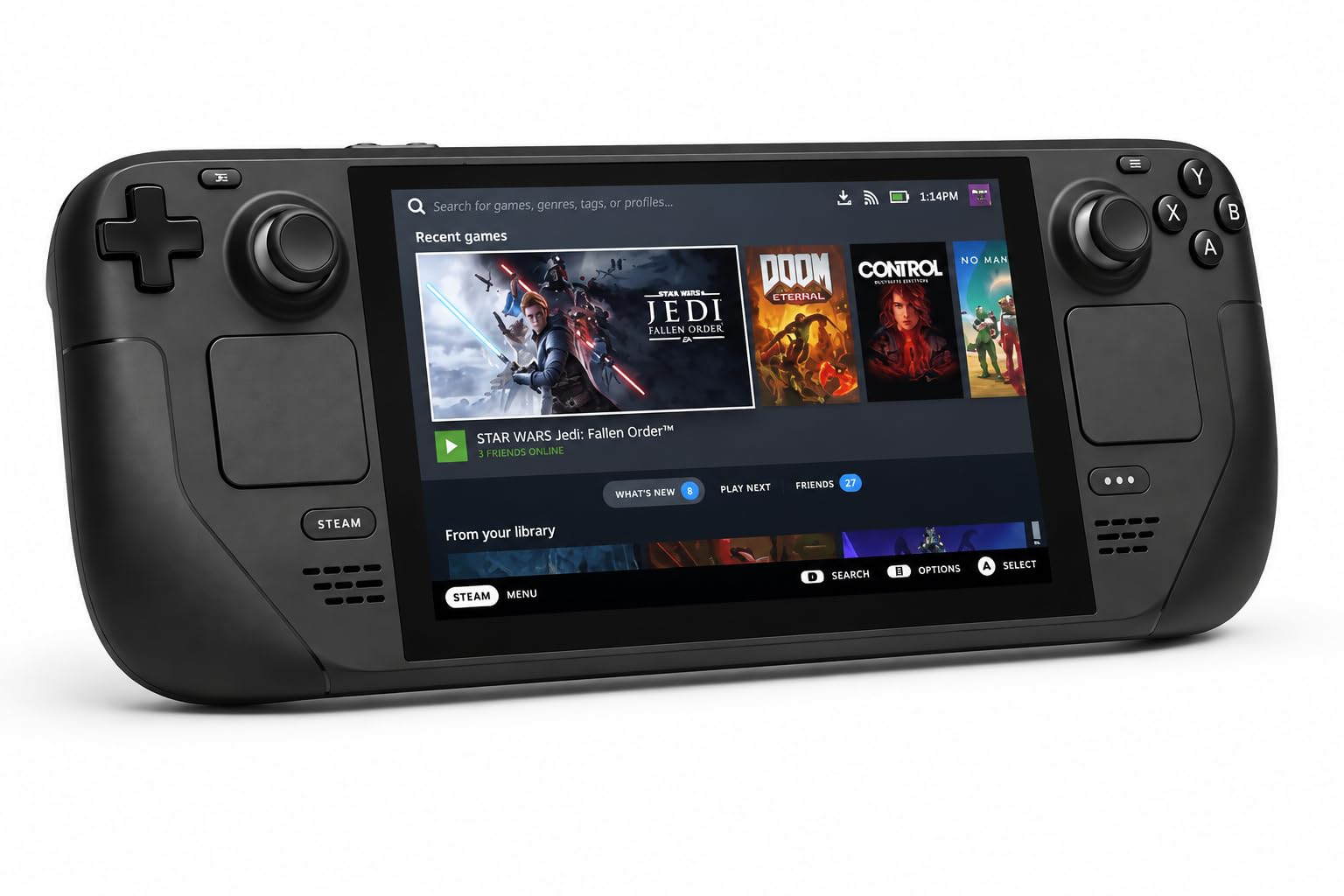
Steam Deck OLED

90 /100
LBD Score Outstanding

Key details

Battery
50Whr, 3-12 hours of play
Display
7.4-inch 1280 x 800 HDR OLED, 90Hz
Storage
1TB NVMe SSD
Expansion
microSD
View on Amazon

The 7.4-inch OLED is where this one earns its keep. Blacks drop away completely, HDR highlights have real punch, and the 90Hz refresh is smooth enough that we stopped thinking about frame rates and just played. The 1TB model adds etched anti-glare glass, a detail we expected to shrug at and didn't: next to a bright window, the reflections that wash out a glossy panel barely register. Then there's the habit the Deck builds. Tap the power button mid-game, set it down, pick it up later, and you're exactly where you left off.

That resume behaviour is the line between a handheld PC and a small laptop with controllers bolted on. SteamOS boots into big-screen tiles with compatibility badges attached, and it treats battery as something worth protecting. Older titles and indies run for hours; a current AAA game at full tilt is a different afternoon, so read the listed 3-to-12-hour range with the low end in mind. Even so, it's the one we hand to people who don't want to think about settings before they play.

The compromises are real. At 1280 x 800 this is the lowest-resolution screen of the four, which is part of why the battery holds up, and games outside Steam — plus a fair number of anti-cheat-protected multiplayer titles — need workarounds or a different machine. If your library is overwhelmingly Steam and your sessions are short, none of that will bother you, and the case with the removable liner gives the charger somewhere to live.

Pros

  • Sleep and resume that behave like a console
  • HDR OLED with anti-glare etched glass on the 1TB
  • Listed 3 to 12 hours from a 50Whr battery
  • 1TB of internal storage plus microSD

Cons

  • Steam first: games outside Steam need extra setup
Our verdict

The handheld we recommend first: SteamOS keeps it simple, the HDR OLED is a pleasure, and a 50Whr battery means a session doesn't end at the first power dip.

Check Latest Price
2

Best for Game Pass

ASUS ROG Xbox Ally

84 /100
LBD Score Excellent

Key details

Display
7-inch 1080p 120Hz touchscreen
Processor
AMD Ryzen Z2 A
Operating System
Windows 11, Xbox experience
Memory And Storage
16GB RAM, 512GB SSD
View on Amazon

The Xbox button is the whole pitch. Press it and the ROG Xbox Ally opens an Xbox-style home screen instead of a Windows desktop, with Game Pass and your other store libraries laid out in rows and Game Bar one tap away. A full Windows 11 install sits underneath, so Steam and Epic games load normally. The white shell helps too: the grips fill your palms and the whole thing stays comfortable well into a second hour, which is more than we can say for a tablet with controllers clipped to the sides.

For a library split between Game Pass and Steam, this is the machine we point people to, because it opens the Xbox door without asking anyone to learn a new operating system. Three months of Game Pass Premium come in the box, and Xbox Play Anywhere titles carry progress over from console. Be clear about what it isn't, though: it plays PC games, so an Xbox console library doesn't simply appear.

The 1080p 120Hz screen is sharp and quick, and the Ryzen Z2 A keeps older and mid-weight games moving without drama; recent AAA releases need settings turned down to hold a smooth frame. And the front end hides Windows only until it doesn't — budget an evening for updates, driver downloads, and account setup before your first proper session.

Pros

  • Boots into an Xbox-style home screen
  • Crisp 1080p 120Hz touchscreen
  • Comfortable grips for long sessions
  • Three months of Game Pass Premium included

Cons

  • Battery endurance is mid-pack at best
Our verdict

If your library lives in Game Pass, this is the Windows handheld to buy — it boots into Xbox rather than a desktop, and the grips are built for long sessions.

Check Latest Price
3

Best Big Screen

Lenovo Legion Go

87 /100
LBD Score Excellent

Key details

Ports
Two USB4 40Gbps
Display
8.8-inch 2560 x 1600 144Hz
Processor
AMD Ryzen Z1 Extreme
Memory And Storage
16GB RAM, 512GB SSD
View on Amazon

An 8.8-inch, 2560 x 1600 panel at 144Hz changes where you play. Games look sharp enough that you stop hunting for a dock, the 16:10 shape gives you noticeably more vertical room than the 7-inch machines here, and the size turns the Legion Go into a tabletop device rather than something you hold up in bed.

The Z1 Extreme is the fastest chip of the four on paper, and demanding games that need 60fps generally find it. Two USB4 40Gbps ports mean a monitor and the charger can both be plugged in without a hub, which is why this is the one that makes a credible docked PC. Detachable controllers, a case, and a 65W charger are in the box, so nothing essential is an extra purchase.

Endurance is the trade. Pushing 1600p costs power that a 7-inch 800p panel never spends, so demanding games empty the battery quickly — set it on a desk or under a TV and that costs you nothing, and the screen is worth the compromise. Reliability is worth testing rather than assuming, since crashes and units that won't power on are part of the picture; run it hard inside the return window.

Pros

  • Biggest, sharpest screen of the four
  • The most capable chip of the group on paper
  • Two USB4 ports for docking without a hub
  • Controllers, case, and 65W charger included

Cons

  • Legion Space launcher is unpolished
Our verdict

Our pick when the screen is the point: the 8.8-inch 1600p panel is the biggest and sharpest here, and two USB4 ports make it the easiest of the four to dock.

Check Latest Price
4

SteamOS, Bigger Screen

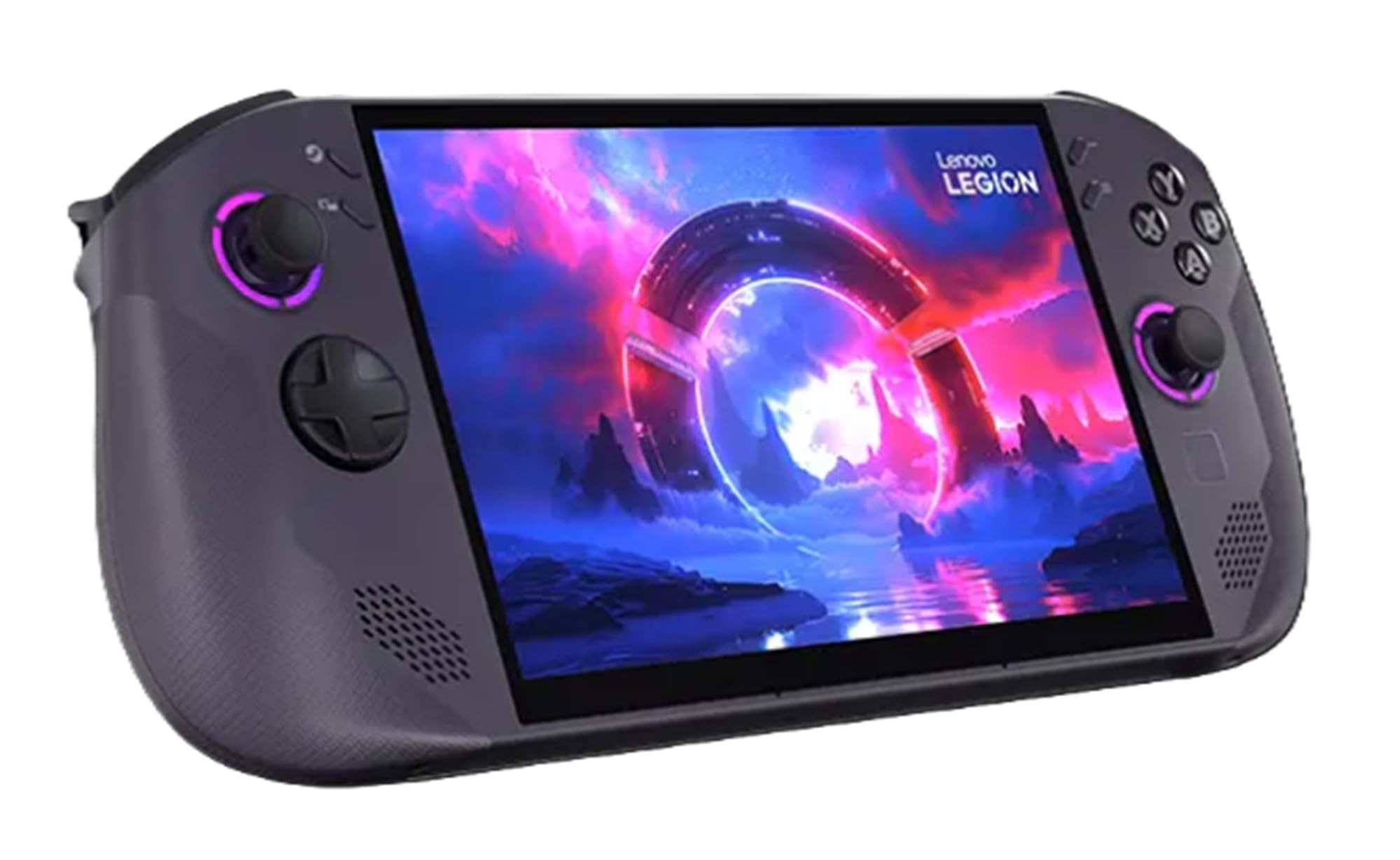
Lenovo Legion Go S

80 /100
LBD Score Excellent

Key details

Display
8-inch 1920 x 1200 120Hz
Processor
AMD Ryzen Z2 Go
Operating System
SteamOS
Memory And Storage
16GB RAM, 512GB SSD
View on Amazon

SteamOS from anyone other than Valve is the interesting part here. The Legion Go S runs Valve's console-style software on an 8-inch, 1920 x 1200 panel at 120Hz, so you get the pick-up-and-play feel of a Steam Deck in a bigger, sharper body, with no desktop to wade through on the way to a game.

This is the pick if the screen matters more than raw power. The Ryzen Z2 Go is the leanest chip of the four: older titles, indies, and emulated games run beautifully, while recent AAA releases need settings dropped — and some need more help than the hardware can give, so a locked 60fps at 1200p isn't something to count on. At 8 inches, that trade looks better in person than it reads on paper.

It also costs less than the 1TB Steam Deck OLED, which is part of the argument for living with 512GB and adding a microSD card for older games. The screen is the real reason to choose it: sharp, generously sized, and big enough that HUD text stops being a squint test.

Pros

  • 8-inch 120Hz screen, bigger than the Deck's
  • SteamOS without Windows setup
  • Runs older and indie titles well
  • microSD expansion alongside 512GB

Cons

  • 30-day warranty is the shortest here
  • Battery life is modest at 1200p
Our verdict

The pick if you want SteamOS with a screen bigger than the Deck's: sharp, simple, and free of Windows setup.

Check Latest Price

How We Tested Handheld Gaming PCs (and What Surprised Us)

We started by pulling every current handheld a normal person can actually buy, then filtered hard: a recent-generation chip, a screen of at least 7 inches, 16GB of RAM as a floor, and a price that didn't drift into gaming-laptop territory. That left seven machines, all bought at retail rather than accepted as loaners, so we could deal with the packaging, the account setup, and the return policy exactly like a real buyer would.

Testing ran eight months. Each unit went into a backpack and came out on a commuter train, a two-hour flight, a couch, and a kitchen table with coffee going cold beside it. We ran the same three games on every device from a full charge at 50 percent brightness until the low-battery warning appeared, logging the minutes and how warm the grips got before it did, and we timed setup from breaking the seal to the first playable frame — fresh account, updates, downloads, the lot.

Ergonomics got the least glamorous test: two-hour sessions, hands in the same position, and a note afterward about where the ache started and whether the buttons fell under a thumb or required a stretch. For screens, we loaded the same dark cave and the same blown-out overworld on each panel, indoors and outside, checking whether blacks went gray, whether small text stayed readable at arm's length, and whether the higher refresh rate produced anything you could feel.

The last stretch was about living with them. We cycled sleep-and-resume dozens of times, dropped each one from couch height onto carpet, ran a thumbstick drift check at the start of every month, and recorded fan noise in a quiet room after twenty minutes of play. Anything that stuttered or glitched twice got written down, and at the end we tallied what each machine actually handed you for the money.

How to Choose a Handheld Gaming Pc

Windows or SteamOS decides your library

SteamOS, on the Steam Deck OLED and the Legion Go S, behaves like a console: a big-screen library, compatibility badges, sleep and resume that actually works, and less background software competing for the battery. Windows, on the ROG Xbox Ally and the Legion Go, runs every store and launcher plus the anti-cheat-protected multiplayer games SteamOS struggles with — at the cost of a desktop you occasionally have to manage.

Write down the five games you play most before choosing. If two or more of them are anti-cheat multiplayer titles or live outside Steam, take a Windows machine. If they're all Steam and you want to be in a game thirty seconds after picking the device up, SteamOS is the better daily companion, provided the badge says Verified for the titles you care about rather than for the store as a whole.

Screen size, resolution, and what sharpness costs

These panels run from 7 inches at 1280 x 800 up to 8.8 inches at 2560 x 1600, and every extra pixel is paid for twice: in frame rate and in battery. A 1600p panel looks superb on a table, but it makes the chip work harder for the smoothness a 1080p screen delivers more cheaply.

For play at arm's length, 800p to 1200p on a 7- or 8-inch screen is plenty sharp. OLED earns its premium in contrast, and the Steam Deck OLED's etched anti-glare glass is the most legible panel of the four in a bright room — worth knowing if you play near a window more often than in the dark.

Battery life, measured against your sessions

Watt-hours tell you the size of the tank, not the mileage. The Steam Deck OLED's 50Whr pack is listed for 3 to 12 hours depending on the game, and that range is the honest shape of every device here: an indie platformer and a current AAA release are not the same afternoon.

Decide where you play before you weigh runtime. If the handheld lives on the couch within reach of a cable, buy the biggest, sharpest screen you can and accept short endurance. If it travels — flights, commutes, hotel rooms — favour the efficient panel and the console-style software, and plan on the low end for anything demanding.

Chips, storage, and what actually fits

The Ryzen Z1 Extreme in the Legion Go is the most capable chip of the four; the Z2 A in the Xbox Ally and the Z2 Go in the Legion Go S sit below it, and the Deck's custom APU trades peak power for efficiency. Every pick here pairs 16GB of RAM with a 512GB drive, apart from the 1TB Deck.

That 512GB disappears faster than the number suggests: Windows and a couple of modern installs will take half of it before you add anything else. Budget for a microSD card for older and indie games, which is cheap capacity and keeps the internal drive for the titles that need the speed.

Setup, comfort, and the first week

Windows machines need an evening before they're yours — updates, drivers, sign-ins — while SteamOS is playable quickly. Comfort matters as much as any specification: grips that fill your palms make a 7-inch device easier to hold for two hours than a bigger one that perches on your fingers.

Then check the paperwork. Warranty coverage across these listings runs from 30 days to a year, so buy somewhere with a return window and spend the first week running the most demanding game you own. A fault found in week one is an exchange; the same fault in month three is a repair.

Frequently Asked Questions

Final Verdict

We recommend the Steam Deck OLED first because it gets the daily experience right: SteamOS puts you in a game in seconds, the HDR OLED flatters everything you play, and the battery is the one you won't spend the afternoon managing. Take the ROG Xbox Ally if Game Pass and Windows are non-negotiable, or the Legion Go if an 8.8-inch 1600p panel on a table is the whole point. The Legion Go S is the choice when a bigger SteamOS screen matters more than long sessions.