Best Golf Simulators of 2026

A golf simulator that flatters your 7-iron is worse than no simulator at all. The job is to report what actually happened at impact — ball speed, launch angle, how far offline you really were — and generous numbers just help you groove a swing that falls apart on the first tee in April. What this gear buys you is a way to keep hitting balls when the range is closed, the light is gone, or the drive feels like too much.

I've spent the last six months hitting into a net in my garage, working through 12 launch monitors and simulators with my team. Two things stood out: accuracy and app quality separate these units far more than price does, and a connection that holds every time beats a longer feature list.

Before you buy, measure from your mat to your net. Several units want close to eight feet of ball flight to read a shot, and a tight garage quietly rules out hardware you'd otherwise love. The picks below are the ones I trust the numbers on.

1

Best Overall

Garmin Approach R10

82 /100
LBD Score Excellent

Key details

In The Box
Tripod, phone mount, carry case
Battery Life
Up to 10 hours
Virtual Courses
42,000+ with membership
Water Resistance
IPX7
View on Amazon

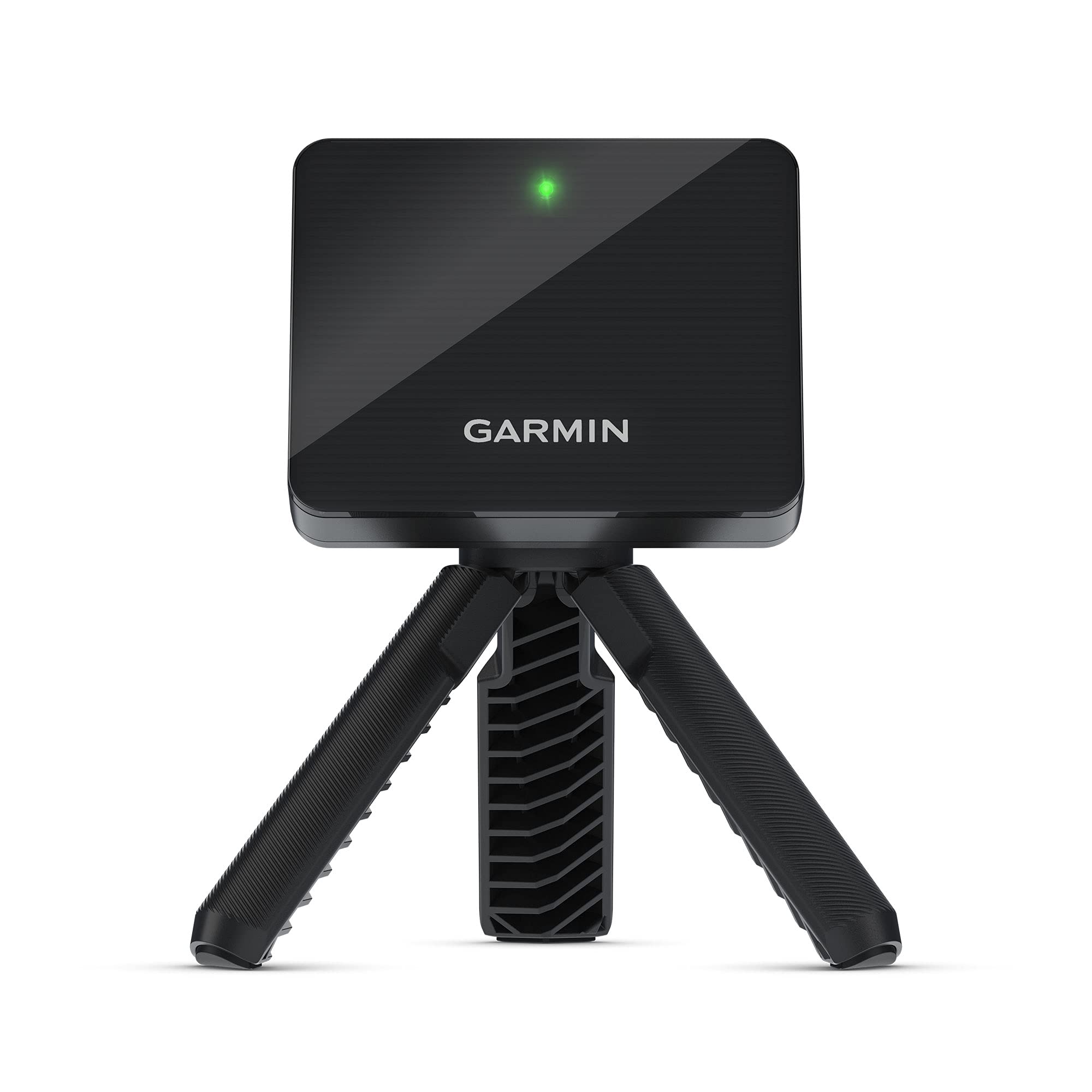
It weighs 340 grams and travels in its own carry case, which is why the Approach R10 ends up in a golf bag rather than a cupboard. Set it on its tripod behind the ball, pair it with the Garmin Golf app, and it returns club head speed, ball speed, swing tempo and the rest of the numbers. Nothing about it is precious: it's IPX7 waterproof, rated for up to 10 hours on a charge, and the phone mount comes in the box. This is the launch monitor we recommend first to most people, because it works as well in a backyard net as it does on a range mat.

Training mode is what turns it from a gadget into practice. It keeps per-club stats and draws a dispersion chart from an estimated ball flight model, so a session leaves you with a pattern instead of a pile of numbers. Paired to a phone, every swing also gets an automatically recorded video clip with that swing's metrics laid over it — the feature we came back to most, because the numbers tell you what happened and the video tells you why.

Distance is the reading to treat with care. Carry and total are the ones that come up short, and the gap widens indoors where the unit has less flight to watch; ball and club speed hold up better. The 0.9-inch screen is a status display and nothing more — which is fine, because your phone was always going to be the screen here, and the mount for it is already in the box.

Pros

  • Fits in a golf bag at 340 g
  • Up to 10 hours of battery
  • Per-club stats and dispersion charts
  • IPX7 waterproof for wet mornings

Cons

  • Carry distances can read short
  • Course play needs a Garmin Golf membership
Our verdict

The one we recommend first: a real ball-tracking launch monitor that travels, survives weather, and returns per-club data and video at a mid-range price.

Check Latest Price
2

Best Premium All-In-One

Garmin Approach R50

80 /100
LBD Score Excellent

Key details

Screen
10-inch color touchscreen
Weight
9 lb
Cameras
Three-camera system
Virtual Courses
43,000+ with membership
View on Amazon

The 10-inch touchscreen is the reason to look at the R50. There's no tablet to mount, no phone to mirror and no second screen to buy: the unit sits down, wakes up, and shows a course, your numbers and high-speed impact footage of the strike on the same panel. Three cameras do the measuring, and this is the only unit here that will watch every club in the bag and then let four of you play a round with putting included.

This is the one we point at a permanent indoor bay. Put it in a garage or a spare room and it stops being a device you set up and becomes a fixture: Garmin's 43,000-plus courses arrive through the Home Tee Hero membership, training mode splits stats by club and plots a dispersion chart, and the impact video is the piece that separates it from everything else on this list. Nine pounds and a four-hour battery tell you the same story — it will travel in its case, but that isn't what it's for.

Two things are worth knowing before you commit. The 800 x 1280 panel is serviceable rather than sharp when you're watching video on it, and distance readings deserve the same skepticism as any unit here, because they can come up short. Neither changes what the screen buys you: this is a simulator that happens to measure, rather than a launch monitor that happens to play courses, and for a spare room it's the tidiest version of that idea.

Pros

  • Built-in 10-inch touchscreen
  • Three cameras with impact video
  • Four-player rounds with putting
  • Works indoors or at the range

Cons

  • The most expensive pick here by a wide margin
  • Face-to-path data needs club stickers
Our verdict

We point this at a permanent indoor bay: the built-in screen and three cameras make it the most complete home setup here, at the highest price.

Check Latest Price
3

Best Budget

Rapsodo MLM

83 /100
LBD Score Excellent

Key details

Video
Replay with shot tracer
Weight
14.1 oz
Metrics
Ball speed, club speed, launch angle, carry distance, shot shape
Compatibility
iPhone and iPad only
View on Amazon

The MLM returns ball speed, club speed, launch angle, carry distance and shot shape on every shot, then replays the swing with a tracer drawn along the ball flight. Real numbers plus a replay, for the least money on this list — that's the whole case, and it's why it stays our budget recommendation.

The video is the part that earns its keep. Numbers tell you what happened; the replay and the tracer tell you why, and a range session you can scroll back through afterwards is worth more than one you can't. Two conditions come attached. This is an iPhone and iPad product with no Android version, and shot pickup wants steady light and the same spot for the unit every time — set it down the same way and it settles; rush the setup and it goes quiet.

The free app covers the practice side. Premium unlocks simulator courses and game modes, and that's the part you can skip entirely, because this is a range and backyard tool that can play a course rather than a home bay that happens to measure. At 0.4 kg with a case in the box, it's small enough to live in the bag between sessions, which is how any of these actually get used.

Pros

  • Real ball and club data for the least money
  • Shot tracer on every swing
  • Packs away in a golf bag
  • Free app covers the basics

Cons

  • iPhone and iPad only
Our verdict

Our budget pick delivers the two things that improve practice — real ball numbers and tracer video — for the least money here, provided you own an iPhone.

Check Latest Price
4

Best Without a Subscription

Voice Caddie SC4 Pro

77 /100
LBD Score Very Good

Key details

Weight
1.3 lb
Display
LCD with voice output
Subscription
None required
Included Courses
3D range plus 5 E6 courses
View on Amazon

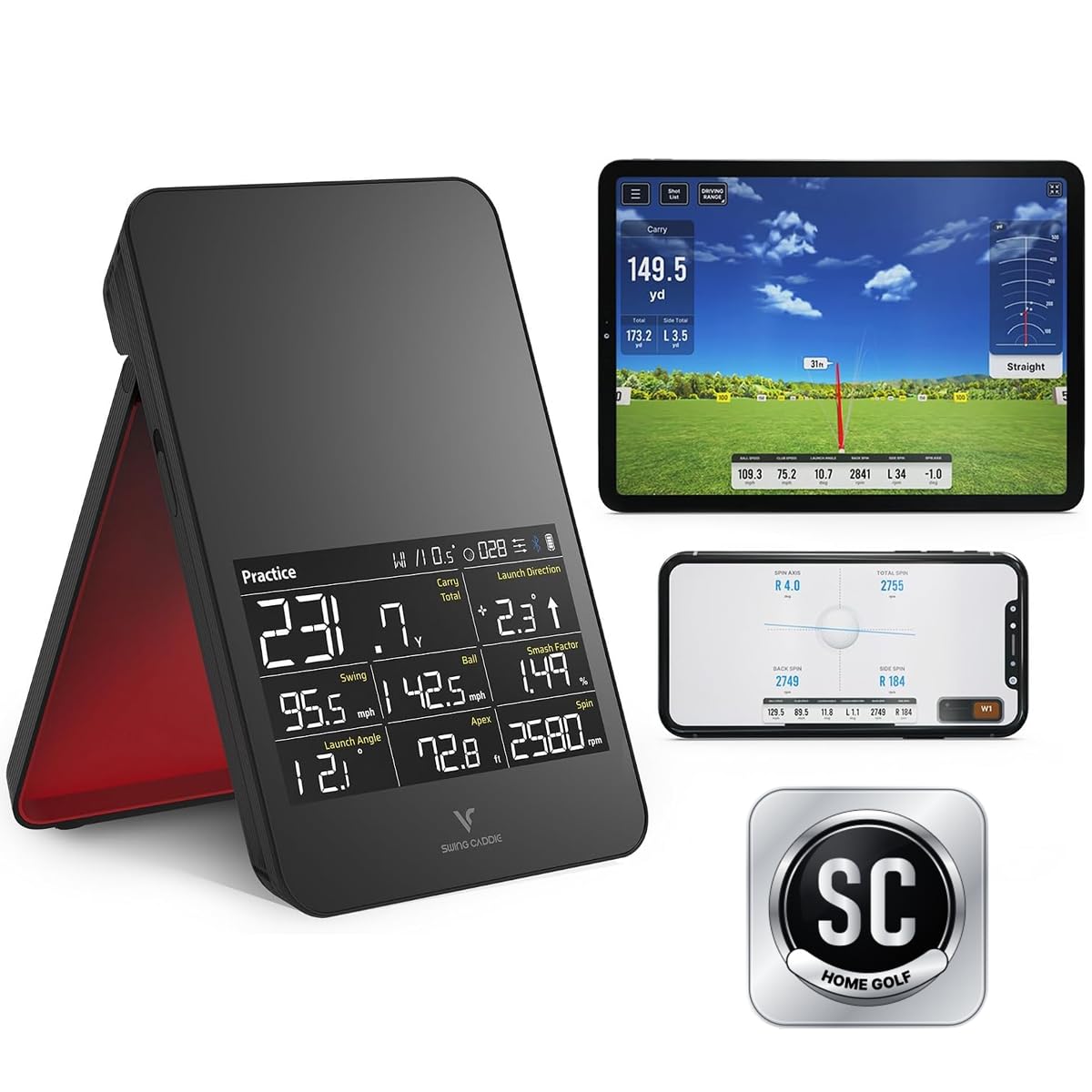
Five E6 courses and a 3D driving range come in the box, with no monthly fee attached to either — which makes the SC4 Pro the odd one out in a category where course play normally means a subscription. The Prometrics engine returns ball and club data, and the readout lands on the unit's own LCD with voice output, so a session doesn't require you to prop up a phone at all.

That combination is why it's our pick for course play on a budget that stays fixed. Practice/target mode and swing-speed mode give it something to do when you're not playing a round, the remote keeps settings off your phone screen, and it doesn't need special balls. The VOICECADDIE S app is where the deeper analysis lives, and it's also the part that takes patience — pairing can need a couple of attempts, so do it at home rather than on the first tee.

The simulator side is fussier about handsets than the standalone display is, so check your phone against the supported list before you order rather than after. What's left is a device that does the two things most people want from a home simulator — a screen you don't have to hold, and courses you don't rent by the month — and asks for the money once.

Pros

  • No subscription for course play
  • Built-in LCD and voice output
  • Five E6 courses included
  • No special balls required

Cons

  • Carry distances can read short
Our verdict

We recommend it to anyone who wants course play without another monthly bill: five E6 courses, a built-in screen, and no subscription.

Check Latest Price
5

Simple Range Data

Voice Caddie SC200 Plus

83 /100
LBD Score Excellent

Key details

Weight
8 oz
Display
LCD with voice output
Technology
Doppler radar
Battery Life
Up to 20 hours
View on Amazon

No app, no account, no course library. The SC200 Plus is a Doppler radar unit with an LCD, a remote and a voice that reads your numbers out loud, and that's the entire proposition: switch it on, put it behind the ball, hit. Up to 20 hours of battery means you'll forget where the charger went.

What it does have is more useful than it sounds. Swing speed mode works without a ball at all, which makes it a real indoor tool for the months when the course is closed — you can work on speed and tempo in a garage with no net. It stores shot data and per-club averages, loft angle is adjustable, and the voice output means you never have to look away from the mat mid-session.

For a beginner or a range regular who wants yardages and swing speed and nothing else, this is the least fussy way to get them, and the numbers hold up well enough for club selection — they get shakier the longer the club, which is worth knowing before you buy it to gap a driver. What you get instead of virtual golf is a device that turns on and works, every time, without asking your phone for permission.

Pros

  • Up to 20 hours per charge
  • No phone or app needed
  • Swing speed mode without a ball
  • Remote control and voice output

Cons

  • No virtual courses or course play
Our verdict

Our pick for plain range data: no app, no account, no courses — just yardages, swing speed, and up to 20 hours between charges.

Check Latest Price
6

Group Play

Phigolf PG2 Flex

81 /100
LBD Score Excellent

Key details

Sensor
9-axis motion sensor
In The Box
Swing stick and sensor
Compatibility
iOS and Android
Virtual Courses
38,000+ via Phigolf and E6 Connect
View on Amazon

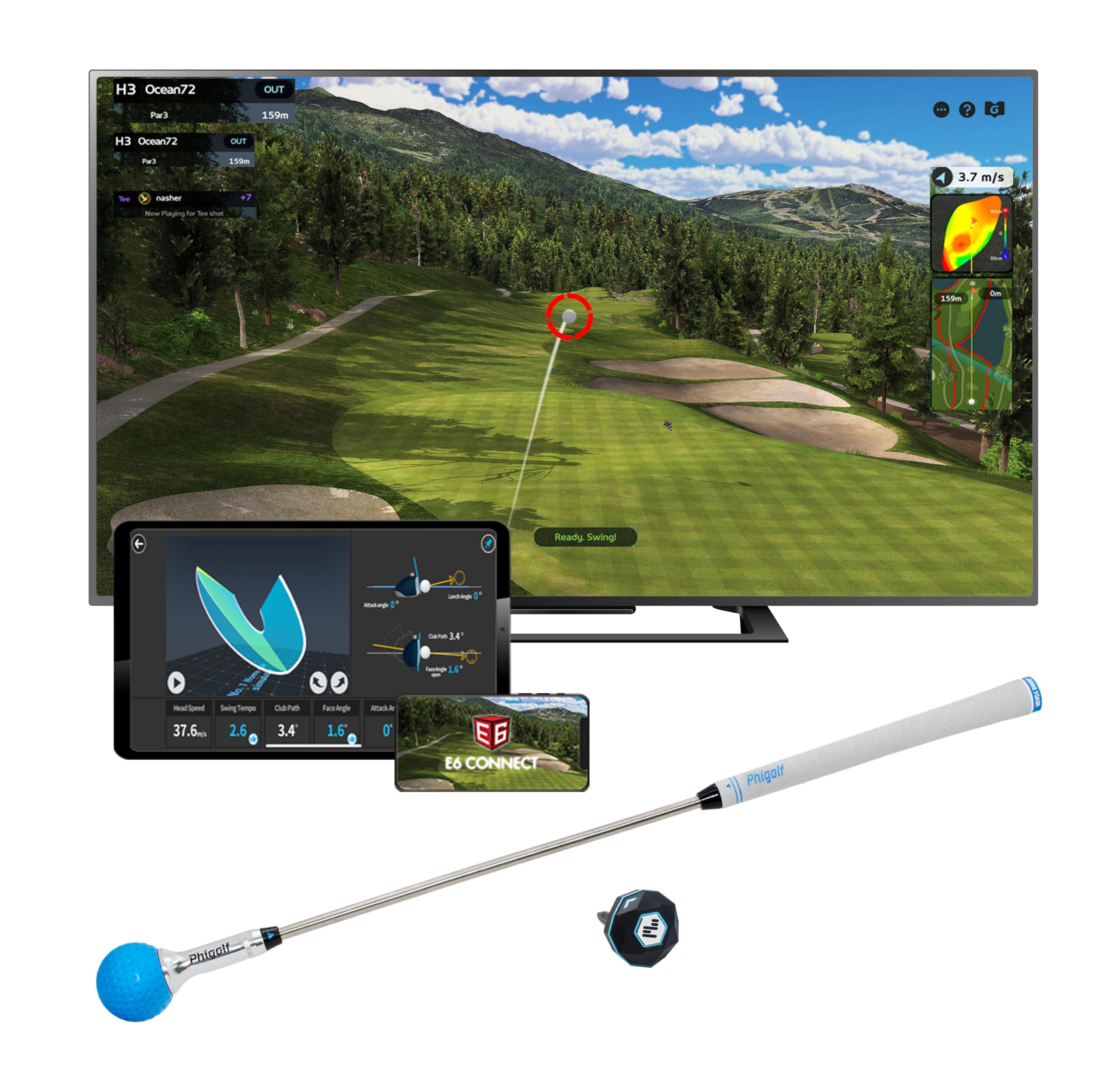
Four people, one living room, no ball, no net, and a round on a real course on the television. That's the Phigolf pitch, and it's the version of that evening you can genuinely pull off in an apartment at nine at night. The package is a 9-axis motion sensor built into a swing stick — aluminium, light enough to swing indoors — that pairs with your phone or tablet and turns your swing into a shot on 38,000-plus courses through the Phigolf app and E6 Connect.

How it plays: the sensor reads the swing and the app turns that into ball flight. You can go round on your own, pass it around with family and friends, or take it online, and the sensor can be attached to a compatible real club if you want to use it outdoors. That flexibility is most of the appeal — one device covers a rainy evening and a range session.

The friction shows up in the swing itself. Registration is fussy enough that a practice swing can count as a shot while a real one goes unread, and because the unit never watches a ball, everything you see is modelled from the club — the numbers are about your swing, not about where the ball went.

What it does well, it does better than anything else here: it's the most sociable device on the list by a distance, and the one that turns a swing with no ball into an actual round. It isn't a launch monitor, though, and buying it to learn your carry distances is buying the wrong thing. The swing stick gives the game away — it's a club-shaped controller rather than a measuring instrument, and once you think of it that way, the price and the appeal both make sense.

Pros

  • No ball, net, or ceiling height needed
  • 38,000+ courses on a phone or tablet
  • Solo, local, and online play
  • Sensor fits a real club for outdoors

Cons

  • No ball flight data
  • Bluetooth pairing can be unreliable
Our verdict

We recommend it for group play in a small room, not as a launch monitor: it reads your swing rather than your ball and turns it into a round.

Check Latest Price
7

Android Practice

TAGCMC Pro X1 Plus

77 /100
LBD Score Very Good

Key details

Subscription
None
Compatibility
iOS 11+, Android 11+, HarmonyOS 4.0+
Virtual Range
3D driving range with 45- and 90-degree views
Built-in Sensors
Temperature, humidity, barometric pressure
View on Amazon

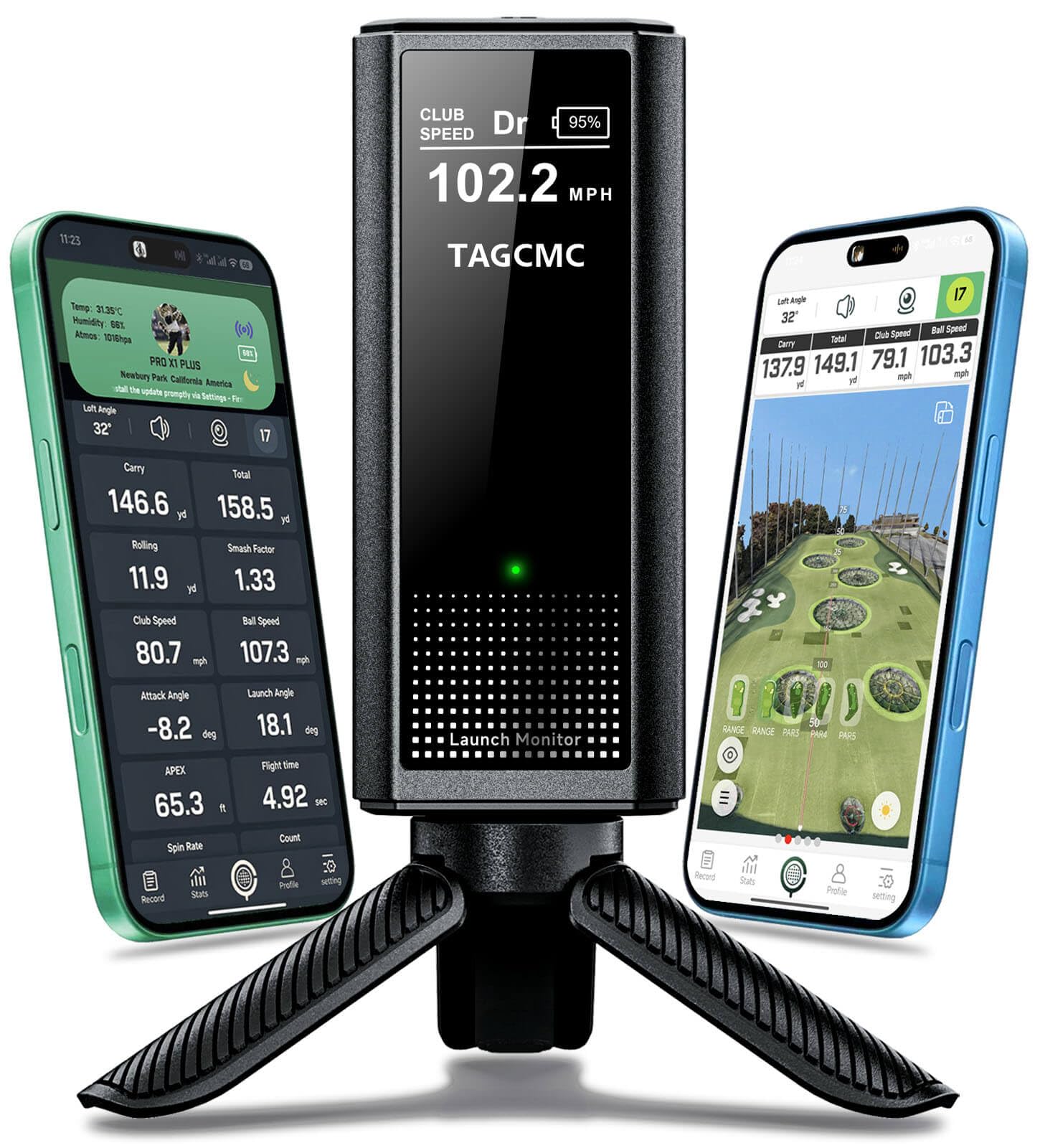
Temperature, humidity and barometric pressure sensors aren't standard equipment on a golf monitor, and they're the most interesting thing about the Pro X1 Plus. The idea is simple enough: a hot, humid evening and a cold morning produce different ball flights, so the unit corrects the shot data toward the conditions you're actually playing in.

The rest of the package is aimed at people who want a simulator without a monthly bill. There's a 3D driving range with 45- and 90-degree viewing angles, attack angle and launch angle among the metrics, a swing-only mode for practice without a ball, and clubface impact visuals. It covers iOS 11 and newer, Android 11 and newer and HarmonyOS 4.0, and runs up to 10 hours on a charge.

That makes it the one we point Android users toward when a subscription is out of the question — the Rapsodo won't run on their phone and the Garmins want a membership for course play. The caveat is the numbers themselves: hit a handful of clubs you already know your yardages for, see whether the unit agrees, and only then build anything on top of them. Buy it as a practice device and the price makes sense.

Pros

  • Environmental sensors adjust for conditions
  • No subscription for the 3D range
  • Runs on Android as well as iOS
  • Up to 10 hours of battery

Cons

  • 3D driving range only, no course library
Our verdict

The one we point Android users toward when a subscription is out of the question, with a 3D range, environmental sensors, and no monthly fee.

Check Latest Price

How We Tested the Best Golf Simulators and Launch Monitors

We started with roughly 40 launch monitors and simulators and cut the list with three questions: will it read a full shot indoors, what does it cost once the free trial ends, and can one person set it up in under ten minutes? That left 12 units, which we tested over six months.

Those 12 lived where people actually use them: a hitting mat in my garage with the net eight feet away, the backyard on weekend mornings, the range on Tuesday evenings for a reality check against real ball flight, and the living room rug for the motion-sensor game unit my kids claimed. Each got at least 50 swings per club, plus the shots that break lesser monitors — a topped wedge, a 40-yard pitch, and a putt.

Accuracy was the first cut: we compared carry distance and offline numbers against what we'd just watched on the range, and flagged any unit that routinely read short irons long. We also counted the shots each one missed, since a shanked 8-iron that never registers tells you something about reliability. For connectivity, we paired every unit to an iPhone and an Android phone, timed power-on to first shot, and noted how often the app dropped mid-session. Visual accuracy was simply whether the on-screen ball flight matched the numbers and how far the animation lagged behind the strike.

Swing controls we tested with a glove on — switching clubs mid-session, paging through menus, and whether the readout lives on a built-in screen or only on your phone. Each unit got knocked off its tripod at least once and packed into a bag for the range. Then we tallied what six months actually costs once app fees are included.

How to Choose a Golf Simulator

Ball Flight or a Swing Game?

Units that watch a ball — the two Garmins, the Rapsodo, both Voice Caddies, the TAGCMC — report ball speed, launch angle and carry, which is what you need to build a yardage chart. Motion-sensor swing sticks such as the Phigolf read the club alone and animate a shot from it. Those are games and tempo trainers, and they're the ones you can use in a room with no ball and no net.

Decide which of those two things you're shopping for before you compare anything else. A swing game will never tell you how far a seven-iron carries, and a ball-tracking monitor needs a ball, a net and somewhere for the ball to fly.

Room, Light, and a Clear Path

Every unit here needs a clear view of the ball and enough room for it to travel into a net, and placement isn't interchangeable: some sit behind the ball, others beside it, and the setup diagram in the manual is not a suggestion. Compact describes the device, not the space it needs.

Measure the depth from your mat to the net before you claim a corner of the garage, and check the manufacturer's stated minimum distance for the model you're considering. A unit that reads three shots in four because it's too close to the net is worse than no unit at all.

Screens, Apps, and What You Pay Later

Underneath, most of these are phone products. The Rapsodo is iPhone and iPad only, the SC4 Pro runs its deeper statistics through an app, and only the R50 and the SC4 Pro put a usable screen on the unit itself; the SC200 Plus needs neither phone nor app. If you've ever abandoned a gadget because pairing it was a chore, that difference is worth more than an extra metric.

Then there's the second bill. Course play on the Garmins requires a membership, while the SC4 Pro and the TAGCMC include their course access up front. Add a year of any subscription to the purchase price before you decide which one is the better deal — the gap between two units can close or double once you do.

How Much to Trust the Numbers

Ball and club speed are the readings that hold up best. Carry distance is the one that wanders, and it wanders most indoors, where the unit has less flight to watch. That isn't a reason to skip a simulator; it's a reason to use indoor numbers for consistency and dispersion and to build your real yardage chart somewhere you can see the ball land.

We treat indoor sessions as a pattern-finder and save the club chart for the range. Pick one club you already know, hit ten shots, and compare — that single check tells you more about a unit than any list of metrics.

Frequently Asked Questions

Final Verdict

Start with the Garmin Approach R10. It watches a real ball, fits in a golf bag, survives a wet morning at the range, and returns per-club data and swing video without asking you to build a bay around it.

Choose the R50 instead if the simulator will live in one room and you want the screen and the impact footage built in. Choose the Rapsodo if you're on an iPhone and want real numbers for as little as possible. Beyond those three, the list answers narrower questions: Android support, course play without a subscription, and a unit that works with no phone at all.